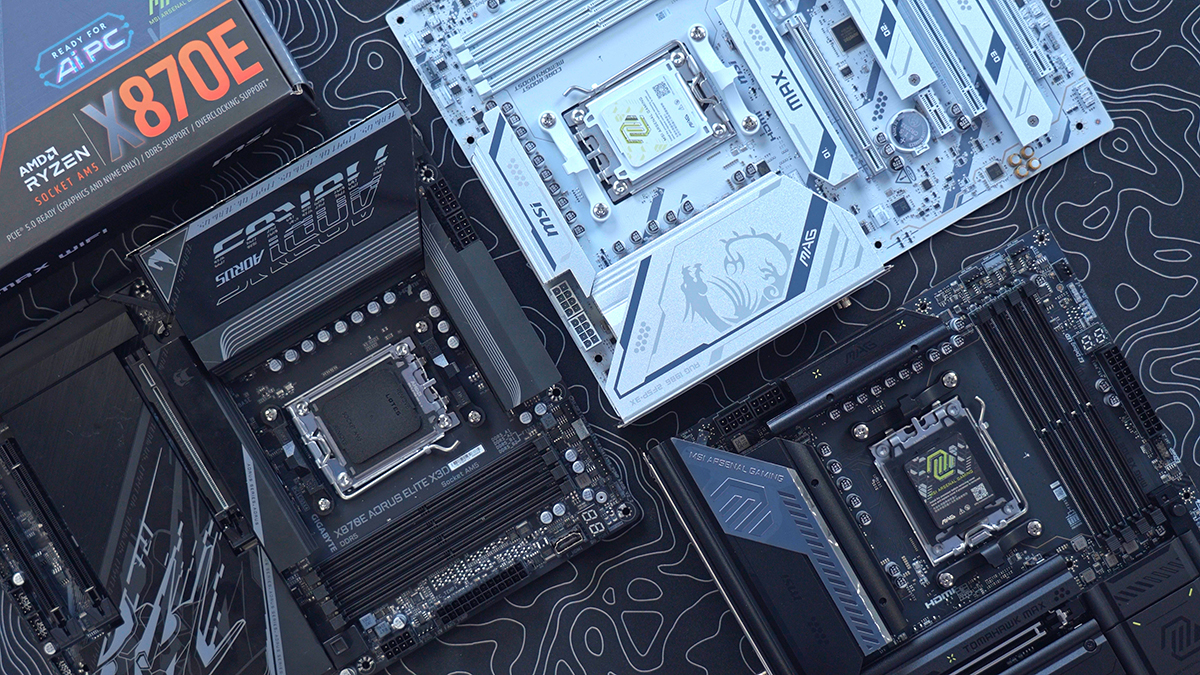
Since the Ryzen 9000 series launched in August 2024, AMD has introduced the new 800‑series AM5 chipsets – the X870E and X870 – as its high‑end platforms. These were later joined by the B850 and B840, which target mainstream and budget‑oriented builds. The X870E is AMD’s “Extreme” chipset, designed for enthusiasts who want maximum performance, extensive expansion options, and strong power delivery for overclocking. X870E motherboards sit at the top of the AM5 stack, offering mandatory USB4 support and guaranteed PCIe 5.0 connectivity for both the primary GPU slot and NVMe storage.
However, with so many X870E motherboards and refreshes of the initial models on the market, it can be difficult for the average builder to pick an option that suits their use case, form factor, and budget.
That’s why we’ve tested a range of boards that offer different features and design qualities, catering to a wide range of prospective buyers. In this article, we’ll examine each board’s specs, features, and design, summarising what we like and don’t like to provide a solid overview of each choice.

The Best X870E Motherboards
1. MSI MAG X870E TOMAHAWK MAX WIFI
Suggested article: MSI MAG X870E TOMAHAWK MAX WiFi Motherboard Review
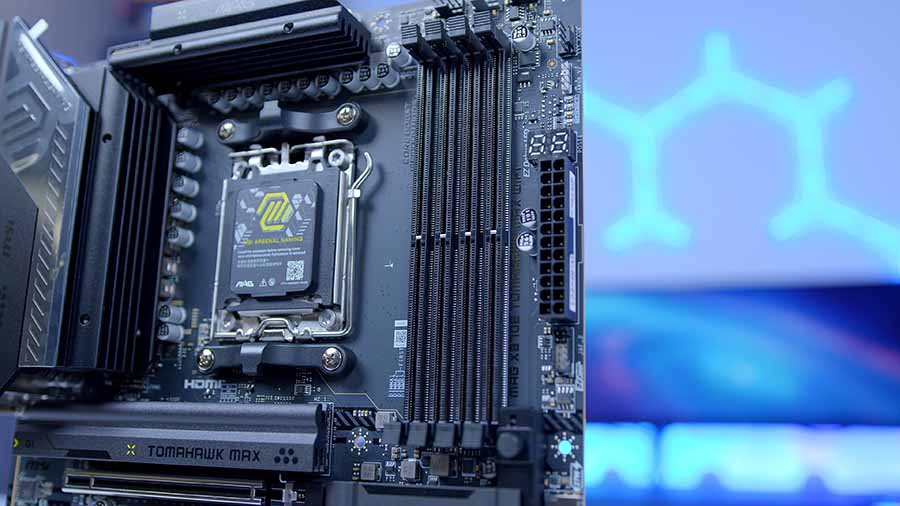
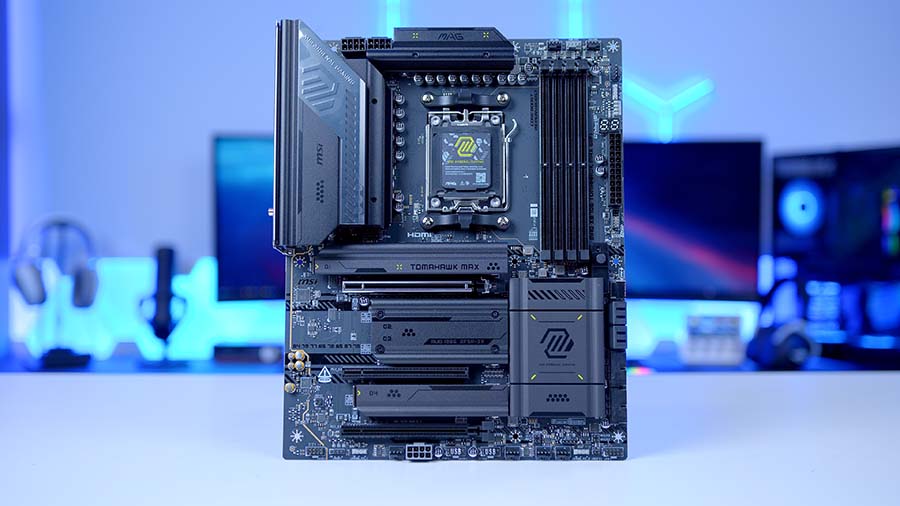
The MSI MAG X870E TOMAHAWK MAX WIFI is one of MSI’s latest releases as of January 2026, and it echoes the familiar aesthetic of the TOMAHAWK series in a slightly more understated design than usual. This motherboard, of course, offers the required specifications and a little more on top while remaining a relatively affordable X870E option.
The X870E TOMAHAWK MAX WIFI utilises an intriguing range of USB ports across the front and rear IO. While there is a slight lack of legacy USB 2.0 headers for front-panel accessories compared to older generations, the board more than compensates with its rear I/O. Featuring dual USB Type-C (40Gbps) ports, it delivers workstation-grade data transfer speeds and video-out capabilities previously reserved for the most expensive flagship boards. Whether you are a content creator moving massive 8K files or a gamer with a desk full of high-polling peripherals, the connectivity suite here leaves little to be desired.
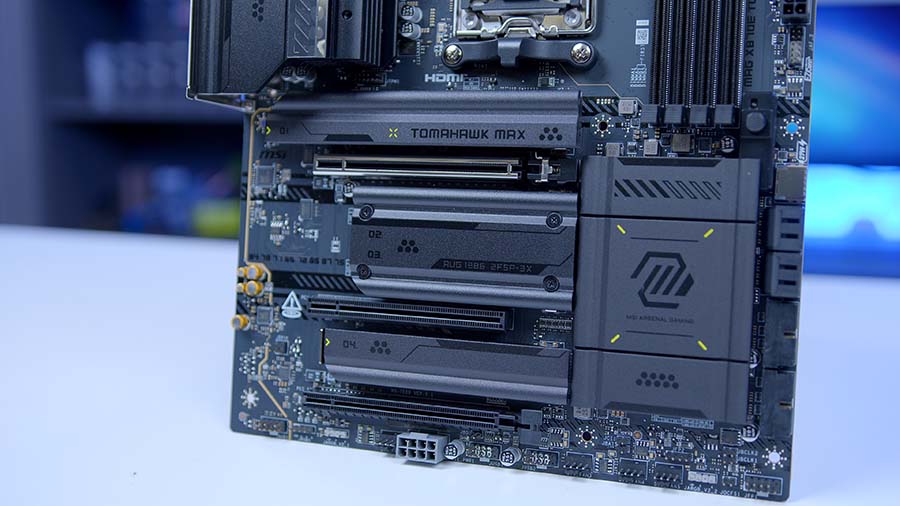
Storage is where this board truly shines. It offers a brilliant spread of options that leverage the massive bandwidth of the PCIe 5.0 interface alongside the tried-and-true PCIe 4.0 standard. With four M.2 slots in total, users can mix and match ultra-fast boot drives with high-capacity game libraries without hitting a bottleneck. To keep these drives cool, MSI includes their Shield Frozr heatsinks, which now feature a tool-less “EZ” clip design, making installation a breeze.
| Specification | MSI MAG X870E TOMAHAWK MAX WIFI |
|---|---|
| Form Factor | ATX |
| Supported Memory | 256GB DDR5 8400 MT/s (OC) |
| PCI-E x16 Slots | 1 x PCI-E 5.0 2 x PCI-E 4.0 (x4 max each) |
| PCI-E x4 Slots | 2 x PCI-E 5.0 2 x PCI-E 4.0 |
| VRM Power Phases | 14+2+1 |
| Front IO | 4 x USB 2.0 Type-A 4 x USB Type-A (5Gbps) 1 x USB Type-C (20Gbps) |
| Rear IO | 9 x USB Type-A (10Gbps) 2 x USB Type-C (10Gbps) 2 x USB Type-C (40Gbps) |
| Audio | 1 x Optical S/PDIF 2 x Audio Jacks (mic + headphone) |
| Networking | 5G LAN WiFi 7 |
If you’re searching for a motherboard with back-connect compatibility, MSI have the answer for you with their MSI MAG X870E TOMAHAWK MAX WIFI PZ, which comes in a gorgeous white and silver colourway. The only major specification difference between these two is that the PROJECT ZERO board offers a slightly more robust IO configuration.
Suggested article: MSI MAG X870E TOMAHAWK MAX WIFI PZ Motherboard Review
2. MSI MAG X870E GAMING PLUS MAX WIFI
Suggested article: AMD Ryzen 7 9800X3D Review
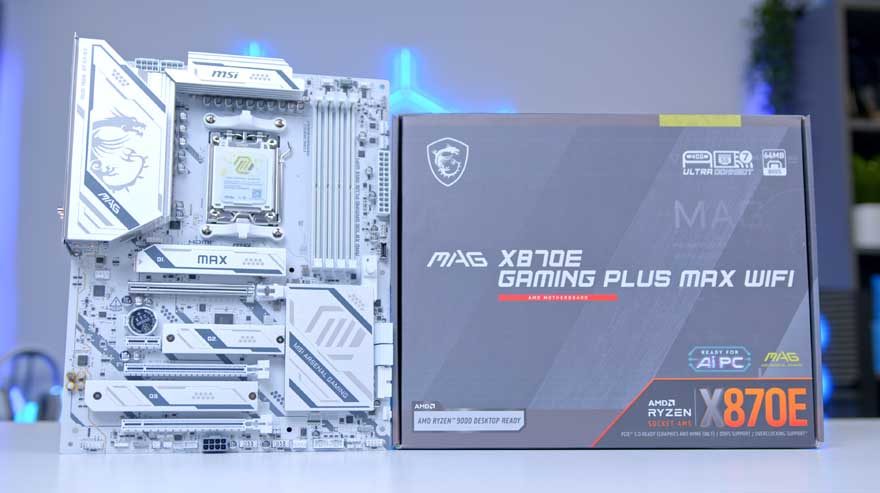
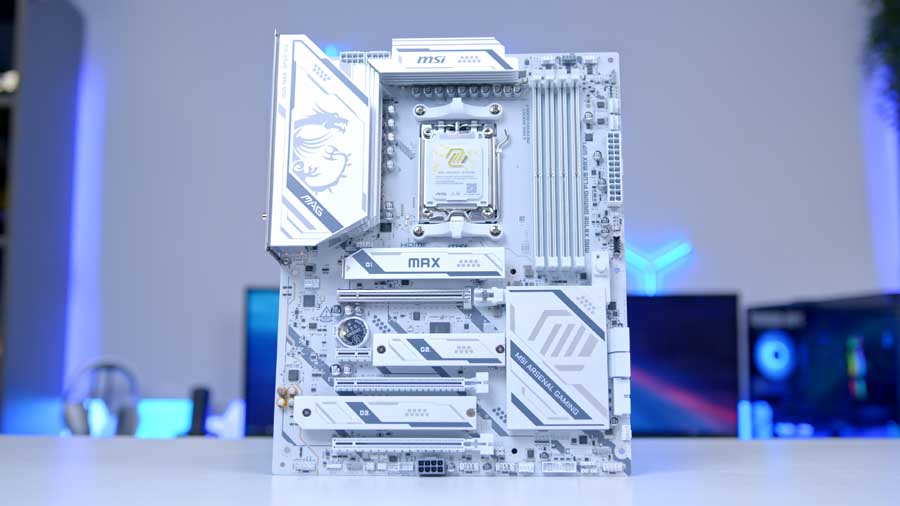
Our second motherboard recommendation is the MSI MAG X870E GAMING PLUS MAX WIFI. This motherboard has been designed to be more cost-effective whilst still offering high-performance specifications and a gorgeous yet conservative white aesthetic with grey accents stretching out across the PCB and the heatsinks.
It’s worth noting that this motherboard has been designed with gaming in mind; the MAG X870E GAMING PLUS MAX WIFI supports RAM speeds of up to 8200MT/s with overclocking, which is a great start as 6000MT/s is the typical recommended speed for RAM kits purchased with gaming in mind, so, this specification actually leaves you with a little more headroom for multitasking or making creative content should you wish to.
This motherboard is designed to be paired with one of AMD’s X3D chips (some of the best gaming CPUs on the market) or other CPUs like the Ryzen 5 9600X. For gaming builds at this level, you are typically going to rely on the GPU for raw performance, meaning that the CPU won’t really benefit from overclocking, which is precisely why having a 14+2+1 VRM phase is perfectly acceptable.
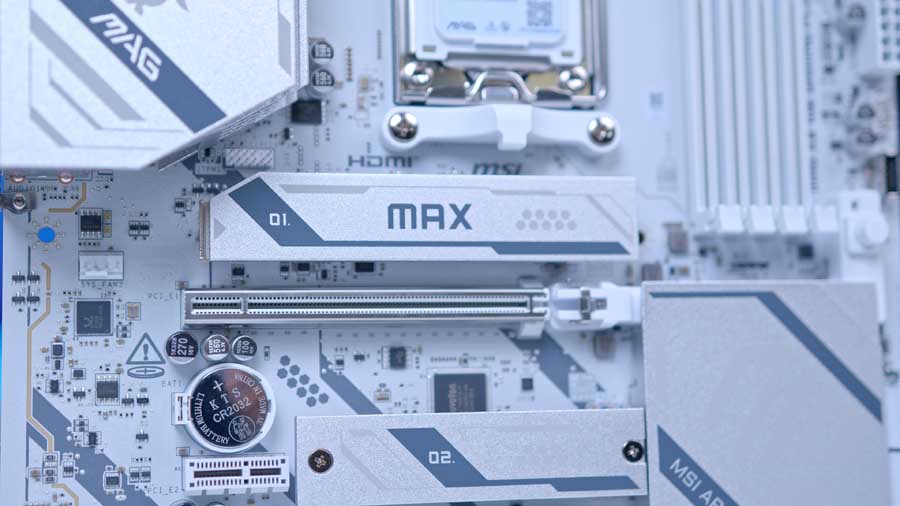
In terms of PCIe expansion and storage, this motherboard comes equipped with a GPU slot that is PCI-E 5.0, perfect for the latest graphics cards, and three M.2 slots, two of which are PCI-E 4.0 and one PCI-E 5.0, meaning that you can install one Gen5 NVMe SSD and use it to its fullest potential.
| Specification | MSI MAG X870E GAMING PLUS MAX WIFI |
|---|---|
| Form Factor | ATX |
| Supported Memory | 256GB DDR5 8200MT/s |
| PCI-E x16 Slots | 1 x PCI-E 5.0 1 x PCI-E 4.0 x16 (x4 electrically) |
| PCI-E x4 Slots | 1 x PCI-E 5.0 2 x PCI-E 4.0 |
| VRM Power Phases | 14+2+1 Duet Rail Power System |
| Front IO | 1 × USB 3.2 Gen 2×2 Type-C (20Gbps) 2 × USB 3.2 Gen 1 Type-A (5Gbps) 6 × USB 2.0 Type-A |
| Rear IO | 1× USB4 Type-C (40Gbps) 1 × USB 3.2 Gen 2×2 Type-C 2 × USB 10Gbps Type-A 2 × USB 5Gbps Type-A 4 × USB 2.0 Type-A |
| Audio | 1 x Optical S/PDIF 2 x Audio Jacks |
| Networking | 5G LAN WiFi 7 |
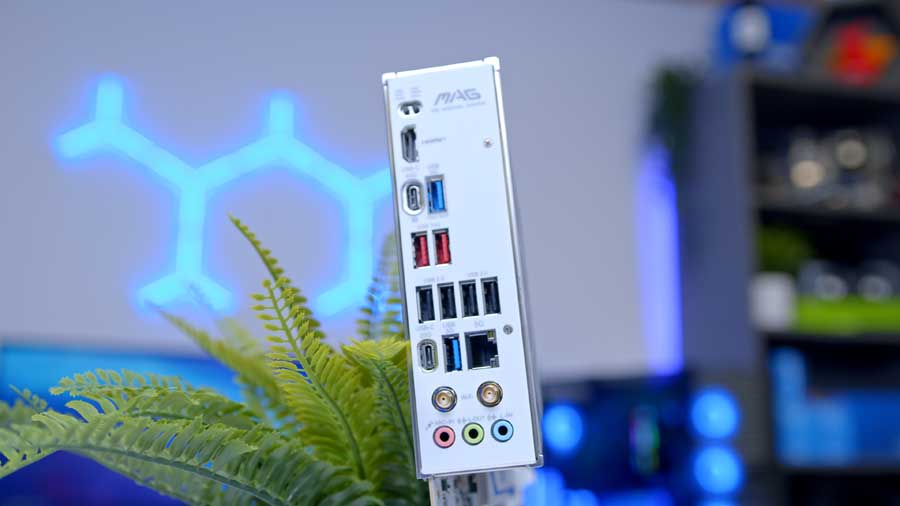
There’s a pretty decent USB spread across the front and rear IO; however, there is only one USB4 Type-C on the rear panel, which is where this recommendation falls slightly short in comparison to our other recommendations. Dropping one USB4 isn’t a feature that is going to dramatically change your enjoyment of a system that equips this board, unless you absolutely require more than one USB4 port.
The X870E GAMING PLUS MAX WIFI is the better choice for builders prioritising a clean, all-white aesthetic at a lower price point. While it offers one fewer M.2 slot and one fewer USB4 port than the Tomahawk, it provides the essential high-speed ‘E’ series feature -like PCIe 5.0 for your GPU and primary SSD – without the premium price tag.
Suggested article: Best CPU & GPU Combos to Buy 2025
3. Gigabyte X870E AORUS ELITE X3D

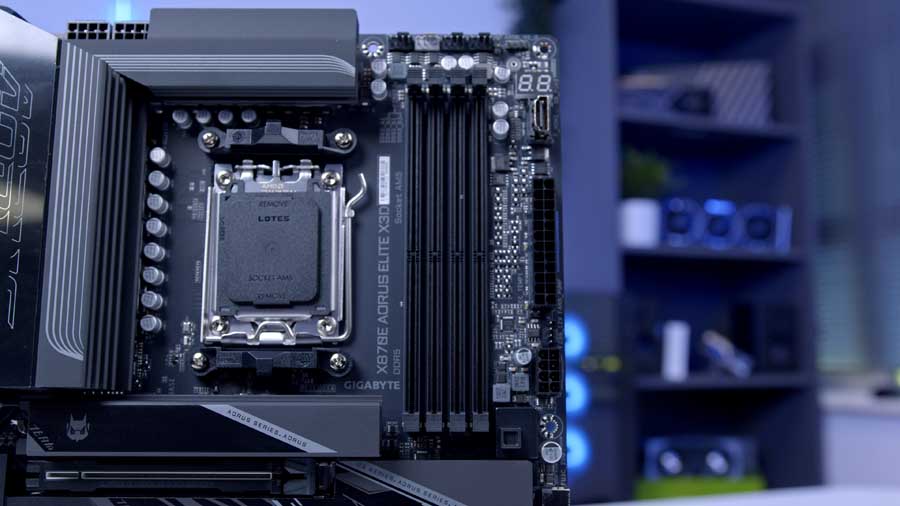
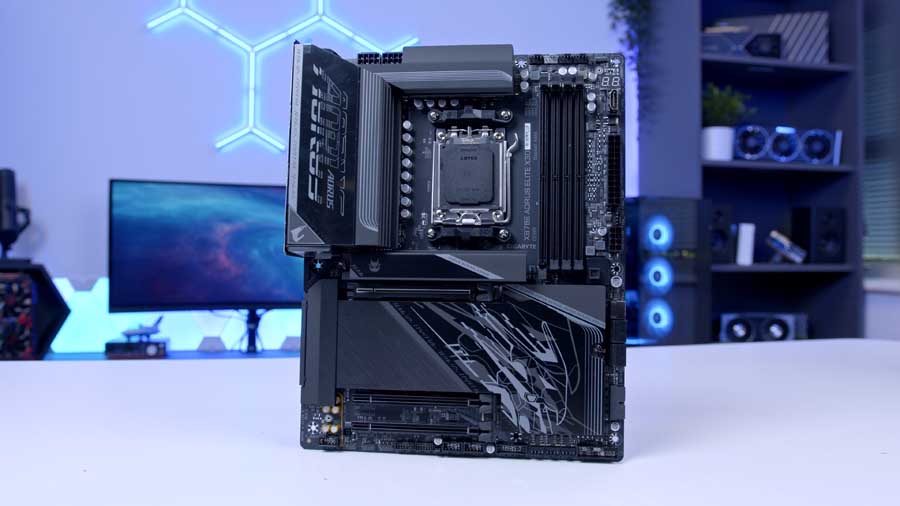
Gigabyte’s X870E AORUS ELITE X3D is a high-performance motherboard that enthusiasts will love. It is designed to enhance gaming and multitasking on AMD’s 3D V-Cache processors, such as the AMD Ryzen 7 9800X3D, for example. It has a built-in AI model and hardware circuits that dynamically optimise the X3D processor’s parameters in real time, significantly boosting its performance with a single click.
With support for up to 256GB of DDR5 memory running at speeds up to 9000MHz (via overclocking), the X870E AORUS ELITE X3D is built to handle extreme multitasking and memory-intensive workloads. Its dual-channel architecture ensures optimal bandwidth, while AMD EXPO support simplifies memory tuning for Ryzen processors. Whether you’re pushing high-resolution gaming, streaming, or creative applications, this board is ready to keep pace.
| Specification | Gigabyte X870E AORUS ELITE X3D |
|---|---|
| Form Factor | ATX |
| Supported Memory | 256GB of DDR5, up to 9000MT/s (OC) supports AMD EXPO |
| PCI-E x16 Slots | 1× PCIe 5.0 1× PCIe 4.0 x16 (x4 electrically) |
| PCI-E x4 Slots | 1× PCIe 5.0 1× PCIe 4.0 |
| VRM Power Phases | 16+2+2 Twin Digital VRM Design 8+8 parallel CPU phases |
| Front IO | 1 × USB 3.2 Gen2x2 Type-C 2 × USB 3.2 Gen 1 Type-A 4 × USB 2.0 Type-A |
| Rear IO | 2 × USB4 Type-C (supports DisplayPort) 1 × USB4 Type-C (10Gbps) 5 × USB 3.2 Gen2 Type-A 3 × USB 3.2 Gen1 Type-A |
| Audio | 2 × Audio Jacks Optical S/PDIF |
| Networking | 5G LAN Wi-Fi 7 |
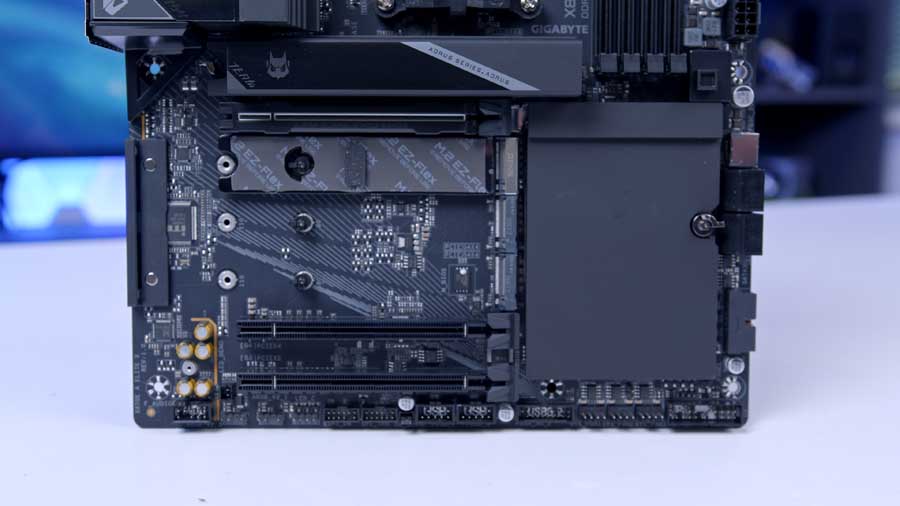
The X870E AORUS ELITE X3D is available in two colours: black and white. It is a visually attractive unit that handles thermal dissipation in style, from the ostentatious engraved M.2 Thermal Guard Ext to the sleek VRM Thermal Armour heat sink to its subtle RGB flashes. This motherboard is sure to elevate both the aesthetics and performance of your build.
Future connectivity is no question here, as Gigabyte has designed the motherboard to deliver blazing data-transfer speeds to get you through the next generation of network, storage, and Wi-Fi connectivity. It has Dual Native 40 Gbps USB4, front and rear USB Type-C and 5G LAN ports.
Unfortunately, as of January 2026, the stock level for this powerhouse motherboard is relatively low, resulting in inflated prices above MSRP if it is in stock at all. However, this is a testament to how popular this motherboard is. We’re offering an alternative suggestion to keep your eyes peeled for: the Gigabyte X870E AORUS XTREME X3D AI TOP. This motherboard comes equipped with Gigabyte’s new Turbo Mode 2.0 to unlock the full potential of X3D chips, with a built-in AI model, tailor-made to dynamically enhance your gaming and multitasking performance with the click of a button.
Suggested article: GIGABYTE Showcases AI-Powered X3D Performance and New Motherboards at CES 2026
4. ASRock X870E Taichi
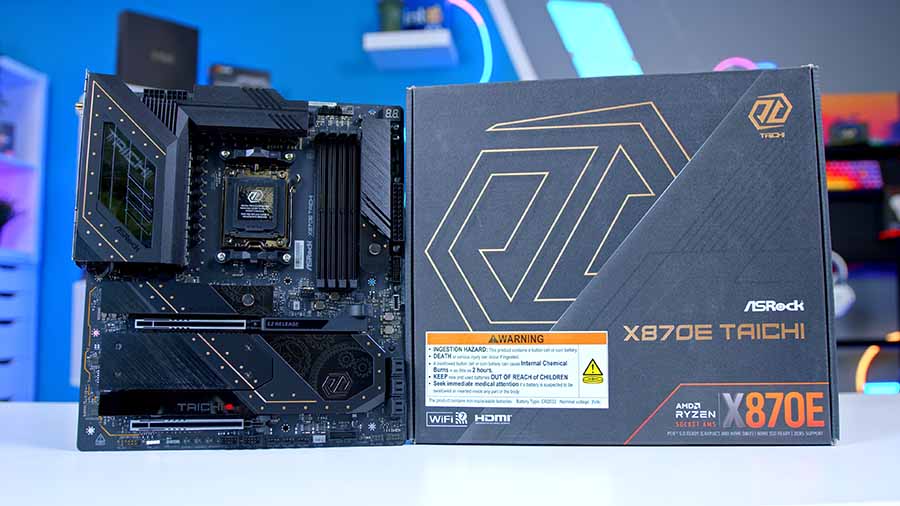
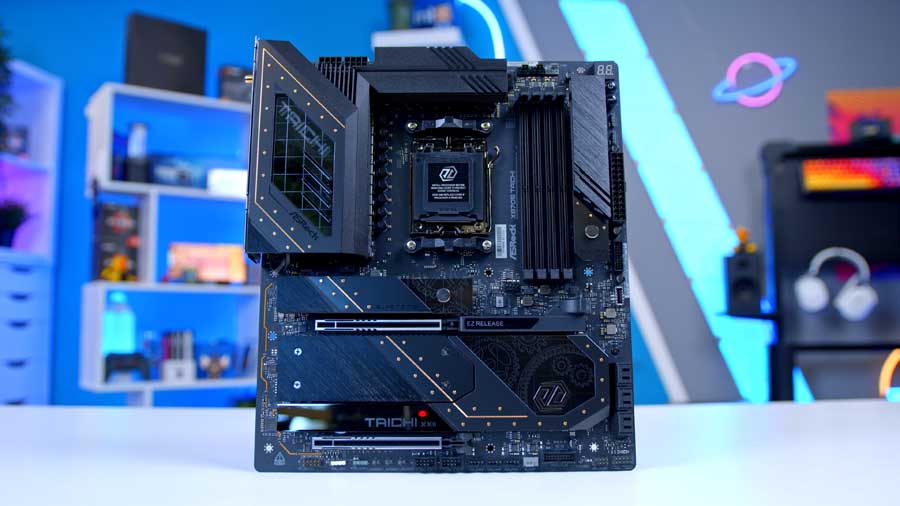
Moving on to our final motherboard recommendation, we present the ASRock X870E Taichi. This is a high-performance motherboard that offers a robust foundation for Ryzen series 7000 through to 9000 processors. This motherboard supports dual-channel RAM configurations with a maximum capacity of 256GB, and RAM speeds up to 8200 MT/s with overclocking.
The Taichi is built for CPU overclocking, featuring an extra-large VRM heatsink for efficient heat dissipation, and 24 + 2 + 1 power phases that provide strong overclocking support for higher-end AMD processors. Heavy-duty aluminium heatsinks are spread across the board, ensuring thermal performance is a priority. The vibrant RGB accents are fully compatible with ASRock Polychrome Sync, giving users versatile control over lighting effects and colour coordination.
| Specification | ASRock X870E Taichi |
|---|---|
| Form Factor | E-ATX 12.0″ x 10.5″ | 30.5 cm x 26.7 cm |
| Supported Memory | 256 GB DDR5, 8200 MT/s (OC), Dual Channel Support |
| PCI-E x16 Slots | 2 × PCI-E 5.0 1 × PCI-E 4.0 |
| PCI-E x4 Slots | 1 × PCI-E 5.0 3 × PCI-E 4.0 |
| VRM Power Phases | 24 + 2 + 1 |
| Front IO | 1 × USB 3.2 Gen2x2 Type-C 4 × USB 3.2 Gen1 Type-A 4 × USB 2.0 Type-A |
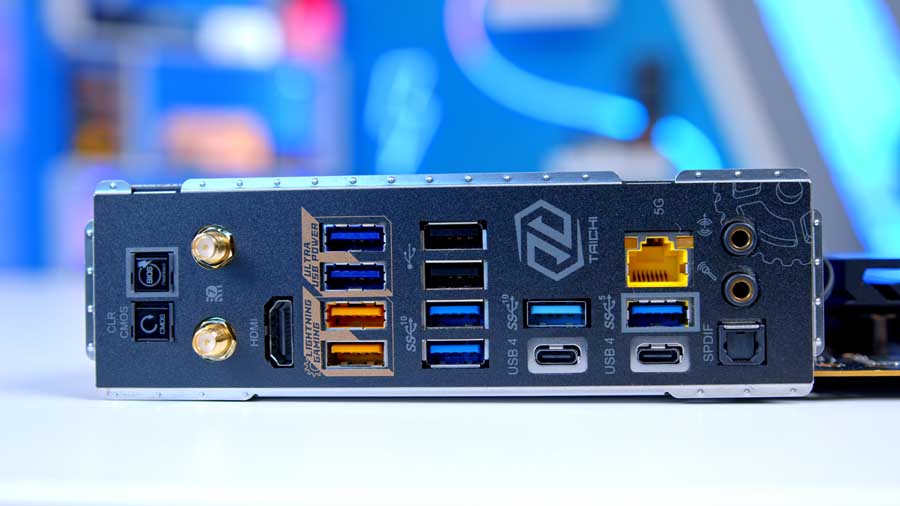
| Rear IO | 2 × USB4 Type-C (40Gbps) 5 × USB 3.2 Gen2 Type-A (10Gbps) 3 × USB 3.2 Gen1 Type-A (5Gbps) 2 × USB 2.0 Type-A |
| Audio | 1 x Optical S/PDIF 1 x Microphone Input Jack 1 x Line Out Jack |
| Networking | 5G LAN WiFi 7 |
In terms of PCIe lanes, the X870E Taichi can accommodate two graphics cards at PCIe Gen5, with slots thoughtfully spaced to account for the size of modern GPUs. Storage expansion is equally impressive: the board supports four M.2 drives, one using the latest PCIe Gen5 x4 lanes, and the other three using PCIe Gen4, all offering blazing speeds for demanding workloads.
On the rear IO, the Taichi delivers an abundance of connectivity. It offers eight USB Type-A ports, ranging from legacy USB 2.0 to USB 3.2 Gen 2, ensuring compatibility with both older peripherals and high-speed devices. In addition, it features USB4 Type-C for next-generation transfer rates and versatile device support, making it ideal for creators and power users who rely on fast external storage or docking solutions. Networking is equally forward-looking, with a 5G LAN port for ultra-fast wired connections and onboard WiFi 7 for cutting-edge wireless performance.
Overall, the ASRock X870E Taichi is a DIY-friendly, thermally optimised, feature-enriched motherboard that balances overclocking headroom, versatile connectivity, and vibrant aesthetics.