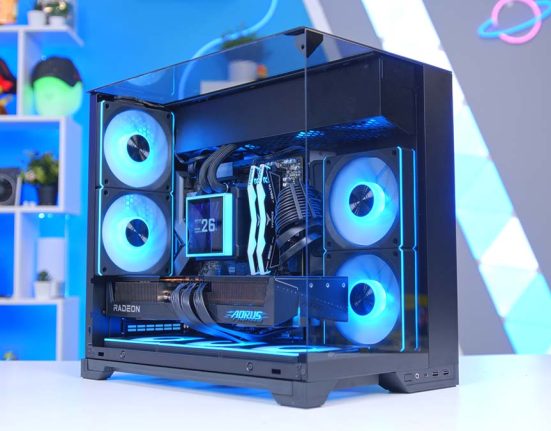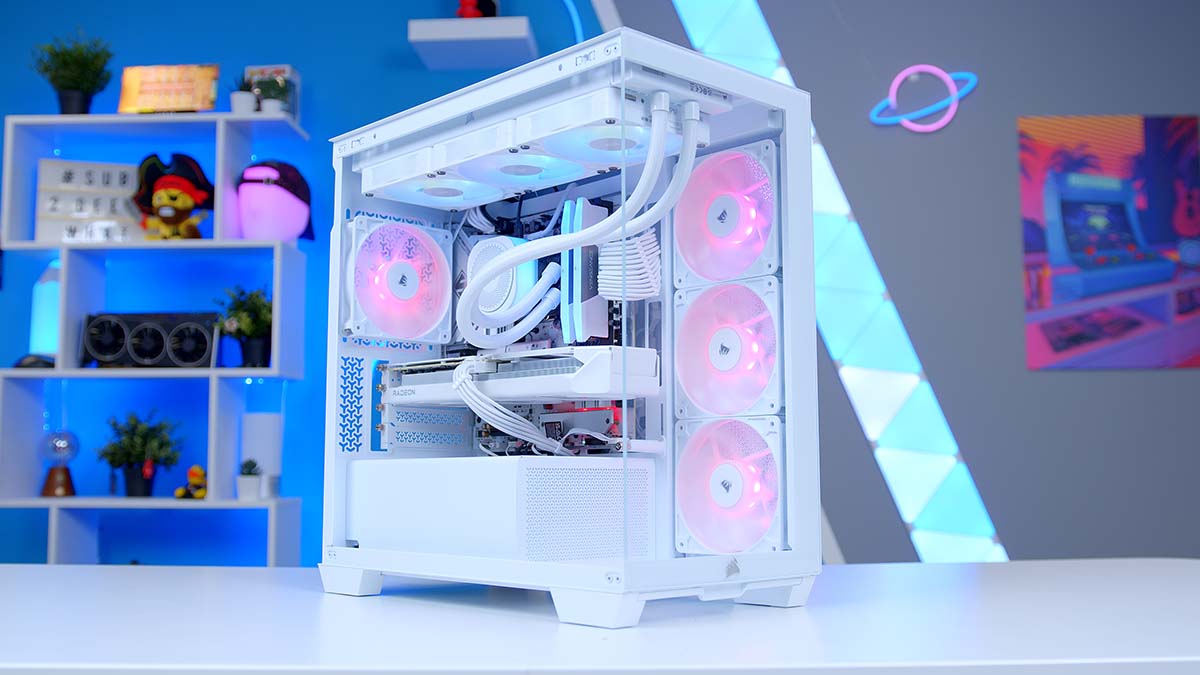
Corsair first unveiled the 2800X RS-R ARGB to the world at Computex 2026, and we’ve been eagerly awaiting its release ever since! The pitch for the 2800X is a simple one. Take the panoramic, wraparound glass look that features on the bigger 3500X and FRAME 4500X cases, and shrink it down into something in a Micro-ATX form factor. Now I know what you’re thinking. What’s the Catch? Compact cases usually ask you to give something up: Radiator support, cable management space, connectivity. But with the 2800X, at a glance at least, it certainly doesn’t look that way. You still get room for a big GPU, plenty of cooling, and a handful of clever extras most cases make you pay more for, all sat behind that showpiece glass.
Is the 2800X case the Micro-ATX case the market has been crying out for? Let’s find out!
Specifications
The 2800X is a Micro-ATX case wrapped in panoramic tempered glass, with space for graphics cards up to 410mm and a 360mm radiator in either the top or the side. Cooling is well looked after, with up to ten 120mm fan mounts and three RS120-R reverse-rotor fans included in the box, while reverse-connector motherboard support and a built-in GPU anti-sag arm are also included as standard. You can find the find the full specs breakdown below.
Case Specifications
- Model Corsair 2800X RS-R ARGB
- Form Factor Micro-ATX (Small Form Factor)
- Motherboard Support Mini-ITX, Micro-ATX (incl. reverse-connector: ASUS BTF, MSI Project Zero, GIGABYTE Project Stealth)
- Case Dimensions (L x W x H) 436.4mm x 232mm x 447mm
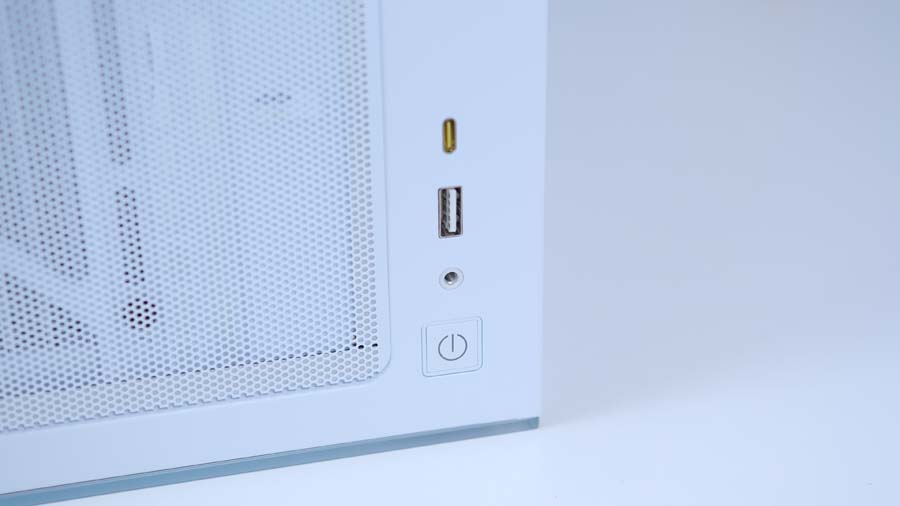
- Front IO 1 x USB 3.2 Gen 2×2 Type-C, 1 x USB 3.2 Gen 1 Type-A, 1 x Audio in/out
- PCI-E Slots 4 x Horizontal Vertical mount: Unsupported
- Colour Black / White
-
Max Clearance
GPU length: Up to 410mmAIO cooler: Up to 360mmPSU length: TBC
- Drive Support 2 x 2.5-inch 1 x 3.5-inch (shared combination drive plate)
-
Fan Support
Top: Up to 3 x 120mm or 2 x 140mmSide: Up to 3 x 120mm or 2 x 140mmBottom: Up to 3 x 120mmRear: Up to 1 x 120mm
-
Radiator Support
Top: Up to 360mmSide: Up to 360mmRear: Up to 120mm
- Pre-Installed Fans 3 x Corsair RS120-R ARGB reverse-rotor (side intake)
Design
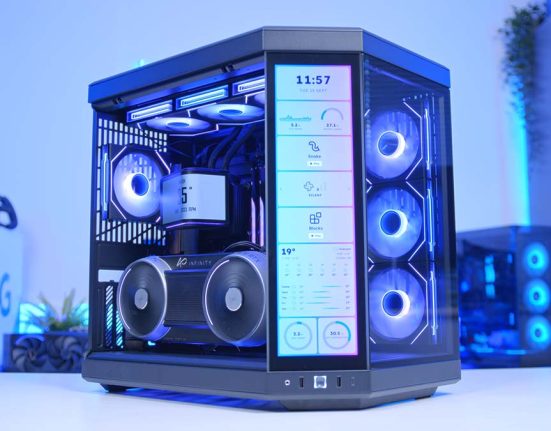
The headline feature here is all that glass. The 2800X uses two separate tempered glass panels, one across the front and one on the left side, meeting at the corner to give you a wide, almost uninterrupted view of the build inside. It isn’t the single seamless wraparound sheet you get on Corsair’s pricier FRAME cases, but the payoff is much the same: your hardware is very much on show.
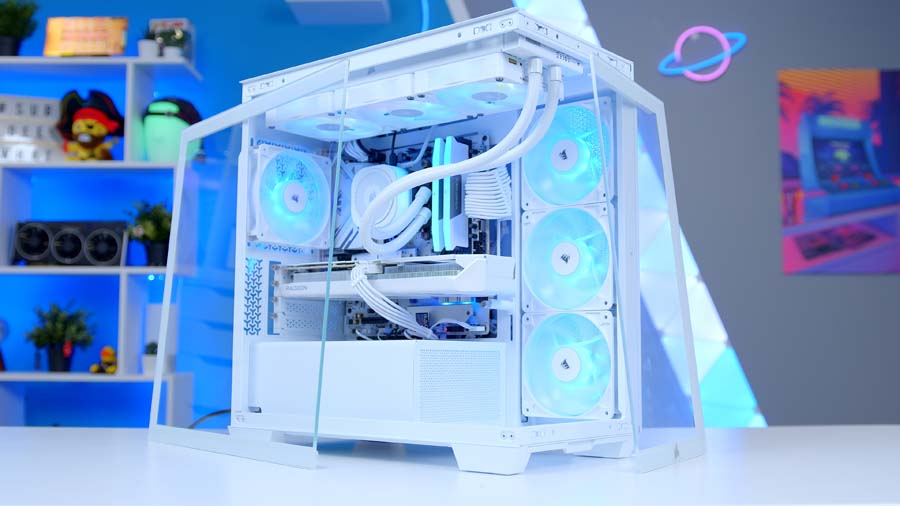
For those of you looking at the 2800X and thinking it looks very familiar. It is. The 2800X RS-R ARGB is essentially the 3500X, shrunk down into a smaller form-factor. You get the same dual-panel glass look, the same RS120-R reverse-blade fans, and the same built-in GPU anti-sag arm. Even the cooling layout carries straight over, with no front mounting and the airflow handled from the side and top instead. The headline change is, quite literally, just the size. Where the 3500X stretches all the way to full ATX and even E-ATX, the 2800X keeps things Micro-ATX, with a smaller footprint and fewer expansion slots. The one spot it doesn’t match up is the front IO, where you actually get a faster 20Gb/s USB-C than its bigger brother, albeit with one fewer Type-A port. Personally, I think the 2800X looks far more proportional in comparison to the 3500X, creating a much sleeker looking build.

Alternative Case Choice
Corsair 3500X RS-R ARGB
If the 2800X has the look you want but Micro-ATX feels too restrictive, the 3500X RS-R ARGB is the natural step up. It carries the same panoramic wraparound glass and RS120-R reverse-rotor fans, but in a mid-tower shell that adds full ATX motherboard support and more internal room for ambitious cooling. You keep the showpiece aesthetic and reverse-connector compatibility while losing the size limits that come with a compact mATX chassis.
Reverse-connector support is present, though, is a slightly more niche use case than standard ATX builds, mainly thanks to the limited motherboard options available. The 2800X happily takes back-connect boards including ASUS BTF, MSI Project Zero and GIGABYTE Project Stealth, which lets you route the chunky power cables out of sight behind the motherboard tray. In a case built entirely around showing off your components through glass, that clean-build compatibility is exactly what you want. Round the back you also get an adjustable GPU anti-sag arm built straight into the chassis, so there is no need to faff about with a separate bracket to stop a heavy modern graphics card drooping. Cooling support is strong for a smaller form-factor case with support for up to ten 120mm fans spread across the top, side, bottom and rear, with 3x RS120-R ARGB reverse-rotor fans included as side-mounted intake. The lack of a rear exhaust fan is a slight misstep in this day and age but is at least fairly rectifiable.
Building Experience
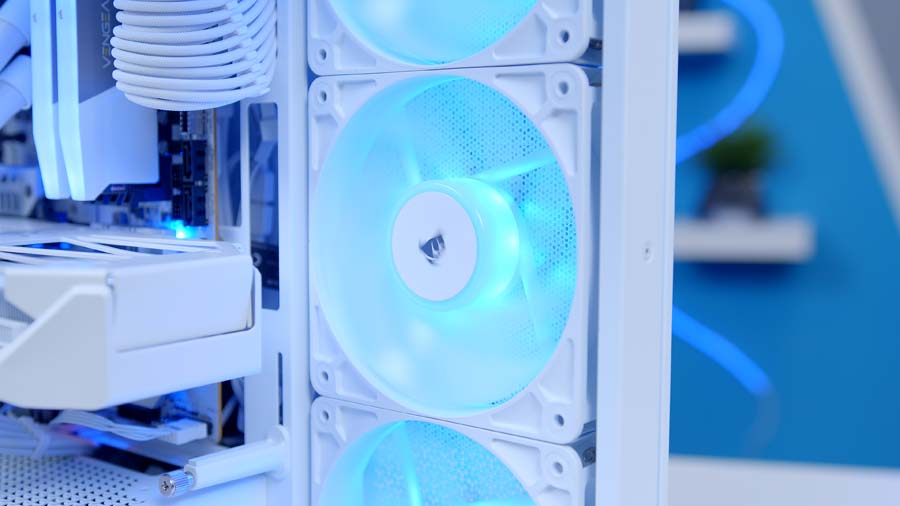
Building in the 2800X is a genuinely pleasant experience, which isn’t something I can say about every compact case. Corsair has packed in a load of quality-of-life touches you’d usually only expect on a bigger chassis, and the toolless panels are the real standout. Popping the glass and side panels off without reaching for a screwdriver makes getting in and out of the build quick and fuss-free, and keeps the whole job nice and simple.
Despite the smaller form factor, there’s still enough room behind the motherboard tray to route your cables tidily, and having three fans included straight out of the box is a welcome plus. GPU and cooler clearance posed no issues at all during my build, though it’s worth flagging that GPU support can get a little snug with larger, chunkier cards, so check your graphics card will fit comfortably before you commit.
From Our Full Review
☆☆☆☆☆
3.9/5

Pros and Cons
Pros
- Competitive pricing
- Mostly tool-less
- Easy to build in
Cons
- Short fan cables
- Flimsy PCI-E covers
- Limited 140mm support
Bottom Line
The Corsair 3500X ARGB is a mid-tower that’s genuinely easy to build in, feeling robust and premium despite its budget billing. Tool-less glass panels and a streamlined single front-panel header keep things simple, and there’s ample room for large graphics cards, 360mm radiators and tidy cable routing, even with a side-mounted SHIFT PSU. Its biggest drawback is its simplicity, with little here to set it apart from rivals like the Phanteks NV5 or Fractal Design North, and a few cost-cutting touches such as short fan cables and flimsy PCI-E covers let it down. For the price, though, it remains a solid, well-built value pick for anyone after a clean and fuss-free chassis.
Read The Full ReviewFeatures We Like
Cooling Support
Support for up to ten 120mm fans, dual 360mm radiator mounting positions and three included reverse blade fans is a solid offering for a case limited on space. Better yet and the 2800X does also support installation of two 140mm side-mounted fans too. Perhaps the only downside to the cooling on offer with the 2800X out of the box is the lack of an exhaust (rear) fan. So close, Corsair. So close!

Form-factor
Yep, that’s right. Form-factor. The size of the 2800X, just works. Normally going compact means kissing goodbye to half your component support, but not here. 410mm of GPU clearance, a 360mm AIO and up to ten fan mounts, all in a Micro-ATX shell compact enough to sit on your desk. If you want a proper showpiece build without surrendering a chunk of your room to a full tower, the 2800X is right up your street.
Features We Don’t Like
Lacklustre Front IO
Now, I want to be clear. I have no issue with the type of ports included on the front IO. You get a single USB 3.2 Gen 2×2 Type-C running at 20Gb/s, a single USB 3.2 Gen 1 Type-A, a combo audio jack and a power button. My issue here lies with the number of ports. Just the two USB ports total is very light, particularly when most Micro-ATX motherboards also have to sacrifice on rear IO too.