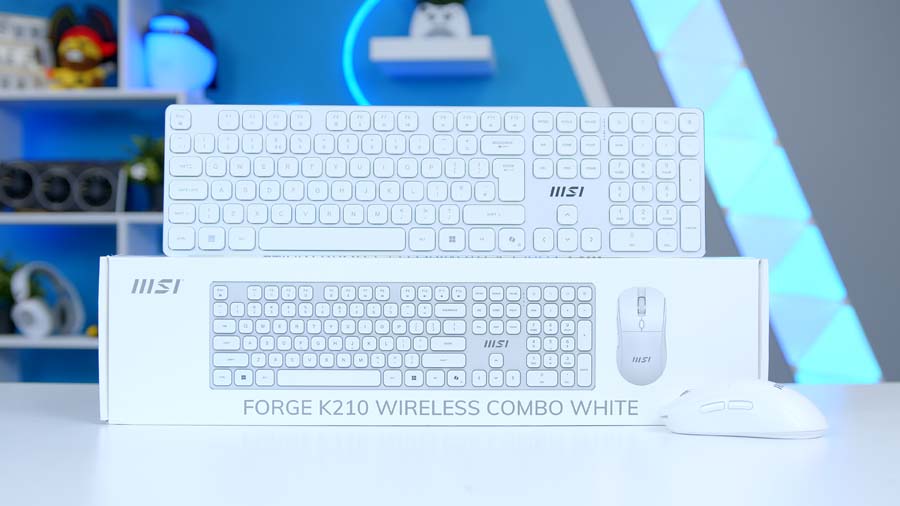
Not every desk needs flashing lights and a six-figure DPI sensor. Sometimes you just want a keyboard and mouse that turn up, behave themselves, and look tidy doing it. That is the brief MSI has set itself with the Forge K210 Wireless Combo, and in this white finish it is clearly aimed at a clean, minimalist setup rather than a gaming battlestation.
It is a full-size, low-profile keyboard paired with a symmetrical six-button mouse, both running off a single 2.4GHz dongle. Silent scissor switches, rechargeable batteries and a no-nonsense layout are the headline features, so the big question is whether MSI has nailed the everyday basics. Here is how we got on.
Prime Day deal: The Forge K210 is part of MSI’s Amazon Prime Day promotion, so it is well worth a look while the sale is on. You can check the latest price on Amazon before Prime Day wraps up on 26 June.
MSI Forge K210 Wireless Combo Specifications
MSI Forge K210 Wireless Combo (White) Specifications
- Model MSI Forge K210 Wireless Combo White
- Connection 2.4GHz wireless via USB dongle (no Bluetooth)
- Keyboard Switch Type Scissor (low-profile)
- Keyboard Layout Full-size, 108 / 109 / 112 keys (varies by language)
- Keyboard Battery Li-ion, up to 120 hours (rated)
- Keyboard Dimensions 433 x 122 x 17 mm
- Mouse Sensor Optical
- Mouse DPI Switchable 1000 / 1200 / 1600 DPI
- Mouse Buttons 6 (symmetrical, ambidextrous)
- Mouse Battery Li-ion, up to 30 hours (rated)
- Mouse Dimensions 124 x 63 x 40 mm
- Wireless Range Up to 10m (rated)
- Charging Cable 0.6m USB-A to USB-C (charging only)
- Operating System Windows 10 and above
- Weight 630g (product) / 820g (packaged)
- Colour White
Design and Build
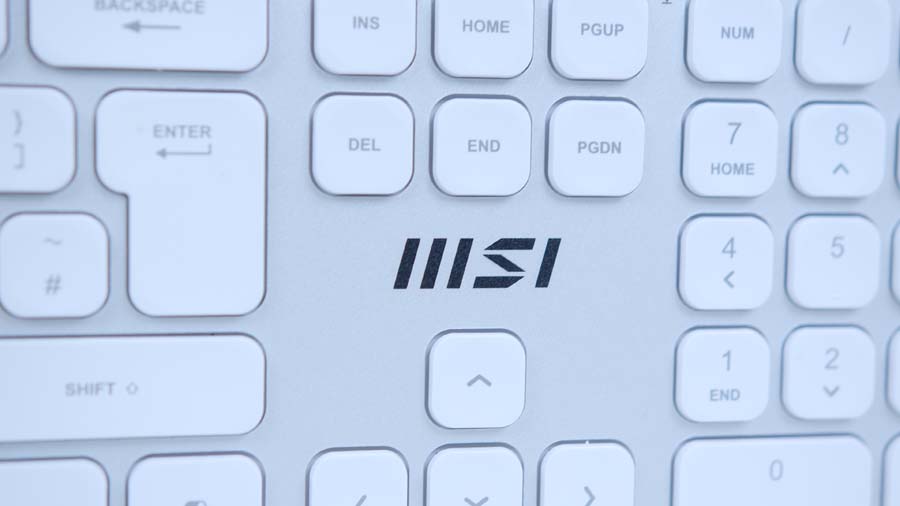
First impressions? This is a smart-looking bit of kit. The all-white finish is clean and understated, and on the desk it looks sleek and stylish rather than shouty, which is exactly what you want from a productivity combo. There are no gamer angles or RGB light shows here, just a tidy keyboard and a neat, symmetrical mouse that will happily sit next to a MacBook without looking out of place.
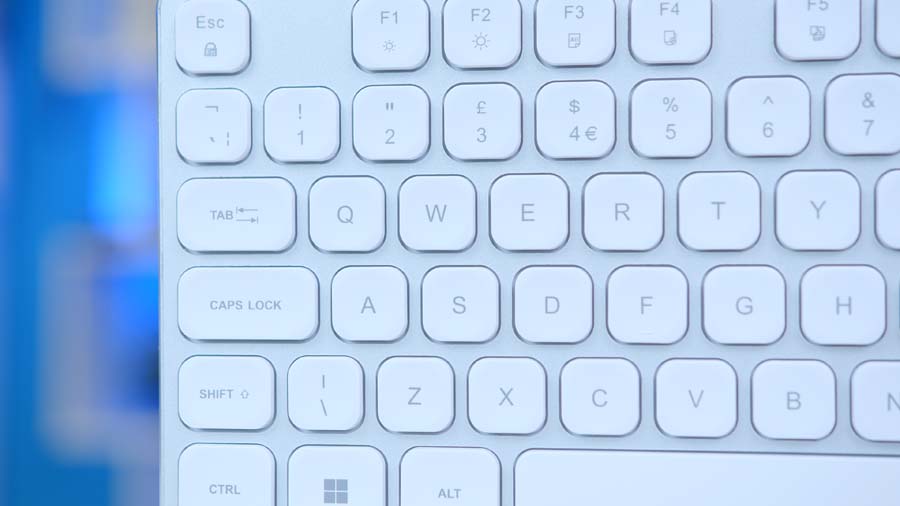
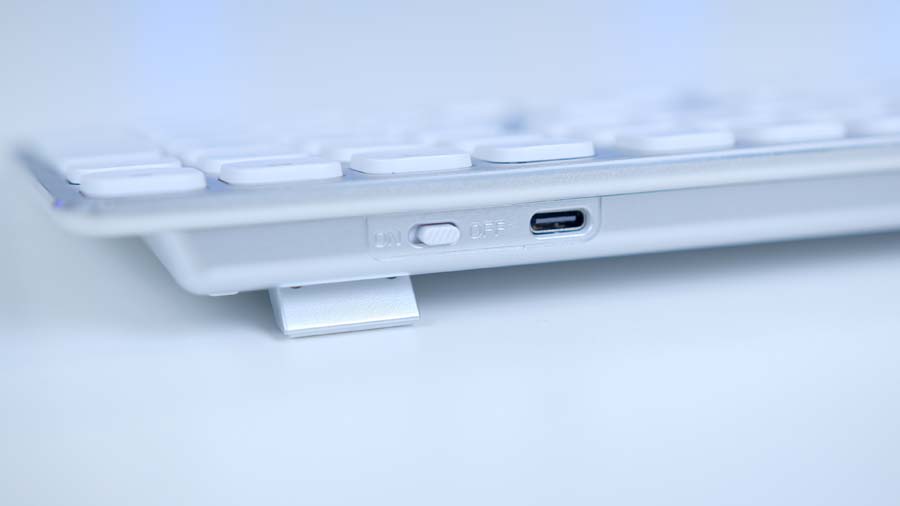
The keyboard itself is low-profile with scissor switches, so if you are the sort of person who likes a Mac-style typing experience, you will feel right at home. The keycaps are slightly concave, the travel is short, and the whole thing sits nice and slim on the desk. It is a full-size layout too, so you still get a number pad for spreadsheet graft, plus media hotkeys along the top for volume and playback. Flip-out tilt legs let you adjust the angle if you want a touch more lift.
Typing and Everyday Performance
So how does it actually feel to use day to day? For everyday typing and general office work, the K210 does a tidy job. The scissor switches are quiet and low-profile, so you can hammer out emails on a video call without sounding like you are typing in a wind tunnel, and the short travel makes for fast, comfortable typing once you have settled in. If you have come from a chunky mechanical board it will feel very different, but if a laptop or Mac keyboard is your happy place, this will click straight away.
Connectivity is handled by a single 2.4GHz dongle, and that is your lot. There is no Bluetooth here, so you cannot pair it with a tablet or flick between devices, which feels like a missed trick in 2026. MSI rates the wireless range at up to 10 metres, the keyboard at up to 120 hours per charge, and the mouse at up to 30 hours. The keyboard figure is reassuring, but that 30-hour mouse rating is on the low side, so expect to be topping it up over USB-C fairly regularly. The saving grace is that you can keep working while it charges.
The mouse is a symmetrical, six-button affair with a switchable 1,000, 1,200 and 1,600 DPI optical sensor. It is ambidextrous, so left-handers are sorted, and the side buttons handle page navigation. Just go in with the right expectations. This is a productivity mouse, not a gaming one, and that 1,600 DPI ceiling means it is built for browsing and admin rather than flicking around in a shooter.
Should You Buy the MSI Forge K210 Wireless Combo?
So, should you buy the MSI Forge K210 Wireless Combo? If you want a clean, quiet wireless set for a tidy home or office desk, and you like a low-profile, Mac-style typing feel, this is an easy one to recommend. It looks the part in white, the scissor switches are pleasant to type on, and the rechargeable batteries save you a drawer full of AAs. For everyday admin, browsing and general graft, it covers the basics nicely.
It is not the combo for everyone, though. Gamers should look elsewhere given the 1,600 DPI ceiling, and if you want Bluetooth or device switching, the 2.4GHz-only setup will frustrate you. That 30-hour mouse battery is the other niggle worth weighing up.