

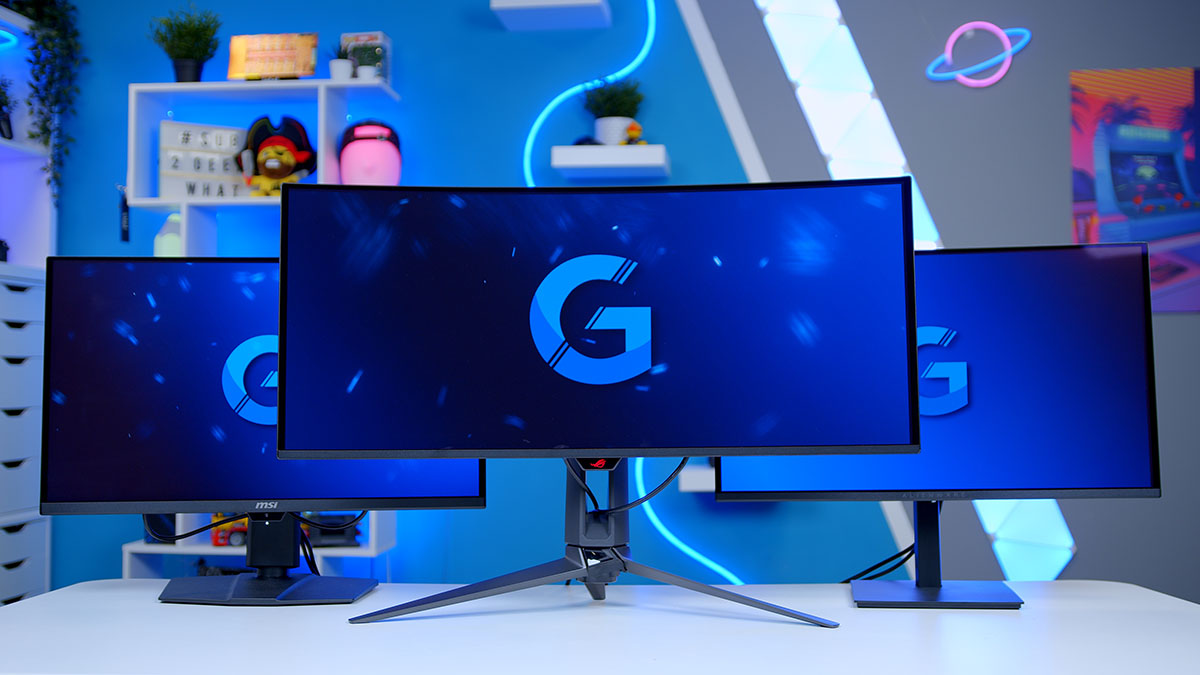
There aren’t many corners of PC gaming where the products keep getting better while actually costing less, but OLED monitors are the rare exception. Panels that cost £1,500 a couple of years ago are now landing under £500, and the tech inside them — brightness, burn-in protection, refresh rates — has come on a long way too. The flip side is that buying one has never been more confusing. 1440p or 4K? Ultrawide or 16:9? Fourth-gen WOLED or fifth-gen QD-OLED? Tandem or standard? It’s a minefield, so this guide walks through the OLED monitors we’ve tested across every price tier — from sub-£400 entry options through to flagship 4K and ultrawide panels — and explains the tech you should actually care about along the way.
I’ve grouped the recommendations into three resolution buckets — 1440p, 4K, and ultrawide — with options at different price points in each. Latest pricing for every monitor is linked in the comparison table below and at the end of each section. Let’s get into it.
OLED Monitor Comparison
Best OLED Gaming Monitors 2026 — Side-by-Side
Hover rows for highlight. Tap/click a header title to sort.
| ⠿ Monitor | ::Where to Buy | ⠿ ::Size | ⠿ ::Resolution | ⠿ ::Refresh Rate | ⠿ ::Panel Type | ⠿ ::Tandem OLED | ⠿ ::Aspect Ratio | ⠿ ::OLED Generation |
|---|---|---|---|---|---|---|---|---|
Alienware AW2726DM Entry-level 1440p QD-OLED |
27″ | 2560 × 1440 | 240Hz | QD-OLED | No | 16:9 | Samsung 3rd-Gen | |
AOC AGON PRO AG276QZD2 Brighter 1440p QD-OLED |
27″ | 2560 × 1440 | 280Hz | QD-OLED | No | 16:9 | Samsung 3rd-Gen | |
Gigabyte MO27Q28G Premium 1440p Tandem WOLED |
27″ | 2560 × 1440 | 280Hz | WOLED | Yes | 16:9 | LG WOLED Gen 4 (Primary RGB) | |
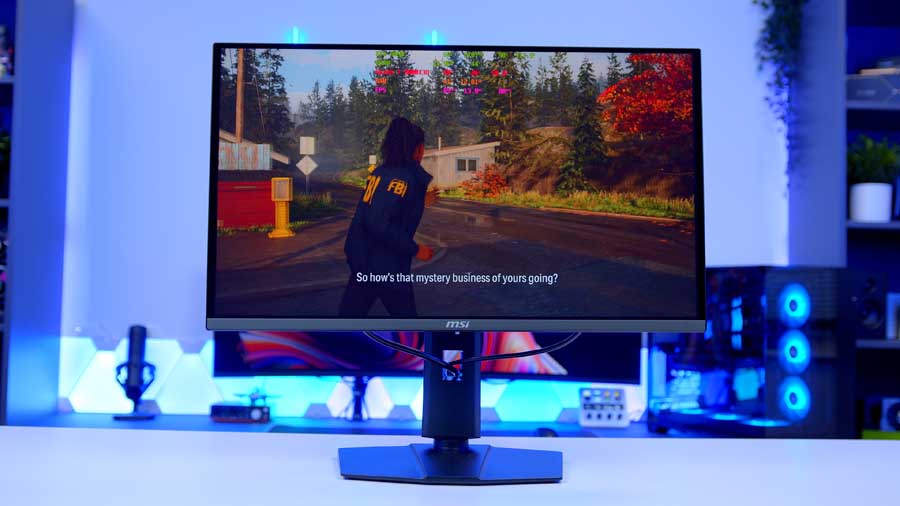
MSI MAG 272QP QD-OLED X50 500Hz competitive 1440p |
27″ | 2560 × 1440 | 500Hz | QD-OLED | No | 16:9 | Samsung 3rd-Gen (Enhanced) | |
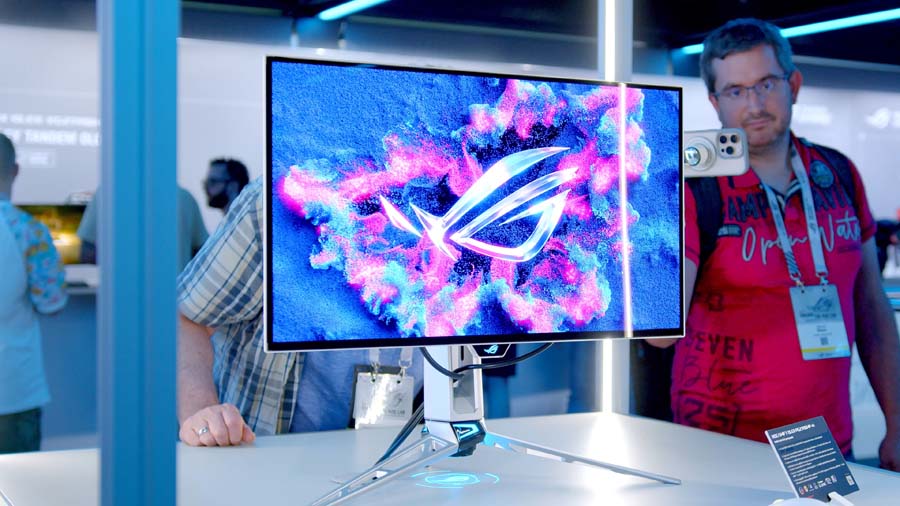
ASUS ROG Swift PG27AQWP-W 540Hz 1440p flagship |
27″ | 2560 × 1440 (Dual-Mode: 1280 × 720) | 540Hz (720Hz @ 720p) | WOLED | Yes | 16:9 | LG WOLED Gen 4 (Primary RGB) | |
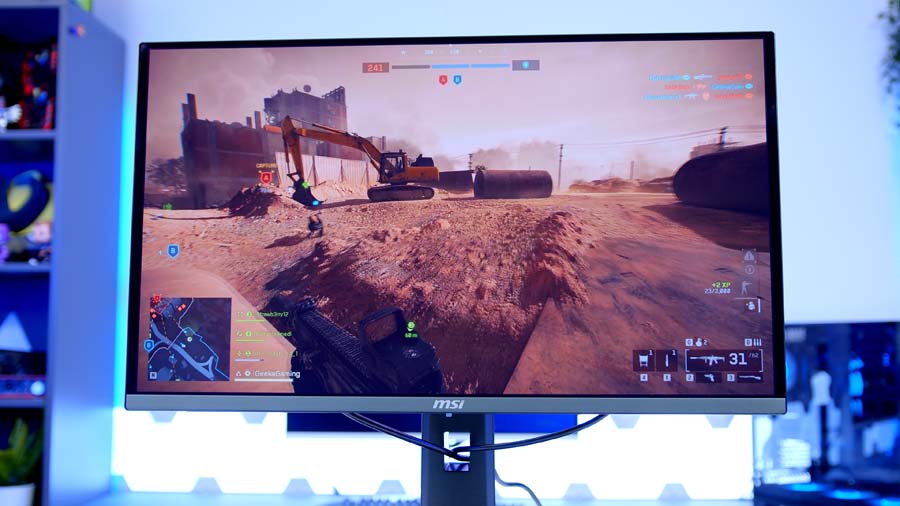
MSI MAG 272UP QD-OLED X24 Entry-level 4K QD-OLED |
27″ | 3840 × 2160 | 240Hz | QD-OLED | No | 16:9 | Samsung 4th-Gen | |
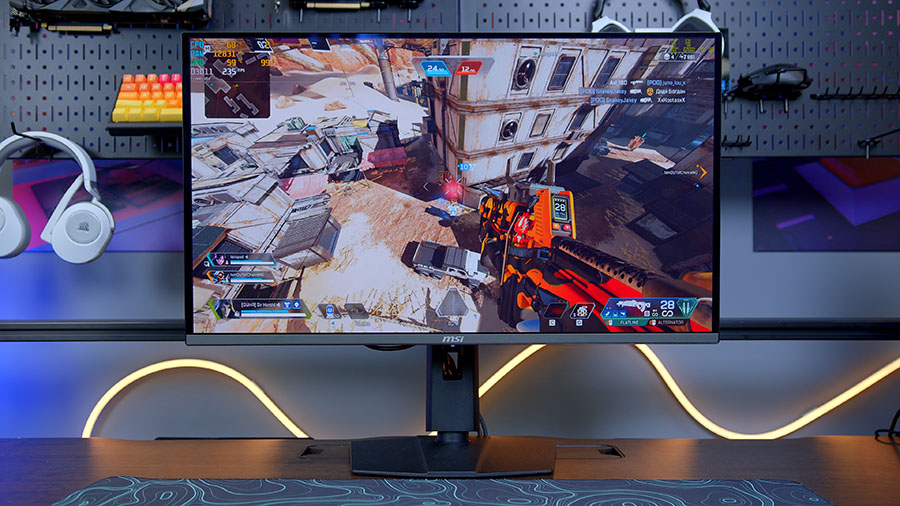
MSI MPG 321URX QD-OLED 32″ 4K mid-range pick |
32″ | 3840 × 2160 | 240Hz | QD-OLED | No | 16:9 | Samsung 3rd-Gen | |
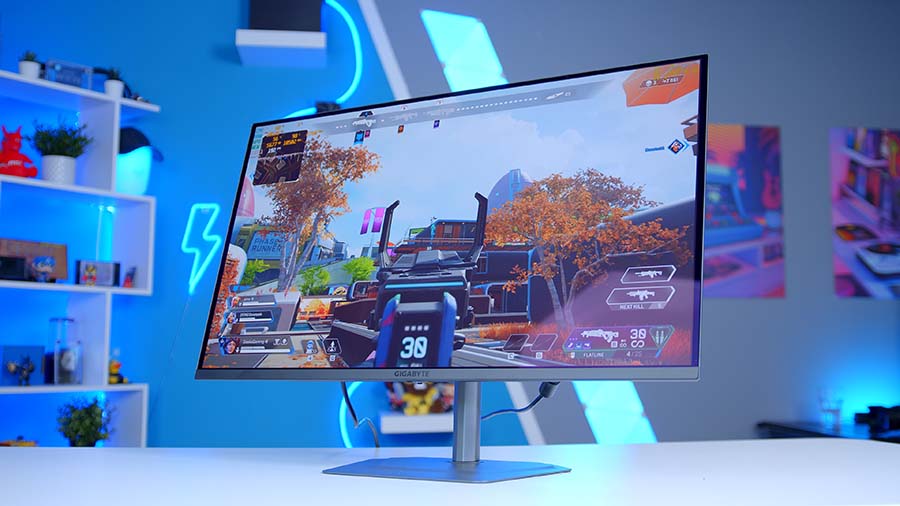
Gigabyte MO32U2 Factory-calibrated 4K QD-OLED |
32″ | 3840 × 2160 | 240Hz | QD-OLED | No | 16:9 | Samsung 3rd-Gen | |
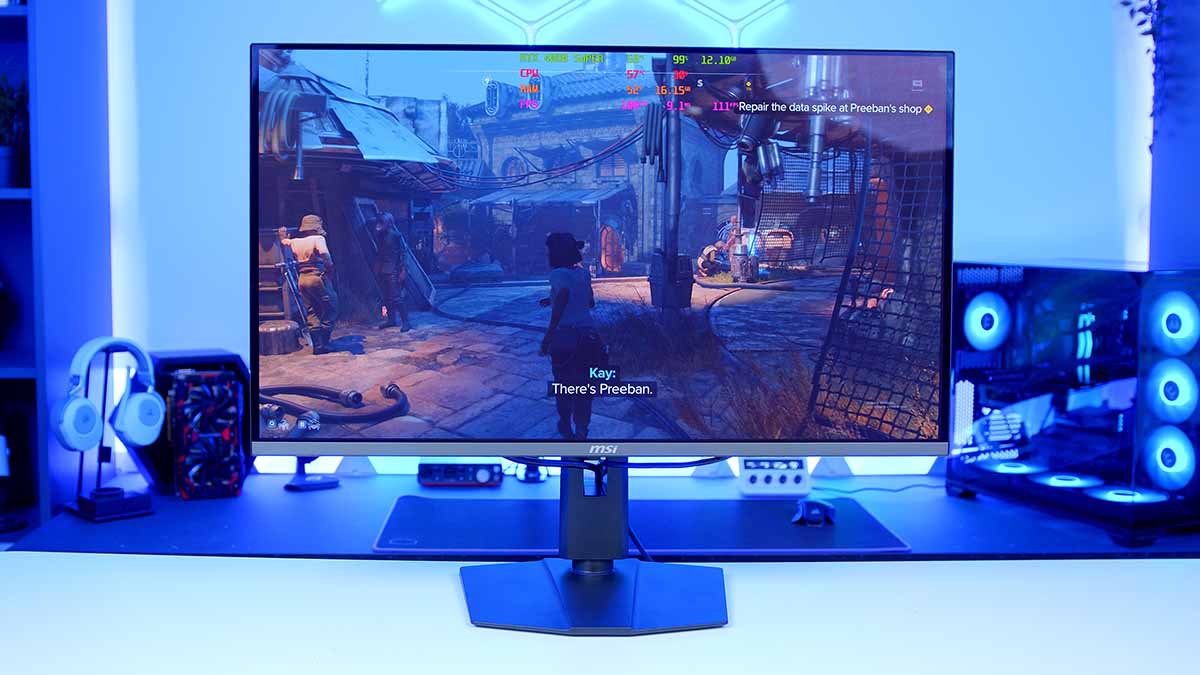
MSI MPG 322URX QD-OLED 321URX step-up with DP 2.1 |
32″ | 3840 × 2160 | 240Hz | QD-OLED | No | 16:9 | Samsung 3rd-Gen | |
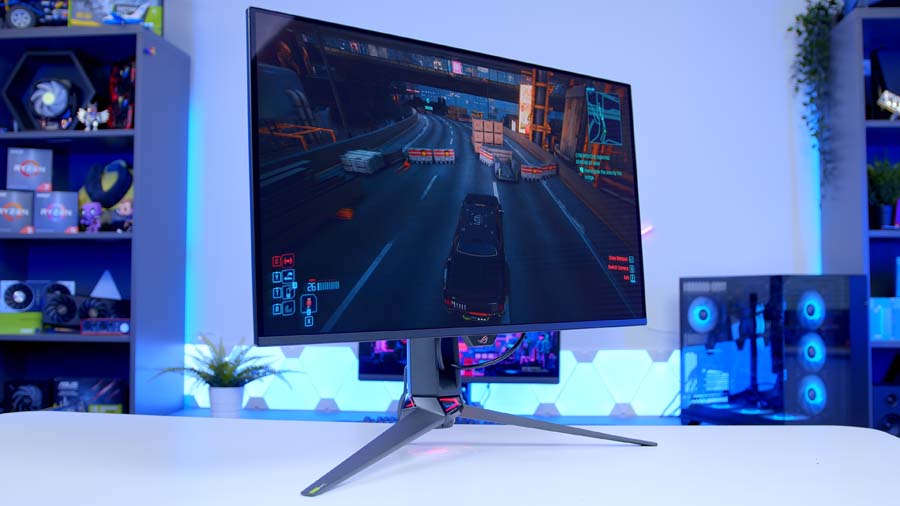
ASUS ROG Swift PG32UCDM Gen 3 4K flagship with BlackShield Film |
32″ | 3840 × 2160 | 240Hz | QD-OLED | Yes | 16:9 | Samsung 4th-Gen | |
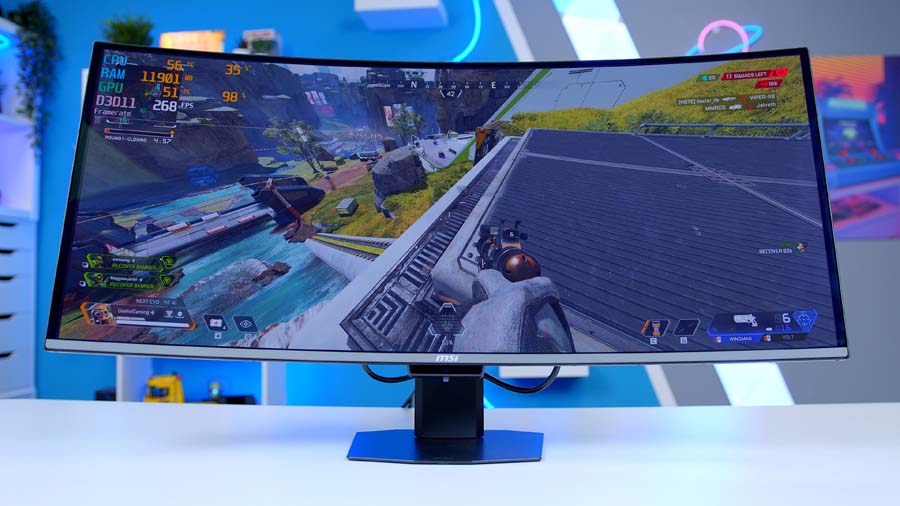
MSI MPG 341CQR QD-OLED X36 5th-gen Tandem ultrawide |
34″ | 3440 × 1440 | 360Hz | QD-OLED | Yes | 21:9 | Samsung 5th-Gen (V-Stripe RGB) | |
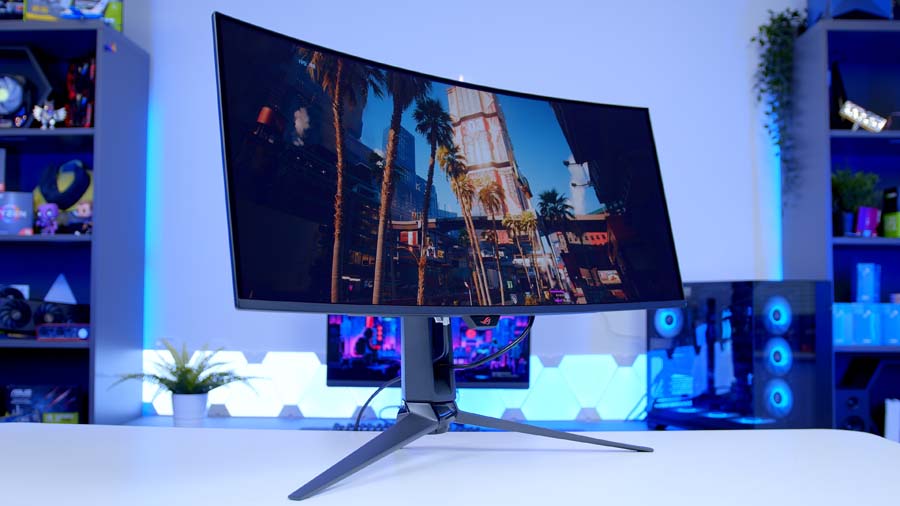
ASUS ROG Swift OLED PG34WCDN 5th-gen ultrawide alternative |
34″ | 3440 × 1440 | 360Hz | QD-OLED | Yes | 21:9 | Samsung 5th-Gen (V-Stripe RGB) |
The Best 1440p OLED Gaming Monitors
Alienware AW2726DM
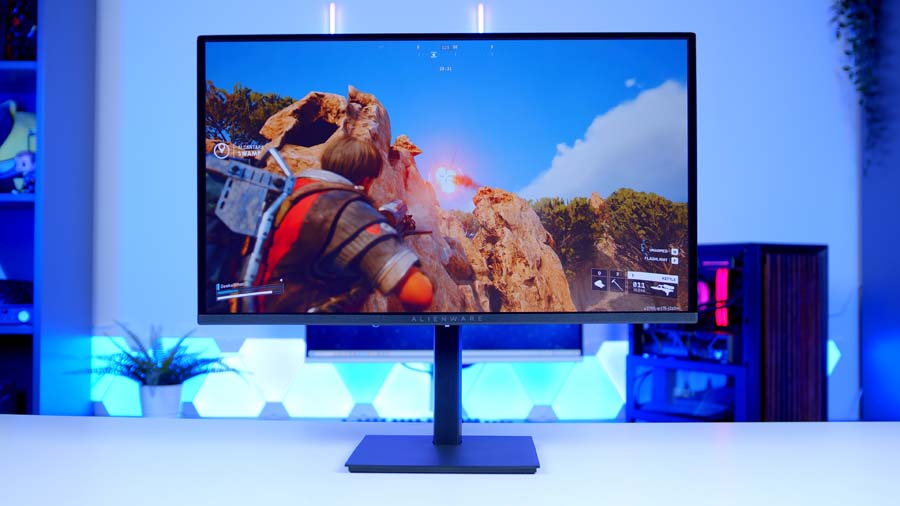
Kicking things off at the most accessible end of the OLED market is the Alienware AW2726DM. It’s a 27-inch 1440p panel running at 240Hz, and crucially it uses Samsung’s third-gen QD-OLED, which until very recently you’d have only seen on monitors a tier or two above this one. The stand is fully adjustable for height, tilt, and rotation, the design holds up nicely, and colour reproduction is genuinely strong — particularly for competitive gaming, where the response time and contrast give you a real edge over an IPS panel at the same price.
Where this monitor falls down is brightness. The peak figures just aren’t where you’d want them to be, and in a brighter room you’ll notice the panel struggling to fight ambient light. It’s the trade-off for getting a QD-OLED at this price tier, and for a lot of buyers it’ll be one worth making — but if you’ve got a south-facing setup or a bright office, it’s worth bearing in mind before committing. For everyone else, this is one of the most cost-competitive ways to get into a proper OLED gaming monitor right now.
Alienware AW2726DM Specifications
- Panel Type QD-OLED (Quantum Dot OLED)
- OLED Generation Samsung 3rd-Gen QD-OLED
- Screen Size & Aspect Ratio 26.5″ (27″ class), 16:9
- Resolution 2560 × 1440 (QHD)
- Refresh Rate 240Hz (via DisplayPort)
- Peak Brightness 200 cd/m² typical (SDR), HDR10 supported
- Key Ports 1 × DisplayPort 1.4, 2 × HDMI (1440p @ 120Hz max), 3.5mm audio
- HDR & OLED Care HDR10, AMD FreeSync Premium, VESA AdaptiveSync, Pixel Refresh, 3-year burn-in warranty
AOC AGON PRO AG276QZD2
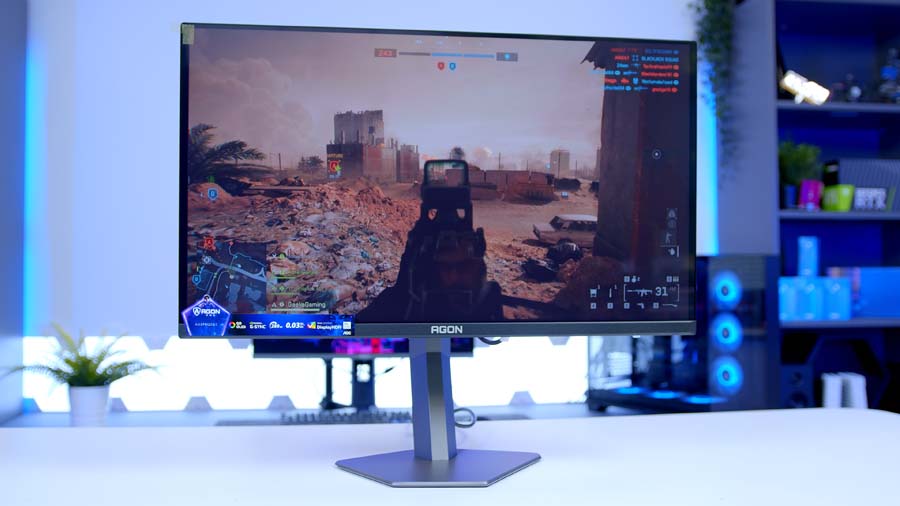
If brightness was the deal-breaker on the Alienware, the AOC AGON PRO AG276QZD2 is essentially the same panel with that problem solved. It uses the same third-gen Samsung QD-OLED, sits at the same 27-inch form factor, and gives you the same fully adjustable stand – but pushes refresh rate up to 280Hz and noticeably improves real-world brightness. Side-by-side in darker scenes (Resident Evil being the test case I keep coming back to) the AOC just handles ambient lighting better, and the result is a panel that feels more usable day-to-day in a normal room. I genuinely prefer it to the Alienware.
The catch is the I/O. You’re getting DisplayPort 1.4 and HDMI (note that early production runs of this panel shipped with HDMI 2.0 – current units are listed as HDMI 2.1, so worth checking the spec sheet on the variant you’re buying), and at 1440p/280Hz the bandwidth is honestly fine either way. The bigger question is regional pricing — in the UK it lands close enough to the Alienware that it’s an easy recommendation, while in the US the gap is wider and the maths gets trickier. Either way, if your room isn’t pitch-dark this is the more liveable of the two entry-level QD-OLED options.
AOC AGON PRO AG276QZD2 Specifications
- Panel Type QD-OLED (Quantum Dot OLED)
- OLED Generation Samsung 3rd-Gen QD-OLED
- Screen Size & Aspect Ratio 26.5″ (27″ class), 16:9
- Resolution 2560 × 1440 (QHD)
- Refresh Rate 280Hz (via DisplayPort)
- Peak Brightness 1,000 cd/m² peak (HDR), 250 cd/m² typical (SDR)
- Key Ports 2 × DisplayPort 1.4, 2 × HDMI 2.1, USB hub, 3.5mm headphone out (note: early production units shipped with HDMI 2.0 — check the spec sheet on the variant you receive)
- HDR & OLED Care VESA DisplayHDR True Black 400, G-SYNC Compatible, AdaptiveSync, Pixel Orbiting, Pixel Refresh, 3-year burn-in warranty
Gigabyte MO27Q28G
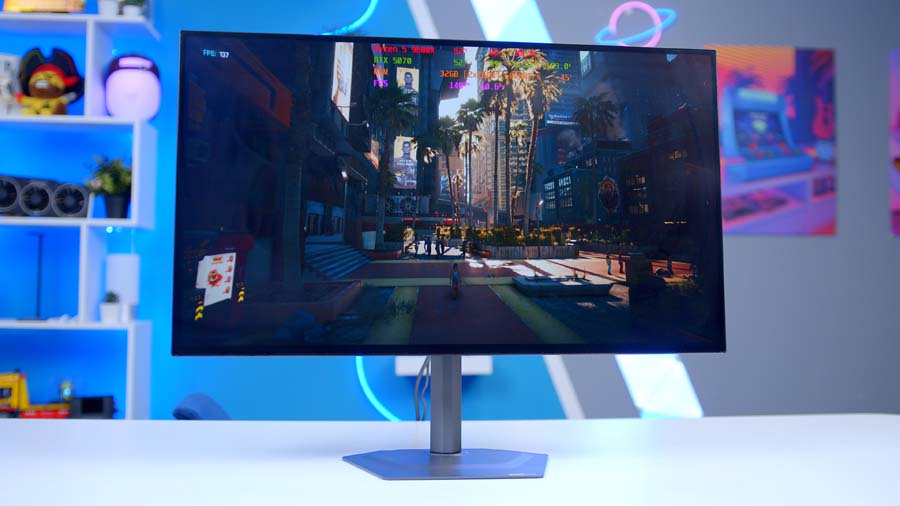
Step up a tier and the Gigabyte MO27Q28G shifts the conversation. Where the Alienware and AOC use Samsung QD-OLED, this one’s an LG WOLED panel — and crucially, it’s Tandem WOLED, which is what pushes peak brightness up to a claimed 1,500 nits. That’s a serious upgrade on paper, and in person it translates to a panel that genuinely feels brighter rather than just looking better on a spec sheet. Refresh rate stays at 280Hz, which is plenty at 1440p, and the I/O finally includes HDMI 2.1 alongside support for DisplayHDR True Black 500.
What pushes this one further is the build. The stand is all-metal and feels properly premium next to the chunkier plastic on cheaper QD-OLED options, and the bezels are some of the thinnest I’ve seen on a 27-inch panel – Gigabyte have nailed the edge-to-edge look across their recent monitors, motherboards, and graphics cards, and it makes a real difference to how the panel feels on a desk. It’s the most “complete” of the 1440p options, and the one I’d push you towards if you can stretch the budget.
Gigabyte MO27Q28G Specifications
- Panel Type WOLED (Tandem)
- OLED Generation LG Display 4th-Gen Primary RGB Tandem WOLED
- Screen Size & Aspect Ratio 26.5″ (27″ class), 16:9
- Resolution 2560 × 1440 (QHD)
- Refresh Rate 280Hz
- Peak Brightness 1,500 cd/m² peak HDR (1.5% APL), 335 cd/m² SDR full-screen
- Key Ports 1 × DisplayPort 1.4, 2 × HDMI 2.1, 1 × USB-C (18W PD), USB hub, 3.5mm headphone out
- HDR & OLED Care VESA DisplayHDR True Black 500, ClearMR 13000, G-SYNC Compatible, FreeSync Premium Pro, AI OLED Care, 3-year burn-in warranty
MSI MAG 272QP QD-OLED X50
This is where the refresh rate conversation gets silly. The MSI MAG 272QP QD-OLED X50 – and yes, “X50” in MSI’s naming means 500Hz, which is actually a useful convention once you decode it – pushes refresh rate to a frankly absurd 500Hz on a third-gen Samsung QD-OLED panel. Peak brightness sits around 1,000 nits with DisplayHDR True Black 500 support, and the fact that you can get this much refresh rate at 1440p without crossing the £1,000 mark is, genuinely, a bit nuts. For competitive players in CS2, Valorant, or any esports title where frame timing actually matters, this is the panel.
From Our Full Review
☆☆☆☆☆
4.6/5

Pros and Cons
Pros
- Incredibly high 500Hz refresh rate
- Professional competitive gaming advantage
- Excellent visual fidelity
Cons
- Diminishing frame smoothness returns
- Requires high frame rates from components
- Reflections on screen surface
Bottom Line
The 272QP X50 earns its place at the top of the competitive gaming stack by balancing the headline 500Hz refresh with OLED Care 2.0, AI Crosshair tools, and a strong VRR feature set. Awarded the GeekaWhat Performance Award.
Read The Full ReviewThe bezels are slightly less glamorous than the Gigabyte, and the stand feels a touch less premium next to the all-metal MO27Q28G but those are aesthetic points rather than functional ones. MSI’s QD-OLEDs consistently look excellent out of the box, and whether it’s the calibration or just how Samsung’s third-gen panels behave in MSI hardware, the colour rendering on this one is hard to fault. If your priority is raw refresh rate and a clean competitive setup, this is the easy pick at the price.
MSI MAG 272QP QD-OLED X50 Specifications
- Panel Type QD-OLED (Quantum Dot OLED)
- OLED Generation Samsung 3rd-Gen QD-OLED (Enhanced for higher refresh rate and brightness)
- Screen Size & Aspect Ratio 26.5″ (27″ class), 16:9
- Resolution 2560 × 1440 (QHD)
- Refresh Rate 500Hz
- Peak Brightness 1,000 cd/m² peak (HDR), 300 cd/m² typical (SDR)
- Key Ports 1 × DisplayPort 1.4, 2 × HDMI 2.1 (48 Gbps), 1 × USB-C (15W PD with DP Alt Mode), 3.5mm headphone out
- HDR & OLED Care VESA DisplayHDR True Black 500, ClearMR 21000, G-SYNC Compatible, FreeSync Premium Pro, MSI OLED Care 2.0, 3-year burn-in warranty
ASUS ROG Swift PG27AQWP-W
If 500Hz isn’t enough – and yes, that’s a real sentence I’m writing – the ASUS ROG Swift PG27AQWP-W is the top of the 1440p tree. It’s a Tandem LG WOLED panel running at 540Hz at native 1440p, with a maximum of 720Hz on offer at 720p resolution. ASUS are slightly cheeky in how they market that headline 720Hz figure – it’s at 720p, not 1080p – but even taking that with a pinch of salt, the native 540Hz is genuinely the fastest 1440p experience you can currently buy. Peak brightness lands around 1,500 nits thanks to the Tandem construction.
The design is glorious, a clear heatsink at the back showing off the internals, a silver-and-white colourway, and a properly engineered stand. The trade-off is that this is a competitive gaming monitor first and a productivity panel a distant second. There’s no USB-C, no KVM, and the feature set assumes you’re plugging in a desktop and running games. If you want a more rounded panel for mixed use, look at the 4K options below. If you want the fastest 1440p OLED on the market and you don’t care about anything else, this is it.
ASUS ROG Swift PG27AQWP-W Specifications
- Panel Type WOLED (Tandem)
- OLED Generation LG Display 4th-Gen Primary RGB Tandem WOLED
- Screen Size & Aspect Ratio 26.5″ (27″ class), 16:9
- Resolution 2560 × 1440 (QHD) — Dual-Mode also supports 1280 × 720 (HD)
- Refresh Rate 540Hz at 1440p / 720Hz at 720p (Dual-Mode)
- Peak Brightness Approx. 1,500 cd/m² peak HDR (per ASUS) — independent testing measures ~630 cd/m² maximum panel luminance
- Key Ports 1 × DisplayPort 2.1a UHBR20 (80 Gbps), 2 × HDMI 2.1, 3 × USB-A 3.2 Gen 1, 1 × USB-B upstream, 3.5mm headphone out (no USB-C)
- HDR & OLED Care VESA DisplayHDR True Black 500, G-SYNC Compatible, FreeSync Premium Pro, ASUS OLED Care Pro with Neo Proximity Sensor, ELMB, TrueBlack Glossy coating, 3-year burn-in warranty
THE MSI MAG 272UP QD-OLED X24
“Budget” is relative here – you’re still well into £500/$600+ territory – but the MSI MAG 272UP QD-OLED X24 is currently the most accessible way to get a proper 4K QD-OLED on your desk. The X24 in the name tells you it’s a 240Hz panel, and it pairs that with a fourth-gen Samsung QD-OLED (not Tandem on this one) and a peak brightness of around 1,000 nits. The headline trick here is the pixel density – cramming 4K into a 27-inch form factor gives you the same kind of crispness as a 4K phone screen, and the result is genuinely mental when you put a game on it.
That 27-inch size also makes it well-suited to competitive titles where you actually want everything in your field of vision rather than spread across a wider panel. The construction is more plastic than the higher-end picks, and the stand feels chunkier than what you’d get from Gigabyte or ASUS in the same range – but that’s not what this monitor is competing on. If you want 4K, you want OLED, and you don’t want to spend flagship money, this is the entry point.
MSI MAG 272UP QD-OLED X24 Specifications
- Panel Type QD-OLED (Quantum Dot OLED)
- OLED Generation Samsung 4th-Gen QD-OLED
- Screen Size & Aspect Ratio 26.5″ (27″ class), 16:9
- Resolution 3840 × 2160 (4K UHD)
- Refresh Rate 240Hz
- Peak Brightness 1,000 cd/m² peak HDR (3% APL), 250 cd/m² typical (SDR)
- Key Ports 1 × DisplayPort 1.4a (HBR3), 2 × HDMI 2.1 (48 Gbps), 1 × USB-C (15W PD with DP Alt Mode), 3.5mm headphone out (no USB data ports)
- HDR & OLED Care VESA DisplayHDR True Black 400, ClearMR 13000, G-SYNC Compatible, FreeSync Premium Pro, MSI OLED Care 2.0, 3-year burn-in warranty
MSI MPG 321URX QD-OLED
Step up to MSI’s MPG line and you get the 321URX, which for my money sits in the sweet spot of the 4K market. The 32-inch form factor genuinely makes more sense at 4K than 27 inches does — text and UI elements aren’t quite as cramped, and gaming feels more cinematic without losing the desk-friendly footprint. Under the hood it’s a third-gen Samsung QD-OLED running at 240Hz with the now-standard 0.03ms grey-to-grey response time, and a 1,000-nit peak brightness with DisplayHDR True Black 400 support. Response times on modern OLEDs are so fast that they’ve basically stopped being a talking point – remember when we were arguing about 5ms vs 2ms?
From Our Full Review
☆☆☆☆☆
4.5/5

Pros and Cons
Pros
- Blazing response times
- Exceptional visual fidelity
- Easy software control
Cons
- Lacklustre aesthetic
- Mostly plastic
- No high-speed USBs
Bottom Line
The MSI MPG 321URX QD-OLED is one of the strongest 4K displays we’ve tested recently. The 3rd-gen QD-OLED panel brings exceptional image quality and blazing response times, alongside features like a KVM switch and OLED Care to combat burn-in. While the design feels a bit plastic for the price, the sub-$1000 price tag makes it one of the most competitively priced 4K QD-OLED gaming monitors on the market.
Read The Full ReviewWhat pushes the 321URX into easy-recommendation territory is the productivity quality-of-life. You get USB-C with power delivery, so plugging in a laptop just works, the bezels are thin enough to look genuinely premium, and the out-of-box colour calibration is strong enough to use for serious creative work. It’s the panel I’d point most people at as a default 4K OLED – fast enough for gaming, sharp enough for content, and well-built enough that it doesn’t feel like a compromise in either direction.
MSI MPG 321URX QD-OLED Specifications
- Panel Type QD-OLED (Quantum Dot OLED)
- OLED Generation Samsung 3rd-Gen QD-OLED
- Screen Size & Aspect Ratio 31.5″ (32″ class), 16:9
- Resolution 3840 × 2160 (4K UHD)
- Refresh Rate 240Hz
- Peak Brightness 1,000 cd/m² peak HDR, 250 cd/m² typical (SDR)
- Key Ports 1 × DisplayPort 1.4a, 2 × HDMI 2.1 (48 Gbps), 1 × USB-C (90W PD with DP Alt Mode), USB hub, 3.5mm headphone out
- HDR & OLED Care VESA DisplayHDR True Black 400, ClearMR 13000, G-SYNC Compatible, FreeSync Premium Pro, MSI OLED Care 2.0, KVM, Mystic Light, 3-year burn-in warranty
Step-Up Alternative: MSI MPG 322URX QD-OLED
If you’ve got the budget to push past the 321URX, the 322URX is the natural next stop – and despite the single-digit name difference, there are meaningful improvements. You’re getting DisplayPort 2.1 in place of 1.4, improved cooling that lets the panel hold its peak brightness for longer (the on-paper number is the same, but the sustained behaviour is better), and a generally more refined feature set for productivity use.
From Our Full Review
☆☆☆☆☆
3.9/5
Pros and Cons
Pros
- Fast and crisp visuals
- OLED Care settings
- Ideal for gaming
Cons
- Use of AI features
- Size is cumbersome
- Mostly plastic design
Bottom Line
The MSI MPG 322URX QD-OLED is an excellent value 4K QD-OLED display, delivering clean and crisp visual fidelity alongside a 240Hz refresh rate and 0.03ms response time. It carries the same hardware DNA as the 27-inch 272URX in a larger 32-inch package, including full OLED Care features. Awarded the GeekaWhat Great Value Award, with the only real caveats being its size for multi-monitor setups and predominantly plastic build.
Read The Full ReviewFor pure gaming the 321URX will be completely fine, but if you’re running creative workloads alongside games or just want the better-engineered version of the same idea, the 322URX is the one to look at.
MSI MPG 322URX QD-OLED Specifications
- Panel Type QD-OLED (Quantum Dot OLED)
- OLED Generation Samsung 3rd-Gen QD-OLED
- Screen Size & Aspect Ratio 31.5″ (32″ class), 16:9
- Resolution 3840 × 2160 (4K UHD)
- Refresh Rate 240Hz
- Peak Brightness 1,000 cd/m² peak HDR, 250 cd/m² typical (SDR)
- Key Ports 1 × DisplayPort 2.1a UHBR20 (80 Gbps), 2 × HDMI 2.1 (48 Gbps), 1 × USB-C (98W PD with DP Alt Mode), USB hub with KVM, 3.5mm headphone out
- HDR & OLED Care VESA DisplayHDR True Black 400, ClearMR 13000, G-SYNC Compatible, FreeSync Premium Pro, improved cooling for sustained brightness, MSI OLED Care 2.0, 3-year burn-in warranty
Gigabyte MO32U2
Sitting between the 321URX and 322URX on price is the Gigabyte MO32U2 – and as someone who picked up three of the original MO32U panels for a racing sim setup, I had high expectations going in. The MO32U2 bumps refresh rate up to 240Hz over the original, runs Samsung’s third-gen QD-OLED panel, and supports both G-Sync and FreeSync. The big differentiator is out-of-the-box factory calibration, which makes this one of the more accurate panels in the line-up for colour-critical work like photo editing or video grading.
The trade-offs are mostly on the connectivity side – you’re stuck with DisplayPort 1.4 here, same as the 321URX but a step behind the 322URX’s DP 2.1. Design-wise I think it’s a nicer-looking panel than the MSI options, with Gigabyte’s recent industrial design language carrying over from their motherboards and GPUs. Whether it represents better value than the 321URX is honestly a coin-flip – they’re priced close enough that it comes down to which design language and which feature set matches your setup. If you want the factory calibration, it’s this one.
Gigabyte MO32U2 Specifications
- Panel Type QD-OLED (Quantum Dot OLED)
- OLED Generation Samsung 3rd-Gen QD-OLED
- Screen Size & Aspect Ratio 31.5″ (32″ class), 16:9
- Resolution 3840 × 2160 (4K UHD)
- Refresh Rate 240Hz
- Peak Brightness 1,000 cd/m² peak HDR, 250 cd/m² typical (SDR)
- Key Ports 1 × DisplayPort 1.4, 2 × HDMI 2.1 (48 Gbps), 1 × USB-C (18W PD with DP Alt Mode), USB hub with KVM, 3.5mm headphone out
- HDR & OLED Care VESA DisplayHDR True Black 400, ClearMR 13000, G-SYNC Compatible, FreeSync Premium Pro, factory-calibrated (Delta E < 2) with included calibration report, AI OLED Care, 3-year burn-in warranty
ASUS ROG Swift PG32UCDM Gen 3
The ASUS ROG Swift PG32UCDM Gen 3 is, frankly, the most impressive 4K OLED I’ve had on the desk this year. It’s a fourth-gen Samsung Tandem QD-OLED, which means the higher brightness, better longevity story you’d expect from Tandem construction – but the headline feature is the matte black film coating ASUS have applied over the panel. You’d be forgiven for thinking “all OLEDs have great blacks anyway”, and they do, but some OLED panels can render blacks as a slightly greyish tint depending on coating and ambient light. The coating on this one fixes that, and the result is a genuinely deeper, inkier black than anything else in this guide.
The feature set is comprehensive too – DisplayPort 2.1, two HDMI 2.1 ports, 90W USB-C power delivery, a built-in USB hub, KVM support, and ASUS’s Neo Proximity Sensor for automatic screen-off when you walk away. Refresh rate sits at 240Hz, same as most of the 4K group, but everything around the panel is more thoroughly engineered. You’re paying a premium for it – both for the coating and the feature stack – but if you want the no-compromises 4K OLED, this is the one.
ASUS ROG Swift OLED PG34WCDN Specifications
- Panel Type QD-OLED (Tandem)
- OLED Generation Samsung 5th-Gen Tandem QD-OLED (RGB Stripe Pixel layout)
- Screen Size & Aspect Ratio 34″, 21:9 (curved, 1800R)
- Resolution 3440 × 1440 (UWQHD)
- Refresh Rate 360Hz
- Peak Brightness 1,300 cd/m² peak HDR
- Key Ports 1 × DisplayPort 2.1a UHBR20 (80 Gbps), 1 × HDMI 2.1, 1 × USB-C (90W PD with DP Alt Mode), USB hub, 3.5mm headphone out
- HDR & OLED Care VESA DisplayHDR True Black 500, G-SYNC Compatible, FreeSync Premium Pro, ASUS OLED Care Pro with Neo Proximity Sensor, BlackShield Film (improved blacks under ambient light, 2.5× scratch resistance), 3-year burn-in warranty
MSI MPG 341CQR QD-OLED X36
If you’re after the immersion of an ultrawide but you don’t want to commit to a flat 4K panel, the MSI MPG 341CQR QD-OLED X36 is the easy pick. The X36 in the naming means 360Hz, and what’s actually significant here is that this is the first ultrawide on the market to use Samsung’s fifth-gen Tandem QD-OLED panel. That gives you a peak HDR brightness of 1,300 nits out of the box, the longevity benefits of Tandem construction, and the colour performance jump that comes with each new QD-OLED generation. It’s an objectively front-of-the-pack panel.
From Our Full Review
☆☆☆☆☆
4.6/5

Pros and Cons
Pros
- 360Hz refresh rate, a first for ultrawide OLED
- 5th-gen QD-OLED fixes text fringing and ambient black levels
- Outstanding colour accuracy and infinite contrast out of the box
Cons
- Cable management is underwhelming
- High power consumption vs LCD alternatives
- Premium price point
Bottom Line
The 341CQR X36 is the ultrawide gaming monitor enthusiasts have been waiting for. Samsung’s fifth-gen QD-OLED panel resolves the most persistent shortcomings of the technology, paired with a landmark 360Hz refresh rate, 0.03ms GtG response, 98W USB-C delivery, KVM switch, and a three-year burn-in warranty. Awarded the GeekaWhat Performance Award.
Read The Full Review360Hz at this aspect ratio and resolution is more than sufficient – you’re going to struggle to push any modern game beyond that on this resolution anyway, so the headroom is genuinely there for esports use too. The feature set is what you’d expect at this tier, and the panel quality on first impressions is excellent. It’s not cheap, but if you want an ultrawide OLED and you want the most current panel tech going, this is currently the one to look at.
MSI MPG 341CQR QD-OLED X36 Specifications
- Panel Type QD-OLED (Tandem)
- OLED Generation Samsung 5th-Gen Tandem QD-OLED (V-Stripe RGB sub-pixel layout)
- Screen Size & Aspect Ratio 34″, 21:9 (curved, 1800R)
- Resolution 3440 × 1440 (UWQHD)
- Refresh Rate 360Hz
- Peak Brightness 1,300 cd/m² peak HDR, 300 cd/m² typical (SDR)
- Key Ports 1 × DisplayPort 2.1a UHBR20 (80 Gbps), 2 × HDMI 2.1, 1 × USB-C (98W PD with DP Alt Mode), USB hub, 3.5mm headphone out
- HDR & OLED Care VESA DisplayHDR True Black 500, ClearMR 18000, G-SYNC Compatible, FreeSync Premium Pro, MSI OLED Care 3.0 with AI Care Sensor, DarkArmor Film (improved blacks under ambient light, 2.5× scratch resistance), 3-year burn-in warranty
ASUS ROG Swift OLED PG34WCDN
If the MSI 341CQR doesn’t appeal – whether on availability, aesthetics, or just brand preference, the ASUS ROG Swift OLED PG34WCDN is the alternative worth looking at. ASUS list this as the first monitor with a fifth-gen QD-OLED panel using the RGB stripe sub-pixel layout, and like the MSI it’s Tandem and runs at 360Hz. So on paper you’re looking at very similar panels – same generation, same Tandem construction, same refresh rate – with the differences coming down to coating quality (where ASUS tend to edge ahead), industrial design, and feature set.
You’re getting DisplayPort 2.1 with 80Gbps bandwidth, 90W USB-C power delivery for plug-in laptop use, ASUS’s Neo Proximity Sensor for OLED care, and DisplayHDR True Black 500 certification. It’s a genuinely glorious-looking panel, and if you slightly prefer the ASUS design language or want the proximity-sensor approach to burn-in protection, the differences over the MSI are minimal enough that this comes down to taste.
ASUS ROG Swift OLED PG34WCDN Specifications
- Panel Type QD-OLED (Tandem)
- OLED Generation Samsung 5th-Gen Tandem QD-OLED (RGB Stripe Pixel layout)
- Screen Size & Aspect Ratio 34″, 21:9 (curved, 1800R)
- Resolution 3440 × 1440 (UWQHD)
- Refresh Rate 360Hz
- Peak Brightness 1,300 cd/m² peak HDR
- Key Ports 1 × DisplayPort 2.1a UHBR20 (80 Gbps), 1 × HDMI 2.1, 1 × USB-C (90W PD with DP Alt Mode), USB hub, 3.5mm headphone out
- HDR & OLED Care VESA DisplayHDR True Black 500, G-SYNC Compatible, FreeSync Premium Pro, ASUS OLED Care Pro with Neo Proximity Sensor, BlackShield Film (improved blacks under ambient light, 2.5× scratch resistance), 3-year burn-in warranty
Final Thoughts
OLED has moved from “exotic and expensive” to “the obvious choice for most gaming setups” faster than anyone predicted, and the line-up above is proof of how much variety there is at every price tier in 2026. If you’re shopping in the entry-range, the Alienware AW2726DM and AOC AG276QZD2 give you proper QD-OLED without flagship pricing. In the middle, the MSI 321URX is the easy 4K recommendation. And at the top end, the ASUS PG32UCDM Gen 3 and the ultrawide MSI 341CQR X36 are about as good as gaming monitors currently get. Let me know in the comments if you think I’ve missed anything — we’ll be covering more monitor content on the channel in the months ahead.
![FI_[SR190] HYTE X50 Ryzen 5 9600X & MSI RTX 5070 Ti](https://geekawhat.com/wp-content/uploads/2026/01/FI_SR190-HYTE-X50-Ryzen-5-9600X-MSI-RTX-5070-Ti-551x431.jpg)