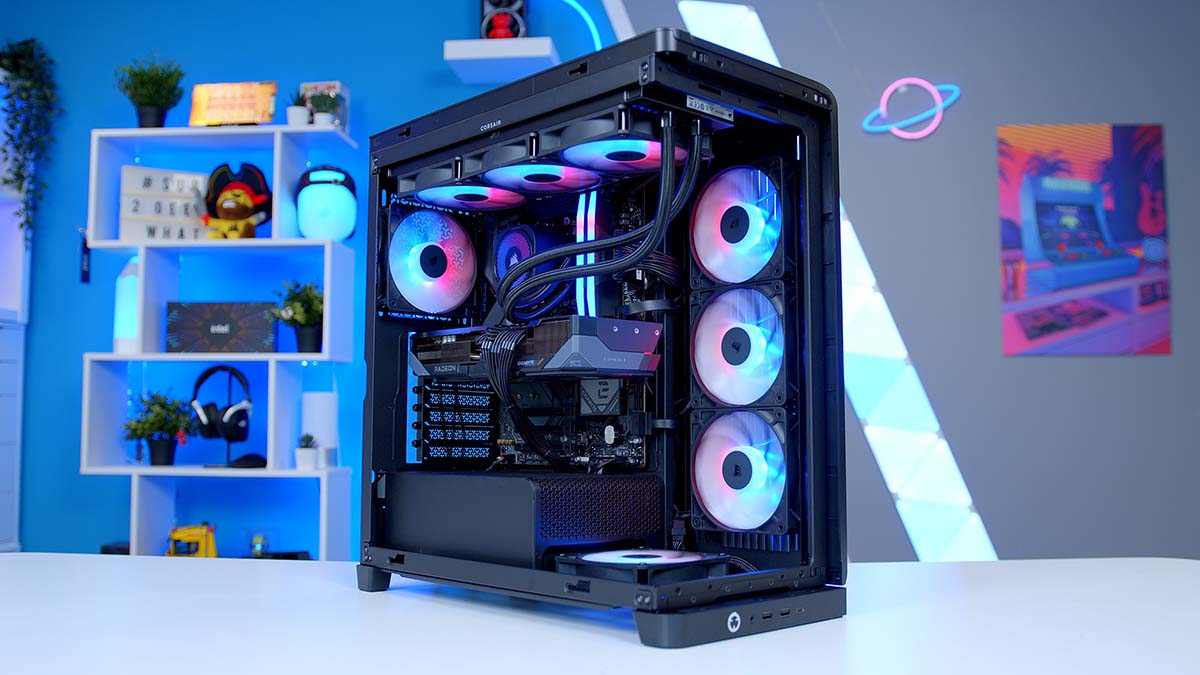
If you’re looking to build a gaming PC capable of handling everything from competitive titles at blistering frame rates to the most demanding AAA games at 1440p and beyond, you’ve landed in the right place. With a budget of around $2,500, you’re in genuinely exciting territory – enough to put together a system that doesn’t compromise on anything that matters for gaming right now.
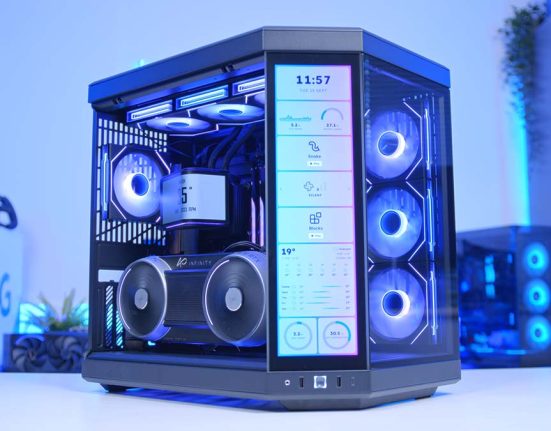
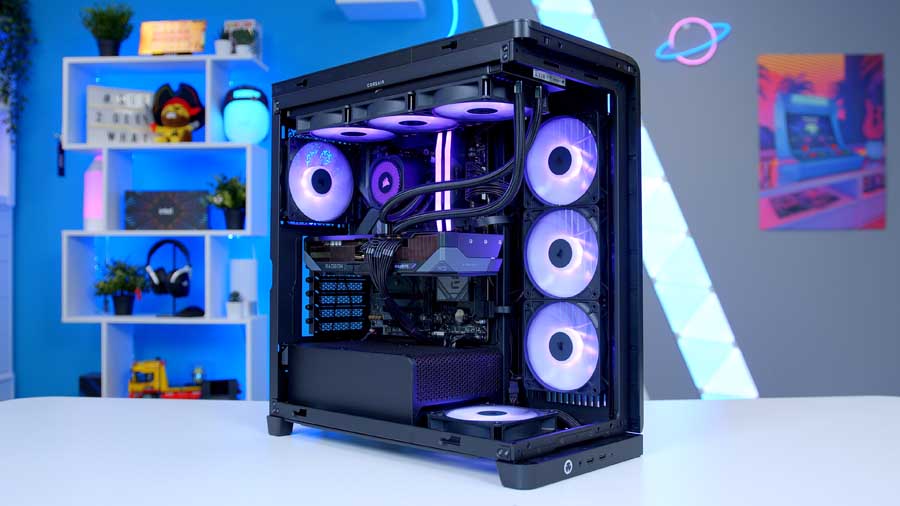
At the heart of this build is AMD’s Radeon RX 9070 XT, one of the most talked-about GPUs of the year, paired with the Ryzen 7 7800X3D, still one of the best gaming CPUs money can buy. Wrapped up in Corsair’s striking FRAME 4500X chassis, this is a build that performs as good as it looks. Whether you’re pushing frames at 1440p or starting to explore what 4K gaming feels like, this build has you covered.
Let’s break it all down, component by component.
Parts Overview
AMD Ryzen 7 7800X3D
Skip to Section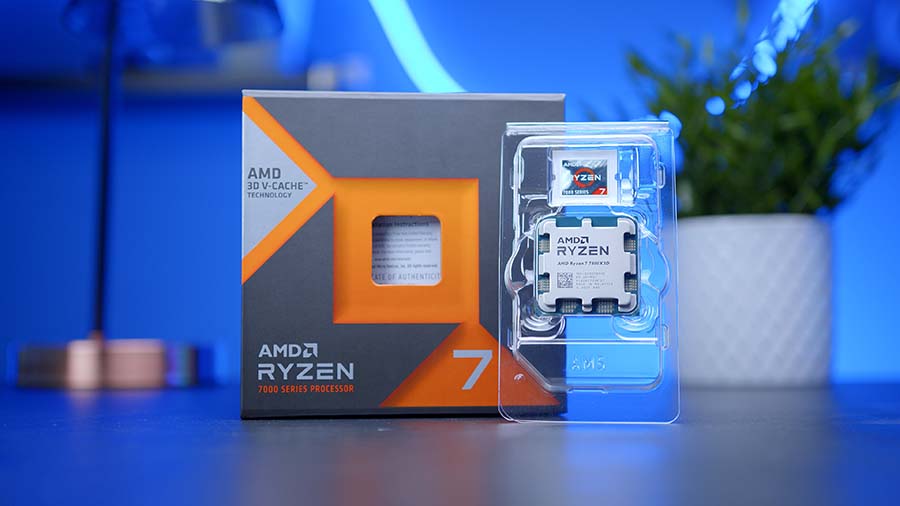
An 8-core Zen 4 chip with 3D V-Cache that focuses on high-FPS gaming performance without needing a huge power budget.
CORSAIR Nautilus 360 RS ARGB
Skip to Section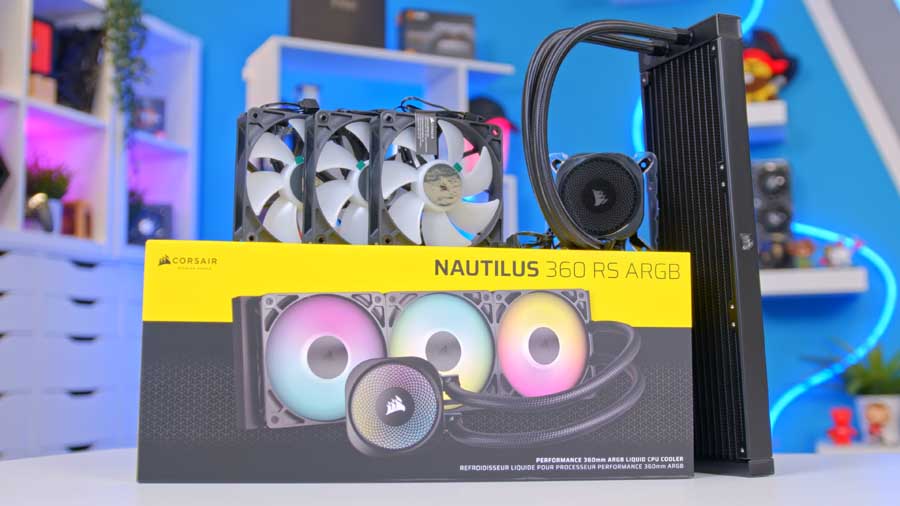
A 360mm all-in-one liquid cooler that keeps the 7800X3D under control, with ARGB fans that plug directly into motherboard headers (no separate controller needed).
GIGABYTE B850 EAGLE WIFI6E
Skip to Section
An ATX AM5 board with DDR5 support, Wi-Fi 6E, and three M.2 slots, giving this build a modern upgrade path for storage and add-in cards.
CORSAIR VENGEANCE RGB DDR5
Skip to Section
32GB is a great fit for gaming and everyday work, and DDR5-6000 is a strong match for Ryzen when you enable the memory profile in BIOS.
TeamGroup MP44L
Skip to Section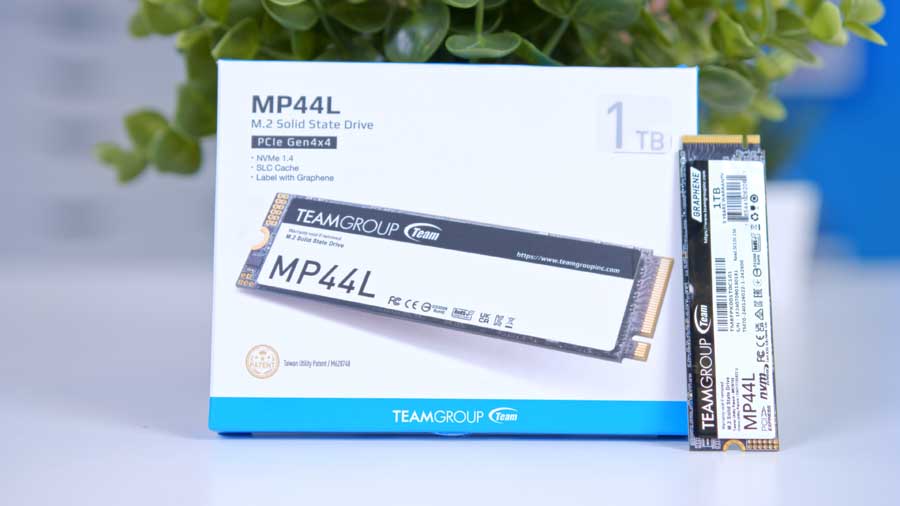
A fast PCIe 4.0 NVMe SSD that keeps Windows and games feeling snappy, with strong sequential speeds for big file transfers.
Gigabyte Radeon RX 9070 XT GAMING OC 16G
Skip to Section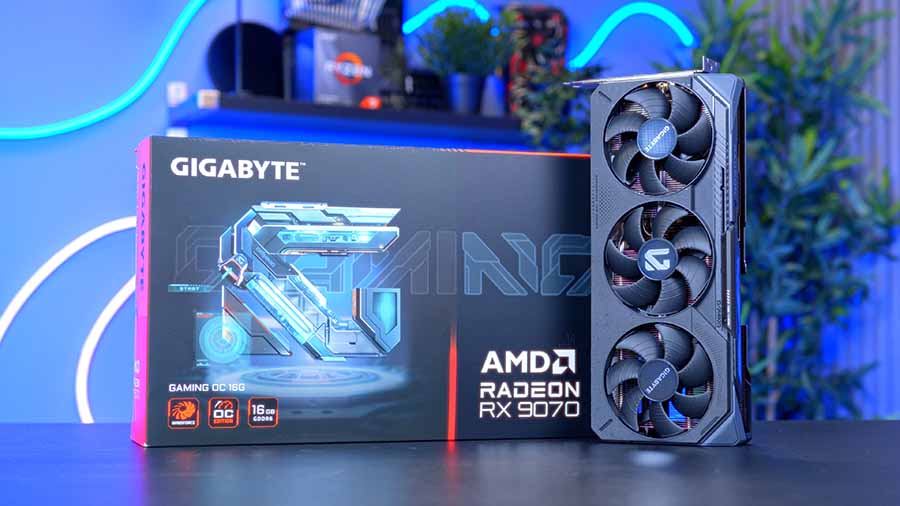
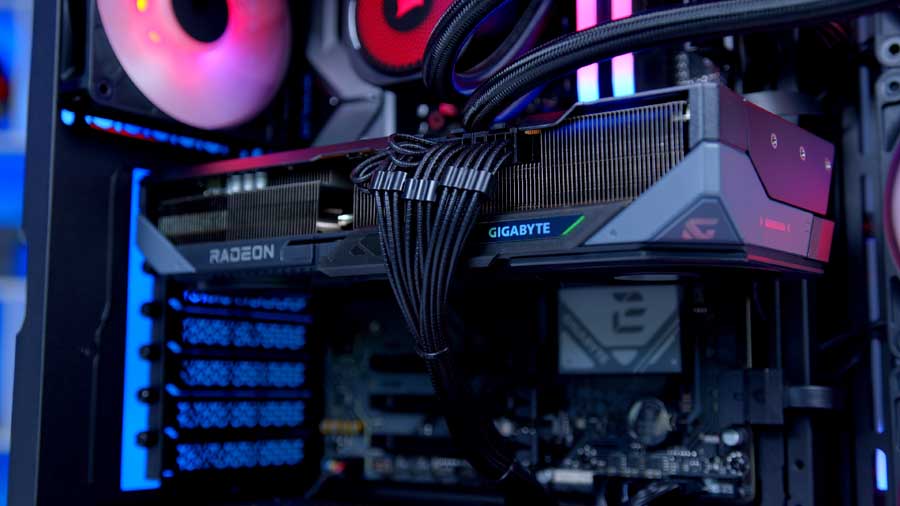
A high-end Radeon card built for smooth 1440p gaming and strong 4K performance, with a factory overclock and a triple-fan cooler.
CORSAIR FRAME 4500X RS-R ARGB
Skip to Section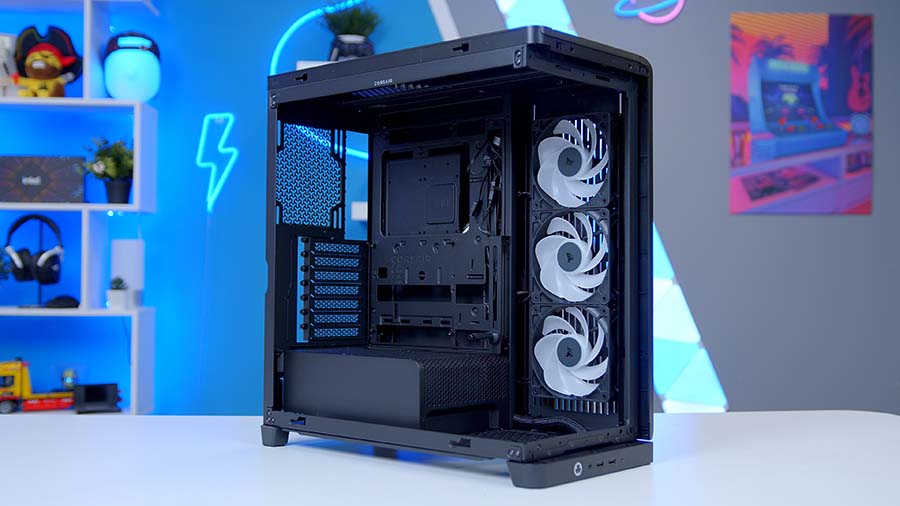
A showcase mid-tower with panoramic glass, strong airflow, and the clearances you want for a big GPU and 360mm liquid cooling.
CORSAIR RM750e 750W (ATX 3.1)
Skip to Section
A quiet, fully modular 750W ATX 3.1 PSU with a native 12V-2×6 GPU cable, ready for modern graphics cards.
AMD Ryzen 7 7800X3D
For the processor in this build, we have selected the AMD Ryzen 7 7800X3D — arguably the CPU that made AMD’s ‘X3D’ lineup of processors so synonymous with top-tier gaming performance. With 8 cores, 16 threads and stacks of L3 cache (quite literally!), it’s a CPU that pairs up well with high-end GPUs such as the 9070 XT used in this build.
CPU Comparison
AMD Ryzen X3D Desktop CPU Comparison
Hover rows for highlight. Tap/click a header title to sort.
| CPU | ::Cores | ::Threads | ::Base Clock | ::Max Boost | ::TDP | ::Total Cache | ::Where to Buy |
|---|---|---|---|---|---|---|---|
AMD Ryzen 9 9950X3D Zen 5 flagship X3D desktop CPU |
16 | 32 | 4.3 GHz | 5.7 GHz | 170W | 144MB | |
|
AMD Ryzen 9 9900X3D 12-core Zen 5 X3D for mixed gaming and production |
12 | 24 | 4.4 GHz | 5.5 GHz | 120W | 140MB | |
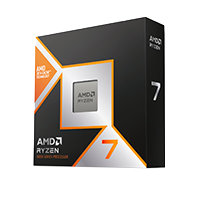
AMD Ryzen 7 9850X3D Newest Ryzen 7 X3D in the lineup |
8 | 16 | 4.7 GHz | 5.6 GHz | 120W | 104MB | |
|
AMD Ryzen 7 9800X3D High-FPS Zen 5 gaming CPU |
8 | 16 | 4.7 GHz | 5.2 GHz | 120W | 104MB | |
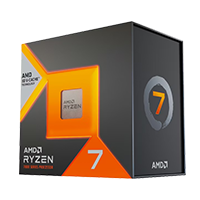
AMD Ryzen 7 7800X3D Mainstream Zen 4 gaming favourite |
8 | 16 | 4.2 GHz | 5.0 GHz | 120W | 104MB |
If you wanted a little more CPU performance you might want to consider either the Ryzen 7 9800X3D, or the newer 9850X3D, but in our view these CPUs verge on being overkill for the 9070 XT, and if you had further budget to spend on this system your money would be more effectively spent elsewhere.
CORSAIR Nautilus 360 RS ARGB
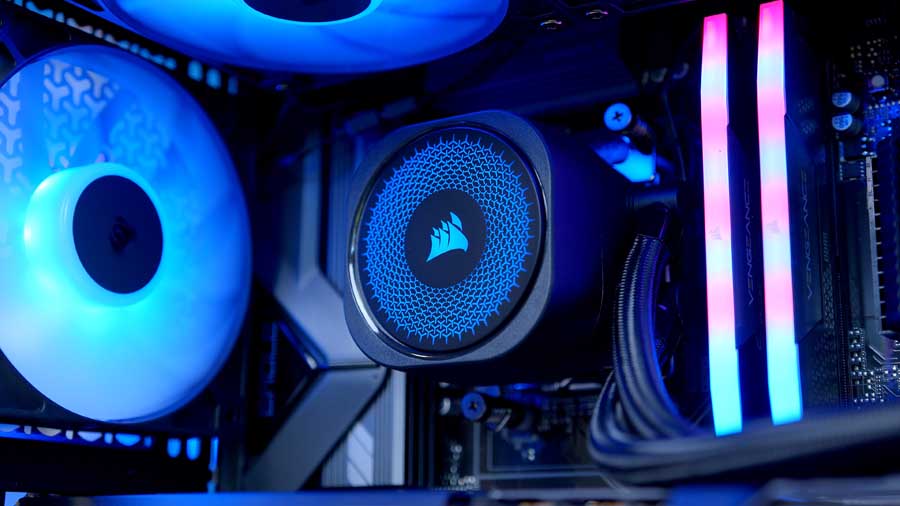
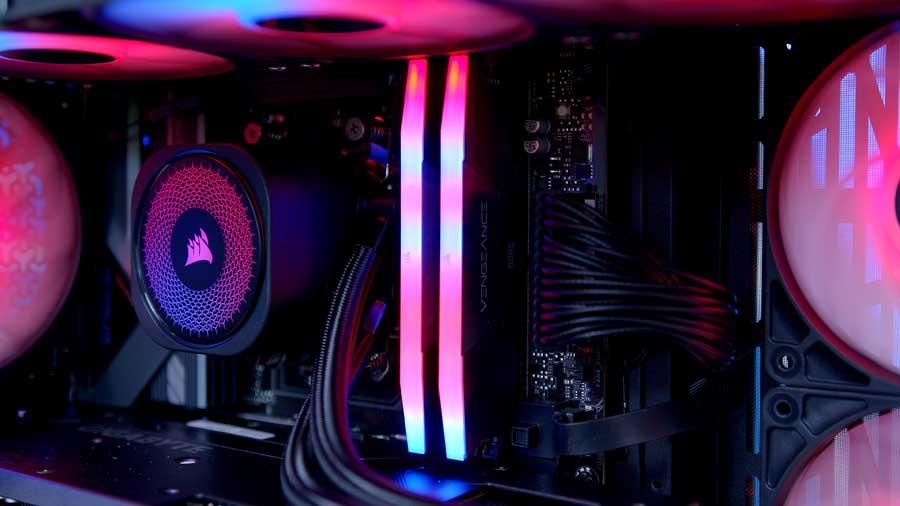
For cooling in this build we have opted to use Corsair’s Nautilus 360 RS ARGB. This 360mm cooler performs well in our testing, sitting above competitors like the DeepCool Mystique 360 and MSI MAG CoreLiquid A15 360 in terms of thermal performance. It is fairly simple by design, with an ARGB Corsair-branded water block (the top plate can be spun depending on your cooler’s orientation) and a standard 27mm thick radiator.
The three included fans use a standard 5V ARGB header for lighting customisation, as does the lighting on the water block. While this means you do lose access to Corsair’s iCUE control software for lighting customisation, it does help trim cost on the cooler and allows for direct control through the ARGB headers on the motherboard selected for this build. Some people will prefer this approach, while others might miss the use of iCUE. If you fall into the latter of those two categories, Corsair does offer a similar cooler called the iCUE Link Titan which may be worth considering.
The only thing we don’t like about this cooler is the fact Corsair doesn’t pre-install the included fans. This is something that is commonplace with competitors, and something we’d really expect Corsair to do.
GIGABYTE B850 EAGLE WIFI6E
For the motherboard in this system, we have opted to recommend the Gigabyte B850 Eagle WiFi 6E – a popular, value-oriented B850 motherboard. This no-frills board comes with PCIe Gen 5.0 support for the main x16 slot and all three M.2 NVMe slots (one of which runs PCIe 5.0 x4, with the remaining two running PCIe 4.0 x4), and a well-rounded IO that keeps connectivity options fairly well open.
Motherboard Specifications
-
Model
Gigabyte B850 EAGLE WiFi6E
-
Chipset / Socket
AMD B850 / AM5
-
Form Factor
ATX (30.5cm x 24.4cm)
-
CPU Support
AMD Ryzen 9000 / 8000 / 7000 Series
-
Memory Support
4 x DDR5 DIMM, up to 256GB, up to DDR5-8200 (OC)
-
VRM Design
Digital 8+2+2 phases
-
Graphics Card Compatibility
1 x PCIe 5.0 x16 slot (full-length GPU slot)
-
Expansion Card Compatibility
1 x PCIe 5.0 x4 + 2 x PCIe 4.0 x4 slots
-
M.2 Compatibility
3 x M.2 sockets: 1 x PCIe 5.0 x4, 1 x PCIe 4.0 x4, 1 x PCIe 4.0 x2
-
SATA Storage
4 x SATA 6Gb/s ports
-
Networking
2.5 Gigabit LAN + WiFi 6E
-
Rear I/O
1 x USB-C 3.2 Gen1,
2 x USB 3.2 Gen2 Type-A,
2 x USB 3.2 Gen1
4 x USB 2.0,
3 x audio jacks -
Front I/O Headers
1 x USB-C 3.2 Gen1 header,
1 x USB 3.2 Gen1 header,
2 x USB 2.0 headers -
Audio
Realtek HD Audio (2/4/5.1/7.1-channel)
For gaming, this motherboard is the perfect companion to the 7800X3D, but if you are looking to use this build for things like video editing or content creation, you may want to opt for a design that provides more comprehensive connectivity options instead.
CORSAIR VENGEANCE RGB DDR5
At the time of writing this build guide, the world of memory is in something of a crisis. Following the boom of AI, global memory capacity has been hoovered up by businesses racing to build the biggest and fastest supercomputers possible to power this new era of large language models. What this has meant for consumer memory is a greater scarcity of supply and higher prices. As such, our recommendation here leans more into the speed, capacity and DIMM configuration than it does to specific makes or models.
We always recommend 32GB of DDR5 for a gaming PC build, and recommend you aim for a speed as close to 6000MHz as possible and a latency of 36 or lower. If you are looking to replicate this build but with a tighter budget, you may want to consider shopping on the used market, moving memory from your existing build if you have it, or compromising on speed and latency.
The good news is that, like any crisis, we expect the memory situation to be temporary. While it is already showing signs of easing, we can’t yet be confident about when the current situation might end or when the best time to buy might be.
TeamGroup MP44L
Like memory, storage has also seen an impact from the ongoing shortages. The good news is that the price changes here are less pronounced but they are still present. Our recommendation today is the TeamGroup MP44L, and we’ve opted for the 2TB capacity variant.
This drive offers fast speeds of {speeds followed by speed widget}, based on our own in-house GeekaWhat testing. These speeds are well within the range of what we’d hope to see from a drive at this price point and PCIe generation. If you are looking to trim some cost from this build, TeamGroup also offers a 1TB variant, while those looking for more capacity will be glad to hear a 4TB option is available too.
There are, of course, many higher-end storage drives on the market with even faster read and write speeds and even higher capacities, but prices are currently rising exponentially as of March 2026. Given this price growth, we recommend the TeamGroup MP44L in 1TB capacity; however, if you have the means to purchase a larger-capacity or newer drive overall, it will only benefit you in the long run.
From Our Full Review
★★★★☆
4/5

Pros and Cons
Pros
- Strong value-focused PCIe 4.0 performance
- Good sequential and real-world loading speeds
- Solid option for gaming and everyday workloads
Cons
- Not as fast as premium Gen4 flagship drives
- Can throttle under long sustained heavy writes
- Budget feature set versus high-end alternatives
Bottom Line
The TeamGroup MP44L hits a strong value point for a mainstream Gen4 SSD, offering fast enough performance for gaming and daily use without flagship pricing.
Read The Full ReviewGigabyte Radeon RX 9070 XT GAMING OC 16G
For the graphics card in this build, there are very few choices that offer the kind of performance and value on offer with AMD’s Radeon RX 9070 XT. James has consistently said how he feels this is one of the best GPUs AMD has ever made, and its popularity since release shows just how far that sentiment is shared.
With 16GB of memory, blazing fast performance at 1440p and huge potential at 4K – what’s not to love? Providing significantly more performance than the non-XT variant of the 9070 series, and beating out NVIDIA’s considerably more expensive RTX 5070 Ti in the majority of titles, the 9070 XT is a fantastic choice. The card does lack the maturity in upscaling and ray tracing technology that you’ll find on NVIDIA’s options, and creator performance is not as strong on AMD, something that may put some people off. But for gaming, there are few options that compete with the 9070 XT. You can read our full RX 9070 XT review here.
CORSAIR FRAME 4500X
The case choice in any gaming PC build is a highly subjective one, and what might look amazing to one person might equally look a bit naff to another. In our personal view, the Corsair FRAME 4500X is a great-looking case that also ticks the key boxes when it comes to airflow, thermal performance and part compatibility. With support for GPUs up to 460mm in length, room for a 360mm radiator up top, and three included reverse-blade intake fans, it has all the features you could need or expect at this price point.
Case Specifications
-
Model
CORSAIR FRAME 4500X RS-R ARGB
-
Form Factor
Mid-Tower
-
Motherboard Support
Mini-ITX, Micro-ATX, ATX, E-ATX (305mm x 277mm)
-
Case Dimensions (L x W x H)
499mm x 246mm x 478mm
-
Front IO
1 x USB 3.2 Gen 2×2 Type-C,2 x USB 3.2 Gen 1 Type-A,1 x Audio in/out -
PCI-E Slots
7 x Horizontal
3 x Vertical -
Colour
Black
-
Max Clearance
GPU length: Up to 460mmCPU cooler height: Up to 185mmPSU length: Up to 250mm -
Drive Support
2 x 2.5-inch1 x 3.5-inch -
Fan Support
Side: Up to 3 x 120mm or 2 x 140mmTop: Up to 3 x 120mm or 2 x 140mmRear: 1 x 120mmBottom: 1 x 120mm/140mm -
Radiator Support
Side: Up to 360mmTop: Up to 360mmRear: Up to 140mm -
Pre-Installed Fans
Side: 3 x RS-R ARGB 120mm reverse-rotor fans
The FRAME 4500X uses the same fundamental tooling and design as what you’ll find on the popular FRAME 4000D, making that a great alternative choice if you like the form factor of the 4500X and the hardware support it offers, in a slightly more traditional design.
From Our Full Review
★★★★☆
4.3/5

Pros and Cons
Pros
- Justified MSRP pricing
- DIY friendly for beginners or enthusiasts
- Quality of life features
Cons
- Questionable PSU shroud positioning
- IO positioning and limitations
- No riser cable included, extra expense
Bottom Line
A brilliant mid-tower with generous clearances, extensive fan support, and a modular layout that caters to both beginners and enthusiasts. The wraparound tempered glass panel and FRAME modular system make it a standout aesthetically and practically. PSU shroud airflow compromises and the bottom-mounted IO are worth considering, but they don’t overshadow what is an impressively well-rounded premium chassis.
Read The Full ReviewCORSAIR RM750e
For power in this build, selecting the right PSU was a simple choice. We’ve sung the praises of Corsair’s latest iteration of the RMe series many times, and the RM750e is a fantastic option for any build. With a Cybenetics Platinum efficiency certification and an A- noise rating, it’s efficient and quiet. One of our favourite things about it, though, is the included cables — they’re individually nylon sleeved, which looks fantastic and is a step well above what you’d see on more budget units.
Available in capacities ranging from 650W right through to 1000W, there are plenty of options for all builds, though it should be noted that the efficiency and noise ratings do vary depending on the wattage model you select.
Gallery

Performance
With the hardware side covered, it’s time to see what this system actually delivers in-game. For testing, we’ve focused on a mix of competitive shooters and visually demanding AAA titles to give a realistic spread of workloads. That means fast-paced, high-refresh experiences like Call of Duty: Black Ops 7, Battlefield 6, Arc Raiders, Fortnite and Apex Legends, alongside heavier cinematic titles including Indiana Jones & The Great Circle and Hogwarts Legacy. The idea is to look at both ends of the spectrum — raw FPS potential and GPU-heavy visual stress.
All testing is carried out at 1440p and 4K, which are the most relevant resolutions for a GPU of this class. 1440p lets us see how the system handles high refresh gaming where the CPU can still influence performance, while 4K shifts the load firmly onto the GPU to showcase what the 5090 is capable of under pressure. Settings are configured to reflect realistic enthusiast use high or ultra presets, with ray tracing enabled where it makes sense, so the results mirror how someone would actually run this hardware day to day.