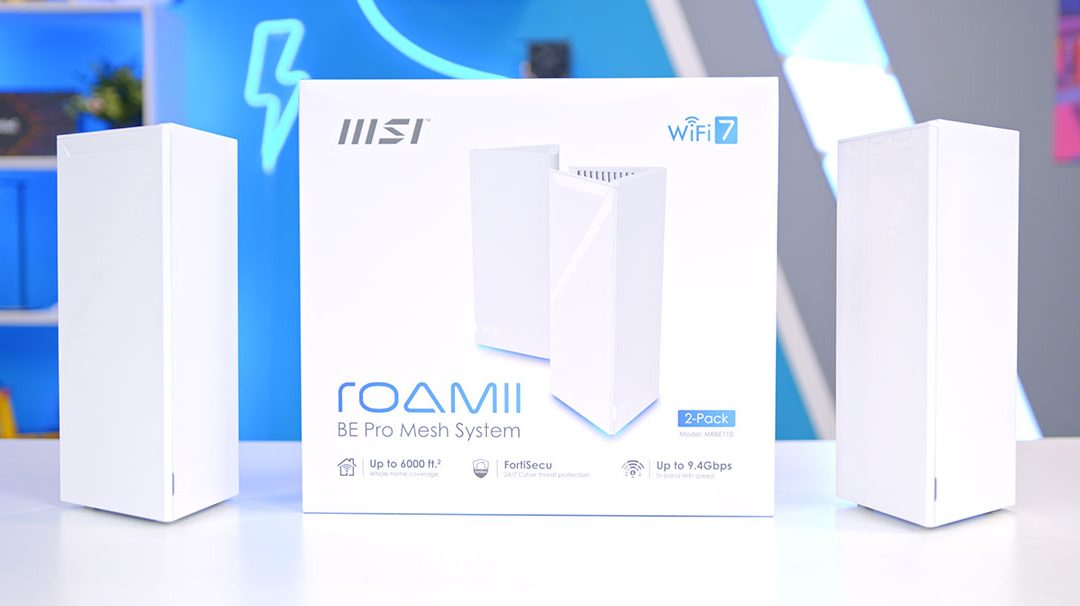
If you’re looking for a way to truly harness the full potential of your broadband, MSI’s new Roamii BE Pro offers a compelling solution. Built on the WiFi 7 standard, this mesh system is engineered to maximise speeds and minimise latency, providing seamless, high-capacity coverage across even the largest homes. While WiFi 7 -boasting theoretical speeds up to 46 Gbps might seem like overkill for the average user, its superior handling of device-heavy environments is rapidly moving it from “enthusiast-grade” to a consumer essential. As WiFi 7 becomes standard in the latest phones and laptops, the Roamii BE Pro ensures your home network is ready for the next generation of connectivity. The Roamii BE Pro Mesh System is a mesh router system designed to deliver high speeds with the WiFi 7 standard while streamlining connectivity and providing massive coverage across the home.
With the release of WiFi 7 in 2024, we have started to see more devices supporting the WiFi 7 interface, including motherboards, phones, and laptops. While WiFi 7 is quite an overkill for most, it offers significantly higher speeds (up to 46 Gbps), lower latency, and better handling of multiple devices compared to previous generations. As enthusiast-grade tech, it is creeping into average consumer lifestyle products.
Buy the MSI Roamii BE Pro Mesh System Router on:
Specification
The MSI Roamii BE Pro Mesh System is an internet solution for enhancing network connectivity across a larger area, such as an office or a large multi-room house, and it can function as either a router or a WiFi extender, allowing you to extend your WiFi signal to more areas where it stays stable.
The router is triple-band compatible, spanning 2.4GHz, 5GHz, and 6GHz, and with Multi-Link operation, devices can benefit from seamless band switching, allowing them to connect to multiple links simultaneously, improving speed, latency, and reliability.
This is where the Roamii BE Pro Mesh System differs from the MSI Roamii BE Lite Mesh that we have already reviewed, as even though the BE Lite does “support WiFi 7”, it is a dual-band router. By omitting the latest 6GHz operating frequency and still using the WiFi 7 (802.11be) standard, this allows the router to qualify as WiFi 7, whilst technically speaking, it is really a super-charged WiFi 6 router. This is not the case with this router, as it utilises the latest WiFi 7 (802.11be), a standard that allows your home network to support more devices while minimising bandwidth restrictions to and from those devices, improving speeds.
Specification
| Model | MSI Roamii BE Pro Mesh System |
|---|---|
| WiFi Standard | WiFi 7 (802.11be) |
| Dimensions (L x W x H) | 118.5 x 108 x 252.5 mm |
| WiFi Speeds |
6GHz: Up to 5764Mbps
5GHz: Up to 2882Mbps
2.4GHz: Up to 688Mbps
|
| Antenna | 6 x Internal Antennas |
| WiFi Features |
Multi-Link operation (MLO)
Adaptive Puncturing
MU-MIMO
OFDMA
4K-QAM
Multi-RUs
Beamforming
Guest WiFi/ Multiple SSID
WPS
|
| WiFi Encryption |
WPA-PSK,
WPA2-PSK,
WPA3-PSK
|
| IO |
1 x USB 3.0 Type-A
4 x 2.5G Ethernet ports
|
| Processor | Quad Core 1.5GHz |
Each band can support a maximum WiFi throughput, and the overall maximum supported by the Roamii BE Pro is 5764 Mbps on the 6 GHz band. With typical UK households opting for download speeds of approximately 110 Mbps to 223 Mbps, this really puts into context the sheer potential this router offers, and how much headroom you have for connecting multiple devices. It does this through various technologies, such as 4K QAM (quadrature amplitude modulation), which increases the number of bits that can be carried over a radio signal. The theoretical maximum this router offers reflects its pure future-proofing-focused engineering.
The rest of the router’s WiFi features are pretty standard for a WiFi 7 option. MU-MIMO (multi-user, multiple-input, multiple-output) and OFDMA (orthogonal frequency-division multiple access) provide greater bandwidth for households with multiple devices. This reduces congestion, freeing up vital packet space for those who need it.
On the security front, the MSI Roamii BE Pro uses the WPA3, one of the latest standards. WPA3 drastically improves encryption algorithms and uses longer keys than WPA2 and WPA1, ensuring your home network isn’t easily breached.
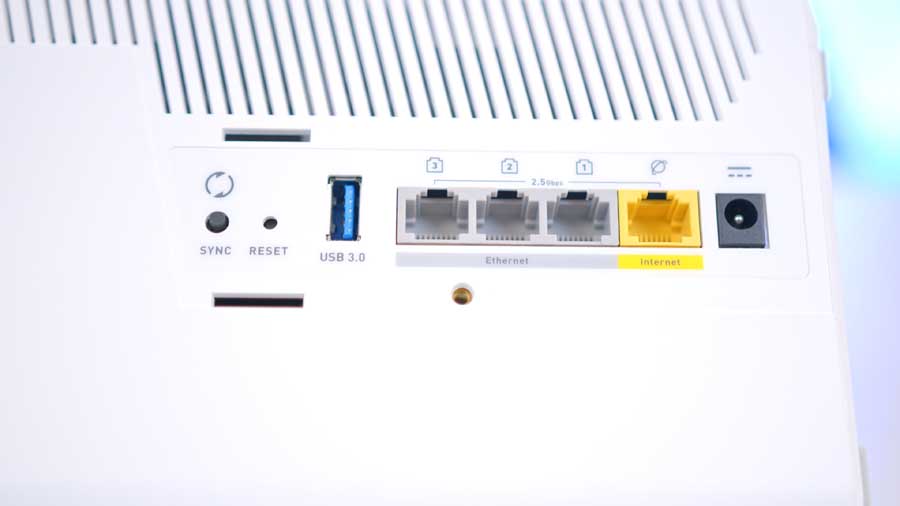
Finally, the router has a brief IO selection: four 2.5 Gigabit LAN ports for mesh backhaul or high-speed wired connections, and one fast USB Type-A port, which can be used to set up a Network Attached Storage (NAS) device if you’d like.
MSI Roamii BE Pro Mesh System Design
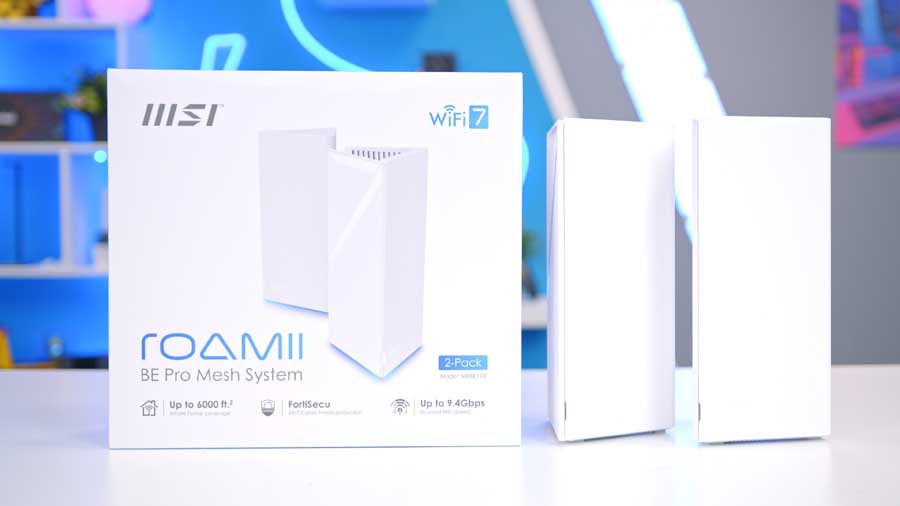
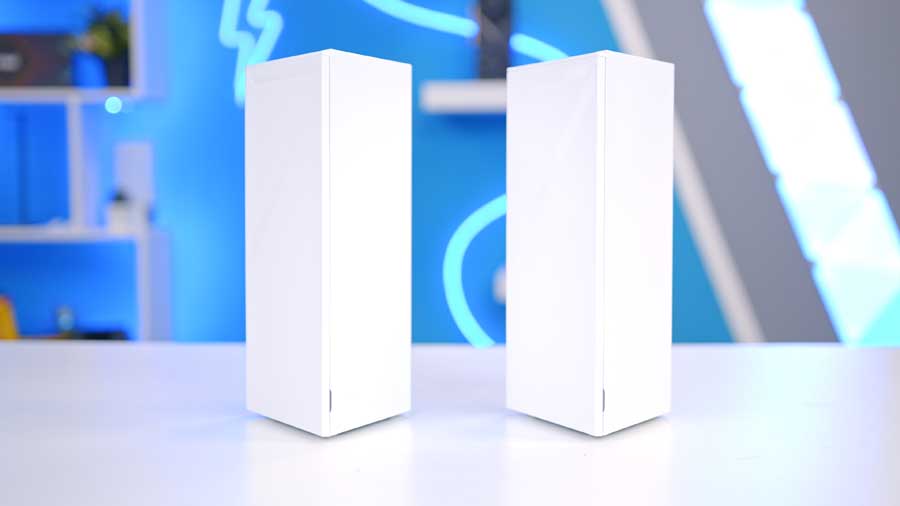
The Roamii BE Pro consists of two tall, triangular prism‑shaped white towers. At first glance, their sharp, angular design might seem a little bold for some interiors, but MSI has kept the aesthetic clean and minimalist enough that they blend in more easily than expected. And ultimately, it’s what’s inside that deserves the real attention.
Each unit houses six internal high‑gain antennas and front‑end modules, positioned to maximise signal strength and deliver consistent WiFi coverage throughout your home. MSI also uses nanocarbon‑coated heatsinks aligned with the external ventilation channels, helping the system stay cool and reliable even under heavy load.

And lastly, the brain powering everything is a 1.5GHz quad‑core processor, giving the BE Pro enough muscle to manage multiple devices simultaneously while supporting demanding tasks like 8K streaming, HDR gaming, and smooth video conferencing with ease.
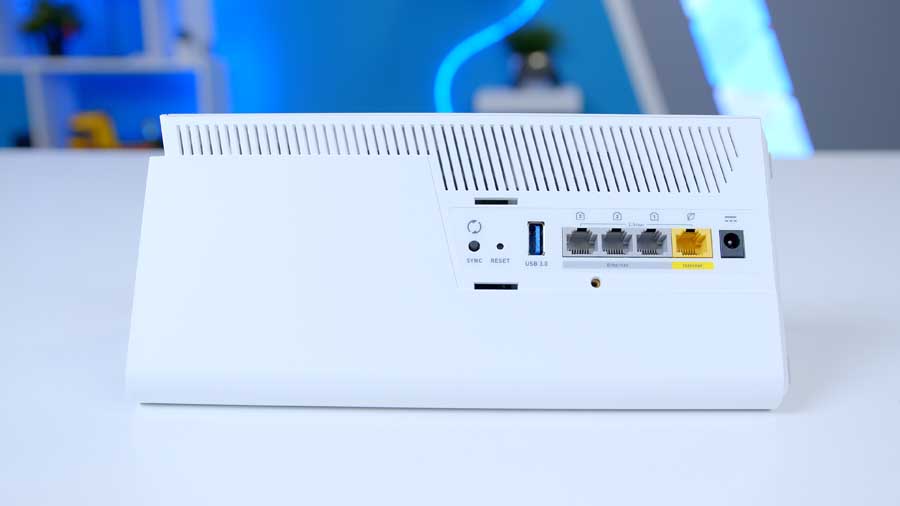
All of the ports and buttons are on the back of the casing. As we’ve touched on in the specs, the router has decent IO, which is on the back of both towers. For power, the Roamii BE Lite uses a barrel connector, which is relatively standard across most routers, even for ISP (internet service provider) routers. There is also a tiny reset button, which can be used if the router isn’t working correctly. On the front of the router, there is minimalist MSI branding and an LED status bar for troubleshooting during and after setup.
When plugged in and turned on, they both feature a subtle, customisable RGB glow at the base of the tower, and this serves as more than just a visual indicator. Its implementation is an intentional effort to give you some personalisation back by drawing your attention away from the casing’s aggressive appearance, letting you set the perfect mood for any space. From a calming blue glow to a warm bedtime hue, Roamii blends seamlessly into your home, combining function with style. To customise the lighting, you’ll need the MSI Router 2.0 application installed on a handheld device.

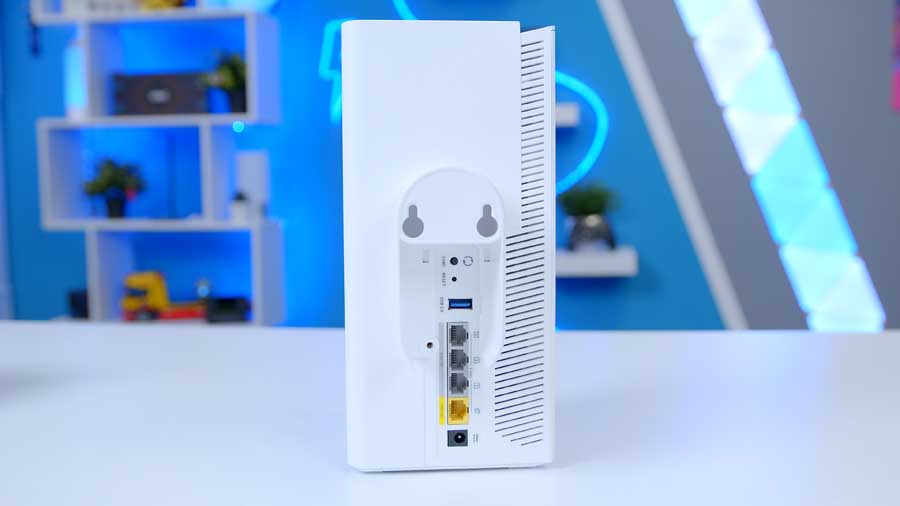
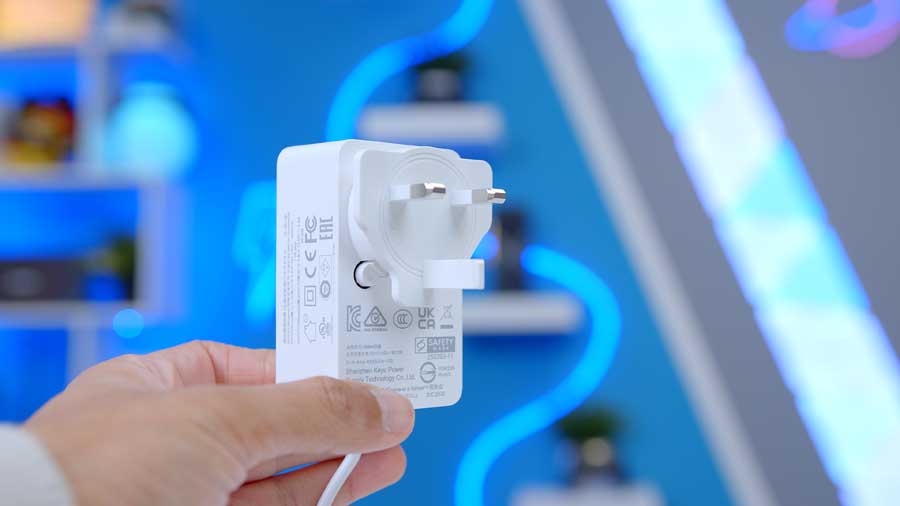
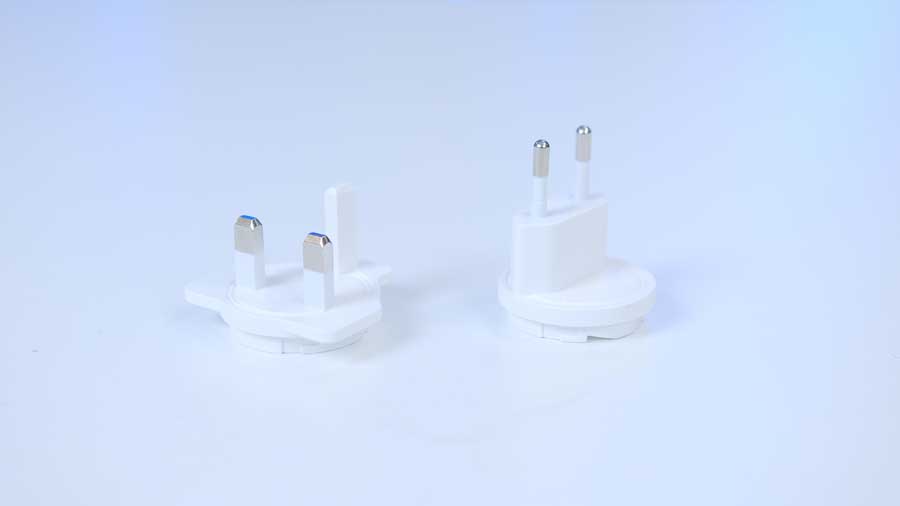
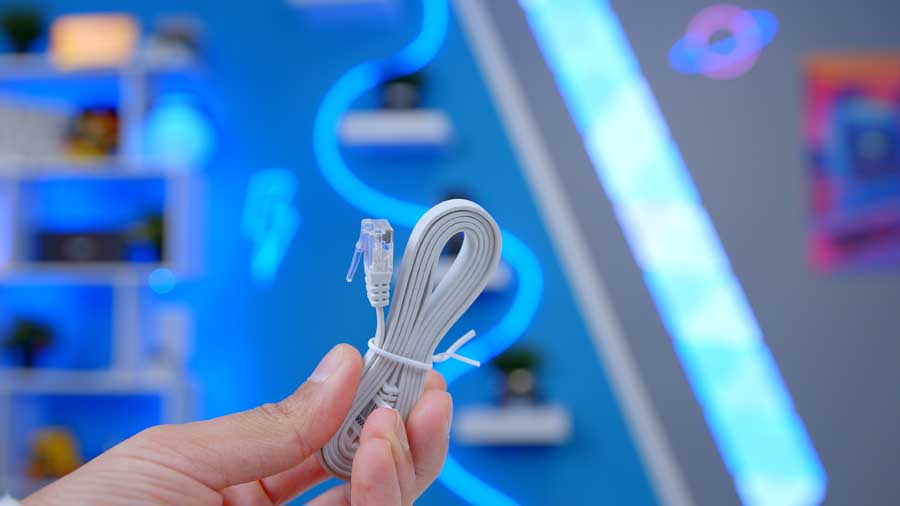
A couple of accessories come with the Roamii BE Pro Mesh System to make setting up a little easier. You receive some wall mounts with their respective screws and wall plugs, two power adapters, and an Ethernet cable for connecting one of the towers to either your modem or a pre-existing router. If you would like to set up the routers using Ethernet backhaul, you will need to purchase the appropriate Ethernet cable for the required length and speed.
Router Setup & Additional Settings
Setting up the Roamii BE Pro is a relatively straightforward and quick process using the MSI Router 2.0 App. By scanning the label on the underside of the Roamii with your mobile phone camera, the MSI Router 2.0 software effectively inputs the relevant data for you. After continuing to follow the setup steps such as connecting to the WiFi network MSI_XX, a username and password popup will be prompted. Details for these can again be found on the underside of your Roamii and can be changed to more secure alternatives if preferred. And that’s that! Once logged in, your Roamii router is setup and ready to use. The dashboard has a host of settings that can be tinkered and changed, including things such as Parental controls, Network Security, guest networks and much more.
The MSI Router 2.0 app does a lot of the heavy lifting and makes using the Roamii pretty seamless. Not only does it make controlling your network easy to access but also helps you to ensure that you’re getting the most out of your network setup. With the Find WiFi Spot tool, you can walk around your home while the app measures WiFi quality in real time. It then shows you the best areas to place your mesh nodes so you’ll know exactly where is best to put them for the strongest coverage across your home.
MSI also has a dedicated webpage with video demonstrations on how to set up the MSI Roamii devices and its functionality and is a great source of information for any troubleshooting related queries.
Features We Like
RGB Lighting
We like the RGB lighting because it’s a good way to shrink the routers’ footprints and help them blend in with their surroundings a little more. It’s comparable to the lighting ring found on some speakers or Amazon Echo devices. It’s a great implementation that encourages the ‘candid furniture in a smart home’ feeling, making it feel less obtrusive and easier to blend in.
Broad Feature Set
The Roamii BE Pro isn’t just a simple signal booster; it’s a high-performance hub that bridges the gap between wireless convenience and wired stability. By offering four 2.5G Ethernet ports on every node and a USB 3.0 port for NAS functionality, MSI provides a level of versatility rarely seen in consumer mesh kits. This allows power users to maintain ultra-fast wired backhauls for gaming or local data backups while simultaneously leveraging Multi-Link Operation (MLO) to keep mobile devices connected across three different bands without a hint of lag.
Features We Don’t Like
Big Towers
The routers stand pretty tall and are decently wide. Whilst we appreciate the minimalist design of the towers, in line with a lack of flashy, gimmicky quirks like bold external antennas or loud branding, the size of the routers is slightly concerning. We hope this is intended to mitigate high temperatures under load and to house the hardware needed to do so.
Has a Specific Use Case
Despite its “lifestyle” marketing, this system remains an enthusiast-grade solution that is arguably too advanced for the average household. With most UK home internet speeds well below 250 Mbps, the massive 5764 Mbps headroom on the 6GHz band is effectively “sleeping” power that many users will never wake up to. Unless you are living in a massive multi-story home or own a fleet of the latest WiFi 7-ready laptops and phones, the high cost of entry for this “future-proofing” offers very little immediate benefit over more affordable, compact WiFi 6 alternatives.
Conclusion
GeekaWhat Router Verdict
Overall Score
3.9 / 5
A genuine tri-band WiFi 7 mesh system with serious future-proofing credentials, though arguably overkill for the average UK household.
MSI Roamii BE Pro Mesh System Verdict
The MSI Roamii BE Pro is a true tri-band WiFi 7 mesh system that delivers on the promise of the latest standard, offering genuine 6GHz connectivity, Multi-Link Operation, and a feature set that rarely appears in consumer mesh kits. With four 2.5G Ethernet ports per node, USB 3.0 for NAS functionality, and theoretical speeds up to 5764 Mbps, it’s engineered for households with serious bandwidth demands.
While the bold tower design and enthusiast-grade specifications won’t suit every home, and the price of entry is hard to justify for users on typical UK broadband speeds, those with large multi-room homes or fleets of WiFi 7-ready devices will find the Roamii BE Pro a properly capable and well-rounded mesh solution.
Features
4.2 / 5
Design
3.5 / 5
Performance
4.3 / 5
Value For Money
3.5 / 5
Pros
- Genuine tri-band WiFi 7 with 6GHz support
- Four 2.5G Ethernet ports plus USB 3.0 per node
- Customisable RGB lighting blends into the home
Cons
- Tall, wide towers take up notable space
- Overkill for typical UK broadband speeds
- High cost of entry for everyday households
 Tested by Harry Coleman with a focus on WiFi 7 performance, mesh coverage, and real-world household connectivity.