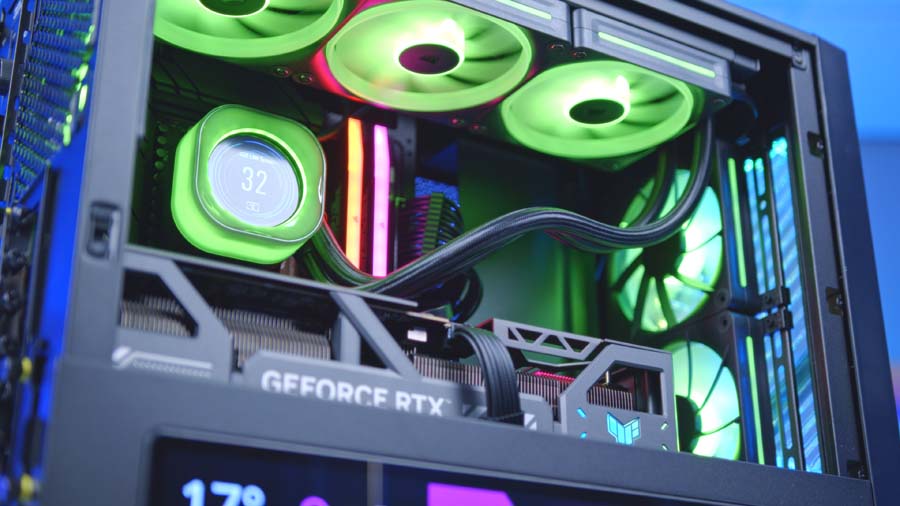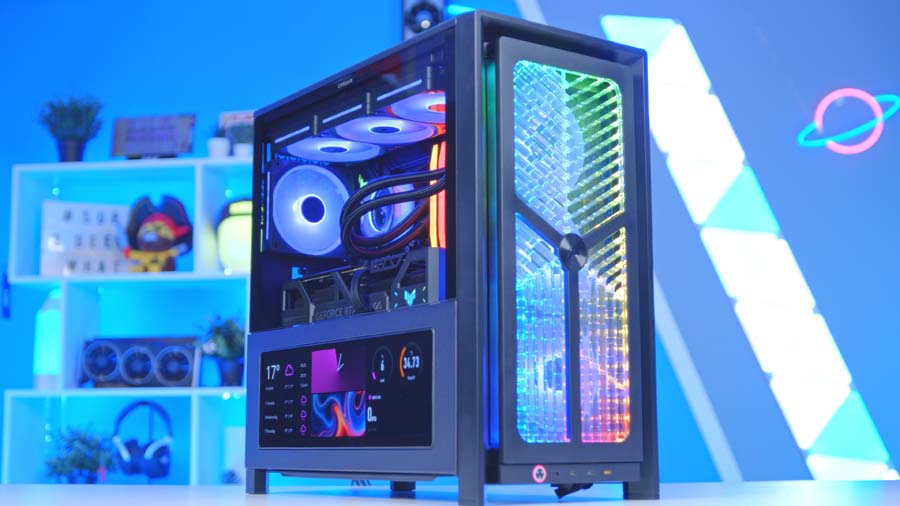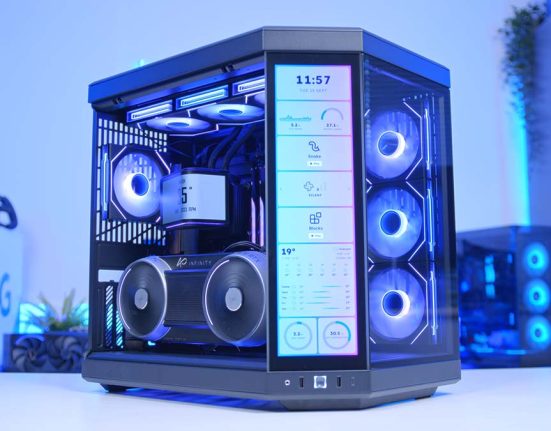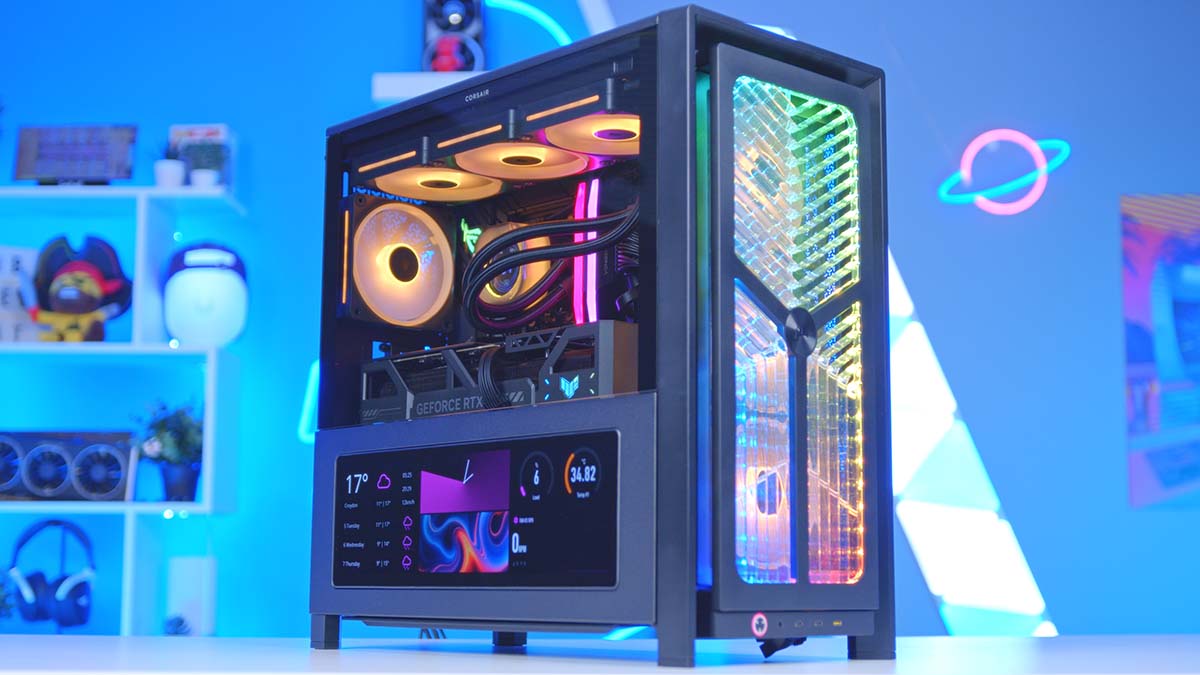
Building a no-compromise 4K gaming PC in 2026 doesn’t have to mean reaching for the biggest, most expensive parts on every shelf but it does mean making each pick count. For this build, we’ve put together a system that pairs the fastest gaming CPU on the market with NVIDIA’s second-fastest GPU, all wrapped in one of the best chassis Corsair has released in years. The result is a rig that handles 4K High settings with ease across every game we threw at it. Whether you’re chasing competitive frame rates, getting lost in a single-player AAA, or just want a system that feels properly future-proofed, this build is built to deliver.
Let’s get into it!
AMD Ryzen 7 9850X3D
Skip to SectionThe fastest gaming CPU on the market, with 2nd-gen 3D V-Cache and Zen 5 architecture that eliminates any CPU bottleneck for the RTX 5080.
Corsair iCUE LINK TITAN 360 RX LCD
Skip to SectionA premium 360mm AIO with a sharp 2.1″ round IPS display on the pump and three high-static-pressure RX120 fans, all daisy-chained over a single iCUE LINK cable for clean routing.
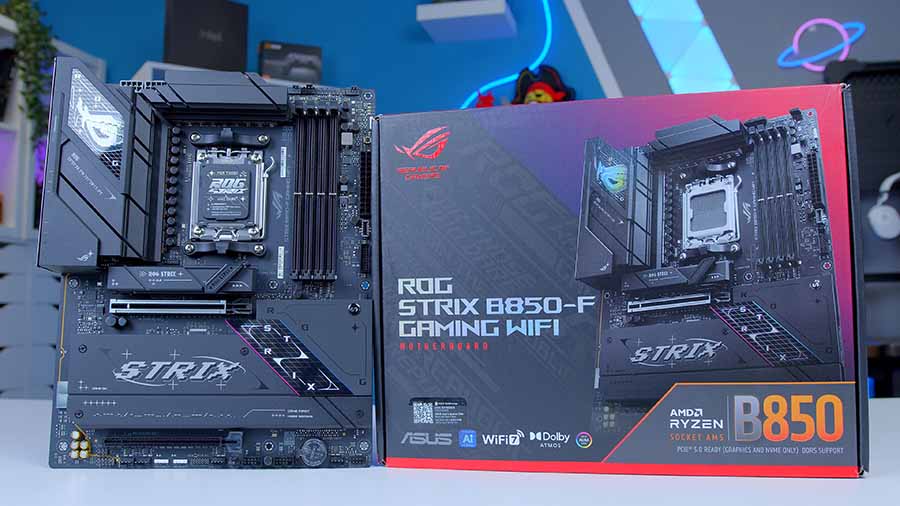
ASUS ROG Strix B850-F Gaming WiFi
Skip to SectionA feature-rich AM5 ATX motherboard with strong VRM cooling, USB4, Wi-Fi 7 and PCIe 5.0 — comfortable headroom for high-end CPUs and the RTX 5080.

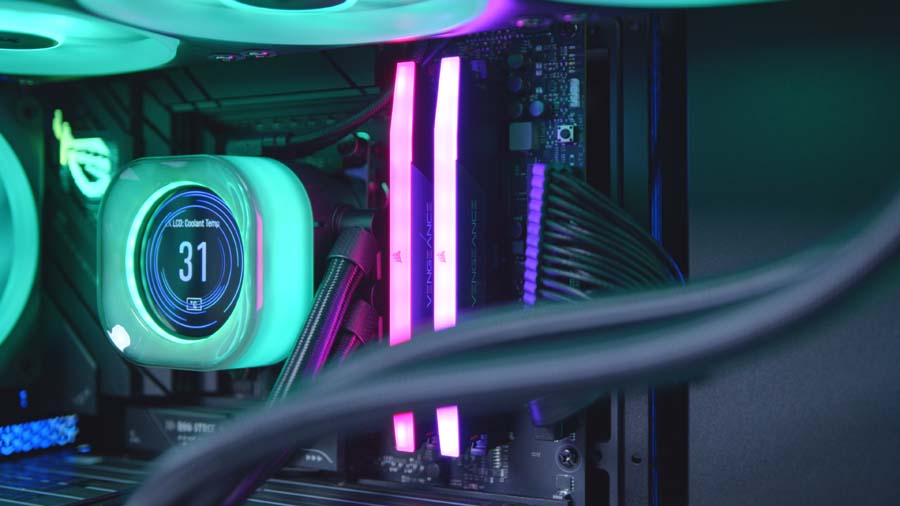
Corsair Vengeance RGB DDR5
Skip to SectionA clean, AMD-optimised DDR5 kit at the 6000MT/s CL30 sweet spot for Ryzen, with subtle top-mounted RGB and a low-profile heatspreader.
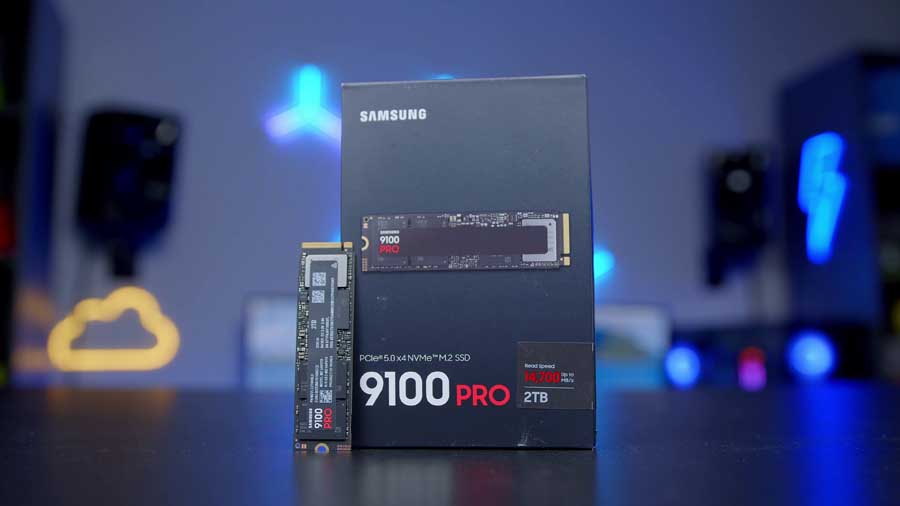
Samsung 9100 PRO 2TB
Skip to SectionSamsung’s flagship PCIe Gen 5 NVMe drive, hitting up to 14,800 MB/s sequential read for blistering load times and content workflows.
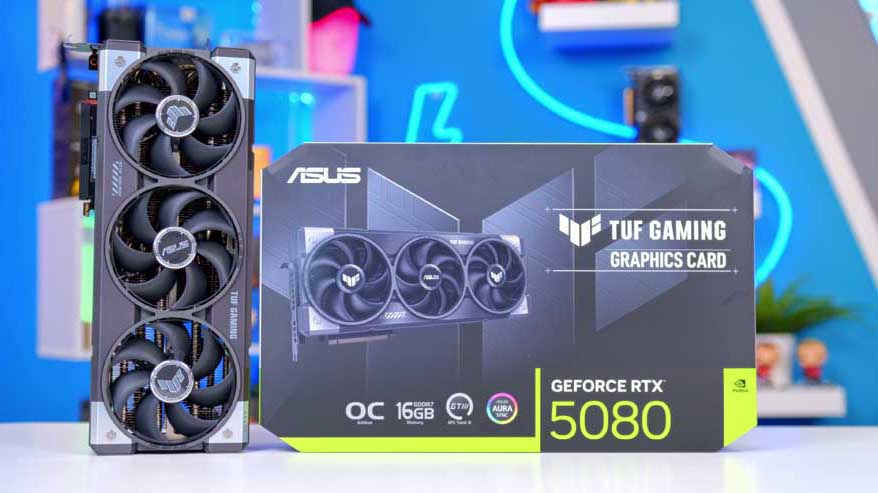
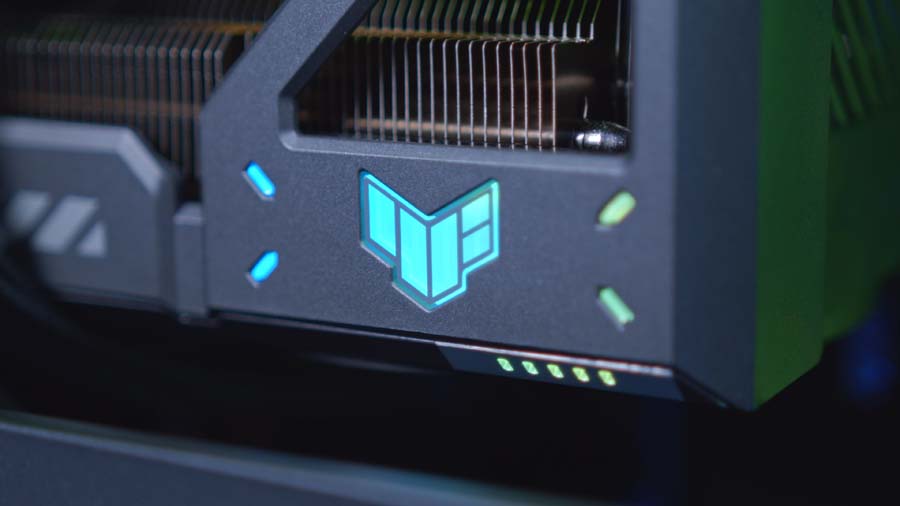
ASUS TUF Gaming RTX 5080 OC Edition
Skip to SectionNVIDIA’s second-fastest GPU dressed in TUF’s military-grade triple-fan cooler, with 16GB GDDR7 and a factory-overclocked boost for top-tier 4K gaming.
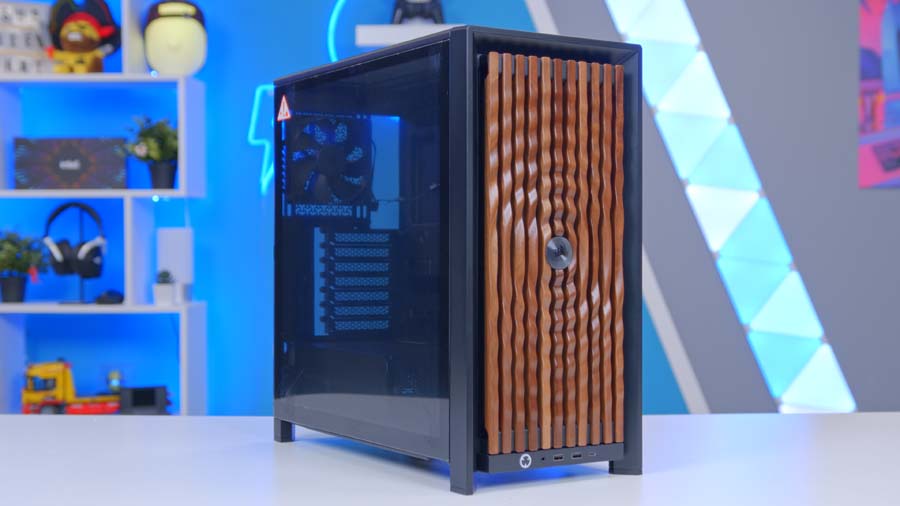
Corsair FRAME 4000D RS ARGB
Skip to SectionA modular mid-tower from Corsair’s new FRAME ecosystem, built around a swappable accessory rail system and shipping with three RS120 ARGB fans pre-installed.

Corsair RM850e
Skip to SectionA fully modular ATX 3.1 power supply with Cybenetics Gold efficiency and a native 12V-2×6 connector — comfortable headroom for the RTX 5080 build.
AMD Ryzen 7 9850X3D
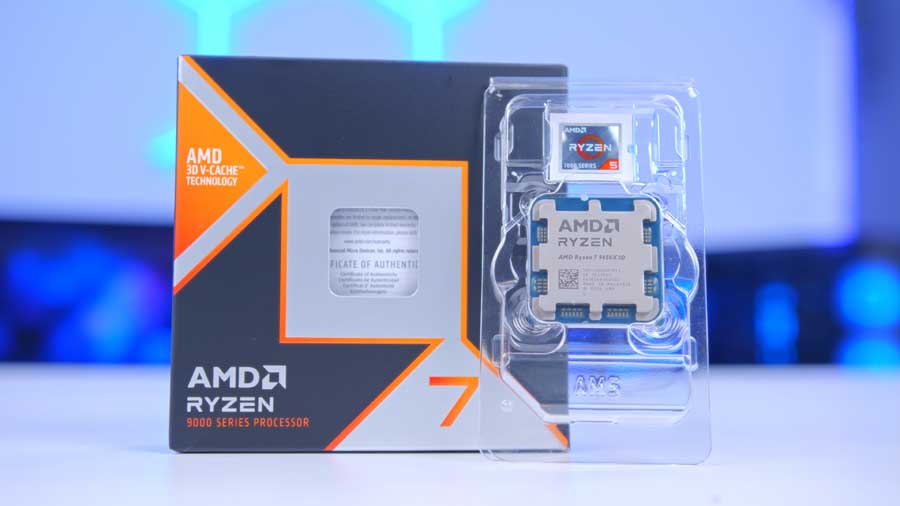
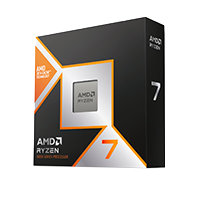
The AMD Ryzen 7 9850X3D is, without much exaggeration, the fastest gaming CPU you can buy right now. Built on the Zen 5 architecture and equipped with AMD’s 2nd-Gen 3D V-Cache, the 9850X3D takes everything that made the 9800X3D such a runaway success and dials it up another notch, bringing slightly higher clocks, the same generous 96MB of L3 cache, and crucially, the option to overclock thanks to AMD’s tweaks to thermal management on the 3D V-Cache layer.
CPU Comparison
AMD Ryzen X3D Desktop CPU Comparison
Hover rows for highlight. Tap/click a header title to sort.
| CPU | ::Cores | ::Threads | ::Base Clock | ::Max Boost | ::TDP | ::Total Cache | ::Where to Buy |
|---|---|---|---|---|---|---|---|
AMD Ryzen 9 9950X3D Zen 5 flagship X3D desktop CPU |
16 | 32 | 4.3 GHz | 5.7 GHz | 170W | 144MB | |
|
AMD Ryzen 9 9900X3D 12-core Zen 5 X3D for mixed gaming and production |
12 | 24 | 4.4 GHz | 5.5 GHz | 120W | 140MB | |
AMD Ryzen 7 9850X3D Newest Ryzen 7 X3D in the lineup |
8 | 16 | 4.7 GHz | 5.6 GHz | 120W | 104MB | |
|
AMD Ryzen 7 9800X3D High-FPS Zen 5 gaming CPU |
8 | 16 | 4.7 GHz | 5.2 GHz | 120W | 104MB | |
AMD Ryzen 7 7800X3D Mainstream Zen 4 gaming favourite |
8 | 16 | 4.2 GHz | 5.0 GHz | 120W | 104MB |
With 8 cores and 16 threads, it’s not the highest core count CPU in the Ryzen 9000 stack, but for the vast majority of gamers it doesn’t need to be. Where the 9850X3D excels is in feeding high-refresh-rate frame rates at 1080p and 1440p, and removing any meaningful CPU bottleneck at 4K, which means our GPU choice today, the RTX 5080, can stretch its legs without ever waiting on the processor. For those who need the extra core count, our alternative choice the Ryzen 9 9950X3D offers the best of both worlds.

Alternative CPU Choice
AMD Ryzen 9 9950X3D
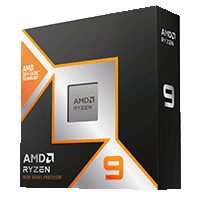
If you want a CPU that genuinely does it all alongside the RTX 5080, the Ryzen 9 9950X3D is the natural step up from our chosen 9850X3D. It doubles the core count to 16 cores and 32 threads, adds a higher 5.7GHz boost clock and pushes total cache up to 144MB (with the same 128MB L3 across the X3D CCD), giving you genuinely top-tier productivity performance for video editing, 3D rendering and live streaming, while preserving near-identical gaming performance to its 8-core sibling thanks to AMD’s refined CCD scheduling.
Corsair iCUE LINK TITAN 360 RX LCD
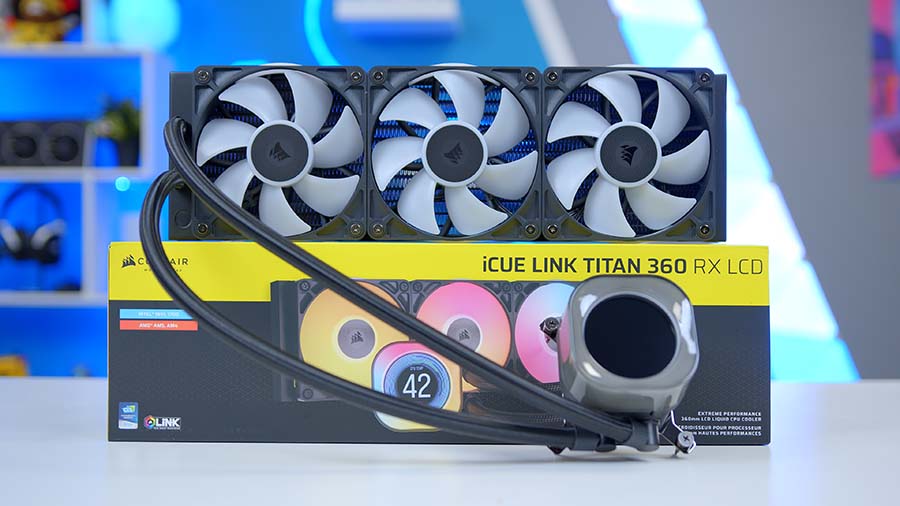
Our cooling today is handled by the Corsair iCUE LINK TITAN 360 RX LCD. It’s a 360mm AIO with a 2.1-inch IPS LCD pump display, with 3x included RX120 RGB fans and is fully customisable in Corsairs RGB Software, iCUE. Visuals are strong, performance is solid and the TITAN 360 RX fits nicely into Corsair eco-system we’re growing.
What really sets this cooler apart, though, is the iCUE LINK system itself. The three included RX120 RGB fans link together and into the pump using a single cable per radiator, dramatically cutting down on cable clutter. From here, a single iCUE LINK connection is required to the iCUE Hub to control everything – fan curves, lighting, pump speed, LCD output, you name it, it controls it.
Though the X3D chips aren’t the most power hungry CPUs on the market, the 360mm radiator variant we’ve opted for fits the build really well. Filling out the full length of the top case panel nicely and also gives us plenty of thermal headroom. With the TITAN 360 RX installed the 9850X3D will have no issues holding its boost clocks under heavy system load.
ASUS ROG Strix B850-F Gaming WiFi
For motherboards, B850 is increasingly the sweet spot for AM5 builders, and the ASUS ROG Strix B850-F Gaming WiFi is one of the standout boards in this class. It uses a 16+2+2 power-stage VRM design, giving it more than enough headroom for the 9850X3D and any future Ryzen chip you might want to drop in down the line.
Connectivity is an area where you can often feel the restraints of the B-Series motherboards versus their X870(E) counterparts but the Strix B850-F Gaming WiFi does well to offset this with a well rounded connectivity set. You get four DDR5 DIMM slots supporting up to 256GB of memory and rated for DDR5-8000+ when overclocked, a single full-x16 PCIe 5.0 slot for the GPU with signature ASUS Q-release, and four M.2 slots split evenly between PCIe 5.0 and PCIe 4.0. Networking is handled by Wi-Fi 7 with Bluetooth 5.4 and an Intel 2.5GbE LAN port, while rear I/O is generous with 12 USB ports including a USB 20Gbps Type-C.
If you’re coming from a budget A620 or B650 board, the ROG Strix B850-F will feel like a substantial step up, particularly with its dual PCIe 5.0 M.2 slots, which future-proof the system for the next generation of Gen5 NVMe drives.
Motherboard Specifications
- Model ASUS ROG Strix B850-F Gaming WiFi
- Chipset / Socket AMD B850 / AM5
- Form Factor ATX (305 x 244mm)
- CPU Support AMD Ryzen 9000 / 8000 / 7000 Series (AM5)
- Memory Support 4 x DDR5 DIMM, up to 256GB, up to DDR5-8000+ (OC)
- VRM Design 16+2+2 power stages (80A per stage)
- Graphics Card Compatibility 1 x PCIe 5.0 x16 slot (with Q-Release Slim, SafeSlot)
- Expansion Card Compatibility 1 x PCIe 4.0 x16 slot (x4 mode, from B850 chipset)
- M.2 Compatibility 4 x M.2: 2 x PCIe 5.0 x4, 2 x PCIe 4.0 x4
- SATA Storage 2 x SATA 6Gb/s ports
- Networking Wi-Fi 7 (2×2, 802.11be) + Bluetooth 5.4 + Intel 2.5GbE LAN
- Rear I/O 12 USB ports incl. 1 x USB 20Gbps Type-C, 3 x USB 10Gbps, 4 x USB 5Gbps, HDMI, DisplayPort, audio jacks
- Front I/O Headers 1 x USB-C 20Gbps header, 1 x USB 5Gbps header, 2 x USB 2.0 headers
- Audio ROG SupremeFX 7.1 (Realtek ALC4080) with Savitech amplifier
- Reverse Connect No (standard front-cable layout)
- Colour Black
Corsair Vengeance RGB DDR5 32GB
Corsair are a mainstay in our PC builds when it comes to RAM and for good reason, its bulletproof. No, not quite literally but in the sense of, it just works… all of the time. We find Corsair Vengeance to be amongst the most consistent and stable RAM we have and rarely run into memory related issue, if ever, when using it.
Corsair Vengeance kits also look the part too and fit into the theme of todays build perfectly and at 6000MHz CL30, this particular kit hits the sweet spot for Ryzen 9000 chips. This particular pairing carries an AMD EXPO profile, meaning a single click in the BIOS gets you up to the full rated speed without any manual tweaking and should you ever move to an Intel-based system, there’s also Intel XMP 3.0 compatibility.
Samsung 9100 Pro 2TB
For storage, we’ve gone with the flagship Samsung 9100 PRO in its 2TB capacity. This drive sits firmly in the enthusiast tier and is one of the fastest consumer SSDs you can currently buy. It’s a PCIe Gen 5 NVMe drive with rated sequential read speeds of up to 14,800 MB/s and write speeds up to 13,400 MB/s, a healthy boost over its predecessor, the 990 PRO.
For any gaming build in 2026, we’d consider 2TB the minimum sensible capacity, and the 9100 PRO delivers that capacity with absolutely no compromise in speed. The 9100 PRO is another standout choice that we used regularly in our PC Builds and acts as true no-compromise drive – perfect for this build!
Suggested Article: The Best SSDs to buy in 2026
Gigabyte AORUS Master RTX 5080
When it comes to graphics, this build calls for serious 4K muscle and the RTX 5080 delivers exactly that. Sitting just behind the RTX 5090 in NVIDIA’s Blackwell stack, it’s a no-compromise pick for high-refresh 4K gaming, and one of the most compelling cards in the current line-up. Factor in DLSS 4.5 and Dynamic Multi Frame Generation and the RTX 5080 soars to incredible frame rate highs and sits in a league of its own, far surpassing the capabilities of the closest AMD competitor, the RX 9070 XT. Beaten out only by its monstrous big brother the RTX 5090, the RTX 5080 packs more than enough firepower to game comfortably at 4K.
This particular model comes in from ASUS in the form of the TUF Gaming RTX 5080 OC Edition and slots into this build perfectly. This particular OC model receives a small bump to performance versus the standard TUF variant, with ASUS’ factory tune lifting the boost clock to 2,700 MHz out of the box (or 2,730 MHz in OC Mode). Like most flagship-tier cards, it’s a sizeable unit at 348mm long and 3.6 slots thick, so you’ll want to triple-check case clearance before pulling the trigger. Inside the FRAME 4000D chassis housing our build today, we’ve got 430mm of GPU clearance to play with, so our GPU pick slots in with plenty of room to breathe.
Alternative GPU Choice
NVIDIA GeForce RTX 5090
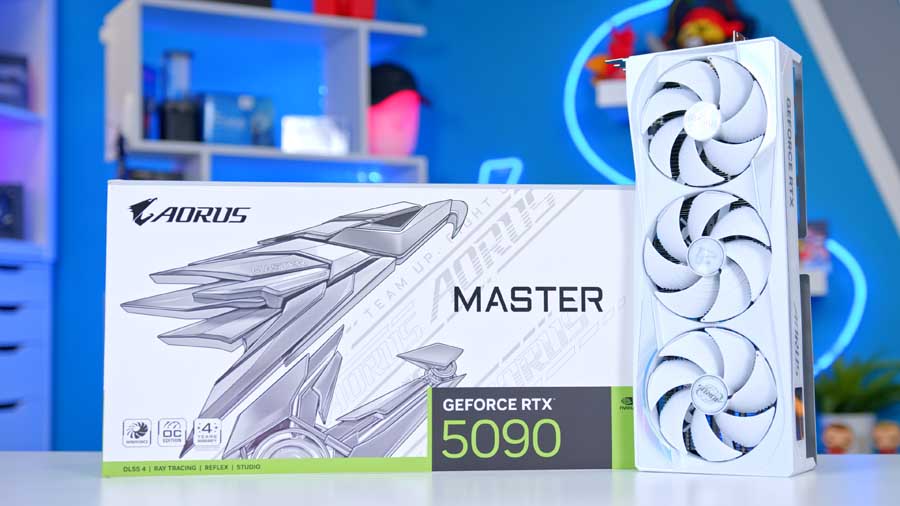
If money’s no object and you want the absolute fastest consumer GPU on the market, the RTX 5090 is the natural step up from our chosen TUF Gaming RTX 5080 OC. It doubles the VRAM to 32GB of GDDR7 on a 512-bit bus, pushes memory bandwidth from 960 GB/s up to a staggering 1,792 GB/s, and packs 21,760 CUDA cores against the 5080’s 10,752, making it the only option for genuinely future-proofed 4K and 8K gaming, heavy 3D rendering, or local AI workloads where every gigabyte of VRAM counts.
Corsair FRAME 4000D RS ARGB
The Corsair FRAME 4000D has quickly become one of our favourite mid-towers of the last 12 months. For this build we’ve gone with the RS ARGB variant, which ships with three RS120 ARGB fans pre-installed up front. That gives us strong intake straight out of the box and will provide enough airflow working in tandem with the iCUE LINK TITAN 360 to keep internals nice and cool. It’s also fully compatible with the usual reverse-connector boards (ASUS BTF, Gigabyte Project Stealth, MSI Project Zero) if you fancy planning a fully cable-hidden build down the line.
Where things get genuinely fun though is with Corsair’s latest release, the FRAME configurator, a web-based tool with real-time 3D visualisation allowing you to spec out and visualise your build ahead of checkout. Essentially you start out with the base 4000D and begin to layer additional accessories and gismos on top. The best bit, as parts are selected they become layered onto the preview, giving you real time previews of how your spec’d out case config will look.
For users who already own a 4000D, you can deselect the case and a semi-transparent ghost will be used in its preview place, then layer on your chosen front panel, side panel, motherboard tray, PSU shroud, I/O, and other bits and add the lot to your basket. If you bought a FRAME 4000D at launch, you can now effectively rebuild its exterior into something completely different without the need to repurchase a new chassis.
Case Specifications
- Model TRYX FLOVA White
- Form Factor Mid-Tower
- Motherboard Support Mini-ITX, Micro-ATX, ATX (incl. BTF / Project Zero / Project Stealth)
- Case Dimensions (L x W x H) 470mm x 220mm x 465mm
- Front IO 1 x USB 3.2 Gen 2×2 Type-C, 2 x USB 3.2 Gen 1 Type-A, 1 x Audio in/out
- PCI-E Slots 7 x Horizontal 3 x Vertical
- Colour White
-
Max Clearance
GPU length: Up to 420mmCPU cooler: Up to 170mmPSU length: Up to 220mm
- Drive Support 2 x 2.5-inch 1 x 3.5-inch
-
Fan Support
Front: 1 x Crossflow fan + up to 3 x 120mmTop: Up to 3 x 120mm or 2 x 140mmRear: 1 x 120mm
-
Radiator Support
Front: Up to 360mm (remove crossflow fan)Top: Up to 360mmRear: Up to 120mm
- Pre-Installed Fans Front: 1 x TRYX Crossflow turbine fan
Corsair RM850e White
Powering everything is the Corsair RM850e, the recently refreshed 2025 model that brings ATX 3.1 and PCIe 5.1 compliance, Cybenetics Gold efficiency certification, and a seven-year warranty to a fully modular 850W package.
Aside from the competitive pricing and strong warranty support, the RM850e aligns with out all-Corsair build aesthetics, maintaining the corsair eco-system synergy. The 850W unit also helps to give our GPU choice enough headroom to run maxed out should it need to. While NVIDIAs website recommends a minimum of a 750W, given we’re running a high-end CPU and pushing 4K gaming, having the extra headroom just allows for that extra peace of mind.
If you’re planning to go with our alternative GPU choice for this build, the RTX 5090, you will want to consider stepping up the PSU to, at the very least 1000W, and may perhaps even slightly higher end design with a higher efficiency rating.
MSI MPG 321URX QD-OLED
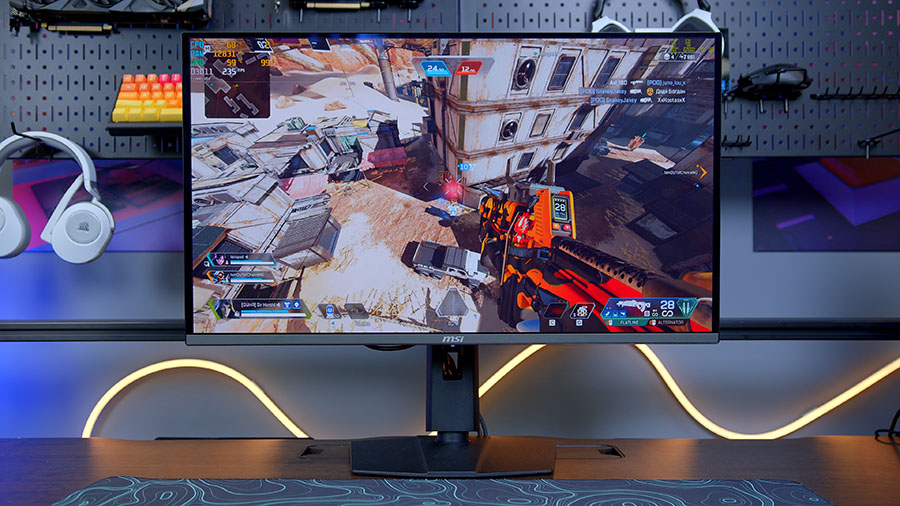
A build like this deserves a display that can actually keep up with it, and the MSI MPG 321URX QD-OLED is the perfect partner for the RTX 5080. It’s a 31.5-inch 4K (3840×2160) panel running at 240Hz with a 0.03ms GtG response time, offering the perfect blend of blazing past performance and incredible visual fidelity.
Designed around the 3rd-gen QD-OLED panel from Samsung, blacks remain true to colour, thanks to per-pixel brightness control, while peak brightness sits around 1,000 nits for HDR content, and the contrast ratio of 1,500,000:1 makes a real difference in moody single-player games like Cyberpunk 2077 and Resident Evil Requiem. Colour coverage is excellent too, with 99% DCI-P3 (we measured 97% in testing), making it just as comfortable for HDR video editing as it is for gaming.
Connectivity is well sorted with two HDMI 2.1 ports, DisplayPort 1.4, and a USB-C port supporting both DisplayPort Alt mode and 90W power delivery. It’s also one of the most competitively priced 4K QD-OLED monitors on the market, making it our top recommendation to pair with this build.
From Our Full Review
☆☆☆☆☆
4.5/5

Pros and Cons
Pros
- Blazing response times
- Exceptional visual fidelity
- Easy software control
Cons
- Lacklustre aesthetic
- Mostly plastic
- No high-speed USBs
Bottom Line
The MSI MPG 321URX QD-OLED is one of the strongest 4K displays we’ve tested recently. The 3rd-gen QD-OLED panel brings exceptional image quality and blazing response times, alongside features like a KVM switch and OLED Care to combat burn-in. While the design feels a bit plastic for the price, the sub-$1000 price tag makes it one of the most competitively priced 4K QD-OLED gaming monitors on the market.
Read The Full ReviewPerformance
The RTX 5080 and Ryzen 7 9850X3D are one of our absolute favourite go-to CPU and GPU combos, and when we look at the performance data, its easy to see why! At 4K High, you’re looking at triple-digit average frame rates in competitive titles like Arc Raiders (136.2 FPS), Battlefield 6 (106 FPS) and Call of Duty: Black Ops 7 (107.1 FPS), while the most demanding single-player workloads, Cyberpunk 2077 (93.1 FPS), Marvel Rivals (92.8 FPS) and Resident Evil Requiem (86.3 FPS), hold comfortably above the all-important 60 FPS threshold. This is a build that doesn’t ask you to compromise between resolution and frame rate; at 4K High, you get both.
Gallery