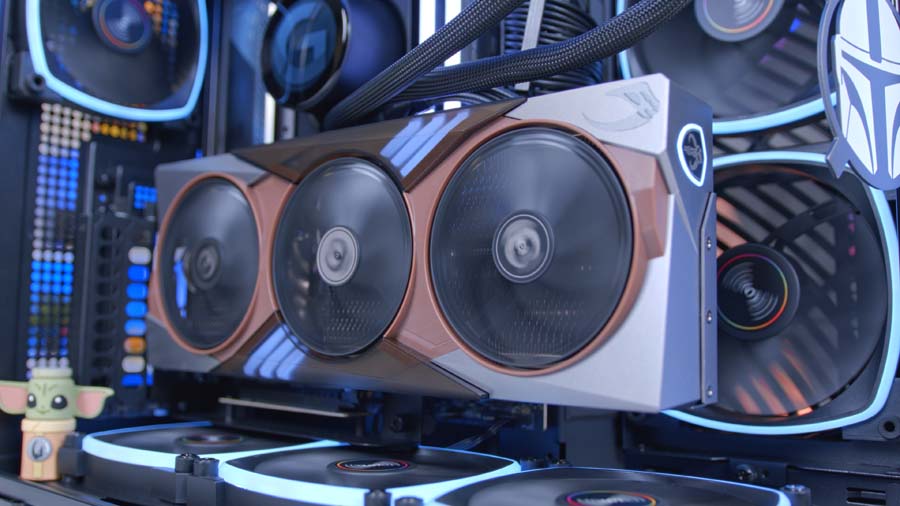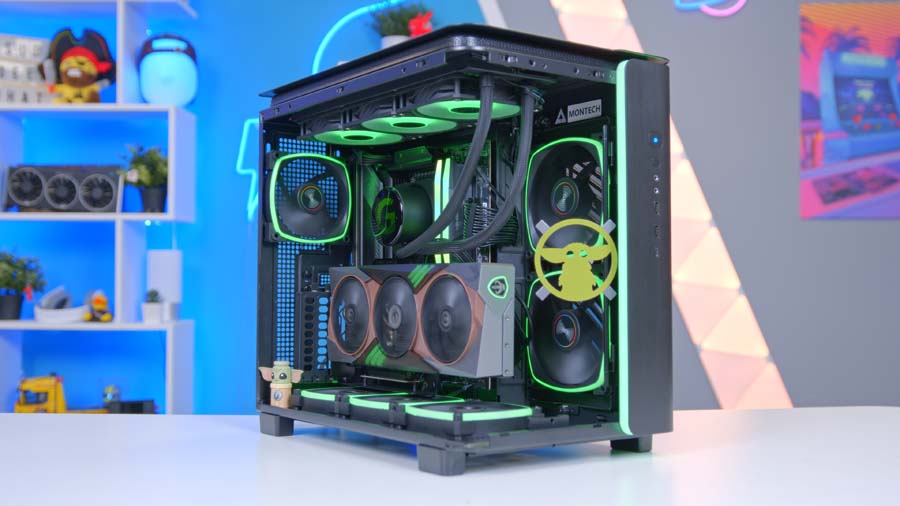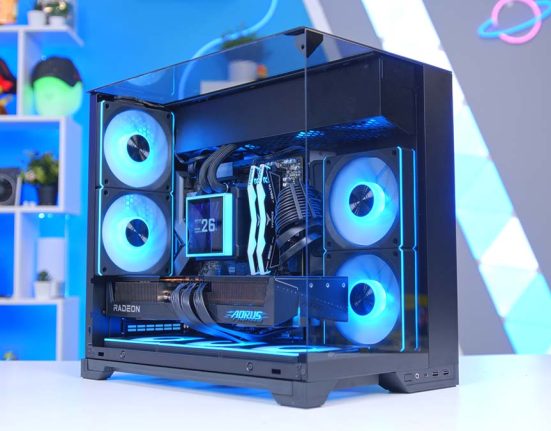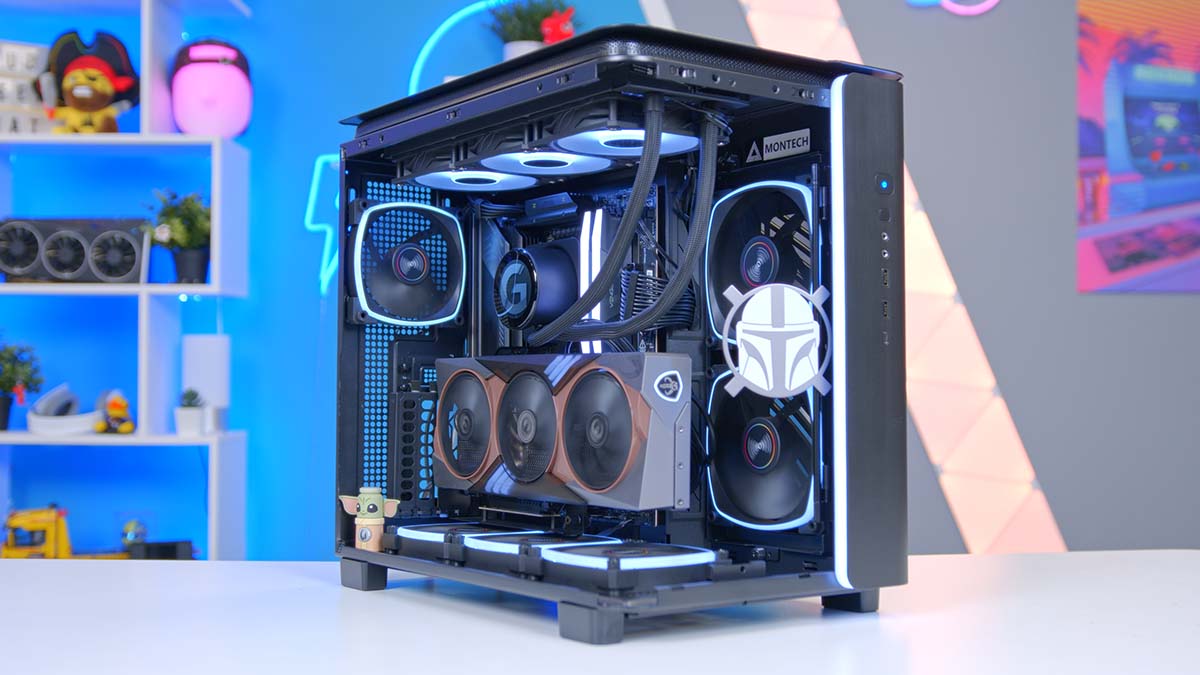
The MSI RTX 5080 Mandalorian and Grogu Edition is one of the most outrageous GPU launches we’ve seen in years. 500 units. Across all of Europe. Brushed Beskar-inspired shroud. Magnetic faction backplates. And a Grogu-shaped VGA holder thrown in for good measure. So when MSI sent one our way, we figured we owed it a build worthy of the card. The result is this all-black, all-MSI, all-AMD setup, anchored by a Ryzen 7 9850X3D, 1200W of MAG-tier muscle, and one of our favourite cases ever in the Montech King 95 Pro.
Whether you snagged one of the 500 on launch day or you’re just here for the build, this is a proper flagship rig built around a properly collectible GPU. I have a bad good feeling about this!
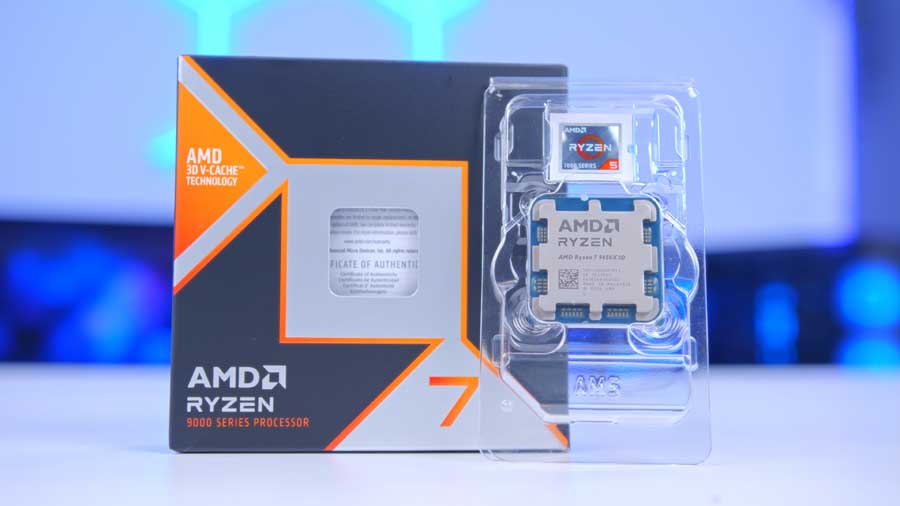
AMD Ryzen 7 9850X3D
Skip to SectionThe fastest gaming CPU on the market, with 2nd-gen 3D V-Cache and Zen 5 architecture that eliminates any CPU bottleneck for the RTX 5080.
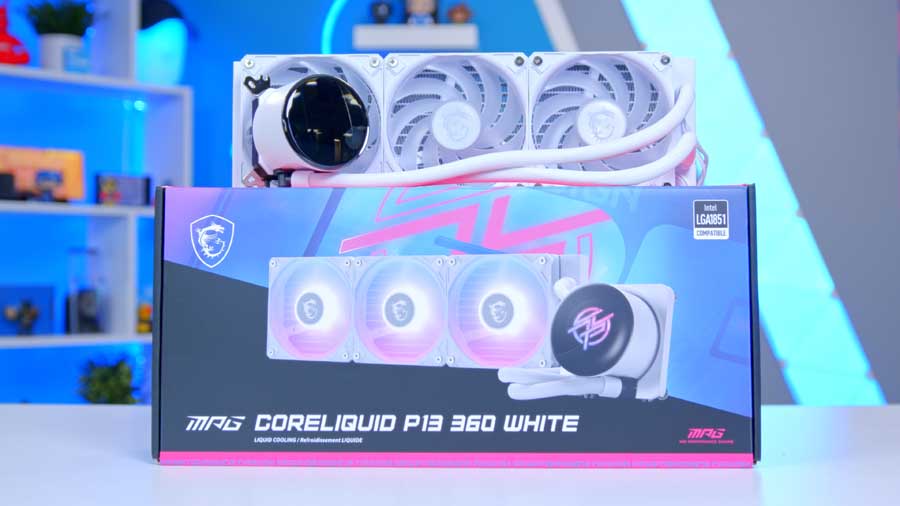
MSI MPG CoreLiquid P13 360
Skip to SectionA 360mm AIO with a customisable IPS display on the pump head and a trio of ARGB fans, blending strong thermal headroom with show-piece aesthetics.
MSI MAG B850 Tomahawk MAX WiFi II
Skip to SectionA feature-rich AM5 ATX board with a 14+2+1 80A VRM, dual PCIe 5.0 M.2 slots, Wi-Fi 7 and 5GbE LAN — hitting a sweet spot between price and premium X870 boards.

Corsair Vengeance RGB DDR5 For AMD
Skip to SectionA 32GB DDR5 kit tuned specifically for AMD’s AM5 platform with AMD EXPO timings, vibrant top-mounted RGB, and the sweet-spot speed for X3D performance.
Samsung 9100 Pro 4TB
Skip to SectionSamsung’s flagship PCIe Gen 5 NVMe drive, delivering blistering sequential speeds for next-gen game loads and content creation workloads.
MSI RTX 5080 Mandalorian Edition
Skip to SectionNVIDIA’s second-fastest GPU dressed in a Star Wars Mandalorian-themed shroud, pairing 16GB of GDDR7 with a triple-fan cooler and full DLSS 4 support.

Montech King 95 Pro
Skip to SectionA dual-chamber ATX showcase case with wraparound tempered glass and a pre-installed ARGB fan loadout, designed to put high-end builds on full display.
MSI MAG A1200PLS PCIE5
Skip to SectionA 1200W ATX 3.1 fully modular PSU with native 12V-2×6 support, 80 Plus Platinum efficiency, and GPU Safeguard real-time current monitoring.
AMD Ryzen 7 9850X3D
If you want the fastest gaming CPU money can buy right now, the Ryzen 7 9850X3D is it. Built on the Zen 5 architecture and featuring the game-changing 2nd-gen 3D V-Cache, it pairs ridiculously well with the RTX 5080. The X3D chips have long been ruling the roost at this point and we can’t see this changing any time soon, especially with the recent overclocking capabilities arriving with the 9800X3D.
The 2nd Gen V-Cache does a lot of the heavy lifting on the Ryzen 7 9850X3D. 3D V-Cache is AMD’s trick of stacking extra L3 cache directly on top of the CPU die instead of next to it. That gives the chip a much bigger pool of fast memory sitting right next to the cores, 96MB on the 9850X3D versus 32MB on a non-X3D Ryzen 7 like the 9700X, and dramatically cuts the time the CPU spends waiting on data from system RAM.
CPU Comparison
AMD Ryzen X3D Desktop CPU Comparison
Hover rows for highlight. Tap/click a header title to sort.
| ⠿ CPU | ⠿ ::Cores | ⠿ ::Threads | ⠿ ::Base Clock | ⠿ ::Max Boost | ⠿ ::TDP | ⠿ ::Total Cache | ::Where to Buy |
|---|---|---|---|---|---|---|---|
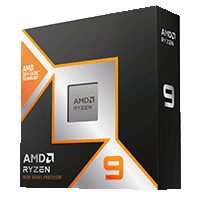
AMD Ryzen 9 9950X3D Zen 5 flagship X3D desktop CPU |
16 | 32 | 4.3 GHz | 5.7 GHz | 170W | 144MB | |
|
AMD Ryzen 9 9900X3D 12-core Zen 5 X3D for mixed gaming and production |
12 | 24 | 4.4 GHz | 5.5 GHz | 120W | 140MB | |
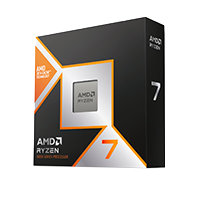
AMD Ryzen 7 9850X3D Newest Ryzen 7 X3D in the lineup |
8 | 16 | 4.7 GHz | 5.6 GHz | 120W | 104MB | |
|
AMD Ryzen 7 9800X3D High-FPS Zen 5 gaming CPU |
8 | 16 | 4.7 GHz | 5.2 GHz | 120W | 104MB | |
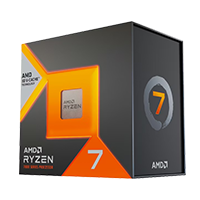
AMD Ryzen 7 7800X3D Mainstream Zen 4 gaming favourite |
8 | 16 | 4.2 GHz | 5.0 GHz | 120W | 104MB |
Elsewhere on the 9850X3D, you’re still getting your standard 8 cores and 16 threads, which is plenty for gaming and leaves headroom for streaming or other tasks. And the best bit? The Ryzen 7 9850X3D is super efficient for good measure, only sipping 120W.
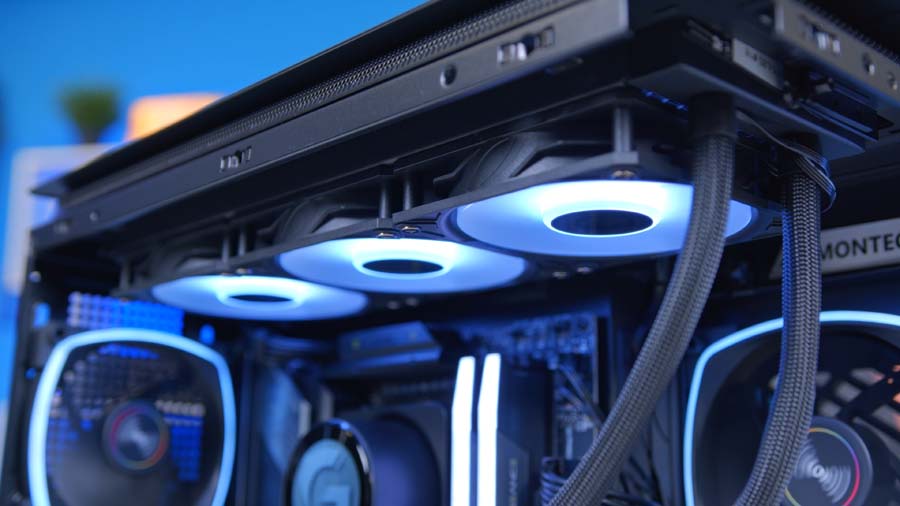
MSI P13 360
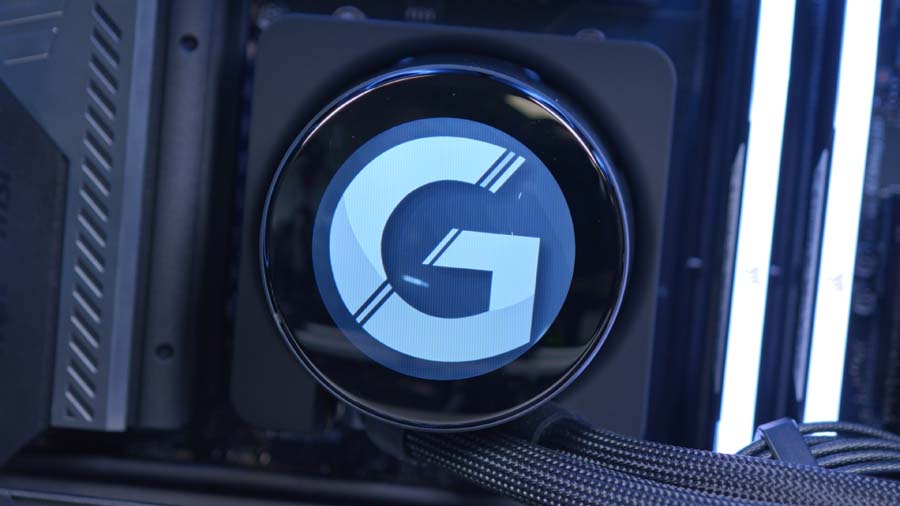
Looking after the cooling duties is MSI’s P13 360. If you want a 360mm AIO that pulls its weight and looks the part, the MPG CoreLiquid P13 360 fits the bill. Performance is strong and it keeps our CPU choice nice and cool without working overtime, fan speeds stay low, and so does the noise. For a 120W chip like the 9850X3D, it could arguably be seen as overkill but that’s exactly what you want. More radiator means lower RPMs, quieter operation, and plenty of thermal headroom for extended gaming sessions. And should you ever upgrade to a more power hungry CPU in the future, the P13 will have you covered.
The P13 also packs a 2.4″ IPS display on the pump head that you can throw temps, GIFs or system stats onto, plus three pre-installed ARGB fans on the radiator. It’s a proper showcase cooler without veering into gimmick territory, the screen is sleek and pairs well with the overall build aesthetic.
Installation is incredibly straightforward too, with mounting brackets for AM5, AM4, LGA1851 and LGA1700 all in the box. For the price, it’s a hard one to argue with. The P13 gives you the cooling performance, the aesthetics, and the bit of extra flair, without forcing you to spend big on a flagship AIO.
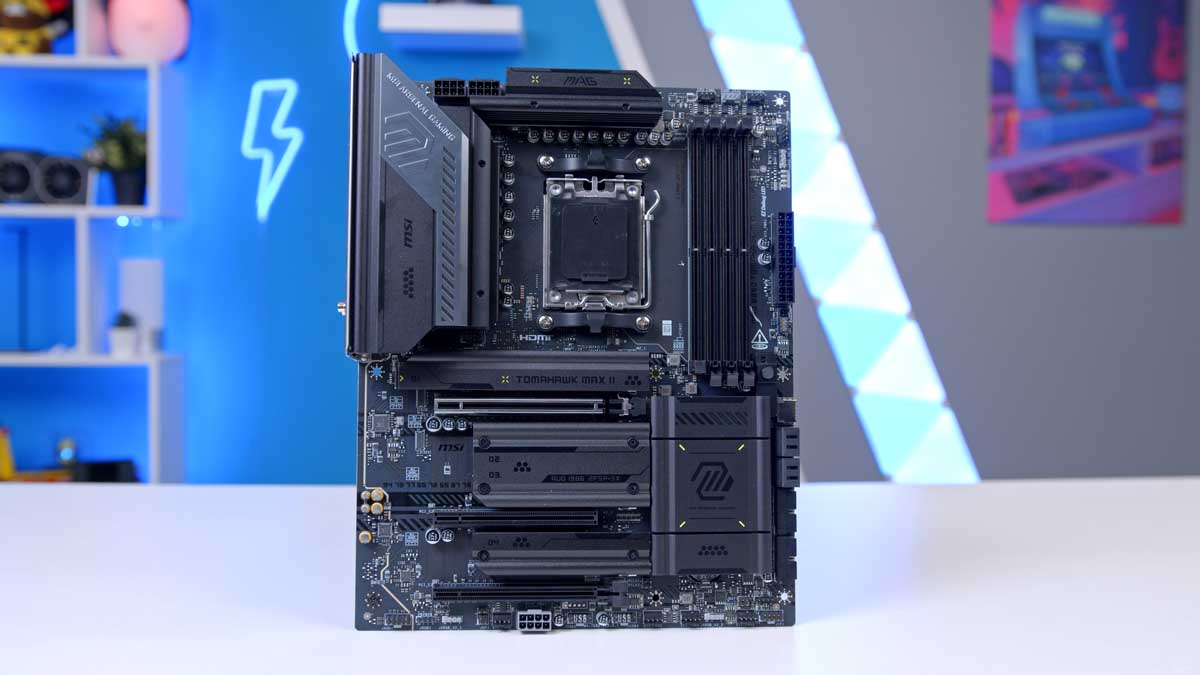
MSI MAG B850 Tomahawk MAX WiFi II
Our motherboard choice is a board that has aged like a fine wine. Newly refreshed to the MAX II variant, the Tomahawk MAX WiFi nails the three things that actually matter for an enthusiast AM5 build: a PCIe 5.0 x16 slot to give the GPU the full bandwidth it deserves, a toolless Gen 5 M.2 slot, and Wi-Fi 7 with Bluetooth 5.4 built in so you’re not bolting on extra cards down the line. The MAX revision also handles the AM5 BIOS headache that plagued early B850 iterations, shipping pre-flashed for 9000-series support, so the 9850X3D drops straight in and POSTs on the first try.
Motherboard Specifications
- Model MSI MAG B850 Tomahawk MAX WiFi II
- Chipset / Socket AMD B850 / AM5
- Form Factor ATX (243.84mm x 304.8mm)
- CPU Support AMD Ryzen 9000 / 8000 / 7000 Series (AM5)
- Memory Support 4 x DDR5 UDIMM, up to 256GB, up to DDR5-8400+ (OC)
- VRM Design 14+2+1 Duet Rail Power System (80A SPS)
- Graphics Card Compatibility 1 x PCIe 5.0 x16 slot (full-length GPU slot)
- Expansion Card Compatibility 1 x PCIe 4.0 x4 + 1 x PCIe 3.0 x1
- M.2 Compatibility 4 x M.2: 2 x PCIe 5.0 x4, 1 x PCIe 4.0 x4, 1 x PCIe 4.0 x2
- SATA Storage 4 x SATA 6Gb/s ports
- Networking Wi-Fi 7 (320MHz) + Bluetooth 5.4 + Realtek 8126VB 5GbE LAN
- Rear I/O 3 x USB 10Gbps Type-C, 2 x USB 10Gbps Type-A, 1 x USB 5Gbps Type-A, 4 x USB 2.0, HDMI 2.1, 5G LAN, Wi-Fi, audio + S/PDIF
- Front I/O Headers 1 x USB 20Gbps Type-C, 1 x USB 5Gbps Type-A (4 ports), 2 x USB 2.0 (4 ports)
- Audio Realtek ALC4080 — 7.1-channel HD Audio with Audio Boost 5
- Lighting 3 x ARGB V2 headers + 1 x RGB header (Mystic Light)
- Colour Black — Tomahawk styling
The Tomahawk MAX WiFi also offers plenty of rear USBs including a Type-C, ARGB headers for tying your lighting together, and a decent helping of fan headers for any additional case fans. The Tomahawk’s darker, more aggressive styling slots straight into the all-black build aesthetic too, with the matte heatsinks and brushed accents lining up nicely against the King 95 Pro’s tinted glass.
All in, this is one of the easier motherboard picks at the higher-end PC tier right now. You’re not paying for premium-tier extras you’ll likely never use, but you’re not cutting corners on the stuff that actually affects daily use either. There are flashier boards in the B850 lineup if RGB-heavy heatsinks are your thing but for a clean, stealthy AM5 build like this one, the Tomahawk MAX WiFi II is hard to beat.
Corsair Vengeance RGB DDR5 32GB
Memory duties are handled by Corsair’s Vengeance RGB DDR5 rated at CL30 6000MT/s or, as we like to call it, the sweet spot. Corsair Vengeance kits are a staple in our builds on the channel, offering unwavering reliability with in-depth customisation via Corsair iCUE. The truth, though, is that any DDR5 32GB kit will suffice, given the current market situation, but we’d recommend speeds of at least 6000MT/s and a latency no higher than CL36 where possible.
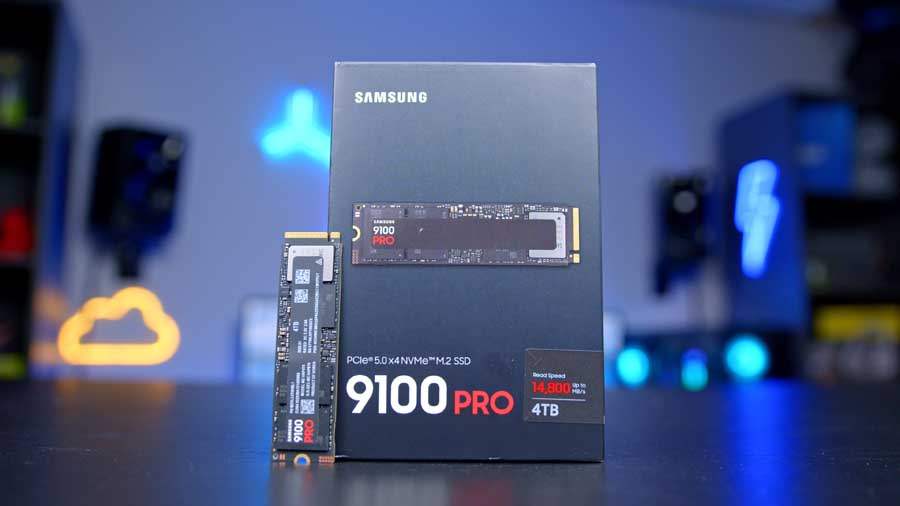
Samsung 9100 Pro 4TB
Samsung’s 9100 Pro 4TB is our SSD of choice for today’s build. This is Samsung’s all singing all dancing flagship Gen 5 NVMe drive in the chunky 4TB capacity. Sequential speeds top out at 14,800 MB/s read and 13,400 MB/s write. Gen 5 drives offer a considerable performance uplift over their Gen 4 counterparts, and the 9100 Pro is one of the top Gen 5 drives on the market. Of course at a 4TB capacity this drive won’t come cheap and may even be slightly overkill in terms of storage size, but nonetheless if you want a drive capable of housing big game libraries, asset heavy workloads, or even for playing DirectStorage enabled titles like Battlefield 6, there are few drives better than the 9100 Pro.
Suggested Article: The Best SSDs to buy in 2026
MSI RTX 5080 Mandalorian & Grogu Edition
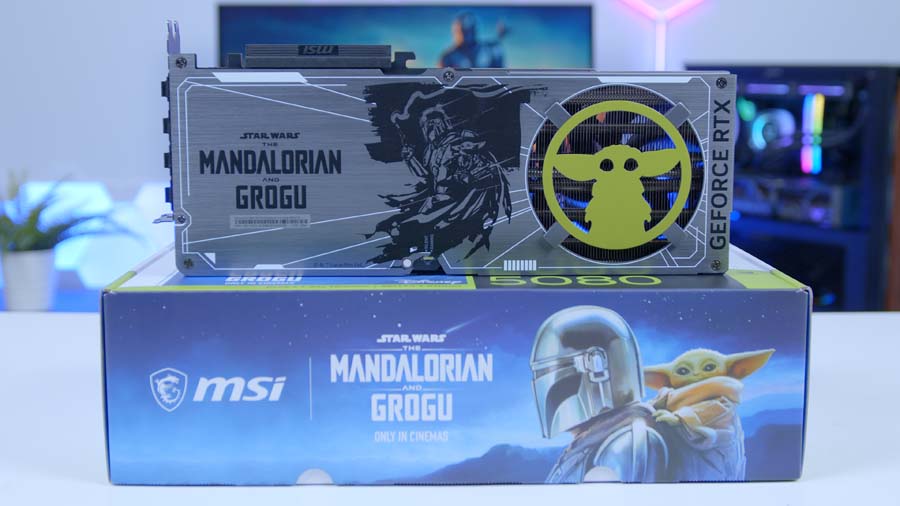
Spearheading performance in this build is something a little different than usual, namely, the MSI RTX 5080 The Mandalorian and Grogu Edition. This ultra-limited GPU is set to release on May 22nd, and with just 500 units available across Europe is sure to sell out quickly, and for any Star Wars fans out there it’s easy to see why!
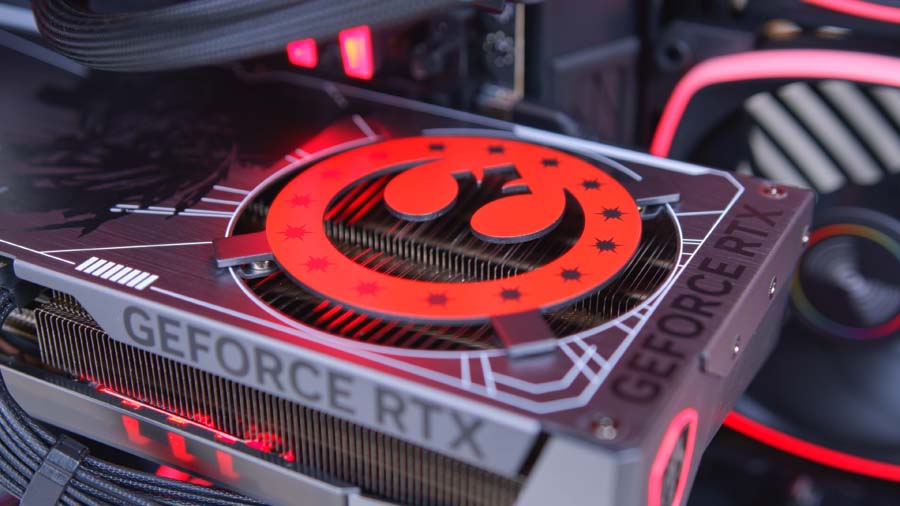
It ships with four magnetic, interchangeable faction plates; the Mandalorian’s helmet, Grogu himself, the New Republic crest, and the Imperial Remnants emblem. Letting you flip allegiances depending on the mood. Behind those plates sits an engraved Mandalorian and Grogu mural, on a Beskar Armour inspired backplate. Inside the box you also get a Grogu-shaped VGA holder, functional enough to prop up a triple-fan flagship, but really an excuse to put Grogu on display in your build.
Key Specifications
- Model MSI GeForce RTX 5080 16G The Mandalorian and Grogu Edition OC
- GPU Architecture NVIDIA Blackwell
- Memory 16GB GDDR7
- Cooling TRI FROZR 4 Thermal Design with STORMFORCE Fans
- Key Features DLSS 4.5, NVIDIA Studio, Dynamic RGB Lighting
- Design Mandalorian-inspired brushed metal shroud
- In the Box Grogu-themed VGA holder, 4 x magnetic backplate inserts
- Availability 500 units across Europe, from May 22nd 2026
Under the hood, this GPU is essentially an MSI RTX 5080 GAMING TRIO. 4K gaming at maxed out settings? Sure, no problem! With 16GB GDDR7 VRAM and DLSS 4.5 compatibility, this GPU is more than capable of crushing anything that you throw at it. Style and substance, basically.
Montech King 95 Pro
Housing today’s build is one of our favourite cases of all time, the Montech King 95 Pro. Designed as a dual-chamber ‘Fish-tank’ style case with the standout curved wraparound tempered glass panel. You also get six pre-installed ARGB PWM fans straight out of the box, all pre-wired into a 10-port hub on the rear of the motherboard tray, plus 360mm radiator support up top for our P13.
Case Specifications
- Model Montech King 95 Pro
- Form Factor Mid-Tower (Dual-Chamber)
- Motherboard Support Mini-ITX, Micro-ATX, ATX, E-ATX
- Case Dimensions (L x W x H) {HC to confirm dimensions}
- Front IO 1 x USB 3.2 Gen 2×2 Type-C, 2 x USB 3.2 Gen 1 Type-A, 1 x Audio in/out {to confirm}
- PCI-E Slots 7 x Horizontal 2 x Vertical
- Colour Black
-
Max Clearance
GPU length: Up to 400mm {to confirm}CPU cooler: Up to 175mm {to confirm}PSU length: Up to 220mm {to confirm}
- Drive Support 2 x 2.5-inch 2 x 3.5-inch {to confirm}
-
Fan Support
Top: Up to 3 x 120mmSide: Up to 3 x 120mmBottom: Up to 3 x 120mmRear: 1 x 120mm
-
Radiator Support
Top: Up to 360mmSide: Up to 360mmBottom: Up to 360mmRear: Up to 120mm
- Pre-Installed Fans {HC to confirm — typically 4 x ARGB fans pre-installed}
For those concerned with airflow issues of the glass panel, the good news continues. Montech has developed a patented adjustable side bracket mount. The whole mount pivots forward to angle airflow directly at the GPU, or pulls out entirely on a single thumbscrew and can be re-mounted behind an included mesh front panel to flip the case from glass-fronted showcase to a full airflow chassis. The change takes seconds and means that the Montech King 95 Pro is effectively two cases in one.
From Our Full Review
☆☆☆☆☆
4.6/5

Pros and Cons
Pros
- Awesome design
- Great cooling performance
- Competitive pricing
Cons
- White version more expensive
- Not as refined as the HYTE Y60
- No vertical GPU mount
Bottom Line
The Montech King 95 Pro is an utterly superb chassis for the price. The dual-chamber setup is expertly designed, with phenomenal build quality throughout and plenty of clearance for large tower air coolers, radiators, and long graphics cards. The integrated RGB looks sleek and is easily customisable, while the curved front glass panel presents something genuinely different compared to other cases in this price bracket. For between $110 and $150, you will not find a better PC case than the King 95 Pro.
Read The Full ReviewMSI MAG A1200PLS PCIE5
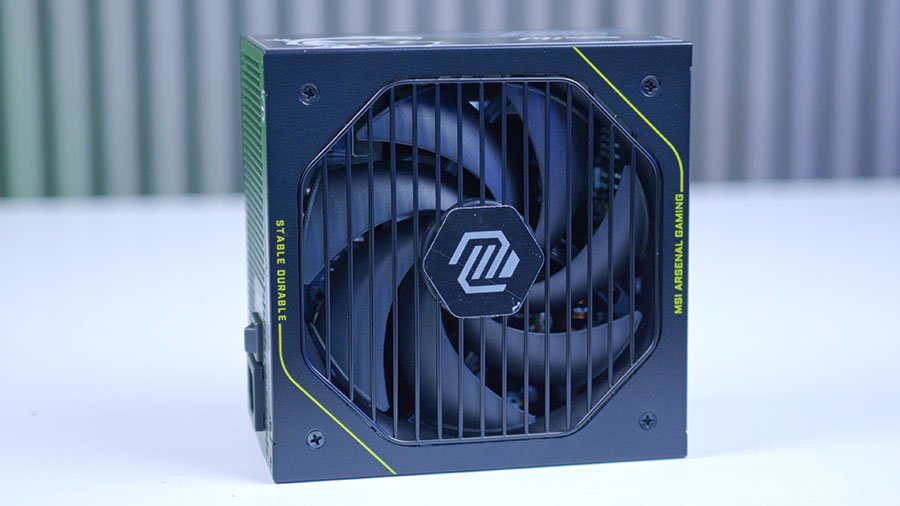
Powering the lot is the MSI MAG A1200PLS PCIE5. This particular unit is a PSU that we recently reviewed and were frankly blown away by the value on offer. The A1200PLS makes features that are typically reserved for flagship models accessible without the flagship pricing. Most notably, is MSI’s GPU Safeguarding feature, which monitors the 12V-2×6 cable in real-time and sounds an alarm at the first sign of anything out of the ordinary, and is backed up by Fan Safeguarding that does the same job for the cooling fan. Throw in ATX 3.1 and PCIe 5.1, 80 Plus Platinum and Cybenetics Platinum efficiency ratings for good measure, and you have a PSU capable of powering a system well into the future.
MSI MAG 272UP QD-OLED X24
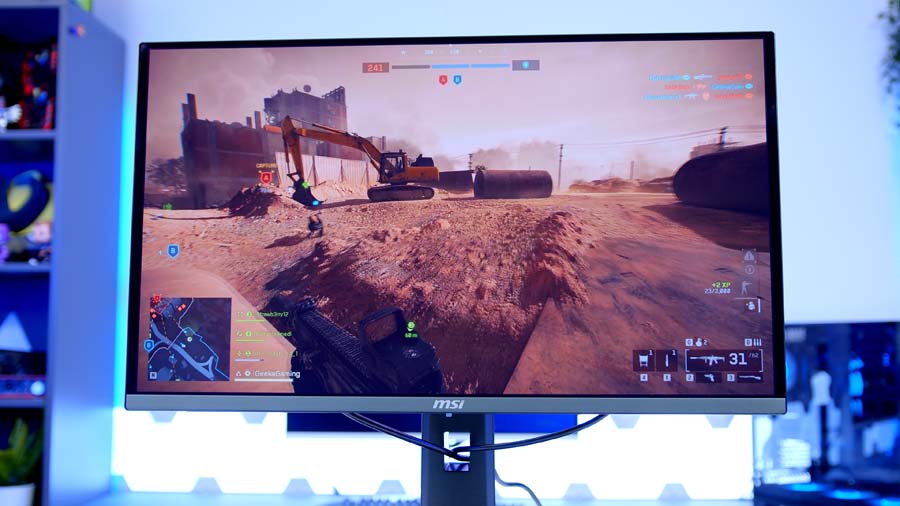
A 4K build like this one deserves a panel that can actually do the resolution justice, and MSI’s MAG 272UP QD-OLED X24 is a great affordable choice. We recently covered this particular panel in our recent 2026 OLED roundup, and came to the conclusion that this is currently the most accessible way to get a proper 4K QD-OLED on your desk. Specs are solid with a 27-inch 4K panel running at 240Hz, a 0.03ms response time, 1,000-nit peak HDR brightness, and DisplayHDR True Black 400 certification. In other words, it pairs perfectly with the RTX 5080’s grunt at 4K High, where this build is comfortably pushing 90 to 130+ FPS across most modern titles. You can read my full take on it (and the rest of the OLED stack) in the Best OLED Gaming Monitors 2026 roundup.
Performance
The numbers speak for themselves. Across our six-game 4K High test suite, the RTX 5080 + 9850X3D combo doesn’t drop below 86 FPS in any title we threw at it, and the lows are just as encouraging as the averages.
Forza Horizon 6 is the headline at 177.9 FPS average, comfortably clearing the 144 FPS mark. ARC Raiders hits 131.3, Battlefield 6 lands at 111.1, and even the heavier titles hold up nicely; Cyberpunk 2077 turns in 96 FPS with all the eye candy on, Marvel Rivals averages 90.8, and Resident Evil Requiem still manages 86.8 at native 4K with no upscaling.
Drop DLSS Quality into the mix on the more demanding titles and you’ve got headroom for either higher settings, ray tracing, or pushing closer to that 240Hz refresh on a high-refresh OLED panel.
Performance Snapshot
Multi-Game Average FPS — Ryzen 7 9850X3D + RTX 5080
1080p
—
1440p
—
4K
131.3FPS
Map
Dam Battlegrounds
Capture Length
4–7 mins
Window Mode
Fullscreen
Resolution Scaling
TAAU, 100% (3840×2160), Manual
Frame Generation
Off
VSync
Off
Overall Quality
High
Graphics Breakdown
View Distance / AA / Shadows / Post / Texture / Effects / Reflections / Foliage / GI all High
1080p
—
1440p
—
4K
111.1FPS
Map / Mode
Empire State, Conquest
Capture Length
4–7 mins
Fullscreen Mode
Windowed (Fullscreen Device Monitor 1)
Resolution / Refresh
3840×2160, 120Hz, Aspect Auto
VSync / FOV
VSync Off, FOV 90, Vehicle FOV 79
Preset
Custom, Graphics Quality High
Texture / Mesh / Terrain
All High
Reflections / AO & GI
Reflections High, SSR High, GTAO High
1080p
—
1440p
—
4K
96FPS
Benchmark Mode
Built-in benchmark ran 2x
Display
Fullscreen, 3840×2160, VSync Off, FPS cap Off
Preset
Custom, Texture High
Upscaling / Frame Gen
Resolution Scaling Off, Frame Generation Off
Ray Tracing / Path Tracing
All Off
Crowd / FOV
Crowd Density Medium, FOV 80
Post Effects
Film Grain On, DoF On, Lens Flare On, Motion Blur Off
Shadow Quality
Local Shadow Mesh High, Local Shadow High, Cascaded range/resolution High
1080p
—
1440p
—
4K
177.9FPS
Test Method
In-game Benchmark Mode
Resolution / Refresh
3840×2160, Unlocked Frame Rate
Display Mode
Full Screen On, VSync Off
Preset
Custom (High equivalent)
Upscaling / Frame Gen
DLSS Off, FSR Off, XeSS Off, Frame Gen Off
Anti-Aliasing
TAA Off, DLAA Off, FSR AA Off
Quality Settings
LOD, Reflections, Shadows, GI & Shader all High
Ray Tracing
Raytraced Reflections Off, Raytraced GI Off
1080p
—
1440p
—
4K
90.8FPS
Capture Length
4–7 mins
Display
Fullscreen, 3840×2160, Aspect 16:9
AA / Upscaling
TAAU, Render Scale 100
Frame Gen / Latency
Frame Generation Off, Low Latency Off
VSync / FPS Cap
VSync Off, Match/Lobby/Background FPS No Limit
Preset
Graphics Quality High
GI / Reflections
Lumen GI High Quality, SSR Reflections
Detail Settings
Model / Post / Shadows / Texture / Effects / Foliage all High
1080p
—
1440p
—
4K
86.8FPS
Display
Fullscreen, 3840×2160, Aspect Auto
VSync / Frame Rate
VSync Off, Frame Rate Limit Off
Upscaling / Frame Gen
Upscaling Off, Frame Generation Off
Anti-Aliasing / Textures
TAA, Texture Quality High, Filter High (ANISO x8)
Mesh / Reflections
Mesh Quality Standard, SSR On, Subsurface Scattering High
Shadows / Lighting
Shadow Quality High, Contact Shadows On, Particle Lighting On
Fog / Lens Effects
Volumetric Fog High, Lens Flare Standard, Lens Dirt On
Post Effects
Depth of Field On, Lens Distortion On (+Chromatic Aberration)
Gallery