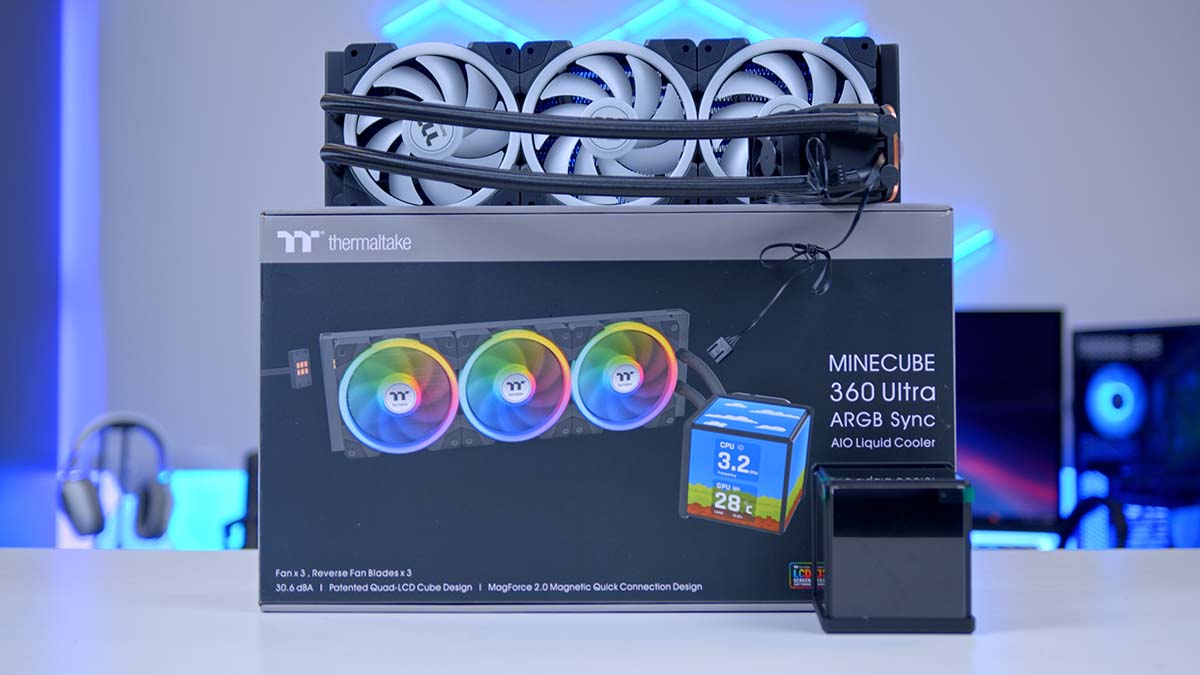
In today’s article, we’re exploring a rather striking new entry into the liquid cooler market from Thermaltake: a blocky, Minecraft‑inspired AIO featuring a cuboid display, a premium pump, and high‑performance fans called the Thermaltake MINECUBE 360 Ultra ARGB Sync. AIO coolers already tend to outclass air coolers thanks to their efficiency and raw cooling power, and manufacturers have spent the last few years pushing designs into more experimental territory. This latest creation feels like a natural result of that trend.
We’ve already seen bulkier, screen‑equipped coolers like the TRYX Panorama and ASUS’ ROG RYUO IV SLC 360 ARGB, and Thermaltake seems to be putting its own spin on the concept. The real question is how it stacks up in specs, design, and thermals, which is the focus of this review.
Buy the Thermaltake MINECUBE 360 Ultra ARGB Sync on:
Specification
Thermaltake’s MINECUBE 360 Ultra ARGB Sync is an all-in-one liquid CPU cooler that carries a 360mm radiator. The MINECUBE is available in two colourways, Snow and Black, to suit either black or white gaming setups. The Radiator’s dimensions measure 396mm in length, a standard 120mm in width and 27mm in height. The tubing between the water block and the radiator is a generous 460mm, allowing ample manoeuvrability around the internals of a PC chassis – it’s even longer than that for full-tower cases!
The cooler’s pump connects via a 4-pin PWM header. In more thermally demanding workloads, the pump can reach up to 3300 RPM. The unit also includes a VRM fan as an extra measure to keep the surrounding hardware cool, and impressively, it has a maximum speed of 3500 RPM.
CPU Cooler Specifications
- Model Thermaltake MINECUBE 360 Ultra ARGB Sync
- Cooler Type All-in-one liquid CPU cooler
- Radiator Size 360mm
- Radiator Dimensions (L x W x H) 369mm x 120mm x 25mm
- Tube Length 460mm rubber-braided tubing
- Pump & Screen Height 143mm (check chassis clearance)
- Pump Connector 4-pin PWM
- Max Pump Speed 3300 RPM
- Number of Fans 3 (hot-swappable, daisy-chainable, not pre-installed)
- Max Fan Speed 2000 RPM
- VRM Fan Included, max 3500 RPM
- Bearing Type Not disclosed
- Display Quad TFT LCD cuboid 4 x 3.95″ panels 720 x 720 resolution per panel TT LCD Screen software
- Screen Connections USB 2.0 header + SATA power
- Cold Plate Copper base (thermal paste not pre-applied)
- Colourways Snow, Black
- Socket Compatibility Intel: LGA 2066 / 2011-3 / 2011 / 1851 / 1700 / 1200 / 1156 / 1155 / 1151 / 1150 AMD: AM5 / AM4 / AM3+ / AM3 / AM2+ / AM2 / FM2 / FM1
The Thermaltake MINECUBE’s major selling point is its quad-LCD screen Cube design, which features four TFT LCDs that measure 3.95″, and each has a 720 by 720 resolution. It’s worth noting that the water block plus the screen has a height of 143mm, worth checking your internal chassis clearance!
Thermaltake isn’t skimping on compatibility either. The unit supports everything from Intel’s latest LGA 1851 and 1700 sockets to AMD’s AM5 and AM4 platforms, along with a surprisingly long list of older sockets for anyone running legacy hardware, making this cooler available for virtually anyone with a relatively modern PC.
Thermaltake MINECUBE 360 Ultra ARGB Sync Design
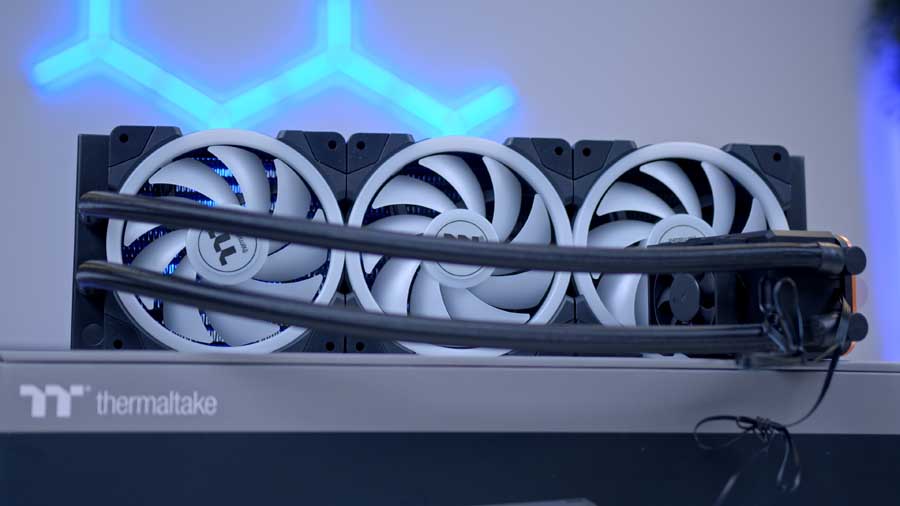
Overall, Thermaltake MINECUBE 360 Ultra ARGB Sync has a relatively sleek design, despite the rather large screen real estate. The pump and screen are completely separate, making the pump a breeze to install. The pump itself is premium, made of high-quality materials, including a copper base, and together, they help keep the CPU consistently cooled. The copper base does not come with pre-applied thermal paste. The VRM fan sits on top of the pump and was added as an extra cooling measure for the surrounding hardware, such as the VRM module, motherboard, and LCD screens.
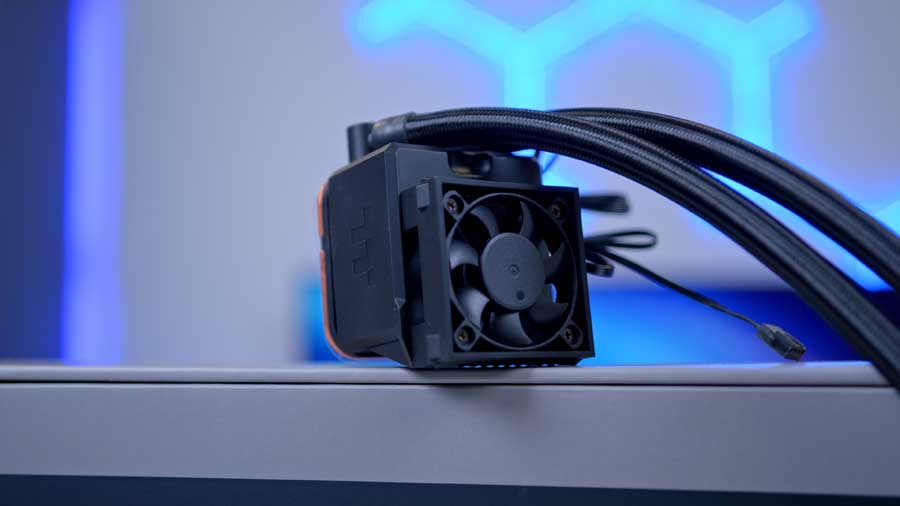
Once the Water block is mounted, the screen can be fitted. The screen consists of four separate 3.95″ LCD displays that can be customised individually and operate independently or synchronously together.
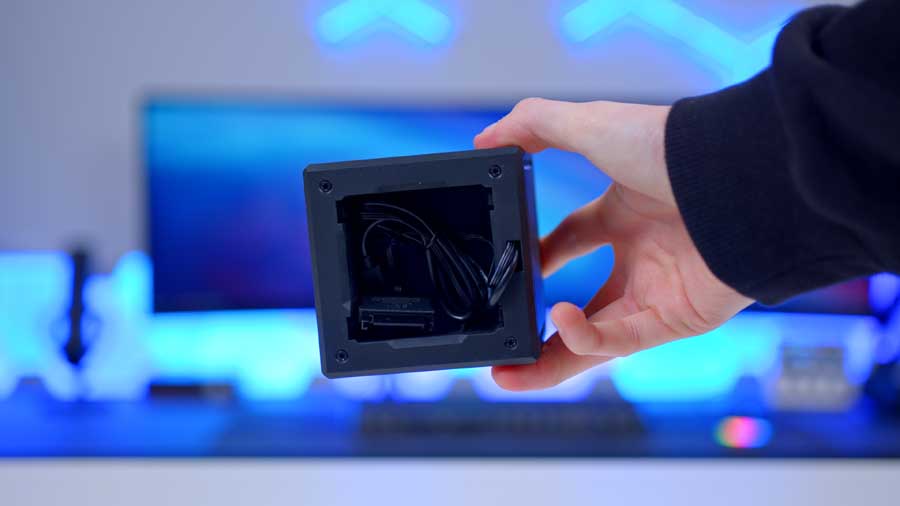
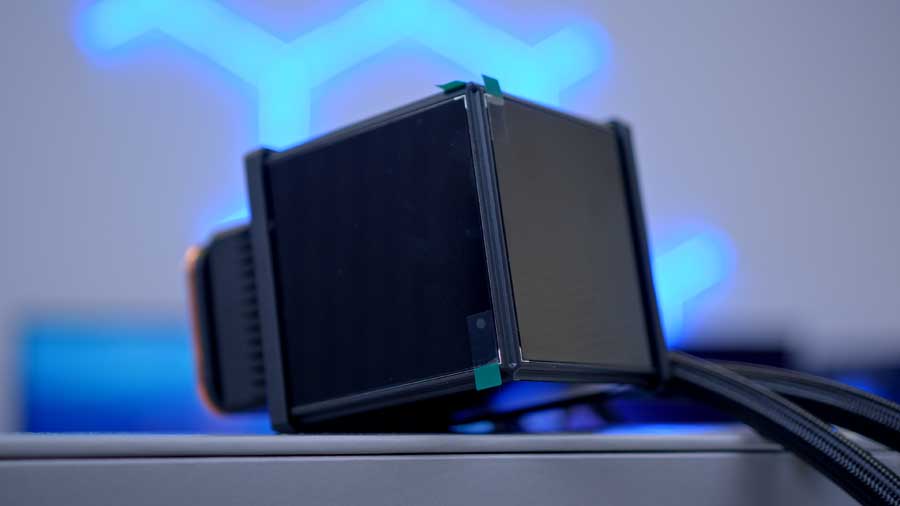
The screen simply slots on top of the VRM fan and can be connected to the system via a USB 2.0 header and a SATA power cable. Once everything is connected correctly, you can download the TT LCD Screen Software, which is designed to configure and customise Thermaltake’s AIO screens.
![PI_[DM82] TT MineCUBE Montage](https://geekawhat.com/wp-content/uploads/2025/12/MPI_DM82-TT-MineCUBE-Montage-19.jpg)
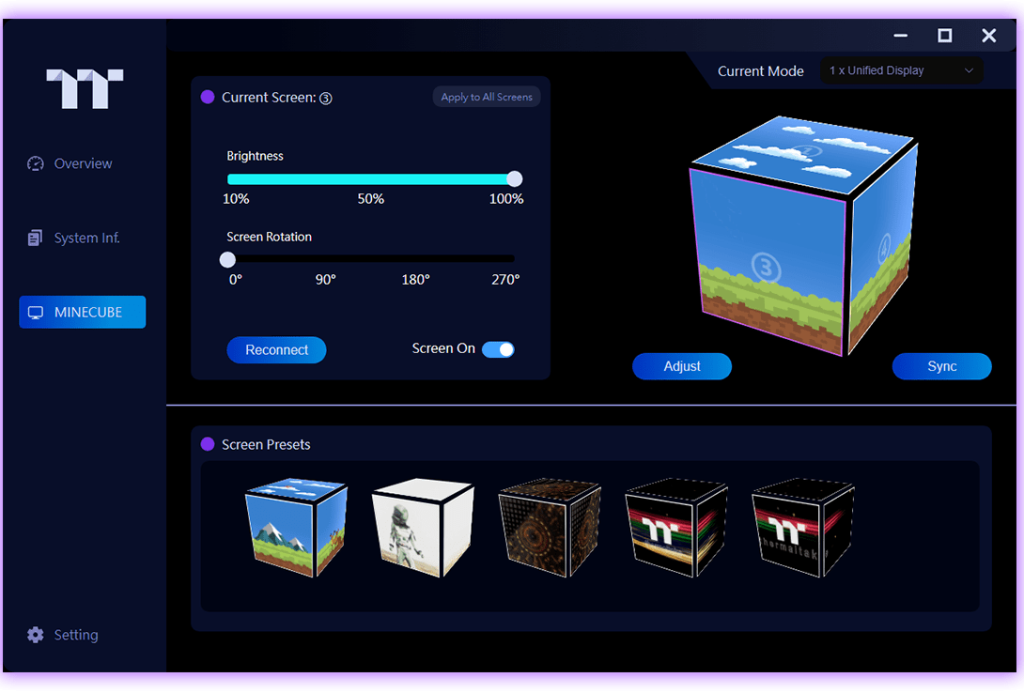
The TT LCD Screen software is quite easy to use and highly flexible. You can freely choose backgrounds and display as much real-time information as you need, arranging layouts effortlessly to suit your preferences. You can easily create a fully personalised screen that reflects your style.
Rubber-braided tubing supplies the liquid to the aluminium radiator from the water block and returns the cooled liquid to the water block. The cooling unit includes three hot-swappable fans that switch between intake and exhaust without obstructing RGB lighting. What’s interesting about these fans is that they simply pop on and off the frame for quick, easy changing. While the fans aren’t pre-installed they are at least daisy-chainable.
Suggested article: Building a 4K Gaming PC Build for 2026!
Thermaltake MINECUBE 360 Ultra ARGB Sync Performance
Every CPU cooler we review is thoroughly tested within builds and a series of synthetic benchmarks. This provides performance data for each cooler, showing how it copes with gaming and multi-core workloads. The Intel Core i7-14700K is known to run hot, with a maximum operating temperature of 100℃. This is why our benchmarking system is built around an Intel Core i7-14700K, with four 140mm fans to maximise airflow. Each cooler is set to the default fan curve mode in the BIOS, or to an equivalent fan curve in the cooler’s software, so testing is fair. All the data we collect comes from Cinebench and CPU-Z benchmarks, with HWiNFO running in the background to record temperature information.
Cinebench 4-Thread
Our 4-thread Cinebench test simulates a light CPU workload. Thermaltake MINECUBE 360 Ultra ARGB Sync kept the CPU at an average temperature of around 66℃, and the max temperature the CPU reached was 74℃. This places the Thermaltake MINECUBE 360 towards the bottom of our testing data set.
Cinebench 8-Thread
Rather interestingly in our Cinebench 8-Thread test, the MINECUBE begins to claw its ways up the pecking order. With an average temperature of 77℃ and peaking at about 80℃, the MINECUBE begins to look like a much more competitive option. Most notably the spread between the average and maximum temps achieved sit particularly close, the MINECUBE is at least stable in is thermal performance if nothing else.
CPU-Z 8-Thread
CPU-Z 8-thread poses a similar story. Again the MINECUBE average and maximum temperatures sit ridiculously close to each other at 73℃ and 75℃ respectively, in a result that is much more akin to those sitting in the middle of our data set testing pack.
Conclusion
GeekaWhat CPU Cooler Verdict
Overall Score
3.75 / 5
A bold, screen-led 360mm AIO that nails the visual brief, but middling thermals and a steep asking price hold it back from the top tier.
Thermaltake MINECUBE 360 Ultra ARGB Sync Verdict
The Thermaltake MINECUBE 360 Ultra ARGB Sync is a 360mm AIO built around a striking quad-LCD cuboid display, with four 3.95″ 720×720 panels that can run independently or in sync via Thermaltake’s TT LCD Screen software. Wide socket support, hot-swappable daisy-chainable fans, and a separate VRM fan round out a feature set clearly aimed at builders who want their cooler to be a centrepiece.
In testing thermal performance was respectable rather than class-leading, with a notably tight spread between average and peak temperatures. Combined with a price tag that reflects the display, this is a cooler best suited to showcasing builds rather than pure thermal-per-pound shoppers.
Features
4.0 / 5
Design
4.0 / 5
Performance
3.5 / 5
Value For Money
3.2 / 5
Pros
- Quad 3.95″ LCD cuboid display with flexible TT LCD software
- Hot-swappable, daisy-chainable fans and dedicated VRM fan
- Broad Intel and AMD socket support, including LGA 1851 and AM5
Cons
- Mid-pack thermals on a hot-running i7-14700K test bed
- 143mm stack height demands careful chassis clearance checks
- Premium pricing driven by the screen rather than cooling gains
 Tested by Harry Coleman with a focus on thermal performance under Cinebench and CPU-Z workloads, build-quality, and real-world chassis fit.

![FI_[SR190] HYTE X50 Ryzen 5 9600X & MSI RTX 5070 Ti](https://geekawhat.com/wp-content/uploads/2026/01/FI_SR190-HYTE-X50-Ryzen-5-9600X-MSI-RTX-5070-Ti-551x431.jpg)
![FI_[DM82] TT MineCUBE Build](https://geekawhat.com/wp-content/uploads/2025/12/FI_DM82-TT-MineCUBE-Build-551x431.jpg)