

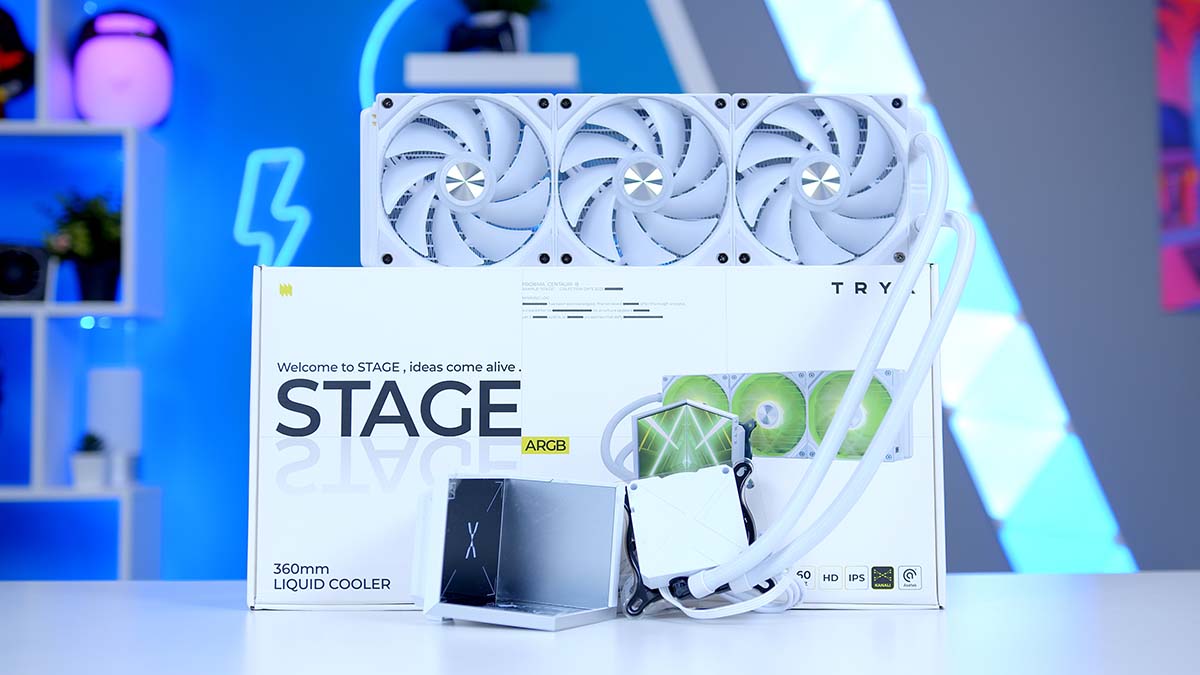
TRYX is a younger brand than tech giants like ASUS and MSI, but it’s been relatively successful. Their whole philosophy seems to be based on genuine innovation and trying to produce something that’s never been done before. In fact, their most successful product is the TRYX PANORAMA 360 ARGB, which features a never-before-seen, completely new aesthetic approach to cooling with the curved LCD screen. They launched in 2023, quickly climbed the popularity rankings, debuted their first products at Computex 2024, and have since returned to Computex in 2025.
The PANORAMA 360 has consistently scored highly in reviews as one of the best-performing AIO liquid coolers on the market, and we are keen to see whether its new TRYX STAGE 360 ARGB lives up to expectations. The STAGE 360 almost inverts the screen found in the PANORAMA 360, and it is fitted with a hot-swappable base to create the effect of a concert stage, or it can function as a figurine platform.
Buy the TRYX STAGE 360 ARGB on:
Specification
The TRYX STAGE 360 ARGB is an All-in-One liquid cooler with a 360mm radiator. Unfortunately, we can’t give you the full measurements, as TRYX hasn’t officially disclosed the radiator size for this unit, unlike they did with the TRYX PANORAMA’s specs. There are 2 models currently available to purchase, and the only difference between them is the colourway, which comes in black or white.
On the box, the TRYX STAGE 360 ARGB states that the radiator’s dimensions are 394mm by 120mm by 27mm, which would be about the standard measurement for 360mm radiators, meaning that it should fit fine in almost any case that supports a 360mm radiator.
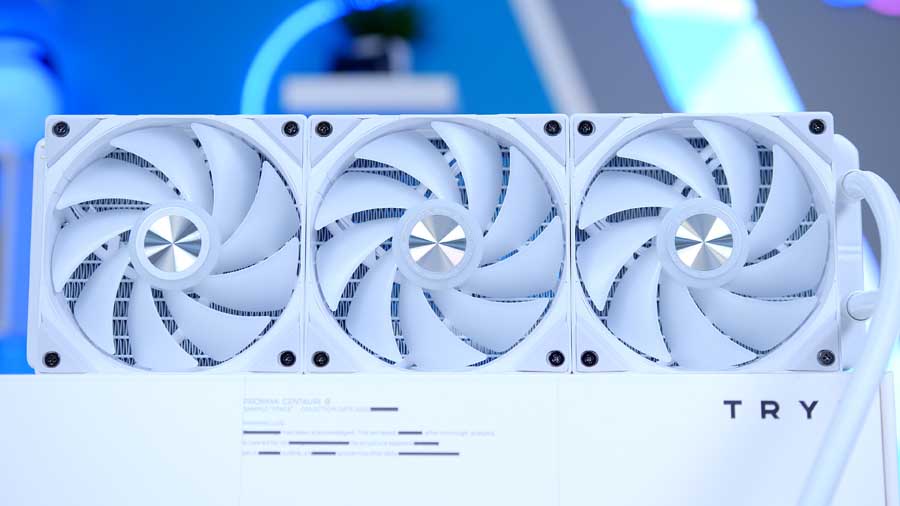
The unit equips three Rota SL ARGB high-performance 120mm fans to disperse heat from the CPU through the radiator. These fans use fluid-dynamic bearings, which are known for being long-lasting and ultra-quiet – they are actually a more premium option. These fans can reach a maximum speed of 1850 RPM, which isn’t the fastest we’ve seen on premium AIOs, however.
AIO Specifications
-
Model
TRYX STAGE 360 ARGB
-
Radiator Size
360 mm
-
Radiator Dimensions (L x W x H)
Not disclosed
-
Number of Fans
3
-
Bearing Type
FDB
-
Pump Connector
4-Pin PWM
-
Max Pump Speed
2800 RPM
-
Max Fan Speed
1850 RPM
-
Socket Compatibility
Intel – LGA 1851 / 1700 / 1200 / 115X
AMD – AM4 / AM5 -
Bearing Type (Pump)
Not disclosed
The pump connects via a 4-Pin PWM connector to either the AIO_PUMP or CPU_FAN header for optimal use, and it can reach up to 2800 rotations per minute.
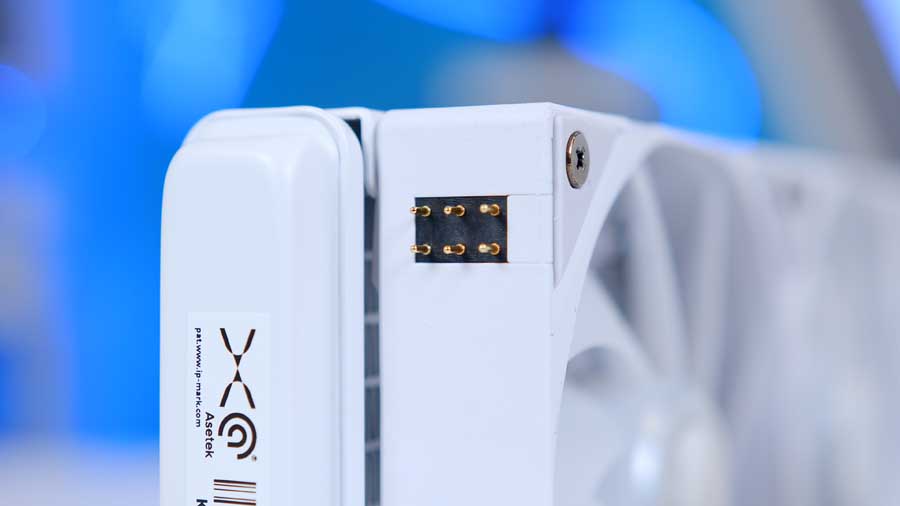

The fans connect to the SYS_CHA headers and then to the fan unit via a magnetic cable, making mounting easier and reducing cable management. Socket support is focused on current‑generation platforms for Intel and AMD, limiting compatibility with older systems.
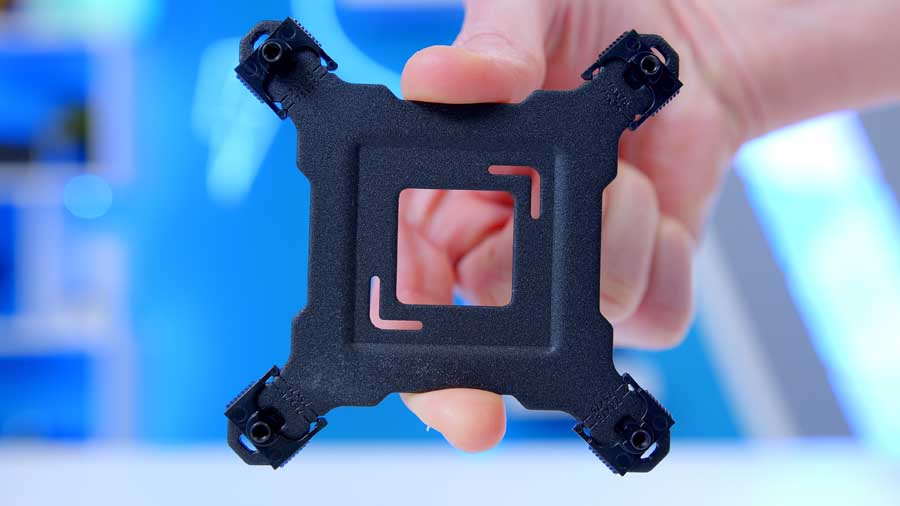
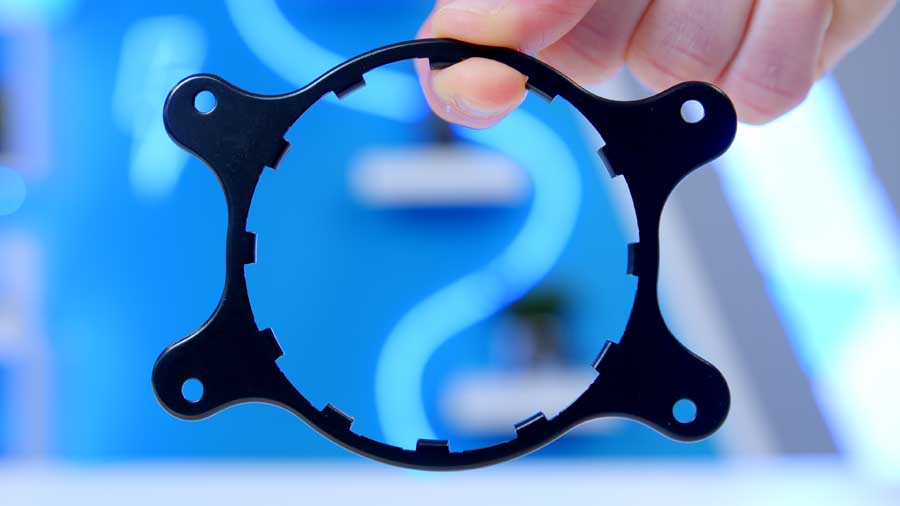
A standout feature of the STAGE 360 ARGB is its dual 4‑inch IPS displays, each running at 720p, providing a unique visual element for system monitoring or custom graphics. This screen can be controlled and customised using TRYX’s KANALI for STAGE software. The IPS panels provide wide viewing angles and excellent colour reproduction while prioritising longevity. Unlike other display types, these panels are highly resistant to burn-in, making them the ideal choice for displaying static images and system telemetry over the life of your build.
Cooler Design
The white TRYX STAGE 360 ARGB’s design is rather typical; you have the core components, a 360mm aluminium radiator, and three 120mm fans are pre-installed to the unit, two 420mm long EPDM (Ethylene Propylene Diene Monomer) tubes transport the cooling fluid to and from an integrated Asetek pump head.
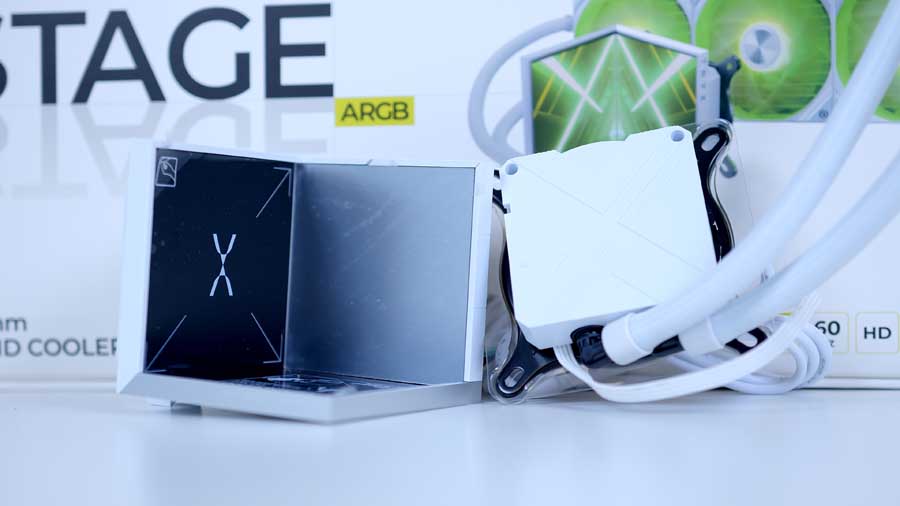
Asetek is a big-name brand for cooling pumps, as they are the industry-leading manufacturer of closed-loop liquid cooling solutions. Quite a lot of CPU coolers integrate their technology because they patent their work and rightfully make it hard for other manufacturers to make their own. They are known for reliability and a low-noise profile, which is why they are often the OEM supplier for major brands.
On the underside of the pump, you’ll find the copper contact plate, which helps absorb heat generated by the CPU and disperse it through the rest of the system. What’s more, the system comes with pre-installed thermal paste; this, paired with the pre-installed fans, contributes to a more premium and streamlined installation process.
The star feature of this cooler is its dual-screen surround display, of course. This screen setup debuts a pair of 4-inch screens that deliver a high 720-by-720 resolution at 254 PPI, ensuring sharp, detailed graphics. The two screens also have a 60Hz refresh rate, which is probably slightly overkill for such a small screen, but the visuals should be smooth. As mentioned before, the colour accuracy this panel offers is impressive, as it can display around 16.7 million different colours.
Complimenting the screens is a double-sided base that comes in either a mirror or matte finish. It magnetically attaches to the bottom of the thin but structurally strong aluminium alloy frame. The base offers two functions: the mirror side creates captivating displays; some ideas you could implement include kaleidoscope-esque visuals or 3D visual effects to create an illusion. The matte side provides the perfect platform to frame figurines, or décor, or you could even let them take the STAGE.
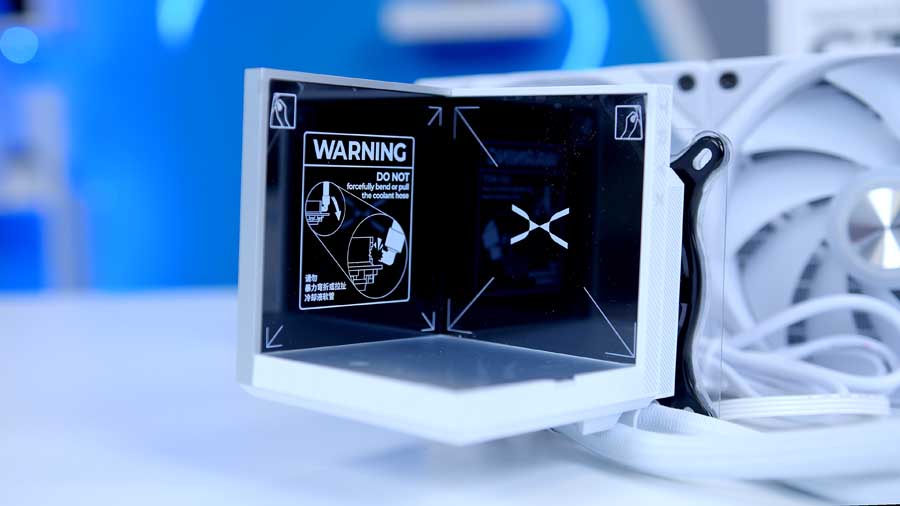
It’s worth noting that the corners and the edges of the base are fairly sharp, and we recommend taking extra care when switching the sides over, as the base can make marks on the screens. It might have been beneficial for TRYX to have added a layer of silicon or something similar around the edges to protect the screens and the base.
The STAGE part integrates a mag-clamp locking system that secures the screens in place, similar to a magnetic carabiner, providing a stable structure. It guarantees that the STAGE will stay in place and not fall off.
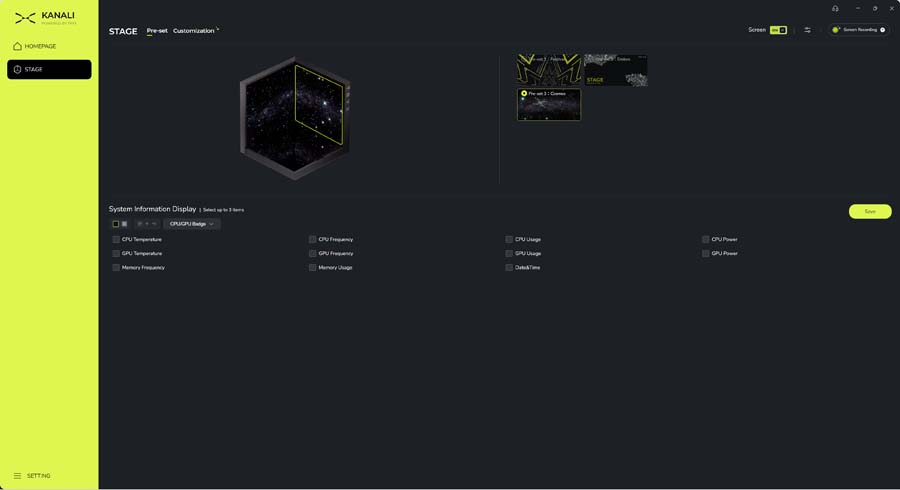
The TRYX STAGE requires the KANALI application to customise the screen(s). Within KANALI, it allows you to customise the AMOLED screen with 3D content, GIFs, and videos, monitor real-time system stats (CPU/GPU temps), manage lighting, and control fans. Interestingly, if you’d like to change the colours of your FAN RGBs or fan, you’ll need to install the firmware tool for the ROTA fans in the KANALI software. The option to adjust the fans’ speeds and colours is not included in the base applications.
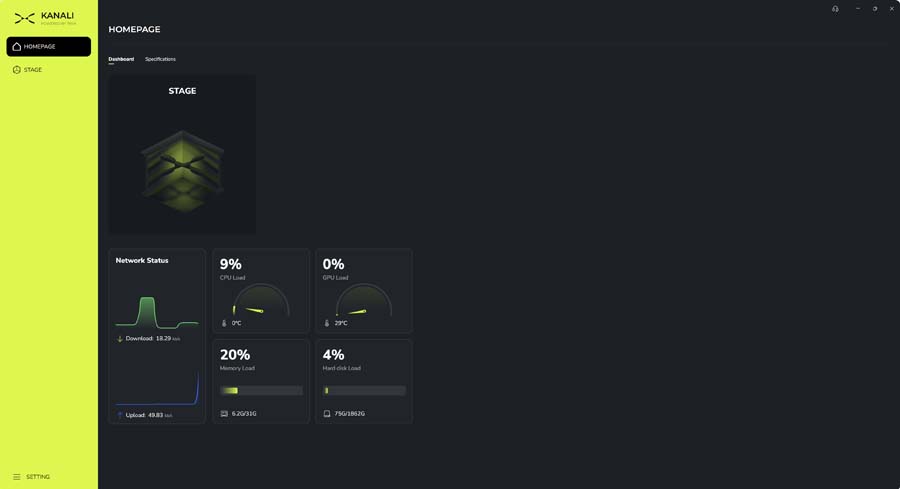
The KANALI software for the most part does the job but in its current form is fairly light on available customisation options, be it pre-set configurations or manual user configured pre-sets. With time we’d expect TRYX to keep iterating and improving here and while it hasn’t blown us away currently, it functions as expected (for the most part bar a few detection bugs) and does the job it needs to do. We’ll definitely be keeping one eye open for future updates to display our STAGE 360 in all its glory with future designs!
Cooler Performance
Every CPU cooler we review is thoroughly tested within builds and a series of synthetic benchmarks. This provides performance data for each cooler, showing how it copes with gaming and multi-core workloads. The Intel Core i7-14700K is known to run hot and has a maximum operating temperature of 100℃. This is why our benchmarking system has an Intel Core i7-14700K at its core, with four 140mm fans to maximise airflow. Each cooler is set to the default fan curve mode in the BIOS, or we use an equivalent fan curve with the cooler’s software, so that testing is fair. All the data we collect is gathered from benchmarks in Cinebench and CPU-Z, with HWMonitor running in the background to record temperature information.
Cinebench 4-Thread
During our Cinebench 4-Thread test, the STAGE 360 yielded an average temperature of 63℃ and a maximum temperature of 67°C, landing it in thelower‑mid section of the chart. That puts it behind the top‑tier heavyweight coolers like the ROG Ryujin III and Waterforce X II, but still within a perfectly acceptable thermal range for a 360mm AIO. Its average temperature sits just a few degrees warmer than many mainstream 360mm coolers, and the maximum temperature remains well controlled, never drifting into concerning territory.
Cinebench 8-Thread
The TRYX STAGE 360 ARGB sits much lower in the 8‑thread Cinebench R23 chart than it does in the lighter 4‑thread run, landing toward the warmer end of the results. It records an average temperature of 77°C and a maximum of 81°C, placing it behind most mid‑range and high‑end 360mm coolers in this workload. This test puts more sustained pressure on our 14700K. Its temperatures remain within a safe operating range, just not competitive with the stronger performers in this category.
CPU-Z 8-Thread
The TRYX STAGE 360 ARGB again trends toward the warmer end of the chart in the CPU‑Z 8‑thread workload, posting an average temperature of 75°C and a maximum temperature of 83°C on the Core i7‑14700K. This places it behind the bulk of competing 360mm AIOs, many of which sit several degrees cooler under the same load. CPU‑Z’s sustained all‑core pressure highlights the cooler’s limitations more clearly than lighter tests: it can keep the 14700K within safe operating limits, but it doesn’t compete with the stronger thermal performers in this category. The results reinforce the pattern seen in the other benchmarks – this cooler leans more toward visual flair and unique features than raw cooling efficiency
Conclusion
Overall Score
3.8 / 5
A visually striking AIO that prioritises aesthetics over thermal efficiency.
TRYX STAGE 360 ARGB AIO Liquid Cooler Review Verdict
The TRYX STAGE 360 ARGB leaves a strong final impression as a cooler that prioritises originality and visual impact above all else. Its dual-screen design is genuinely unlike anything else on the market, giving PC builders a new way to elevate their system’s aesthetics while still delivering cooling performance that is suitable for modern CPUs. It’s refreshing to see a brand push beyond conventional AIO design and experiment with a component that doubles as both a cooler and a showpiece.
That said, the experience isn’t without its drawbacks. The accompanying KANALI software still feels unfinished, with issues such as screens reverting to default settings, inconsistent device detection, and lingering bugs carried over from the PANORAMA series. Fan control and firmware management also require more effort than they should, making setup and customisation feel more cumbersome than competing ecosystems.
Overall, the STAGE 360 ARGB stands out for its creativity and ambition, offering something truly different in a market full of familiar designs, but it clearly prioritises aesthetics over raw thermal efficiency. With more polished software and smoother control options, it could evolve from an eye-catching concept into a genuinely top-tier user experience.
Cooling Performance
3 / 5
Noise Levels
4 / 5
Design
4.5 / 5
Value For Money
4 / 5
Pros
- Innovative new product
- Easy to install
- Brilliant screen clarity
Cons
- Worse performance than expected
- Slightly gimmicky
- Cumbersome software
