OLED gets all the headlines right now, and honestly, it deserves most of them but it isn’t the right shout for everyone. What if you want to spend less? Could mini-LED be the smarter buy, or is a good old-fashioned IPS panel still the sensible route? The truth is there’s never been a better time to buy a gaming monitor at any price, and the “best” one depends entirely on your budget, your GPU, and what you actually play.
So that’s what this guide is: the very best gaming monitors you can buy right now, from sub-£200 IPS panels all the way up to eye-watering flagships that’ll set you back well over a grand. Pricey OLEDs, cheaper traditional IPS designs, and the mini-LED middle ground in between — across every resolution, refresh rate and form factor. Whatever you’re building around, there’s something here for you.
Monitor Comparison
Best Gaming Monitors 2026 — At a Glance
Hover rows for highlight. Tap/click a header title to sort.
| ⣿ Monitor | ⣿ ::Screen Size | ⣿ ::Resolution | ⣿ ::Panel | ⣿ ::Refresh Rate | ⣿ ::Response Time | ⣿ ::Peak Brightness | ::Where to Buy |
|---|---|---|---|---|---|---|---|
KTC H27T22C-3 Cheapest 1440p |
27" | 1440p | Fast IPS | 200Hz (210Hz OC) | 1ms | 400 nits | |
ASUS TUF Gaming VG27AQL5A Budget IPS (sub-$350) |
27" | 1440p | Fast IPS | 210Hz (OC) | 1ms | 400 nits | |
|
ASUS TUF Gaming VG27AQML5A 300Hz sibling |
27" | 1440p | Fast IPS | 300Hz | 1ms | 400 nits | |
KTC M27T6S Mini-LED |
27" | 1440p | IPS Mini-LED | 200Hz (210Hz OC) | 1ms | 1000 nits | |
Alienware AW2726DM Budget OLED |
27" | 1440p | QD-OLED | 240Hz | 0.03ms | 400 nits | |
MSI MAG 273QP QD-OLED X24 Midrange OLED |
26.5" | 1440p | QD-OLED | 240Hz | 0.03ms | 1000 nits | |
MSI MPG 274URDFW E16M Dual-mode Mini-LED |
27" | 4K / 1080p | IPS Mini-LED | 160Hz / 320Hz | 0.5ms | 1000 nits | |
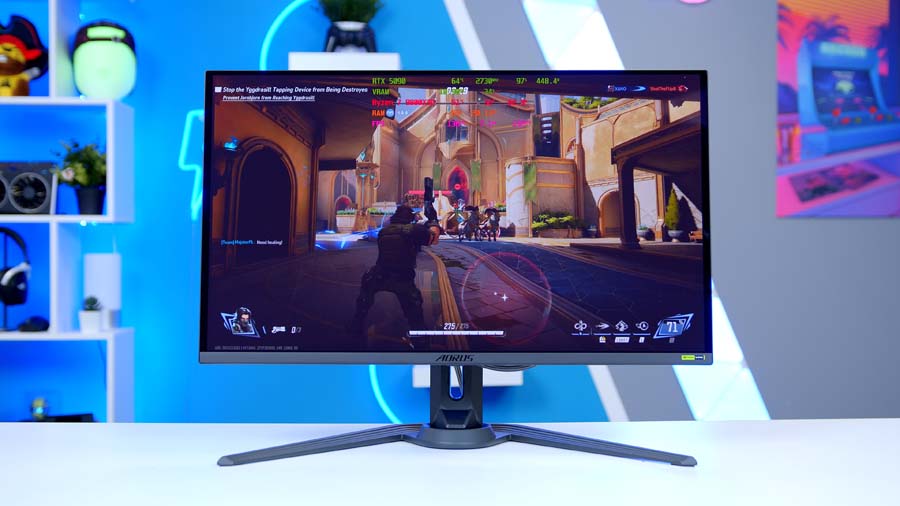
Gigabyte AORUS FO27Q5P Halo 1440p OLED |
27" | 1440p | LG WOLED | 500Hz | 0.03ms | 1000 nits | |
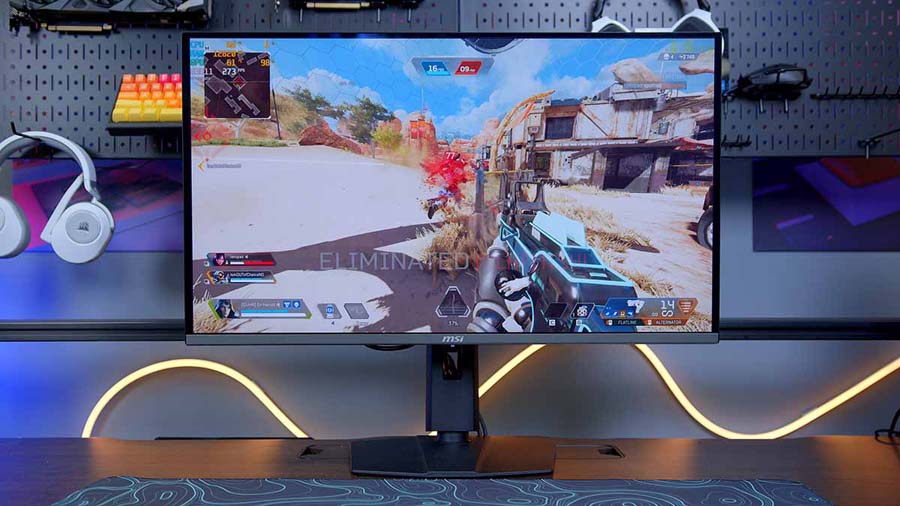
MSI MPG 321URX QD-OLED 4K OLED |
31.5" | 4K | QD-OLED | 240Hz | 0.03ms | 1000 nits | |
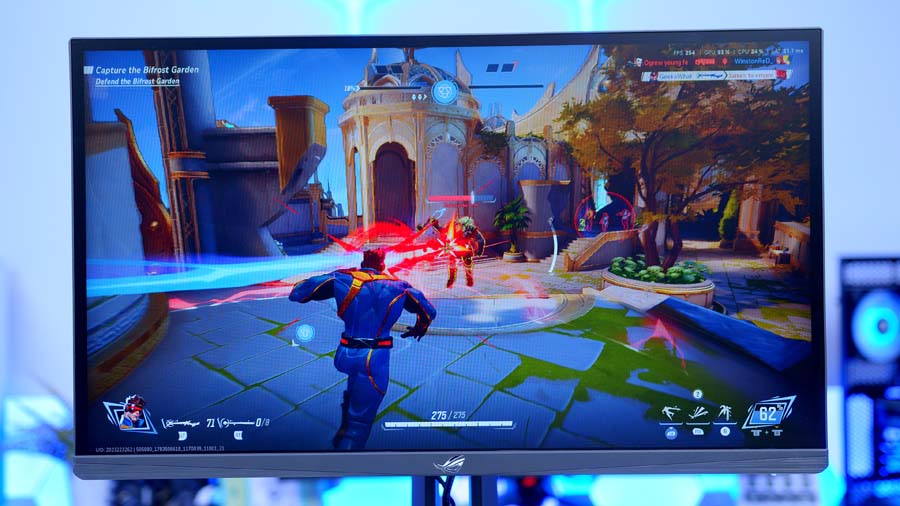
ASUS ROG Strix Ace XG248QSG Esports TN (600Hz) |
24.1" | 1080p | Super TN | 600Hz (610Hz OC) | 0.1ms | 400 nits | |
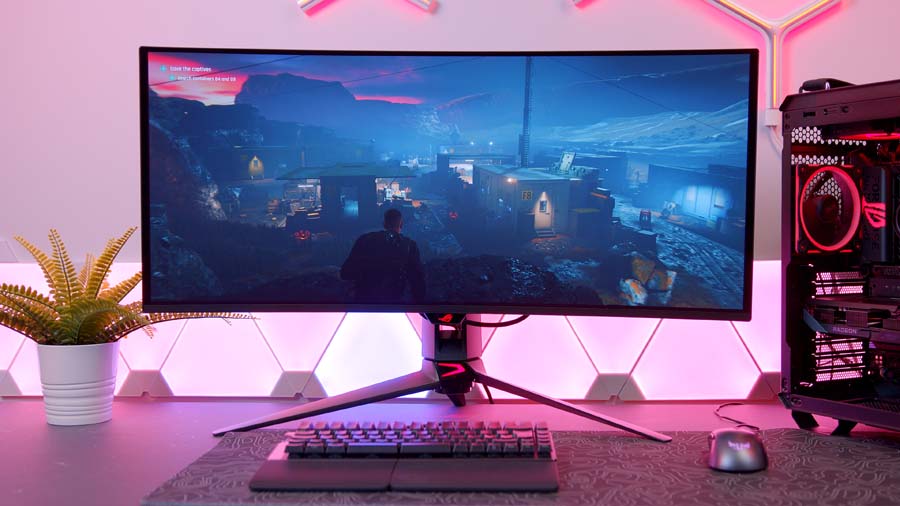
ASUS ROG Swift OLED PG34WCDN Ultrawide OLED |
34" | 3440×1440 | Tandem QD-OLED | 360Hz | 0.03ms | 1300 nits |
What to consider before you buy
Before diving into the recommendations, there are three things worth nailing down first: size, panel type, and resolution because they genuinely shape which monitor is right for you.
Size
For a lot of people, this is the big one. The panels here range from compact 24-inch screens right up to 34-inch-plus ultrawides. Traditionally, a smaller, more compact monitor is the pick for competitive players — the less clutter in your peripheral vision, the faster you can react in something like CS2, where reaction times are everything. Larger panels, on the other hand, lean into immersion, which pays off beautifully in racing games and anything cinematic. For most people, though, somewhere in the 27-to-32-inch range hits the sweet spot: big enough to feel generous and stay productive outside of gaming, without forcing you to swivel your head to catch the edges.
Panel type
Our picks run from flashy OLEDs down to value-focused IPS panels, with mini-LED sitting in between. Here’s the quick version of what separates them.
OLED is the one everyone’s talking about, and for good reason. Each pixel is its own light source, which is why OLEDs deliver near-infinite contrast and near perfect blacks. When part of the image needs to go dark, those pixels simply dim or switch off entirely. Burn-in used to be the worry, and while it’s far less of a problem now than it once was, it’s still the reason the warranties matter.
IPS is the more traditional design, with a backlight sitting behind the panel. On budget monitors that’s absolutely fine, modern IPS panels have got seriously quick, closing the gap on OLED response times (without quite beating them), and their colour reproduction runs rings around the old TN screens we used to put up with.
Mini-LED is the clever middle ground. Rather than a single edge-lit backlight, the culprit behind the edge-bleed effect, a mini-LED panel shrinks the backlight down and splits it into hundreds or even thousands of individual dimming zones. It won’t match the pixel-level precision of eight million self-lit OLED pixels, but it gets the dark parts of the image genuinely dark, and it can often punch brighter than an OLED at the same price. Best of all, it’s still an LCD, so there’s zero burn-in risk.
Resolution
Get this one right early, because your GPU has to actually drive the resolution you buy. If you’re gaming competitively, you’ll likely be happy dropping to a lower res for higher frame rates, which lets you spend less and still saturate a fast panel. And don’t be afraid to build in a little future-proofing — buy slightly ahead of your GPU, and there’s performance waiting for you when you upgrade down the line.
Best gaming monitors under £300 / $300
KTC H27T22C-3
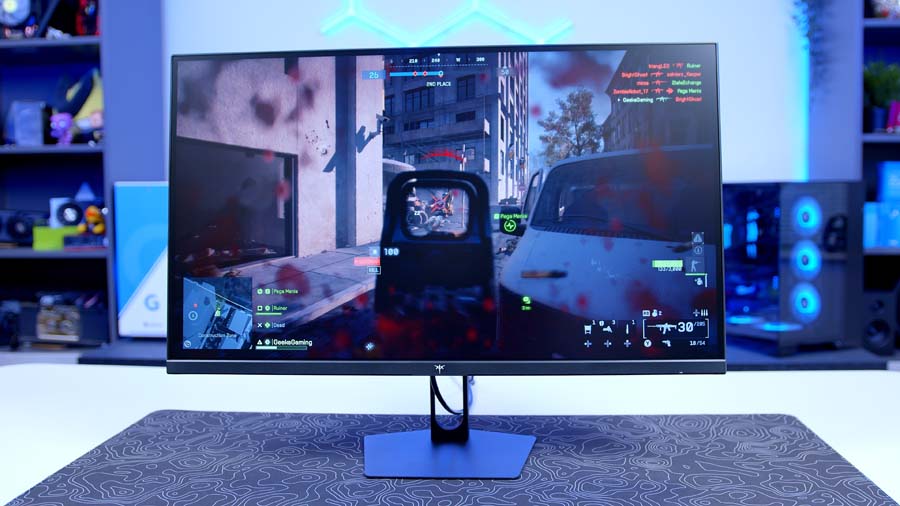
This is the cheapest 1440p panel on the entire list, and it’s an absolute steal. You get a fast IPS panel, a 27-inch screen, 2560×1440 resolution and a 200Hz refresh rate and you can nudge that to 210Hz over DisplayPort if you fancy it (though you’re capped at 144Hz on HDMI 2.0). Round it out with a matte anti-glare finish, a 1ms response time and a 1000:1 contrast ratio, and the fundamentals are all here.
Some things about it are basic, the stand, in particular, is simple and barely adjustable, but that’s exactly the sort of corner you want cut at this price. Where it counts, on response time, resolution and refresh rate, it delivers. It’s a perfect companion for a build running a 60- or low-70-series GPU, letting you max out that refresh rate without spending big. And the price is the real jaw-dropper: subject to change, of course, but currently sitting comfortably under £150 in the UK, with the US conversion not far off. Remarkable value.
KTC H27T22C-3
- Panel Type Fast IPS
- Screen Size 27"
- Resolution 2560×1440 (QHD)
- Refresh Rate 200Hz (210Hz OC via DP); 144Hz via HDMI 2.0
- Response Time 1ms (MPRT)
- Peak Brightness 450 cd/m² (SDR); ~400 cd/m² (HDR peak)
- HDR Certification HDR400
- Key Ports 2x DisplayPort 1.4, 2x HDMI 2.0, 1x USB 2.0 (firmware only), 3.5mm audio out
ASUS TUF Gaming VG27AQL5A
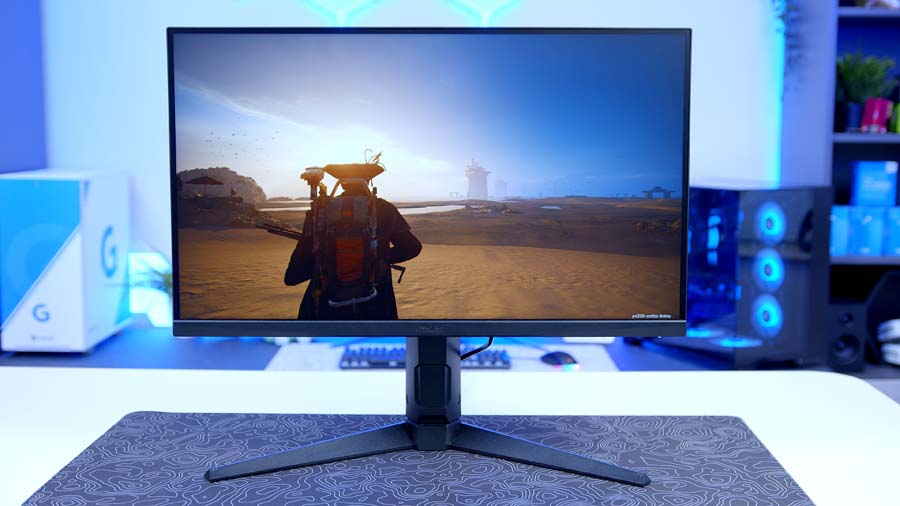
Want to spend a little more and stick with a name you know? The VG27AQL5A costs more than the KTC — no surprise there — but the on-paper specs are strikingly similar: a fast IPS panel, 27-inch form factor, 1440p resolution, a maximum 210Hz refresh rate and a 1ms grey-to-grey response time. What you’re really paying for is the build: it feels a good deal more premium and considered than the KTC unit, with a proper ergonomic stand thrown in.
The KTC is still the outright budget champion here, but if you’d rather have ASUS’s polish, warranty and extra features, the VG27AQL5A is an easy one to recommend.
ASUS TUF Gaming VG27AQL5A
- Panel Type Fast IPS
- Screen Size 27"
- Resolution 2560×1440 (QHD)
- Refresh Rate 210Hz (OC)
- Response Time 1ms (GtG), 0.3ms (Min.)
- Peak Brightness 350 cd/m² (SDR); 400 cd/m² (HDR peak)
- HDR Certification VESA DisplayHDR 400
- Key Ports 1x DisplayPort 1.4 (HBR2), 2x HDMI 2.0, 1x USB-C (service port), 3.5mm headphone out
Best gaming monitors £350–£500 / $350–$500
KTC M27T6S (Mini-LED)
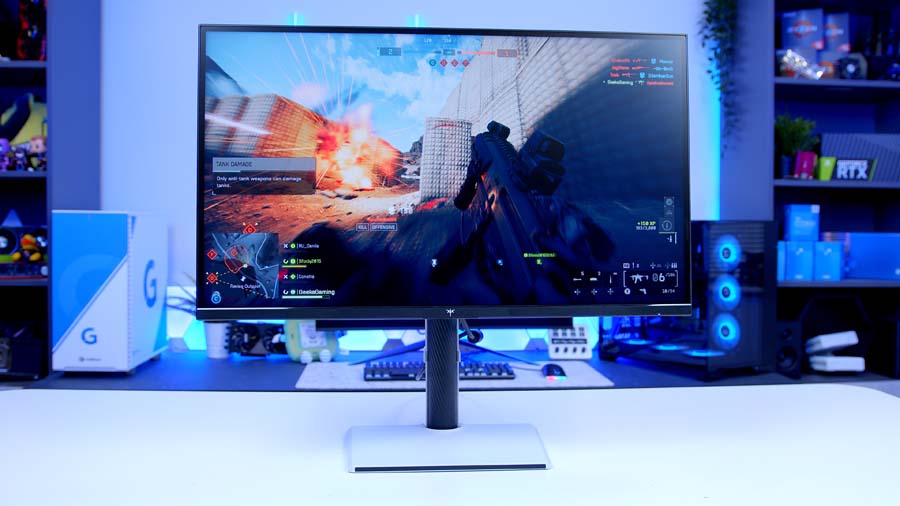
Back to KTC, this time for one of their new mini-LED designs and it’s the first mini-LED entrant on the list. You get a familiar 27-inch, 1440p fast IPS panel, but now backed by a QD mini-LED backlight with 1,152 dimming zones. Cleverly, it undercuts our next pick — an OLED — by around £50/$50, and that’s exactly where mini-LED earns its keep, bridging the gap between plain IPS and full OLED.
The difference over a standard IPS panel is honestly quite staggering. Response time stays around the 1ms mark, but brightness is where it leaps ahead: HDR peak sits at 1,000 nits, and it’s DisplayHDR 1000 certified. In bright, colourful games that’s no big deal but drop into a darker title and the extra punch makes a real, tangible difference.
KTC M27T6S
- Panel Type Fast IPS, QD Mini-LED backlight (1152 zones)
- Screen Size 27"
- Resolution 2560×1440 (QHD)
- Refresh Rate 200Hz (210Hz OC) via DP 1.4; 144Hz via HDMI 2.0
- Response Time 1ms (MPRT)
- Peak Brightness 1000 cd/m² (HDR peak); 450 cd/m² (SDR)
- HDR Certification VESA DisplayHDR 1000
- Key Ports 1x DisplayPort 1.4, 2x HDMI 2.0, 1x USB 2.0 (service only), 3.5mm headphone out
Alienware AW2726DM (OLED)
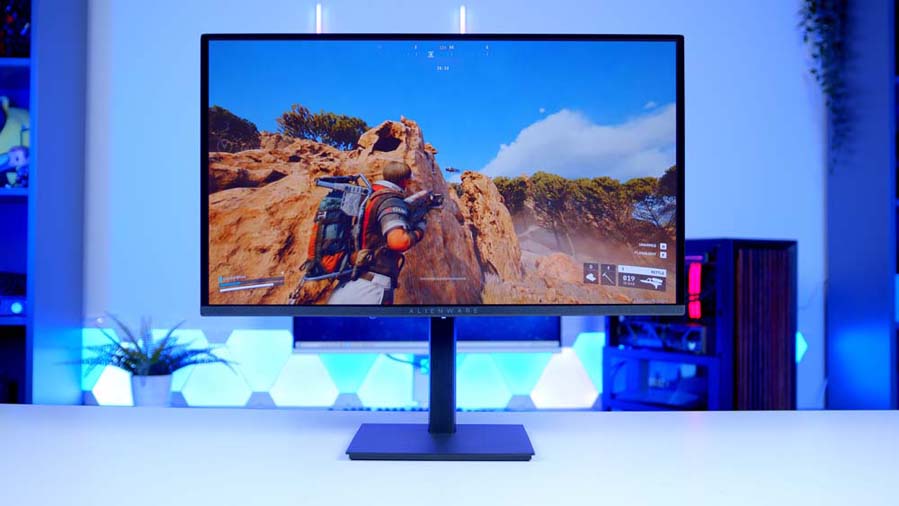
The Alienware AW2726DM is our first OLED, and it’s one of the cheapest OLED monitors on the market full stop.
Going OLED costs you a little brightness versus mini-LED, but you gain contrast and a blistering response time — 0.03ms grey-to-grey, paired with a 240Hz refresh. It’s a QD-OLED panel and for the money the image quality is frankly extraordinary. The stand’s a touch basic and the chassis feels a bit plastic-y next to pricier options, but who cares? This is a sub-£350 OLED, and it looks incredible. Throw in G-Sync and Adaptive Sync support to kill screen tearing, and you’ve got the perfect partner for a 70-series-tier graphics card.
Alienware AW2726DM
- Panel Type QD-OLED
- Screen Size 27" (26.5" viewable)
- Resolution 2560×1440 (QHD)
- Refresh Rate 240Hz
- Response Time 0.03ms (GtG)
- Peak Brightness ~400 cd/m² (HDR peak); ~200 cd/m² (SDR)
- HDR Certification HDR10 (no DisplayHDR certification)
- Key Ports 1x DisplayPort 1.4, 2x HDMI 2.1, 3.5mm audio out (no USB hub)
MSI MAG 273QP QD-OLED X24
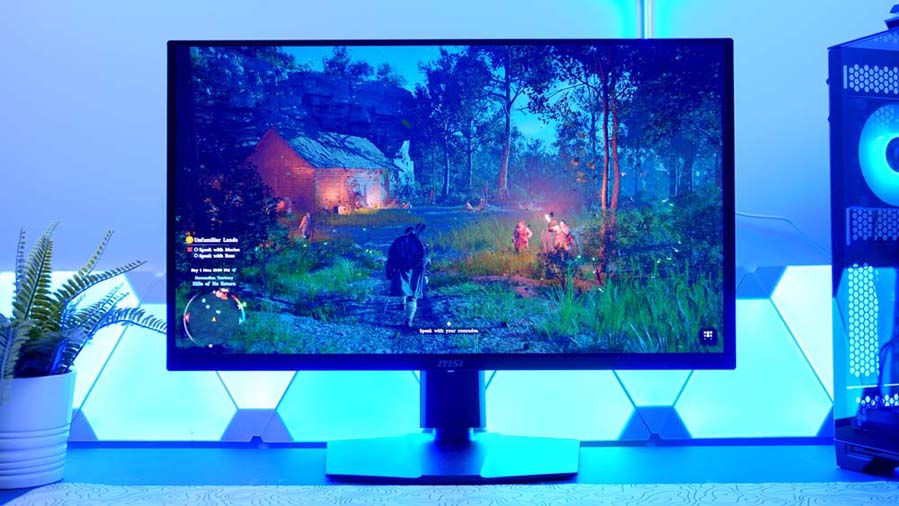
Got a bit more to spend? Stretching to a slightly pricier OLED buys you a lot. As the “X24” in the name hints, this is a 240Hz panel at the same 1440p resolution as the Alienware — but where it pulls ahead is brightness. It’s TrueBlack HDR 400 certified and can hit up to 1,000 nits in the right conditions, which isn’t just a spec-sheet win over the Alienware; it’s a difference you can genuinely see in person.
MSI’s OLED range is enormous, and almost all of it leans on Samsung’s QD-OLED tech. Alongside this 273, there’s a 272 and a 274 offering slightly different sizes and prices, so it’s worth a look across the family. The only real knock is refresh rate — for me, 1440p at 240Hz is the sweet spot, but if you’re a hardcore competitive player chasing more, keep reading.
MSI MAG 273QP QD-OLED X24
- Panel Type QD-OLED (Samsung)
- Screen Size 26.5" (marketed as 27")
- Resolution 2560×1440 (WQHD)
- Refresh Rate 240Hz
- Response Time 0.03ms (GtG)
- Peak Brightness 1000 cd/m² (peak, 3% APL); 250 cd/m² (SDR)
- HDR Certification VESA DisplayHDR True Black 400
- Key Ports 1x DisplayPort 1.4a, 2x HDMI 2.1, 3.5mm headphone out (no USB hub)
MSI MPG 274URDFW E16M (Mini-LED)
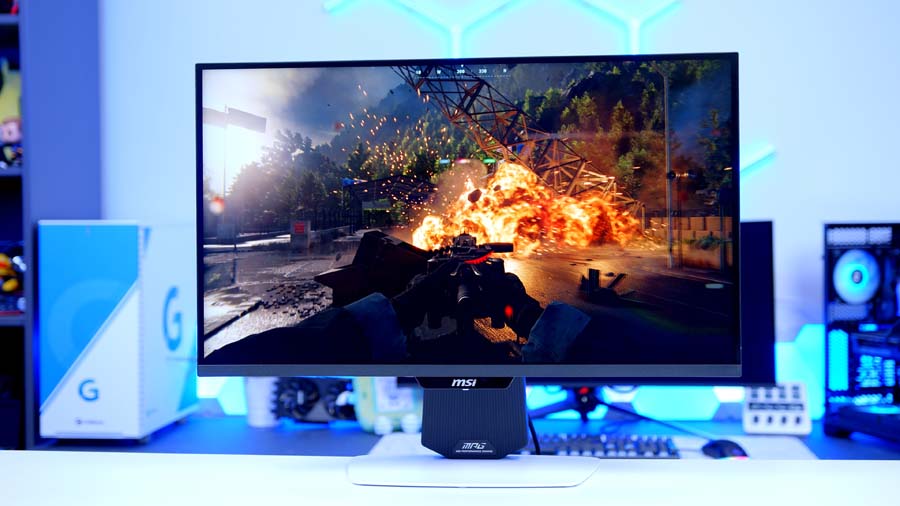
Back into mini-LED territory, and this pricier MSI brings a lot to the party. For under £500/$500, it’s the first dual-mode monitor on the list, a feature that’s becoming far more common (we even spotted tri-mode panels at Computex recently). Dual-mode gives you two resolutions and two matching refresh rates: run it at 4K/160Hz, or drop to 1080p and double it to 320Hz. Full HD at 320Hz is perfect for esports and twitchy shooters, while 160Hz is still plenty for anything where visuals come first and you can flip back to full 4K whenever you like.
On top of the usual mini-LED perks, peak brightness climbs to 1,000 nits, rivalling, if not quite beating, some pricier OLEDs. And remember, this is still sub-£500/$500 at the time of writing, which looks like a bargain next to some of the panels coming up.
MSI MPG 274URDFW E16M
- Panel Type Rapid IPS, Mini-LED (1152 zones)
- Screen Size 27"
- Resolution 3840×2160 (UHD) / 1920×1080 (FHD, Dual Mode)
- Refresh Rate 160Hz (Normal) / 320Hz (Dual Mode)
- Response Time 0.5ms (GtG, Min.)
- Peak Brightness 1000 cd/m² (HDR peak); 400 cd/m² (SDR)
- HDR Certification VESA DisplayHDR 1000
- Key Ports 1x DisplayPort 1.4a, 2x HDMI 2.1, 1x USB-C (DP Alt, 98W PD), USB-A/B hub
Higher-end recommendations
Gigabyte AORUS FO27Q5P
Our halo 1440p pick. Unlike most of the list, this one runs an LG WOLED panel rather than Samsung QD-OLED, 1440p with a monstrous 500Hz native refresh rate. Brightness holds up nicely too, with strong SDR output and up to 1,000 nits in HDR, backed by VESA DisplayHDR TrueBlack 500 certification and a 1.5-million-to-1 contrast ratio.
It’s a stunner to look at, as well. The stand is lovely, with the swivel built neatly into the base, the bezels are wafer-thin and the panel itself is remarkably slim around the edges. We’ve a real soft spot for Gigabyte’s monitors, and to some the LG panels have a slightly nicer look and feel than some of their Samsung rivals. For the technically minded, it’ll also run the full 500Hz over DisplayPort 2.1’s UHBR20 standard without touching DSC compression. Niche, sure, but a genuinely nice touch.
Gigabyte AORUS FO27Q5P
- Panel Type LG WOLED
- Screen Size 27" (26.5" viewable)
- Resolution 2560×1440 (QHD)
- Refresh Rate 500Hz (native, no OC required)
- Response Time 0.03ms (GtG)
- Peak Brightness 1000 cd/m² (HDR peak, 3% APL); 300 cd/m² (SDR)
- HDR Certification VESA DisplayHDR True Black 500
- Key Ports 1x DisplayPort 2.1 (UHBR20), 1x Mini DP 2.1, 2x HDMI 2.1, USB 3.2 hub + KVM
MSI MPG 321URX QD-OLED
Fancy gaming at 4K? This is the one. The 321URX has a bigger brother in the newer 322URX, but the 321 is our pick: it’s cheaper, sacrifices practically nothing, and uses the same generation of Samsung QD-OLED panel. It’s also discounted regularly, so it’s well worth watching even at list price.
The spec sheet does it all, 4K resolution, a 240Hz refresh, a 0.03ms grey-to-grey response, TrueBlack HDR 400 and 1,000 nits of peak brightness. There’s a built-in KVM and USB-C with DisplayPort and power delivery too, so you can plug a work laptop straight in. We use a lot of MSI panels for colour grading and production here, and this one looks absolutely sensational for less money than a fair chunk of the competition.
MSI MPG 321URX QD-OLED
- Panel Type QD-OLED (Samsung 3rd Gen)
- Screen Size 31.5"
- Resolution 3840×2160 (UHD)
- Refresh Rate 240Hz
- Response Time 0.03ms (GtG)
- Peak Brightness 1000 cd/m² (peak); 250 cd/m² (SDR)
- HDR Certification VESA DisplayHDR True Black 400
- Key Ports 1x DisplayPort 1.4a, 2x HDMI 2.1, 1x USB-C (DP Alt, 90W PD), USB hub + KVM
Best esports & ultrawide picks
ASUS ROG Strix Ace XG248QSG
For the super-competitive crowd who want something a bit different, this is one of ASUS’s high-end esports specialists. It’s a fast TN panel at 1080p, and here’s the insane part, a native 600Hz refresh rate, overclockable to 610Hz. Did we need the extra 10Hz? No. Are we going to complain about 10 free hertz? Also no. Response time is excellent at a rated 0.7ms grey-to-grey (and as low as 0.1ms in some measurements).
Brightness is on the weaker side at 350 nits SDR / 400 nits peak — but that’s fine, because this monitor isn’t built for colour-accurate work or movie nights. It’s built for one thing: winning. With HDMI 2.1 support and the current crown as the world’s fastest gaming monitor, it does that one thing brilliantly. (At least for now. Something will dethrone it eventually.)
ASUS ROG Strix Ace XG248QSG
- Panel Type Super TN (Fast TN Film)
- Screen Size 24.1"
- Resolution 1920×1080 (FHD)
- Refresh Rate 600Hz native (610Hz OC)
- Response Time 0.1ms (Min.) / 0.7ms (GtG)
- Peak Brightness 350 cd/m² (SDR); 400 cd/m² (HDR peak)
- HDR Certification VESA DisplayHDR 400; HDR10
- Key Ports 1x DisplayPort 1.4 (DSC), 2x HDMI 2.1 (FRL), 3.5mm earphone jack (no USB hub)
ASUS ROG Swift OLED PG34WCDN
My final pick, and we’re into ultrawide country. This is one of the most impressive monitors we’ve ever tested, full stop. The headline specs: 3440×1440 resolution, a super-fast 360Hz refresh rate, a 5th-gen tandem OLED panel and an RGB-stripe subpixel layout.
That subpixel layout is a big deal, it sharpens text clarity dramatically, fixing the slightly-soft look that used to plague OLEDs next to LCDs at a similar price. Being tandem OLED, it stacks multiple OLED layers on top of one another, which boosts both brightness and longevity since each layer works less hard on its own. The upshot is a punchy 1,300 nits of peak brightness, plus HDR10 and DisplayHDR 500 TrueBlack support.
In games it’s just fantastic. It strikes a lovely middle ground between 1440p and 4K and it’s the largest screen here by form factor, yet has meaningfully fewer pixels to push than the 4K panels, so it’s kinder on your GPU. It’s brilliant for productivity too; with this much real estate, you might not even need a second screen. Immersive doesn’t quite cover it.
ASUS ROG Swift OLED PG34WCDN
- Panel Type Tandem RGB QD-OLED (5th-Gen)
- Screen Size 34" (21:9 ultrawide)
- Resolution 3440×1440 (WQHD)
- Refresh Rate 360Hz
- Response Time 0.03ms (GtG)
- Peak Brightness 1300 cd/m² (HDR peak); ~500 cd/m² (SDR)
- HDR Certification VESA DisplayHDR True Black 500; HDR10
- Key Ports 1x DisplayPort 2.1a (UHBR20), 2x HDMI 2.1 (FRL), 1x USB-C (DP Alt, 90W PD), 3x USB 3.2 Type-A
Which gaming monitor should you buy?
If you want the short version: the KTC H27T22C-3 is the value champion and an unbelievable amount of monitor for the money, the Alienware AW2726DM is the OLED bargain that’ll surprise everyone who sees it, and the MSI MPG 321URX is the do-it-all 4K flagship. Chasing frames above all else? The ASUS XG248QSG is the fastest thing money can buy. After the most immersive seat in the house? The ROG Swift PG34WCDN ultrawide is worth every penny. Whichever way your budget and your GPU point you, there’s a monitor on this list ready to transform how your games look — so grab the one that fits and don’t look back.