
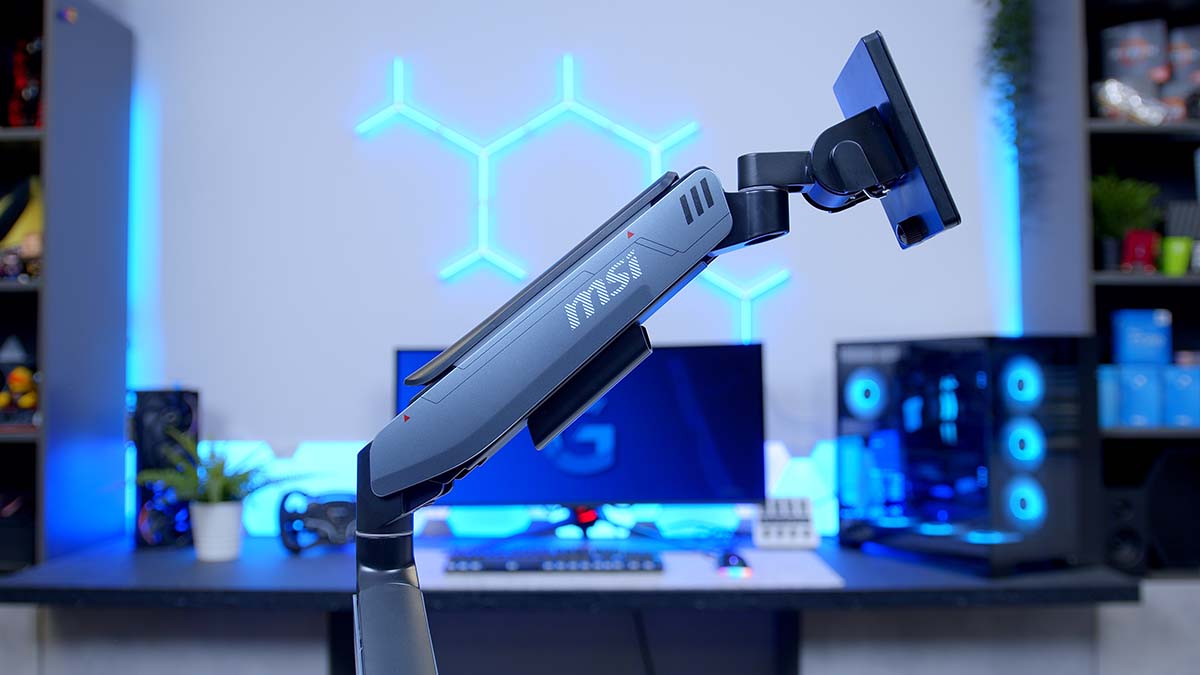
Right, something a little different this time. No panel to measure, no refresh rate to chase, no subpixel layout to squint at. Today we’re looking at the thing holding all of that up! The MSI MPG MT201R is a single gas spring monitor arm from MSI’s MPG gaming range, and it’s built to carry anything from a modest secondary screen right up to the super ultrawides most of us will ever put on a desk.
Monitor arms rarely get the spotlight on a hardware site. You buy one, clamp it to the desk and never think about it again and that’s exactly the idea. MSI clearly wants this one noticed though, because it’s dressed in a two-tone finish with RGB lighting built into the arm and base. Let’s see whether there’s more to it than a stand with some lights bolted on.
Specifications
On paper, then. The MT201R is a desk-mounted single arm built around a gas spring, which takes the weight of the screen so moving it up, down, in and out needs very little effort. MSI rates it for an enormous range of screen sizes, and the weight capacity per screen is generous enough that heavy curved panels and chunky OLEDs aren’t off the table.
Monitor Arm Specifications
- Model MSI MPG MT201R
- Mount Type Desk mount (clamp or grommet)
- Screen Size 17-inch to 49-inch
- Max Weight Capacity 20kg per screen
- VESA Compatibility 75 x 75mm 100 x 100mm
- Quick Release Yes, VESA quick release plate
-
Adjustment
Tilt: -20° to 50°Swivel: -90° to 90°Pivot: -180° to 180°
-
Max Extension
Vertical: 500mmHorizontal: 458mm
-
Desk Thickness
Clamp: 10mm to 85mmGrommet: 10mm to 48mm
- Dimensions (W x H x D) 1038mm x 659mm x 142mm
- Weight (Net / Gross) 7.8kg / 9.2kg
- Colour Matte Black and Painted Grey
- Lighting RGB, 20+ dynamic LED modes
- Cable Management Integrated cable routing
Movement covers the full set. Tilt handles the angle of the panel, swivel turns it left and right, and pivot rotates the screen all the way round, so flipping a monitor into portrait for a chat window, a timeline or a long document is a single turn. Height and reach come from the two-section arm, and the vertical travel in particular is plentiful, which matters if you sit tall or like your screen at eye level rather than chin level.
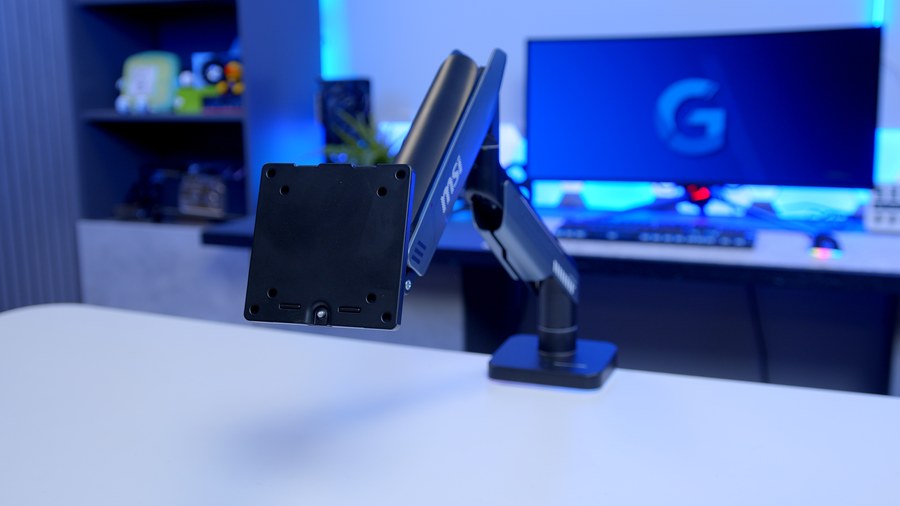
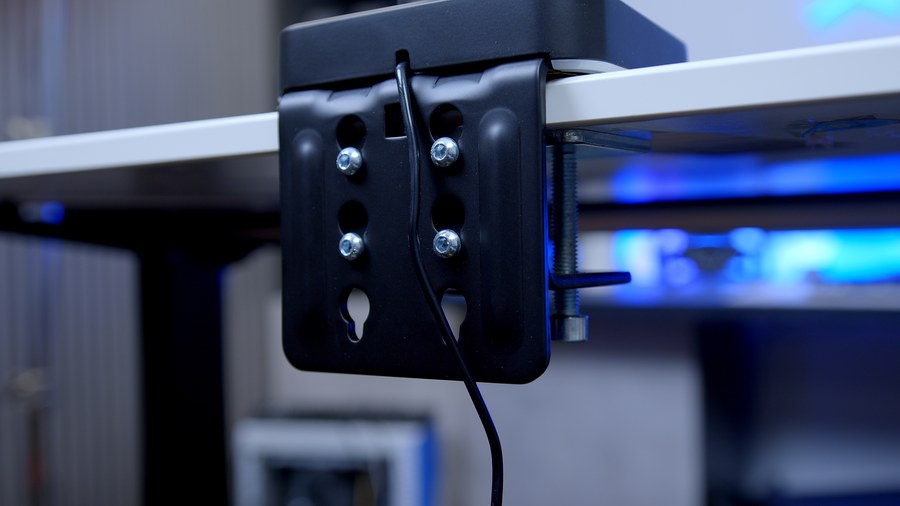
Mounting is handled two ways. There’s a desk clamp that grips the rear lip of the desk, and a grommet option that bolts through a hole in the desktop for a cleaner look with nothing hanging off the edge. VESA (Video Electronics Standards Association) compatibility covers the two most common mounting patterns, which takes care of the vast majority of gaming monitors, though there’s a catch for some screens that I’ll come back to.
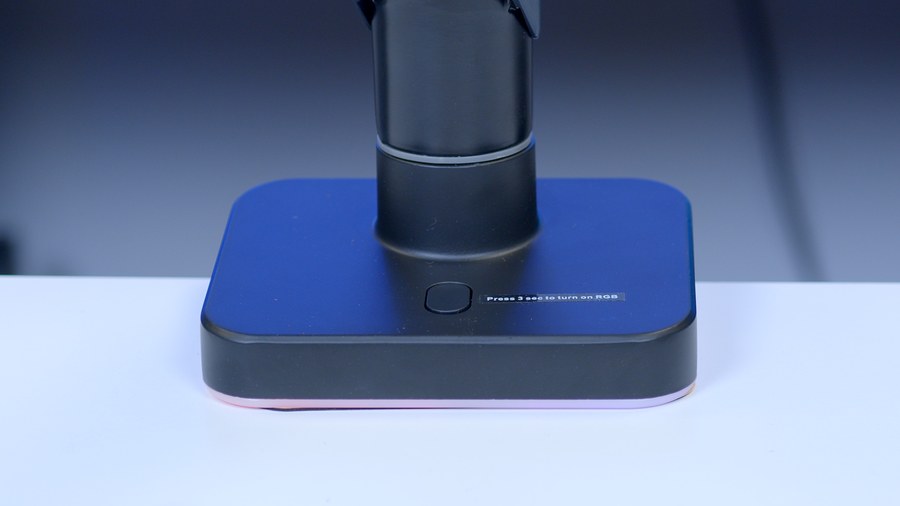
The figure that jumped out at me on the spec sheet was the arm’s own weight. That’s a lot of metal for a single arm, and I read it as a good sign. Mass in the base and arm is exactly what keeps a big ultrawide from bouncing every time you type. It does mean installation is a two-handed job, mind.
One more thing to bear in mind. Gas spring arms need a screen with enough heft to balance the spring, and MSI doesn’t publish a minimum weight for the MT201R. If you’re mounting a very light portable display or a small older panel, check it’ll sit where you put it, because an arm tuned for heavyweights can struggle at the other end of the scale.
Design
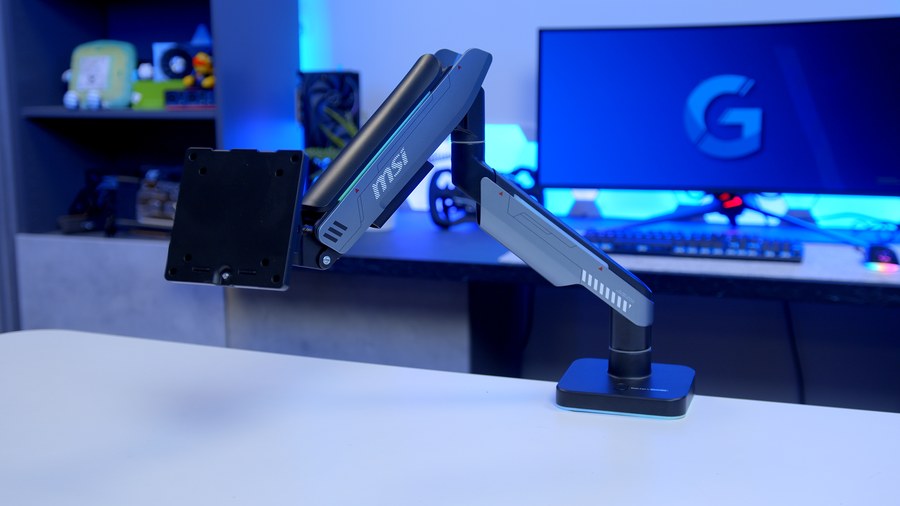
Visually, the MT201R goes for a matte black and painted grey finish, and I think it’s a smart combination. The grey gives the arm a bit of definition against a dark desk without shouting about it, and the matte surfaces should hide fingerprints far better than a glossy plastic arm would.
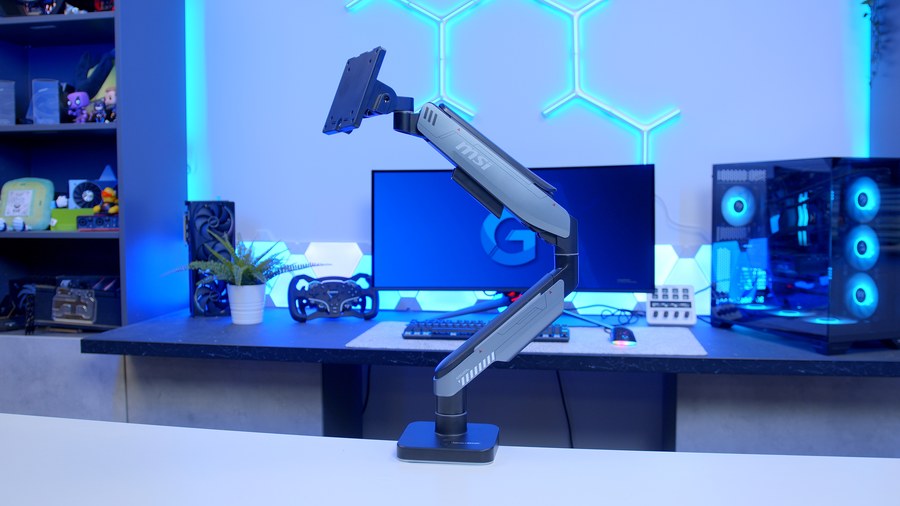
The arm itself is made up of two sections joined at an elbow, with the gas spring housed in the upper section. MSI branding sits on the arm, and the overall shape is clean and angular, so it looks like it belongs with MSI’s MPG monitors rather than something picked from a generic office catalogue.
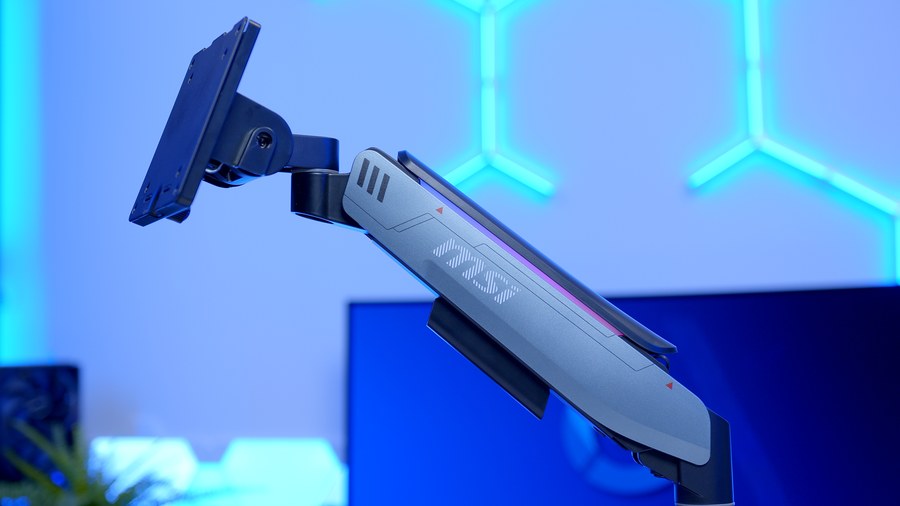
Then there’s the lighting. RGB (red, green, blue) LEDs run along the arm and around the base, and MSI quotes a big menu of dynamic lighting modes to cycle through. I’ll admit, on a monitor arm this is pure flair, but if you’ve built a desk around MSI kit, having the arm glow along with the rest of it is a nice touch. And if lighting isn’t your thing, the finish holds up perfectly well with it switched off.
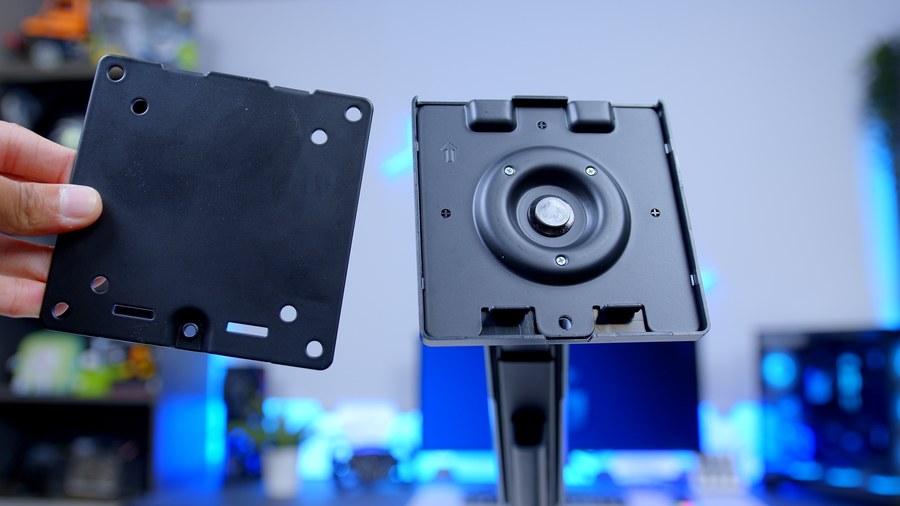
Round the business end, the MT201R uses a VESA quick release plate. The plate comes away from the arm, so you can screw it to the back of your monitor on its own, without wrestling a heavy screen and an arm at the same time, and then hang the monitor on the arm. MSI pitches it as a way to cut downtime when swapping screens, and for anyone who reviews monitors as often as we do, I’m all for it.
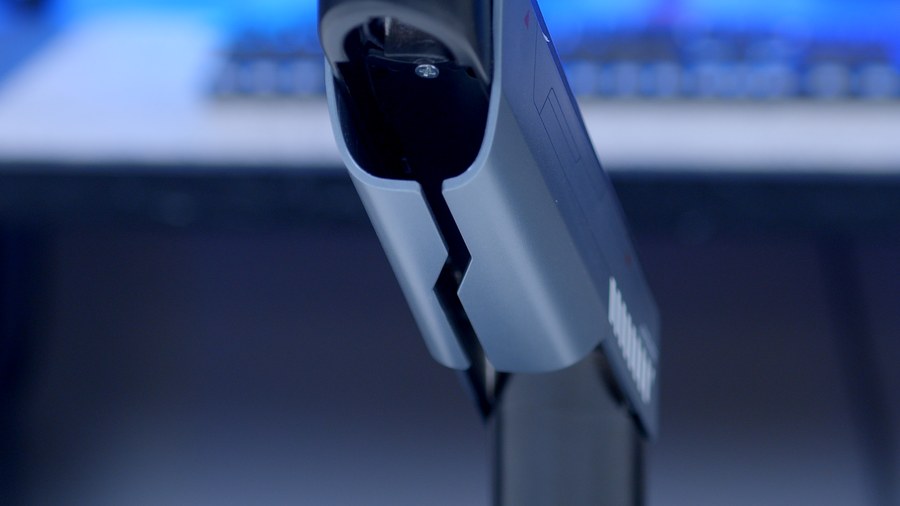
Cable management is built in as well. MSI says the arm keeps your wires organised and out of sight, routing them along the arm instead of leaving them dangling from the back of the screen. With a power cable and a DisplayPort or HDMI lead to hide, that’s the difference between a tidy desk and a bird’s nest.
Why Use A Monitor Arm?
Quick detour, because it’s a fair question. Most monitors come with a stand, so why pay extra for an arm?
The big one is desk space. Modern gaming monitors, ultrawides especially, tend to ship with wide, deep stand feet that swallow a chunk of the desk in front of the screen. An arm lifts the whole thing off the surface and clamps to the back edge, freeing that space for a keyboard, a mouse with room to swing, or a coffee you won’t knock over.
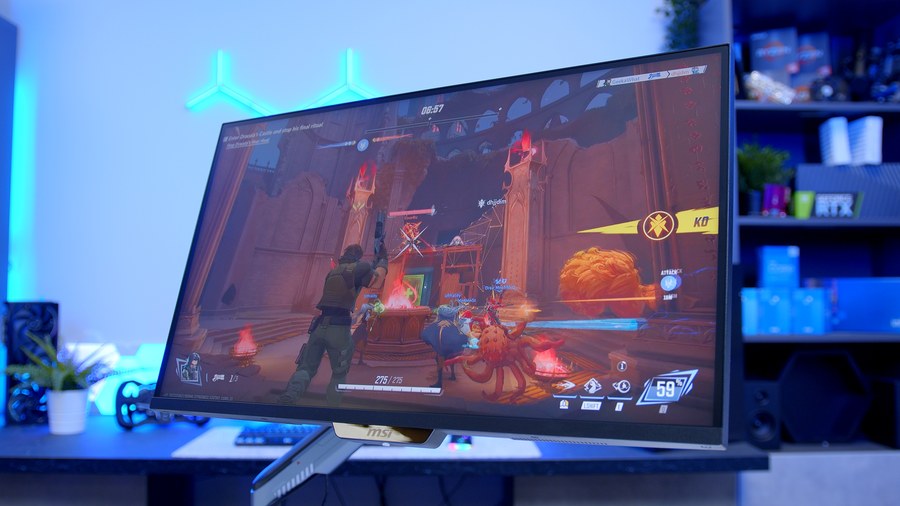
Then there’s ergonomics. Plenty of stands only adjust height and tilt, and some don’t even manage that. An arm lets you put the screen exactly where your eyes want it, pull it closer for a session of competitive play and push it back for a film. Pivot opens up portrait mode for coding, streaming chat or reading documents, which plenty of bundled stands can’t offer.
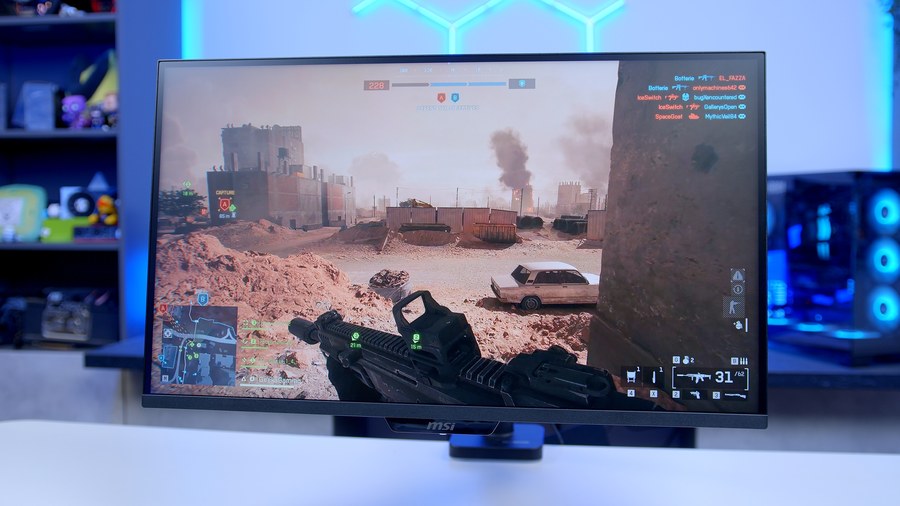
And finally, flexibility. Swap your monitor in a couple of years and a VESA arm comes with you, so it’s one of the few parts of a setup that outlives the hardware sat on it.
Features We Like
Room For The Biggest Screens
Plenty of monitor arms quietly cap out at 32 inches or so, which rules them out the moment you move up to an ultrawide. The MT201R doesn’t have that problem. Its screen size and weight ratings cover the super ultrawide sizes most gamers actually buy, with only the very biggest 57-inch screens out of reach, and that heavy base and arm are there to keep a big panel steady. If you own one of the hefty ultrawide OLEDs we’ve reviewed recently, this is an arm that’s been designed with your screen in mind.
Two Ways To Mount It
Not every desk is the same, and MSI has catered for that by supporting both a clamp and a grommet mount. The clamp covers a wide range of desk thicknesses, which takes in most standard desks and plenty of thicker worktop-style tops. The grommet option suits anyone who wants nothing on the edge of the desk at all, or whose desk sits flush against a wall with no gap behind it. Having both available means far fewer nasty surprises when the box arrives.
Features We Don’t Like
VESA Support Stops At 100 x 100
The two VESA patterns the MT201R supports cover most gaming monitors. Most, though, isn’t all. A handful of larger or more unusual displays use bigger mounting patterns, and some designs need a manufacturer adapter before they’ll take an arm at all. Given that MSI is pitching this at the biggest screens around, check your monitor’s spec sheet before you order.
Grommet Mounting Has Less Range
Both mounting options are welcome, but they aren’t equal. The grommet mount covers a noticeably narrower range of desk thicknesses than the clamp, so if you’ve got a thick solid wood or butcher block desk and you were hoping for the clean, through-desk look, you may find the grommet won’t stretch that far. The clamp will still do the job, it just won’t look quite as neat.
Conclusion
Monitor arms are a crowded market, with no-name gas spring arms at one end and premium designer arms up top. The MSI MPG MT201R sits in the middle, and its pitch is clear: a sturdy arm that can handle a big ultrawide, wrapped in a finish and lighting that match MSI’s own gaming monitors.
For me, the people who’ll get the most from it are owners of large ultrawides and heavy OLED panels who want their desk space back without worrying whether the arm can cope. If you’ve already built a setup around MSI hardware, the MT201R slots in neatly, and the quick release plate is a real convenience if you swap screens often.
Running a lighter 24 or 27-inch screen and not fussed about the lighting? There are cheaper arms that will do the same basic job. Check your monitor’s VESA pattern and your desk’s thickness before you buy. Get those two boxes ticked, and the MT201R is a solid, good-looking upgrade over almost any bundled stand.