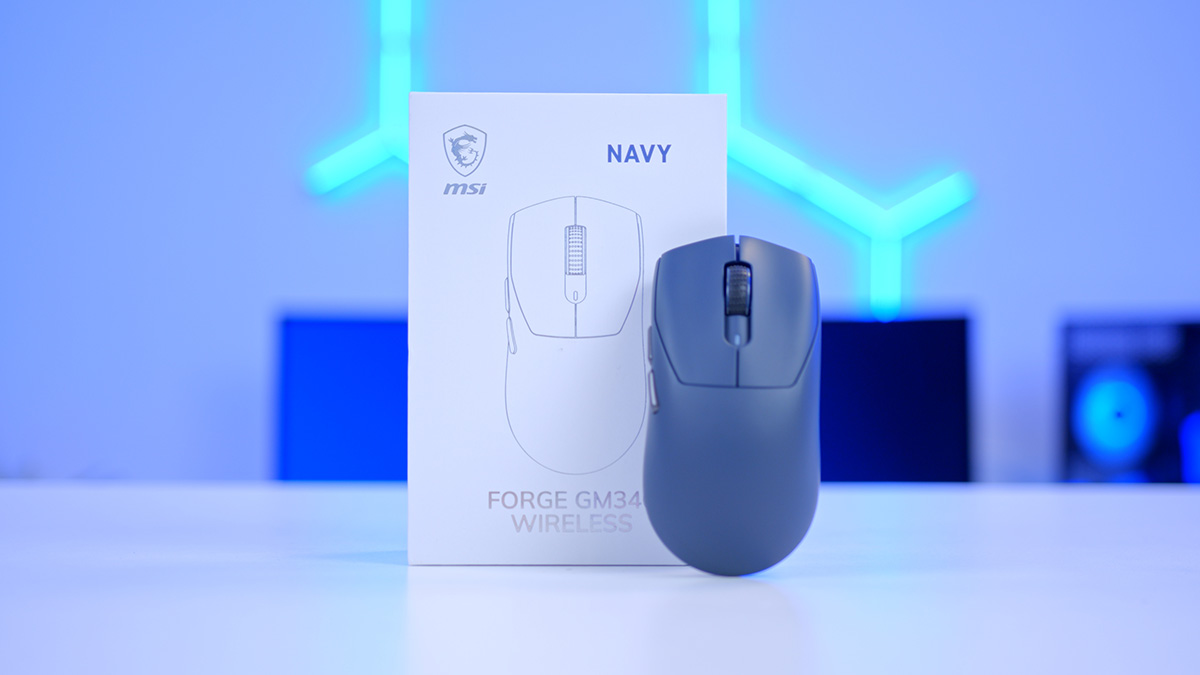
Right, let’s talk featherweight wireless mice. MSI’s FORGE line has quietly been carving out a niche for kit that works as hard for creators as it does for gamers, and the FORGE GM340 Wireless is the newest addition to land on our desks. At a claimed 57 grams, with a symmetrical shell and tri-mode connectivity, it’s aiming squarely at the lightweight crowd.
There’s no shortage of sub-60-gram mice fighting for attention these days, though, so does the GM340 Wireless do enough to stand out from the crowd, or is it just another lightweight chasing the trend? Let’s break it down.
Specifications
For a mouse aimed at the more bank-account friendly end of the market, the GM340 still has a solid list of specs. Lightweight, tri-mode connectivity, symmetrical design, all make for pleasant reading. The list of specs is lean but hones in on the things that make a difference to everyday use. Here’s the full rundown before we get into what it’s like to use.
FORGE GM340 Wireless Specifications
- Model MSI FORGE GM340 Wireless
- Connectivity 2.4GHz Wireless, Bluetooth 5.2, USB (Wired)
- Sensor PixArt PAW3311 Optical
- Max DPI 12,000
- DPI Presets 800 / 1600 / 2400 / 3200 / 6400 / 12000
- Polling Rate 1000Hz (1ms)
- Switch Durability Rated for 50 Million Clicks
- Buttons 6
- Battery Life Up to 82 Hours
- Weight 57g
- Dimensions (L x W x H) 122 x 61.5 x 38mm
- Cable MSI Paracord USB-A to C, 1.8m
- Mouse Skates Pure PTFE
- Software MSI GEAR
- Operating System Windows 10 or Later
- Colours Black, Navy, Sky, Pink, White
Front and centre is a PixArt PAW3311 optical sensor, a popular pick for wireless mice that need to juggle accuracy with battery drain. It tops out at 12,000 dots per inch (DPI). That ceiling is far higher than most people will ever dial in, so the more telling detail is the six pre-sets on offer: 800, 1600, 2400, 3200, 6400, and 12000.
Sitting behind that is a 1000Hz polling rate, which means the mouse tells your PC where it is a thousand times every second. Connectivity is where the GM340 really flexes, with MSI’s SWIFTSPEED 2.4GHz wireless, Bluetooth 5.2, and wired USB all covered, while six programmable buttons leave a little room to map shortcuts through the MSI GEAR software.
The rest reads like a lightweight wishlist. 57 grams keeps it in featherweight company, the switches are rated to 50 million clicks so they should comfortably outlast the mouse around them, and a quoted 82 hours of battery means charging is an occasional job rather than a nightly one.
Design
MSI has gone symmetrical here, and it suits the GM340 really well. There’s a soft hump towards the back that fills out a palm grip, while the front tapers off enough to keep claw and fingertip players happy too. At 57 grams the GM340 is super light, and MSI have got it here without drilling the shell full of holes. You still get the speed and the easy flicks of a featherweight, minus the honeycomb exterior that turns into a magnet for dust and crumbs. The matte coating pulls its weight too, giving your fingers something to hold onto and shrugging off most fingerprints in the process.

At 122mm long, 61.5mm wide, and 38mm tall, the GM340 sits in medium territory, usually the safest bet for covering the widest spread of users. Smaller to medium hands should palm it happily, while larger hands may lean more towards a claw or fingertip hold. There’s no real substitute for getting your own hand on one, but these are sensible, middle-of-the-road dimensions rather than anything niche.
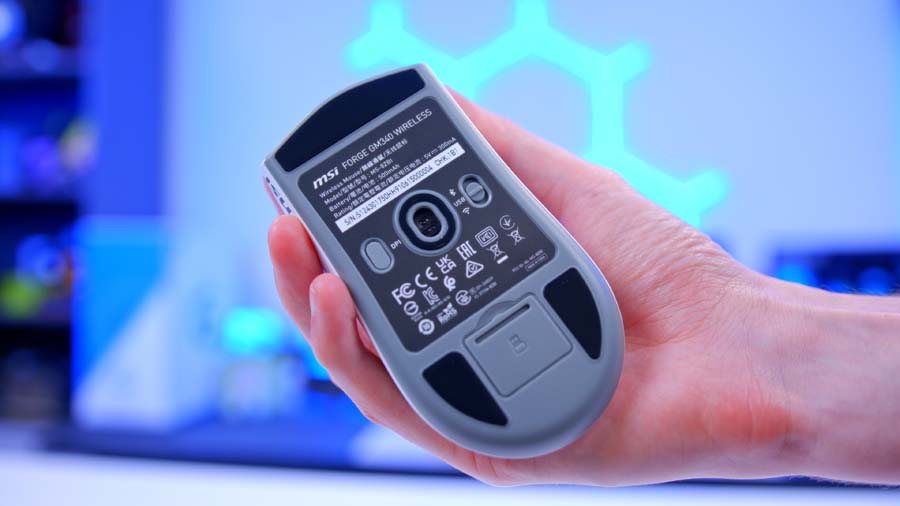
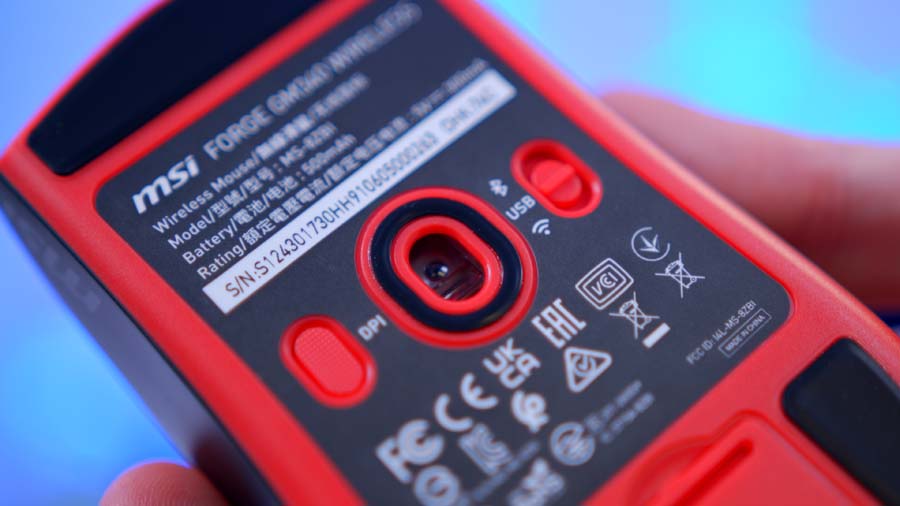
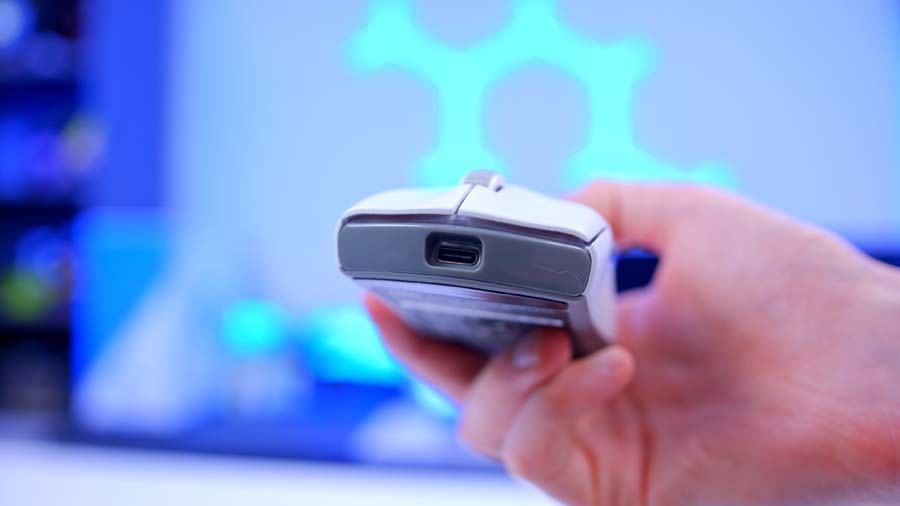
Flip it over and there’s the same care on show. Pure PTFE (polytetrafluoroethylene) skates cover each corner, and the USB Type-C port tucks into the front edge for charging or wired play. A 1.8m paracord type USB-C cable is included, made using a flexible braided-fabric that stays loose and doesn’t drag when you use the mouse wired. There’s a colour-coded status light too, giving you a quick read on which DPI pre-set you’re currently on.
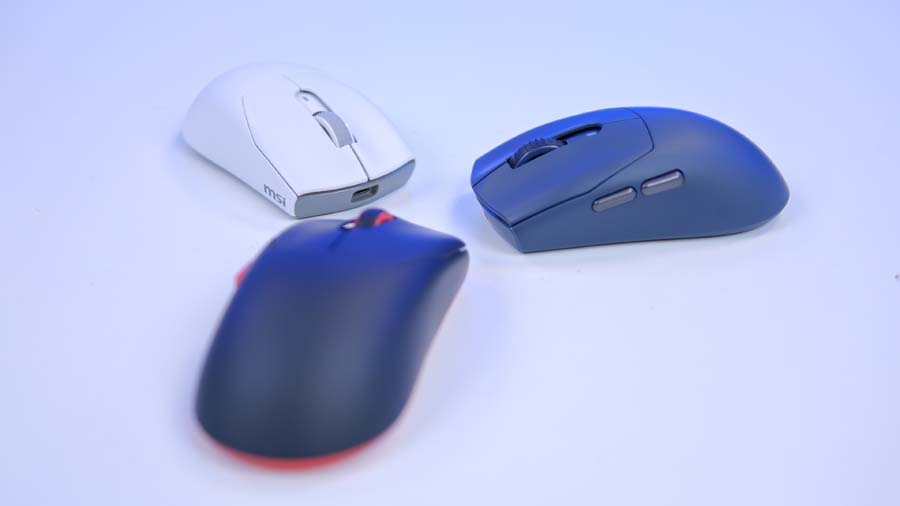
There’s five colours to choose from: Black, Navy, Sky, Pink, and White, and its a nice change from the sea of black gaming mice. The Black and Navy colourways in particular tie in with other peripherals in the MSI ecosystem. I reviewed the Maestro 500 Wireless recently and paired with a GM340 look to be a match made in heaven.
From Our Full Review
☆☆☆☆☆
3.9/5

Pros and Cons
Pros
- Multi Function Button
- Seamless Day-to-Day Integration
- Flip to Mute
Cons
- Multi Function Button Location
- Lacklustre Carry Bag
- PC Only Equaliser
Bottom Line
The MSI Maestro 500 Wireless is a do-it-all headset that mostly pulls the balancing act off. At 280g it’s light, it folds away for travel, and the clean, RGB-free styling suits a work call just as well as a late-night gaming session. Tri-mode connectivity held up with no dropouts, battery life tracks close to MSI’s lofty claims, and the flip-to-mute mic is a genuine convenience across calls and games. Sound is solid if a touch flat until you spend a couple of minutes in the equaliser, and the single multi-function button takes a few days to master thanks to its awkward top-left position. Get past that learning curve and it slots easily into daily life.
Read The Full ReviewA couple of things stop it being perfect. The symmetrical shell only goes so far, because the side buttons live on the left edge alone, so lefties miss out on the full ambidextrous layout experience. The pale finishes are the other one to watch and while I am actually a big fan of the lighter colourways, light coated mice tend to be much quicker to show wear and dirt. Both are relatively small gripes in the grand scheme, especially considering the budget position, and they don’t take much shine off a design I really rate.
Colourways
The GM340 Wireless is available in five colourways. All five share the same 57 gram symmetrical shell, matte finish, six-button layout and green DPI status indicator, the differences between them are purely cosmetic and come down to the shell colour, the accent detailing and the scroll wheel.
Black
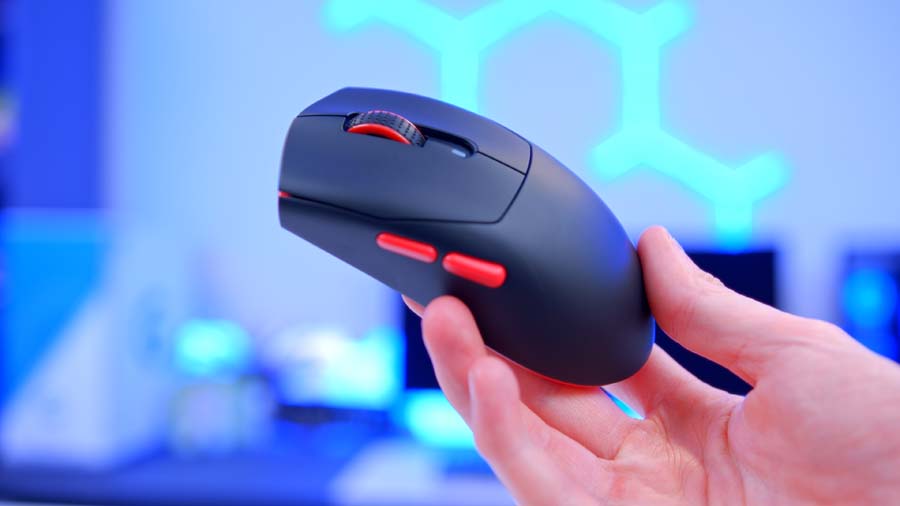
The Black model uses a matte black shell with contrasting red accents. The red runs across the scroll wheel, both side buttons and the lower trim around the base, making it the only finish in the range with a second accent colour. The main click surface and the underside stay black.
Sky
Sky is a light blue-grey finish covering the shell, with a white scroll wheel and side buttons in the same pale tone. It keeps to a single tonal colour with no contrast detailing.
Navy
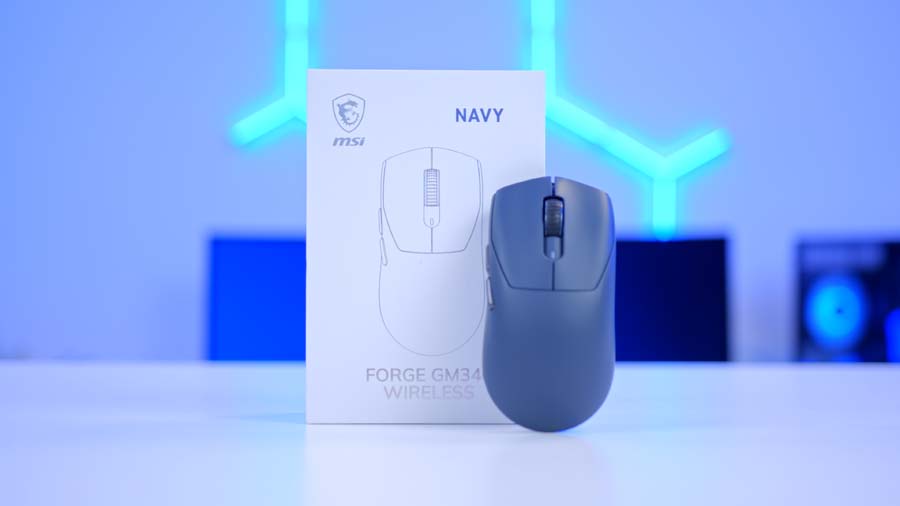
The Navy model applies a deep, dark blue across the entire shell, paired with a tonal grey scroll wheel and matching grey side buttons. It’s a single-colour, monochrome finish with no contrasting accents.
Pink
The Pink model is a soft, muted pastel pink across the shell, with a light grey scroll wheel and side buttons in a matching pink. The finish is uniform, with the standard green status indicator sitting just behind the scroll wheel.
White

White uses a clean white shell with a grey scroll wheel and grey side buttons, along with a darker grey section around the sensor cut out on the underside. It’s the lightest finish in the range.
Features We Like
All-Day Comfort
The combination of a 57-gram body and a symmetrical shell is the GM340 Wireless’s strongest suit. Light mice make quick flicks and fine adjustments feel effortless, and they take a lot of the strain out of longer sessions. Because the shape is symmetrical, most grip styles are catered for, so there’s no need to relearn how you hold a mouse to get comfortable with it.
Connection Flexibility
Connectivity is the other real highlight. The GM340 Wireless runs in three modes: low-latency 2.4GHz wireless via MSI SWIFTSPEED using the bundled dongle, Bluetooth 5.2 and good old wired USB. For the price, for those looking for a versatile mouse with flexible connection types, the GM340 is a no brainer.

Features We Don’t Like
Light On Extras
For all it gets right, the GM340 Wireless is fairly no-frills. There’s no charging dock or wireless charging in the box, lighting is limited to a single status indicator rather than any real flourish, and there’s no carry case for a mouse that’s otherwise well suited to travel. None of this is a dealbreaker, but buyers who like a few premium extras thrown in may find the package a touch sparse.
Windows-First Support
The other niggle is compatibility. MSI officially lists support for Windows 10 and above, with no mention of macOS or console compatibility. The mouse will very likely still work as a basic pointing device elsewhere, but you shouldn’t count on the MSI GEAR software, and with it the full dots per inch (DPI) and button-remapping options, playing nicely outside Windows. It’s a shame for a mouse that otherwise pitches itself as an everywhere, everything device.