
Quiet keyboards are having a moment, and I’m all for it. Anyone who’s shared an office, a flat or a late-night voice call with a clacky mechanical board knows exactly why. Ducky’s latest answer is the Cushion 98, and as the name gives away, comfort is the entire pitch here.
It’s a tri-mode wireless board that squeezes a full numpad into something much closer to a tenkeyless (TKL) footprint, sits on a brand-new mounting system Ducky calls Nest Mount, and ships with the company’s own Shush silent switches. Oh, and the top case comes off without a single screwdriver in sight. Right, let’s dig in.
Specifications
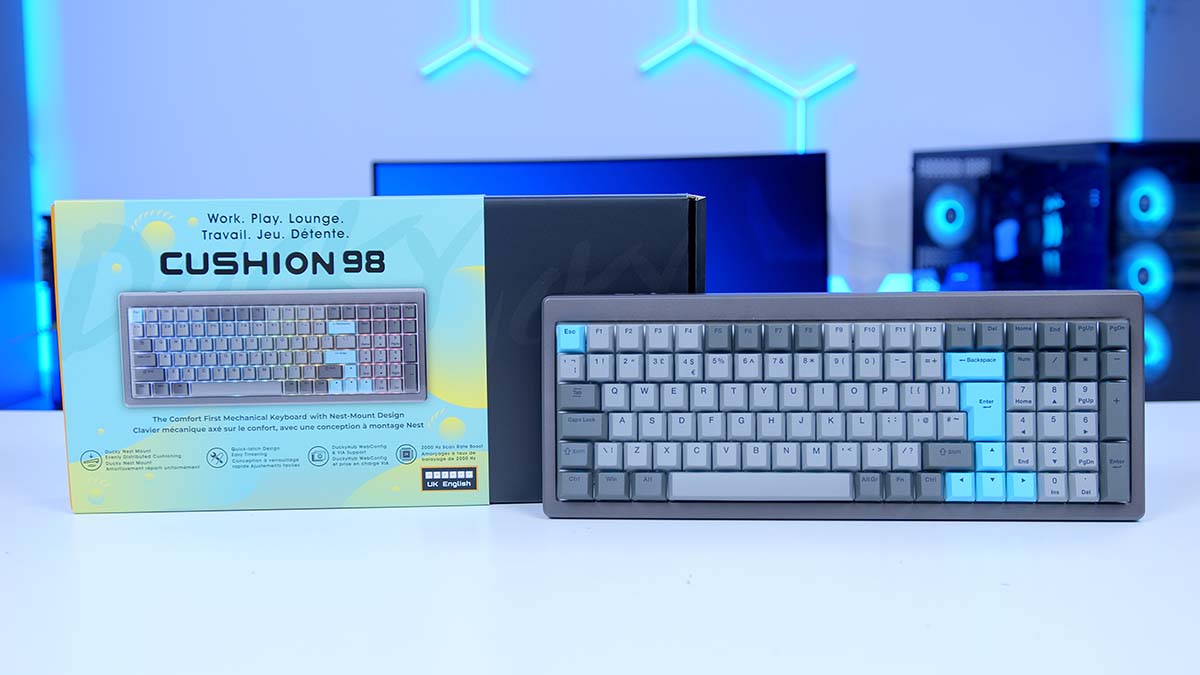
On paper, then. The Cushion 98 uses what Ducky calls a 980 layout. In plain English, that’s most of what you’d get from a full-size board, numpad very much included, pulled in tight so the arrow cluster and numpad sit right up against the main block. Ducky reckons the result takes up about as much room as a TKL, and having lived with full-size boards eating half my mouse space for years, I’m a fan of the idea.
Ducky Cushion 98 Specifications
- Model Ducky Cushion 98
- Layout 980 layout, 100 keys (80% TKL footprint)
- Mount Style Ducky Nest Mount
- Dampening Nest Mount cushioning + PCBA dampening (2 x swappable cushioning layers)
- Case Material Aluminium top case, ABS bottom case
- Plate Material Aluminium
- Switches Ducky Shush Silent Linear (Silent Red) or Shush Silent Tactile (Silent Green), hot-swappable
- Stabilisers Plate-mounted
- Keycaps PBT dye-sub, Cherry profile
- Lighting South-facing per-key RGB
-
Connectivity
Wired: USB Type-CWireless: 2.4GHz RFBluetooth: Up to 4 devices
- Report Rate 1,000Hz (scan rate boost up to 2kHz)
- Rollover NKRO (wired), 6KRO (wireless)
- Battery 4,200mAh (up to 63 hours, lighting off)
- Software DuckyHub web configurator, VIA support
- Typing Angles 7°, 9°, 11°
- Dimensions (L x W x H) 386.16mm x 147.07mm x 41.74mm
- Weight 1,216g (±15g)
- In The Box USB Type-C to Type-C cable, Type-C to Type-A adapter, 2 x cushioning layers, spare Shush switches, grey replacement keycaps, Ducky Ducko brush, Ducky Smart 2-in-1 puller
- Colourways Nickel (UK), Silver (outside the UK)
Build materials are a step above what you’d find on most mainstream boards. The top case and plate are both aluminium, with an acrylonitrile butadiene styrene (ABS) plastic shell underneath, and the stabilisers are plate-mounted. Inside, Ducky layers its Nest Mount cushioning with extra dampening on the printed circuit board assembly (PCBA) itself, all aimed squarely at killing hollow, pingy noise before it reaches your ears.
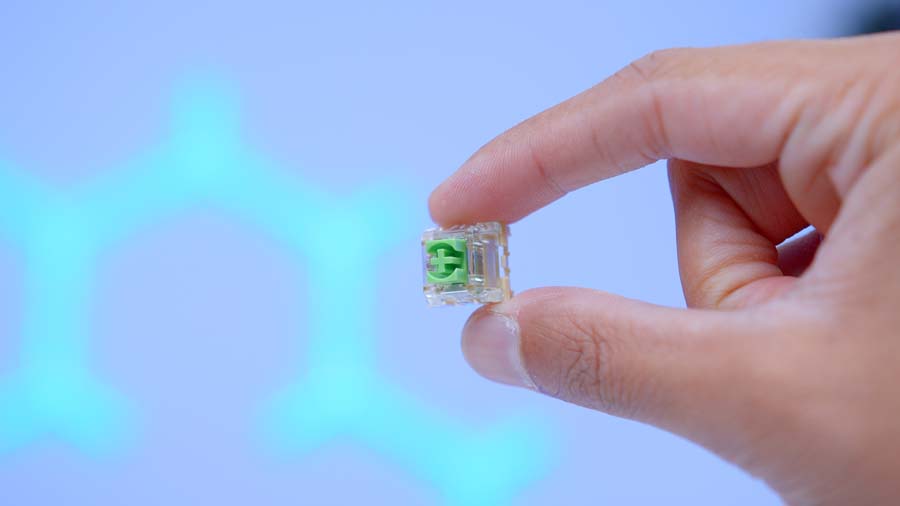
Switch-wise, you get a choice of two Ducky Shush silent switches: a linear (sold as Silent Red) and a tactile (Silent Green). Both sit in hot-swap sockets, so if neither suits, you can pull them and drop in your own favourites without going near a soldering iron.
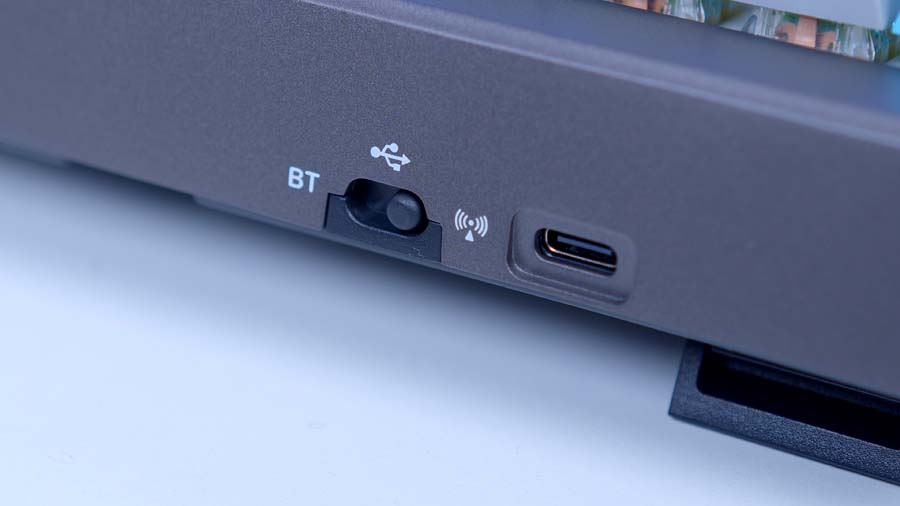
Connectivity covers all three bases. There’s wired Universal Serial Bus (USB) Type-C, a low-latency wireless dongle and Bluetooth with multi-device pairing, with device slots switched through the Fn layer. Ducky has also boosted the board’s internal scan rate, which it says pushes key detection beyond the conventional standard. One thing we’d flag, though: N-key rollover (NKRO), where every simultaneous press registers, is reserved for wired mode. Go wireless and rollover is capped.
Configuration happens through DuckyHub, Ducky’s browser-based tool that needs no software download, and there’s VIA support too for anyone already set up with the open-source configurator. As for battery life, bear in mind that Ducky’s rating assumes the lighting’s switched off. Run the red, green and blue (RGB) lighting and you’ll be reaching for the cable sooner.
Design
Pick the Cushion 98 up and the first thing you notice is the build quality. That aluminium top case gives it a dense, planted feel that’s miles away from the hollow plastic shells you’ll find further down the market. It’s a compact board, sure. Lightweight it isn’t.
The keycaps are polybutylene terephthalate (PBT) in the Cherry profile. PBT is the good stuff, resisting the greasy shine that ABS caps pick up after a few months of use, and Cherry profile is a sculpted, lower-height shape that plenty of enthusiasts consider the gold standard for typing. Ducky lists the legends as dye-sublimated, so they’re built to last, though that also means they aren’t shine-through.
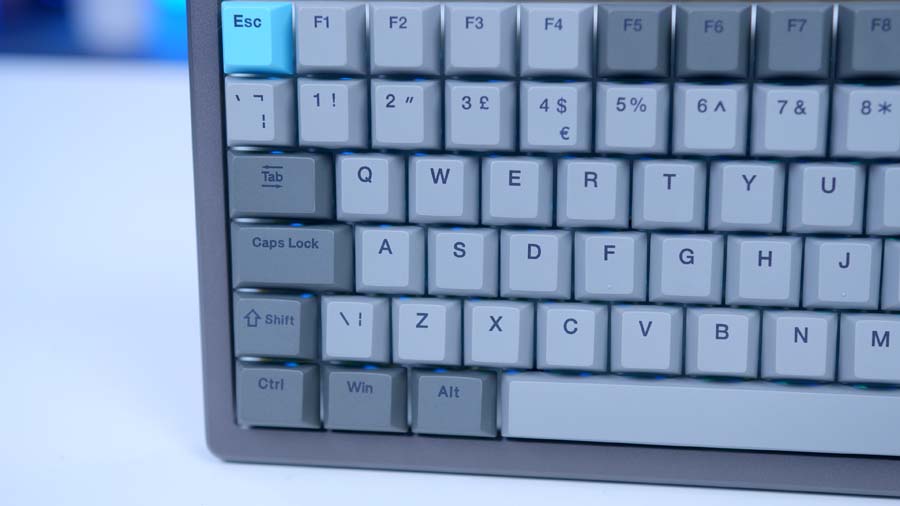
That leads nicely onto the lighting. The RGB is south-facing, with each light-emitting diode (LED) sitting on the side of the switch nearest you. It’s mainly a compatibility win, since south-facing LEDs avoid the keycap interference that Cherry-profile sets can run into on north-facing switches. With no shine-through legends, the effect is more of a glow around and between the keys than lit lettering. Subtle, and I quite like it.
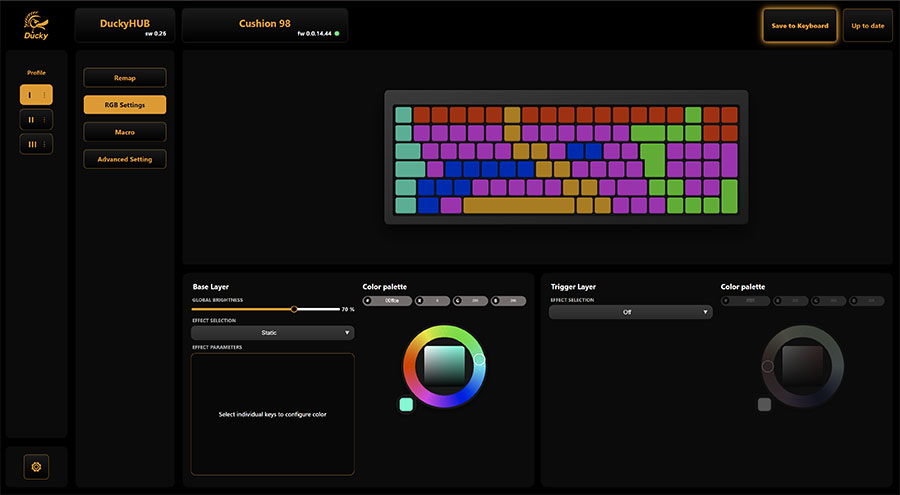
Better still, the lighting is per-key, and DuckyHub makes customising it a pleasure. You can set colours key by key, so picking out your WASD cluster for gaming or colour-coding shortcuts for editing work takes a few clicks. It’s the kind of feature that barely registers on a spec sheet, but I found myself tinkering with it far more than I expected.
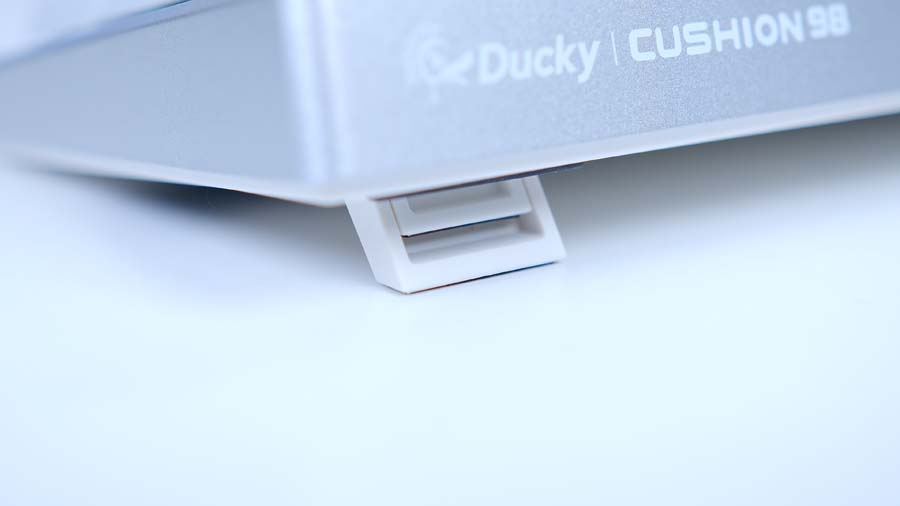
Round the underside, the feet give you three typing angles to pick from, though as I’ll get to later, they’re not quite as sturdy as the rest of the board.
Ducky’s far more generous in the box. Alongside its Ducko cleaning brush and a Smart 2-in-1 puller that handles both keycaps and switches, you get a handful of spare Shush switches and a set of grey replacement keycaps for anyone who’d prefer to ditch the blue accents. The cable is Type-C at both ends, with a Type-A adapter for older ports, so you’re covered whatever ports you’ve got spare.
Colourways
Ducky sells the Cushion 98 in two finishes, Nickel and Silver. Here in the UK, though, only Nickel is on sale. Silver is available in other regions, so if you’ve got your heart set on it, you’ll need to look at importing.
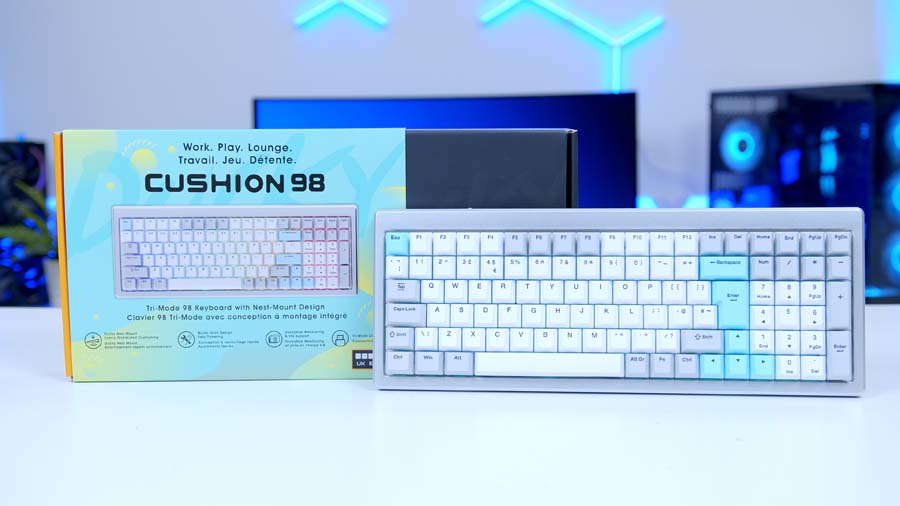
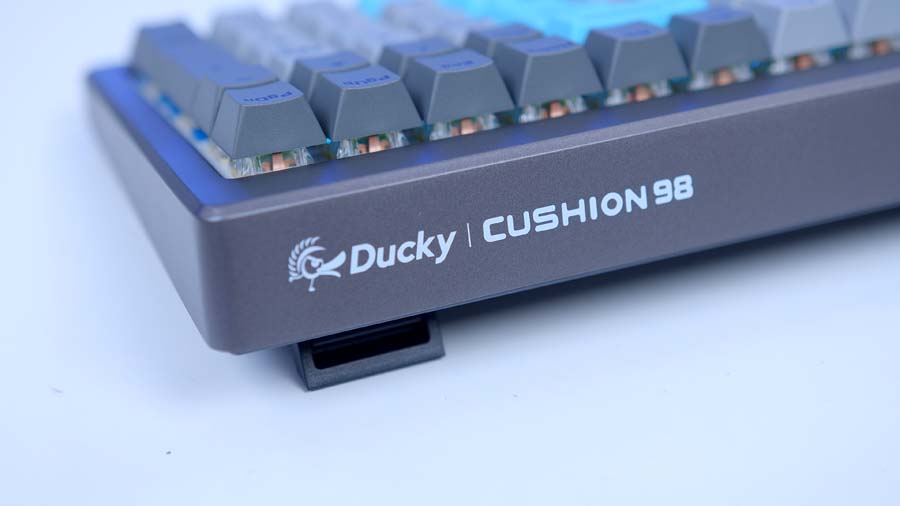
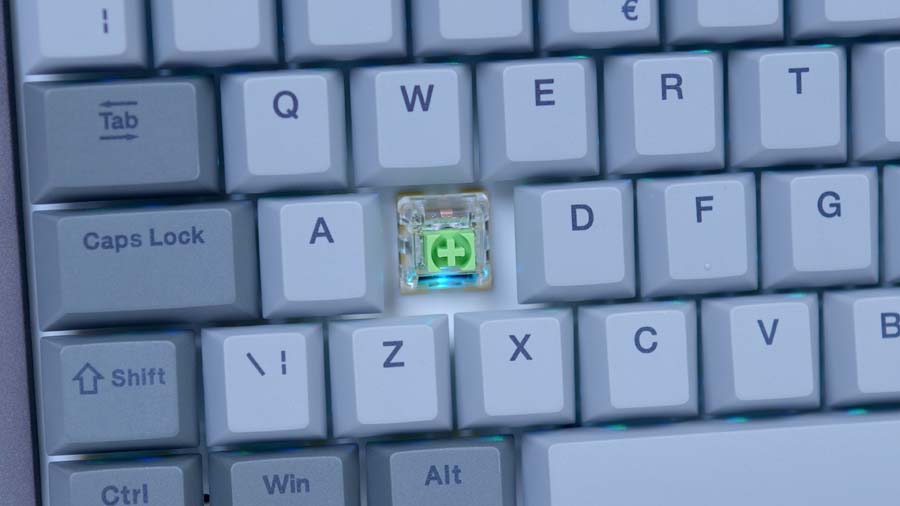
Nickel is the darker of the pair. The case and most of the keycaps come in shades of grey, with a handful of blue accent keys breaking things up. It’s the natural pick for a darker desk, and that splash of blue gives it just enough personality without tipping into anything shouty. Not a fan? The grey replacement keycaps in the box let you swap the blue out for an all-grey look in a couple of minutes.
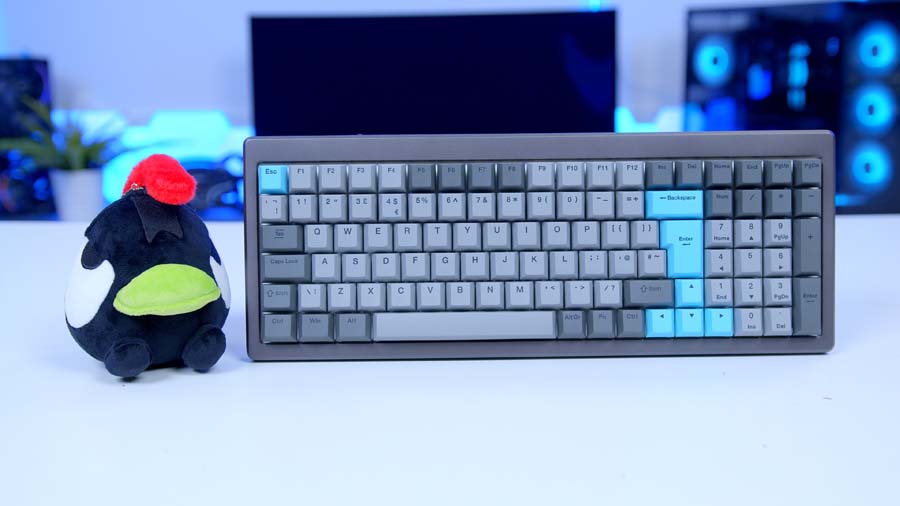
Silver heads the other way, with a lighter grey palette that feels a touch more understated. It’d sit nicely alongside a white or light-coloured build, and I’d say it’s the more office-friendly of the two.
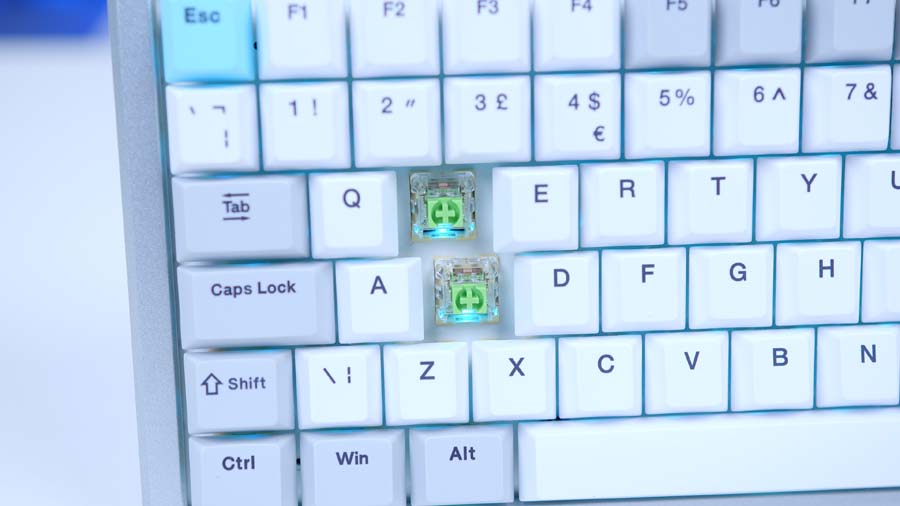
Functionally, they’re identical. Same Nest Mount, same switch options, same tri-mode connectivity. Both share a clean, grown-up look with no gamer-angled edges, which suits the “work, lounge, play” brief Ducky has set for the Cushion 98. So the choice comes down to taste. And, for UK buyers, how much hassle you’re willing to go through.
Nest Mount vs Gasket Mount: What’s the Difference?
Quick detour, because “mount” is one of those keyboard terms that gets thrown around a lot without much explanation. The mount is simply how the plate and circuit board are held inside the case, and it has a huge say in how a board feels and sounds.
Most budget boards are tray mounted, with the circuit board screwed straight into the bottom of the case. It’s cheap and sturdy, but every keystroke transfers directly to the case, so it tends to feel stiff and sound clacky. Gasket mounting became the enthusiast favourite by sandwiching the plate between strips of foam or silicone placed at points around its edge. That lets the whole assembly flex a little under your fingers, softening the feel and the sound.
Ducky’s pitch is that Nest Mount goes a step further. In place of those individual points, it uses a dedicated cushioning layer that, according to Ducky, absorbs keystroke force and spreads the dampening evenly across the whole board, giving a more uniform feel from key to key than a gasket mount. Two cushioning layers come in the box, each offering a different level of softness, so you get to pick how plush you want it.
Software: DuckyHub
There’s no software to install with the Cushion 98. No launcher, no background app quietly eating up memory, and nothing new sat in your system tray. Everything runs through DuckyHub, Ducky’s web-based configurator, so you open it in your browser, connect the keyboard and you’re up and running.
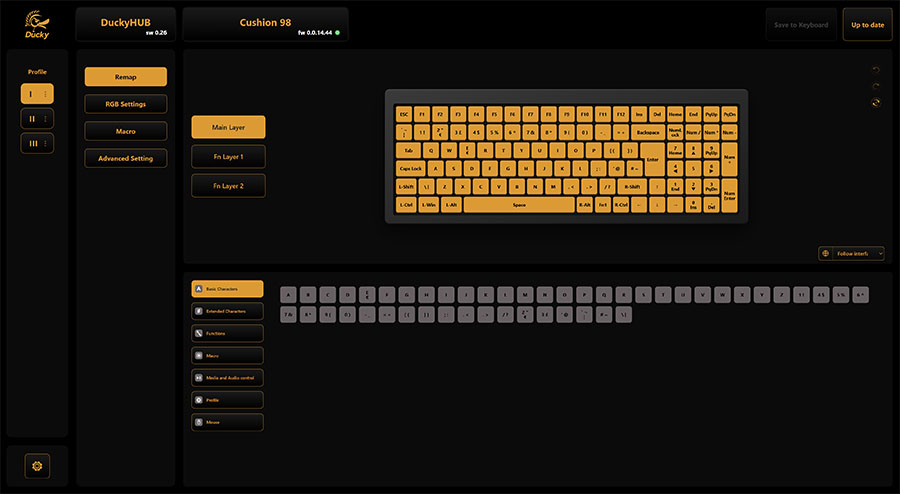
From there, you can remap keys, set up macros and tweak the lighting key by key. Ducky also gives you three profiles to flick between using Fn shortcuts, so you could keep one set up for work, one for gaming and a spare for whatever takes your fancy.
Prefer to stick with what you know? VIA support means you can configure the Cushion 98 through the open-source tool instead, with Ducky providing the files you need on its website.
The flip side of having nothing installed is that any deeper changes mean heading back to the browser. Switching profiles happens on the keyboard itself, but want to rework a lighting effect or adjust a macro? It’s DuckyHub every time. For most people, though, this’ll be a set-it-and-forget-it job, and most will take that trade over yet another bloated launcher.
Features We Like
Tool-Free Cushion Swapping
This is the clever bit. The Cushion 98’s aluminium top case is held on by a screwless quick-latch system, so getting inside takes seconds and zero tools. Release the latch, lift the case away and you can swap between the two included cushioning layers on the spot.
Tuning a keyboard’s feel usually means a screwdriver, a tray for the screws and a nervous half hour hoping you don’t strip anything. Here, it’s something you can try on a whim, decide you don’t like, and switch straight back. The same access makes deeper mods far less daunting too, which tinkerers will appreciate.
Typing That Feels Spot On
Right, onto the bit that matters most. Typing on the Cushion 98 is a treat. Every keypress feels satisfying and responsive, and the speed it lets me type at is spot on. It’s the kind of board you sit down at to answer a couple of emails and end up writing a whole article on.
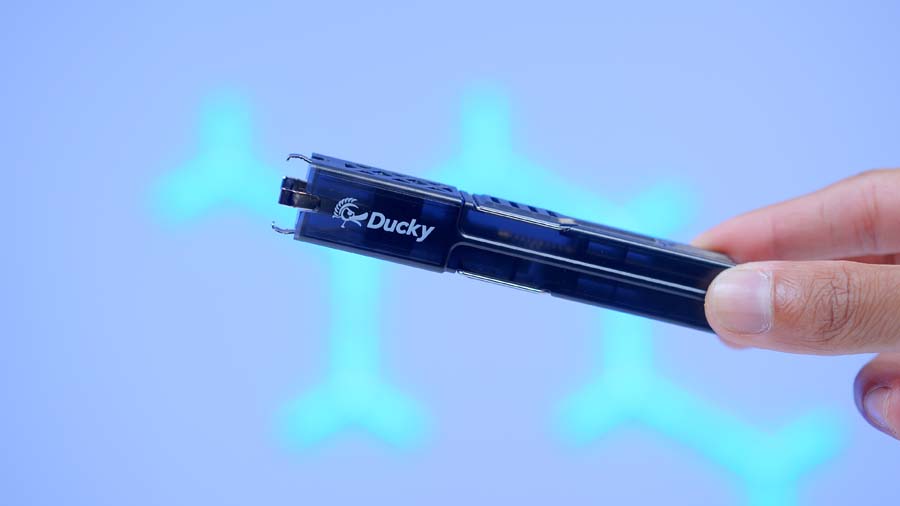
A lot of that comes down to how well everything works together. The PBT keycaps feel good quality under your fingertips, and pairing the Shush switches with the Nest Mount cushioning gives each press a soft landing without blunting its precision. Ducky says integrated dampening on the linear Silent Reds helps quieten both the bottom-out and the top-out too, so it’s designed to stay hushed whether you’re hot-desking next to colleagues or gaming well past midnight.
And if you fancy a change down the line, the hot-swap sockets mean your switch choice on day one isn’t a lifelong commitment.
Features We Don’t Like
Feet That Fold Under Pressure
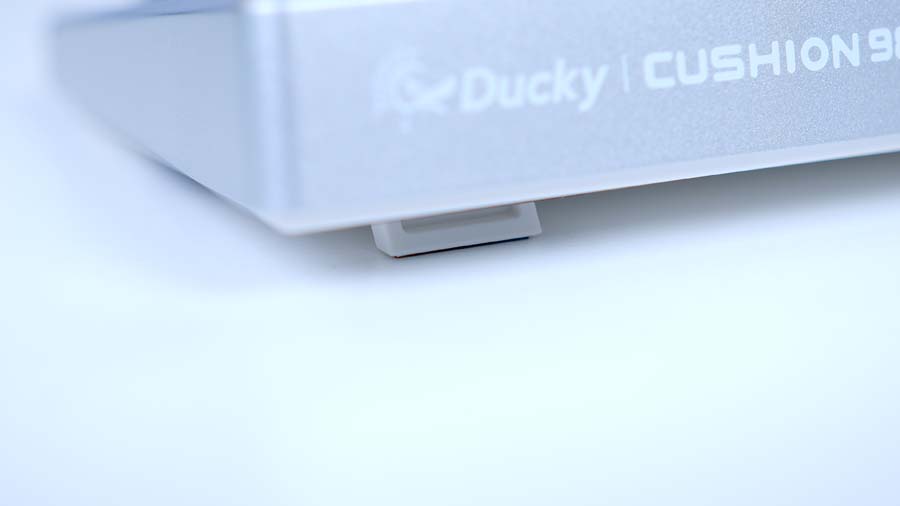
My biggest gripe is with the feet. I tend to shuffle my keyboard around the desk a fair bit, and whenever I pushed the Cushion 98 forward to make room, the feet would often collapse back in. One minute I’m typing at my preferred angle, the next the board’s dropped flat. For a keyboard that gets so much right on the build front, it’s a frustrating oversight, and a firmer lock on the feet would go a long way.
The connection switch could do with tightening up too. It feels like it should click firmly into each of its three positions, but there’s more play in it than I’d like, and it’s all too possible to leave it stranded between modes. When that happens, guessing which mode the board’s picked up is a coin toss.
Software And Wireless Small Print
Out of the box, I couldn’t get the Cushion 98 to connect over Bluetooth at all. The fix was plugging it in with the cable and opening DuckyHub, which immediately prompted me to update the Bluetooth firmware. After that, pairing worked as it should. It’s a one-time job, and credit to DuckyHub for flagging it straight away, but if you’re planning to go wireless from the off, expect to plug in first.
DuckyHub’s no-install approach is great in theory, but the small print matters. Ducky states that a Chromium-based browser is required and that Windows is the platform with full support, so if you’re a Firefox or Safari user, or you work on macOS or Linux, the experience may be more limited.
Then there’s that rollover cap in wireless mode. It’ll make no difference to typing and very little to most gaming, but if you play rhythm games or lean on complex multi-key macros, you’ll want the cable plugged in to get full NKRO back.
Conclusion
The Cushion 98 sits firmly at the premium end of the wireless mechanical market, and it isn’t trying to win a spec-sheet arms race. You won’t find the sky-high polling rates that esports-focused boards chase. What you get instead is a keyboard built around typing comfort, with a mounting system and switch lineup chosen purely to soften and quieten every press. It isn’t flawless, with feet that fold too easily and a vague connection switch, but neither touches what matters most. It’s a joy to type on.
That makes it a great fit for anyone who types for a living, works in an open-plan office, or games late while everyone else is asleep. It’s also a smart pick if you want a numpad without surrendering half your desk, or you like the idea of tuning your board’s feel without breaking out the toolkit. If you mostly play competitive shooters and want every last millisecond, there are boards built with that in mind. If you spend more hours typing than gaming, though, I’d happily point you towards the Cushion 98.