

High-end PC hardware has spent years being sold almost entirely on frame rates. Fair enough, that’s where most of it ends up! But a flagship graphics card is capable of a lot more than pushing 4K at high refresh rates, and one of the fastest-growing reasons to own one right now has nothing to do with games at all.
Ask most people where AI lives and they’ll point at a browser tab. ChatGPT, Gemini, Claude… all subscription services, all running on someone else’s servers. That’s one way of doing it. The other is to run the model yourself, on your own hardware, with nothing leaving the room.
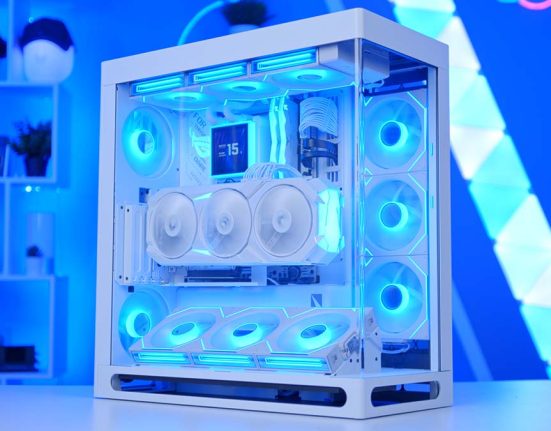
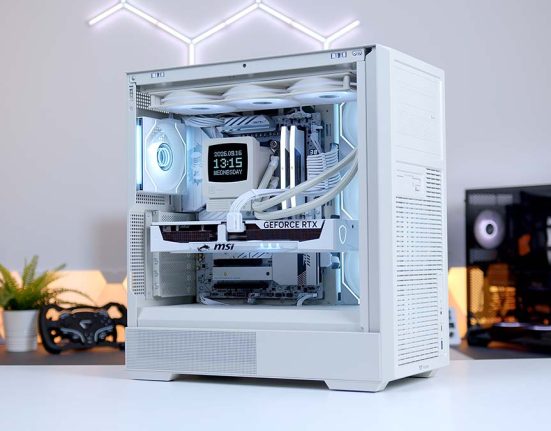
That’s what this build is all about. We’ve partnered with ASUS to put together what we’re calling an Agent Computer, built around the ROG Astral RTX 5090 and ROG Maximus Z890 Hero. And no, it doesn’t need to be a dedicated AI box humming away in the corner. Once it’s finished working for you, the same machine will happily game, stream and edit too. First, though, let’s run through the hardware.

Intel Core Ultra 9 285K
Skip to SectionIntel’s flagship desktop chip, with 24 cores to juggle a local AI agent, games and streaming at once, plus a built-in NPU for lighter AI tasks.
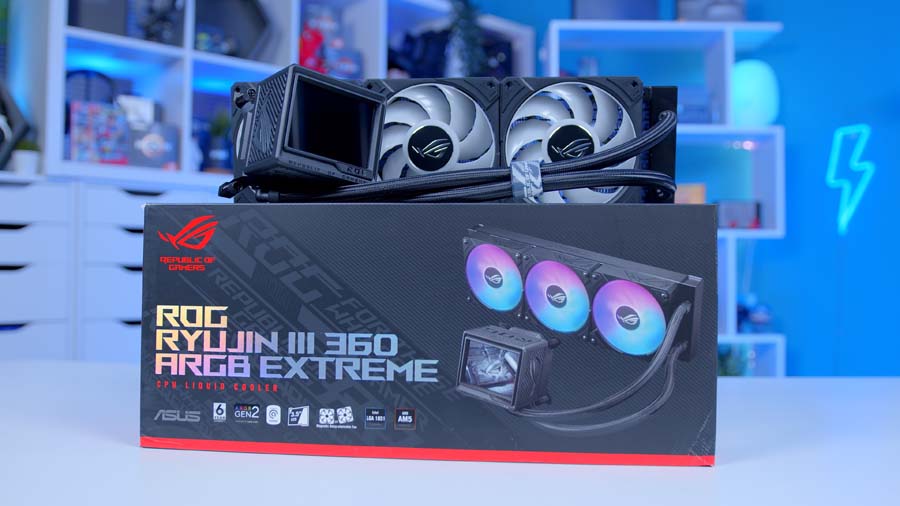
ASUS ROG Ryujin III 360 ARGB Extreme
Skip to SectionA flagship 360mm AIO tuned for Core Ultra hot spots, with an Asetek Gen8 V2 pump, an embedded VRM fan and a 3.5-inch LCD for live system stats.
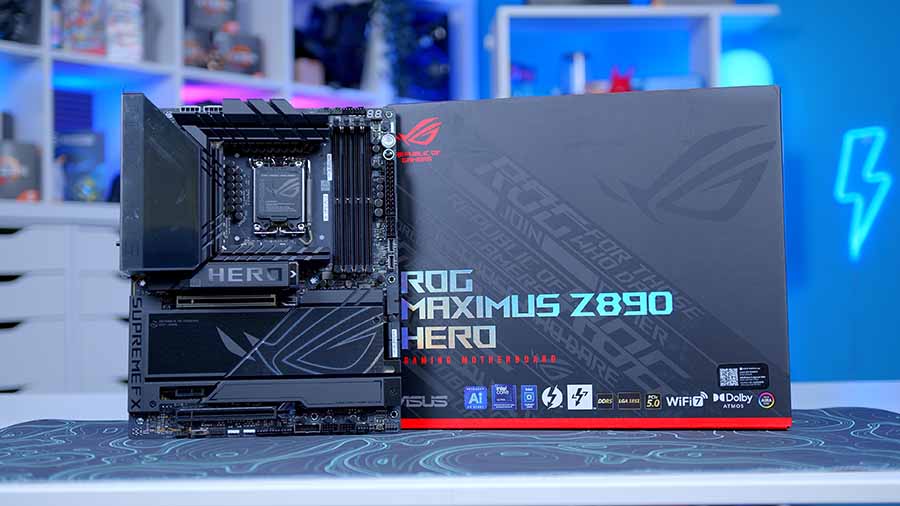
ASUS ROG Maximus Z890 Hero
Skip to SectionA high-end Z890 board with six M.2 slots for a growing library of AI models, dual LAN, Wi-Fi 7 and ASUS’s tool-free Q-Release features.

Corsair Dominator Titanium DDR5 64GB
Skip to SectionA premium 64GB DDR5 kit that gives local AI tools room to offload larger models, while keeping an agent, a game and a stream running side by side.
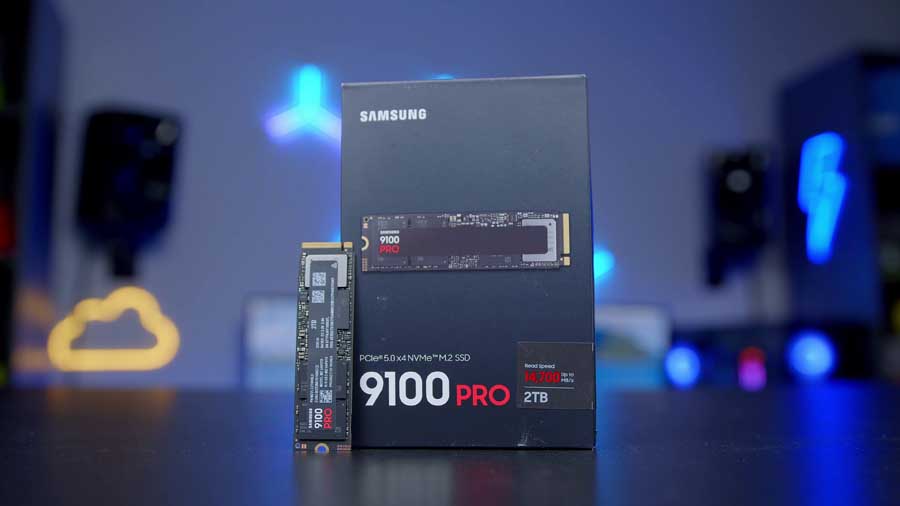
Samsung 9100 PRO 2TB
Skip to SectionOne of the fastest Gen 5 drives around, cutting the wait when loading multi-gigabyte AI models and leaving space for games and capture footage.
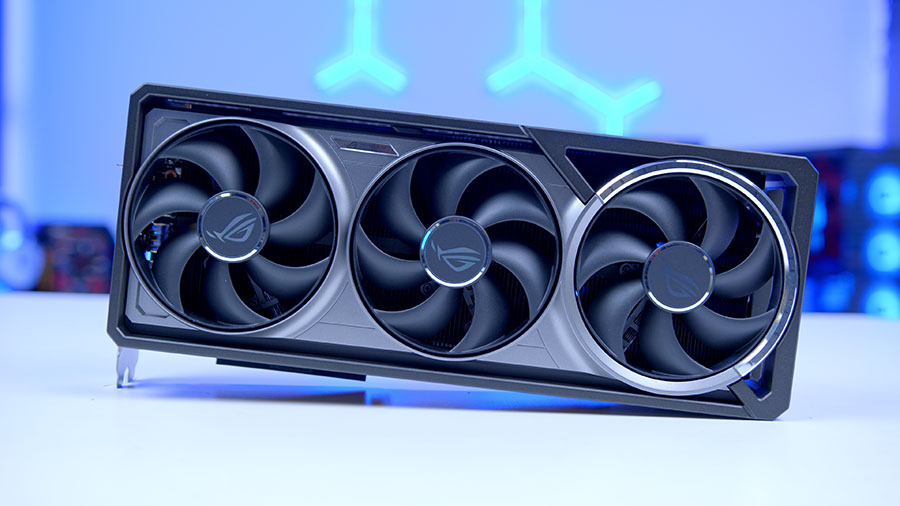
ASUS ROG Astral RTX 5090 OC
Skip to SectionThe fastest consumer GPU there is, and the heart of the Agent Computer: 32GB of GDDR7 runs large local AI models and still handles 4K gaming with ease.

ASUS TUF Gaming GT502 Horizon
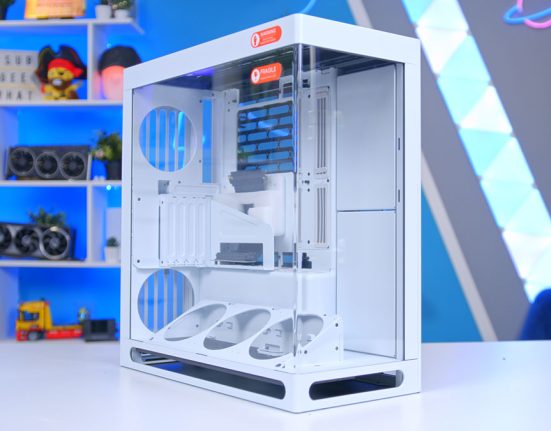
Skip to SectionA dual-chamber ATX case with a pillarless panoramic glass front, plenty of room for the Astral and a clean main chamber for showing off the ROG hardware.
ASUS ROG Strix 1200W Platinum
Skip to SectionA fully modular ATX 3.1 PSU with plenty of headroom for long AI sessions on an RTX 5090, plus ASUS’s GPU-First voltage stabiliser on the 16-pin cable.
Intel Core Ultra 9 285K
With the Z890 Hero locked in, we’ve gone with Intel’s Core Ultra 9 285K to run the show. It packs 24 cores, eight Performance and sixteen Efficient, and boosts up to 5.7GHz.
At 4K the GPU does almost all of the heavy lifting in games, so the 285K earns its keep with everything happening alongside: the agent’s tool calls, OBS encoding overhead, a few dozen browser tabs, Discord… you get the idea.
There’s a 13 TOPS NPU on board too. It won’t be running any language models next to the Astral’s 3,593 AI TOPS, but every lighter job it picks up, like background blur or noise suppression, is one the GPU doesn’t have to.
ASUS ROG Ryujin III 360 ARGB Extreme
Keeping the 285K cool is the ROG Ryujin III 360 ARGB Extreme. ASUS has tuned this version for the hot spots on Core Ultra Series 2 chips with an adjustable mounting bracket, and it’s built around Asetek’s Gen8 V2 pump with three magnetic ROG ARGB fans, plus a small fan in the pump housing that pushes air over the motherboard’s VRMs. The 285K’s 250W max turbo is comfortably within what it can deal with.
The party piece is the 3.5-inch, 480p 60Hz LCD on the pump block, a handy way to keep an eye on temps and load while the agent chews through a long task. Six-year warranty, too. Nice.
ASUS ROG Maximus Z890 Hero
Everything sits on the ROG Maximus Z890 Hero, keeping the build firmly in ROG territory. Power delivery is a 22+1+2+2 design with 110A stages on the Vcore, more than enough for the 285K under sustained loads.
For an AI machine, though, storage is where the Hero stands out. There are six M.2 slots, three PCIe 5.0 and three PCIe 4.0, and with model files often tens of gigabytes each, that space fills up quickly. One thing to plan around: populating M.2_3 or M.2_4 drops the main graphics slot to x8, so we’ve put our SSD in M.2_1. It runs straight from the CPU and leaves the Astral with all 16 lanes.
You also get 5Gb and 2.5Gb Ethernet, Wi-Fi 7 and two Thunderbolt 4 ports for reaching your agent from around the house, plus NPU Boost, AI Overclocking and the AI Advisor in the BIOS. PCIe Slot Q-Release Slim and tool-free M.2 Q-Latch make it a lovely board to build on as well (a relief with a card as chunky as the Astral!).
Motherboard Specifications
- Model ASUS ROG Maximus Z890 Hero
- Chipset / Socket Intel Z890 / LGA1851
- Form Factor ATX (305mm x 244mm)
- CPU Support Intel Core Ultra (Series 2) desktop processors
- Memory Support 4 x DDR5 DIMM, up to 256GB, up to DDR5-9200+ (OC), CUDIMM support
- VRM Design 22+1+2+2 power stages (110A on Vcore)
- DIY Features PCIe Slot Q-Release Slim, M.2 Q-Latch, M.2 Q-Release, Q-Code
- Graphics Card Compatibility 1 x PCIe 5.0 x16 SafeSlot (runs x8 when M.2_3 or M.2_4 is populated)
- Expansion Card Compatibility 1 x PCIe 4.0 x16 (x4 mode) + 1 x PCIe 4.0 x1
- M.2 Compatibility 6 x M.2: 3 x PCIe 5.0 x4, 3 x PCIe 4.0 x4
- SATA Storage 4 x SATA 6Gb/s ports + 1 x SlimSAS
- Networking Wi-Fi 7 + Bluetooth 5.4 + 5GbE + 2.5GbE LAN
- Rear I/O 2 x Thunderbolt 4 (Type-C), 5 x USB 10Gbps (4 x Type-A + 1 x Type-C), 4 x USB 5Gbps Type-A, HDMI out, audio jacks
- Front I/O Headers 1 x USB 20Gbps Type-C (60W PD/QC4+), 1 x USB 10Gbps Type-C, 2 x USB 5Gbps headers, 2 x USB 2.0 headers
- Audio ROG SupremeFX 7.1 (Realtek ALC4082) + ESS ES9219 Quad DAC
- Colour Black with Polymo II lighting
Corsair Dominator Titanium 64GB & Samsung 9100 PRO 2TB
For memory, we’ve gone with 64GB of Corsair Dominator Titanium at 6000MT/s CL30, a DDR5 sweet spot that needs nothing more than XMP enabled. It might sound like overkill for a gaming PC, but local AI tools like LM Studio and Ollama can split a model between VRAM and system memory. Try something too big for the 5090’s 32GB and the overflow lands here. It’s slower than keeping everything on the GPU, but it means you can experiment with larger models at all. Day to day, it also lets the agent, a game and a full streaming setup run at once without Windows paging to disk.
Storage comes from Samsung’s 9100 PRO 2TB, among the quickest Gen 5 drives you can buy at 14,700MB/s reads and 13,400MB/s writes. For AI, that speed counts for more than you’d think. A quantised 27-billion-parameter model is roughly 17GB on its own, so a fast drive cuts the wait every time you load or swap models, and 2TB leaves room for a decent library alongside your games and capture footage. Endurance is rated at 1,200TBW with a five-year warranty.
ASUS ROG Astral GeForce RTX 5090 OC
Onto the heart of the build. If you’re serious about local AI, the graphics card is where the money should go, and the ROG Astral RTX 5090 OC is the biggest, fastest consumer option there is. The headline spec? Memory. A model has to fit inside VRAM to run quickly, along with its context window (essentially the agent’s working memory), and the 5090’s 32GB of GDDR7 on a 512-bit bus is the most you’ll get on a consumer card. Add 21,760 CUDA cores and fifth-gen Tensor Cores rated at 3,593 AI TOPS, with Ollama, LM Studio and llama.cpp all leaning on CUDA, and it’s the best-supported platform for running models at home right now.
The Astral is ASUS’s flagship take on the card, with ROG’s first quad-fan design, a patented vapour chamber and a phase-change thermal pad. That cooling matters more than usual, since AI inference can hold a GPU under heavy load far longer than a gaming session, and dual BIOS lets you flip between performance and quiet modes. When the agent’s done for the day, it’s still an RTX 5090. 4K gaming is a non-issue and the triple NVENC encoders make it brilliant for streaming. The catch is size. At 3.8 slots and around 358mm long, it’s enormous.
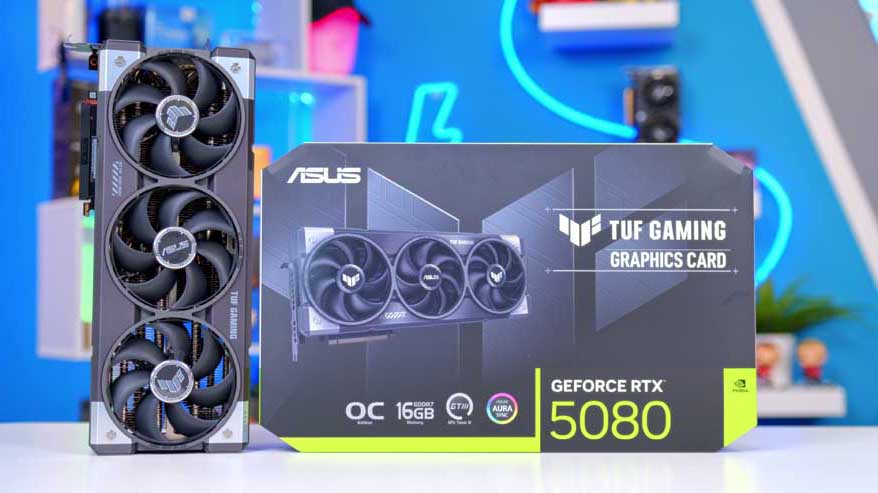
Alternative GPU Choice
ASUS TUF Gaming GeForce RTX 5080 OC Edition 16GB
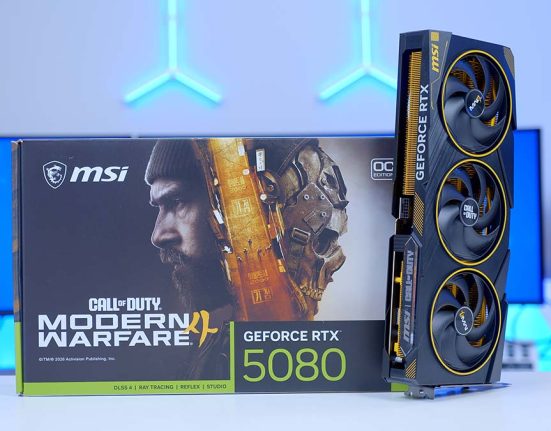
If the Astral RTX 5090 is more than you want to spend, the TUF Gaming RTX 5080 OC is the next step down that still makes sense for local AI. You keep NVIDIA’s CUDA and Tensor Core support across LM Studio, Ollama and llama.cpp, along with DLSS 4 and NVENC for gaming and streaming, for a lot less money.
ASUS TUF Gaming GT502 Horizon & ROG Strix 1200W Platinum
Remember the Astral’s size? The TUF Gaming GT502 Horizon has no trouble with it, taking graphics cards up to 400mm. It’s a dual-chamber case with panoramic glass across the front and side, and ASUS has removed the corner pillar from the original GT502, so the view of the Astral and the Ryujin’s LCD is completely unobstructed. The rear chamber hides the PSU and cabling, there’s a 20Gbps USB-C port up front, and woven carry straps make moving an 11kg chassis far less awkward than it should be.
Case Specifications
- Model ASUS TUF Gaming GT502 Horizon
- Form Factor ATX mid-tower, dual-chamber
- Motherboard Support Mini-ITX, Micro-ATX, ATX
- Case Dimensions 285mm x 450mm x 446mm
- Front IO 1 x USB 3.2 Gen 2×2 Type-C (20Gbps), 2 x USB 3.2 Gen 1 Type-A, 1 x Audio combo, 1 x LED control button
- PCI-E Slots 8 x Horizontal + 3 x Vertical
- Colour Black or White
-
Max Clearance
GPU length: Up to 400mmCPU cooler: Up to 163mmPSU length: Up to 200mm
- Drive Support 4 x 2.5″/3.5″ combo bays
-
Fan Support
Top: 3 x 120mm or 2 x 140mmSide: 3 x 120mmRear: 1 x 120mm
-
Radiator Support
Top: Up to 360mmRear: 120mm
- Pre-Installed Fans None (ARGB edition ships with 4 x ARGB fans)
Powering it all is the ROG Strix 1200W Platinum. An RTX 5090 can pull upwards of 575W on its own, and AI workloads can hold it there for hours, so headroom matters. It’s fully modular and ATX 3.1 compliant, with a native 12V-2×6 connector for the Astral. The clever bit is ASUS’s GPU-First Intelligent Voltage Stabilizer: connect the extra IVS cable and the PSU prioritises voltage regulation for the graphics card, which ASUS says improves stability by up to 45%. Add GaN MOSFETs, Platinum ratings, a 0dB fan mode and a 10-year warranty, and it’ll likely outlast a couple of GPU upgrades.
What Is an AI Agent?
So that’s the hardware. But what exactly is an AI agent, and why build a PC around one? If you’ve used a chatbot, you already know half of it. You type a question, you get an answer. An agent goes a step further and does things on your behalf: reading and organising files, searching the web, running commands, chaining together multi-step tasks and plugging into the apps you already use.
In practice, that might mean handing it a video brief and getting back a structured outline, draft captions and a publishing checklist. Or pointing it at a folder of client documents and asking for a summary, a list of outstanding deliverables and a draft progress update. You still have the final say on all of it, of course.
Agents like OpenClaw and Hermes Agent are local-first, run continuously, remember previous conversations and can be expanded with add-on skills. The important bit? The language model powering them runs on your GPU through apps like LM Studio or Ollama, so there’s no paid cloud service sitting in the middle. That model is the brains of the whole operation, so it’s what we’ve put to the test on this build.
Why Run AI Locally?
Two reasons, mainly. The first is privacy. Send a prompt to a cloud model and your files and data go along with it, and depending on the service, that data could end up helping to train future models whether you like it or not. Run the model locally and everything stays on your machine. That matters a lot if you’re working with client documents, business data or personal stuff you’d rather keep to yourself.

The second is cost. Subscriptions add up, and pay-per-token pricing gets expensive fast with agents, because they’re always on and constantly feeding context back into the model. Once the hardware’s paid for, a local model costs you electricity. That’s it.
There’s a bigger-picture win here too. Lots of the PCs and laptops firing requests off to enormous data centres are powerful enough to run those models themselves. Doing it locally cuts out a lot of duplicated compute.
We can hear the objection already. Aren’t local models worse? The very biggest cloud models are still ahead on the hardest problems, we won’t pretend otherwise. But the gap is closing fast, with local models generally trailing their cloud counterparts by around six to eight months, and for most people they’re already more than capable. With 32GB of VRAM, the RTX 5090 happily runs 27-billion-parameter class models with a big context window, and for everyday agent work like research, summarising and file management, that’s plenty.
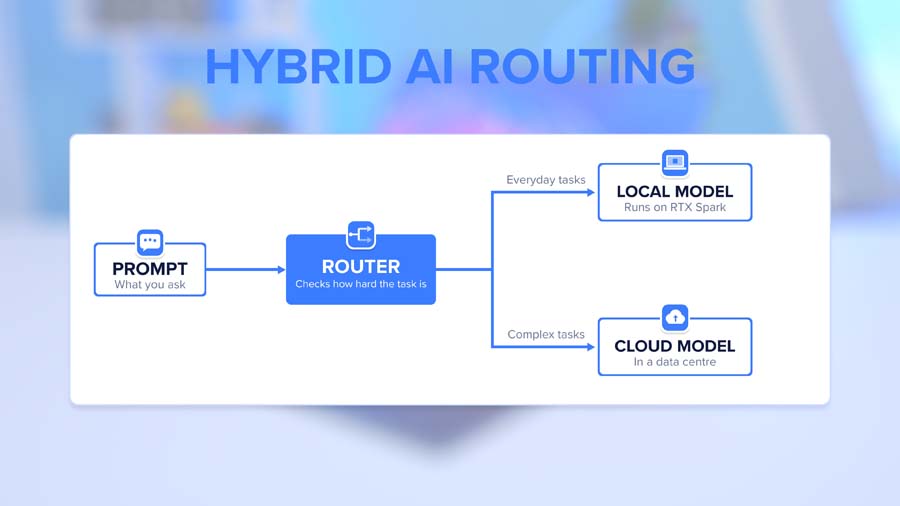
You don’t have to pick a side, either. Hybrid setups are getting easier, with Microsoft rolling out hybrid intelligence features in Windows that switch between local and cloud models depending on how complex the request is.
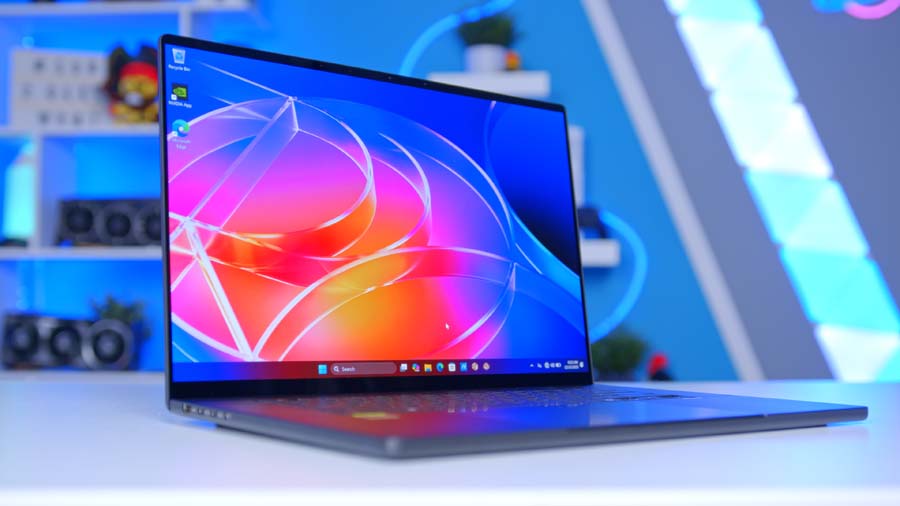
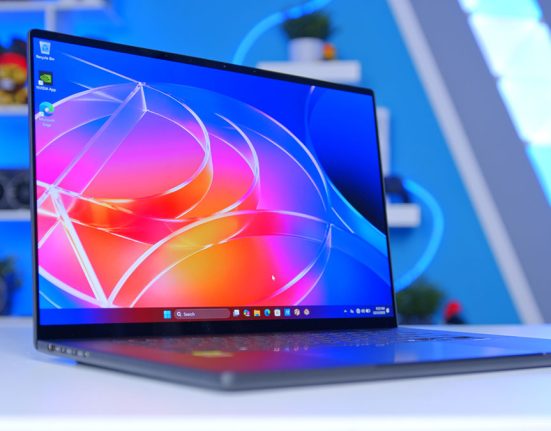
If this all sounds familiar, it’s the same pitch NVIDIA made with RTX Spark, its new Arm-based chip with up to 128GB of unified memory. We tested it recently in the ASUS ProArt P16. Spark is the portable take on local AI. What we’ve built here is the desktop version, with a dedicated 32GB GPU and far more power to throw at it.
From Our Full Review

Pros and Cons
Pros
- Gorgeous Lumina OLED touchscreen
- MacBook-style efficiency on Windows
- RTX 5070 laptop-class gaming performance
- Native CUDA for creative work
Cons
- Hinge and keyboard need refinement
- Expensive
- Soldered memory can’t be upgraded
Bottom Line
The ASUS ProArt P16 is the closest thing on the market right now to a MacBook-like experience in a Windows laptop. Its OLED touchscreen is gorgeous, RTX Spark delivers RTX 5070 laptop-class gaming alongside strong creative performance, and it’s a superb all-round package. It doesn’t dethrone the MacBook Pro, though, and if you only want RTX 5070-class gaming, there are better value options out there.
Read The Full ReviewOne quick word of caution before you set one up. An agent that can open your files and run commands needs sensible boundaries, so give it dedicated accounts and a restricted working folder rather than the keys to everything. Agents aren’t a replacement for your own judgement either, so check what they produce and keep approval switched on before anything gets sent, shared or deleted.
Getting Started With a Local Agent
With that in mind, getting started is easier than you might think. If you fancy trying this yourself, the setup looks something like this:
- Pick your agent and a model that fits your VRAM.
- Check the requirements, including OS support, VRAM and any extras like WSL on Windows.
- Decide what runs locally and what, if anything, goes to the cloud.
- Set up permissions carefully, with a dedicated account and a restricted working folder.
- Start with a small, low-risk task to see how it behaves.
- Review everything it produces, and keep approval on for anything consequential.
Don’t forget the practical stuff either. Some tools carry licensing costs, cloud fallbacks still bill per token, and agents that browse the web need an internet connection. Local doesn’t mean zero admin.
Putting the Agent Computer to Work
So, what can the Agent Computer actually do?
To find out, we loaded Qwen3.8 27B into LM Studio. It’s a 27-billion-parameter model, quantised to Q4_K_M so it weighs in at around 16.5GB, and it’s exactly the sort of model you’d run behind an agent day to day. We gave it a 64K context window, enough working memory for a long, multi-step job, then handed it a proper task:
Build me a web-based dashboard I can open in my browser that monitors key system metrics live: CPU usage, GPU usage, GPU temps, RAM usage and VRAM usage. Make it auto-refresh and look clean.
That’s not a one-line answer. The model has to plan a layout, write the front end, work out where each metric comes from and wire it all together.
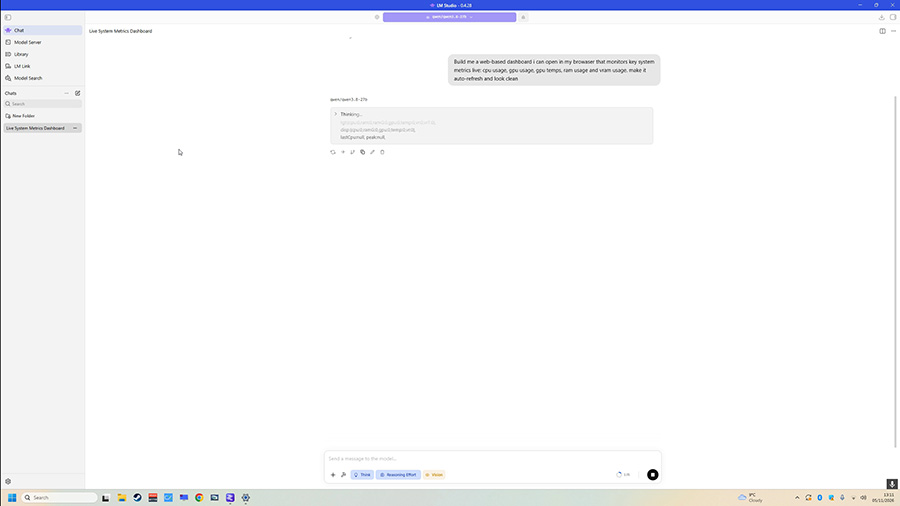
It spent 3 minutes and 17 seconds reasoning through the problem, then delivered a complete two-file build: a self-contained dashboard.html with no external dependencies, alongside a lightweight Python server.py to feed it system data. In total, it generated 32,101 tokens at an average of 96.38 tokens per second, with the first token arriving in just 3.39 seconds.
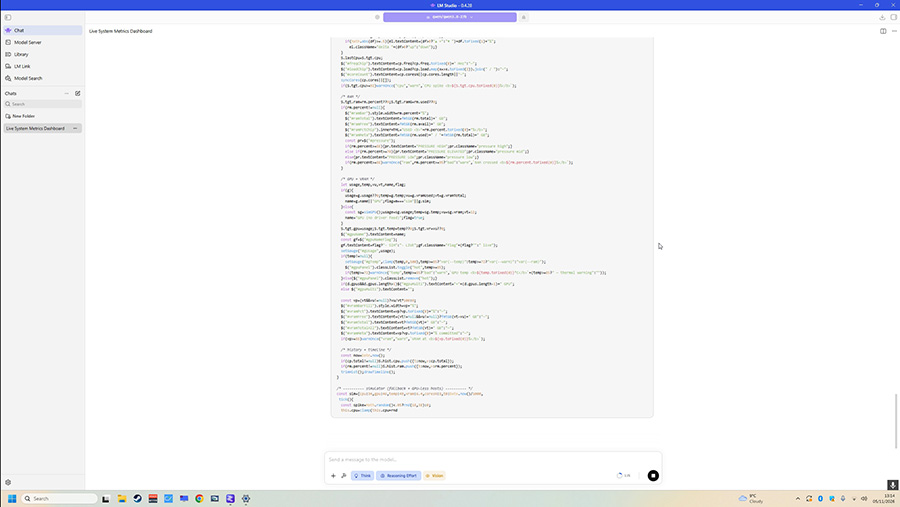
For context, that’s far faster than anyone can read. Most of those tokens were the model’s own reasoning, and the whole response, thinking included, came to roughly 24,000 words. Multi-token prediction helped as well, with the model drafting tokens ahead of itself and 71.9% of those drafts accepted.
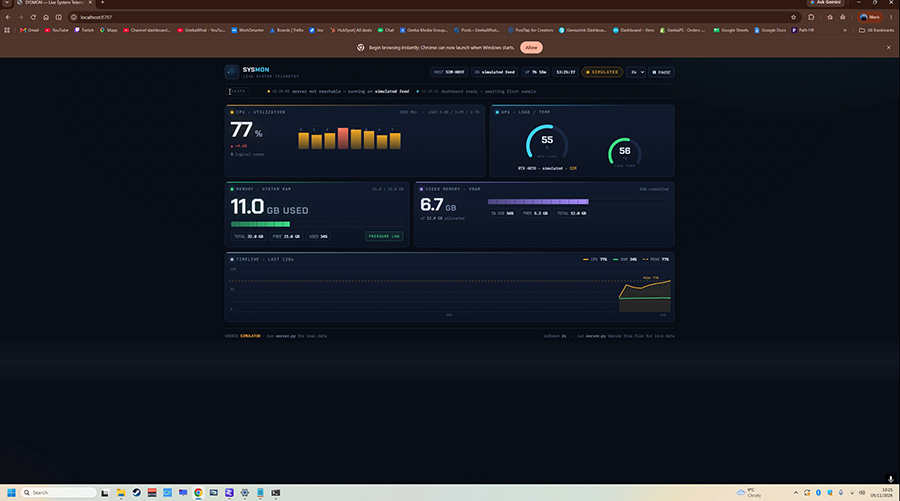
The result? A clean, dark-themed dashboard with a CPU utilisation panel and per-core bars, GPU load and temperature gauges, system RAM and VRAM panels and a rolling 120-second timeline, all refreshing every two seconds. Not bad for a few minutes’ work.
Here’s what the hardware was doing while the model worked:
- GPU utilisation: 70%
- GPU temperature: 63°C
- Dedicated VRAM used: 24.7GB of 31.5GB
- Shared GPU memory used: 0.4GB
That last figure is the important one. With the whole model and its 64K context held in the 5090’s VRAM, almost nothing spilled over into slower system memory, and there was still close to 7GB to spare. The Astral’s cooling barely broke a sweat either, sitting at just 63°C.
And because everything ran locally, none of it went anywhere near the cloud. No subscription, no per-token bill, just the electricity.
Gaming Performance
And once the work’s done? This is an RTX 5090 build, so we went straight to 4K, running a selection of games on High settings with each test captured over 90 seconds and run twice.
Performance Snapshot
4K Gaming, High Settings
4K Average
139.3FPS
4K 1% Low
115.7FPS
GPU Temp
63°C
Capture Length
90 seconds, run twice
Preset
High
Resolution
3840×2160
Test System
Core Ultra 9 285K, RTX 5090
4K Average
145.9FPS
4K 1% Low
120.8FPS
GPU Temp
65°C
Capture Length
90 seconds, run twice
Preset
High
Resolution
3840×2160
Test System
Core Ultra 9 285K, RTX 5090
4K Average
163.3FPS
4K 1% Low
98.2FPS
GPU Temp
65°C
Capture Length
90 seconds, run twice
Preset
High
Resolution
3840×2160
Test System
Core Ultra 9 285K, RTX 5090
4K Average
132.0FPS
4K 1% Low
92.5FPS
GPU Temp
67°C
Capture Length
90 seconds, run twice
Preset
High
Resolution
3840×2160
Test System
Core Ultra 9 285K, RTX 5090
4K Average
100.5FPS
4K 1% Low
67.5FPS
GPU Temp
60°C
Capture Length
90 seconds, run twice
Preset
High
Resolution
3840×2160
Test System
Core Ultra 9 285K, RTX 5090
Arc Raiders leads the way at 163.3 FPS, with Battlefield 6 close behind at 145.9 FPS and Call of Duty at 139.3 FPS. Better still, the 1% lows in both Battlefield 6 and Call of Duty stay above 115 FPS, so even the busiest moments feel smooth. Marvel Rivals comes in at 132 FPS, and even Fortnite on the High preset holds a triple-figure 100.5 FPS average.
Thermals impressed us too. Even with the 5090 drawing up to 455W, it never went above 67°C, while the 285K peaked at just 59°C under the Ryujin III. Exactly what you want from a machine that could be running an agent for hours on end.
Do You Need Hardware This Powerful?
Short answer? No. There’s no single spec that makes a PC agent-ready, and many introductory workflows will run on the system you’ve already got. It mostly comes down to the models you want to run, and that’s dictated by VRAM.
- 8GB GPUs: small 4-billion-parameter models, fine for dipping a toe in with simple chat and summarising.
- 12 to 16GB GPUs: 9 to 12-billion-parameter models, a solid starting point for lightweight agent tasks alongside gaming.
- 24GB and up: 27-billion-parameter class models with big context windows, where local agents start to feel genuinely useful.
- 32GB (RTX 5090): the same models with extra breathing room for long tasks, plus headroom to experiment with bigger ones.
Beyond the GPU, the same rules apply as with any high-end build. More system memory helps with multitasking and offloading, fast storage cuts model load times, and decent cooling and power keep everything stable through long sessions.
Final Thoughts
So, is an Agent Computer worth building? If you’ve been eyeing an RTX 5090 for gaming anyway, the local AI side is essentially a free bonus. Same hardware, a couple of free apps, and you’ve got a private assistant that never sends you a bill.
If AI is the main draw, this is about as capable as single-GPU desktop hardware gets right now. The 5090’s 32GB of VRAM is the key ingredient, the Z890 Hero gives it room for loads of fast storage, and the rest of the ROG kit keeps it all cool and stable. In our testing, it turned a single prompt into a working dashboard build at over 96 tokens per second, then went on to deliver triple-figure frame rates at 4K in every game we tried.
The bigger takeaway, though, is that AI doesn’t have to mean another monthly subscription. With the right hardware, it can be one more thing your PC does, alongside everything else it already does brilliantly.