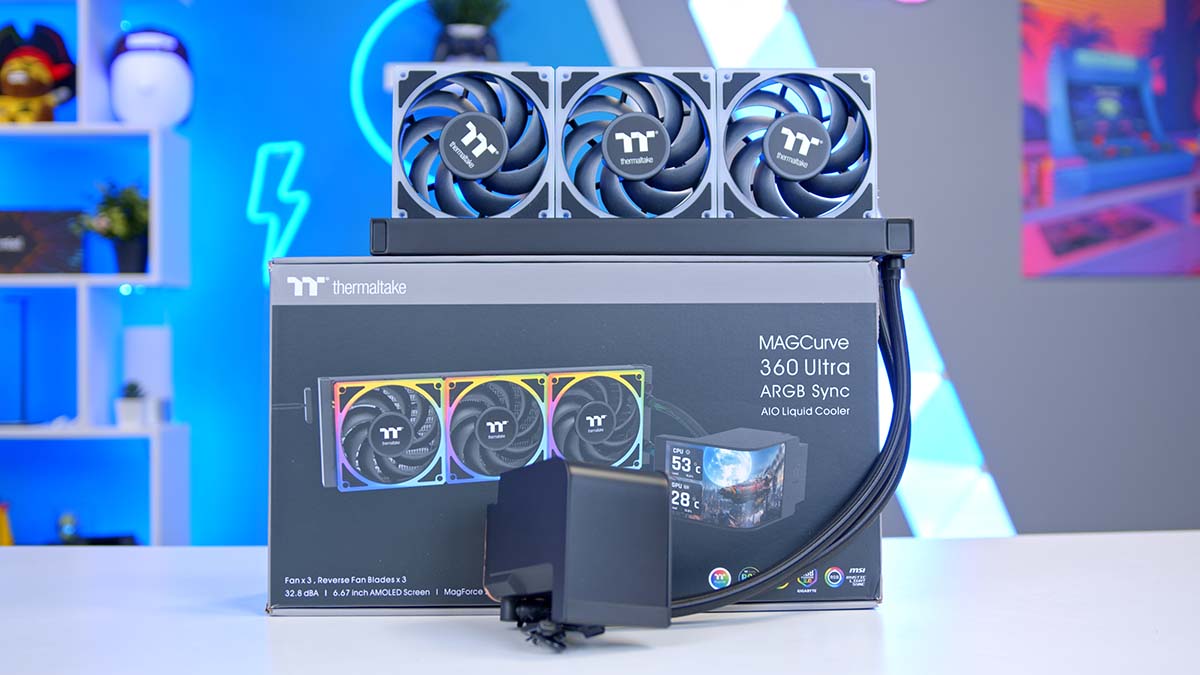
In today’s article, we’re taking a closer look at another headline-grabbing AIO from Thermaltake, this time built around a single curved AMOLED panel rather than a cluster of square LCDs. Enter the Thermaltake MAGCurve 360 Ultra ARGB Sync. Thermaltake are one of the driving forces behind the shift into flashy designs coupled with strong thermal performance. We’ve already seen quad-screen designs like the Thermaltake MINECUBE 360 Ultra ARGB Sync, this time around however, Thermaltake is taking a stab at curved screens, a design choice reminiscent of AIOs like the TRYX Panorama and ROG Ryuo IV SLC. But, jut how does it stack up versus the competition. Lets take a look!
Buy the Thermaltake MAGCurve 360 Ultra ARGB Sync on:
Specification
Thermaltake’s MAGCurve 360 Ultra ARGB Sync is an all-in-one liquid CPU cooler that carries a 360mm radiator. The headline stat is of course the rather magnificent 6.67″ wrap-around 2240×1080 AMOLED screen. Fully customisable in Thermaltake’s RGB Plus software for all of your RGB needs and better yet, using the new AI Forge full customised designs can be created from scratch with ease. The MAGCurve is available in two colourways, Black and Snow, to suit either black or white gaming setups.
The cooler’s pump connects via a 4-pin PWM header and in thermally demanding workloads, the pump can reach up to 3300 RPM. The TOUGHFAN EX 120 ARGB Sync fans included with the kit have a maximum operating speed of 2500 RPM, and use Thermaltake’s MAGForce 2.0 magnetic connection system to daisy-chain together without the usual cable clutter. Again these are fully customisable in RGB Plus for full build aesthetic synergy.
CPU Cooler Specifications
- Model Thermaltake MAGCurve 360 Ultra ARGB Sync
- Cooler Type All-in-one liquid CPU cooler
- Radiator Size 360mm
- Radiator Dimensions (L x W x H) 396mm x 120mm x 27mm
- Tube Length 460mm
- Pump Connector 4-pin PWM
- Max Pump Speed 3300 RPM
- Number of Fans 3 x TOUGHFAN EX 120 ARGB Sync (daisy-chainable via MagForce 2.0, swappable blades)
- Max Fan Speed 2500 RPM
- VRM Fan Not included
- Bearing Type Not disclosed
- Display 6.67″ curved AMOLED 2240 x 1080 resolution
- Screen Connections USB 2.0 header + SATA power
- Cold Plate Copper base (thermal paste not pre-applied)
- Colourways Snow, Black
- Socket Compatibility Intel: LGA 1851 / 1700 / 1200 / 1156 / 1155 / 1151 / 1150 AMD: AM5 / AM4 / AM3+ / AM3 / AM2+ / AM2 / FM2 / FM1
Compatibility is strong, even with legacy hardware. The MAGCurve supports everything from Intel’s latest LGA 1851 and 1700 sockets to AMD’s AM5 and AM4 platforms, along with a long list of older sockets for anyone running legacy hardware. Case support is wide too, with the MAGCurve sporting a relatively standard 360mm radiator dimensions, (396mm x 120mm x 27mm) and cable management is a particular highlight, thanks to the MAGForce locking system. Internal clearance is worth a double check, and in particular RAM clearance. Though the MAGCurve does a fairly good job at offering enough headroom, there may still be the odd clearance outlier.
Thermaltake MINECUBE 360 Ultra ARGB Sync Design
Design wise and what can I say? I mean come on. Just look at it! The MAGCurve is as flashy and outlandish as possible without taking it too far. The MAGCurve treads the line between innovative and gimmicky to a tee. Thermaltake have done a stellar job at bringing the MAGCurve to market without compromising too heavily on performance or compatibility.
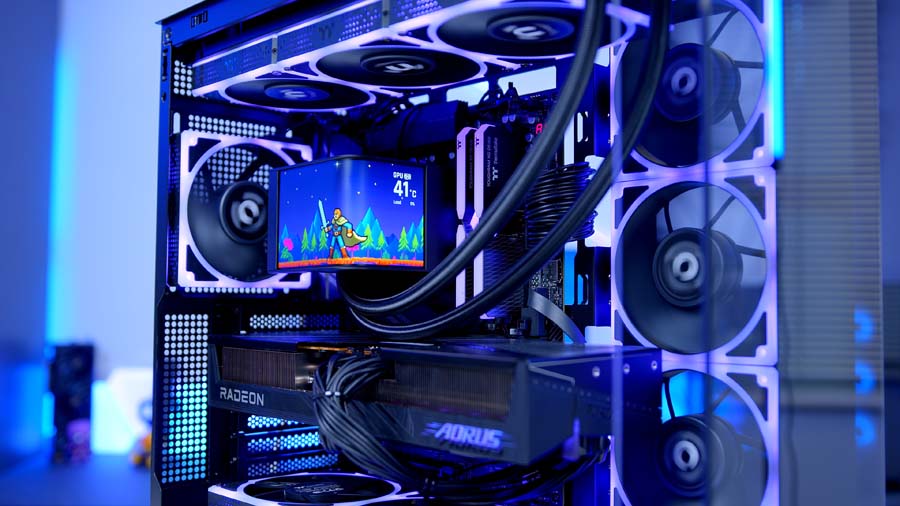
The display is, of course the centre-piece anchoring the rest of the design around it and at 6.67″ dwarfs most AIO comparative options. The AMOLED design gives it deeper blacks and stronger contrast than the IPS-style LCDs typical in this space, and makes a real difference for dark-themed backgrounds and high-contrast accents.
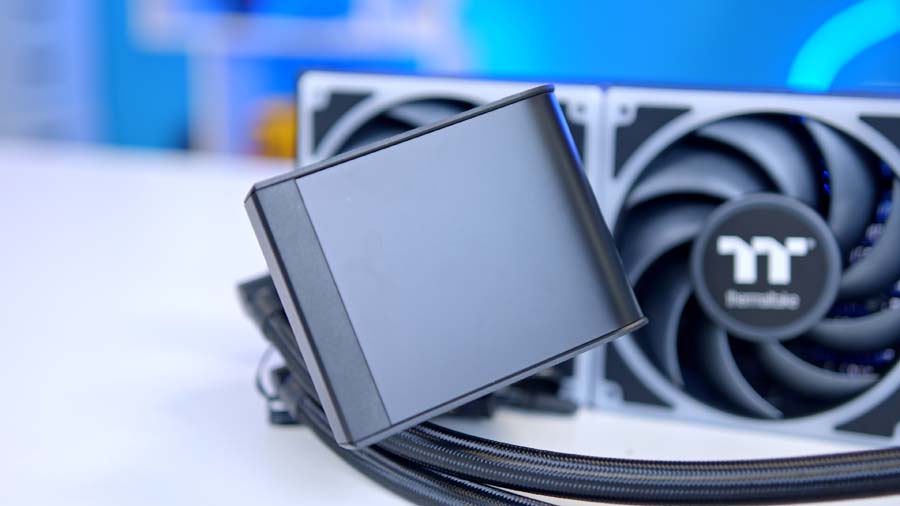
An added benefit of the screen curvature is the flexibility it offers. You’d be forgiven for expecting this to be limited to the traditional feature set of a singular screen but the MAGCurve can in fact be split into two, letting you run two different content streams side by side: real-time system monitoring on one half, and a custom image or animation on the other as an example. The screen connects via a USB 2.0 header and a SATA power cable, as is standard across the market.
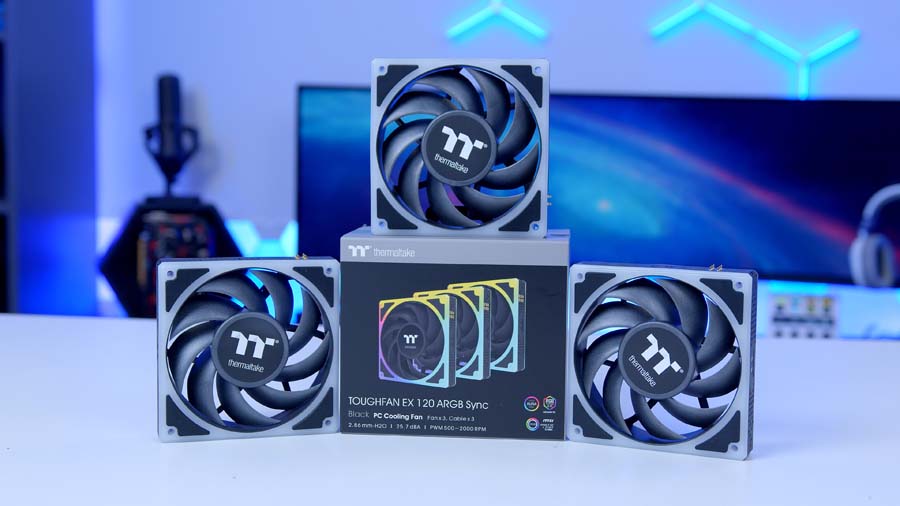
Installation is straightforward, though does lack pre-installed the thermal paste. The MAGCurve does somewhat make up for this with the interlocking fan mechanism, making fan installation and wiring at least very simple. As always with a cooler this size, pre-checking dimensions and internal spacing is recommended, though Thermaltake have done a good job at ensuring widespread compatibility there can still be outliers to the general consensus.
Suggested article: Building a 4K Gaming PC Build for 2026!
Thermaltake MINECUBE 360 Ultra ARGB Sync Performance
Every CPU cooler we review is thoroughly tested within builds and a series of synthetic benchmarks. This provides performance data for each cooler, showing how it copes with gaming and multi-core workloads. The Intel Core i7-14700K is known to run hot, with a maximum operating temperature of 100℃. This is why our benchmarking system is built around an Intel Core i7-14700K, with four 140mm fans to maximise airflow. Each cooler is set to the default fan curve mode in the BIOS, or to an equivalent fan curve in the cooler’s software, so testing is fair. All the data we collect comes from Cinebench and CPU-Z benchmarks, with HWiNFO running in the background to record temperature information.
Cinebench 4-Thread
So, looking at the results and the MAGCurve is a steady cooling solution to consider. At 63℃ average and 74℃ max the MAGCurve sits alongside the Lian Li GA II Trinity 360 in the upper end of the middle of the pack. The MAGCurve sits comfortably ahead a number of mainstream 360mm AIOs but misses out on competing at the level of chart-leading AIOs.
Cinebench 8-Thread
During our 8-thread Cinebench testing the restraints of the thin 27mm radiator begin to show. With a results spread of 8℃ between the average at 76℃ and max temperature at 84℃, the results in comparison to comparative options look far less favourable for the MAGCurve. The TOUGHFAN EX trio of fans are likely a lot of the work here that thicker radiators on rival AIOs handle more passively.
CPU-Z 8-Thread
CPU-Z 8-thread poses a similar story to our Cinebench result, again with a fairly large spread of 8 comparatively speaking versus competitor options. Again the MAGCurve sits in tandem with the Lian Li GA II Trinity 360 but also rather worryingly close the the Thermalright Phantom Spirit SE aric cooler.
Conclusion
GeekaWhat CPU Cooler Verdict
Overall Score
3.85 / 5
A 360mm AIO that takes a real swing at the display-led category and largely lands it, with cooling performance that comfortably keeps up.
Thermaltake MAGCurve 360 Ultra ARGB Sync Verdict
The Thermaltake MAGCurve 360 Ultra ARGB Sync leaves a strong impression as a cooler that puts visual identity at the heart of the build. The 6.67″ curved AMOLED display is genuinely pretty impressive, the TOUGHFAN EX fans with MagForce 2.0 magnetic connections make daisy-chaining painless, and the TT RGB PLUS 3.0 software gives you plenty of ways to customise what’s actually on screen.
That said, the experience isn’t without its caveats. The premium pricing reflects the display far more than any thermal gains, and while cooling performance is good enough for a hot-running modern CPU (just about), this isn’t a cooler that’s troubling the top of the chart on raw temperatures.
If you’re putting together a showcase build where the cooler is part of the visual identity, it’s an easy one to recommend. With a bit more polish on the software side and a clearer emphasis on thermal performance, it could move from compelling premium option into top-tier territory.
Features
4.0 / 5
Design
4.2 / 5
Performance
3.5 / 5
Value For Money
3.7 / 5
Pros
- Stunning curved AMOLED display
- MagForce 2.0 cuts cable clutter
- Swappable fan blade design
Cons
- Premium price reflects display alone
- Tall pump-and-screen stack
- Mid-pack thermals for the price
 Tested by Harry Coleman with a focus on thermal performance under Cinebench and CPU-Z workloads, build-quality, and real-world chassis fit.

![FI_[SR190] HYTE X50 Ryzen 5 9600X & MSI RTX 5070 Ti](https://geekawhat.com/wp-content/uploads/2026/01/FI_SR190-HYTE-X50-Ryzen-5-9600X-MSI-RTX-5070-Ti-551x431.jpg)
![FI_[DM82] TT MineCUBE Build](https://geekawhat.com/wp-content/uploads/2025/12/FI_DM82-TT-MineCUBE-Build-551x431.jpg)