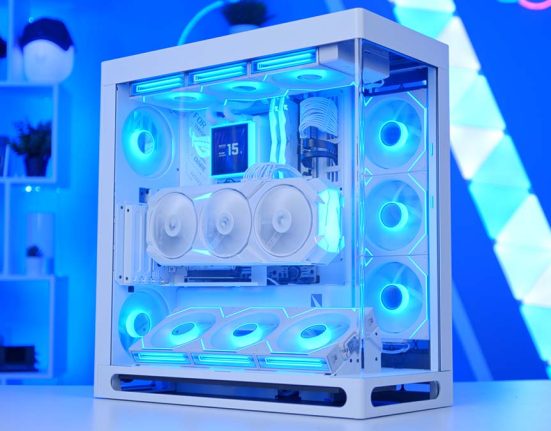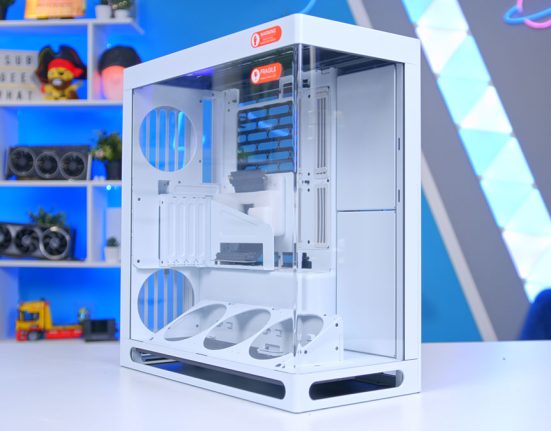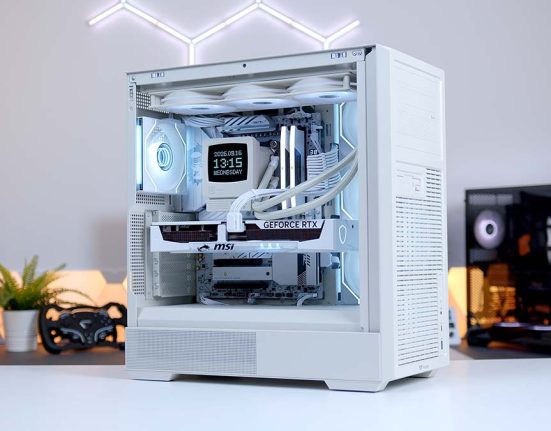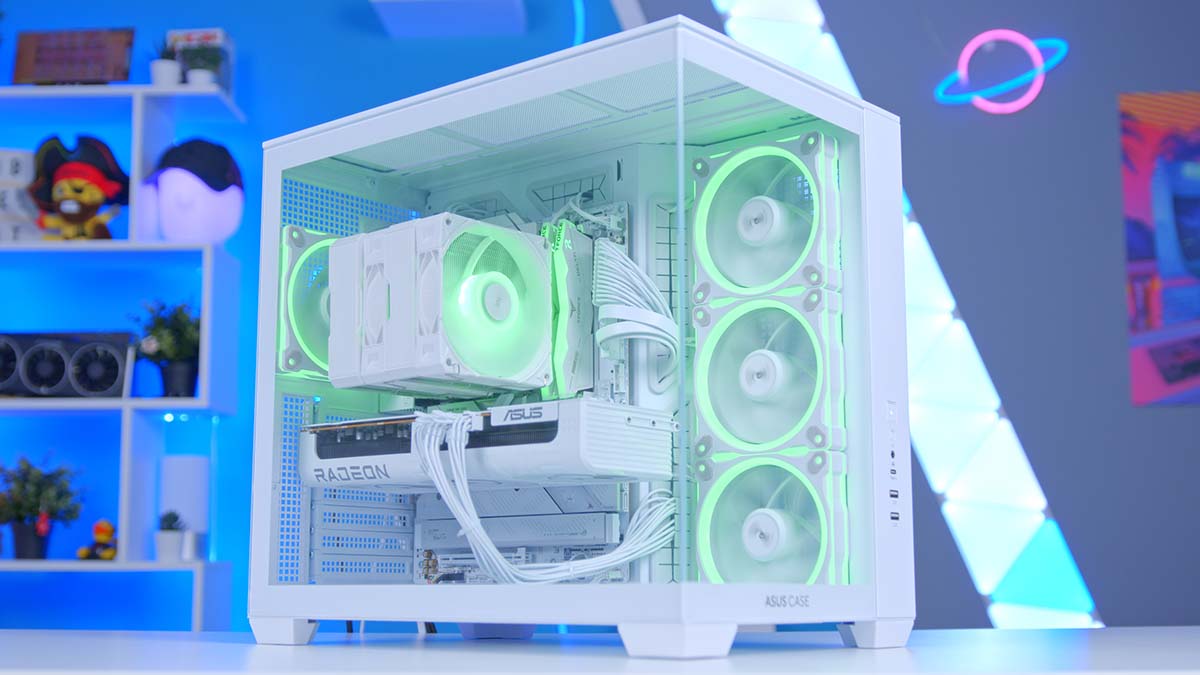
The RX 9070 XT has quietly become one of the easiest GPU recommendations we can make, and this build is us leaning all the way into that. Pair it with the Ryzen 7 7800X3D, wrap the whole thing in a dual-chamber ASUS chassis, and you’ve got a machine that chews through 1440p and holds its own at 4K without the price tag that usually comes attached.
This isn’t a halo build. There’s no 5090, no custom loop, no thousand-pound motherboard. This is a build that packs as much performance as it can without completely emptying out your bank account. The money needed to build this thing is going into the two things that actually move frame rates.
AMD Ryzen 7 7800X3D
Skip to SectionStill the value king for high-refresh gaming. Zen 4 with 3D V-Cache, and it won’t bottleneck the RX 9070 XT at 1440p or 4K.
Montech NX600 ARGB
Skip to SectionA dual-tower air cooler with six heatpipes and two 28mm-thick ARGB fans, and it handles the 7800X3D without breaking a sweat.
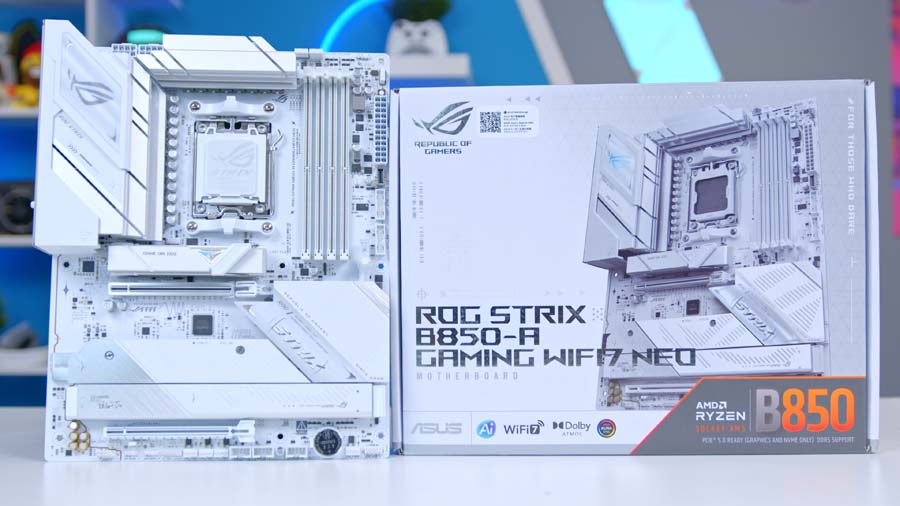
ASUS ROG STRIX B850-A GAMING WIFI7 NEO
Skip to SectionA white ATX B850 board with Wi-Fi 7, 5GbE, and four M.2 slots. The ‘A’ suffix is the white SKU, so it drops straight into a light-themed build.
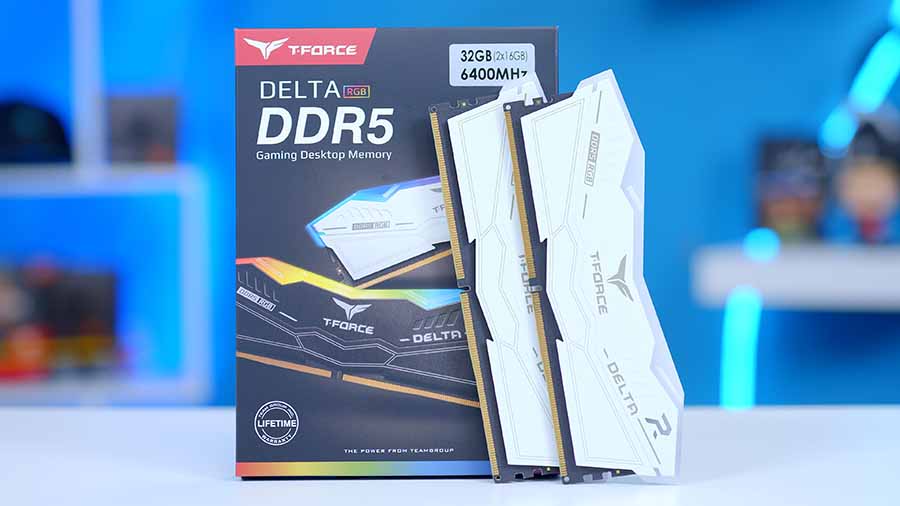
T-Force Delta RGB DDR5 32GB White
Skip to SectionThe DDR5-6000 CL30 sweet spot for Ryzen, in white, with the 120-degree light bar that made the Delta line popular in the first place.
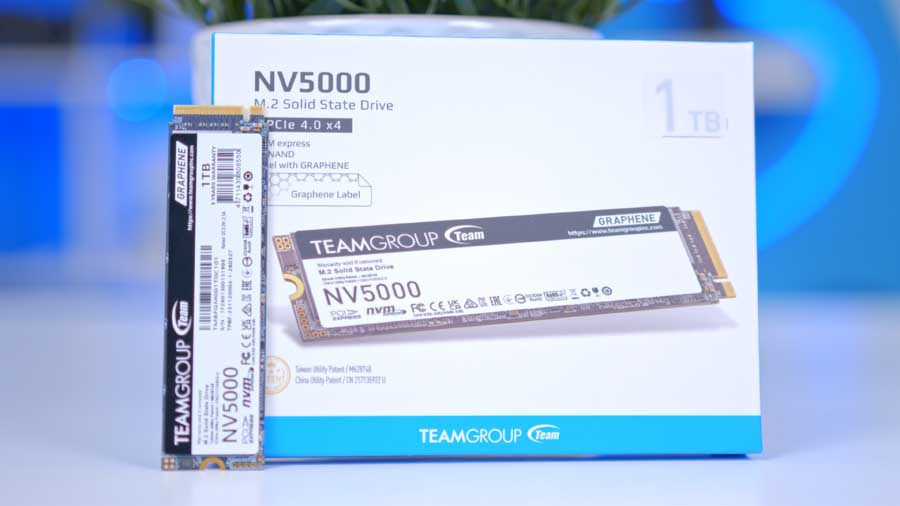
TEAMGROUP NV5000 1TB
Skip to SectionA budget Gen 4 drive with a graphene heat-spreader label. Reads are respectable, but the writes are where the price shows.
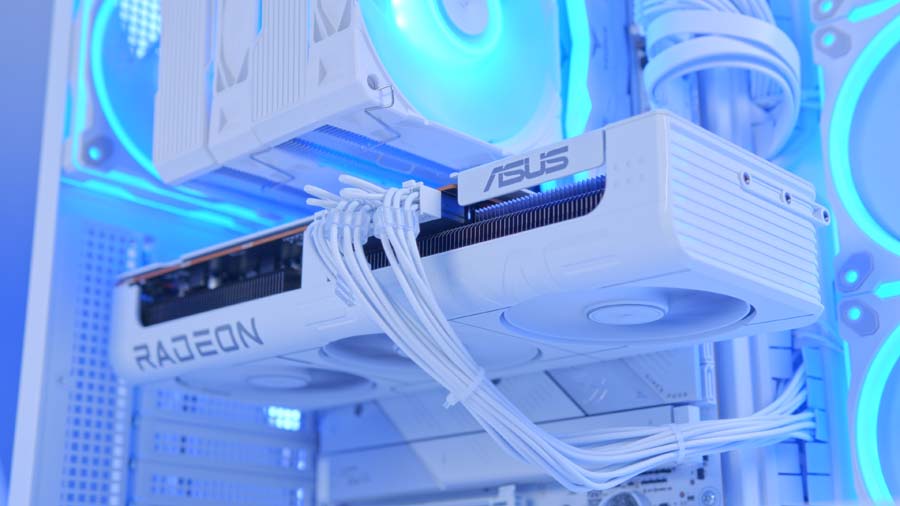
ASUS PRIME Radeon RX 9070 XT OC
Skip to SectionRDNA 4 at the sharp end of the price-to-performance curve. 16GB of GDDR6 and a clean, RGB-free triple-fan cooler that suits a white build.
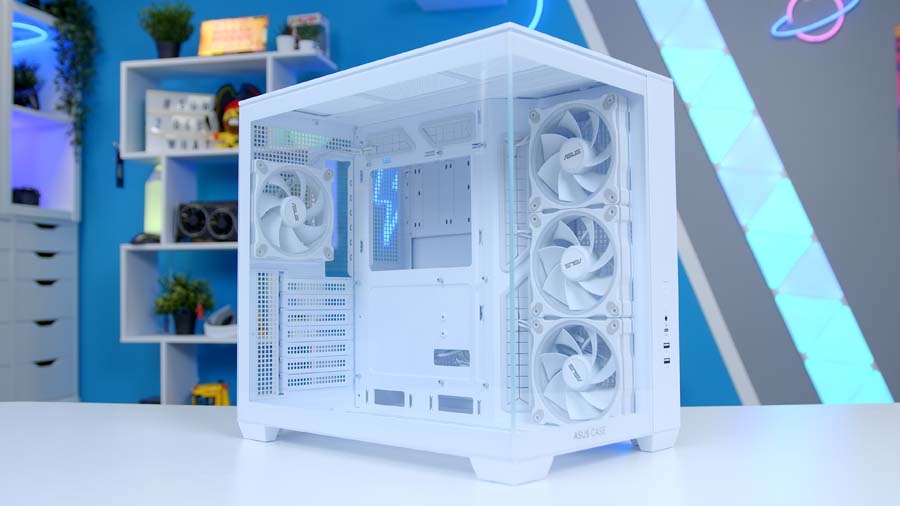
ASUS A32 PLUS
Skip to SectionA dual-chamber mid-tower with panoramic glass and four ARGB fans in the box, three of them reverse-blade on the side intake.
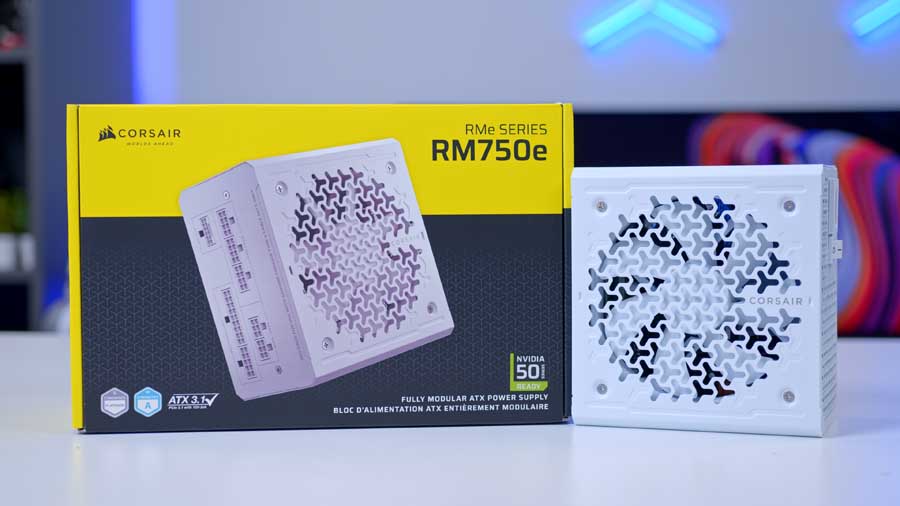
Corsair RM750e
Skip to SectionThe RMe unit we keep coming back to. Fully modular, ATX 3.1 certified, individually sleeved cables, and it’s only 140mm long.
AMD Ryzen 7 7800X3D
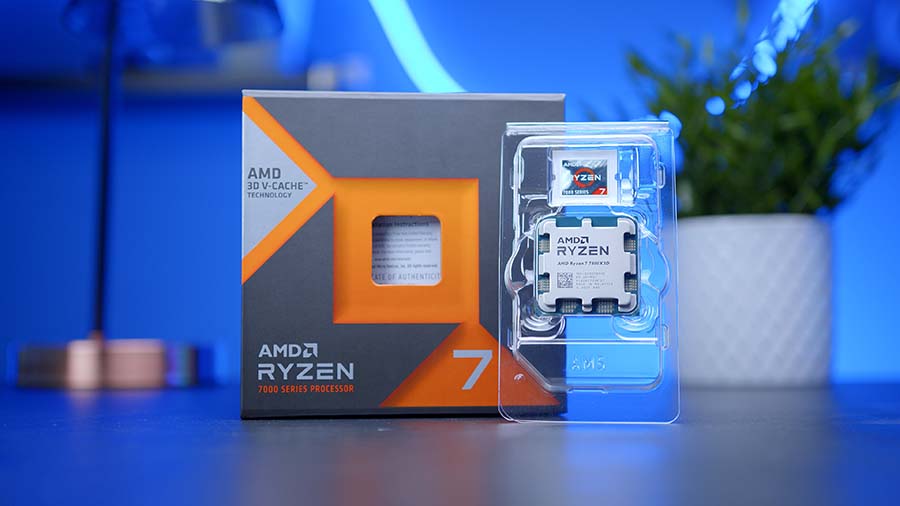
The Ryzen 7 7800X3D is still the chip we point people towards when they want gaming performance without overthinking it. Zen 4 with 3D V-Cache stacked on top, eight cores, sixteen threads, and a 120W TDP that doesn’t demand exotic cooling to behave itself.
CPU Comparison
AMD Ryzen X3D Desktop CPU Comparison
Hover rows for highlight. Drag :: to reorder columns, or tap/click a header title to sort.
| ⠯ CPU | ⠯ ::Cores | ⠯ ::Threads | ⠯ ::Base Clock | ⠯ ::Max Boost | ⠯ ::TDP | ⠯ ::Total Cache | ::Where to Buy |
|---|---|---|---|---|---|---|---|
AMD Ryzen 9 9950X3D Zen 5 flagship X3D desktop CPU |
16 | 32 | 4.3 GHz | 5.7 GHz | 170W | 144MB | |
|
AMD Ryzen 9 9900X3D 12-core Zen 5 X3D for mixed gaming and production |
12 | 24 | 4.4 GHz | 5.5 GHz | 120W | 140MB | |
AMD Ryzen 7 9850X3D 8-core Zen 5 X3D gaming CPU (launched Jan 29, 2026) |
8 | 16 | 4.7 GHz | 5.6 GHz | 120W | 104MB | |
|
AMD Ryzen 7 9800X3D High-FPS Zen 5 gaming CPU |
8 | 16 | 4.7 GHz | 5.2 GHz | 120W | 104MB | |
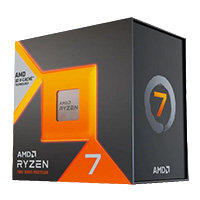
AMD Ryzen 7 7800X3D The chip in this build — Zen 4 gaming favourite |
8 | 16 | 4.2 GHz | 5.0 GHz | 120W | 104MB |
Yes, the 9800X3D and now the 9850X3D are faster. They’re also more expensive, and at 1440p and above with a 9070 XT doing the heavy lifting, the gap between them shrinks to the point where it stops justifying the extra spend. The 7800X3D is on AM5 too, so the upgrade path is still wide open when you do want to move on.
If the 7800X3D isn’t quite right for you, here’s the rest of the X3D range and how they stack up.
Montech NX600 ARGB
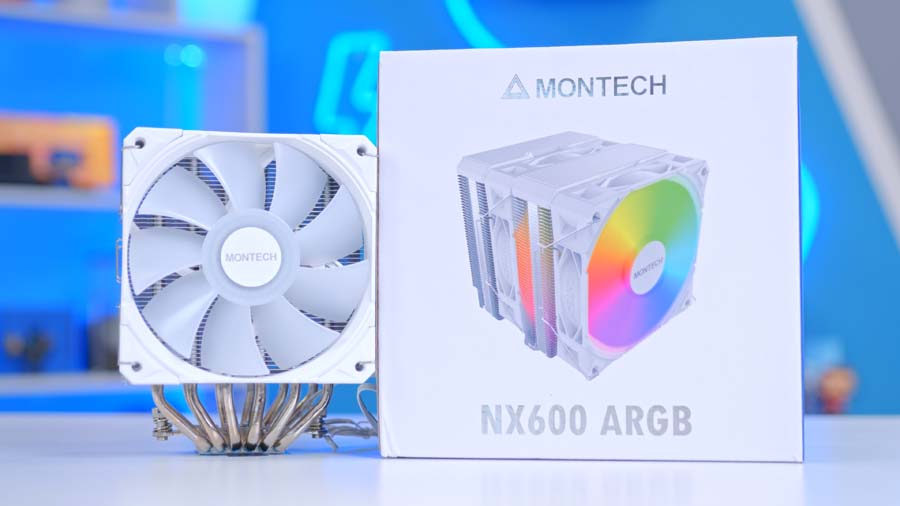
The Montech NX600 ARGB is a dual-tower air cooler with six heat pipes, a soldered copper base, and two 28mm-thick E28 ARGB fans. It’s aimed squarely at the part of the market where people want proper thermal headroom without paying AIO money, and on a 120W chip like the 7800X3D it’s comfortably over-spec’d
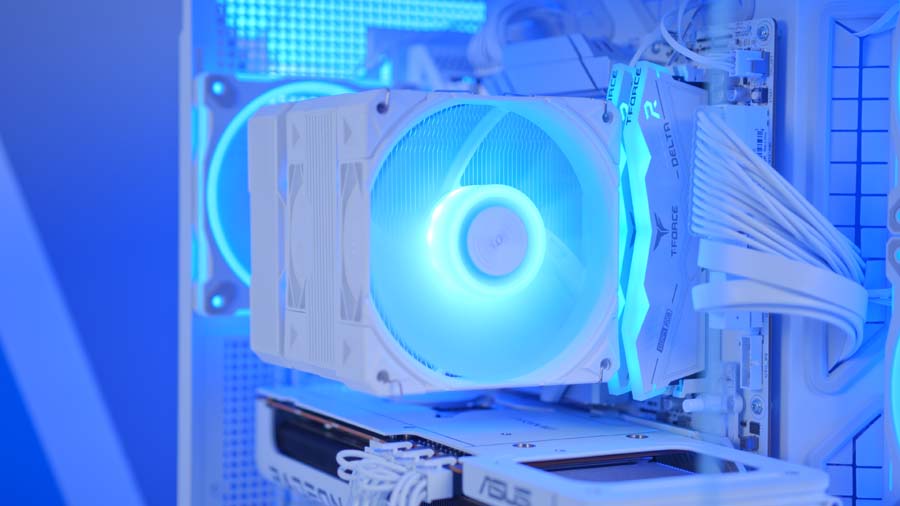
Two things worth flagging. First, it’s 160mm tall and the A32 PLUS is rated for 165mm, so it fits, but there’s only 5mm in it. Second, dual-tower coolers and tall RGB memory don’t always get along. The lower fins are cut back for clearance, and the front fan can be raised if needed, so check your RAM height before you commit.
ASUS ROG STRIX B850-A GAMING WIFI7 NEO
The ROG STRIX B850-A GAMING WIFI7 NEO is ASUS’s white B850 board, and the ‘A’ in the name is the giveaway. White PCB, silver heatsinks, and enough of the higher-tier Strix experience pushed down into the mainstream chipset that you don’t feel short-changed.
You get four DDR5 slots, a PCIe 5.0 x16 slot for the GPU, four M.2 slots with the primary one running at PCIe 5.0 x4, and Wi-Fi 7 alongside Realtek 5GbE. That 5GbE is a nice touch at this tier, where 2.5GbE is usually the ceiling. Audio is ROG SupremeFX on the ALC4080 chip with a dedicated amp, which is a step above what a lot of B850 boards ship with.
Motherboard Specifications
- Model ASUS ROG STRIX B850-A GAMING WIFI7 NEO
- Chipset / Socket AMD B850 / AM5
- Form Factor ATX
- CPU Support AMD Ryzen 9000 / 8000 / 7000 Series (AM5)
- Memory Support 4 x DDR5 DIMM, up to 256GB, AEMP / EXPO / XMP 3.0
- VRM Design 14+2+2 power stages rated 80A per stage, 8+8-pin ProCool CPU power
- Graphics Card Compatibility 1 x PCIe 5.0 x16 slot (x16 mode)
- Expansion Card Compatibility 1 x PCIe 4.0 x16 slot (x4/x2 mode, chipset)
- M.2 Compatibility 4 x M.2, all heatsinked: 1 x PCIe 5.0 x4 (16 GB/s) + 3 x PCIe 4.0 x4 (8 GB/s)
- SATA Storage 2 x SATA 6Gb/s ports
- Networking Wi-Fi 7 with Q-Antenna, Bluetooth with LE Audio, Realtek 5GbE LAN
- Rear I/O 4 x USB 10Gbps, 6 x USB 5Gbps, USB 20Gbps Type-C, HDMI, audio jacks
- Front I/O Headers 1 x USB 20Gbps Type-C, 2 x USB 5Gbps, 3 x USB 2.0
- Audio ROG SupremeFX ALC4080 (7.1-channel) with Savitech amp
- Colour White PCB with silver heatsinks
The trade against a full X870 board is USB4 and a slightly narrower chipset lane budget. For a single-GPU gaming machine like this one, neither is going to bother you.
T-Force Delta RGB DDR5 32GB White
32GB of DDR5-6000 CL30 is the AM5 sweet spot and has been for a while now. Ryzen likes the 6000MT/s Infinity Fabric ratio, CL30 keeps latency tight, and 32GB is comfortably enough for gaming plus whatever else you’ve got open in the background.
The T-Force Delta RGB kit in white brings the 120-degree light bar that made the DDR4 version so popular, and it carries both EXPO and XMP profiles so you’re one BIOS toggle away from rated speed. Don’t skip that step. Out of the box these will sit at 4800MT/s, leaving real performance on the table.
TEAMGROUP NV5000 1TB
The NV5000 1TB is the budget line in this build. Reads are fine at up to 4,500 MB/s, but writes top out at 1,900 MB/s on the 1TB model, which is well behind what most Gen 4 drives manage. It’s also DRAM-less.
For a boot and games drive, none of that is going to ruin your day. Games load off sequential reads and the drive handles those well enough. If you’re regularly moving big files around or working with video, this is the first component in the list we’d upgrade. The 2TB version is quicker on writes too, if you want more of both.
ASUS PRIME Radeon RX 9070 XT OC
The RX 9070 XT is the reason this build works. RDNA 4 landed AMD in a much better position than the previous generation, and at 1440p it’s genuinely quick, with 16GB of GDDR6 that gives you plenty of headroom for texture settings that some 12GB cards have to walk back.
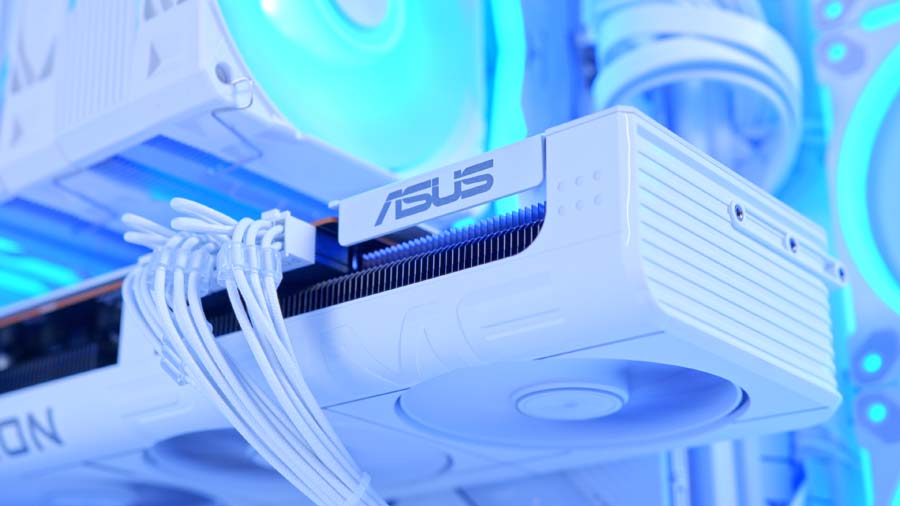
ASUS’s Prime version is the sensible-shoes option in the range, and we mean that as a compliment. No RGB, a clean triple-fan shroud, 2.5 slots, and a factory overclock that pushes boost up to 3,010 MHz by default. At 312mm it slots into the A32 PLUS with over 100mm to spare.
If you’d rather go green, here’s the closest equivalent.
Alternative GPU Choice
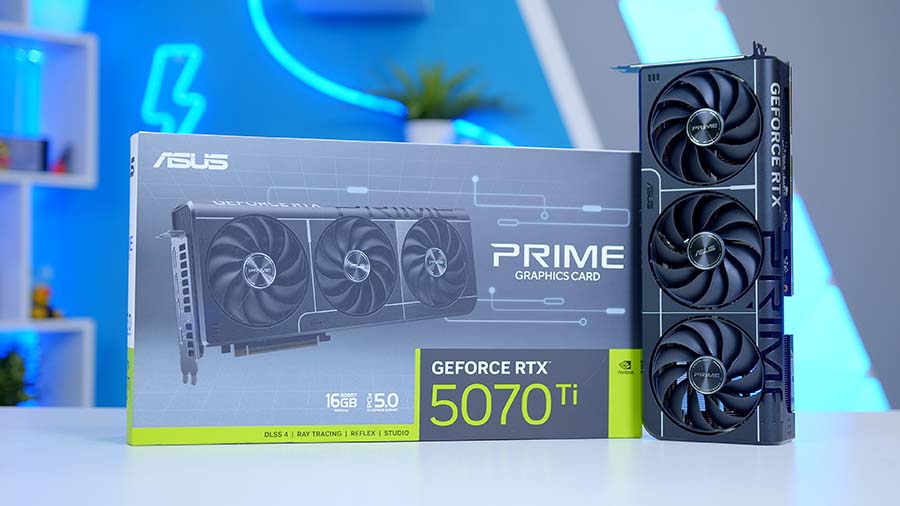
Asus GeForce RTX 5070 Ti Prime OC 16GB
If you want an NVIDIA-flavoured alternative to the ASUS Prime Radeon RX 9070 XT OC, the RTX 5070 Ti is the cleanest architectural switch. It trades AMD’s RDNA 4 approach for NVIDIA’s Blackwell feature stack, giving you access to DLSS 4, Multi Frame Generation, and NVIDIA’s broader creator and AI software ecosystem, which can make a bigger difference than raw shader performance depending on the games and apps you actually use.
ASUS A32 PLUS
The A32 PLUS is a dual-chamber mid-tower with tempered glass across the front and side, so there’s no corner pillar interrupting the view. The PSU and cable mess live in the second chamber, which is the main reason dual-chamber cases have taken over the mid-range.
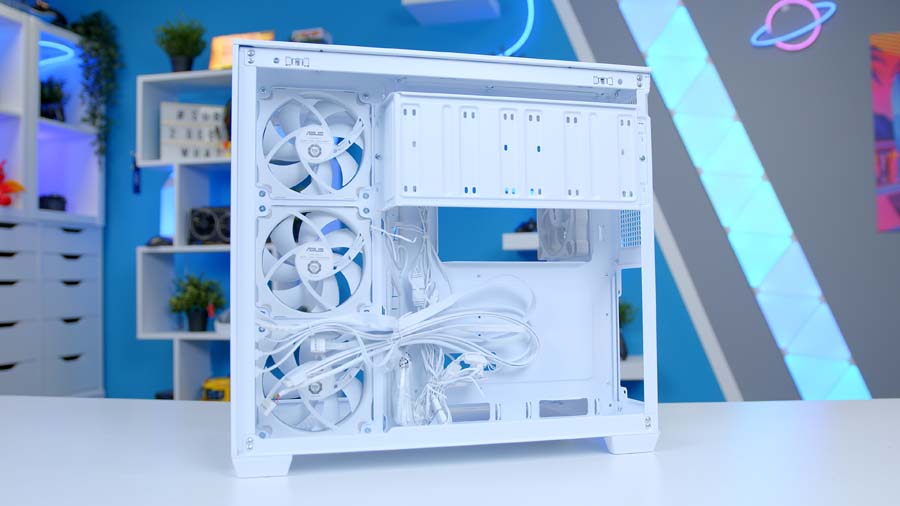
ASUS includes four ARGB fans, three reverse-blade units on the side intake and one at the rear, which is a decent haul at this price and means you’re not immediately buying fans. There’s room for up to ten 120mm fans, a 360mm radiator up top, GPUs to 420mm, and 90mm of cable space behind the tray.
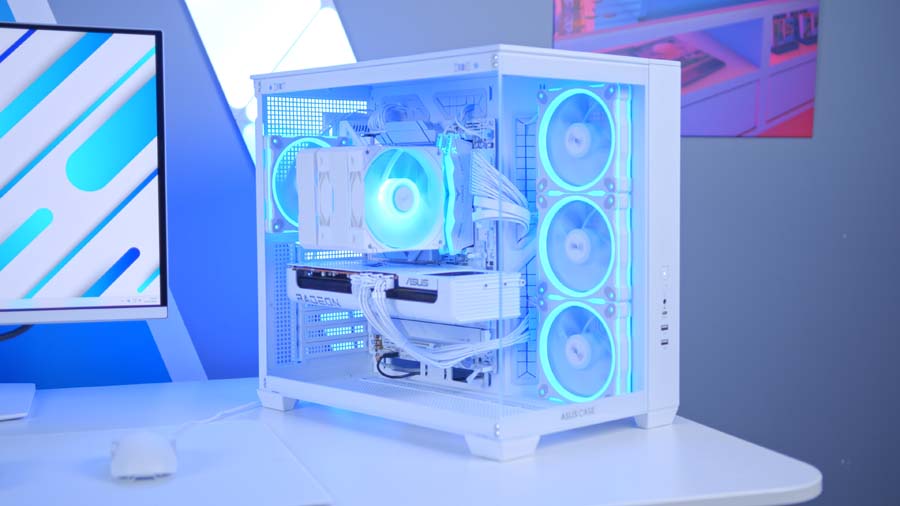
The one number to watch is the 165mm CPU cooler limit, which the NX600 gets very close to. Everything else in this build has plenty of clearance.
Case Specifications
- Model ASUS A32 PLUS
- Form Factor Mid-Tower
- Motherboard Support Mini-ITX, Micro-ATX, ATX
- Case Dimensions (W x H x D) 285mm x 390mm x 435mm
- Front IO 1 x USB 3.2 Gen 2×1 Type-C (10Gbps), 2 x USB 3.0 Type-A, 1 x Headphone / Microphone combo
- Layout Dual-chamber, panoramic tempered glass front and side
- Colour {HC to confirm: A32 PLUS ships in Black or White}
-
Max Clearance
GPU length: Up to 420mmCPU cooler: Up to 165mmPSU length: Up to 220mm
- Drive Support 2 x 3.5-inch or 3 x 2.5-inch
-
Fan Support
Side: Up to 3 x 120mmTop: Up to 3 x 120mmRear: 1 x 120mm
-
Radiator Support
Top: Up to 360mm (120 / 240 / 360mm)Rear: Up to 120mmSide: {to confirm}
- Pre-Installed Fans 3 x 120mm ARGB Reverse PWM (side) 1 x 120mm ARGB (rear)
- Cable Management Space Up to 90mm behind the motherboard tray
Corsair RM750e
The RM750e is a unit we’ve recommended more times than we can count. Fully modular, ATX 3.1 certified, PCIe 5.1 compliant, individually nylon-sleeved cables, and only 140mm long, so it disappears into the rear chamber without a fight.
Here’s the part that needs care though. ASUS recommends a 750W supply for the Prime RX 9070 XT OC, so a 750W unit is exactly at the manufacturer’s number rather than above it. On top of that, the card needs three 8-pin PCIe connectors and the RM750e gives you exactly three: one from the native PCIe cable and two more from the supplied 12V-2×6 to dual 8-pin cable. It works, but there’s nothing spare in either direction.
If you want headroom for a future GPU, stepping up to the RM850e is the easy fix and costs very little more.
Build Process
Nothing here is difficult, but a few things are worth doing in the right order.
Fit the NX600 before the GPU goes in, and check RAM clearance while you’ve still got room to work. With a dual-tower cooler and RGB DIMMs, that front fan position is the thing most likely to catch you out.
Run the 24-pin and EPS cables through the divider before you close up the rear chamber, because the A32 PLUS is much less forgiving once the PSU shroud is back on. And plan the three 8-pin PCIe runs early, since two of them come off the 12V-2×6 adapter cable and that routes differently to a standard PCIe cable.
Last one, and it’s the one people forget: enable EXPO in the BIOS. The memory won’t do it for you.
Gaming Performance
The 9070 XT does its best work at 1440p, and the numbers make that obvious. Battlefield 6 averaged 192.7 FPS at 1440p High, ARC Raiders managed 158.8, and Marvel Rivals sat at 129.9. Those are high-refresh figures with headroom left over, which is exactly what you want if you’re pairing this with a 165Hz or 180Hz panel.
007 First Light is the heaviest of the 1440p group at 101.8 FPS on average, and it still clears 100 without needing settings turned down.
Performance Snapshot · 1440p and 4K High
Multi-Game Average FPS · Ryzen 7 7800X3D + RX 9070 XT
1440P HIGH
101.8FPS
Display
Fullscreen, 2560×1440
Preset
High
1440P HIGH
158.8FPS
Map
Dam Battlegrounds
Capture Length
4–7 mins
Window Mode
Fullscreen
Resolution Scaling
TAAU, 100% (2560×1440), Manual
Frame Generation
Off
VSync
Off
Overall Quality
High
Graphics Breakdown
View Distance / AA / Shadows / Post / Texture / Effects / Reflections / Foliage / GI all High
1440P HIGH
192.7FPS
Map / Mode
Empire State, Conquest
Capture Length
4–7 mins
Fullscreen Mode
Windowed (Fullscreen Device Monitor 1)
Resolution / Refresh
2560×1440, 120Hz, Aspect Auto
VSync / FOV
VSync Off, FOV 90, Vehicle FOV 79
Preset
Custom, Graphics Quality High
Texture / Mesh / Terrain
All High
Reflections / AO & GI
Reflections High, SSR High, GTAO High
1440P HIGH
129.9FPS
4K HIGH
79.5FPS
Capture Length
4–7 mins
Display
Fullscreen, 2560×1440 and 3840×2160, Aspect 16:9
AA / Upscaling
TAAU, Render Scale 100
Frame Gen / Latency
Frame Generation Off, Low Latency Off
VSync / FPS Cap
VSync Off, Match/Lobby/Background FPS No Limit
Preset
Graphics Quality High
GI / Reflections
Lumen GI High Quality, SSR Reflections
Detail Settings
Model / Post / Shadows / Texture / Effects / Foliage all High
4K HIGH
82.2FPS
Display
Fullscreen, 3840×2160
Preset
High
4K HIGH
73.4FPS
Display
Fullscreen, 3840×2160, Aspect Auto
VSync / Frame Rate
VSync Off, Frame Rate Limit Off
Upscaling / Frame Gen
Upscaling Off, Frame Generation Off
Anti-Aliasing / Textures
TAA, Texture Quality High, Filter High (ANISO x8)
Mesh / Reflections
Mesh Quality Standard, SSR On, Subsurface Scattering High
Shadows / Lighting
Shadow Quality High, Contact Shadows On, Particle Lighting On
Fog / Lens Effects
Volumetric Fog High, Lens Flare Standard, Lens Dirt On
Post Effects
Depth of Field On, Lens Distortion On (+Chromatic Aberration)
Push to 4K and it holds up better than a card at this price has any business doing. PRAGMATA averaged 82.2 FPS, Marvel Rivals 79.5, and Resident Evil Requiem 73.4. None of those are locked 60 with a big buffer, but they’re all comfortably playable at High.
Marvel Rivals is the one title we captured at both resolutions, so it gives the cleanest read on how this build scales: 129.9 FPS at 1440p down to 79.5 at 4K, a drop of roughly 39%. That’s about what you’d expect from a 16GB card on a 256-bit bus, and it’s a useful sanity check if you’re weighing up which monitor to put in front of it.
The 1% lows are worth a look too, because averages can hide a rough ride. Battlefield 6 held 142.9 and Marvel Rivals 95.2 at 1440p, so frame pacing stays tidy. ARC Raiders is the outlier, with a 0.1% low of 64.7 against a 158.8 average, which lines up with the traversal hitching that title has had since launch rather than anything to do with this hardware.
Final Thoughts
This is the kind of parts list we enjoy putting together, because there’s no single component doing the heavy lifting for the marketing. The 7800X3D and the 9070 XT are both sitting in the sweet spot of their respective ranges, the board and case are white without charging a premium for it, and the only real compromises are a budget SSD and a power supply with no spare headroom.
Both of those are easy to solve if your budget stretches. Neither is a reason not to build it.