![FI_[DP064] ASUS Prime AP303 + 9070XT](https://geekawhat.com/wp-content/uploads/2026/03/FI_DP064-ASUS-Prime-AP303-9070XT.jpg)
This article is sponsored by ASUS. Parts provided by ASUS were sent at our request, and ASUS had no approval or oversight of the copy below before the article was published.
It’s been some time since we built a sleek, black, minimalist, yet high-performance PC. This system is composed of what we believe is one of the best combinations for 1440p and 4K gaming, and we’re enthusiastically equipping the build with some genuinely good-looking components, focusing on ASUS’s Prime and TUF series, to ensure the interior looks as cohesive and intentional as the exterior. The result is a system that feels right at home in a professional workspace, yet packs the punch needed for even the most demanding titles.
In this build article, we’ll guide you through the specific components we’ve chosen, the logic behind their selection in the current market, and the potential upgrade paths to keep this machine at the bleeding edge for years to come. Finally, we’ll provide the performance stats that this industrial beauty reeled in.
Parts Overview
AMD Ryzen 7 7800X3D
Skip to Section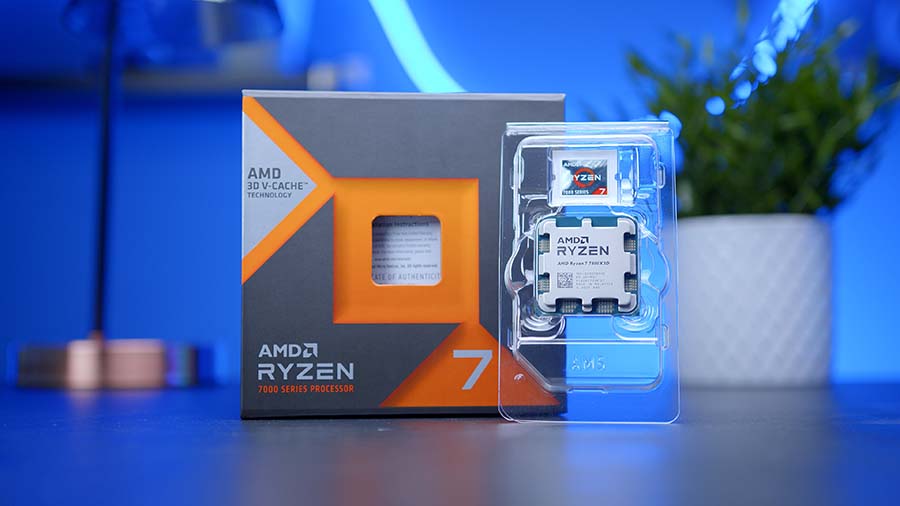
A gaming-focused 8-core CPU with 3D V-Cache that boosts frame rates in many titles while keeping AM5 upgrade options open.
ASUS Prime LC 360 ARGB
Skip to Section
A 360mm AIO liquid cooler with pre-installed ARGB fans, designed to deliver strong CPU thermals while matching ASUS Aura Sync lighting.
ASUS TUF Gaming B850-PLUS WIFI
Skip to Section
A full-size AM5 TUF board built around the AMD B850 chipset, offering PCIe 5.0 expansion, multiple M.2 slots, and modern networking for a high-end gaming build.
TeamGroup T-FORCE DELTA RGB DDR5
Skip to Section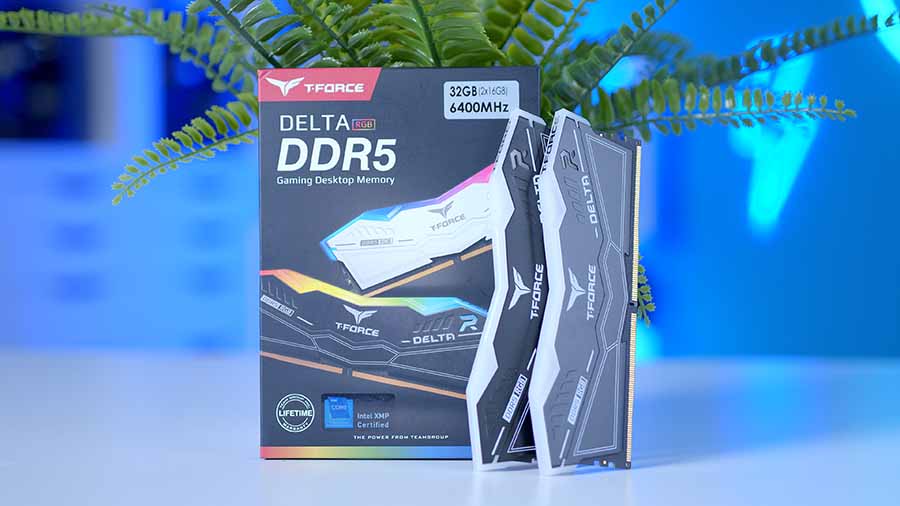
A 32GB DDR5 kit aimed at AM5 gaming builds, balancing strong frequency with RGB styling for a cleaner themed setup.
TeamGroup MP44L 1TB
Skip to Section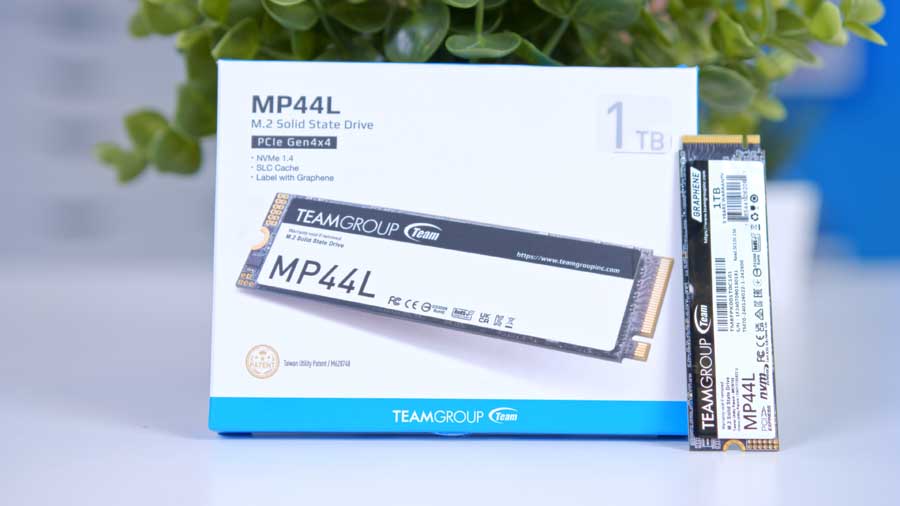
A PCIe 4.0 NVMe drive that provides fast OS and game load times, with 1TB capacity that suits a primary drive in a balanced build.
ASUS Prime Radeon RX 9070 XT OC Edition 16GB
Skip to Section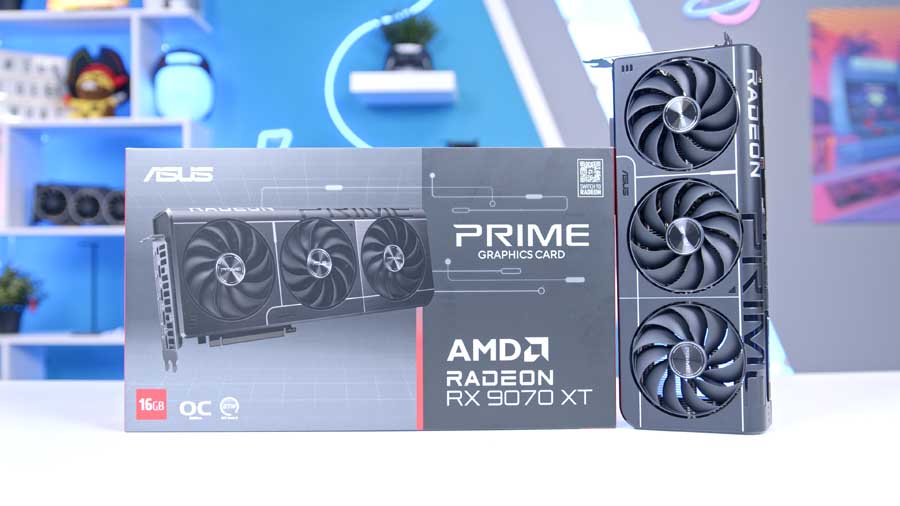
A 16GB GDDR6 graphics card tuned for high-refresh 1440p and strong 4K settings, with a factory OC profile and modern display support.
ASUS Prime AP303
Skip to Section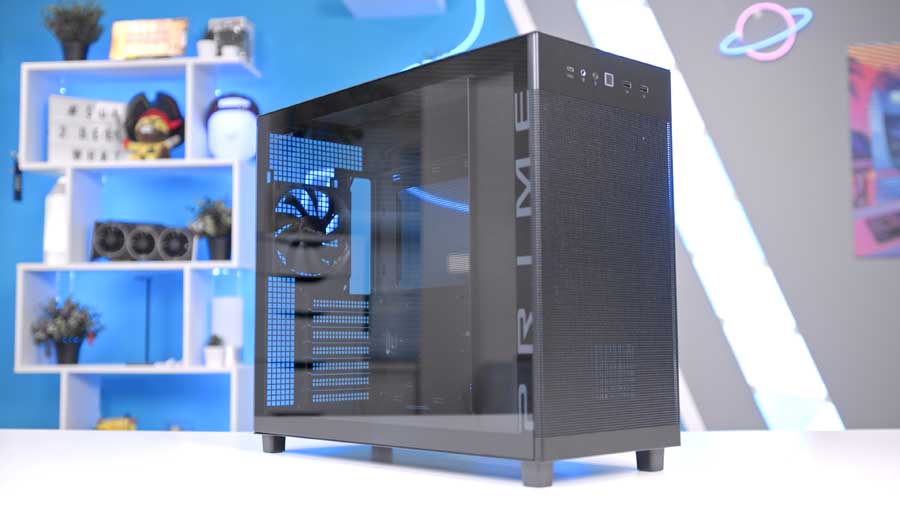
A clean, airflow-focused mid tower with support for large GPUs and 360mm top radiators, built for straightforward cable management and modern front I/O.
Corsair RM750e (2025)
Skip to Section
A modern 750W fully modular PSU designed for current GPUs, with ATX 3.x support and the headroom needed for high-performance single-GPU builds.
AMD Ryzen 7 7800X3D
Whilst the AMD Ryzen 7 7800X3D isn’t part of the latest AMD 9000 series, it still offers strong positional value across a wide range of workloads. The 7800X3D is an AM5 chip based on the Zen4 architecture from the previous generation. It features 8 cores and 16 threads with a 5.0GHz boost clock, activated during gaming for blazing-fast tick speeds.
Where the 7800X3D really flaunts its power is in its raw performance, leveraging extra L3 cache, which comes in handy in CPU logic-based and CPU-bound games, as it can physically store more information that’s ready to be processed. When paired with a high-end graphics card, these two make for an unstoppable duo at 1440p and 4K high graphics settings, as the brute power of the CPU eliminates any CPU-sided bottlenecks, allowing the GPU to work its processing magic.
If you’d like to discover some more of the X3D chips, there’s an interactive table below:
CPU Comparison
AMD Ryzen X3D Desktop CPU Comparison
Hover rows for highlight. Tap/click a header title to sort.
| CPU | ::Cores | ::Threads | ::Base Clock | ::Max Boost | ::TDP | ::Total Cache | ::Where to Buy |
|---|---|---|---|---|---|---|---|
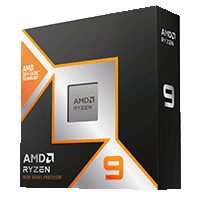
AMD Ryzen 9 9950X3D Zen 5 flagship X3D desktop CPU |
16 | 32 | 4.3 GHz | 5.7 GHz | 170W | 144MB | |
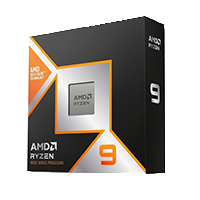
AMD Ryzen 9 9900X3D 12-core Zen 5 X3D for mixed gaming and production |
12 | 24 | 4.4 GHz | 5.5 GHz | 120W | 140MB | |
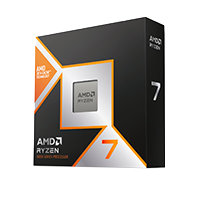
AMD Ryzen 7 9850X3D Newest Ryzen 7 X3D in the lineup |
8 | 16 | 4.7 GHz | 5.6 GHz | 120W | 104MB | |
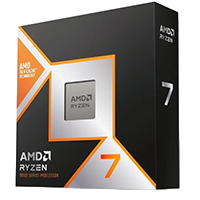
AMD Ryzen 7 9800X3D High-FPS Zen 5 gaming CPU |
8 | 16 | 4.7 GHz | 5.2 GHz | 120W | 104MB | |
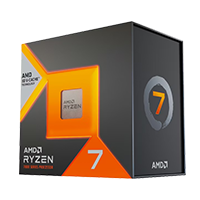
AMD Ryzen 7 7800X3D Mainstream Zen 4 gaming favorite |
8 | 16 | 4.2 GHz | 5.0 GHz | 120W | 104MB |
ASUS Prime LC 360 ARGB
During our testing, we found that the ASUS Prime LC 360 ARGB performed very well when matched against a brute-force, thermally demanding high-end Intel CPU. The unit leverages three pre-filled ARGB fans on a 360mm aluminium radiator as well as a specially designed contact cooling plate with a larger contact area, allowing for more efficient heat transfer from the CPU to the cooler.
Also, if you fancy a slightly more powerful version of this cooler with an LCD screen, you can check out the ASUS Prime LC 360 ARGB LCD. Both coolers have a straightforward installation process, are fairly priced and offer some of the best performance for their category.
Suggested Article: ASUS Prime LC 360 ARGB LCD CPU Cooler Review
ASUS B850-PLUS TUF Gaming WIFI
Branded with ASUS’ familiar ‘TUF aesthetic that's centred around military-grade materials and overall ‘toughness’. This industrial-grade board offers a unique blend of essential high-speed features, such as PCIe 5.0 and Wi-Fi 7, without the bloated price tag of enthusiast-tier boards, making it the backbone of high-performance PCs. It's rugged, fast, and focused on stability.
Motherboard Specifications
-
Model
ASUS TUF Gaming B850-PLUS WIFI
-
Chipset / Socket
AMD B850 / AM5
-
Form Factor
ATX (30.5 x 24.4 cm)
-
CPU Support
AMD Ryzen 9000 / 8000 / 7000 Series
-
Memory Support
4 x DDR5 DIMM,
Up to 256GB,
Up to DDR5-8000+ (OC) -
VRM Design
14+2+1 power stages
-
Graphics Card Compatibility (1 Slot)
1 x PCIe 5.0 x16 slot
-
Expansion Card Compatibility (4 Slots)
PCIEX16_1: PCIe 5.0 x16
PCIEX16_2: PCIe 4.0 x16 (x4 mode)
PCIEX1_1: PCIe 4.0 x1
PCIEX1_2: PCIe 4.0 x1 -
M.2 Compatibility (3 Slots)
M.2_1: PCIe 5.0 x4 (2280)
M.2_2: PCIe 4.0 x4 (2242/2260/2280/22110)
M.2_3: PCIe 4.0 x4 (2280) -
SATA Storage
4 x SATA 6Gb/s ports
-
Front I/O Headers
1 x USB 10Gbps front USB-C connector,
1 x USB 5Gbps header for 2 ports,
2 x USB 2.0 headers for 4 ports -
Rear I/O
1 x USB 20Gbps Type-C,
3 x USB 10Gbps Type-A,
4 x USB 5Gbps Type-A,
2 x USB 2.0 Type-A -
Networking
2.5 Gigabit Ethernet,
Wi-Fi 7,
Bluetooth 5.4 -
Audio
Realtek ALC1220P 7.1-channel audio
Whilst its 14+2+1 VRM power-phase design is slightly overkill for the AMD Ryzen 7 7800X3D, it poses no threats and will actually support your build in the long term. This motherboard can also safely overclock your RAM to 8000 MT/s, allowing you to harness the full potential of your components and ensuring stability across a wide range of workloads.
From Our Full Review
★★★★☆
4.3/5

Pros and Cons
Pros
- Competitive pricing
- Sleek industrial design
- Excellent rear I/O selection
Cons
- Limited Gen5 support
- Minimal tool-less features
- Only three RGB headers
Bottom Line
The ASUS TUF Gaming B850-Plus WiFi is an easy fit for a budget-to-mid-range Ryzen 9000 build because it balances strong networking, generous rear I/O, and a clean TUF design at a competitive price. It gives up broader Gen5 coverage and some convenience-focused tool-less touches, but the overall feature set still makes it a solid AM5 shortlist option.
Read The Full ReviewTeamGroup T-FORCE DELTA RGB DDR5
The TeamGroup T-FORCE DELTA RGB DDR5 is a kit we’ve seen fall in price recently, which means, although it's still more than twice as expensive as before October 2025, prices aren’t rising at the moment. This makes for a good time to treat yourself to an RGB-capable RAM kit, since the RGB and non-RGB kits are almost the same price.
The ‘sweet spot’ for DDR5 Kits is around 6000 MT/s with a CL36 CAS Latency, which allows for the most ideal scenarios for the RAM to CPU timings to align and provide the best performance over other kits in your system. We also recommend at least one 16GB stick if you cannot afford two 16GB sticks to total 32GB.
TeamGroup MP44L
Our SSD of choice is one of our budget best buy favourites. It is a Gen4 M.2 drive with advertised sequential read and write speeds of up to 5000 MB/s and 4500 MB/s, respectively. Whilst Gen4 is not the latest generation, the rated speeds are still impressive compared to older HDDs and external USB drives.
There are, of course, many higher-end storage drives on the market with even faster read and write speeds and even higher capacities, but prices are currently rising exponentially as of March 2026. Given this price growth, we recommend the TeamGroup MP44L in 1TB capacity; however, if you have the means to purchase a larger-capacity or newer drive overall, it will only benefit you in the long run.
From Our Full Review
★★★★☆
4/5
Pros and Cons
Pros
- Strong value-focused PCIe 4.0 performance
- Good sequential and real-world loading speeds
- Solid option for gaming and everyday workloads
Cons
- Not as fast as premium Gen4 flagship drives
- Can throttle under long sustained heavy writes
- Budget feature set versus high-end alternatives
Bottom Line
The TeamGroup MP44L hits a strong value point for a mainstream Gen4 SSD, offering fast enough performance for gaming and daily use without flagship pricing.
Read The Full ReviewASUS Prime Radeon RX 9070 XT OC Edition 16GB
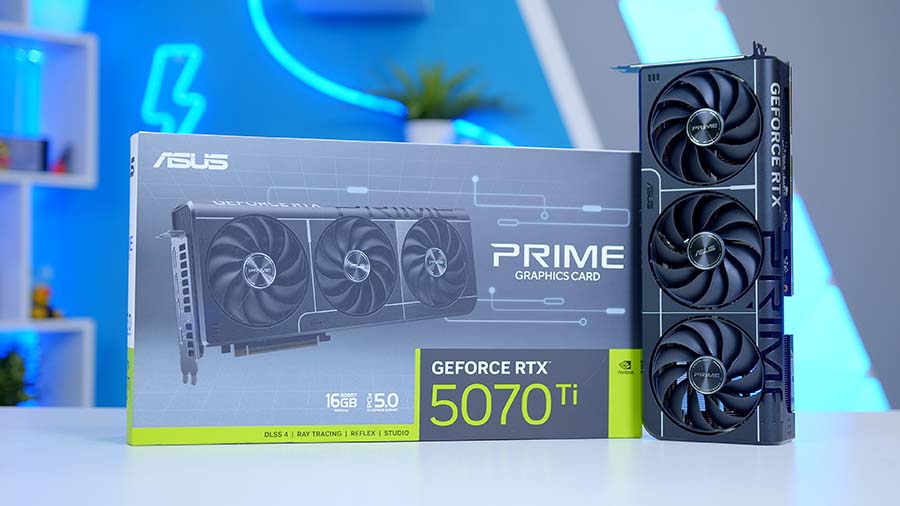
Our GPU choice is the ASUS Prime Radeon RX 9070 XT OC Edition 16GB. Our alternative suggestion for this build is the ASUS GeForce RTX 5070 Ti PRIME 16GB, the reason being that the two cards are similar in performance, and ASUS has designed them to aesthetically match each other, so now it comes down to a matter of features versus pricing.
From Our Full Review
RX 9070 XT vs RTX 5070 Ti Benchmarking

The RX 9070 XT comes equipped with 16GB of GDDR6 VRAM and a 256‑bit memory bus, providing ample bandwidth for high‑quality textures and stable performance at both 1440p and 4K.
Both cards in this comparison are factory‑overclocked, so you get a small but meaningful bump in performance without having to tweak anything yourself. The RX 9070 XT’s standard 2.48 GHz game clock is pushed up to 3.03 GHz on this ASUS model, while the RTX 5070 Ti jumps from its 2.48 GHz default to 3.01 GHz. These higher clocks allow each GPU to process more instructions per second, improving rendering speed and reducing bottlenecks.
The RTX 5070 Ti also features 16GB of VRAM, but with newer GDDR7 memory on the same 256‑bit bus, giving it higher effective bandwidth. Its real advantage, though, comes from NVIDIA’s dedicated Tensor and RT cores, along with access to DLSS4 and eventually DLSS5, for more advanced upscaling and ray‑tracing performance. The RX 9070 XT OC, meanwhile, leans on AMD’s RDNA 4 architecture and the more open FSR 4 ecosystem.
Of course, there’s also the price gap to consider: the RTX 5070 Ti typically costs around $300/£300 more than the RX 9070 XT OC.
Alternative GPU Choice
Asus GeForce RTX 5070 Ti Prime OC 16GB
If you want an NVIDIA-flavoured alternative to the ASUS Prime Radeon RX 9070 XT OC, the RTX 5070 Ti is the cleanest architectural switch. It trades AMD's RDNA 4 approach for NVIDIA's Blackwell feature stack, giving you access to DLSS 4, Multi Frame Generation, and NVIDIA's broader creator and AI software ecosystem, which can make a bigger difference than raw shader performance depending on the games and apps you actually use.
ASUS Prime AP303
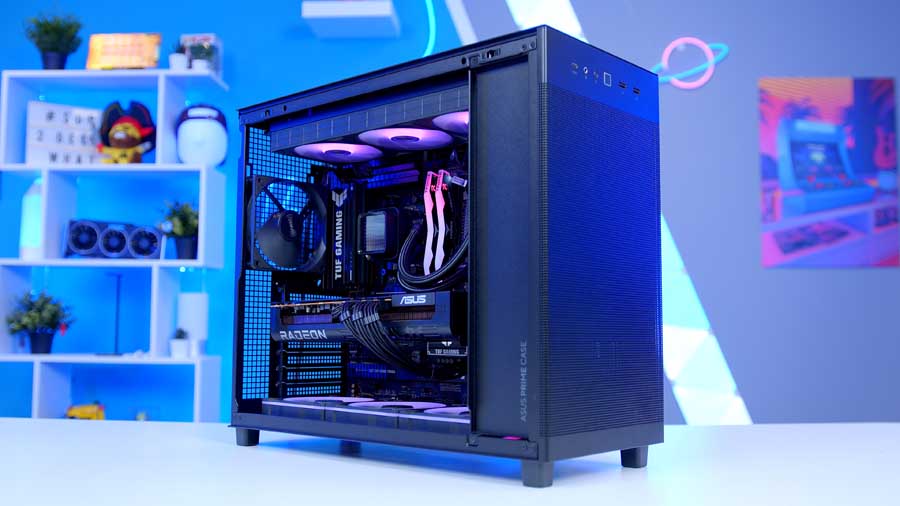
The ASUS Prime AP303 is a perfect choice for builders who don't care overly for flashy case internals. Whilst the version with a tempered glass side panel adds visual flair, the chassis's external presence is reserved and formal. This ATX case is optimised for thermals, with a mesh front panel for airflow, support for up to 360mm radiators, and up to seven fans overall, handling any thermal scenario.
Interestingly, the PSU is mounted to the front panel inside the integrated PSU chamber, where the PSU fans intake fresh air from the front and exhaust the hot air through the top panel, alongside the CPU Cooler's exhaust air. This chassis offers great workbench potential, with the PSU located on the front panel. Connecting the PSU to an outlet can typically be a headache, but ASUS has included a powerful UL-certified internal power cable that delivers 15 amperes to ensure stable operation for high-end systems with a power supply up to 1200W.
Case Specifications
-
Model
ASUS Prime AP303 - Tempered Glass Panel
-
Form Factor
Mid tower
-
Motherboard Support
Mini-ITX
Micro-ATX
ATX -
Case Dimensions (L x W x H)
215 x 425 x 485 mm (W x H x D)
-
Front IO
1 x USB 3.2 Gen 2x2 Type-C2 x USB 3.2 Gen 11 x Headphone / Microphone -
PCI-E Slots
7
-
Colour
Black
-
Max Clearance
Maximum CPU cooler height: 165 mmMaximum GPU length: 360 mmMaximum PSU length: 180 mm -
Drive Support
1 x 2.5/3.5-inch combo bay2 x 2.5-inch bays -
Fan Support
Top: 3 x 140 mm or 3 x 120 mmRear: 1 x 120 mm -
Radiator Support
Top: 360 / 280 / 240 / 140 / 120 mmRear: 120 mm -
Pre-Installed Fans
Rear: 1 x 120 mm
What's more, ASUS has included further considerations for high-end PC builders, supporting top-tier graphics cards, which can, in turn, be accommodated by the integrated sliding GPU bracket, for GPU lengths of up to 360mm. Another high-end feature in this case is the 20Gbps USB Type-C port on the front panel, which enables high-speed data transfer with minimal effort. You'll be connected easily and in no time. It's a case you don't have to feel guilty about tucking under your desk, and it offers display versatility so you can show off your components if you want to.
Corsair RM750e (2025)
The Corsair RM750e (2025) is a power supply that just gets everything right and is easy to build with, thanks to its fully modular design. You'll have less overall cable management to deal with, resulting in a sleeker, more organised internal view of your PC build. This PSU is a great choice for either of the ASUS PRIME graphics cards; however, if you choose the ASUS Prime Radeon RX 9070 XT OC, you technically gain more headroom for future upgrades, whereas we might suggest the Corsair RM850e (2025) if you choose the RTX 5070 Ti, for this very reason.
The RM750e has been awarded both Cybenetics Gold and 80 PLUS Gold efficiency certifications, and it supports ATX 3.1 and PCIe 5.1 for all the latest components. It's a robust and relatively budget-friendly option that we can't get enough of, and that's why it has also featured as one of the best Power Supplies to Buy in 2026.
Gallery
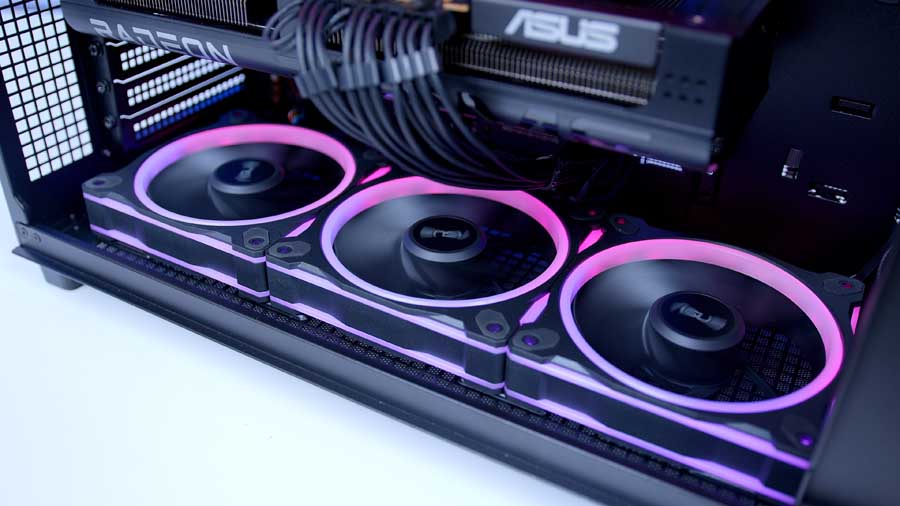
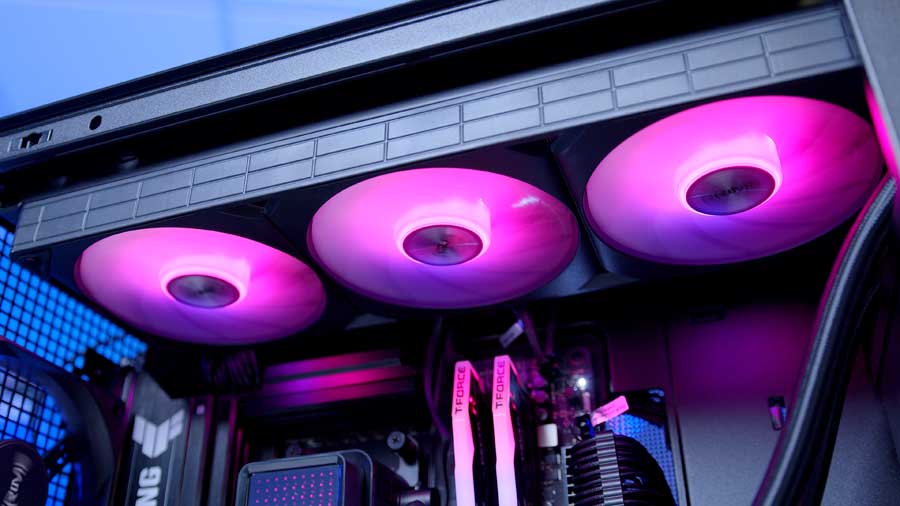
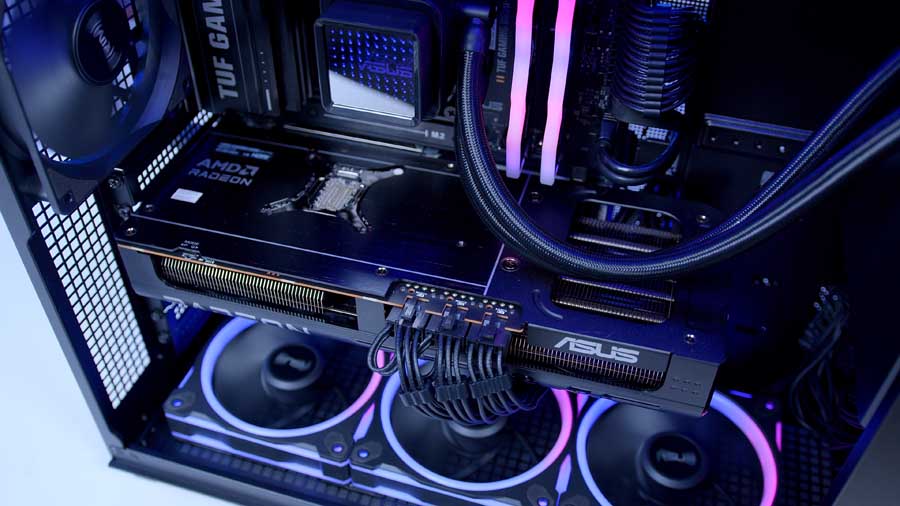
Performance
With the hardware side covered, it’s time to see what this system actually delivers in-game. For testing, we’ve focused on a mix of competitive shooters and visually demanding AAA titles to give a realistic spread of workloads. That means fast-paced, high-refresh experiences like Call of Duty: Black Ops 7, ARC Raiders, Battlefield 6, Fortnite and Marvel Rivals, alongside heavier cinematic titles including Cyberpunk 2077 and Resident Evil Requiem. The idea is to look at both ends of the spectrum - raw FPS potential and GPU-heavy visual stress.
The games were tested at 1440p or 4K with high graphics settings using the RX 9070 XT, and the system delivered an all-around smooth gameplay experience with framerates well above the widely accepted 60 FPS mark - the standard for modern gaming consoles.
Recommended Peripherals
ASUS' ROG Falchion Ace HFX is a strong match for this build if you want a compact competitive keyboard, pairing magnetic switches, adjustable actuation, and rapid trigger features with a cleaner 65% layout that leaves more room for mouse movement.
Corsair's M75 Wireless RGB is a well-rounded pairing for this build, offering a comfortable ambidextrous shell, a precise MARKSMAN 26K sensor, and wired, 2.4GHz, or Bluetooth modes for flexible gaming and everyday desktop use.
The ROG Delta II is a strong fit for a premium gaming setup, combining tri-mode connectivity, clear audio performance, and easy multi-device use for players who want one headset for PC gaming, chat, and console or mobile audio.
ASUS' TUF Gaming VG34WQML5A is a good thematic match for this build, delivering a 34-inch ultrawide 1440p canvas, a very fast refresh rate, and strong immersion for racing, action, and open-world games where the wider aspect ratio adds a lot.