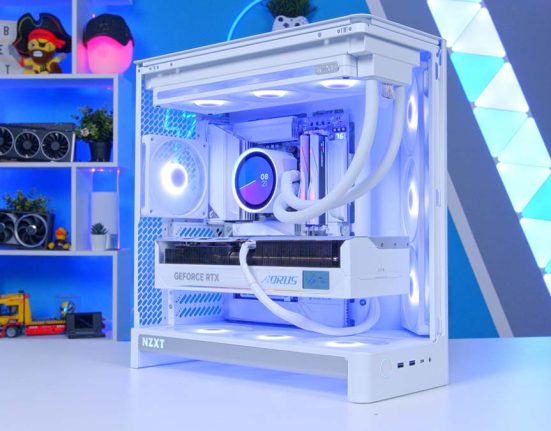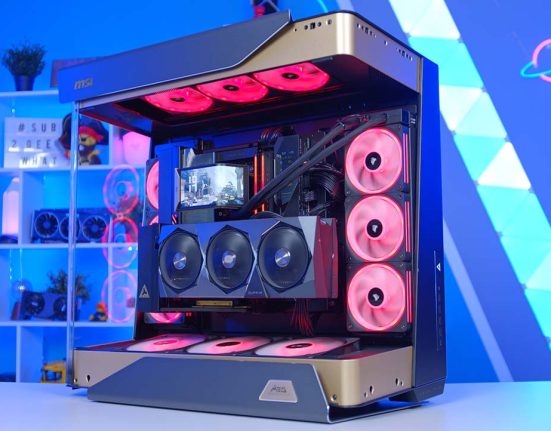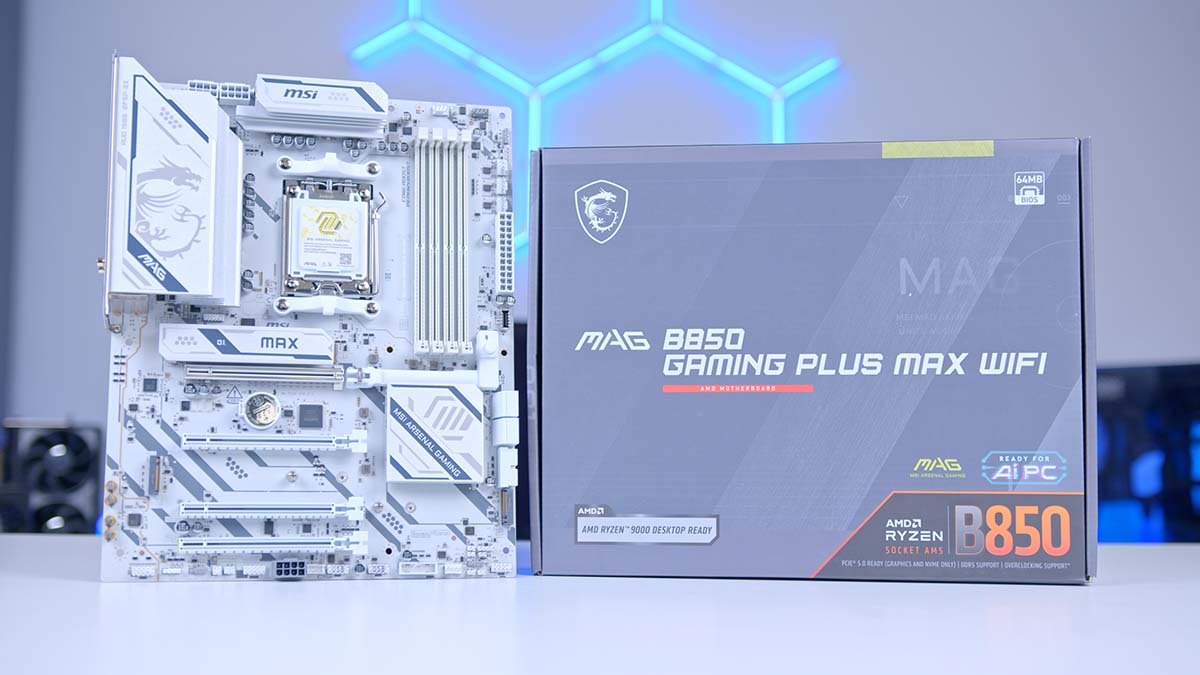
White builds have long had a habit of falling apart at the motherboard. Case, cooler and fans all looking the part, then the board underneath lets the side down. Black power connectors, black memory slots and black input/output (I/O) trimmings leave you with something closer to a panda than a white board. MSI’s MAG B850 Gaming PLUS MAX WIFI is aimed squarely at that problem. It’s a full-size ATX board for AMD’s AM5 socket, and it arrives with a true white colour scheme.
Colour is the easy part, though. Beyond that, picking a B850 board mostly comes down to which compromise you can live with. This one makes its choices more openly than most, spending big in a couple of places and trimming hard in others. Whether that lands depends entirely on what you intend to plug into it.
Specifications
Power delivery is where MSI has spent the money. There’s a 12+2+1 phase design with two 8-pin connectors feeding it, which is more than boards at this price usually bother with. Power delivery is essentially the bit that decides how comfortable a board is with a big Ryzen chip sat on top, and MSI has been fairly generous here.
Memory support is what we’d expect at this point in the market, with the usual 256GB, up to 8200MT/s (OC) across four DIMMs supported. Storage support is sits at three M.2 slots and four SATA ports, which is plenty unless you’ve got a serious drive collection. Networking is where the sheet gets interesting. Wi-Fi 7 and Bluetooth 5.4 are on board, and the wired connection runs at 5 gigabits per second thanks to its Realtek controller. Most boards at this end of the market stop at 2.5, so this is the one spec here that belongs on something a lot dearer.
Motherboard Specifications
- Model MSI MAG B850 GAMING PLUS MAX WIFI
- Chipset / Socket AMD B850 / AM5
- Form Factor ATX
- CPU Support AMD Ryzen 9000 / 8000 / 7000 Series
- Memory Support Up to 256GB DDR5, Up to 8200 MT/s (OC)
- VRM Design 12+2+1 Power Phases
- Graphics Card Compatibility (1 Slot) 1 x PCIe 5.0 x16 (CPU)
- Expansion Card Compatibility (3 Slots) 1 x PCIe 4.0 x4 (Chipset), 2 x PCIe 3.0 x1 (Chipset)
- M.2 Compatibility (3 Slots) M2_1: PCIe 5.0 x4 (CPU), M2_2: PCIe 4.0 x4 (CPU), M2_3: PCIe 4.0 x2 (Chipset)
- SATA Storage 4 x SATA 6Gb/s, RAID 0 and 1
- Front I/O Headers 1 x USB Type-C 10Gbps, 4 x USB Type-A 5Gbps, 4 x USB 2.0
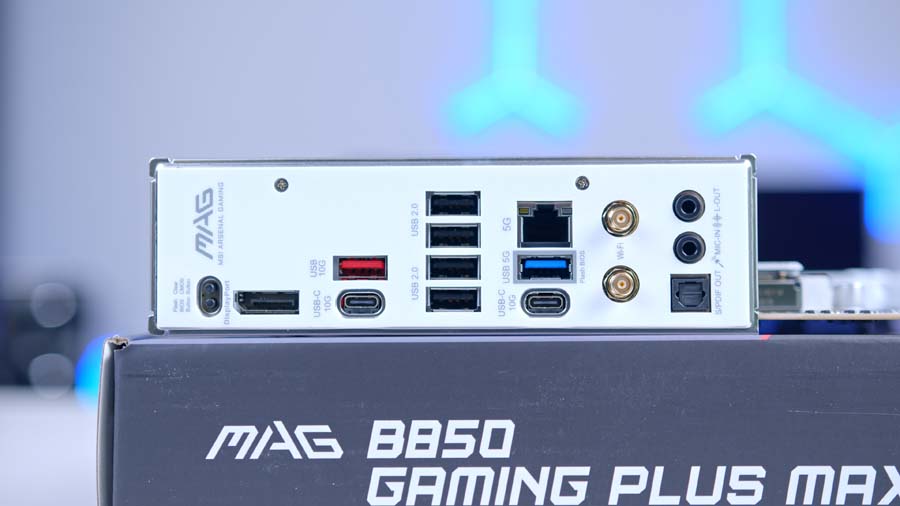
- Rear I/O 2 x USB Type-C 10Gbps, 1 x USB Type-A 10Gbps, 1 x USB Type-A 5Gbps, 4 x USB 2.0
- Networking Realtek 5GbE LAN, Wi-Fi 7, Bluetooth 5.4
- Audio Realtek ALC897, 7.1-Channel, S/PDIF Out
- BIOS 64MB ROM, Click BIOS X
- Colour White
That’s a lot of board for what’s meant to be the sensible chipset. B850 was never sold as the exciting tier, and mostly it isn’t, but the gap up to X870 has closed enough that plenty of builders never need to look any higher. Spec sheets like this one are the reason why.
Cutbacks and savings are present on the B850 Gaming PLUS MAX WiFi though, and are fairly easy to spot once you know where to look. I/O is one of the larger culprits, with half the USB ports on the rear being the slower, old-fashioned kind, nothing on the board goes faster than 10 gigabits per second, and the audio chip is one you’d expect to find on something a good deal cheaper.
Design
What makes the white finish work is how far MSI has taken it. There’s none of that awkward moment where you spot a black SATA block ruining an otherwise clean build, and if you’re putting together a white system, this is one of the few boards in this bracket that won’t force a compromise somewhere.
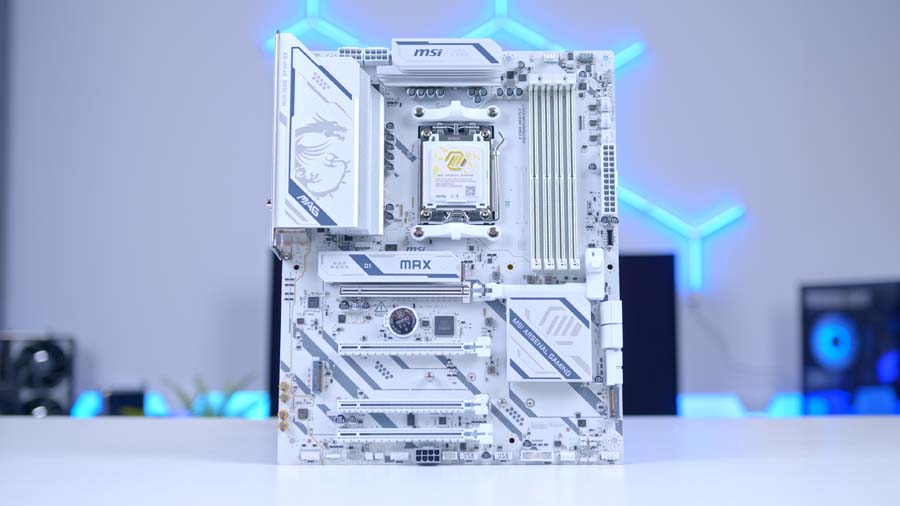
The pump and system fan header, the addressable RGB headers and the supplemental PCIe 8-pin connector are all picked out in grey, while the JAF_1 EZ Conn header is white, so you’re not squinting at silkscreen text with a torch. MSI has also printed a full M.2 signal source list directly onto the board, and labels the USB ports by speed in gigabits per second instead of the confusing USB 3.2 Gen 2×2 naming scheme.
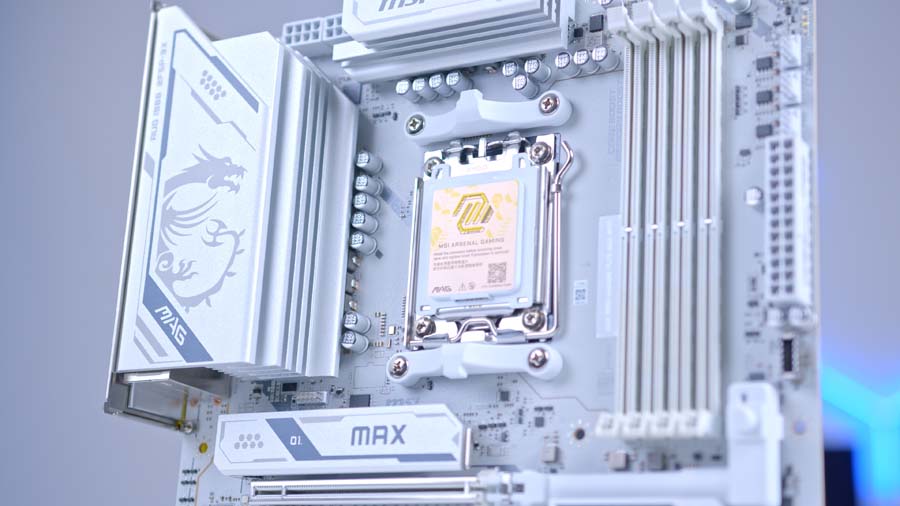
MSI has clearly decided the look is a selling point this time round. The original Gaming PLUS WiFi was sold on its power delivery and its connectivity, with no colour scheme mentioned anywhere, whereas the MAX leads with its finish and carries the white far enough to cover what’s in the accessory box. Picking up the MAG prefix helps as well, tying the board into the same family as the Tomahawk instead of sitting just outside the naming.
One thing to note: MSI’s own spec sheet lists only the four EZ Debug LEDs and a memory detection LED under lighting features, so any glow in your build is going to come from what you plug into the three addressable RGB Gen 2 headers and the single 12V RGB header, not from the board itself.
Features We Like
A Gen 5 Layout That Doesn’t Make You Choose
The bit we like most about this board is how the fast lanes are divided up. The primary PCIe 5.0 x16 slot runs directly from the processor, and so does the first M.2 slot at PCIe 5.0 x4. On plenty of boards you’d be picking between full graphics bandwidth and a full-speed Gen 5 solid state drive (SSD), but MSI has set the lanes up so both can run at full width at the same time. The second M.2 slot is also fed from the CPU at PCIe 4.0 x4, which is more generous than it sounds at this price.
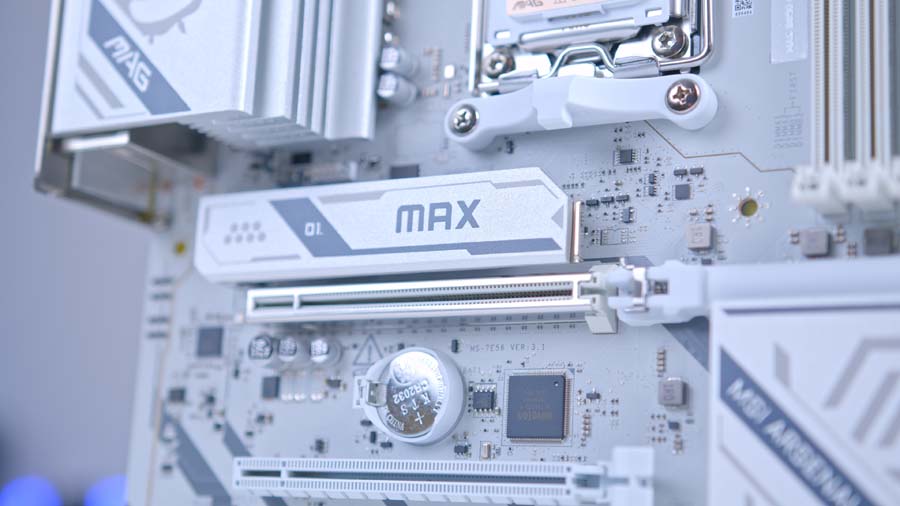
It’s not entirely without caveats. The third M.2 slot hangs off the chipset and tops out at PCIe 4.0 x2, so treat it as somewhere to park a games library or a backup drive, not a boot drive. The expansion slots share bandwidth too, with the PCIe 4.0 x4 slot dropping to x2 the moment you populate either of the two x1 slots. Neither is unusual on a B850 board, but both are good to know before you plan out a capture card and a sound card alongside three drives.
5G LAN, Wi-Fi 7 And A Bigger BIOS Chip
Networking is where this board pulls ahead of its price bracket. Wired duties are handled by a Realtek 8126 controller running at 5 gigabits per second, which is a clear step up from the 2.5G parts that dominate this segment, and it’s paired with a Wi-Fi 7 module and Bluetooth 5.4.
The larger 64MB BIOS chip is the other MAX headline. The extra space means MSI can store network drivers in the BIOS itself, so Windows can find your Wi-Fi network during installation instead of leaving you hunting for a USB stick. It also leaves plenty of room for future AM5 processor support, which matters on a platform AMD has committed to for a good while yet.
Features We Don’t Like
The Rear USB Line-Up Feels Thin
Round the back you get eight USB ports, and half of them are USB 2.0. That leaves six Type-A connectors in total, of which only two are anything quicker than USB 2.0 speeds. The two 10Gbps Type-C ports are welcome, and there’s a 10Gbps Type-A and a 5Gbps Type-A alongside them, but if you’re running a headset, a mouse, a keyboard, a microphone and an external drive, you’ll be into a hub sooner than you’d like.
There’s also no 20Gbps USB anywhere on the board, front or rear. At the budget end of B850 that’s completely reasonable, but this board sits high enough in the stack that we’d have expected at least one faster Type-C port. Front panel connectivity is decent by comparison, with a 10Gbps Type-C header, four 5Gbps Type-A and four USB 2.0 available through internal headers.
ALC897 Audio Is Behind The Curve
Audio comes courtesy of Realtek’s ALC897 codec, providing 7.1-channel high definition sound with MSI’s Audio Boost isolation and S/PDIF (Sony Philips Digital Interface) output. For a gaming headset or a set of desktop speakers it’s perfectly serviceable, and most people plugged into a USB or wireless headset won’t touch it at all.
The issue is context. Boards competing in this part of the market have been moving towards ALC1220 and ALC4080 class solutions, and if you’ve got a decent pair of headphones or an amplifier hanging off the board’s 3.5mm outputs, the difference is audible. It’s the one spec on the sheet that feels like it belongs on a cheaper board, and it’s a slightly odd corner to cut given the 5G LAN sitting right next to it.
Building And BIOS
MSI’s EZ DIY features have matured into something you actually notice, and this board gets most of them. All three M.2 slots use the EZ M.2 Clip II mechanism, so drives push in and latch without a single screw, and the heatsinks lift off the same way via EZ M.2 Shield Frozr II. There’s also an EZ M.2 Clip II remover in the accessory box for shifting clips between slots.
The EZ PCIe Release button remains one of our favourite additions to modern boards. It sits well clear of where a large graphics card sits, so freeing a heavy triple-slot card is a one-handed job, with no torch and screwdriver required. Elsewhere you get a pre-installed I/O shield, the magnetic EZ Antenna mount, Flash BIOS and Clear CMOS buttons on the rear panel, and four EZ Debug LEDs plus a separate memory detection LED for when a build refuses to post.
Header provision is sensible. There’s a CPU fan header, a combo pump and system fan header that auto-detects what you’ve plugged in, four system fan headers and the JAF_1 EZ Conn header, which can be split into extra fan and addressable RGB connections with the right cable. Power comes in through dual 8-pin CPU connectors, and there’s an 8-pin supplemental PCIe power connector on the board for high-draw graphics cards.
Alternative Motherboard Choice
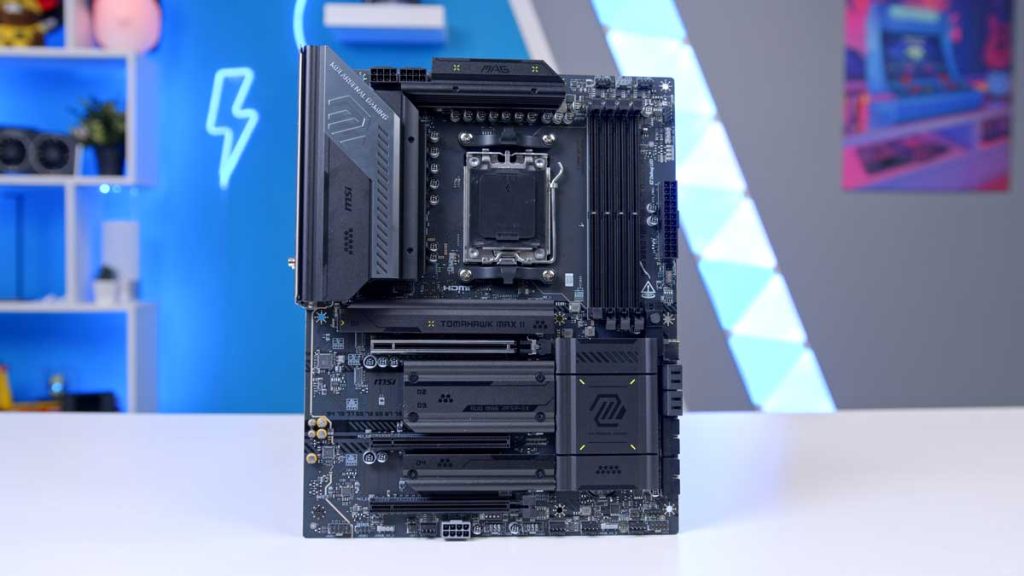
MSI MAG B850 TOMAHAWK MAX WIFI II
If the two things holding the Gaming Plus Max back are the ones that matter to you, the Tomahawk sorts both. It runs the Realtek ALC4080 audio codec instead of the ALC897, which is a serious step up for anyone plugging decent headphones into the board, and the front Type-C header doubles to 20Gbps. You also get ten USB ports on the rear rather than eight, four M.2 slots with two of them running at Gen 5, and a beefier 14+2+1 power stage design. The catch is that it’s a black and dark grey board with subtle yellow accents on the chipset heatsink, so it’s built for a completely different look.
The other MAX addition is the OC Engine, a dedicated chip that gives independent base clock (BCLK) control through asynchronous mode in the BIOS. MSI claims gains of up to 15 percent while keeping the integrated graphics, memory, PCIe and NVMe (Non-Volatile Memory Express) subsystems stable, using a Ryzen 7 9800X3D as its reference point, and states that actual gains will vary by platform. There’s also a dual 2-pin Direct OC Jumper on the board for adjusting base clock on the fly from within Windows.
Memory support is handled through MSI’s Click BIOS X interface, with EXPO and A-XMP one-click profiles available. Officially the board supports four DDR5 UDIMMs up to 256GB, with DDR5-8200 and above possible in a single rank, single DIMM per channel configuration, dropping to 6000MT/s or so once you fill all four slots with dual rank modules.