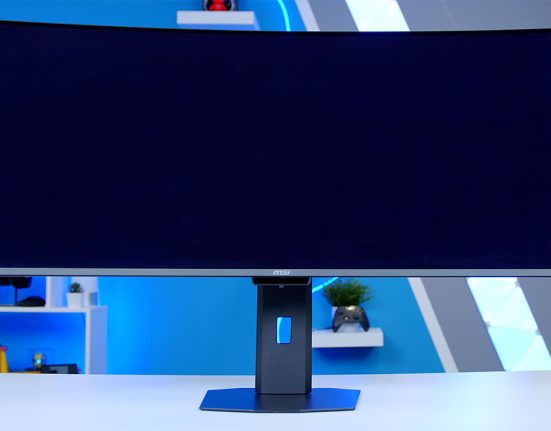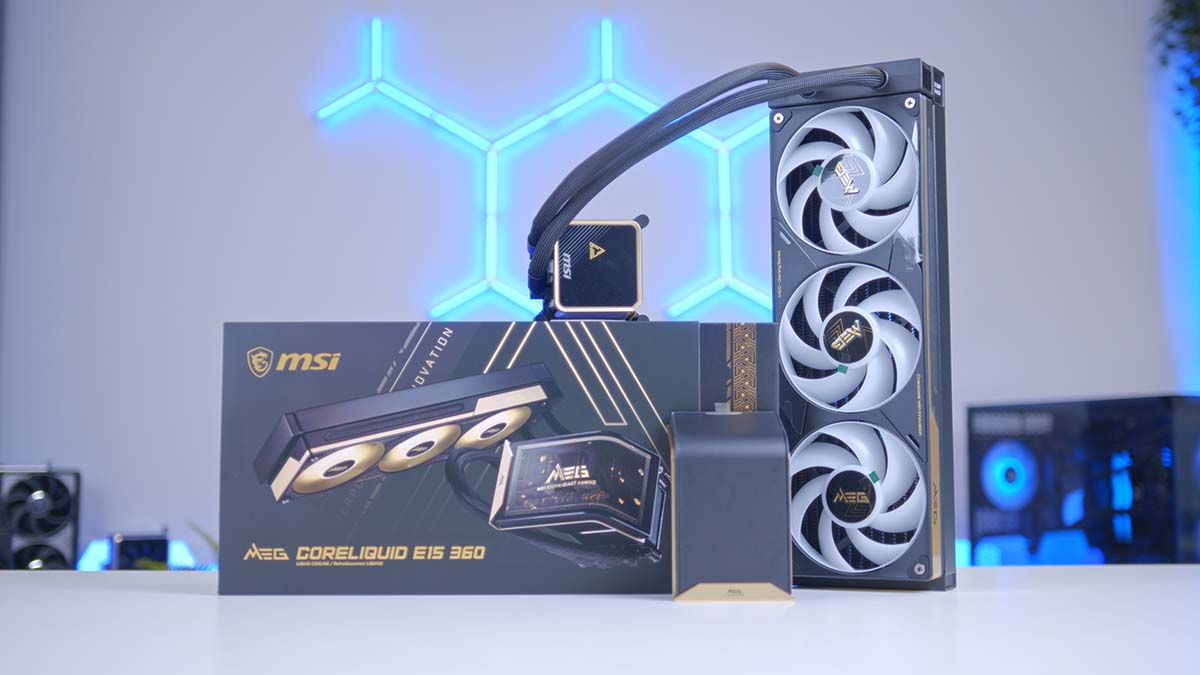
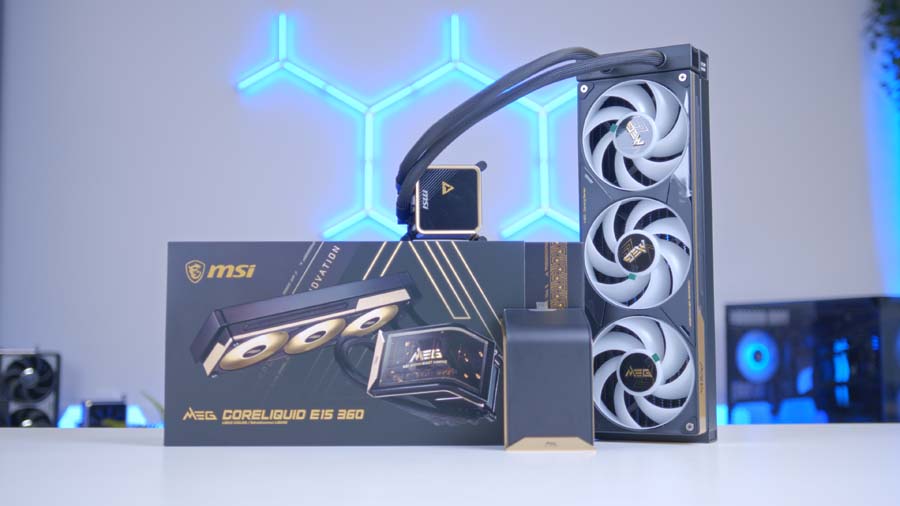
Right, let’s talk about the MSI MEG Coreliquid E15 360, the new flagship of the AIO from MSI. First revealed at CES 2026 with a whopping curved OLED screen bolted to the pump head, it’s designed to be the thing you clock through the side panel before you spot anything else in the build and on that front MSI have nailed the brief!
There’s more to it than a pretty face, mind. You get a chunky 31mm radiator, a single-frame TriFlow fan and MSI’s incredibly efficient and easy-to-use one-cable JAF_2 setup. I’ve had it in my hands and on the bench, so let’s get into how it installs, how it looks, and, crucially, whether it actually keeps a CPU in check.
Specifications
As alluded to in the intro, the E15 sits atop of the pile when it comes to MSI AIO’s and when looking at the specs its easy to see why. The E15 360 pairs a thicker-than-usual 31mm aluminium radiator with three 120mm TriFlow fans that come pre-installed. Up top sits that 6.67-inch curved 2K OLED, and the whole lot talks to your motherboard through a single JAF_2 hub. The curved screen is of course the standout here but I wouldn’t bet against the very premium feeling thick radiator.
Cooler Specifications
-
Model
MSI MEG CoreLiquid E15 360
-
Product Code
MSICLE-15360
-
Type
360mm AIO liquid cooler (MEG Series)
-
Radiator Size
360mm
-
Radiator Thickness
31mm
-
Radiator Material
Aluminium
-
Fans
3 x 120mm TriFlow (pre-installed)
-
Fan Profile
High static pressure, low-noise design
-
Display
6.67-inch curved 2K OLED
-
Display Curvature
110-degree ultra-wide
-
Lighting
ARGB (MSI Mystic Light)
-
Cable Management
JAF_2 single-hub (fan, ARGB and USB)
-
Adapter
Included for boards without a JAF_2 header
-
Use Case
Extreme thermal loads and overclocking
Design
The pump head is home to a 6.67-inch curved 2K OLED, and rather than the flat panel you’ll find on plenty of rivals, MSI has opted for a 110-degree curve so it stays readable from the side. It’s framed in gold for added flair and that theme carries across to the fan surround. Is it a bit much? Maybe. But if you’re the sort who builds in a glass-sided case specifically to show off your build, this is going to make you grin.
Driving the screen is MSI Center, with customisation handled through its EZ Display module, and it’s refreshingly straightforward to live with. Setup was quick and simple, which is exactly what you want from a cooler at this price.
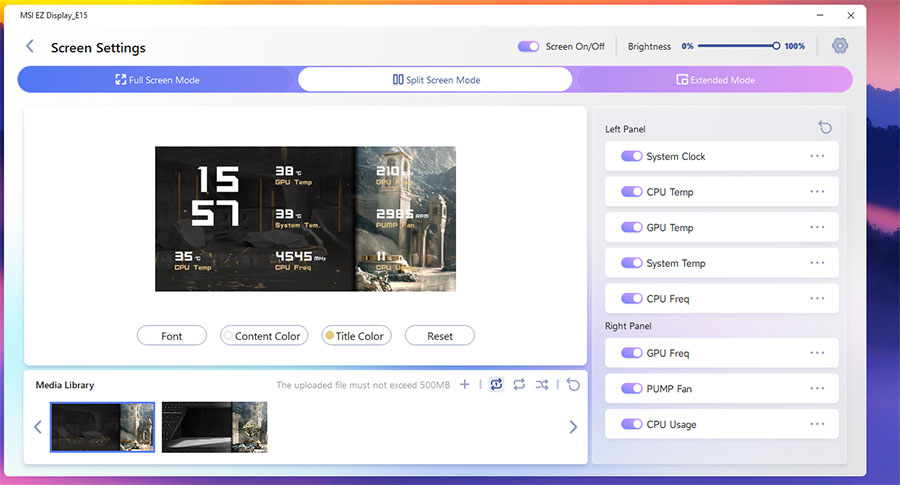
There’s plenty to play with, all of it quick to update: you can run the panel full-screen, or switch to a split-screen mode that divides the display at the seam and shows a different background and set of data on each half.
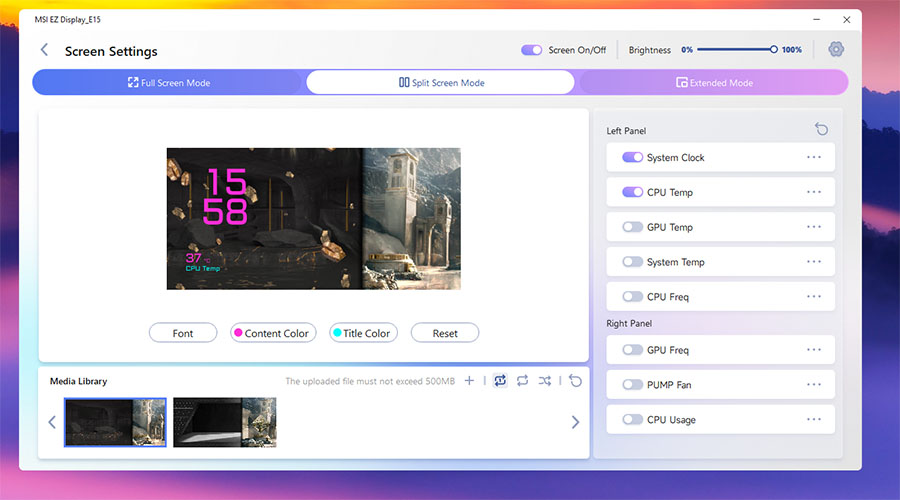
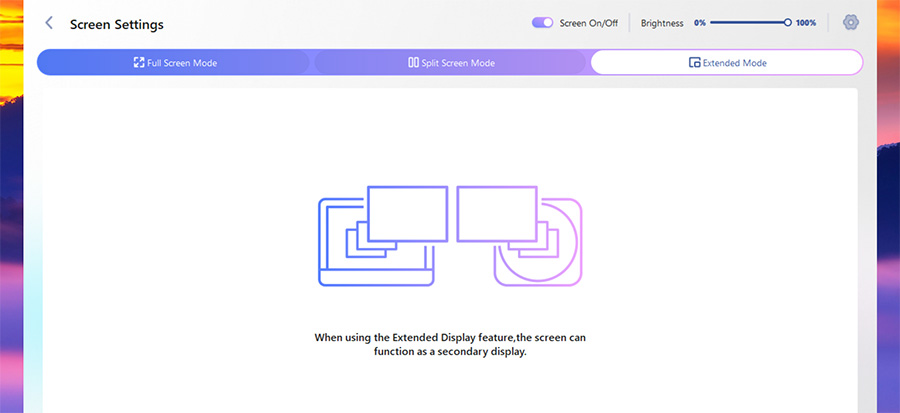
Hardware monitoring, and images are all on the menu, and if you fancy it, the screen can even double as a small second monitor for anyone who wants to extend their desktop onto it.
Beneath the aesthetics, I’m glad to say that the hardware feels the part. The radiator fans are thick, well made and pre-installed on the radiator, which is one less fiddly job on build day. The radiator itself is a chunky 31mm thick, a little more than MSI’s usual, and it’s the standard 360mm length, so it will drop into any case that supports a radiator this size, I did however to find the radiator tubing to be a little unforgiving in the length department, so worth a double check before locking the radiator in place.
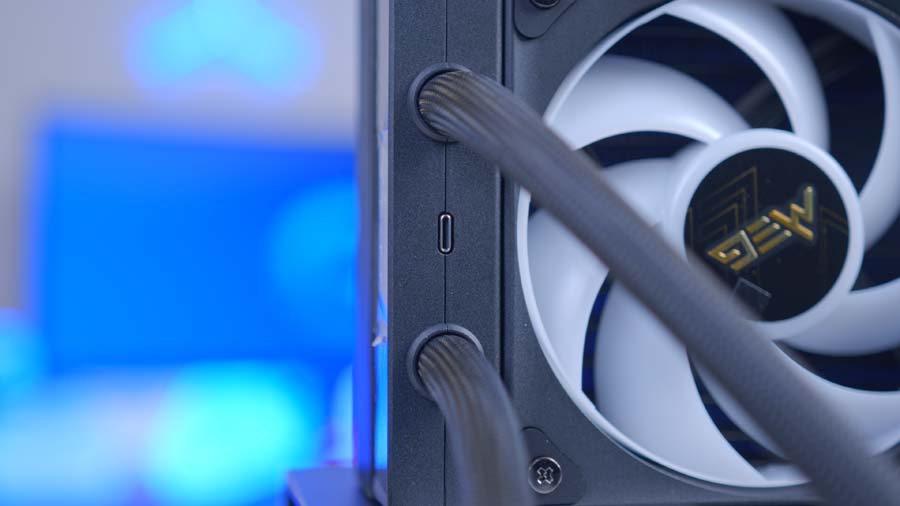
Cabling is really tidy and the JAF_2 interface is excellent. It bundles fan power, ARGB and the screen’s USB signal into one cable that plugs directly from the radiator to board rather than the usual handful, and the finished build looks all the cleaner for it. Better still, MSI includes an adapter cable for boards without a JAF_2 header, so you’re not locked out of the neat setup just because your motherboard is a little older or from a competing brand. Again, however, my one reservation is length. The JAF_2 cabling is a touch short, so if you’re building in a larger case, but in a mid-tower should be a non-issue.
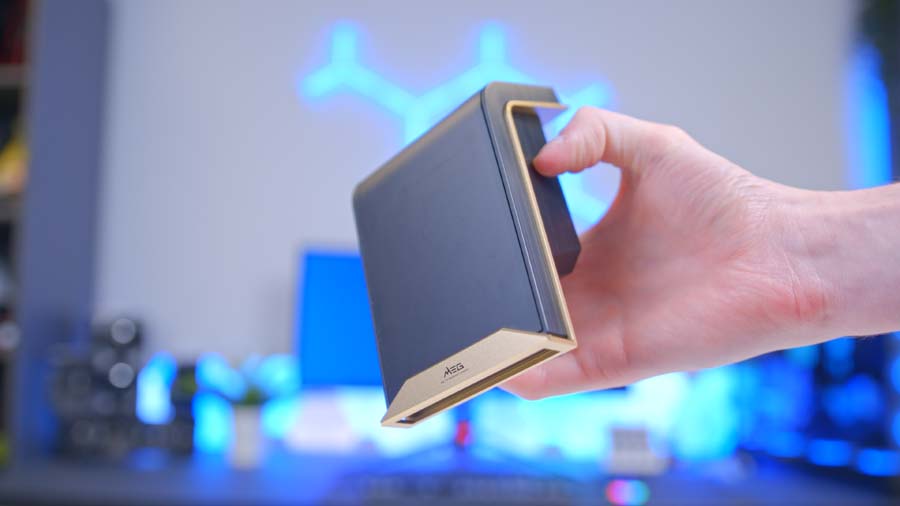
My time with the E15 wasn’t without frustration however. Getting everything out is more confusing than it should be, with too many hidden compartments that had me hunting around for parts. The standoffs are also rather bemusingly tucked inside a bag labelled 4x radiator screws, which did baffle me for longer than I’d care to admit. Once everything is found, mounting is fine, but the screws are fiddly to fit onto the standoffs: they need a fair amount of pressure to latch, yet flex enough to make the process awkward. None of it is a dealbreaker, but on a cooler this expensive the process could do with being a fair deal smoother. I found myself scratching my head a few times to many for my liking.
Features We Like
That Screen Steals the Show
Let’s be honest, the OLED is the reason you’re looking at this cooler. The 110-degree curve and gold frame give it genuine presence, turning the pump head into a proper centrepiece rather than an afterthought. If your build is all about the wow factor through the glass, the E15 360 delivers it in spades.
Cracking Fans and Clever Cabling
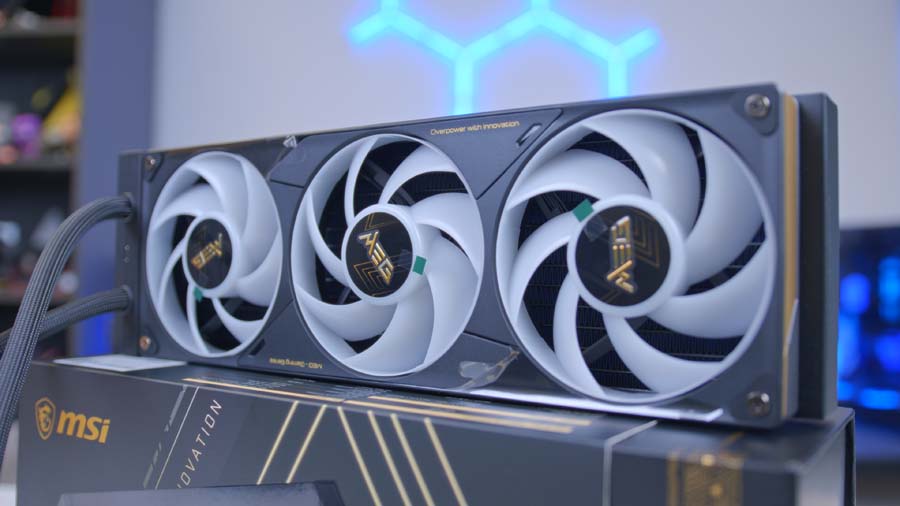
Beyond the looks, the basics are strong. The fans are thick, high quality and pre-installed, which saves a load of faff, and the single-cable JAF_2 setup keeps everything wonderfully tidy. Chuck in the adapter cable for boards that lack a JAF_2 header, and it’s clear MSI has thought about making life easier whatever motherboard you’re running.
Features We Don’t Like
Unboxing Faff
The out-of-box experience is the low point. The packaging is a maze of hidden compartments, and finding the standoffs in a bag labelled as radiator screws is the kind of thing that turned a ten-minute job into a head-scratcher. It’s a small gripe, but when you’re paying premium money, you expect the little things to just work.
Fiddly Screws and Short Cables
The mounting screws are more finicky than they should be, needing firm pressure to latch while flexing enough to catch out even old hands. And while I’m nitpicking, the radiator tubing and JAF_2 cabling are both a touch short, so bigger builds will want to double-check clearances before buying.
Performance
Right, the bit that actually matters: how does it cool? As always, I ran the E15 360 through our standard cooler suite on the Core i7-14700K test bench, pitting it against a big stack of rivals to see exactly where it lands and whether it’s worthy of a spot in your next build.
Cinebench R23 (4 Threads)
Under the lighter 4-thread Cinebench R23 run, the E15 was well within its comfort zone, averaging 62°C and peaking at just 67°C. That drops it into the mid-table, keeping pace with a load of well-regarded 360mm units and shrugging off everyday workloads with plenty of headroom to spare.
Cinebench R23 (8 Threads)
Crank it up to the heavier 8-thread run and the E15 has to graft a bit harder, climbing to a 76°C average with an 82°C peak. That nudges it toward the warmer end of the coolers we’ve tested, though it never came close to throttling the 14700K. It’s a fairly clear sign this is a cooler tuned for quiet, tidy running rather than chasing the top of the charts when the heat is really on.
CPU-Z (8 Threads)
Our CPU-Z 8-thread test told a kinder story, with the E15 settling at 71°C on average and topping out at just 77°C. That tight spread keeps a sensible gap to the chip’s thermal limit and reinforces the picture of a cooler that stays composed without ever troubling the very best on our charts.