![FI_[SR190] HYTE X50 Ryzen 5 9600X & MSI RTX 5070 Ti](https://geekawhat.com/wp-content/uploads/2026/01/FI_SR190-HYTE-X50-Ryzen-5-9600X-MSI-RTX-5070-Ti.jpg)
This gaming PC build is one of our favourites to date. This HYTE X50 build is less about hitting a price target and more about indulging pure enthusiast energy. With its bold, colourful aesthetic, the X50 practically invites creativity and personality, so instead of building to a budget, we built to a vision. This one is all about looking captivating, feeling premium, and experiencing the joy behind PC building.
So join us as we detail the components we have used, dish out the performance specs and share the step-by-step video of how we built it.
Parts Overview
AMD Ryzen 5 9600X
Skip to Section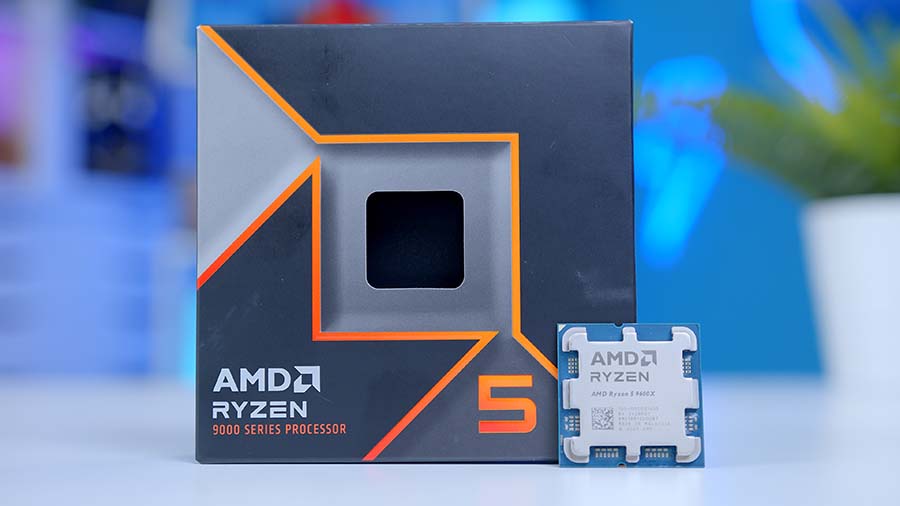
This CPU delivers strong gaming frame rates with modern platform efficiency for an AM5 build. It also has enough multitasking headroom for streaming, editing, and background app workloads.
Corsair iCUE Link H150i
Skip to Section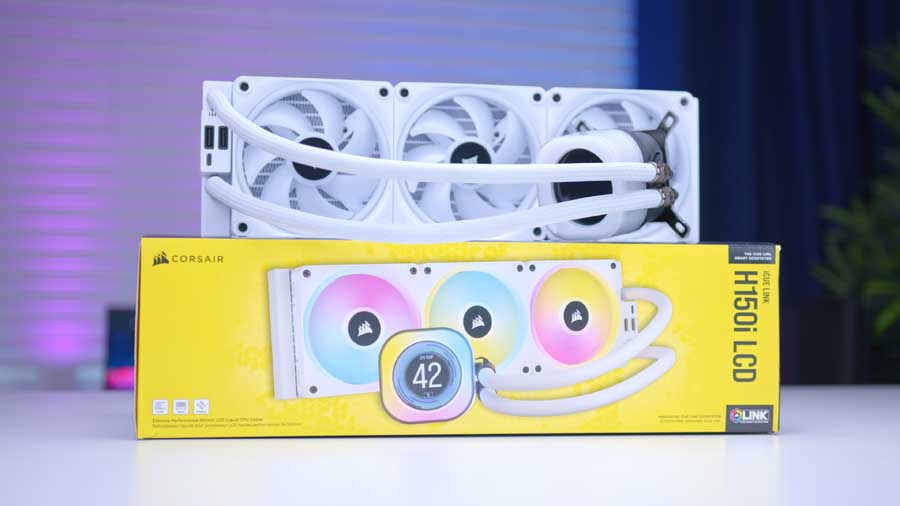
A high-performance 360mm liquid cooler with iCUE LINK ecosystem integration, ideal for keeping Zen 5 temperatures under control while maintaining strong acoustics.
AMD – AM5, AM4
MSI MAG X870E GAMING PLUS MAX WiFi
Skip to Section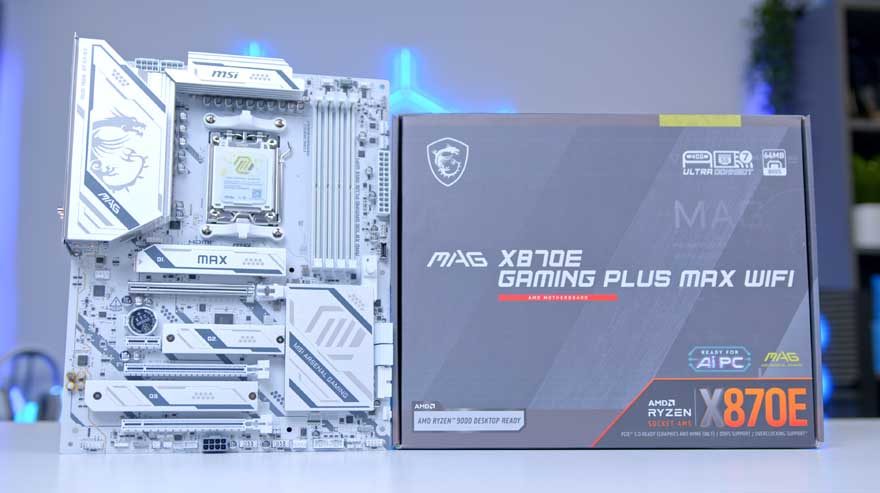
This board gives a balanced feature set for modern Ryzen builds with strong power delivery and connectivity. It is ideal for PCIe 5.0-ready systems without moving to top-tier chipset pricing.
Thermaltake TOUGHRAM XG RGB D5
Skip to Section
A 32GB DDR5 kit is a sweet spot for gaming, content work, and future-proofing. It offers strong baseline capacity while leaving headroom for heavier multitasking and newer game engines.
Samsung 9100 Pro
Skip to Section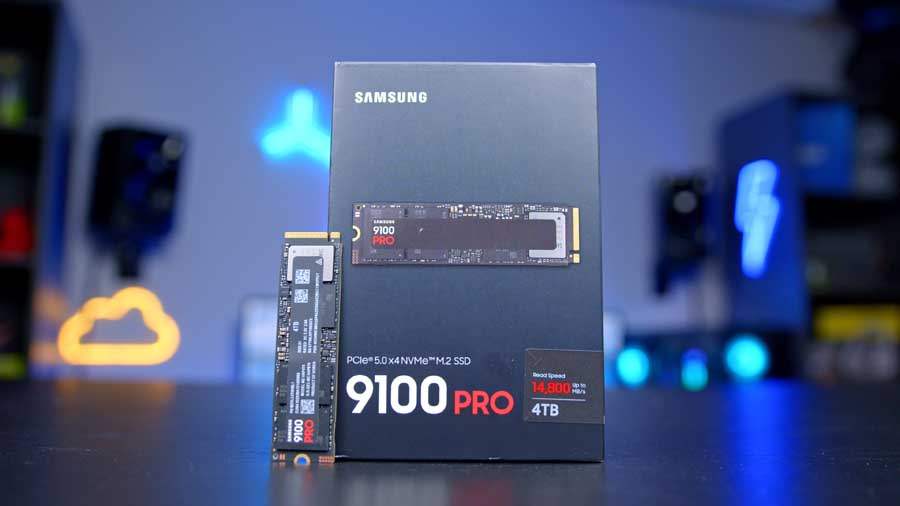
Samsung 9100 Pro is a flagship PCIe 5.0 NVMe drive focused on top-tier sequential throughput and snappy random performance for game loads and content workflows.
MSI RTX 5070 Ti Gaming Trio
Skip to Section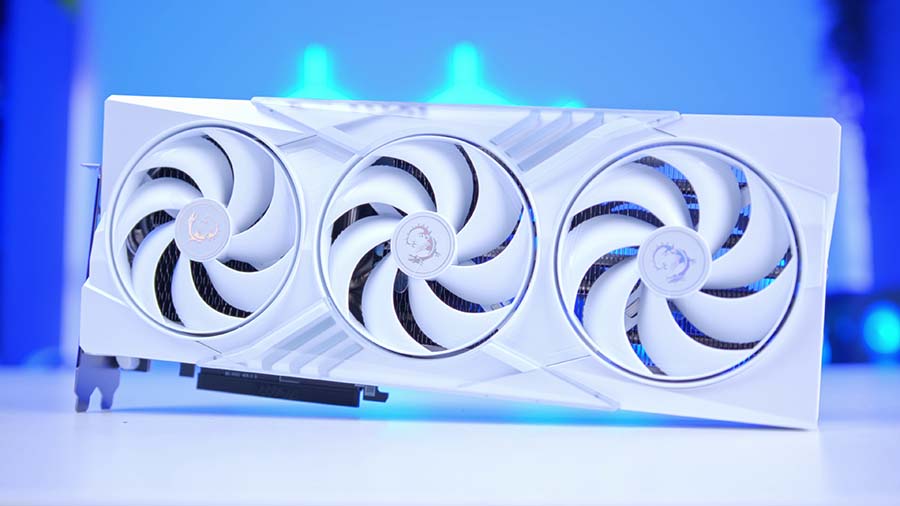
A strong mid-to-high tier graphics card targeted at high refresh 1440p gaming and capable 4K settings. It also gives modern encoder and feature support for streaming and creator tasks.
HYTE X50
Skip to Section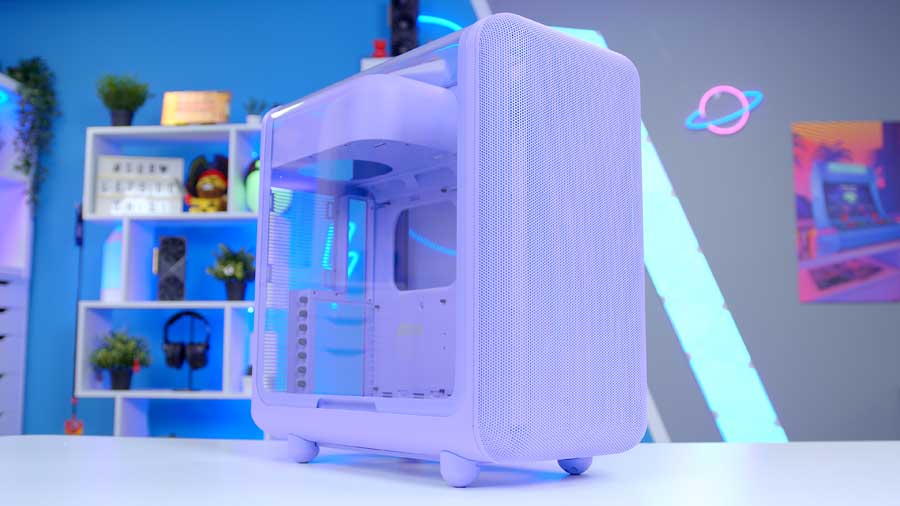
This case prioritizes airflow and practical build compatibility for modern gaming hardware. It is a good foundation for larger GPUs and solid cooling without needing premium chassis pricing.
NZXT C850 Gold
Skip to Section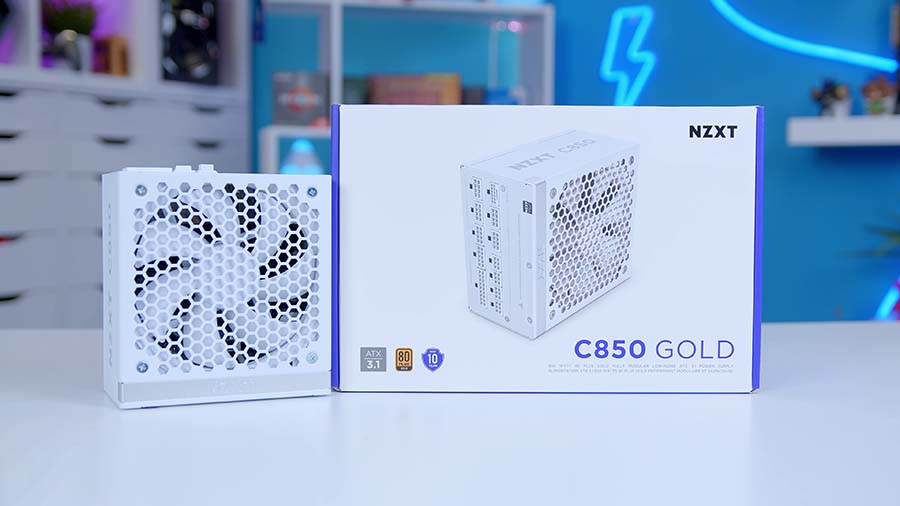
An 850W Gold-rated PSU with modern ATX 3.x-era cabling support, giving clean headroom for high-end GPUs while retaining efficiency and upgrade flexibility.
AMD Ryzen 5 9600X
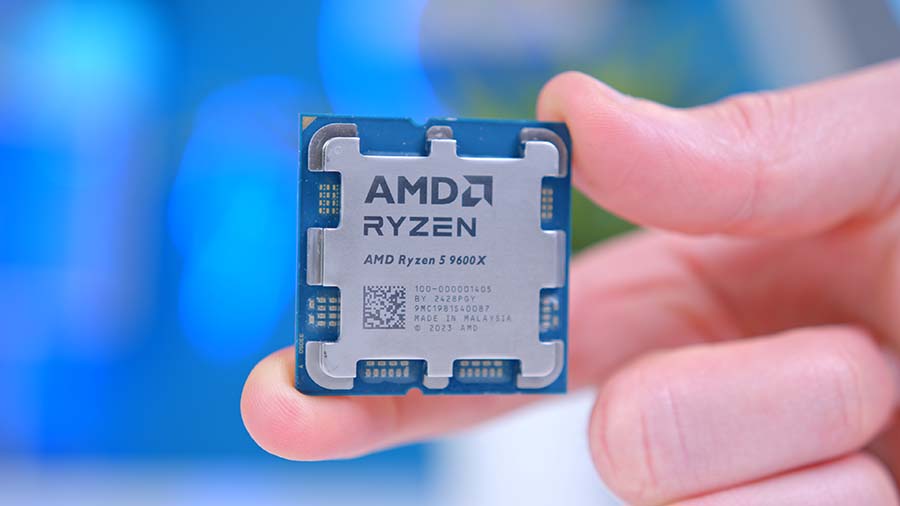
The AMD Ryzen 5 9600X is the ultimate budget gaming CPU with six cores and twelve threads at a boost clock speed of 5.4GHz. The Ryzen 5 9600X is a solid competitor in single-core workloads, making it excellent for gaming, though the graphics card pairing matters as we’ll discuss later. While the Ryzen 5 9600X offers excellent performance and efficiency, it’s worth noting that it is one of the more affordable options. Crucially, it also lives on the AMD AM5 socket, which does a considerable amount for ensuring good upgrade paths, and keeps motherboard costs down with a huge range of options to choose from.
Corsair iCUE Link H150i
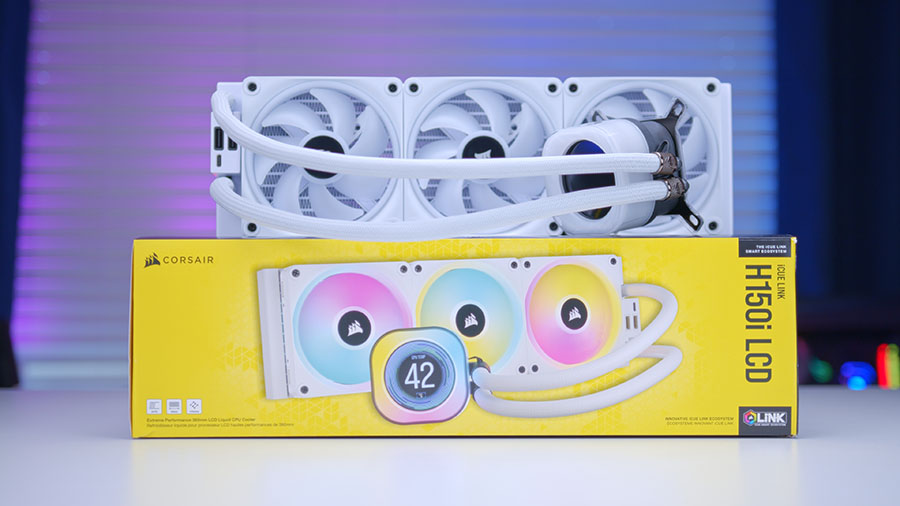
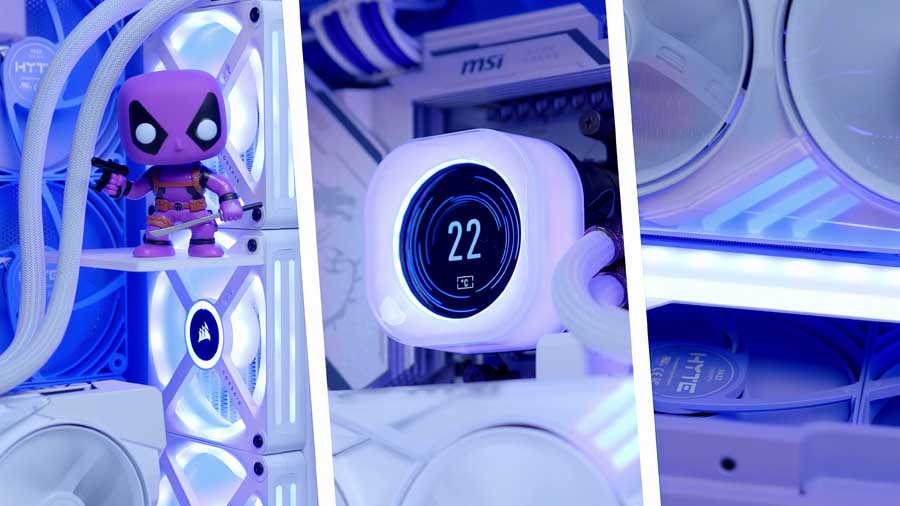
The Corsair iCUE Link H150i is a high-performance All-In-One liquid CPU cooler with a 360mm radiator. The cooler’s triple-fan configuration ensures strong airflow across the radiator, allowing the heat made by the CPU to be efficiently dissipated and taken away from the chip. The H150i’s ARGB water block is customisable, and so are the ARGB fans. Because this unit has iCUE Link, you can seamlessly connect other compatible iCUE Link devices to the controller and easily sync up hardware using Corsair’s iCUE application.
MSI MAG X870E GAMING PLUS MAX WiFi
The MSI MAG X870E GAMING PLUS MAX WIFI is a cutting‑edge AM5 motherboard, engineered for gamers who want a stable, durable and highly DIY‑friendly foundation for their next‑generation PC build. MSI’s EZ‑DIY features streamline GPU and M.2 drive installation, reducing the need for tools and making upgrades far more accessible, even for first‑time builders.
Motherboard Specifications
-
Model
MSI MAG X870E GAMING PLUS MAX WIFI
-
Chipset / Socket
AMD X870E / AM5
-
Form Factor
ATX (30.5cm x 24.4cm)
-
CPU Support
AMD Ryzen 9000 / 8000 / 7000 Series
-
Memory Support
4 x DDR5 UDIMM,
Up to 256GB,
DDR5-8200+ (OC) -
VRM Design
14+2+1 Duet Rail Power System (60A SPS)
-
Graphics Card Compatibility (1 Slot)
1 x PCIe 5.0 x16 slot (full-length primary GPU slot)
-
Expansion Card Compatibility (3 Slots)
1 x PCIe 4.0 x4 (full-length, x4 electrical),
2 x PCIe 3.0 x1 slots -
M.2 Compatibility (3 Slots)
1 x PCIe 5.0 x4,
2 x PCIe 4.0 x4 -
SATA Storage
4 x SATA 6Gb/s ports
-
Front I/O Headers
1 x front USB-C header (10Gbps),
4 x front USB 5Gbps Type-A ports (via headers),
6 x front USB 2.0 ports (via headers) -
Rear I/O
1 x USB4 Type-C,
1 x USB 3.2 Gen 2×2 Type-C,
2 x USB 10Gbps Type-A,
2 x USB 5Gbps Type-A,
4 x USB 2.0 Type-A -
Networking
5 Gigabit Ethernet
Wi-Fi 7
Bluetooth 5.4 -
Audio
8-channel (7.1) HD Audio
Connectivity is a major strength of this board. It comes equipped with WiFi 7, 5G LAN, and Bluetooth 5.4, ensuring ultra‑fast networking whether you prefer wired or wireless setups. The rear I/O includes premium high‑speed ports such as USB4 Type‑C (40Gbps) and USB 3.2 Gen 2×2 Type‑C, giving creators and power users the bandwidth they need for fast external storage and modern peripherals.
Visually, the MAG X870E GAMING PLUS MAX WIFI stands out with a bold yet refined aesthetic. Its monochromatic design is accented by harmonic branding elements, including the iconic MSI dragon on the I/O shield and clean MSI/Max lettering across the heatsinks. The result is a board that looks powerful without being overly aggressive, making it a perfect match for minimalist or themed builds.
Thermaltake TOUGHRAM XG RGB D5
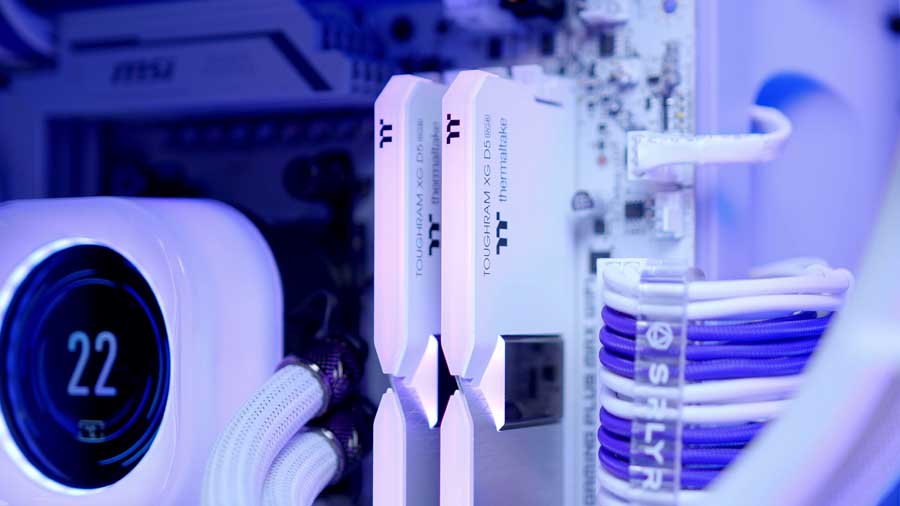
The Thermaltake TOUGHRAM XG RGB D5 features a unique design with two distinct white tones, a chrome stripe in the middle, and high-quality material. Thermaltake has designed this RAM to have double the capacity for better efficiency. With a doubled bank group architecture, the TOUGHRAM XG RGB D5 Memory DDR5 delivers faster memory access and higher capacities without lag, leading the way to next-gen memory. The RAM also supports overclocking, a lovely feature to see, with support for both Intel and AMD processors via Intel XMP 3.0 and AMD EXPO, allowing you to optimise your system’s stability with simple tweaks.
Samsung 9100 Pro
The Samsung 9100 Pro is a robust and powerful SSD that performed exceptionally well during our benchmarks. For any gaming build, we recommend opting for 2TB as the minimum capacity, given how much space games and applications take up, but for this build, we are doubling that and choosing the 4TB capacity, because we don’t have a spending budget. The Samsung 9100 Pro is a Gen5 M.2 drive that spans a capacity range of 1TB to 8TB, and the 4TB recorded blazing-fast sequential read and write speeds of 13818MB/s and 12920MB/s during our testing. For gamers, this level of performance translates to faster load times, reduced download bottlenecks, and an overall smoother experience. Whether for gaming rigs or professional workloads, the 9100 Pro sets the standard for high-end SSDs.
Suggested Article: The best SSDs to buy in 2026
MSI RTX 5070 Ti Gaming Trio
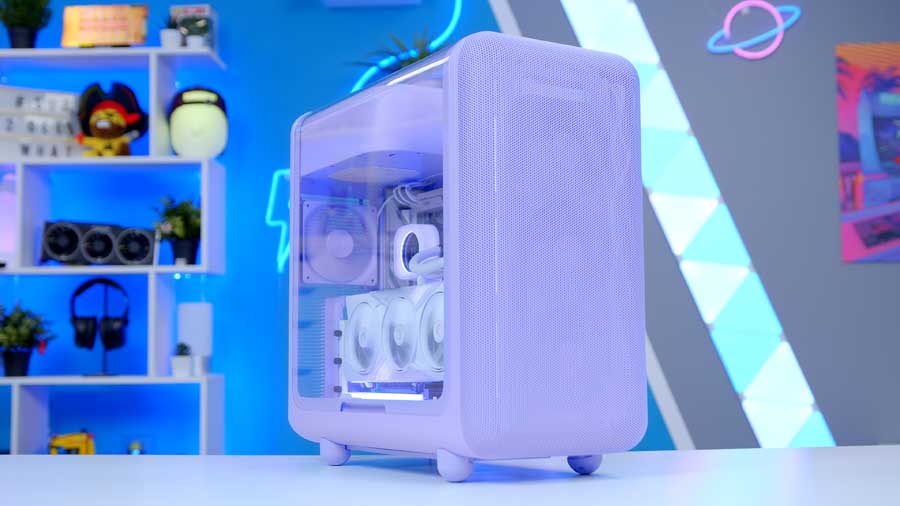
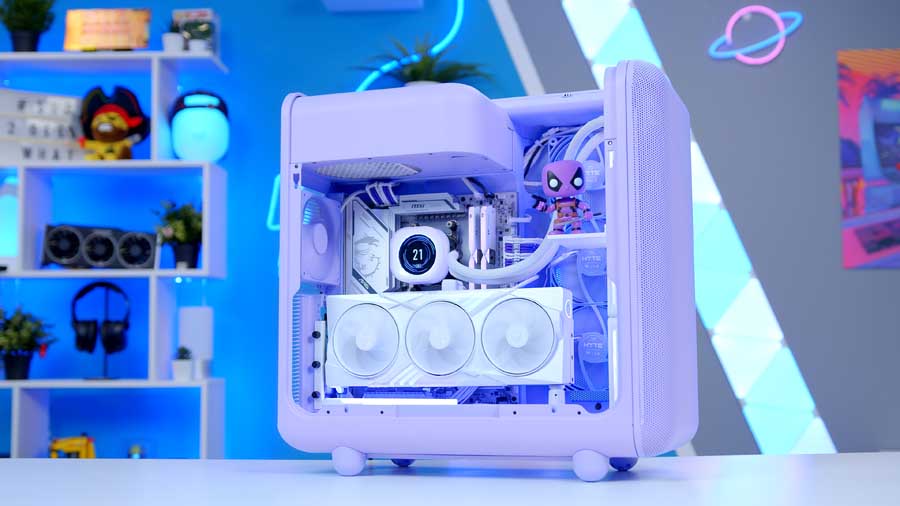
At the heart of this build lies a commitment to aesthetic excellence. The HYTE X50 is more than just a case; it’s a stage. Its unique curved architecture and panoramic views provide the perfect backdrop for the white MSI RTX 5070 Ti Gaming Trio. By mounting this card vertically, we’ve moved the GPU from being just a high-performance component to the centrepiece of the build. It’s a gorgeous GPU with subtle hints of customisable RGB lighting fused with pretty holographic accents and MSI’s signature dragon logo on the outer casing.
HYTE X50
HYTE’s X50 case is almost a blast from the past, mixed together with a bubbly aesthetic. This line was released with a broad colour spectrum available for purchase, and we received one of our first opportunities to try to breathe some personality into a chassis rather than just populate it with high-end components. This computer chassis is designed to improve airflow and lower temperatures while maintaining a trendy aesthetic.
Case Specifications
-
Model
HYTE X50
-
Form Factor
ATX Mid-Tower
-
Motherboard Support
E-ATX (up to 10.6″), ATX, MATX, ITX
-
Case Dimensions (L x W x H)
510mm x 255mm x 485mm
-
Front IO
1 x USB 3.2 Gen 2×2 Type-C2 x USB 3.2 Gen 1×1 Type-A1 x 3.5mm Combo Jack -
PCI-E Slots
7
-
Colour
Taro Milk
-
Max Clearance
Max CPU Cooler Height: 170mmGPU Support: Up to 430mm length, 160mm heightPower Supply: Up to 223mm -
Drive Support
2 x 2.5-inch drives1 x 3.5-inch drive -
Fan Support
Side:3 x 120mmFront:3 x 120mm / 140mmBottom:3 x 120mm (up to 32mm thick)Rear:1 x 120mm -
Radiator Support
Side:Up to 360mm long, 70mm thickFront:Up to 240/280/360mm long, 105mm thickRear:120mm -
Pre-Installed Fans
None
This mid-tower chassis leans a little on the bigger and heavier side, and if we lightly touch on the development process HYTE went through to bring this case to market, it’s easy to forgive and understand why. This case features the PSU chamber snugly at the top, echoing the design of older PC cases. The front IO selection offered by this case is a feature that sets it apart from many others on the market.
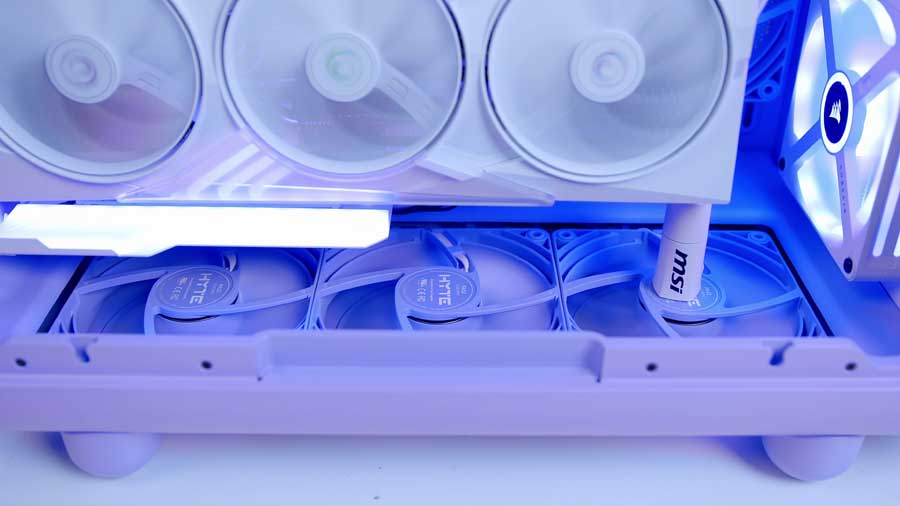
The only real downside to buying this chassis is that it doesn’t come with pre-installed fans; on the flip side, this lets you configure your build however you like. For this specific gaming build, we have some of HYTE’s colour-matched FA12 Taro Milk fans, which is great, as the case is Taro Milk too.
From Our Full Review
★★★★☆
4.3/5

Pros and Cons
Pros
- Distinctive colorways and standout styling
- Strong airflow and cooling flexibility
- Solid materials and thoughtful construction
Cons
- No pre-installed fans
- Price feels steep once fan costs are added
- Some design choices hurt day-to-day practicality
Bottom Line
The HYTE X50 delivers eye-catching aesthetics, strong thermal potential, and good build quality in a modern ATX mid-tower. It is a compelling option for builders who prioritize design, but the lack of included fans and premium pricing reduce its value proposition compared with similarly priced alternatives.
Read The Full ReviewNZXT C850 Gold
We’ve selected the NZXT C850 Gold for this build for a couple of key reasons. First, we want to ensure the RTX 5070 Ti has more than enough power to run reliably. Since the card calls for a minimum of 750W, choosing an 850W unit gives us comfortable headroom for future upgrades or additional components. The second reason is aesthetics.
The design of the C850 Gold pairs nicely with both the motherboard and the case. With the PSU chamber positioned at the top of the chassis, a portion of the unit is visible from below, so choosing a clean‑looking model helps the whole build feel more cohesive.
Gallery
Performance
This system delivers consistently strong framerates across a wide range of modern titles, demonstrating how well the Ryzen 5 9600X and RTX 5070 Ti pair. In Arc Raiders, the build averages 108.7 frames per second, with 1 per cent lows at 62.5 and 0.1 per cent lows at 41.7, giving the game a smooth, stable feel even during chaotic moments. Battlefield 6 pushes higher averages to 119 frames per second while maintaining 62.5 for the 1% lows and 21 for the 0.1% lows, keeping large multiplayer battles responsive.
Performance Snapshot
Multi-Game Average FPS
1440p
108.7FPS
Map
Dam Battlegrounds
Capture Length
4–7 mins
Window Mode
Fullscreen
Resolution Scaling
TAAU, 100% (1440p High), Manual
Frame Generation
Off
VSync / Reflex
VSync Off, NVIDIA Reflex On
Overall Quality
High
Graphics Breakdown
View Distance / AA / Shadows / Post / Texture / Effects / Reflections / Foliage / GI all High
1440p
119.0FPS
Map / Mode
Empire State, Conquest
Capture Length
4–7 mins
Fullscreen Mode
Windowed (Fullscreen Device Monitor 1)
Resolution / Refresh
1440p High, 120Hz, Aspect Auto
VSync / FOV
VSync Off, FOV 90, Vehicle FOV 79
Preset
Custom, Graphics Quality High
Texture / Mesh / Terrain
All High
Graphics Breakdown
Reflections / SSR / GTAO / Lighting / Shadows / Post Process all High
1440p
148.1FPS
Benchmark Mode
Built-in benchmark ran 2x
Display
Fullscreen, 1440p High, VSync Off, FPS Cap Off
Preset
Custom, Texture High
Upscaling / Frame Gen
Resolution Scaling Off, Frame Generation Off
Ray Tracing / Path Tracing
All Off
Crowd / FOV
Crowd Density Medium, FOV 80
Post Effects
Film Grain On, DoF On, Lens Flare On, Motion Blur Off
Graphics Breakdown
Local Shadow Mesh / Local Shadow / Cascaded Range / Cascaded Resolution all High
4K
194.9FPS
Track / Mode
Belgium, Benchmark Mode, 2 Laps, Clear (Dry)
Capture Length
4–7 mins
Display
Fullscreen, 4K High, VSync Off, Frame Rate Limit Off
AA / Upscaling
TAA + FidelityFX Sharpening, Quality Mode, Dynamic Resolution Off
Frame Gen / Ray Tracing
Frame Gen Off, All Ray Tracing Off
Preset
Custom, NVIDIA Reflex Off
Graphics Breakdown
Lighting / Shadows / Crowd / Mirrors / Car & Helmet Reflections / Weather / Ground Cover / Trees / SSR / Textures all Ultra High
4K
85.0FPS
Capture Length
4–7 mins
Display
Fullscreen, 4K High, Aspect 16:9
AA / Upscaling
TAAU, Render Scale 100
Frame Gen / Latency
Frame Generation Off, Low Latency Off
VSync / FPS Cap
VSync Off, Match/Lobby/Background FPS No Limit
Preset
Graphics Quality High
GI / Reflections
Lumen GI High Quality, SSR Reflections
Graphics Breakdown
Model / Post / Shadows / Texture / Effects / Foliage all High
1080p Comp
295.4FPS
Game Mode
Zero-Build Battle Royale
Capture Length
4–7 mins
Display
Fullscreen, 1920×1080, DirectX 12, VSync Off, Unlimited FPS
AA / Upscaling
TAA, TSR Quality, 3D Resolution 100%, Dynamic 3D Resolution Off
Frame Gen / Ray Tracing
Both Off
Preset
Custom
Graphics Breakdown
Nanite Off / GI Off / Reflections Off / Shadows Off / View Distance Far / Textures Low / Effects Low / Post Processing Low
Cyberpunk 2077 performs impressively with an average of 148.1 frames per second and lows of 98.3 and 69.1, showing that the system handles demanding open-world environments with ease. Even at 4K high settings, F1 25 runs at 194.9 frames per second with lows of 82.1 and 67.3, highlighting the GPU’s strength in fast-paced racing scenarios. Marvel Rivals at 4K high settings averages 85 frames per second with 100.2 for the 1% lows and 50.6 for the 0.1% lows, keeping gameplay fluid during team fights.
For competitive players, Fortnite at 1080p with competitive settings reaches 295.4 frames per second, with lows of 60.9 and 52, giving plenty of headroom for high-refresh-rate monitors. Overall, the system delivers excellent performance across genres and resolutions, making it a strong choice for both competitive and cinematic gaming experiences.
Article Changelog
Tracks meaningful changes to testing, scores, conclusions, and recommendations.
-
Date
March 25, 2026
Updated by
Harry Coleman
Change
Build format updated to 2026.1 GeekaWhat format. Graphs moved from images, to interactive web-based graphs for better data analysis and manipulation.
-
Date
December, 2025
Published by
Katherine Neul
Initial Publication
Build published. Testing completed by Harry Coleman.