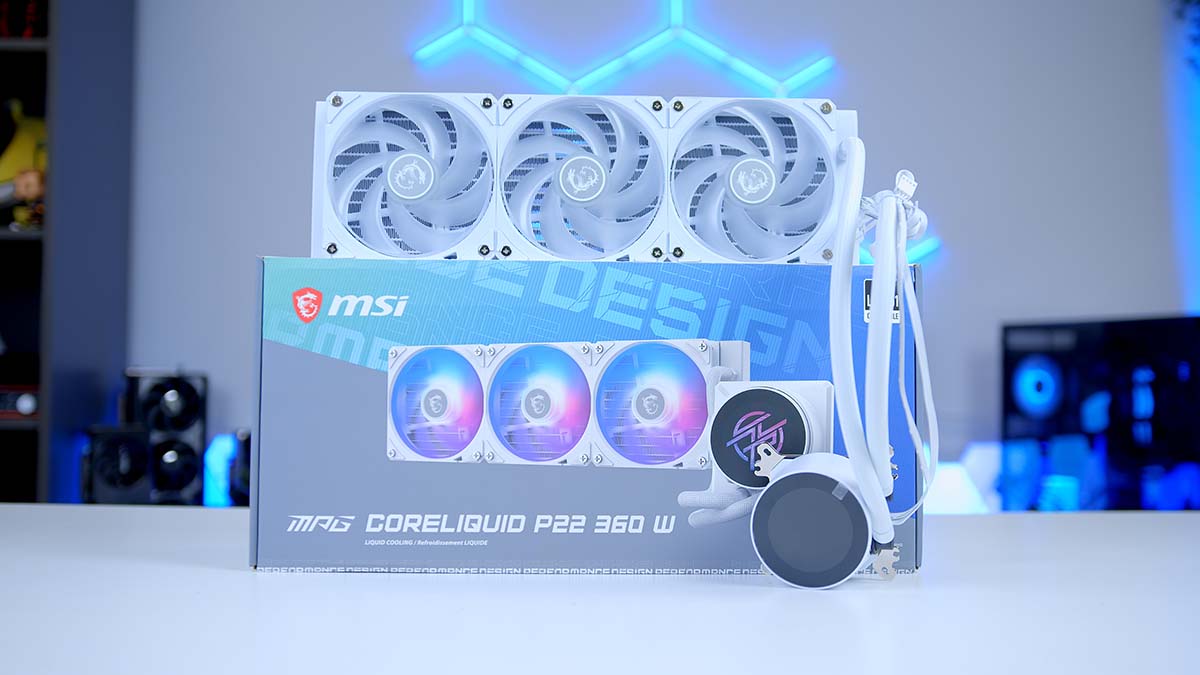
So you want a 360mm all-in-one (AIO) liquid cooler that looks the part without shouting about it? That’s where the MPG CoreLiquid P22 360 comes in, the newest addition to its CoreLiquid family. It’s built around clean lines, an easy install and a customisable round display.
It sits a rung below MSI’s flagship coolers, focusing on nailing the fundamentals rather than piling on gimmicks. The headline act is that 2.1-inch circular screen, but there is plenty more going on underneath, so let’s get into it.
Specifications
MPG CoreLiquid P22 360 Specifications
- Model MSI MPG CoreLiquid P22 360
-
Socket Support
Intel: LGA 1700 / 1851AMD: AM5 / AM4
-
Radiator
Size: 360mmDimensions: 394 x 119.2 x 27.2mmMaterial: Aluminium
-
Fans
Set: 3 x CycloBlade 7 (120 x 120 x 25mm)Speed: 500-2000 RPMBearing: Rifle bearing
-
Fan Airflow & Noise (MSI-rated)
Airflow: 62.6 CFMPressure: 2.36 mmH2ONoise: Up to 31.1 dBA
-
Pump (MSI-rated)
Speed: 3400 RPMLife: 50,000 hrs (at 40C)
-
Tubing
Length: 390mmMaterial: Nylon-braided EPDM + IIR
- Water Block Dimensions 71.63 x 69.47 x 77.61mm
- Display 2.1-inch round IPS, 540 x 540
- Lighting ARGB (Gen 1), MSI Mystic Light
- Cold Plate Screwless copper base, 0.1mm micro-channels
- Warranty TBC
Design
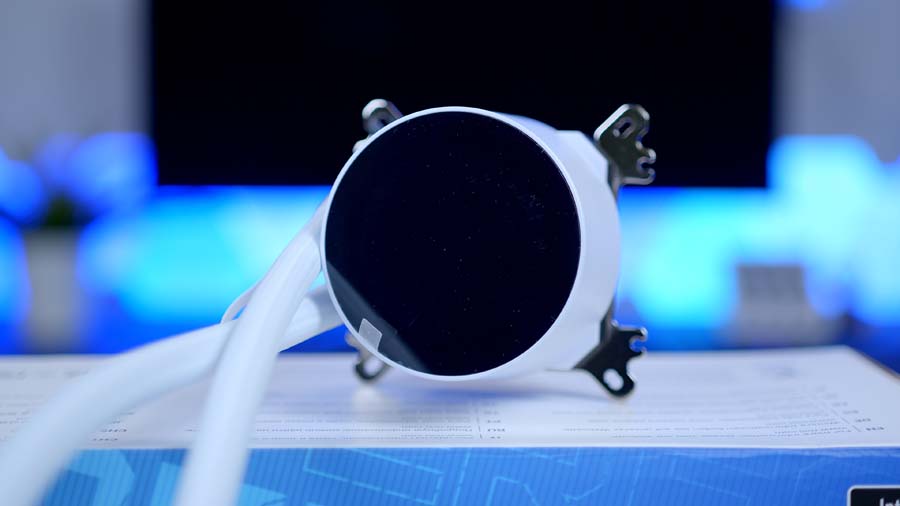
The P22 carries over the minimalist look of the P13 before it, but with a few sharper accents to keep things feeling fresh. The star of the show on the build front is the EZ Cap, a magnetic snap-on cover that hides the mounting brackets and screws once the water block is seated, so the cooler sits flush against the motherboard with no clutter on show.
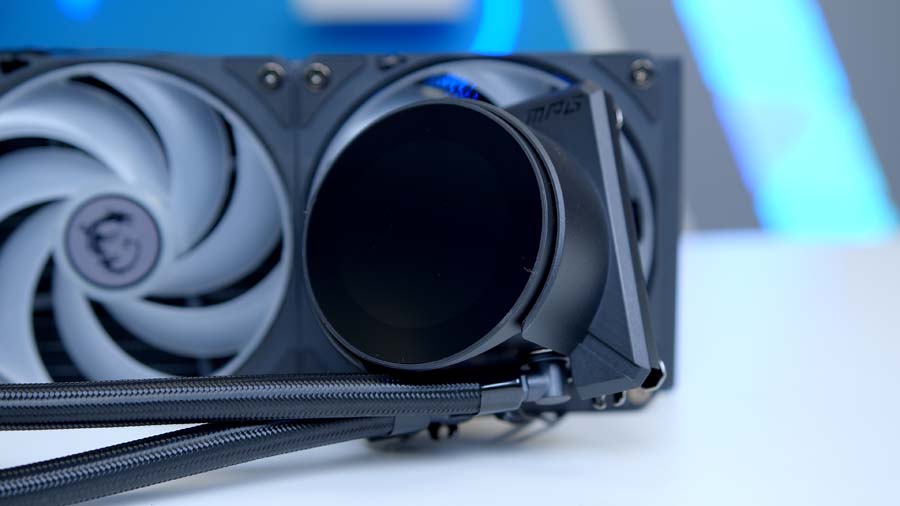
The water block itself has a curved planar acrylic cover and the tubing tucked neatly out of sight. Speaking of tubing, MSI has gone with nylon-braided EPDM tubes that are designed to resist evaporation and stay flexible during installation. It comes in black and white finishes, so it should slot into most build colour schemes without a fuss.
Sat on top of the water block is a 2.1-inch round IPS screen running at a 540 x 540 resolution. You can throw real-time hardware stats up there, lean on one of MSI’s preset themes, or load up your own text, visuals and clock faces to make it yours.
The clever part is MSI’s standalone EZ Display software. Rather than forcing you through the full MSI Center suite, it lets you jump straight to the themes, font colours and custom media uploads for the screen. The cooler still hooks into MSI Center and Mystic Light for full ARGB (addressable RGB) synchronisation across the rest of your kit though when you want it.
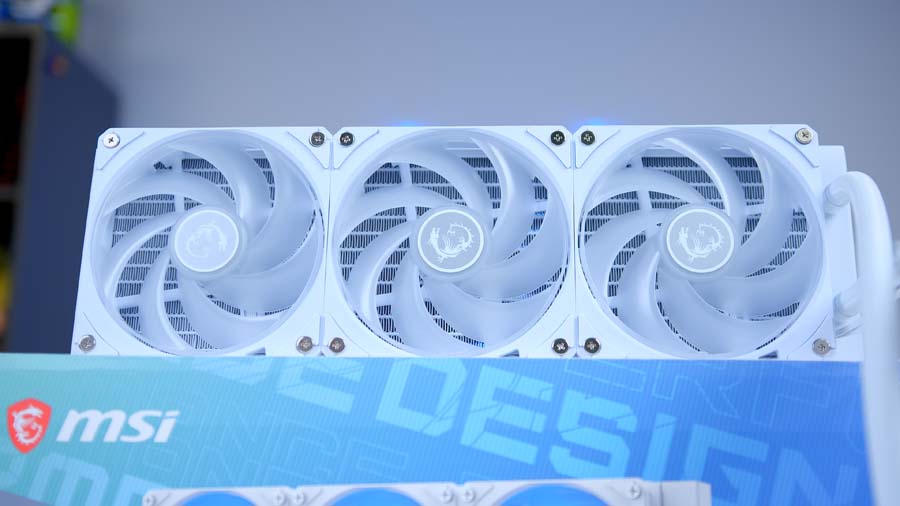
Cooling duties are handled by three of MSI’s CycloBlade 7 ARGB fans, which use a rifle-bearing design and a hybrid blade shape. MSI says that combination delivers strong airflow and static pressure while keeping noise in check.
Underneath the block is a screwless copper base, which keeps the contact surface smooth and free of recesses where thermal paste can get trapped. MSI pairs this with 12 widened water channels and a radiator running an FPI (fins per inch) of 20, which they claim boosts coolant flow by around 25 percent over the previous design. On paper, it’s a solid recipe for a 360mm AIO, and it should give the P22 plenty of headroom for high-core-count chips.
Installation
MSI has leaned hard into its EZ DIY philosophy with the P22. The headline feature is the UNI Bracket, which comes pre-installed and supports Intel LGA 1700 and 1851 alongside AMD AM5 and AM4, all without swapping any mounting hardware between platforms. Add in the simplified cabling and pre-installed fans, and the whole thing is set up to be a quick, low-stress fit whether you are a seasoned builder or putting together your first rig.
Features We Like
Standalone EZ Display Software
The 2.1-inch round screen is controlled by MSI’s standalone EZ Display software and rather than making you install the full MSI Center suite just to change what the screen shows, EZ Display lets you jump straight to themes, custom images, clock faces and real-time hardware readouts.
Easy UNI Bracket Installation
MSI ships the P22 with its UNI Bracket pre-installed, and it covers Intel LGA 1700 and 1851 alongside AMD AM5 and AM4 with no parts to swap between platforms. Combined with the pre-installed fans and simplified cabling, it makes for a quick, low-stress fit whether this is your first build or your fiftieth.
Features We Don’t Like
Gen 1 ARGB Lighting
The CycloBlade 7 fans and water block light up nicely, but MSI lists the lighting as ARGB Gen 1 rather than the newer Gen 2 standard found on some of its latest kit. It still looks great and syncs happily through Mystic Light but newer is always better, right?
Rifle-Bearing Fans
The trio of CycloBlade 7 fans run on rifle bearings, which are a solid, dependable choice. That said, some similarly-priced coolers ship fans with fluid-dynamic or magnetic-levitation bearings that carry higher rated lifespans. MSI quotes a 40,000-hour life for these fans, which is plenty for most builds, just not class-leading on paper.
Performance
As always, we put the P22 360 through our standard cooler benchmarks,. Seeing how it stacks up versus the competition and whether the P22 360 is worthy of being in your next PC build.
Cinebench R23 (4 Threads)
Under the lighter 4-thread Cinebench R23 load, the P22 360 was in its comfort zone, averaging 64C and peaking at just 72C on our Core i7-14700K. That lands it right in the mid-table, level with a host of well-regarded 360mm units, are handling everyday workloads with plenty of headroom to spare.
Cinebench R23 (8 Threads)
Ramp the load up to the heavier 8-thread run and the P22 has to work harder, climbing to 80C on average with an 83C peak. That puts it toward the warmer end of the coolers we’ve tested, though it never came close to throttling the 14700K. It is however, a clear sign this is a cooler tuned for quiet, tidy operation rather than chart-topping temperatures when the pressure is really on.
CPU-Z (8 Threads)
Our CPU-Z 8-thread test told a slightly kinder story, with the P22 settling at 75C on average and topping out at 78C. A solid upper-mid result that keeps a sensible gap to the chip’s thermal limit, reinforcing the picture of a cooler that stays composed without ever troubling the very best on our charts.