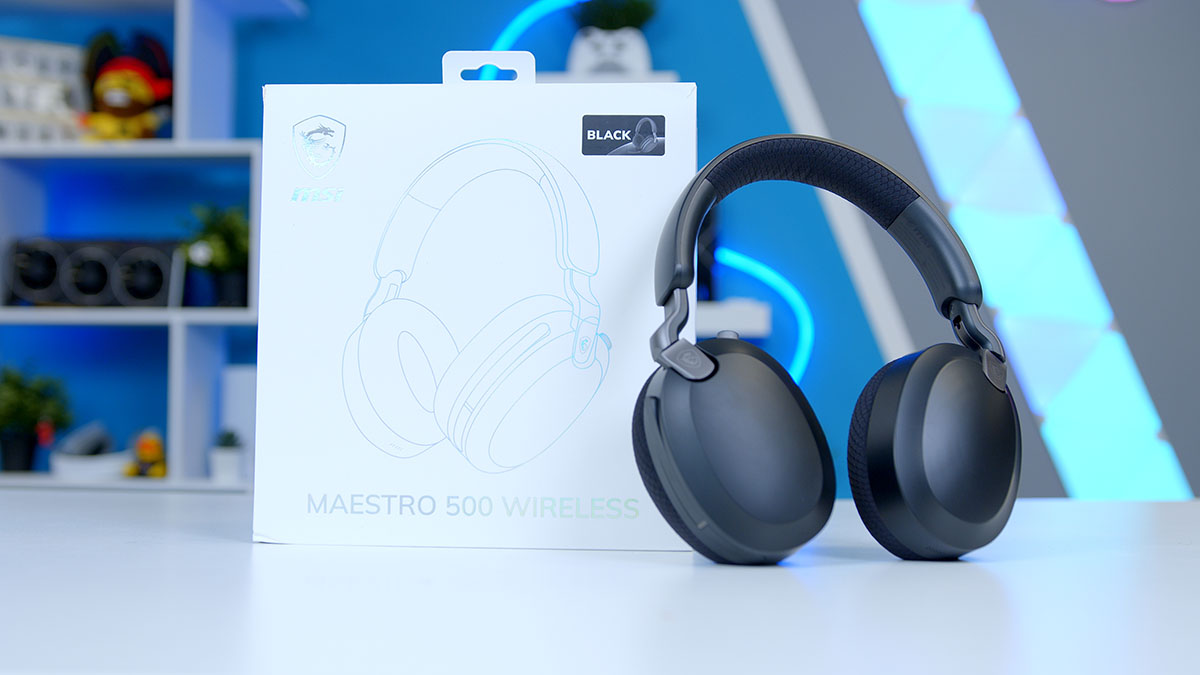
Looking for a versatile pair of headphones, suitable for Teams meetings in the day and gaming in the evening? Well, MSI’s Maestro 500 may be the pair that you’ve been looking for! Designed for hybrid daily use, the Maestro 500 is as at home on a work call as it is in an intense gunfight in your FPS titles of choice.
To pull double duty, MSI has packed in Active Noise Cancellation for blocking out background noise and a battery MSI reckons will last the best part of a working week. If your day consists of flipping between back-to-back calls into late-night raids, a headset that can make the switch seamlessly is a must and MSI thinks the Maestro 500 is just that.
Specification
Headset Specifications
- Model MSI Maestro 500 Wireless
- Driver Unit 40mm
- Frequency Response 20 Hz to 40,000 Hz
- Impedance 36 Ω ± 15%
- Sensitivity 110 ± 3 dB at 1 kHz
- Active Noise Cancellation Yes, plus Transparency mode
- Microphone 6-mic array with beamforming and Environmental Noise Cancellation (ENC), omni-directional, flip-to-mute
- Mic Frequency Response 100 Hz to 10,000 Hz
- Connectivity 2.4GHz dongle (USB-C), Bluetooth 5.4, 3.5mm wired (audio only)
- Audio Software Nahimic for Headset (3D Sound)
- Battery Life Up to 90 hrs (Bluetooth) / 60 hrs (2.4GHz), MSI rated
- Fast Charge 5 mins for up to 6 hrs (Bluetooth) / 4 hrs (2.4GHz), MSI rated
- Compatibility PC, Mac, PS4 / PS5, Xbox (3.5mm via controller), Nintendo Switch, Android, iOS
- Dimensions 187.8mm x 197.6mm x 79.3mm (W x H x T)
- Weight 280g (with dongle)
- In the Box 3.5mm audio cable, USB charging cable, carrying pouch
Design
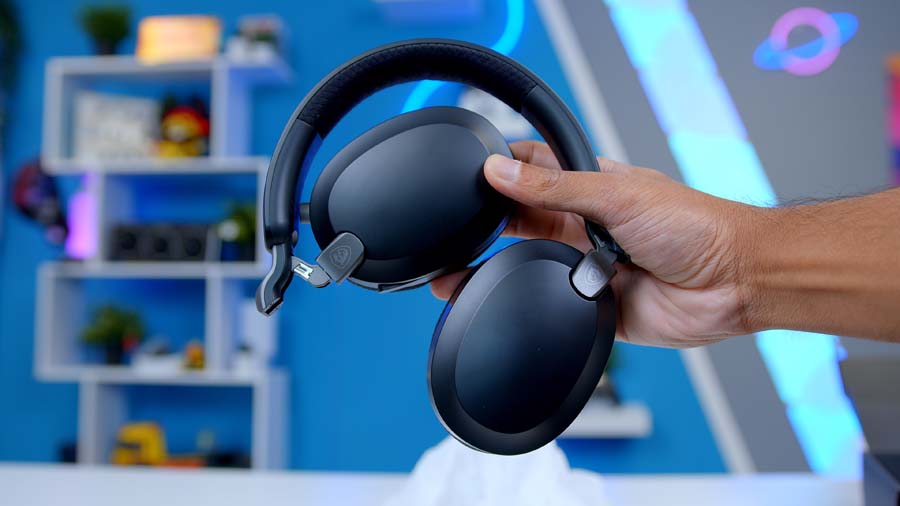
Straight away the design of the Maestro 500 stands out. The overall visual aesthetic strikes a perfect blend of being striking enough to stand out on first glance and fitting into a setup seamlessly without sticking out like a sore thumb. The design is very reminiscent of the ever-popular Sony WH-1000XM5s, even if perhaps slightly too close for comfort at times. Take a look at the colourways on offer and it’s clear to see that the Maestro 500 Wireless heavily borrows some design ideas at times but hey, if it works it works.

The Maestro 500 does, however, arrive with a number of great QoL (Quality of Life) features in its arsenal. Active Noise Cancellation, Flip-to-mute microphone, Foldable design and Tri-mode connectivity all features making the Maestro a versatile pick and one that in theory could slot into day-to-day use without too much friction. That versatility carries through to how the Maestro 500 is built. Tipping the scales at just 280g, it’s pleasingly light for a wireless headset lugging around Active Noise Cancellation and MSI has wrapped earcups and headband in a mix of performance mesh and memory foam.
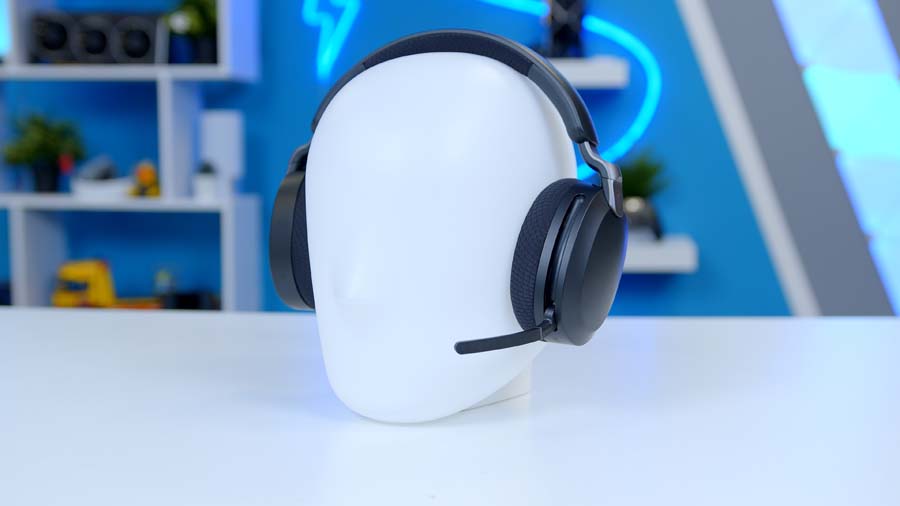
The earcups swivel a full 90 degrees and tilt to lie flat against your chest when you sling it around your neck, and the whole thing folds down to fit into the included carrying pouch for easier travelling. Add in the RGB-free styling, the lack of the typical ‘Gamer headset’ aesthetic really lends itself to being a headset you can genuinely use everywhere, rather than one that only looks the part at your desk.
Performance
I’m pleased to say that after a few days with the Maestro 500, they do in fact slot fairly seamlessly into my day-to-day life. It’s moderately comfortable over longer stretches, the sound is solid straight out of the box even if a little flat, and once I’d wrapped my head around the multimedia controls, it’s fairly intuitive to use.
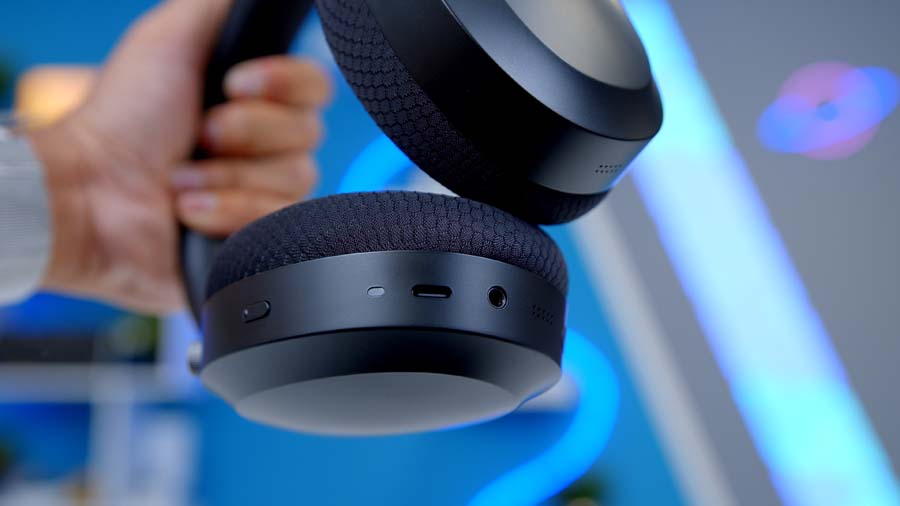
Now, I’m no audiophile. My daily drivers are a pair of AirPods Pro and some Bose NC 700s (I know, very basic), so take my sound preferences with a pinch of salt, but I do at least know how I like my audio to sound. Out of the box, the sound on the Maestro 500s is fairly good, just not as rich as I’d personally like. Fear not though, MSI have partnered with SteelSeries to give you full customisability of audio profiles in just a few clicks. A few minutes with the equaliser was enough to claw back some of the warmth missing by default, though currently limited to PC only.
There was some friction with the onboard multimedia controls at first. The controls took me a good few days to get to grips with, and their placement didn’t help the situation, tucked into a slightly awkward spot in the top left that had me fumbling more than I’d like early on. I’ll hold my hands up and admit some of that probably says more about me than the headset. Turns out you can teach an old dog new tricks, even when the dog in question is the grand old age of 26 and has spent years doing the obligatory tap of the pockets to check for Phone, Keys and AirPods. Once the muscle memory finally caught up, they’re intuitive enough and actually work very well.

On the practical side, there’s not much to grumble about either. All three connection types worked with no dropouts or fuss swapping between them, and the battery life seems to be tracking fairly accurately too. The foldable design is a nice touch for saving bag space but the carry bag does leave a little to be desired.
Features We Like
Smart Mic Control
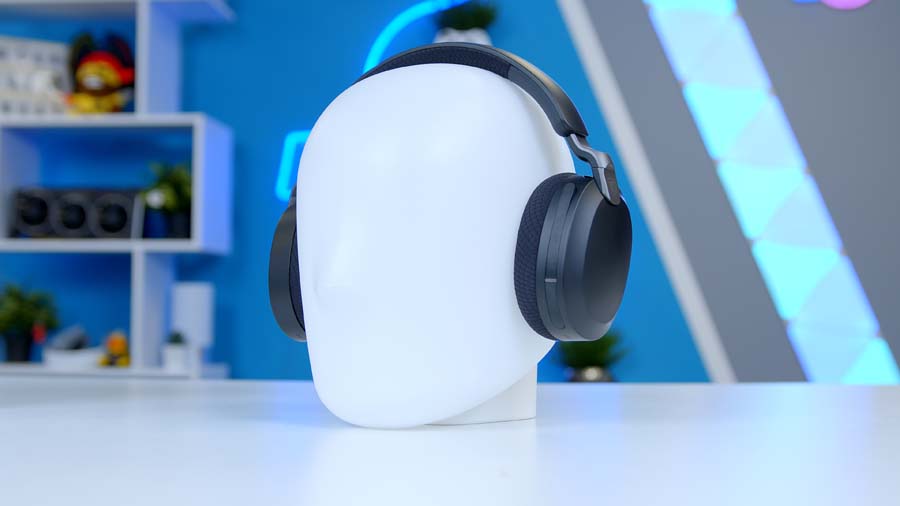
The flip-to-mute mechanism is a must have QoL feature in my opinion. As someone who sits on a lot of Teams calls in the day and switches to gaming in the evening, the ability to mute my mic in a split second is a must. Drop the Mic to talk, flip it up to mute, with no button to go hunting for is exactly the kind of muscle-memory simplicity I look for. It also kills the classic “am I actually muted?” panic instantly.
Multi Function Button
I am a big advocate for multi media controls on headphones, they streamline everything (once mastered) and allow headsets to fit into every aspect of my life. Need to mute for a meeting? Done. Mid-gym session and need some more oomph from my playlist? Also done. They just work. No digging for my phone in my pocket or looking for the Spotify icon on the taskbar.
Everything runs through that single button: hold it to power on or off, give it a rotate for volume, a single press to play, pause or answer a call, and a double or triple tap to skip forwards or back through your tracks. The Maestro 500 pulls all of that off from just the one control.
Features We Don’t Like
Multi Function Button Location
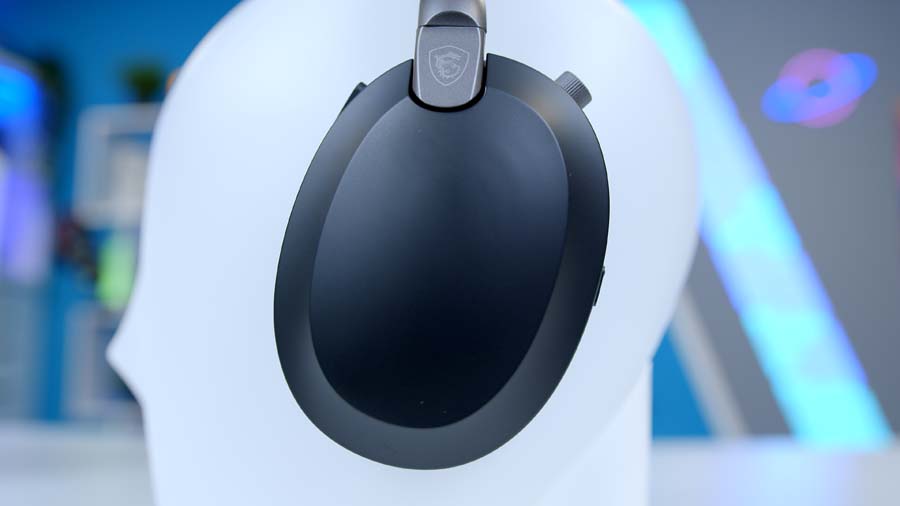
Now while I did enjoy the MFB during my time with the Maestro 500s, my one major gripe that I kept coming back to was the location of said button. Tucked into the top-left, it’s an awkward reach that had me fumbling around looking for it more than I liked. For me, at least, it was the single biggest reason the controls took me a few days to learn rather than feeling natural from the off.