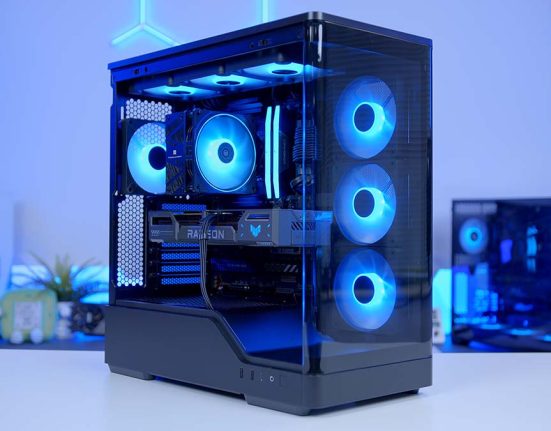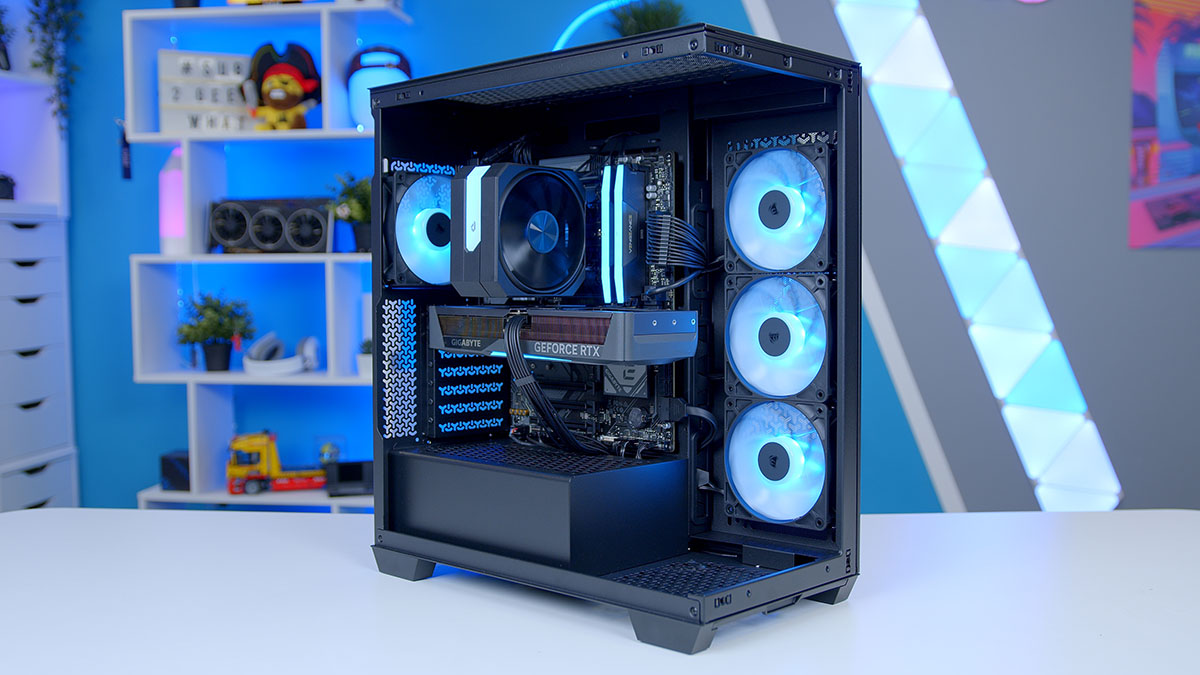
Putting together a mid-range gaming PC in 2026 is a balancing act, and it’s an act that’s only got trickier as component prices have crept up over the last twelve months. The good news is that the sweet-spot parts are stronger than they’ve ever been and in this build, we’ve leaned into exactly that.
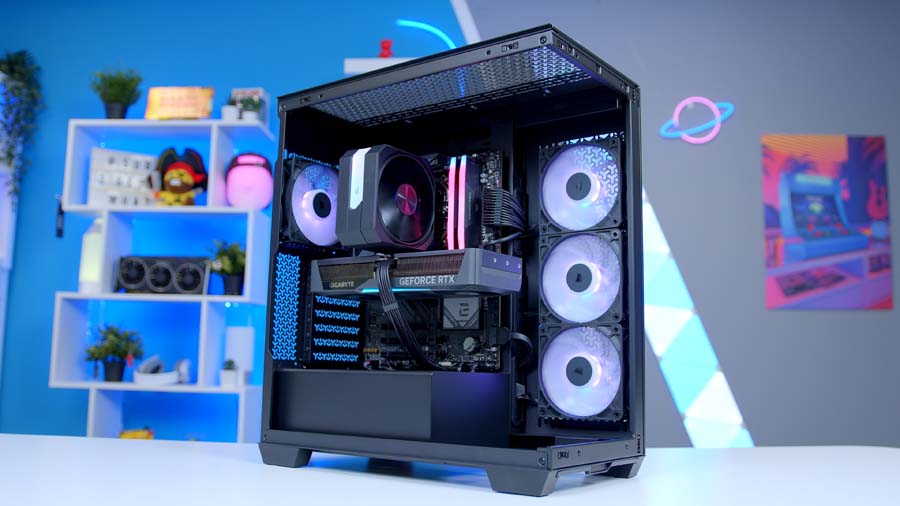
The AMD Ryzen 5 9600X paired with the Gigabyte RTX 5070 Eagle OC is one of the strongest 1440p combos you can put together right now. Six Zen 5 cores at 5.4GHz boost is more than plenty for modern gaming, and the RTX 5070 with 12GB of GDDR7 VRAM and the full Blackwell feature set (DLSS 4.5, Multi Frame Generation, the lot) crushes the latest titles at 1440p. Wrap it all in the Corsair 3500X and you’ve got a system that performs just as well as it looks.
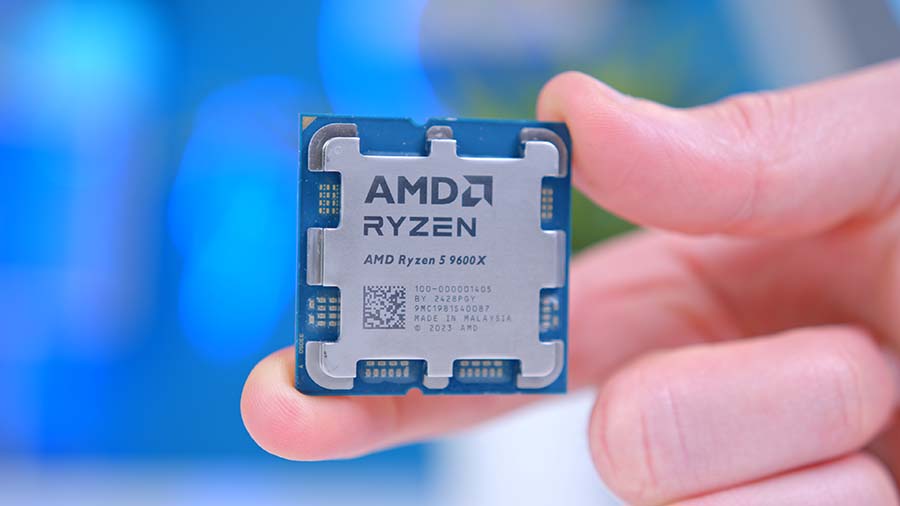
AMD Ryzen 5 9600X
Skip to SectionA 6-core Zen 5 desktop CPU offering strong single-thread performance and excellent efficiency, well-matched to the RTX 5070 for mid-range 1440p gaming.
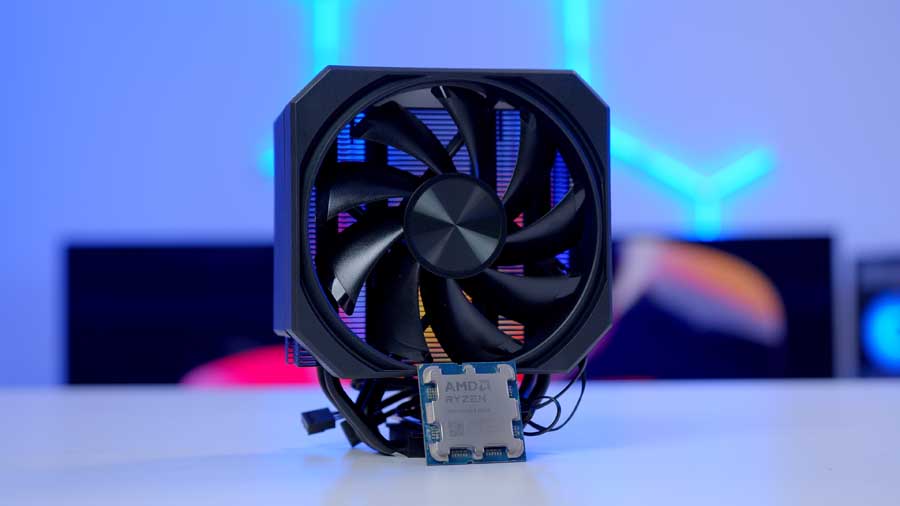
upHere UP1KC4 ARGB
Skip to SectionA compact, single-fan air cooler with four direct-contact copper heatpipes and ARGB lighting — well-matched to the 65W Ryzen 5 9600X without overreaching.

Gigabyte B850 Eagle WiFi 6E
Skip to SectionA clean, value-focused B850 ATX motherboard with PCIe 5.0 support for both GPU and primary M.2, plus Wi-Fi 6E — a strong base for a Ryzen 5 build.

Corsair Vengeance RGB DDR5
Skip to SectionA proven AM5 sweet-spot kit with refined Vengeance styling and a ten-zone RGB light bar — DDR5-6000 CL30 with both AMD EXPO and Intel XMP support.
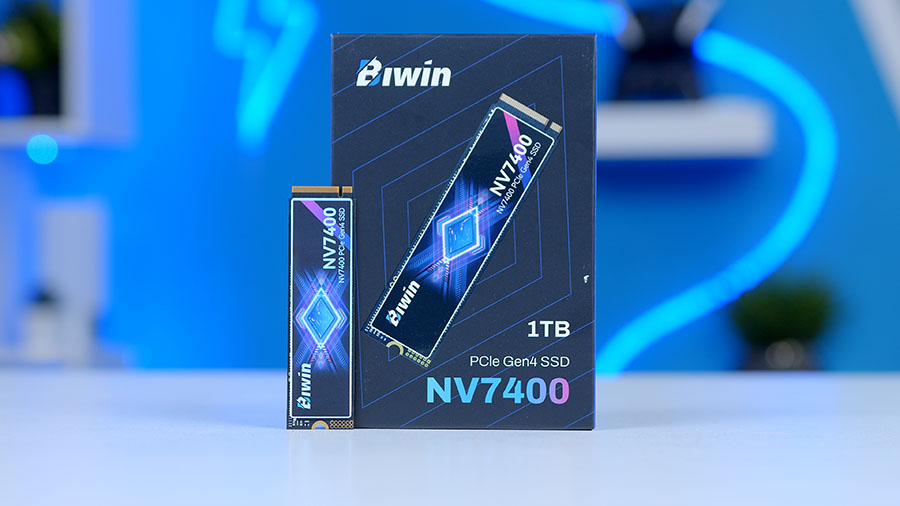
BIWIN Black Opal NV7400 1TB
Skip to SectionA budget-friendly PCIe Gen 4 NVMe drive that delivers strong sequential speeds for its price, with a graphene heat spreader and 5-year warranty.
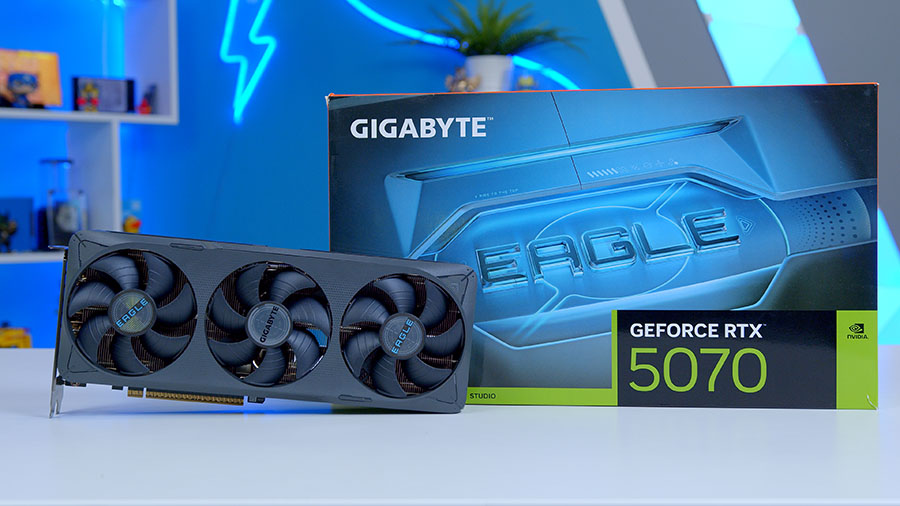
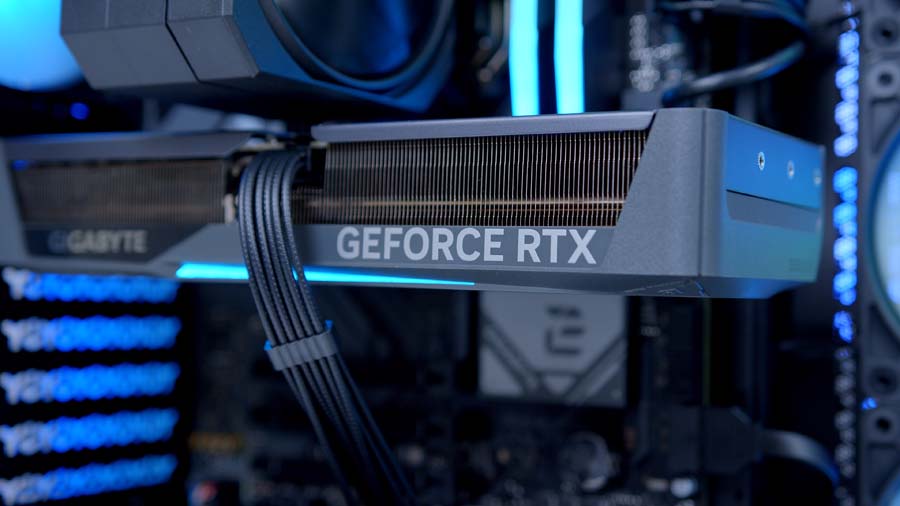
Gigabyte RTX 5070 Eagle OC
Skip to SectionNVIDIA’s mainstream Blackwell GPU in a compact SFF-ready design with triple Hawk fans, factory OC, DLSS 4, and Multi Frame Generation support.
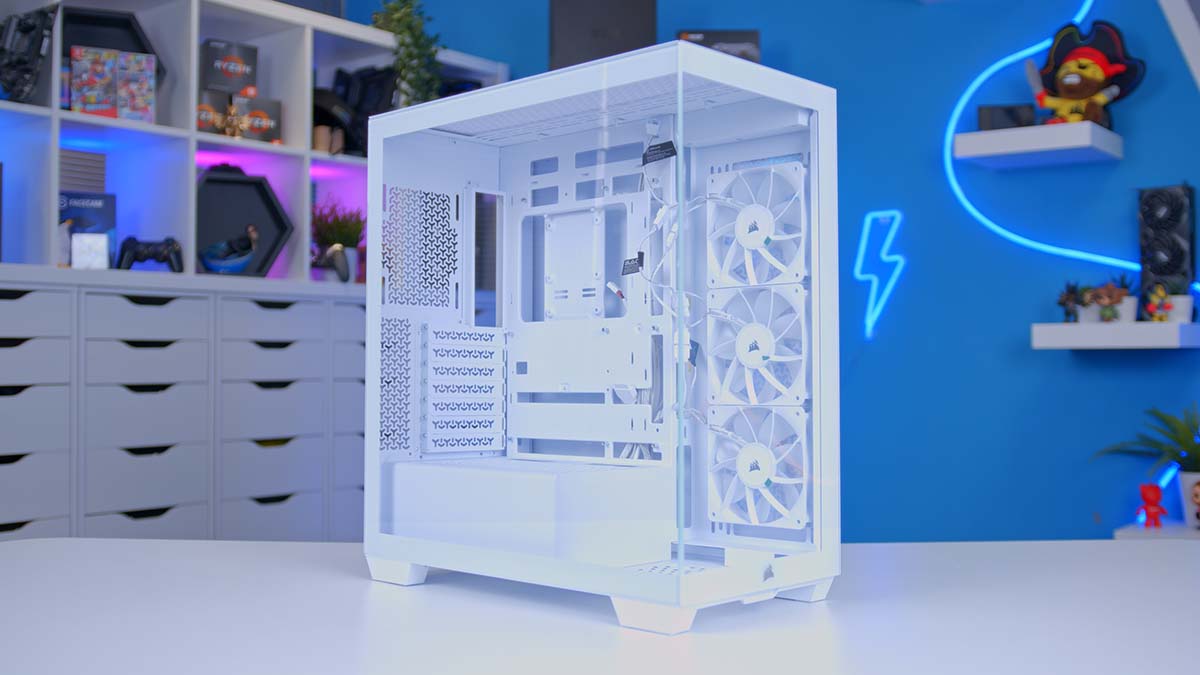
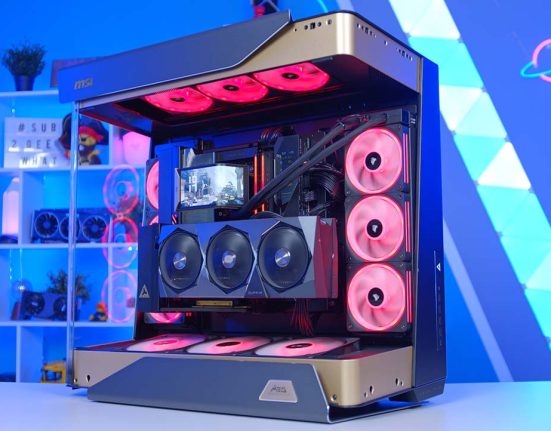
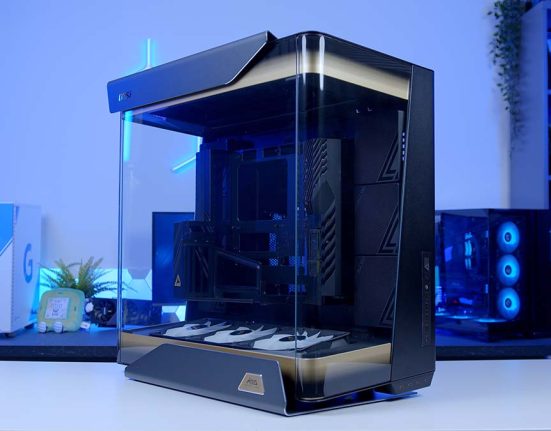
Corsair 3500X
Skip to SectionA wraparound dual-glass mid-tower with three pre-installed RS120 ARGB fans, reverse-connect motherboard support, and room for dual 360mm radiators (top and side).

Corsair RM750e
Skip to SectionA fully modular ATX 3.1, PCIe 5.1 compliant PSU with Cybenetics Gold efficiency, 105°C-rated capacitors, and a native 12V-2×6 cable included.
AMD Ryzen 5 9600X
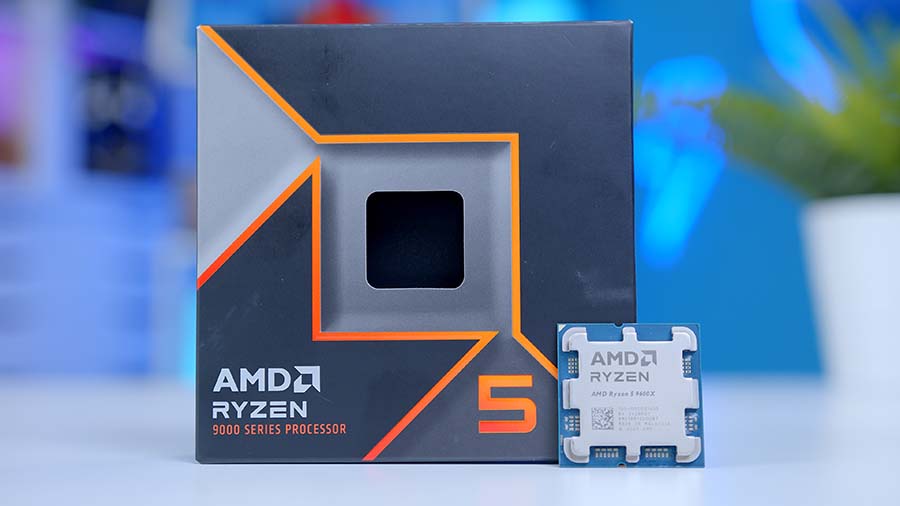
The Ryzen 5 9600X is, pound for pound, dollar for dollar, one of the strongest gaming CPUs on the market right now. It’s a 6-core, 12-thread Zen 5 chip with a 5.4GHz boost clock and a 65W TDP. In short, it’s efficient, cool-running, and fast enough that it doesn’t bottleneck anything in this build’s GPU class.
Where the 9600X excels is single-threaded performance, which is exactly what gaming workloads care about. In our in-house benchmarking, it’s actually edged ahead of the more expensive Ryzen 7 9700X in average framerates at 1080p in titles like Fortnite, thanks to a slightly higher 5.4GHz boost. The 9700X claws back ground in 1% lows and threaded workloads, but for pure gaming the 9600X is in our opinion the smarter buy and means that extra cash can be put towards our GPU choice today.
CPU Comparison
AMD Ryzen Mid-Range Desktop CPU Comparison
Hover rows for highlight. Tap/click a header title to sort.
| ⠿ CPU | ⠿ ::Cores | ⠿ ::Threads | ⠿ ::Base Clock | ⠿ ::Max Boost | ⠿ ::TDP | ⠿ ::Total Cache | ::Where to Buy |
|---|---|---|---|---|---|---|---|
AMD Ryzen 7 9700X 8-core Zen 5 desktop CPU |
8 | 16 | 3.8 GHz | 5.5 GHz | 65W | 40MB | |
AMD Ryzen 5 9600X Mid-range Zen 5 gaming CPU |
6 | 12 | 3.9 GHz | 5.4 GHz | 65W | 38MB | |
|
AMD Ryzen 5 9600 Non-X Zen 5 budget pick |
6 | 12 | 3.8 GHz | 5.2 GHz | 65W | 38MB | |
AMD Ryzen 7 7700X Zen 4 8-core mainstream |
8 | 16 | 4.5 GHz | 5.4 GHz | 105W | 40MB | |
AMD Ryzen 5 7600X Previous-gen Zen 4 6-core |
6 | 12 | 4.7 GHz | 5.3 GHz | 105W | 38MB |
The one place the 9600X falls down is in heavy multi-core workloads content creation. Six cores is firmly aimed at gamers, so anyone running consistent rendering, streaming, or video work will want to look up to the Ryzen hierarchy instead. For a 1440p gaming rig paired with an RTX 5070, though, the 9600X is on the money.
upHere UP1KC4 ARGB
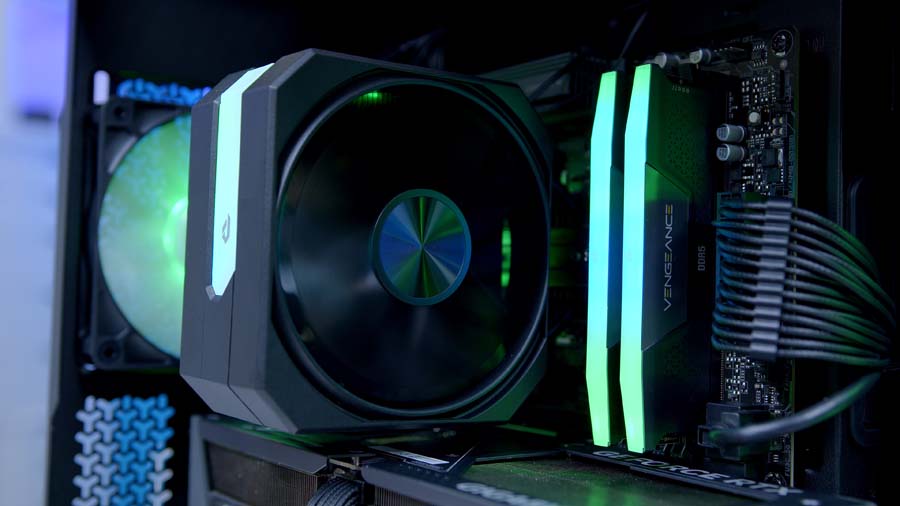
For cooling we’ve gone with the upHere UP1KC4 ARGB, a no-frills single-tower air cooler that pairs really nicely with the 9600X’s modest 65W TDP. It’s not trying to compete with a 360mm AIO, but for a chip this efficient, it doesn’t need to.
The UP1KC4 runs four direct-contact copper heat pipes with a single 120mm PWM ARGB fan spinning up to 1,650 RPM. At 155mm tall it sits well within the 3500X’s 170mm cooler clearance, and the ARGB plugs straight into a standard 5V header on our B850 EAGLE for motherboard-synced lighting.
Socket coverage is extensive, supporting the full AM5 and AM4 line-ups on the AMD side, plus LGA1851/1700/1200/115X on Intel, with legacy socket support thrown in for good measure. It won’t keep up with an AIO under sustained 8-thread loads necessarily, our 9600X cooler testing had it hitting higher averages versus say, a Montech HyperFlow 360 but for a stock 9600X running typical gaming workloads, it sits well within the acceptable performance threshold and keeps the build cost down.
Gigabyte B850 Eagle WiFi 6E
B850 has quickly become the sweet spot for AM5 builders, and the Gigabyte B850 EAGLE WiFi 6E is an absolute staple choice across all our PC builds. In fact it’s so good, that we use it across a whole range of pre-built Gaming PC Builds on GeekaPC.com – Shameless plug, I know. It’s the most affordable board in our Best B850 Motherboards roundup and the one we keep coming back to for mainstream gaming builds.
For your money you get PCIe 5.0 on the primary x16 slot for the RTX 5070 and on the main M.2 NVMe slot, an 8+2+2 VRM with chunky heatsinks that handles the 65W 9600X with ease, and DDR5 support up to 8200MT/s (OC). Networking is handled by Wi-Fi 6E and 2.5GbE LAN, and there’s a USB 3.2 Gen2x2 Type-C header for your case’s front IO.
Where the EAGLE makes its cuts is in the audio (three jacks, no S/PDIF), no Thunderbolt, and only one of the three M.2 slots running PCIe 5.0. None of those are absolute deal-breakers for gaming first PC builds but if you’re a creator who needs heavier IO, you’d want to step up to the AORUS Elite or TOMAHAWK MAX. For everyone else, the EAGLE is our standout pick, and Gigabyte’s EZ-Latch tooling makes it a really first-time-builder-friendly board to install.
Motherboard Specifications
- Model Gigabyte B850 Eagle WiFi 6E
- Chipset / Socket AMD B850 / AM5
- Form Factor ATX
- CPU Support AMD Ryzen 9000 / 8000 / 7000 Series (AM5)
- Memory Support 4 x DDR5 DIMM, up to 256GB, up to DDR5-8200 (OC)
- VRM Design 8+2+2 phase digital VRM
- Graphics Card Compatibility 1 x PCIe 5.0 x16 slot (UD Slot reinforced)
- Expansion Card Compatibility 3 x PCIe 3.0 x1 (additional slots)
- M.2 Compatibility 3 x M.2: 1 x PCIe 5.0 x4, 2 x PCIe 4.0 x4
- SATA Storage 4 x SATA 6Gb/s ports
- Networking Wi-Fi 6E + Bluetooth 5.3 + 2.5GbE LAN
- Rear I/O 4 x USB 2.0, 2 x USB 3.2 Gen2 Type-A, 2 x USB 3.2 Gen1 Type-A, 1 x USB 3.2 Gen1 Type-C, audio jacks
- Front I/O Headers 1 x USB-C 3.2 Gen2x2 header, 1 x USB 3.2 Gen1 header, 2 x USB 2.0 headers
- Audio 3 x audio jacks (high-end audio capacitors)
- Thermal Design VRM Thermal Armor Advanced + M.2 Thermal Guard
- Colour Black (Eagle design)
Corsair Vengeance RGB DDR5 32GB
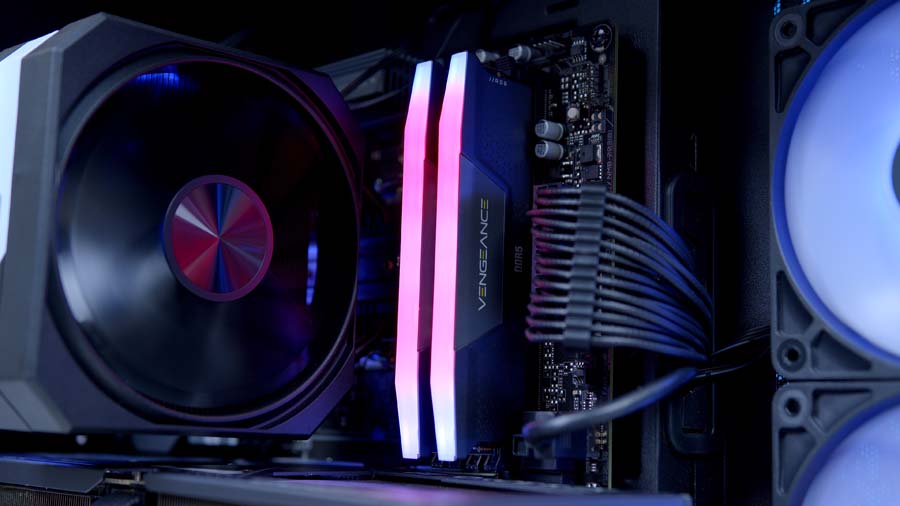
For memory, we’ve gone with another tried and tested staple of the channel, the Corsair Vengeance RGB DDR5 32GB (2x16GB) at 6000MT/s with CL30 latency. This is the sweet-spot configuration for AM5, anything past 6000MT/s can put strain on the memory controller, and CL30 latency keeps things nice and responsive. 32GB is more than ample for gaming in 2026, most modern titles top out at 16GB of usage even in worst-case scenarios and while we’d always recommend picking up a 32GB kit, we did the testing and the 16GB results pleasantly surprised us.
Another great thing about Corsair Vengeance kits is that they are incredibly stable, and we’d know having featured them in plenty of our AMD builds over the years. They also look the part and RGB on these particular DIMMs really shines through the 3500X’s wraparound glass, our choice to opt for maximum Corsair component synergy paying off!
As always, don’t forget to enable the EXPO profile in BIOS (or XMP for Intel users) once you’ve booted up. Without it, you’ll be running at the default 4800MT/s and leaving a lot of free performance on the table.
BIWIN Black Opal NV7400 1TB
Storage is handled by the BIWIN Black Opal NV7400 1TB , a PCIe 4.0 NVMe drive that punches well above its weight in the value bracket. With sequential read speeds of 7,450MB/s and sequential writes of 6,500MB/s, this drive sits right at the top end of what the PCIe 4.0 spec is capable of delivering, comfortably outpacing entry-level Gen 4 drives like the Crucial P310 and putting it within touching distance of more premium options.
PCIe 5.0 drives are now firmly available on the market, but for a build at this price point we’d argue Gen 4 remains the smarter choice. Gen 5 drives still carry a fairly sizable premium, particularly in this market, and in real-world gaming scenarios deliver framerate gains that sit within margin of error. The NV7400 lands exactly where it needs to: fast Gen 4 speeds, 1TB of usable capacity for Windows, your favourite games, and a comfortable buffer for the inevitable next-gen game install that’ll be 200GB+. With two more M.2 slots on the EAGLE for future expansion, there’s plenty of upgrade headroom if your library outgrows 1TB down the line.
Suggested Article: The Best SSDs to buy in 2026
Gigabyte RTX 5070 Eagle OC
Stepping up to the star of the show, we’ve gone with the Gigabyte RTX 5070 Eagle OC. The RTX 5070 itself is built on NVIDIA’s latest Blackwell architecture and comes loaded with 12GB of GDDR7 memory on a 192-bit bus, 6,144 CUDA cores, and a 250W TDP. Couple these specs with the bump from Ada Lovelace’s GDDR6X to Blackwell’s GDDR7, and you’ve got a card that delivers a healthy generational uplift over the RTX 4070, particularly at 1440p.
Perhaps the most significant feature of the Blackwell architecture is the introduction of DLSS 4 (now DLSS 4.5) and Multi Frame Generation. DLSS 4 represents NVIDIA’s biggest leap forward in upscaling technology since the original DLSS launch, thanks to Frame Generation, allowing for up to 3 additional frames to be generated and slotted in seamlessly to increase perceived frame rate smoothness.
NVIDIA have since taken this a step further with DLSS 4.5 now allowing for up to 5 additional frames to be generated at Multi Frame Generation 6X and with the addition of real-time Frame Gen multiplier adjustments through Dynamic Multi Frame Generation, frame rates on NVIDIA GPUs are soaring to heights never seen before. In supported titles, this translates to massive framerate gains with minimal visual impact and is particularly noticeable in ray-traced workloads where the 5070 would otherwise struggle to deliver smooth performance.
Gigabyte’s Eagle OC variant is one of the more affordable 5070 SKUs on the market and is one also available as one of NVIDIA’s “SFF-Ready” cards, measuring in at a compact 290 x 120 x 50mm. That means it’ll happily fit inside compact ATX cases like the 3500X without eating up valuable space underneath, leaving plenty of room for bottom-mounted fans.
What’s perhaps most glaring about the RTX 5070 is its 12GB VRAM allocation in 2026 that’s adequate but no longer generous, and AMD’s RX 9070 XT continues to make a strong case for itself at this tier with 16GB of GDDR6 onboard. That said, for 1440p gaming where the RTX 5070 is designed to operate, 12GB sits comfortably within most titles’ VRAM requirements, and DLSS 4.5 tilts the value proposition firmly back in NVIDIA’s favour for ray-traced workloads.
Alternative GPU Choice
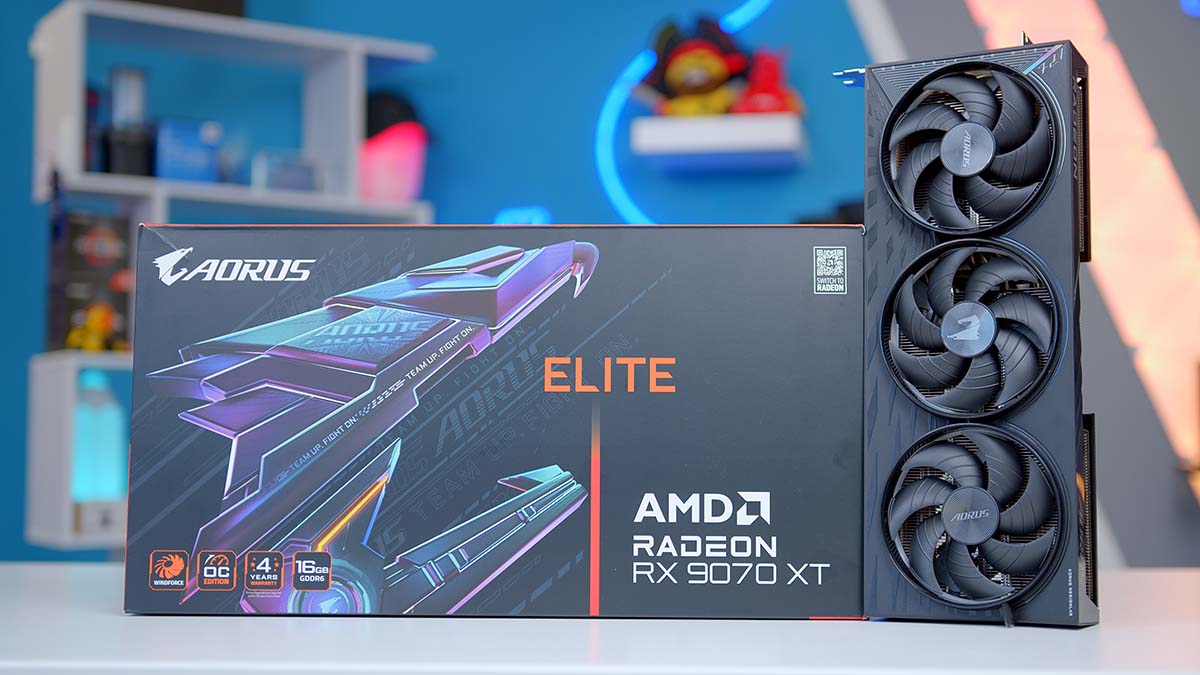
Gigabyte AORUS Elite Radeon RX 9070 XT 16GB
If you’d rather lean into AMD this generation, the RX 9070 XT is the smartest alternative to the RTX 5070 in this build. It steps up to 16GB of GDDR6 on a 256-bit bus, uses AMD’s new RDNA 4 architecture, and it punches above its weight — in our RX 9070 XT review we found it beats out NVIDIA’s considerably more expensive RTX 5070 Ti in the majority of titles at 1440p and 4K. RDNA 4 has also closed the gap on ray tracing considerably, and with FSR 4 maturing across more titles, the AMD ecosystem is in the strongest spot it’s been in years.
Corsair 3500X RS-R ARGB
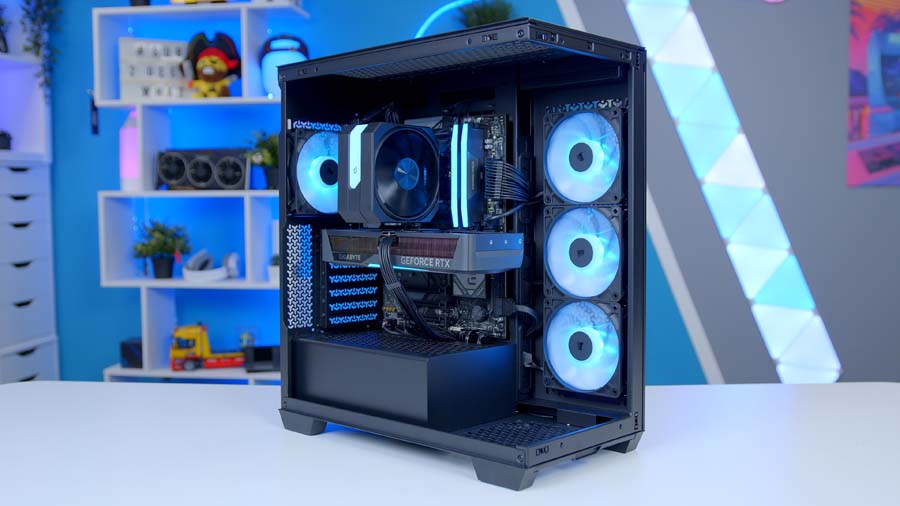
The Corsair 3500X has been one one of the stronger mid-range chassis on the market since it launched in 2024. We took a look at the Corsair 3500X ARGB upon its release, giving it strong marks at the time and the fundamentals haven’t changed since.
It’s a single-chamber mid-tower with a wraparound dual-glass front and side, a 460 x 240 x 506mm footprint, and the kind of component clearance you’d normally only get on more expensive cases. GPUs up to 410mm, coolers up to 170mm, PSUs up to 180mm. Comfortable headroom for everything in this build.
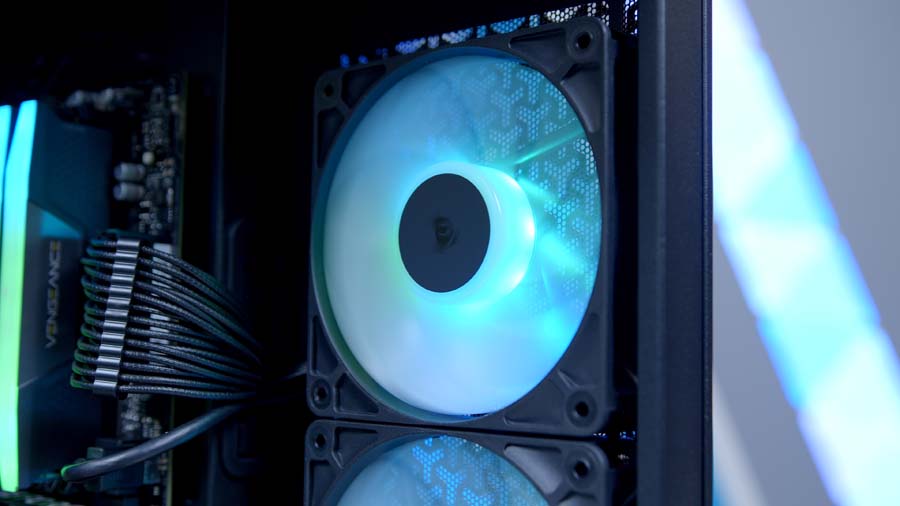
Internally there’s space for up to ten 120mm fans, with 360mm radiator support on both the top and side panels. That’s overkill for an air-cooled build like this one, but it’s nice to know you’ve got the headroom if you ever fancy swapping to an AIO later. The ARGB variant ships with three pre-installed RS120 ARGB fans on the side intake, which means solid airflow and motherboard-synced lighting straight out of the box without any aftermarket spending.
The 3500X also supports E-ATX boards and reverse-connector designs (Gigabyte PROJECT STEALTH, MSI PROJECT ZERO, ASUS BTF), so if you want to come back and cable-manage more aggressively in a future revision, the case is ready for that.
Case Specifications
- Model Corsair 3500X
- Form Factor Mid-Tower
- Motherboard Support Mini-ITX, Micro-ATX, ATX, E-ATX (incl. BTF / Project Zero / Project Stealth)
- Case Dimensions (L x W x H) 460mm x 240mm x 506mm
- Front IO 1 x USB 3.2 Gen 2 Type-C, 2 x USB 3.2 Gen 1 Type-A, 1 x 3.5mm Combo Jack
- PCI-E Slots 7 x Horizontal
- Colour Black
-
Max Clearance
GPU length: Up to 410mmCPU cooler: Up to 170mmPSU length: Up to 180mm
- Drive Support Up to 2 x 2.5-inch Up to 2 x 3.5-inch
-
Fan Support
Top: 3 x 120mmSide: 3 x 120mmRear: 1 x 120mmPSU Shroud: 2 x 120mmBottom: 1 x 120mm
-
Radiator Support
Top: Up to 360mmSide: Up to 360mmRear: Up to 120mm
- Pre-Installed Fans 3 x 120mm RS120 ARGB (side intake)
Corsair RM750e
Finally, the Corsair RM750e provides the juice for this system. The RM750e is part of Corsair’s 2025-revised RMe range, and is a unit we’ve been singing the praises of ever since.
This is a fully modular 750W power supply with Cybenetics Gold efficiency rating, an A- noise rating, and full ATX 3.1 and PCIe 5.1 certification. ATX 3.1 is very quickly becoming the modern standard and in short means the unit can handle the transient power spikes that modern GPUs throw at it without breaking a sweat, reducing the risk of crashes or damage during heavy gaming loads.
The RM750e also fits in perfectly with our Corsair eco-system, keeping aesthetics aligned and the build looking the part!
AOC AGON PRO AG276QZD2
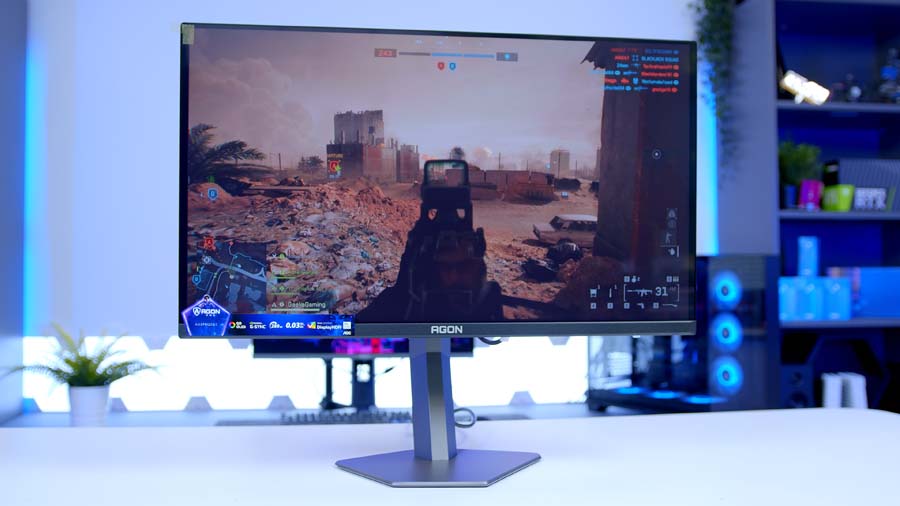
To get the most out of this build, you’ll want a monitor that actually does the RTX 5070 and 9600X combo justice — and at 1440p, that means OLED. Our pick is the AOC AGON PRO AG276QZD2.
It’s a 27-inch QD-OLED running at 280Hz, built around Samsung’s third-gen QD-OLED panel — the same panel you’ll find on monitors costing several hundred more. What sets the AG276QZD2 apart is the brightness. Entry-level QD-OLEDs in this price tier (the Alienware AW2726DM being the obvious comparison) tend to struggle in normal room lighting, but the AOC handles ambient light noticeably better.
You get DisplayPort 1.4 and HDMI 2.1, VESA DisplayHDR True Black 400, G-SYNC Compatible certification, AdaptiveSync, and a fully adjustable stand. A 3-year burn-in warranty rounds out the OLED Care side of things.
For my money, this is the most liveable of the entry-tier QD-OLED options. Pair it with the RTX 5070 and you’ve got a system that’ll comfortably saturate those 280Hz at high settings in most modern titles – you can read my full take on it (and the rest of the OLED stack) in the Best OLED Gaming Monitors 2026 roundup.
AOC AGON PRO AG276QZD2 Specifications
- Panel Type QD-OLED (Quantum Dot OLED)
- OLED Generation Samsung 3rd-Gen QD-OLED
- Screen Size & Aspect Ratio 26.5″ (27″ class), 16:9
- Resolution 2560 × 1440 (QHD)
- Refresh Rate 280Hz (via DisplayPort)
- Peak Brightness 1,000 cd/m² peak (HDR), 250 cd/m² typical (SDR)
- Key Ports 2 × DisplayPort 1.4, 2 × HDMI 2.1, USB hub, 3.5mm headphone out (note: early production units shipped with HDMI 2.0 — check the spec sheet on the variant you receive)
- HDR & OLED Care VESA DisplayHDR True Black 400, G-SYNC Compatible, AdaptiveSync, Pixel Orbiting, Pixel Refresh, 3-year burn-in warranty
Performance
At 1440p High the RTX 5070 and 9600X combo lands exactly where you’d want it to. Esports titles fly — Arc Raiders averages 190.5 FPS, Battlefield 6 hits 160.4 FPS and Cyberpunk 2077 manages a tidy 157.8 FPS even at native resolution with no upscaling. Marvel Rivals (146.1 FPS) and Call of Duty: BO7 (143.9 FPS) both sit comfortably above the 144Hz threshold most monitors at this tier are built around, and Fortnite at competitive settings rockets past 370 FPS, leaving more than enough headroom for the AG276QZD2’s 280Hz panel. No CPU bottleneck, no GPU starvation, this is a build that works!
Performance Snapshot
Multi-Game Average FPS
1440P HIGH
143.9FPS
Mode / Map
Zombies Solo, Ashes of the Damned (Spawn Area)
Capture Length
4–7 mins
Display / Resolution
Fullscreen, 2560×1440
Render Resolution
100%, Dynamic Resolution Off
VSync / Frame Cap
VSync Off, Unlimited FPS
Reflex / Frame Gen
NVIDIA Reflex On, Frame Generation Off
Preset
Custom (Eco Preset Efficiency baseline)
Graphics Breakdown
Textures / Detail / Particles / Shaders / Shadows / Terrain / Volumetrics all High
1440P HIGH
160.4FPS
Map / Mode
Empire State, Conquest
Capture Length
4–7 mins
Fullscreen Mode
Windowed (Fullscreen Device Monitor 1)
Resolution / Refresh
2560×1440, 120Hz, Aspect Auto
VSync / FOV
VSync Off, FOV 90, Vehicle FOV 79
Preset
Custom, Graphics Quality High
Texture / Mesh / Terrain
All High
Reflections / AO & GI
Reflections High, SSR High, GTAO High
1440P HIGH
157.8FPS
Benchmark Mode
Built-in benchmark ran 2x
Display
Fullscreen, 2560×1440, VSync Off, FPS cap Off
Preset
Custom, Texture High
Upscaling / Frame Gen
Resolution Scaling Off, Frame Generation Off
Ray Tracing / Path Tracing
All Off
Crowd / FOV
Crowd Density Medium, FOV 80
Post Effects
Film Grain On, DoF On, Lens Flare On, Motion Blur Off
Shadow Quality
Local Shadow Mesh High, Local Shadow High, Cascaded range/resolution High
1440P HIGH
190.5FPS
Map
Dam Battlegrounds
Capture Length
4–7 mins
Window Mode
Fullscreen
Resolution Scaling
TAAU, 100% (2560×1440), Manual
Frame Generation
Off
VSync
Off
Overall Quality
High
Graphics Breakdown
View Distance / AA / Shadows / Post / Texture / Effects / Reflections / Foliage / GI all High
1080P COMPETITIVE
374.5FPS
Capture Length
4–7 mins
Display
Fullscreen, 1920×1080, VSync Off
Preset
Performance Mode (Competitive)
Upscaling / Frame Gen
DLSS Off, Frame Generation Off
Ray Tracing
Off
Anti-Aliasing
Off
1440P HIGH
146.1FPS
Capture Length
4–7 mins
Display
Fullscreen, 2560×1440, Aspect 16:9
AA / Upscaling
TAAU, Render Scale 100
Frame Gen / Latency
Frame Generation Off, Low Latency Off
VSync / FPS Cap
VSync Off, Match/Lobby/Background FPS No Limit
Preset
Graphics Quality High
GI / Reflections
Lumen GI High Quality, SSR Reflections
Detail Settings
Model / Post / Shadows / Texture / Effects / Foliage all High
Gallery