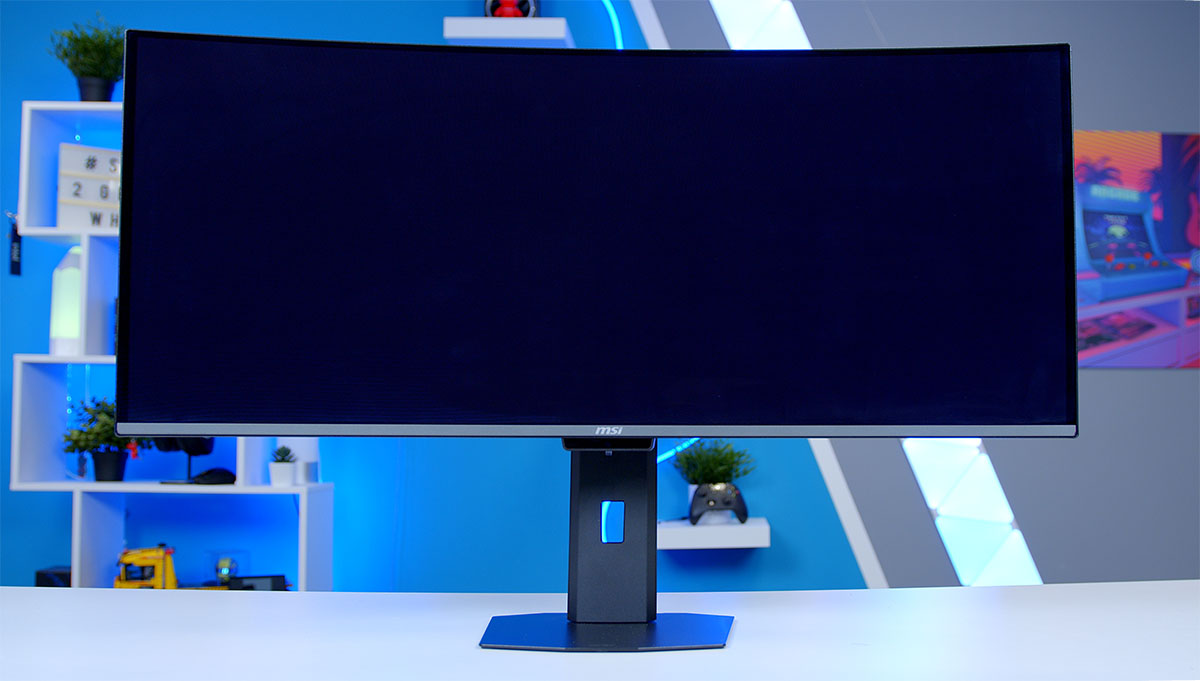
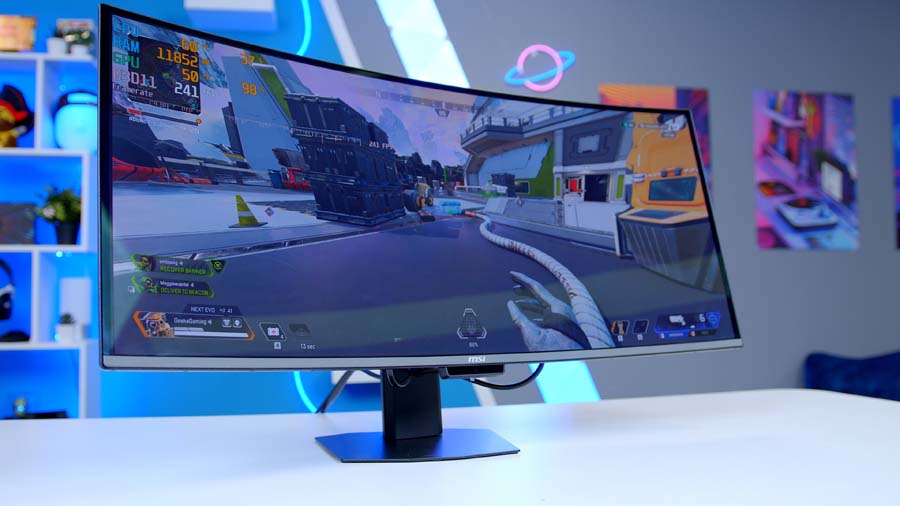
The ultrawide gaming monitor space has been waiting for a genuine generational upgrade, and the MSI MPG 341CQR QD-OLED X36 arrives to deliver exactly that. Unveiled at CES 2026 and built around Samsung Display’s fifth-generation QD-OLED panel, the 341CQR brings with it a raft of improvements. Many of which directly address the most persistent criticisms levelled at past QD-OLED monitors. A faster 360Hz refresh rate, a revised sub-pixel layout, a more resilient coating, and higher brightness all come together to make this one of the most capable ultrawide displays ever put to market.
Specification
The MSI MPG 341CQR QD-OLED X36 is a 34-inch 21:9 UWQHD QD-OLED curved monitor designed to utilise Samsung’s brand new fifth-gen QD-OLED panel. And with it, a move away from the non-conforming triangular subpixel pattern, hurrah! A move to the more conventional vertical RGB stripe pattern, should in theory help to reduce image fringing and sharpen text clarity, something which previous Samsung OLED panels have been notorious for. While pixel density remains relatively average, sitting at roughly 110 PPI, the improvements to pixel sub patterns do their fair share to offset this.
HDR is another key area where this updated panel shines… through way of not shining? The new DarkArmor coating is significantly more effective at absorbing and suppressing ambient light rather than scattering it across the panel surface, which on older QD-OLED displays would lift the perceived black level and introduce a purple hue under anything but dark room conditions. With DarkArmor, blacks stay deeper irrespective of the lighting environment, meaning the contrast and HDR performance you see in testing holds up far better in the real world too. This panel also moves to DisplayHDR 500 certification, up from the previous 400 iteration awarded to the 341CQPX, and with it peak HDR brightness is up to 1,300 nits from 1,000 nits and while the brightness issue plaguing many OLEDs is still somewhat apparent, things are at least heading in the right direction.
Monitor Specifications
-
Model
MSI MPG 341CQR QD-OLED X36
-
Panel Type / Screen Size
QD-OLED (5th Gen Samsung) / 34-inch
-
Resolution / Aspect Ratio
3440 × 1440 (UWQHD) / 21:9
-
Refresh Rate / Response Time
360Hz / 0.03ms GtG
-
Curvature / Viewing Angle
1800R / 178° (H) × 178° (V)
-
Brightness
SDR: 300 nits
HDR Peak: 1300 nits -
Contrast Ratio / HDR
1,500,000:1
DisplayHDR True Black 500 / Peak 1300 -
Colour Gamut
99% DCI-P3
-
DisplayPort
1 × DisplayPort 2.1a
UWQHD @ 360Hz -
HDMI
2 × HDMI 2.1 (48Gbps)
UWQHD @ 360Hz (DSC) -
USB / Power Delivery
1 × USB-C (DP Alt Mode, 98W PD)
2 × USB-A 5Gbps
1 × USB-B 5Gbps -
VRR / Sync
AMD FreeSync Premium Pro
NVIDIA G-Sync Compatible
48–360Hz VRR range -
Features
AI Care Sensor, KVM Switch,
Console Mode, MSI OLED Care 3.0,
MSI Mystic Light -
Warranty
Three-year (burn-in included)
Onto speed, this thing is seriously fast. We’re talking fastest refresh rate ever seen on a curved OLED ultrawide fast. 360Hz is the headline figure and paired with a 0.03ms GtG makes this mind bogglingly responsive and perfect for a host of gaming genres, Racing Sims, Open-World RPGs, even, dare I say… FPS titles?!
Monitor Comparison
34″ Ultrawide QD-OLED: MSI MPG 341CQR vs ASUS ROG Swift PG34WCDN
Hover rows for highlight. Tap/click a header title to sort.
| ⠯ Monitor | ⠯ Panel Type | ⠯ Panel Generation | ⠯ Resolution | ⠯ Refresh Rate | ⠯ DisplayPort | ⠯ HDMI | ⠯ USB-C PD | ⠯ Warranty | ⠯ Stand Adjustability |
|---|---|---|---|---|---|---|---|---|---|
MSI MPG 341CQR QD-OLED X36 5th-gen QD-OLED ultrawide, 1800R curve |
QD-OLED | 5th-gen (Samsung) QD-OLED, RGB Stripe | 3440 x 1440 (UWQHD), 21:9 | 360Hz | 1 x DisplayPort 2.1a (UHBR13.5) | 2 x HDMI 2.1 (48Gbps, CEC) | Yes – USB-C, DP Alt Mode, up to 98W | 3 years (incl. burn-in cover) | Tilt, swivel, pivot & height (full ergonomic) |
ASUS ROG Swift OLED PG34WCDN 5th-gen QD-OLED ultrawide, 1800R curve |
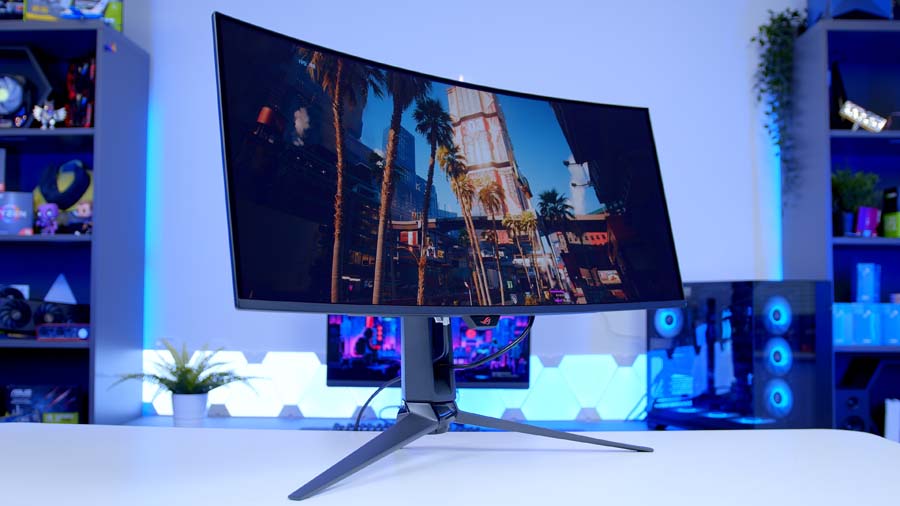
QD-OLED | 5th-gen (Samsung) Tandem RGB QD-OLED | 3440 x 1440 (UWQHD), 21:9 | 360Hz | 1 x DisplayPort 2.1 (UHBR20, 80Gbps) | 2 x HDMI 2.1 (48Gbps) | Yes – USB-C, DP Alt Mode, 90W | 3 years (incl. burn-in cover) | Tilt, swivel & height (no pivot) + ¼″ tripod mount |
Now, now, before the uber-competitive E-sports pros among us throw their proverbial pitchforks, in no way am I saying this is the optimum way to play at the highest level, of course a 27-inch, 16:9, super fast 300Hz plus refresh rate monitor is going to offer a clear advantage. What I am saying though is this. This monitor is versatile and with refresh rates and response times trickling into E-sports territory, for your average gamer who plays a variety of genres, the 341CQR X36 absolutely has the means to allow you to stay competitive no matter your game of choice. And if you really want to eke out every competitive advantage on this panel, playing at 2560×1440 with black bars (that are actually black) is a genuine option and then when you’re done, the 341CQR X36 will be right there to help you drop back into your favourite RPG title right after.
MSI MPG 341CQR QD-OLED X36 Design
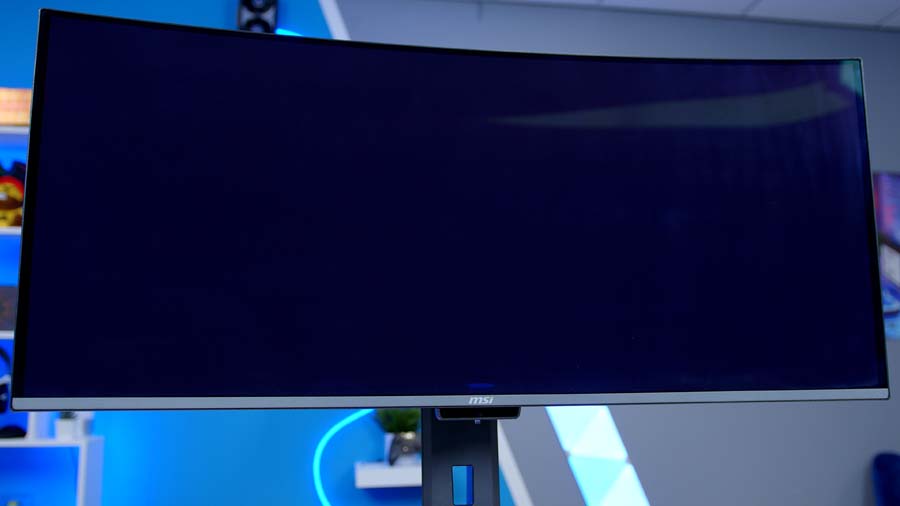
The overall design of the 341CQR QD-OLED X36 sees meaningful improvement too, though still has its quirks. The most noticeable of these improvements is that of the new octagonal base stand. The 341CQR cuts a far less intrusive figure on a desk, mainly thanks to the move from previous Y-shape stands MSI previously adopted, which ate up an ungodly amount of desk space, to the new Octagonal base. MSI say the new design cuts the overall footprint down by 62%, allowing for monitor positioning much closer to the wall and maximising desk real estate, both of which make the 341CQR far easier to live with day-to-day.
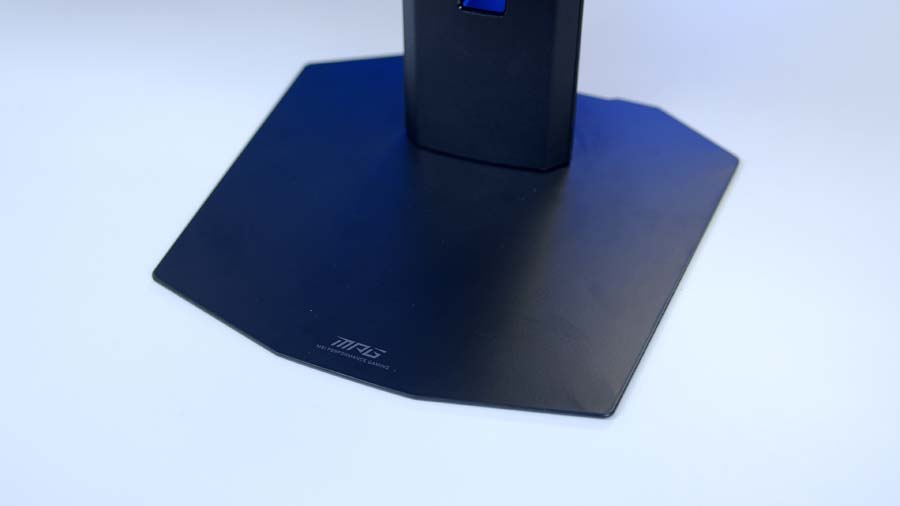
Ergonomics are well catered for too, with 110mm of height adjustment, 20 degrees of tilt, 60 degrees of swivel, and 20 degrees of pivot on offer. VESA mounting is supported at the standard 100×100mm if you’d rather run a monitor arm. Console mode is present, with built-in HDMI CEC (Consumer Electronics Control) technology, sounds complicated but in-short means your console controller can wake the monitor up. HDMI 2.1 provides full bandwidth up to 48Gbps and supports VRR (Variable Refresh Rate) and ALLM (Auto Low Latency Mode) technologies. VRR syncs your monitors refresh rate to your consoles performance output level i.e. 60FPS is matched to 60Hz and ALLM automatically switches the display into its lowest latency mode the moment it detects a game running.
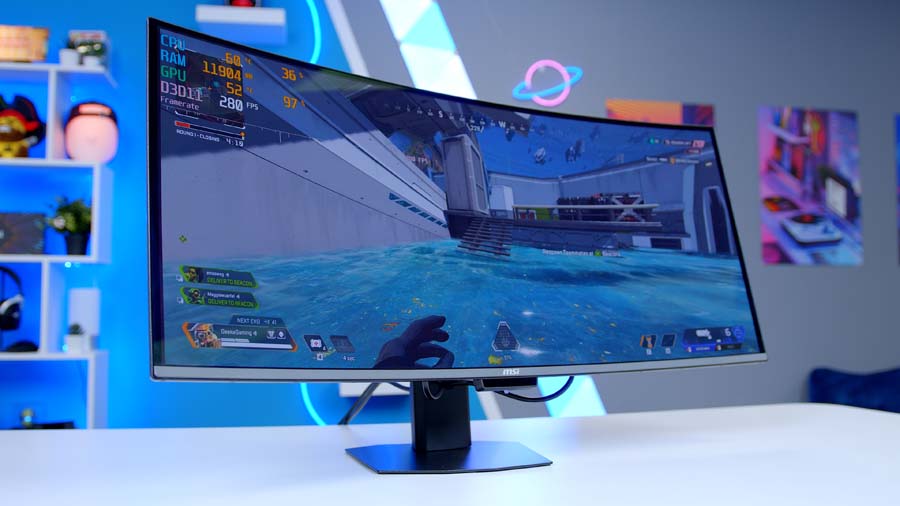
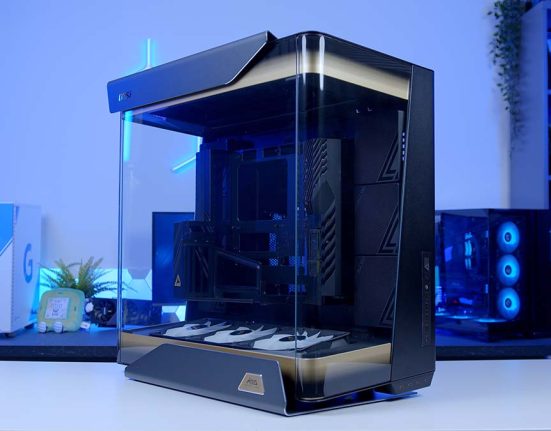
Aside from that, the aesthetic of the X36 remains fairly similar to past MSI monitor models. Sleek, black, thin bezels and minimalist styling and branding, aside from the ever-present MSI dragon logo livery on the panel rear.
Perhaps the most glaring design flaw is the lack of any meaningful sort of cable management or routing. Aside from the hole in the vertical stand, cables routing is non-apparent and leaves cables dangling under the panel and always in view. While by no means a deal-breaker, for a design focussed around sleekness and minimalism, the lack of any cable routing contributes to the exact opposite, clutter.
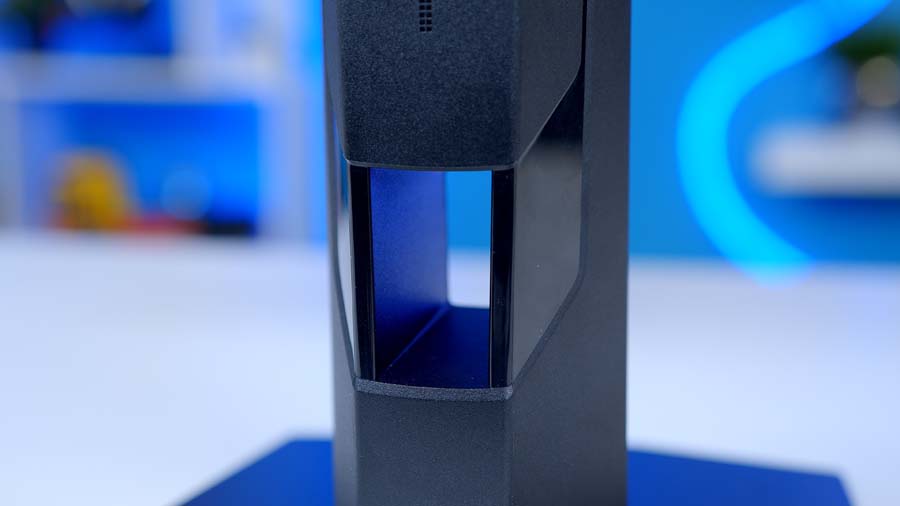
Rounding things off, the X36 also comes equipped with MSI’s AI Care Sensor – an NPU-powered sensor built into the base of the monitor that detects when you are seated in front of the display. Wake on Approach and Lock on Leave are the two key features this enables, automatically waking the display as you sit down and securing your session the moment you step away, all without any manual input required. It may sound like a novelty at first glance, but in day-to-day use it proves to be one of the more practical additions MSI has made to the X36’s feature set.
Features We Like
360Hz Panel
360Hz on an Ultrawide OLED monitor, I mean come on, what’s not to love! It’s about time that ultra-fast refresh rates have made it to the world of Ultrawide OLED enjoyers, mainly because I for one am absolutely in that bracket. The 341CQR X36 sits as a brilliant bridge between two worlds, the Frame Per Second obsessed Counter-Strike players and the sit back and relax RPG Gamers. This monitor now acts as a genuinely viable option for achieving peak experience in both genres and just when I thought my days of playing competitive shooter titles were over too! Welp, guess it’s time to sharpen my aim… again.
DarkArmor Coating
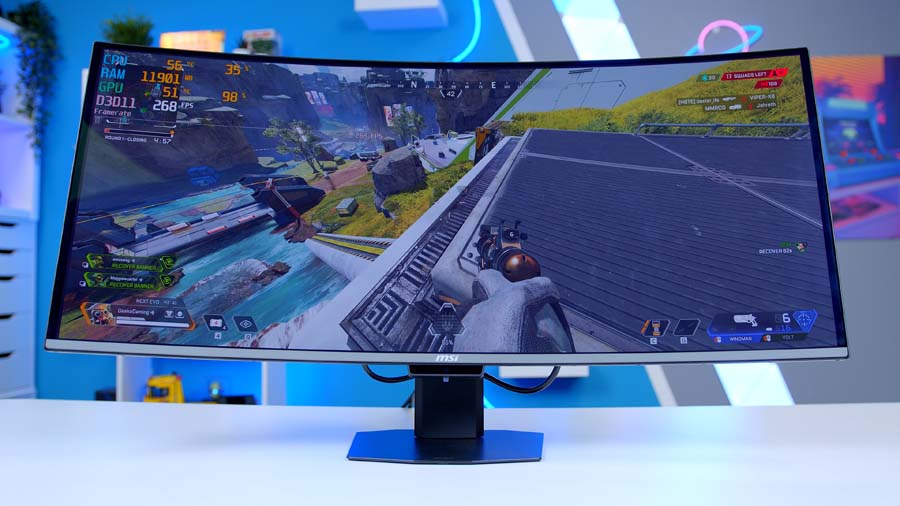
Ambient lighting has long been OLED’s most stubborn weakness, but DarkArmor does a stellar job of moving the needle in the right direction. There is a noticeable improvement over older generation QD-OLED panels – blacks remain truer under ambient light and the purple tinge that has plagued previous iterations is far less apparent.
Features We Don’t Like
Lack of Cable Routing
Cable management remains a weak point. With multiple inputs to contend with, DisplayPort, HDMI, USB-C, and the USB hub and no dedicated routing shelf or clip system on the stand, cables are left to dangle freely behind the panel. At the premium price point, it’s the kind of finishing touch you’d reasonably expect to have been sorted by now.
What is DLDSR and How Does it Work?
So you’ve got yourself a shiny new ultrawide OLED with frames to spare in your favourite older titles, and you’re wondering how to put that leftover GPU grunt to good use. Well, that’s where NVIDIA’s Deep Learning Dynamic Super Resolution tech (or DLDSR for short) comes into play.
The concept is simple. DLDSR renders your game at a higher resolution than your monitor can actually display, then intelligently shrinks that image back down to fit the panel’s native resolution, resulting in noticeably sharper, cleaner visuals and, in some ways, “free anti-aliasing”. On the 341CQR, for example, you can flick DLDSR on in the NVIDIA app and choose either the 1.78x or 2.25x factor. Pick 2.25x and the panel’s native 3440×1440 gets internally rendered at an impressive 5160×2160 before being down-sampled back to fit. On a display like this, the extra detail really does show and goes a noticeable way to bumping the 1440p ultra-wide soft lock that bit closer to 4K or even 5K resolution.
The catch? You’ll need an RTX graphics card to get the “DL” part of the DLDSR equation, as the process relies quite heavily on the Tensor cores in those RTX cards. You’re also spending some of that lovely 360Hz headroom to do it, so it’s best saved for the less demanding titles where you’ve got frames to burn rather than the competitive shooters you’re chasing every last FPS in.
Colour Accuracy & Image Quality
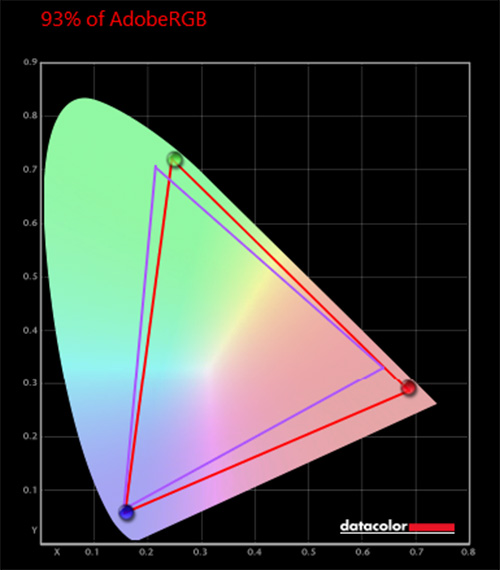
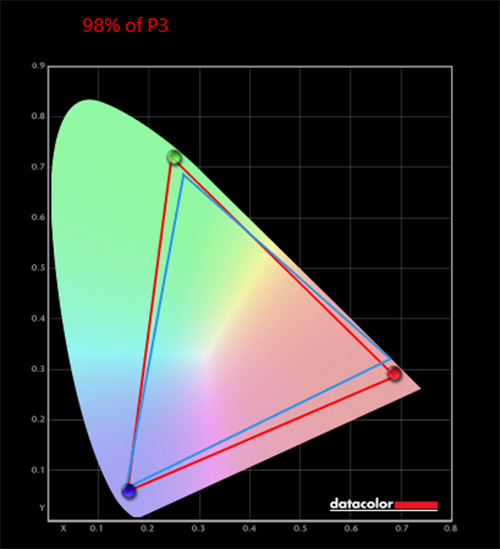
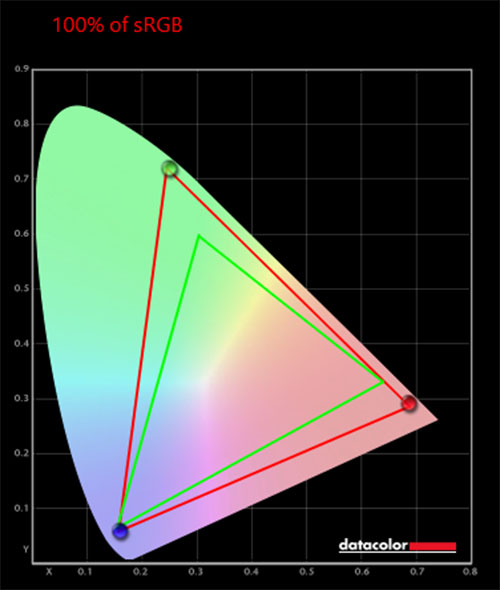
Alongside a traditional eye test, we used the Datacolor SpyderX Pro calibrator to precisely measure this display’s coverage of multiple colour gamuts. This approach gives us deeper insight into the MSI MPG 341CQR QD-OLED X36 monitor’s image quality and provides a solid benchmark against other gaming monitors on the market. Below are the recorded percentages that illustrate the monitor’s visual fidelity across various tasks.
The majority of the results that we recorded were within the advertised range or within a reasonable margin of error. Our sRGB results match those of the advertised and P3 was just 1% lower than expected. The only outlier here was the AdobeRGB result, sitting 3-4% lower than expected, not massively problematic and likely due to environmental factors rather than issues with panel.