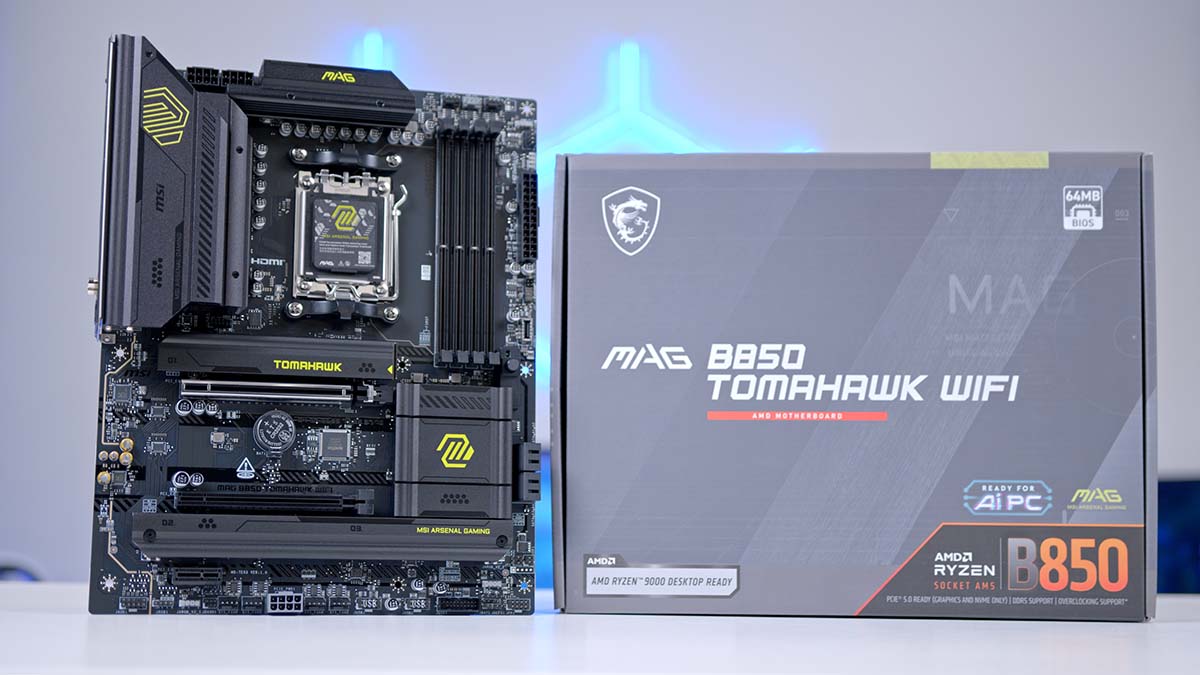
In this article, we will metaphorically tear down the MSI MAG B850 TOMAHAWK WIFI, analysing its specs, physical design, exclusive features, and what we like and dislike about the board. We’ve already reviewed the Intel CPU supporting version of this motherboard, which is the MSI MAG B860 TOMAHAWK WiFi and the step-up version of this board, MSI MAG B850 TOMAHAWK MAX WiFi.
B850 boards are designed to be budget-friendly whilst retaining the higher-end features that are a mainstay of high-end X870 Chipset boards. This provides builders with an abundance of choices, each with many different feature sets. What’s more, there is a difference between the equivalent-level Intel board offerings, and if you’re struggling to commit to a choice, especially along the lines of “TOMAHAWK”, it can be difficult to set the differences apart.
The MSI MAG B850 TOMAHAWK WIFi is a competitively priced motherboard aimed at gamers looking to build an excellent PC with a sleek aesthetic featuring bold yellow accents.
Buy the MSI MAG B850 TOMAHAWK WIFI on:
Specification
The MSI MAG B850 TOMAHAWK WIFI is an ATX motherboard compatible with AMD Ryzen 9000, 8000, and 7000 Series processors. It features a 14+2+1 Duet Rail Power System, delivering stable, high-capacity power to support robust CPU overclocking. RAM isn’t left out in the overclocking compatibility department either!
You can overclock your RAM to 8200 MT/s, and there are even AMD EXPO-specific profiles for RAM kits that support it. There are four RAM DIMMs that can take up to 256GB altogether, and they also support dual-channel.
The board equips PCIe 5.0 across the primary GPU and M.2 slots (one PCIe for each component), and there are two additional M.2 slots, both PCIe 4.0. Should you wish to use SATA devices such as HDDs, SSDs, and optical drives, there are 4 available slots with a 6Gb/s speed rating.
Motherboard Specifications
-
Model
MSI MAG B850 TOMAHAWK WIFI
-
Chipset / Socket
AMD B850 / AM5
-
Form Factor
ATX
-
CPU Support
AMD Ryzen 9000 / 8000 / 7000 Series
-
Memory Support
4 x DDR5 UDIMM (up to 256GB),
Up to 8200+ MT/s (OC), EXPO support -
VRM Design
14+2+1 Duet Rail Power System
-
Graphics Card Compatibility (1 Slot)
PCI_E1 PCIe 5.0 supports up to x16 (From CPU)
-
Expansion Card Compatibility (2 Slots)
PCI_E2 PCIe 4.0 supports up to x4 (From Chipset),
PCI_E3 PCIe 3.0 supports up to x1 (From Chipset) -
M.2 Compatibility (3 Slots)
M2_1: PCIe 5.0 x4 (CPU),
M2_2: PCIe 4.0 x4 (CPU),
M2_3: PCIe 4.0 x4 (Chipset) -
SATA Storage
4 x SATA 6Gb/s
-
Front I/O Headers
1 x USB Type-C 10Gbps,
2 x USB Type-A 5Gbps,
4 x USB 2.0 -
Rear I/O
1 x USB Type-C 20Gbps,
1 x USB Type-C 10Gbps,
2 x USB Type-A 10Gbps,
2 x USB Type-A 5Gbps,
4 x USB 2.0 -
Networking
Realtek 5GbE LAN,
Wi-Fi 7 (2.4/5/6GHz, up to 2.9Gbps),
Bluetooth 5.4 -
Audio
Realtek ALC4080 – 7.1-Channel,
Up to 32-bit/384kHz front-panel playback,
1 X S/PDIF Out
The USB selection is broad too, with many different ports ranging from USB 2.0, USB Type-A and USB Type-C with fast speeds from 5Gbps to 20Gbps, across the front and rear IO.
The audio is powered by a Realtek ALC4080 audio codec, a high-performance codec capable of delivering excellent sound quality.
Network connectivity includes a very fast Realtek 5GbE LAN, Wi-Fi 7, and Bluetooth 5.4, so you will not have to worry about motherboard-side latency issues. This is a generous offering from MSI.
What’s in the Box?
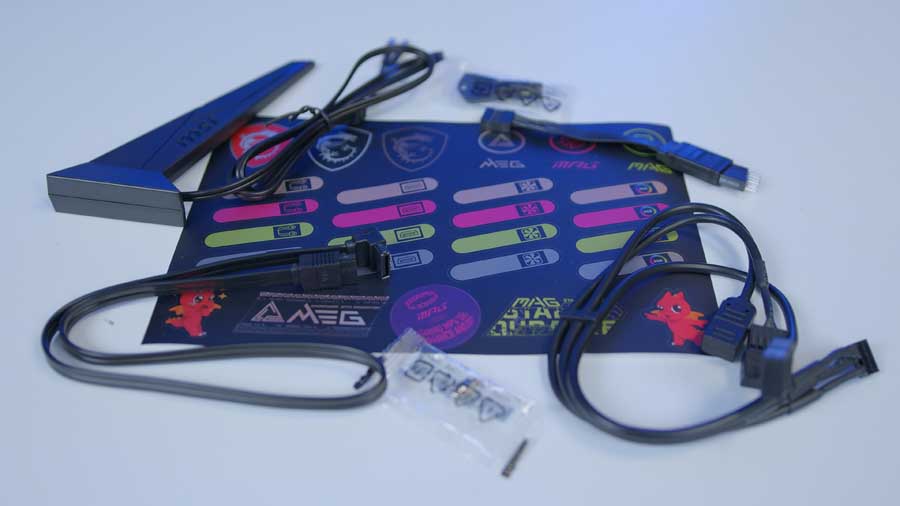
After removing the motherboard from the box, you’ll find a selection of accessories and tools to extend the capabilities of the MAG B850 TOMAHAWK WIFI and strengthen your user experience.
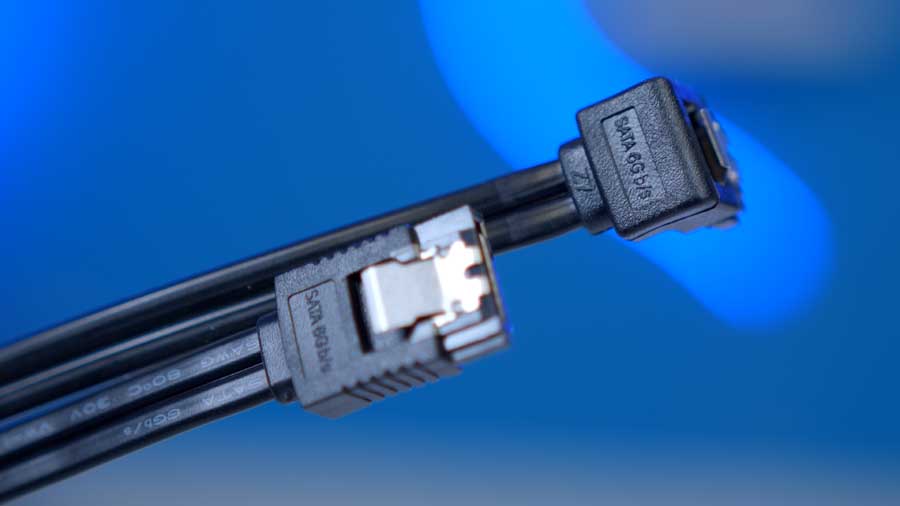
The motherboard comes with a SATA cable for legacy SATA drives, two EZ M.2 Clips II for securing additional M.2 drives, and an EZ M.2 Clip Remover to make installing and removing the clips easier and less fiddly.
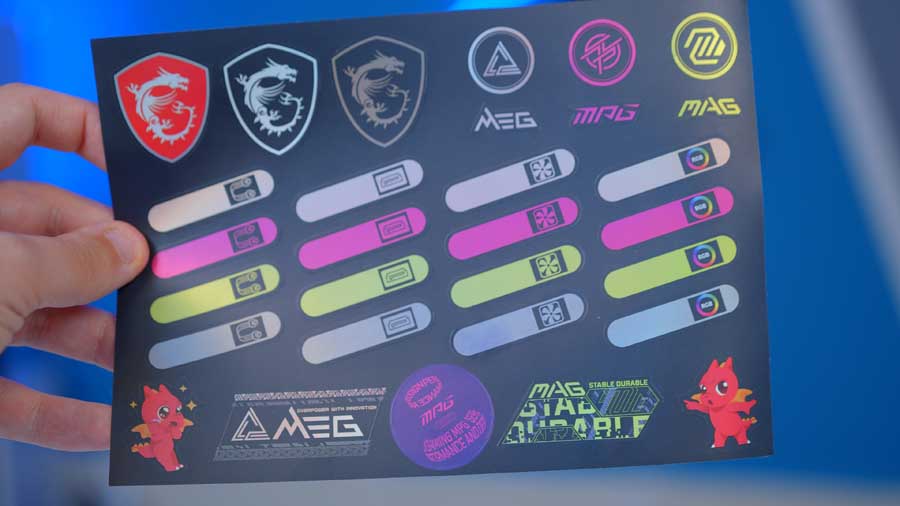
There’s a complimentary sticker sheet, and the stickers are designed to stick to the cables so you can clearly indicate their purpose once everything is plugged into the motherboard. Cable management can be quite stressful when you’re trying to locate a cable.
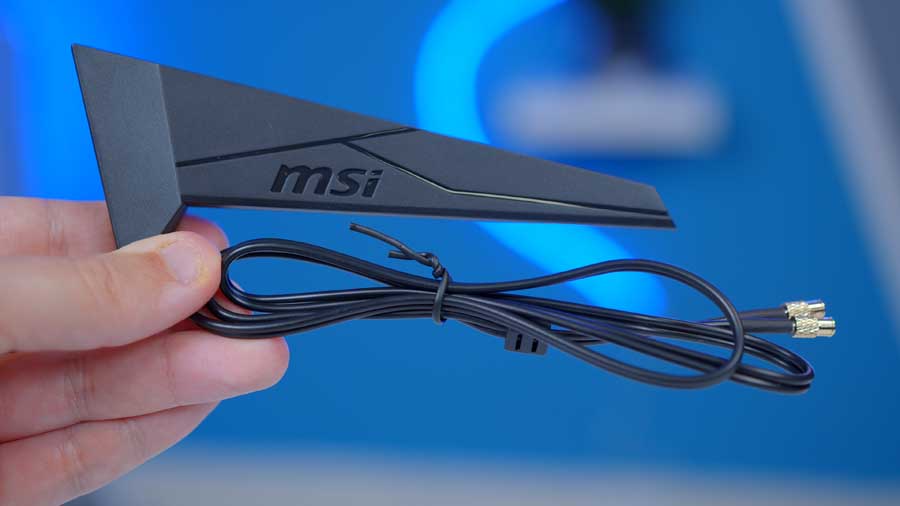
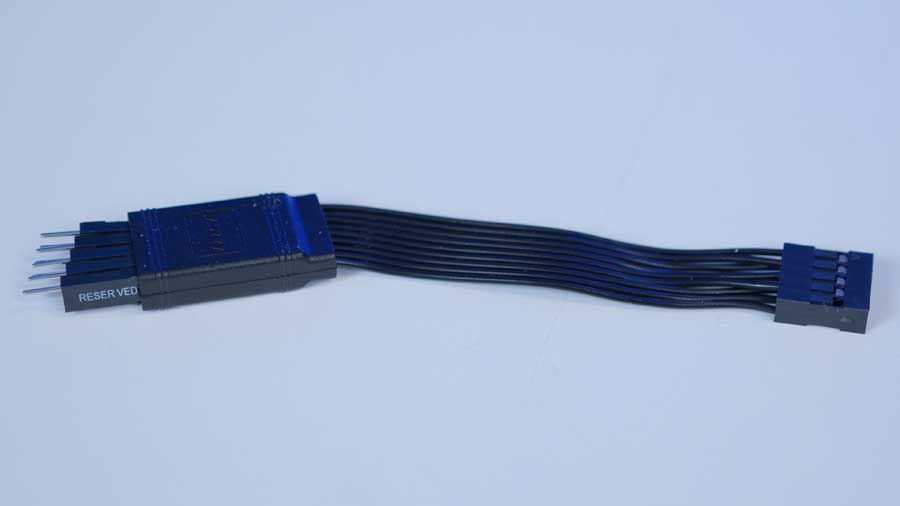
Finally, you’ll find the EZ Wi-Fi Antenna, which plugs into the Wi-Fi port on the rear IO, a 1-to-3 EZ Conn-Cable (V2), which is a specialised MSI accessory designed to consolidate cable management for high-end components and an EZ Front Panel Cable for those Chassis where the front panel connectors aren’t a single unified cable.
Motherboard Design
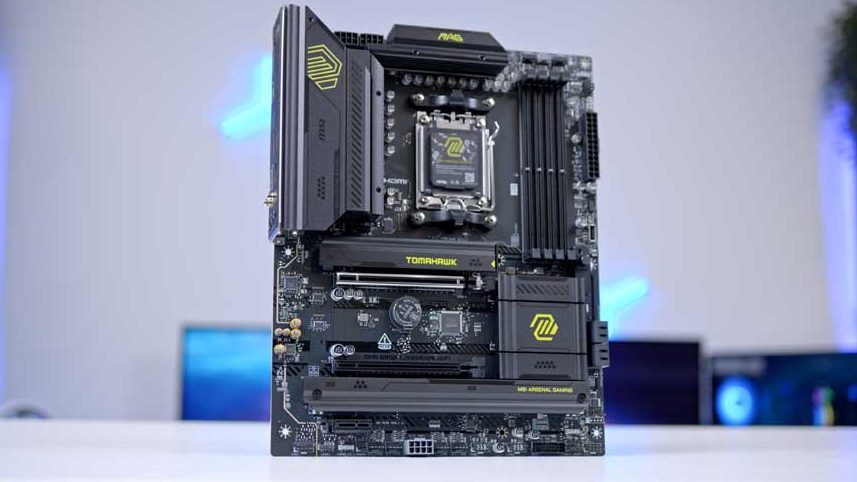
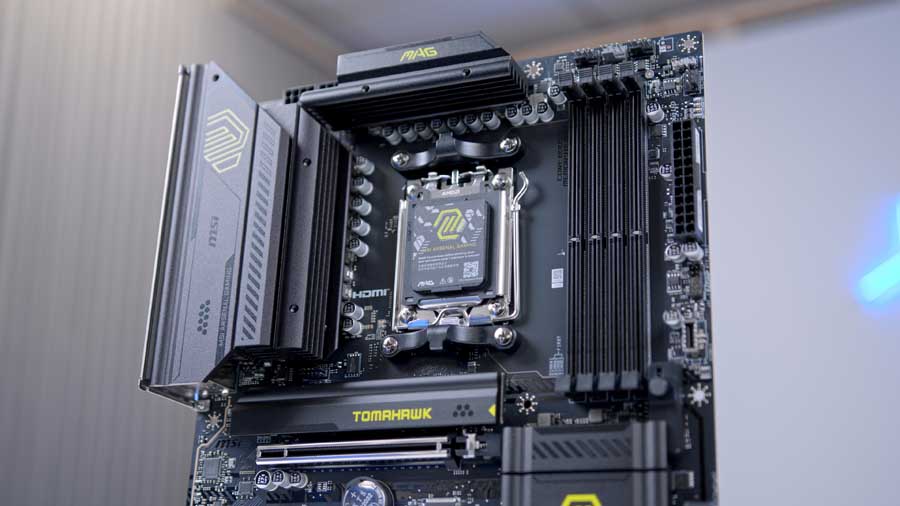
The MSI MAG B850 TOMAHAWK WIFI’s aesthetic design hasn’t changed much when compared to other previous TOMAHAWK chipset models. It equips a black PCB with black RAM DIMMs and black heatsinks across the board.
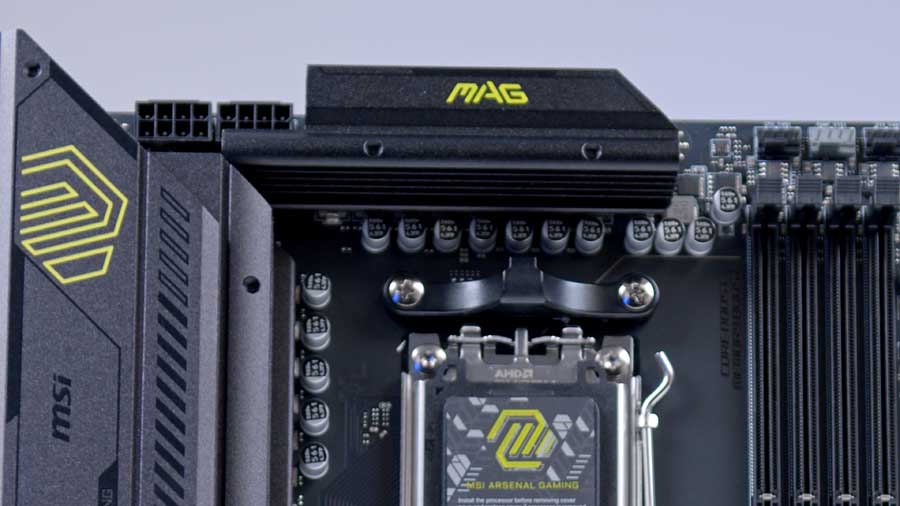
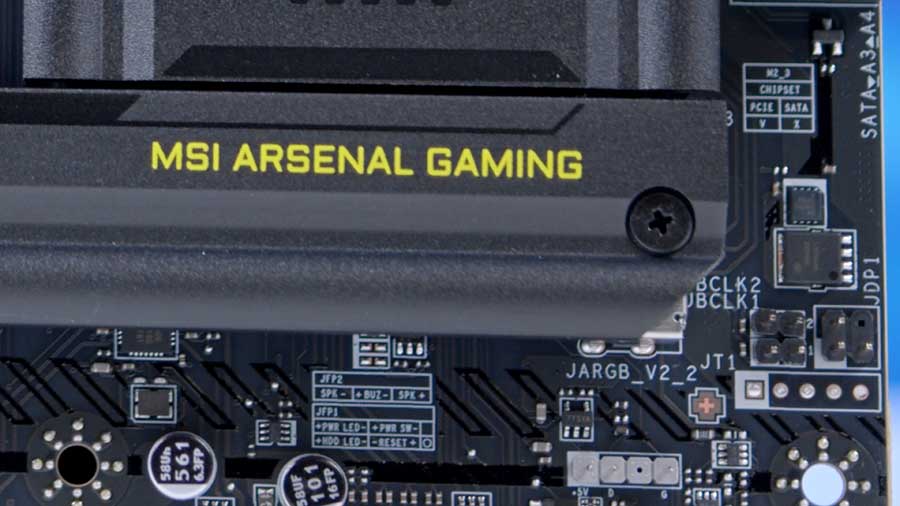
The black heatsinks cover the rear IO, VRMs, the M.2 slots, and the chipset, and each features greenish-yellow ‘MAG’ branding, which MSI lovingly refers to as “Army Green” to reinforce the board’s military and industrial theme. We commented on this in our review of the B850 TOMAHAWK MAX. While the green clashes with the black to a degree, it makes the board stand out more than the massive range of all-black motherboards on the market, in a particularly positive way.
RGB Lighting on this motherboard is scarce. While there are plenty of RGB headers (which we’ll touch on later), MSI hasn’t placed any LEDs on the board other than the EZ Debug LEDs for BIOS error debugging. Additionally, lighting on a motherboard can be harder to control unless you’re willing to install extra software like SignalRGB.
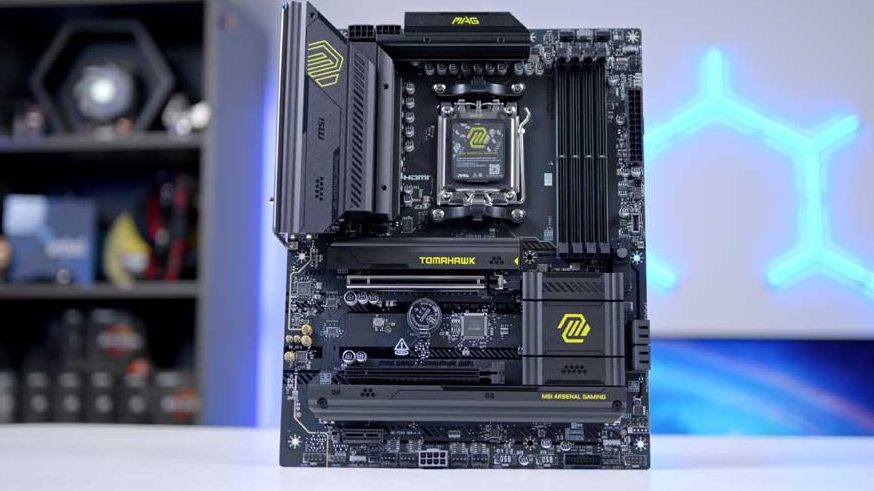
There could be a greater heatsink presence towards the centre of the motherboard. You’ll often see boards with a single big toolless heatsink that streamlines the board’s visuals and can block out PCB noise. Because the two Gen4 SSD slots sit at the bottom of the PCB, the centre of the board looks a bit more bare, which won’t appeal to everyone.
Despite this, the MSI MAG B850 TOMAHAWK WiFi’s design is solid. While this is one of the simpler boards on the market in terms of aesthetics, it can be better than blown-out RGB and heavy heatsink PCBs, and it can save you a pretty penny when functionality is the focus.
Connectivity Options
Graphics Card Slots
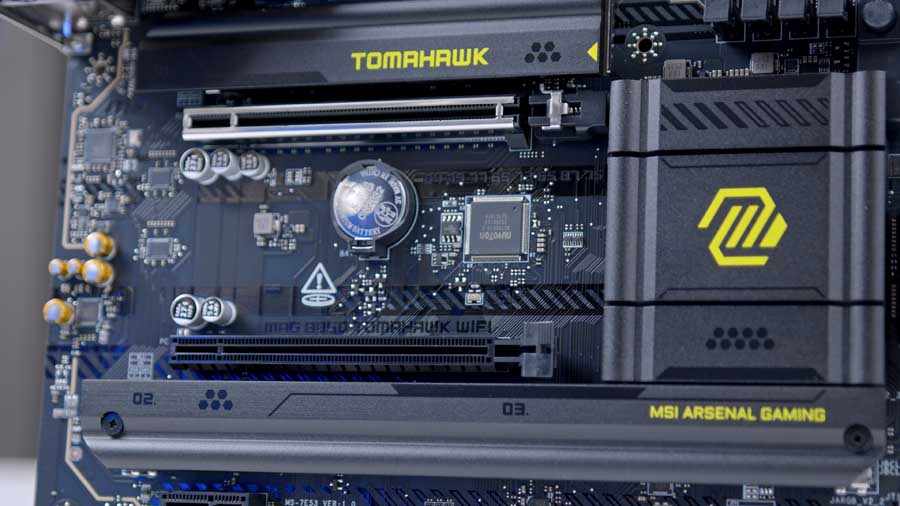
There is one primary graphics card slot, easy to identify thanks to its standout silver housing, and it is accompanied by EZ PCIE RELEASE, a physical button release mechanism that allows you to install or remove GPUs much more easily than the legacy latch method. This slot is the PCIe 5.0-supported slot mentioned in the specification section.
M.2 Slots
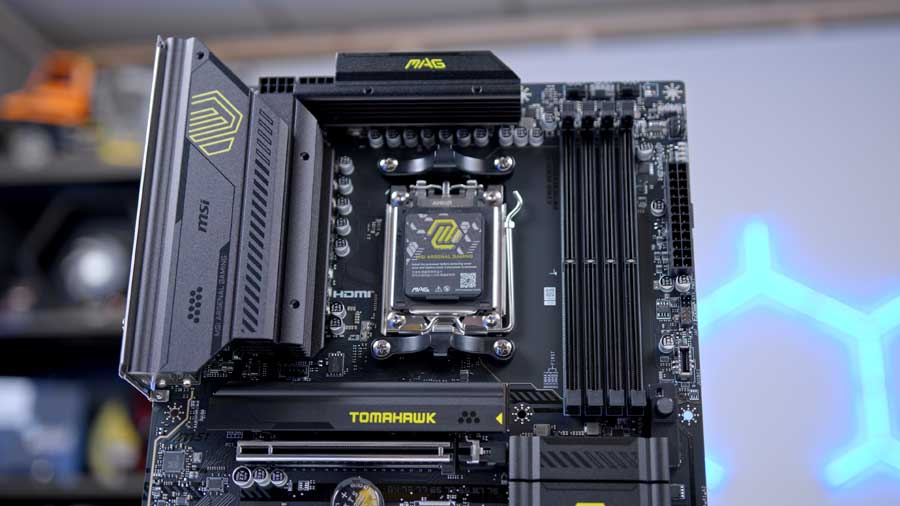
The MAG B850 TOMAHAWK WiFi offers three NVMe M.2 slots, one Gen5 and two Gen4. The PCIe 5.0 slot is located above the silver GPU slot and is shielded by a poorly made toolless heatsink – branded with “TOMAHAWK”. Underneath this, you’ll find a pre-installed EZ Clip that serves as a latch to keep your M.2 drive in place. This slot is best suited for your fastest drive, preferably the one with your OS installed.
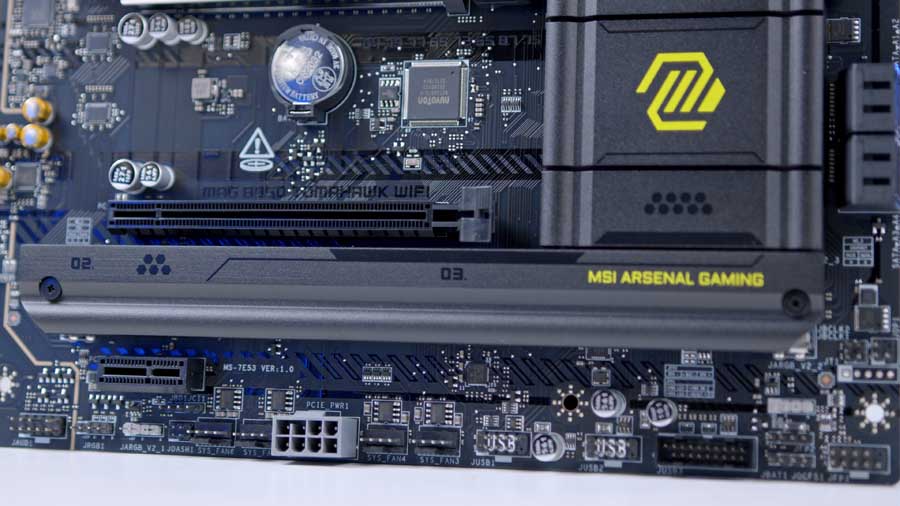
The other two PCIe 4.0 slots are under the longer heatsink and require a small crosshead screwdriver to remove. They align side by side horizontally. For a board of this calibre, there really should be an extra storage slot, even if it were another PCIe 4.0, or even completely toolless heatsinks across the board.
RAM DIMMs
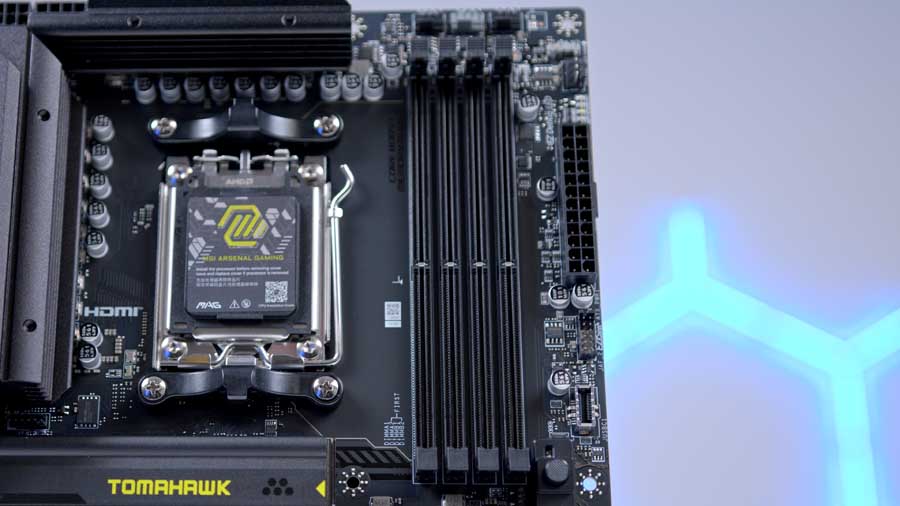
DDR5 RAM can reach exceptional speeds, and refinements over the past few years have dramatically increased performance. While the MSI MAG B850 TOMAHAWK (AMD) supports overclocking up to 8200 MT/s, its Intel counterpart, the B860 TOMAHAWK, can reach 9200 MT/s. These high ceilings are impressive, though actual stability is often determined by the CPU’s internal memory controller rather than the motherboard alone. Those looking to maximise performance will want to utilise these boards’ solid traces and BIOS support to push their RAM to the limit.
Rear IO
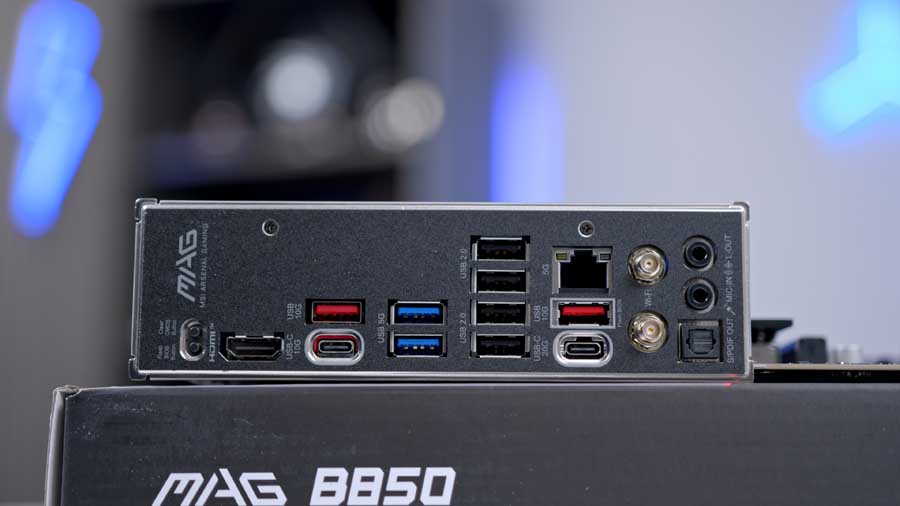
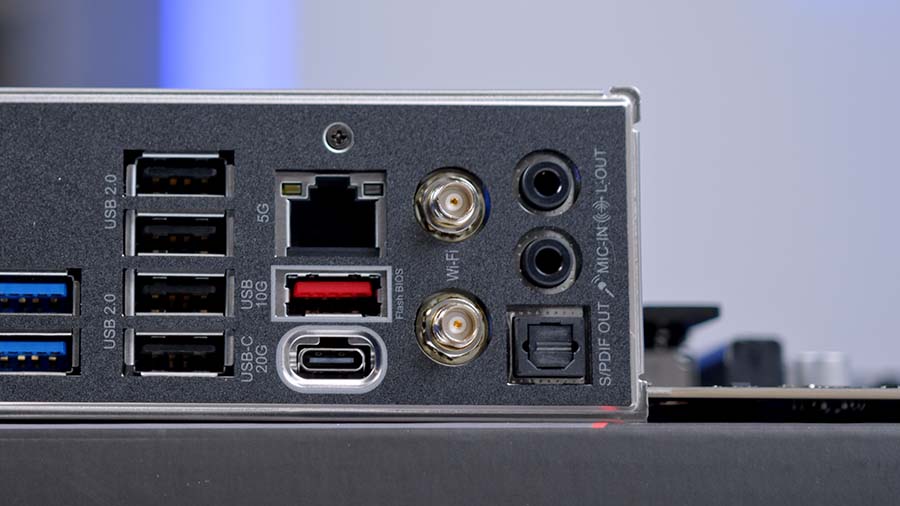
The section on available USB ports on the MSI MAG B850 TOMAHAWK has 10 USB ports. There are two USB Type-C ports with speeds of 10Gbps to 20Gbps, four USB Type-A ports with speeds of 5Gbps to 10Gbps (blue and red), and four USB 2.0 ports (black).
Internal Headers
CPU and Motherboard Power
The MSI MAG B850 TOMAHAWK WiFi’s power configuration is fairly standard, offering builders the essentials they need to get started. At the top left of the motherboard are two 8-pin EPS CPU headers. We recommend plugging in both of these, as this better distributes power than a single header.
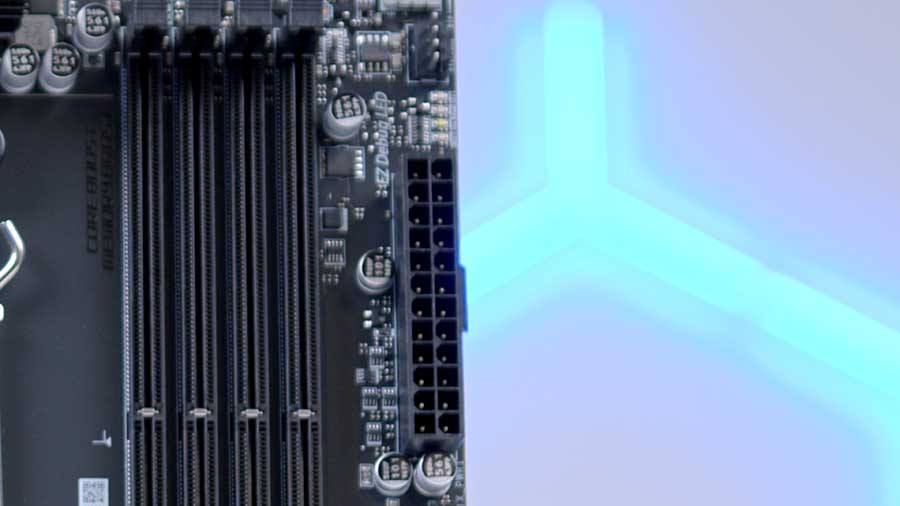
In the middle of the left side of the board is the 24-pin motherboard power header. This long rectangular header must be plugged into power to power the board.
Front USB Headers
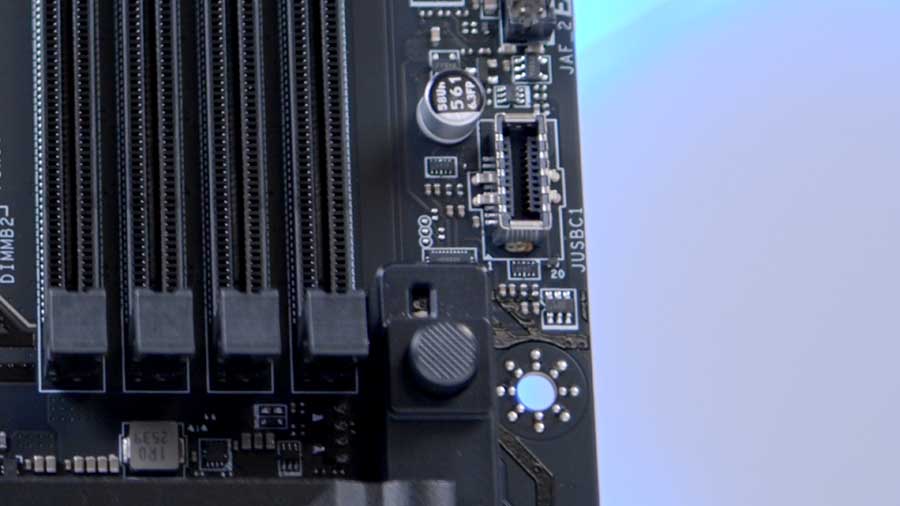
The MAG B850 TOMAHAWK WiFi has four USB headers, which is relatively typical compared to other boards. At the right of the PCB are the USB-C and USB-3 headers.
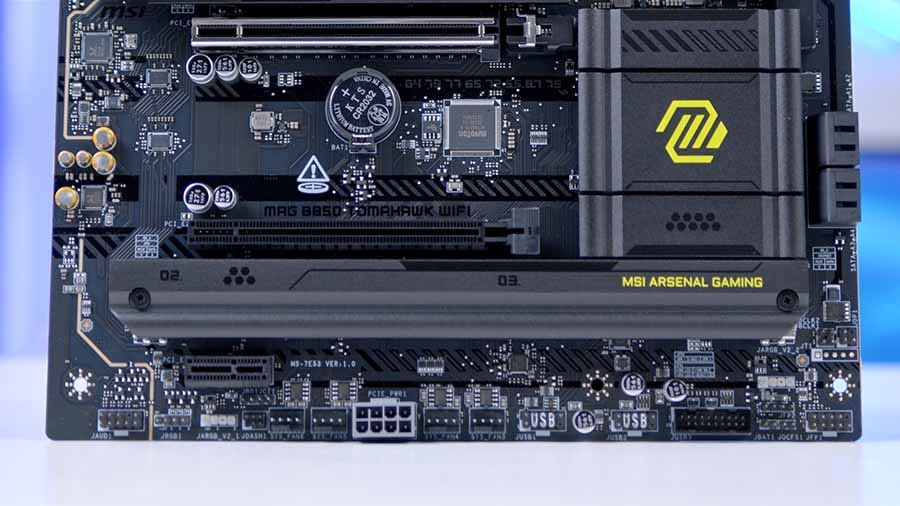
MSI has chosen a right-angled USB 3 header, making it easier to plug in and keep cables tidy during cable management, located at the bottom-right corner of the board. Both USB 2.0 headers sit underneath the bottom PCI-E slot to the left of the USB 3 ports. They support up to 2 ports each. Altogether, these headers can provide up to 7 USB ports.
Pump and Fan Headers
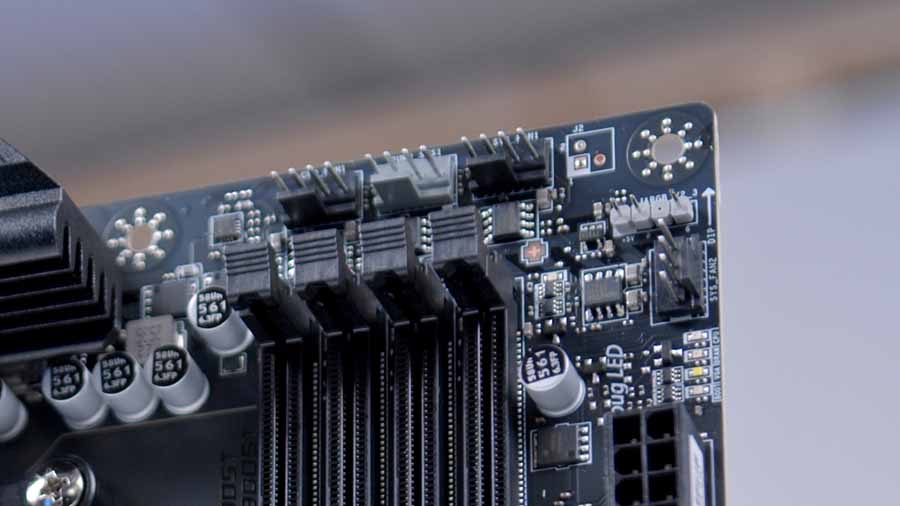
On this board are six fan headers, plus an additional JAF1 header for those with supporting MSI components. Because the MAG B850 TOMAHAWK WiFi utilises an unconventional layout, the locations of the pump and fan headers differ slightly from those on other boards.
RGB Headers
The positioning of the RGB headers on this board is slightly peculiar. Whilst you will be able to reach them with no issues, they just aren’t in the typical location that you would expect. There’s essentially an RGB header in the top-right, bottom-right, and bottom-left corners. The header in the top-right is rotated 90° so that the pins sit horizontally, which means the cable might look and feel unnatural as you plug it in, but the port’s overall functionality will still be fine.
Features We Like
WiFi 7 and 5GbE LAN Networking
It’s great to see a B850 with Wi-Fi 7 and 5-GbE LAN networking options, as you’ll often see B850 boards with Wi-Fi 6/6E and 2.5-GbE LAN interchangeably with Wi-Fi 7. This means you can utilise the latest consumer-grade, fastest networking as long as you have internet access.
Overclocking Support
Compared to the MSI MAG B860 TOMAHAWK WiFi, this board actually supports CPU overclocking for series 9000, 8000, and 7000 processors, so if you’re looking to tweak your CPU, this is probably the better of the two boards.
Rear IO Selection
The rear IO is one of the MAG B850 TOMAHAWK WiFi’s key strengths. It offers a bountiful selection of USBs and strong networking options for gamers looking to enjoy minimal lag. The arrangement of ports is clean and easy to access and identify.
Features We Don’t Like
Horizontally Aligned RGB Header
It’s a questionable choice in terms of friendliness and ease for the PC builder, but it is functional. The reason for this abnormal positioning is a lack of space on the board in the top-right, but MSI could have moved some of the other onboard features around a bit to reduce friction during cable management. It’s just a strangely intentional decision.
Not Completely Toolless
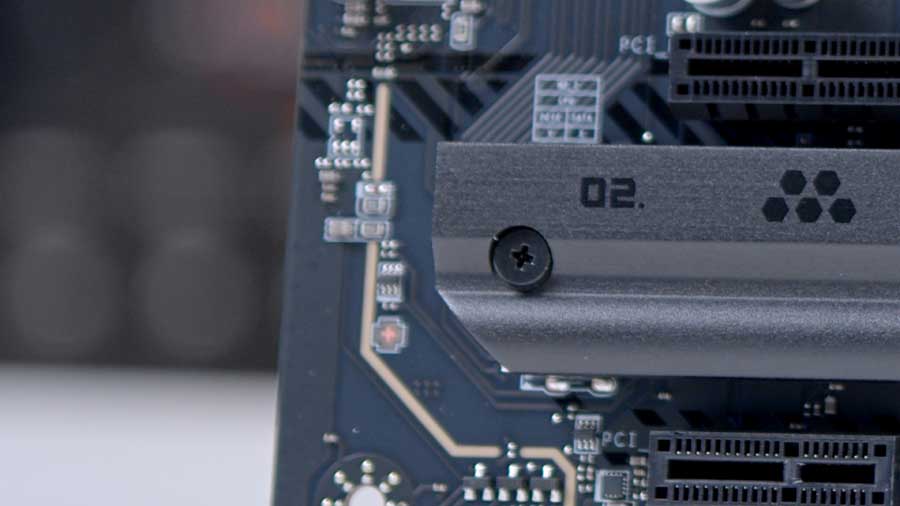
As of 2025 (when this board was released), we believe toolless features should be standard on B850 boards. If brands are going to offer some toolless features for the primary M.2 and GPU slots, why not just go the whole mile? It’s an inconvenience that doesn’t have to exist.
Conclusion
Overall Score
4.1 / 5
A well-priced B850 board with strong connectivity and standout value for mainstream AM5 builds.

Awarded the GeekaWhat Great Value Award
MSI MAG B850 TOMAHAWK WIFI Review
The MSI MAG B850 TOMAHAWK WIFI is a decent motherboard with a great feature set; the only real points of contention are the coloured accessories and lack of completely toolless assembly. The horizontal RGB header is slightly grinding, too.
Everything else offered feels like a real bargain. And even when compared to its Intel twin, the MAG B860 TOMAHAWK, there are no major feature differences that favour one processor over the other, leaving the choice up to personal preference if you like the board’s appearance. The board is competitively priced, highlighting the propositional value this motherboard offers over other B850 boards.
Features
4 / 5
Design
4 / 5
Performance
4 / 5
Value For Money
4.5 / 5
Pros
- CPU overclocking support
- WiFi 7 and 5GbE LAN
- Bountiful IO selection
Cons
- Not entirely toolless
- PCIe 5.0 heatsink feels flimsy
- Only 3 SSD slots