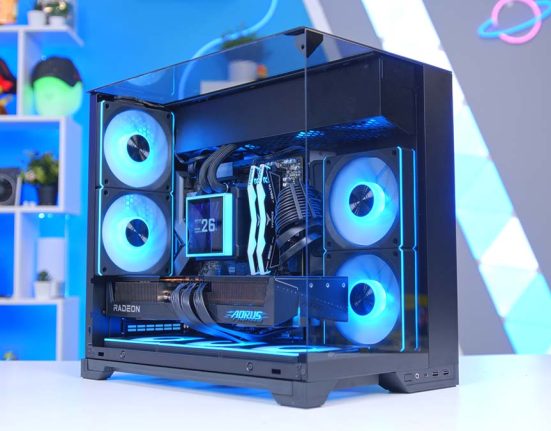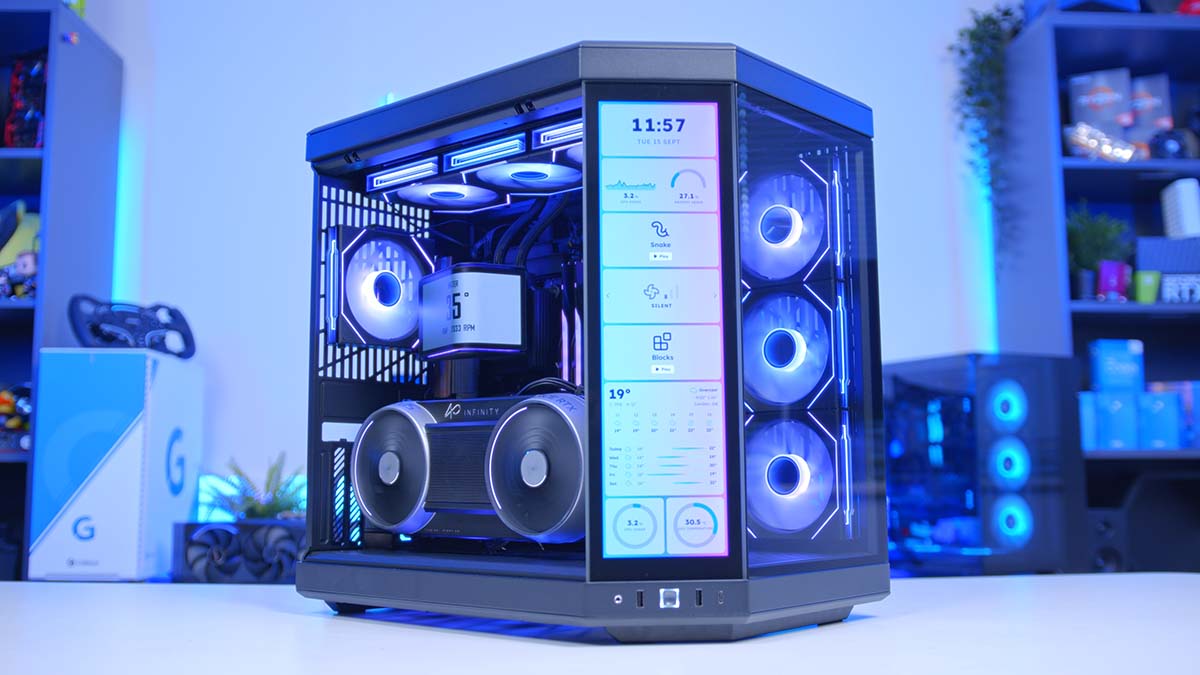
Some builds start with a budget. This one throws the budget out the window. The Ryzen 9 9950X3D and Gigabyte’s AORUS RTX 5090 INFINITY make up one of the most powerful gaming pairings on sale right now, and we’ve housed them in HYTE’s Y70 Touch Infinite, a case with its own built-in touchscreen.
It’s every bit as much a showpiece as it is a performance monster, too. Dark wood trim on the motherboard, a motorised curved OLED on the AIO and a vertically mounted flagship graphics card all make sure of that. Below you’ll find the full parts list, a breakdown of each component, a cheaper graphics card worth considering, and how the finished system handles five of the latest games at 4K.
AMD Ryzen 9 9950X3D
Skip to SectionOne of AMD’s flagship X3D chips, pairing 16 Zen 5 cores with 3D V-Cache for top-tier gaming and serious multi-threaded muscle.
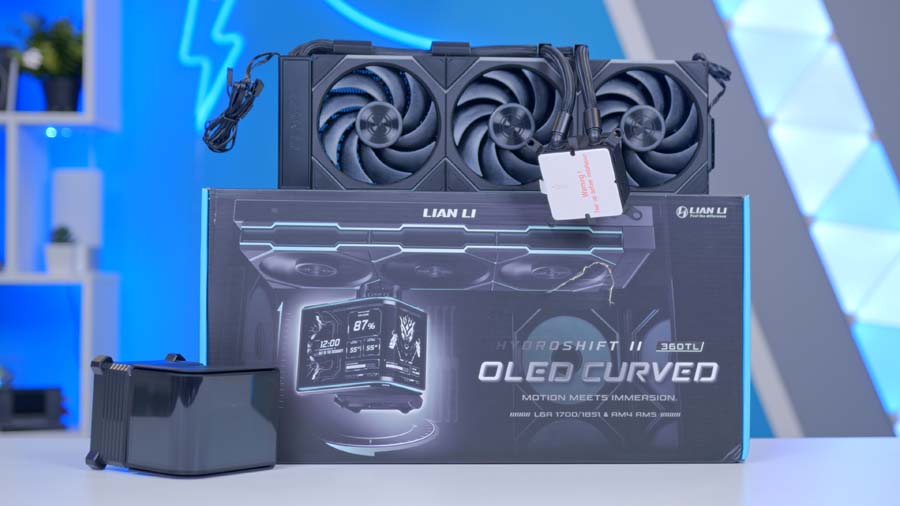
Lian Li HydroShift II OLED Curved 360TL
Skip to SectionA 360mm AIO topped with a motorised 6.67-inch curved OLED that lifts and tilts, plus three pre-fitted UNI FAN TL FLEX fans.
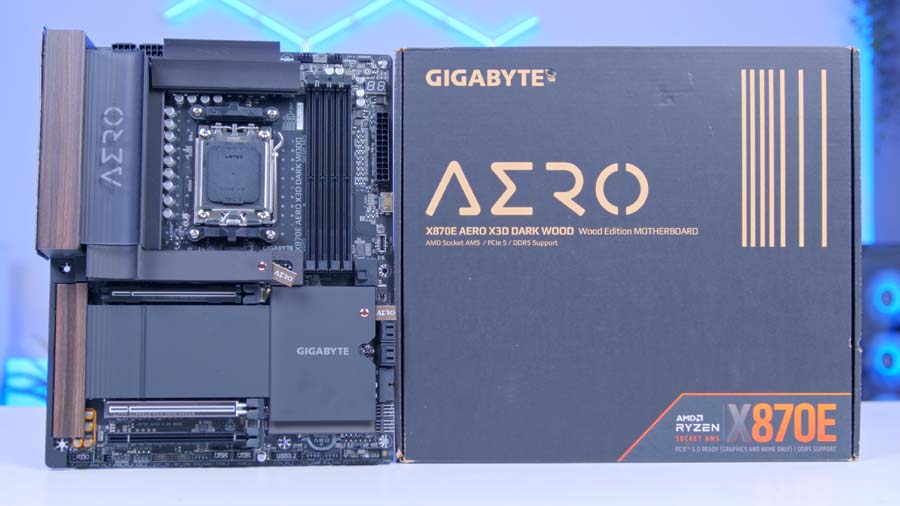
Gigabyte X870E AERO X3D DARK WOOD
Skip to SectionA premium X870E board with dark wood-grain trim, a 16+2+2 phase VRM, dual USB4, dual 5GbE and Wi-Fi 7.

G.SKILL Trident Z5 NEO RGB DDR5 32GB
Skip to SectionA 32GB dual-channel kit with EXPO support and a sleek RGB lightbar, running at 6000MT/s with tight CL30 timings.
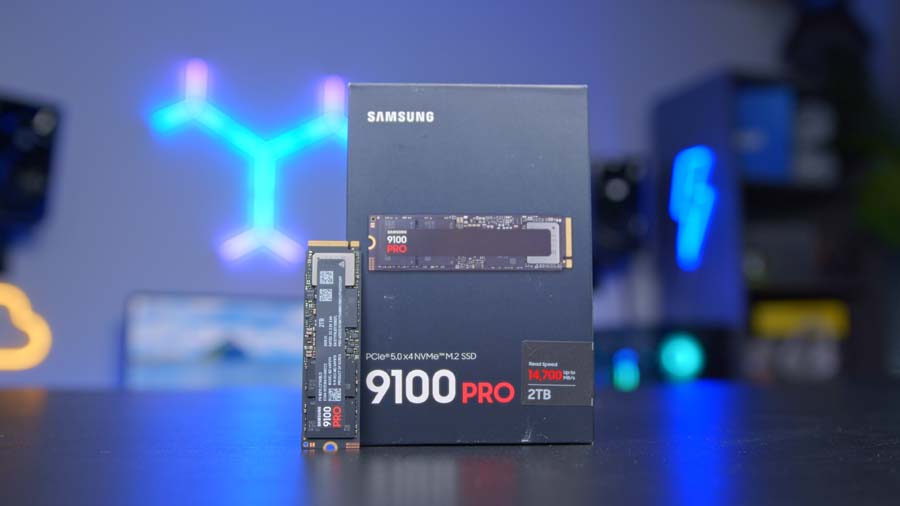
Samsung 9100 PRO 4TB
Skip to SectionSamsung’s flagship PCIe 5.0 drive in its 4TB form, rated for up to 14,800MB/s reads and 2,400TBW of endurance.
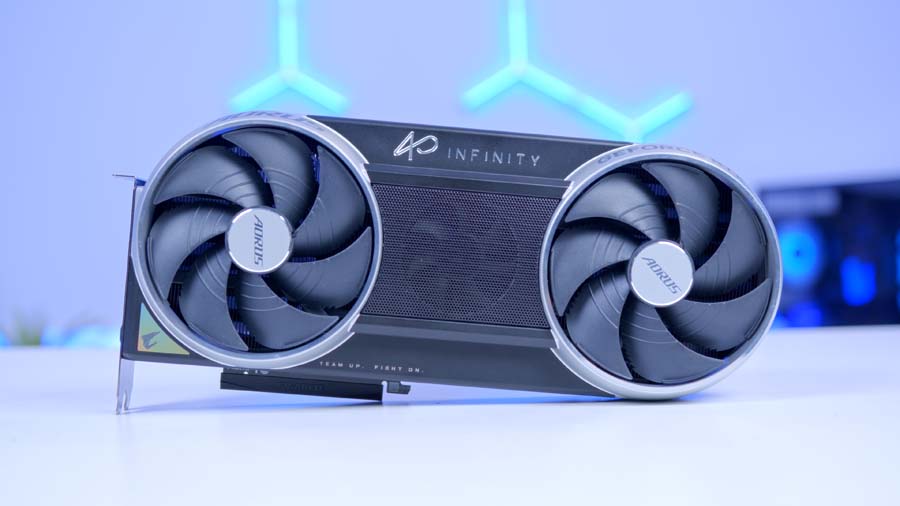
Gigabyte AORUS RTX 5090 INFINITY
Skip to SectionThe fastest gaming graphics card available, with 32GB of GDDR7, a factory overclock and AORUS’s triple-fan cooler.
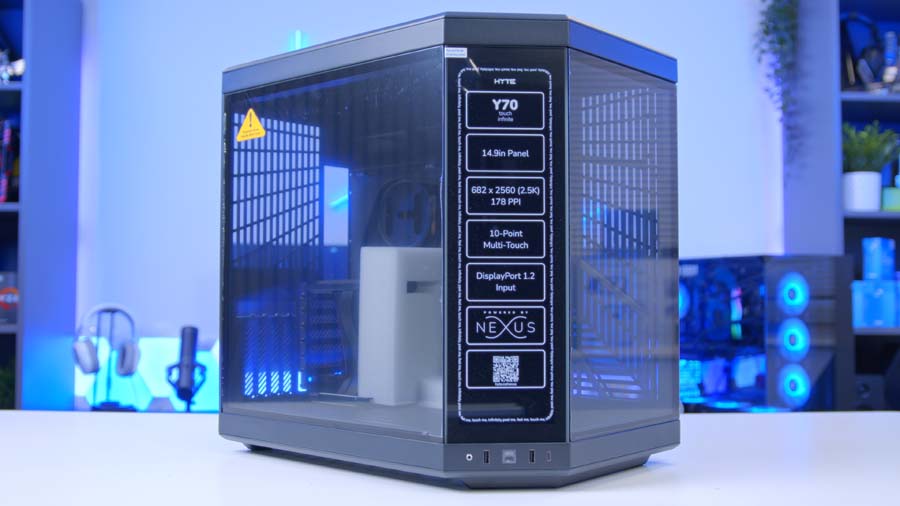
HYTE Y70 Touch Infinite
Skip to SectionHYTE’s dual-chamber showcase case, with pillarless panoramic glass, a standard vertical GPU mount and a built-in 14.9-inch touchscreen.
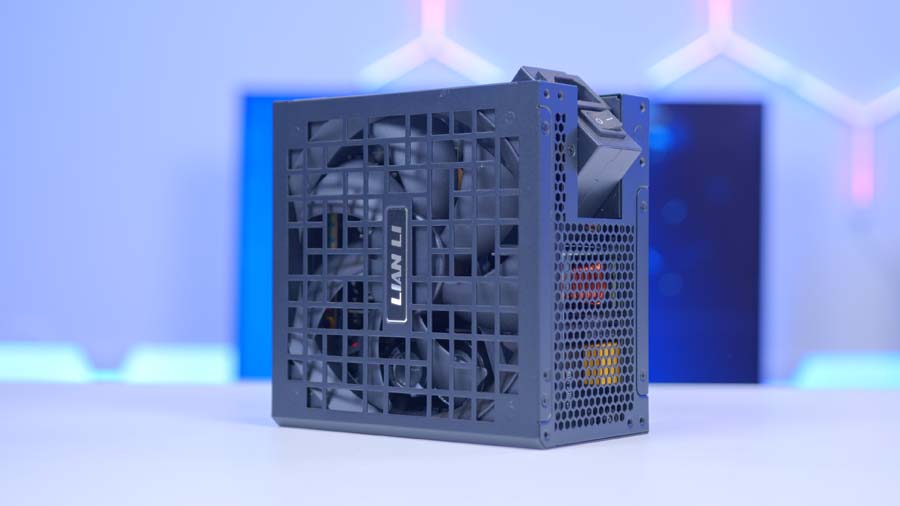
Lian Li RS1000G
Skip to SectionA fully modular 1,000W ATX 3.1 unit with a rotating AC inlet, a native 600W 12V-2×6 cable and a 10-year warranty.
AMD Ryzen 9 9950X3D
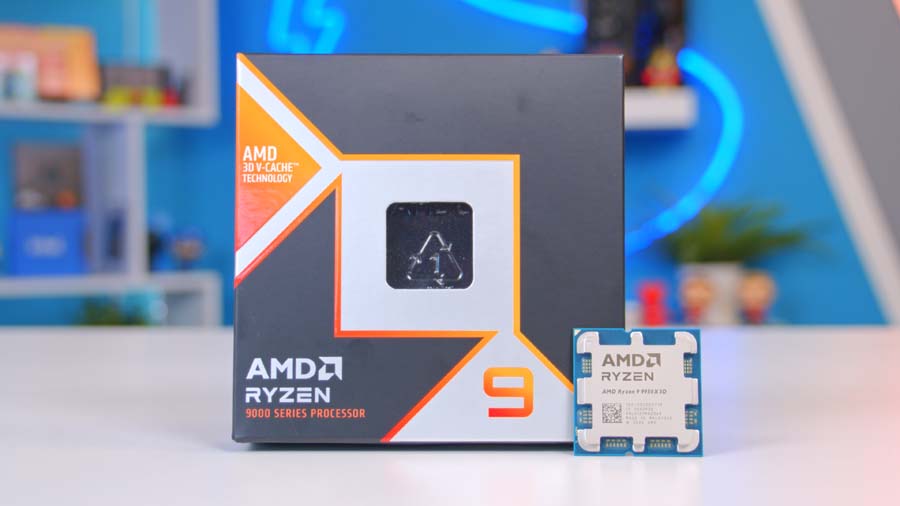
For a machine that games and works equally hard, the 9950X3D is a superb choice. It combines 16 Zen 5 cores and 32 threads with a 5.7GHz boost clock, and one of its two core chiplets carries AMD’s second-generation 3D V-Cache, taking the total to 144MB. Games are steered towards the cache-stacked cores, while rendering, encoding and compiling get all sixteen. AMD’s newer 9950X3D2 Dual Edition goes a step further by stacking V-Cache on both chiplets, though it’s rated at a hungrier 200W.
CPU Comparison
AMD Ryzen X3D Desktop CPU Comparison
Hover rows for highlight. Drag :: to reorder columns, or tap/click a header title to sort.
| ⠿ CPU | ⠿ Cores | ⠿ Threads | ⠿ Base Clock | ⠿ Max Boost | ⠿ TDP | ⠿ Total Cache | Where to Buy |
|---|---|---|---|---|---|---|---|
AMD Ryzen 9 9950X3D Zen 5 flagship X3D desktop CPU |
16 | 32 | 4.3 GHz | 5.7 GHz | 170W | 144MB | |
|
AMD Ryzen 9 9900X3D 12-core Zen 5 X3D for mixed gaming and production |
12 | 24 | 4.4 GHz | 5.5 GHz | 120W | 140MB | |
AMD Ryzen 7 9850X3D 8-core Zen 5 X3D gaming CPU (launched Jan 29, 2026) |
8 | 16 | 4.7 GHz | 5.6 GHz | 120W | 104MB | |
|
AMD Ryzen 7 9800X3D High-FPS Zen 5 gaming CPU |
8 | 16 | 4.7 GHz | 5.2 GHz | 120W | 104MB | |
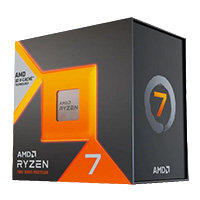
AMD Ryzen 7 7800X3D Mainstream Zen 4 gaming favourite |
8 | 16 | 4.2 GHz | 5.0 GHz | 120W | 104MB |
Is it overkill for a PC that only ever plays games? Yes, a little. At 4K the RTX 5090 does the heavy lifting, so a Ryzen 7 9850X3D would land close in the majority of titles. Where the 9950X3D pulls away is everything else, and our Ryzen 9 9950X3D review shows just how big that gap gets in productivity workloads.
From Our Full Review
☆☆☆☆☆
4.1/5

Pros and Cons
Pros
- Plenty of cores
- Decent thermals
- Best all-rounder
Cons
- Meagre multi-core performance uplift vs 9950X
- Very expensive
- Not ideal if you’re only gaming
Bottom Line
Across the board, the performance is pretty good. We wouldn’t recommend jumping to this CPU if you’ve already got a 9950X; however, if you’re looking for a CPU that balances work and play, the 9950X3D fits the bill. It offers similar gaming performance to the Ryzen 7 9800X3D and solid workstation performance that slightly outperforms the 9950X in specific scenarios. It is expensive, but this isn’t a surprise based on the multifaceted performance capabilities we see from this CPU.
Read The Full ReviewIt’s rated at 170W, noticeably more than the eight-core X3D chips, so a capable cooler is a must. Thankfully, this build has one.
Lian Li HydroShift II OLED Curved 360TL
Lian Li’s HydroShift II OLED Curved 360TL handles cooling, and the pump head steals the show. Sitting on top is a 6.67-inch curved OLED running at 2288×1048, and it’s motorised. Through L-Connect 3, the screen lifts and tilts up to 45 degrees, so it can be angled towards you rather than staring at the ceiling. It’s magnetic and hot-swappable as well.
Underneath, there’s a 360mm aluminium radiator with three UNI FAN TL FLEX fans pre-installed, spinning anywhere from 200 to 2,600 RPM. That’s plenty for a 170W chip, even during long all-core renders, and the Y70 can take a 360mm radiator in either the roof or the side.
Gigabyte X870E AERO X3D DARK WOOD
Gigabyte’s X870E AERO X3D DARK WOOD is one of the best-looking boards around. The heatsinks are finished in dark wood-grain panels with a leather pull tab, swapping the lighter tones of the regular AERO X3D WOOD for something that suits a darker build.
Motherboard Specifications
- Model Gigabyte X870E AERO X3D DARK WOOD
- Chipset / Socket AMD X870E / AM5
- Form Factor ATX (305mm x 244mm)
- CPU Support AMD Ryzen 9000 / 8000 / 7000 Series (AM5)
- Memory Support 4 x DDR5 DIMM, up to 256GB, up to DDR5-9000 (OC)
- VRM Design 16+2+2 phase Twin Digital VRM (60A power stages)
- Reverse Connect No, standard front-connect layout
- Graphics Card Compatibility 1 x PCIe 5.0 x16 slot (runs at x8 when the second slot is populated)
- Expansion Card Compatibility 1 x PCIe 5.0 x8 (CPU) + 1 x PCIe 4.0 x4 (chipset)
- M.2 Compatibility 4 x M.2: 2 x PCIe 5.0 x4 (CPU), 2 x PCIe 4.0 x4 (chipset)
- SATA Storage 4 x SATA 6Gb/s ports
- Networking Wi-Fi 7 + Bluetooth 5.4 + 2 x 5GbE LAN
- Rear I/O 2 x USB4 Type-C (40Gbps), 1 x USB-C 20Gbps, 5 x USB-A 10Gbps, 3 x USB-A 5Gbps, HDMI, Q-Flash Plus and Clear CMOS buttons, audio jacks + optical S/PDIF
- Front I/O Headers 1 x USB-C 20Gbps header, 2 x USB 5Gbps headers, 2 x USB 2.0 headers
- Audio Realtek ALC1220
- Colour Black with dark wood-grain trim and a leather pull tab
It’s not all looks, either. You get a 16+2+2 phase VRM, two PCIe 5.0 M.2 slots wired to the CPU plus two more at Gen4, dual 5GbE, Wi-Fi 7 and a pair of 40Gbps USB4 ports on the rear. Gigabyte’s X3D Turbo Mode 2.0 is in the BIOS too, a one-click tweak aimed squarely at chips like the 9950X3D.
One thing worth planning for: the second Gen5 M.2 slot shares bandwidth with the USB4 ports, so the SSD goes in the top slot.
G.SKILL Trident Z5 NEO RGB DDR5 32GB
G.SKILL’s Trident Z5 NEO RGB is built with AMD in mind, shipping with EXPO profiles and a black finish that matches the rest of the build. We’re running 32GB across two sticks at 6000MT/s with CL30 timings, the speed AM5 is happiest at, since it lets the memory controller run 1:1 with the RAM.
Slots A2 and B2 are the ones to use for dual-channel. Once everything’s installed, EXPO needs switching on in the BIOS, or you’ll leave a good chunk of that speed on the table.
Samsung 9100 PRO 4TB
The Samsung 9100 PRO turns up in a lot of our builds, and for good reason. This time it’s the 4TB model, rated for 14,800MB/s reads and 13,400MB/s writes over PCIe 5.0, with random performance of up to 2.2 million read IOPS and 2.6 million write IOPS.
Under the hood, it pairs Samsung’s own 5nm controller with V-NAND TLC flash and a 4GB LPDDR4X DRAM cache. That cache matters more than it sounds, keeping the drive responsive under heavy random and mixed workloads, and endurance is rated at 2,400TBW with a five-year warranty on top.
We reviewed the 8TB version, and performance stayed remarkably consistent across capacities, so the 4TB drive here gives up very little. It kept temperatures in check too. Handy, in a build already throwing out this much heat. Here it lives in the M2A_CPU slot, wired straight to the processor and tucked under the board’s M.2 heatsink.
From Our Full Review
☆☆☆☆☆
4.1/5

Pros and Cons
Pros
- High performance without compromise
- Remarkable long-term endurance
- Gen5, and backwards compatible
- Great thermals
Cons
- Predictably expensive
- Not much seems to have physically changed between the 990 PRO and the 9100 Pro
Bottom Line
Overall, I am impressed with this M.2; you get 8TB and excellent performance. It also achieves a similar performance to its sister SSDs with 2 TB or 4 TB of storage, which is unexpected, as with storage highs of 8TB, you will typically lose out on parallelism.
Read The Full ReviewSo, is a Gen5 drive worth it for gaming? In terms of load times, the difference over a quick Gen4 drive is small, and we won’t pretend otherwise. Where it pays off is shifting huge files, like video projects and game installs, and in a machine at this level the extra speed makes sense. As for capacity, with a growing number of modern games passing 150GB, 4TB fills up faster than you’d expect.
Gigabyte AORUS RTX 5090 INFINITY
Then there’s the centrepiece. The RTX 5090 is still the fastest gaming graphics card on the market, packing 21,760 CUDA cores and 32GB of GDDR7 on a 512-bit bus. Our RTX 5090 review goes into what it can do, so here we’ll focus on what makes Gigabyte’s AORUS INFINITY version different.
The cooler uses three fans, including a central Overdrive fan that only spins up under heavy load, along with a large vapour chamber and a double flow-through design. Gigabyte has also swapped regular thermal paste for what it calls composite metal grease, which it says combines the conductivity of liquid metal with the ease of regular paste. The shroud and backplate are die-cast metal, the boost clock is pushed to 2,730MHz, and at 330mm long it’s more manageable than some 5090s.
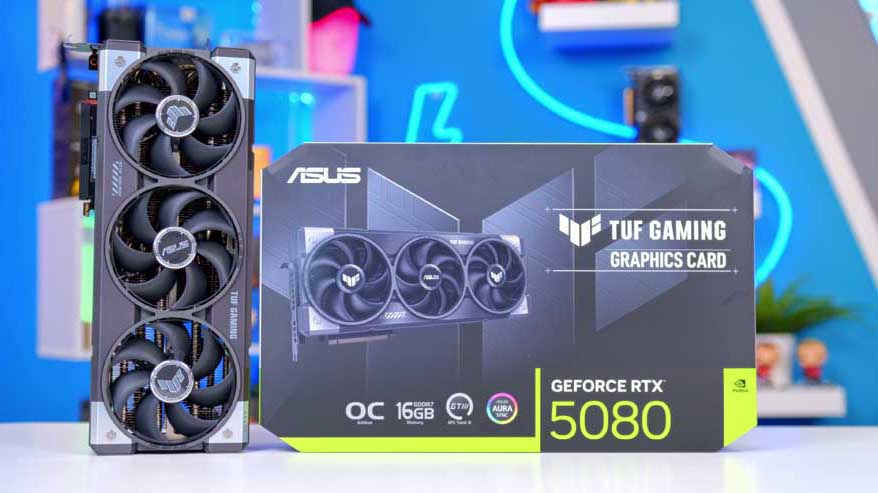
Alternative GPU Choice
ASUS TUF Gaming GeForce RTX 5080 OC Edition
Not everyone needs 32GB of VRAM, or wants to pay what the RTX 5090 costs. The RTX 5080 is the next step down, with 16GB of GDDR7 and the same DLSS 4 and Multi Frame Generation feature set. It can’t match the 5090 at native 4K, but with DLSS switched on it’s still a very capable high-refresh 4K card for a lot less money. ASUS’s TUF version pairs a hefty triple-fan cooler with a tough metal shroud, and it’ll sit happily in the Y70’s vertical mount.
In the Y70, the card mounts vertically as standard through HYTE’s included PCIe 4.0 riser. Does that hold a 5090 back? Not in any way you’d notice in games, and it puts the whole card on display through the glass.
HYTE Y70 Touch Infinite
The Touch Infinite is the latest version of HYTE’s Y70 Touch, which we reviewed back in 2023. Despite the name, there’s no new lighting trick here. HYTE introduced the Infinite after supplies of the original touchscreen ran out, and the current panel is a 14.9-inch, 2.5K IPS display with 10-point touch. It runs HYTE’s Nexus software for system stats and widgets, and connects to the graphics card with a single DisplayPort cable, plus an internal USB 2.0 header and SATA power.
Case Specifications
- Model HYTE Y70 Touch Infinite
- Form Factor Dual-chamber mid-tower
- Motherboard Support Mini-ITX, Micro-ATX, ATX, E-ATX
- Case Dimensions (L x W x H) 470mm x 320mm x 470mm
- Front IO 1 x USB 3.2 Gen 2 Type-C, 2 x USB 3.2 Gen 1 Type-A, 1 x Audio combo
- PCI-E Slots 7 x Horizontal (half-height), 4 x Vertical
- Touchscreen 14.9″ IPS, 682 x 2560, 10-point touch (HYTE Nexus)
- Vertical GPU Mount Standard, PCIe 4.0 x16 riser included, up to 4-slot cards
-
Max Clearance
GPU length: Up to 390mmCPU cooler: Up to 180mmPSU length: Up to 235mm
- Drive Support 2 x 3.5-inch, or 4 x 2.5-inch
-
Fan Support
Top: 3 x 120mm / 2 x 140mmSide: 3 x 120mm / 2 x 140mmBottom: 3 x 120mm / 2 x 140mmRear: 1 x 120mm / 140mm
-
Radiator Support
Top: Up to 360mmSide: Up to 360mmRear: 120mm / 140mm
- Colour Snow White, Panda, Pitch Black or Black Cherry
- Pre-Installed Fans None
Beyond that, it’s the Y70 as you know it. The dual-chamber layout keeps the power supply and drives out of sight, the panoramic glass has no front corner pillar, and there’s room for a 390mm graphics card, a 180mm air cooler and ten fans in total.
The catch? No fans come in the box. The AIO covers three of them, but budget for a few more to keep fresh air moving through the case.
Lian Li RS1000G
Power comes from Lian Li’s RS1000G, a 1,000W unit that matches Gigabyte’s recommendation for the AORUS INFINITY. It’s ATX 3.1 and PCIe 5.1 compliant, 80 Plus Gold rated, fully modular and backed by a 10-year warranty.
A few design touches make it well suited to a case like the Y70. The AC inlet rotates by 90 degrees, and the 24-pin socket can be used on either side of the unit, so cable routing through the rear chamber is much less fiddly. The graphics card runs from the native 12V-2×6 cable, rated for 600W, and its two-tone plug makes it obvious when the connector isn’t fully seated. On a 575W card, that’s a very welcome feature!
Gaming Performance
We tested five games at 4K using the High preset, with upscaling and frame generation switched off, so every result below is native rendering. Use the tabs to flick between titles.
Performance Snapshot
Multi-Game Average FPS
4K · High · Average FPS
163.8FPS
4K · High · Average FPS
101.9FPS
4K · High · Average FPS
144.6FPS
4K · High · Average FPS
199FPS
4K · High · Average FPS
152.6FPS
Forza Horizon 6 leads the way at 199 FPS on average, with Battlefield 6 next at 163.8 FPS. Marvel Rivals (152.6 FPS) and Cyberpunk 2077 (144.6 FPS) both stay above 144 FPS too, so a 4K 144Hz monitor is well within reach in four of the five games.
CONTROL Resonant is the most demanding title here at 101.9 FPS, but that’s still over 100 FPS at native 4K with nothing switched on to help. Add DLSS 4 into the mix and there’s a lot more to come. Put simply, this is about as capable a 4K gaming PC as you can build right now.