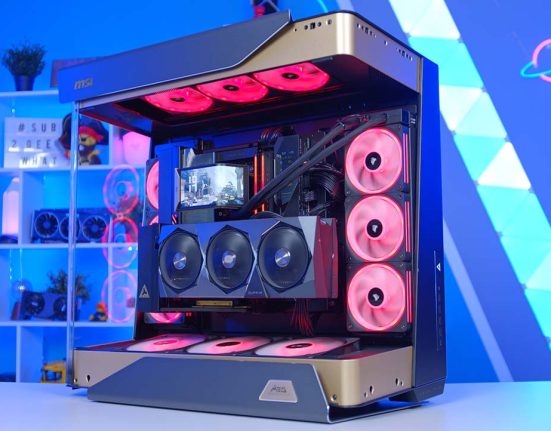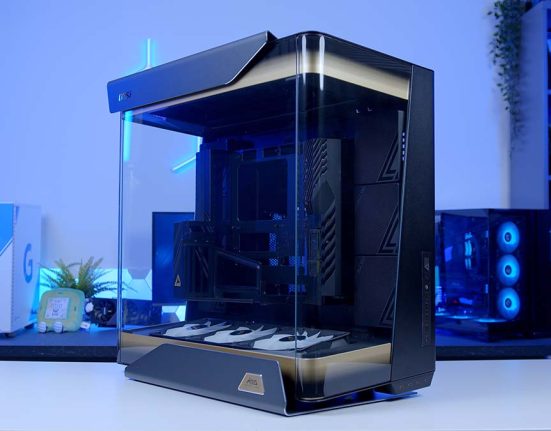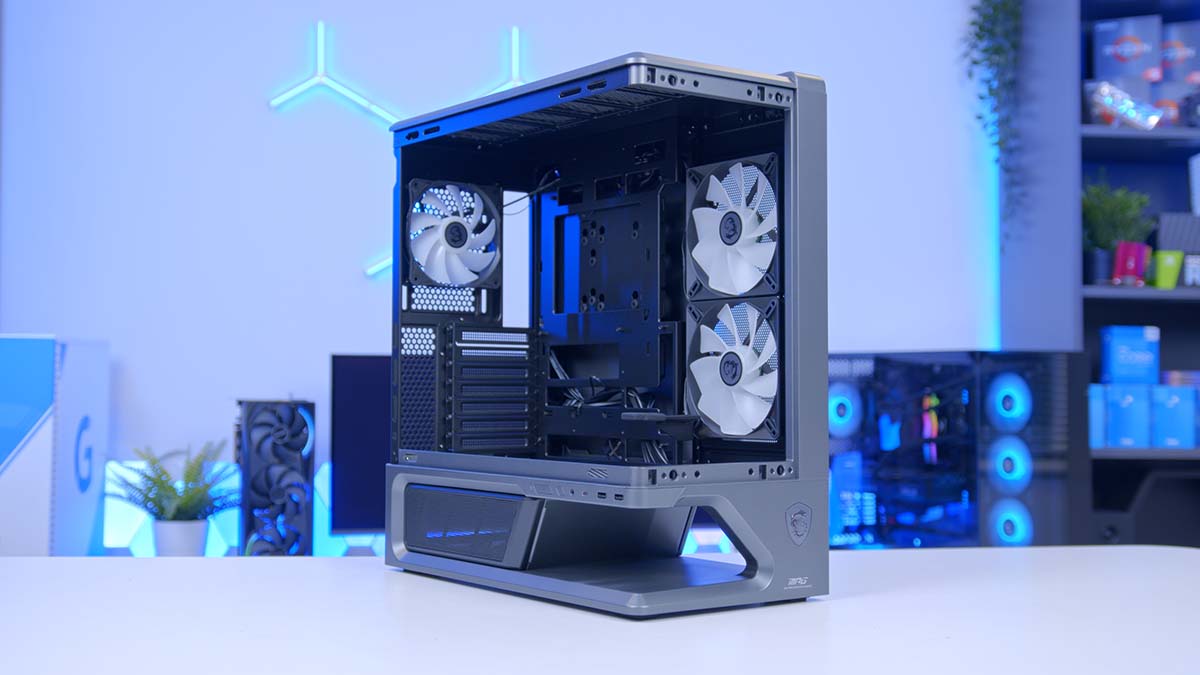
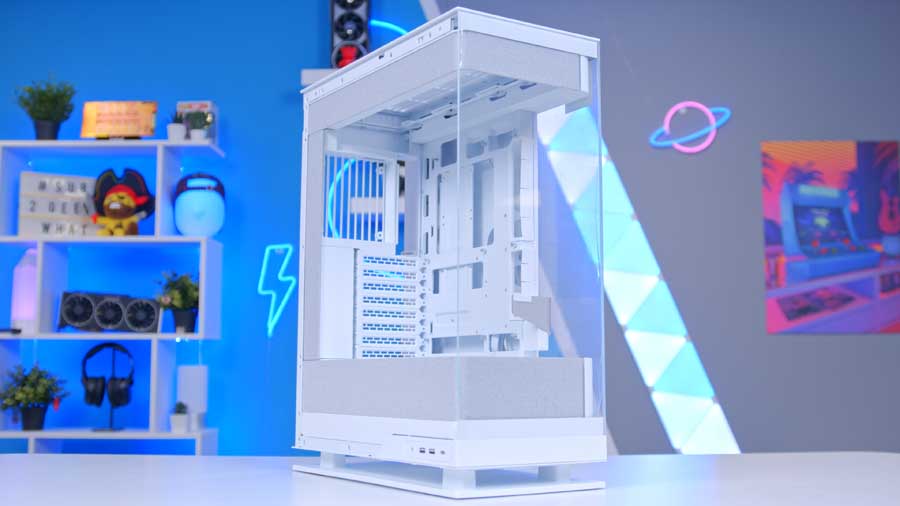
Right, first impressions, because the MPG VIXTA 300R PZ makes a strong one. The whole chassis stands lifted clear of the desk on a plinth, and the front corner is wrapped in a single curved sheet of tempered glass with no pillar running down the join. Sat on a desk it looks less like a PC case and more like something in a shop window!
At a glance? One of the more eye-catching cases you’ll find at this end of the market.
Now, now, before anyone accuses me of going soft over a shiny chassis, there’s a real spec sheet underneath all of this. The VIXTA 300R PZ is one half of a two case launch, with the AIRFLOW version swapping the curved glass for a mesh front and moving its intake fans round to suit. This one keeps the glass and puts its intake fans on the side instead. Both wear MSI’s Project Zero badge, so back-connect boards are welcome alongside regular ones.
Whether the substance keeps pace with the styling is the interesting part.
Specifications
MSI splits this chassis into two versions and is refreshingly blunt about who each one is for. The 300R PZ you’re reading about here is pitched at what MSI calls visual enthusiasts, while the AIRFLOW model is aimed at performance-driven builders. That’s the company describing its own case as the pretty one, and it’s a useful thing to hold in mind as we work through the sheet.
This is well-trodden ground for MSI, too. The PANO line has been turning out wraparound glass cases for a couple of years now, through the 100R, 100L, 110R, 120R and M100R, so the VIXTA arrives with several rounds of learning behind it. MSI badges it as a second-generation panoramic case, which is a nod to the design language moving on and not a count of how many it has built. You can see that experience in the details, particularly in how the glass comes off.
Case Specifications
- Model MSI MPG VIXTA 300R PZ
- Form Factor Mid-Tower
- Motherboard Support Regular: ATX, Micro-ATX, Mini-ITX Back-connect: ATX, Micro-ATX
- Case Dimensions (D x W x H) 455mm x 235mm x 497mm
- Front IO 1 x USB 20Gbps Type-C, 2 x USB 5Gbps Type-A, 1 x Audio-out / Mic-in, 1 x LED / Reset button
- PCI-E Slots 7 x Horizontal
- Colour Black
-
Max Clearance
GPU length: Up to 420mmCPU cooler: Up to 165mmPSU length: Up to 190mm
- Drive Support 1 x 2.5-inch 1 x 2.5-inch or 3.5-inch (select one)
-
Fan Support
Top: Up to 3 x 120mmSide: 2 x 120mm or 2 x 140mmRear: 1 x 120mmPSU shroud: Up to 3 x 120mm
-
Radiator Support
Top: Up to 360mmSide: Up to 240mmRear: Up to 120mmFront: Not supported
- Pre-Installed Fans Side: 2 x 140mm ARGB (reversed blades) Rear: 1 x 120mm ARGB
- Net Weight 8.7kg
A few things jump out once you sit that sheet next to its sibling. The most surprising is graphics card clearance, because the glass version is the one with more room. The AIRFLOW loses about 30mm of depth to the two 160mm fans hanging off the back of its mesh front, dropping it to 390mm. Move those fans to the side panel and the runway opens back up. Whichever way you go, current flagship cards are not going to trouble it.
Cooler height is the number I’d actually check before ordering. The ceiling here is respectable for a mid-tower, but the biggest dual-tower air coolers on the market sit right on the line, so if you’re planning something enormous on top of your processor, measure twice. Power supply depth is generous enough that even a chunky high wattage unit will slot in without a fight.
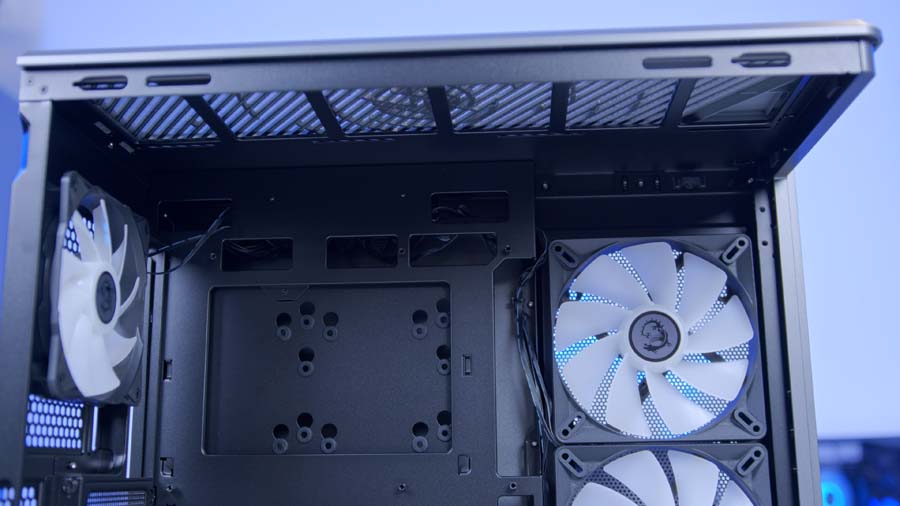
Then there’s the cooling layout. Nine 120mm mounting positions in total, and the interesting three sit along the floor of the main chamber, directly above the power supply compartment and pointed straight up at your graphics card. Three more go in the roof, two on the side panel, one at the rear. The only place you can’t put a fan is the front, because the front is a sheet of glass.
Storage is the other line worth pausing on. Two mounting positions total, one of which has to be shared between a 2.5-inch and a 3.5-inch drive. Fine for an M.2 build, tight for anyone still hoarding on spinning rust. The front I/O makes up for it a little, with a 20Gbps Type-C port that plenty of pricier cases still don’t bother with.
Design
The floating base is the thing everyone will ask about, so let’s start there. Rather than sitting the chassis flat on four stubby feet, MSI raises the whole body on a pedestal that leaves roughly 75mm of open space beneath it. Air can move under the case and up into the main chamber from any direction, and the underside of the machine stops being a dust trap pressed against your desk.
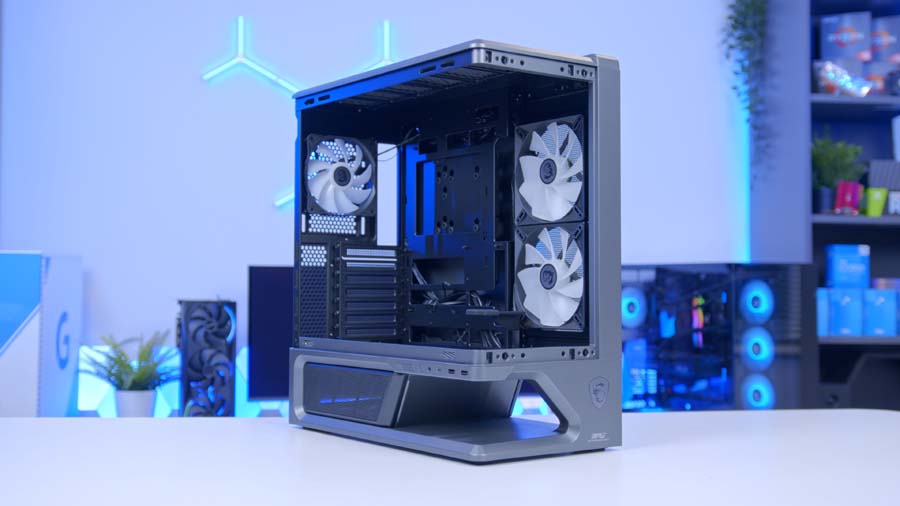
MSI also pitches that gap as display space. The idea is that you park a figure or two under there and treat the whole thing as a shelf. I can see that landing well with some of you and doing absolutely nothing for the rest, but the airflow argument stands on its own either way.
Then there’s the glass. MSI has gone for a single L-shaped piece that curves around the front left corner in one continuous run, so there’s no vertical seam or metal upright breaking up the view of your components. Panoramic cases have been doing corner glass for a couple of years, but most of them still bend two flat panels into a right angle. The curve here is softer and considerably more expensive looking.
Getting it off is handled by what MSI calls EZ-detach, a latch and slideway arrangement that guides the panel away from the frame instead of leaving you to wrestle a heavy curved sheet off a set of ball studs. Anyone who has ever felt that horrible flex as a big glass panel comes free will appreciate why that matters.
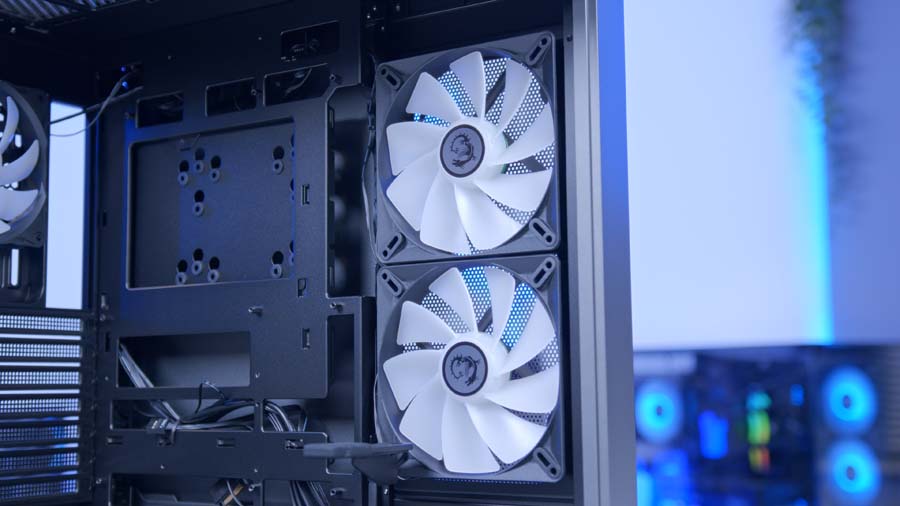
The rest of the exterior is calm by MPG standards. Clean surfaces, restrained badging, and the two pre-installed side fans facing outward through the glass with reversed blades so you see the smooth face rather than the motor hub. Both black and white versions are on offer.
The Floating Base Trend Explained
The cutout beneath the VIXTA isn’t an MSI invention, and it’s worth understanding what the industry is trying to solve with it, because that context changes how you read the rest of this case.
Why Cases Started Floating
Blame the fish tank. As panoramic cases took over, the front panel stopped being a mesh intake and became a window, and manufacturers lost the single biggest air path into a conventional tower. They had to find that air somewhere else, and the floor was the obvious candidate.
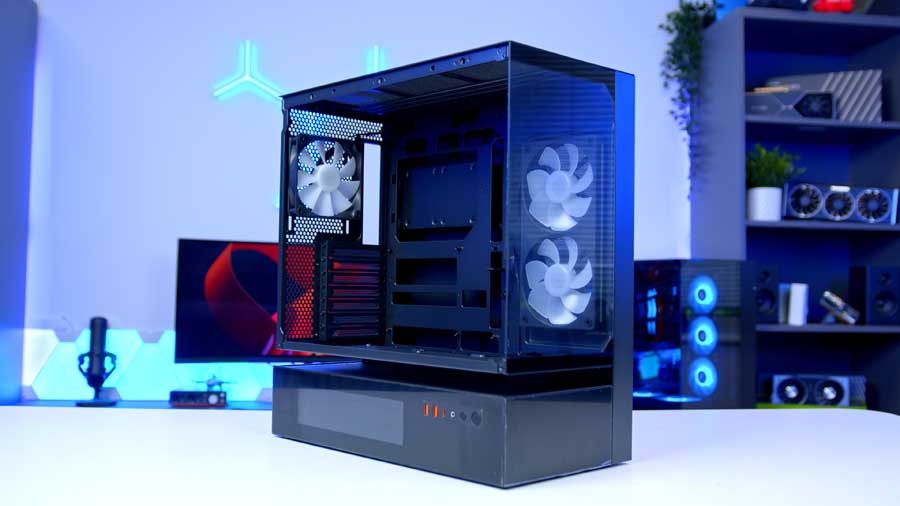
Different brands have arrived at the same idea by different routes. Cougar’s CFV235 splits the power supply cabin away from the main chamber entirely and turns the open band between the two into a ventilation zone, so air can enter from several directions at once. DarkFlash suspends the body of its Floatron F1 above an extended base that draws through both the bottom and the sides. Hyte’s upcoming Y50 RGB pairs a floating base with a stepped internal floor.
Others skip the suspended look and simply lift the whole chassis. Tryx raises the Luca L70 on an X-shaped stand to open up clearance underneath, and Phanteks lifts the Evolv X2 to feed a bottom-to-top airflow layout beneath its wraparound glass. Structurally that’s a different thing to a true cutout, but the goal is identical.
Where That Leaves The VIXTA
Which brings us back to MSI. The VIXTA has the gap, a full 75mm of it, cut cleanly enough that the chassis really does appear to hover. What it doesn’t have is a clear run from that gap up into the main chamber.
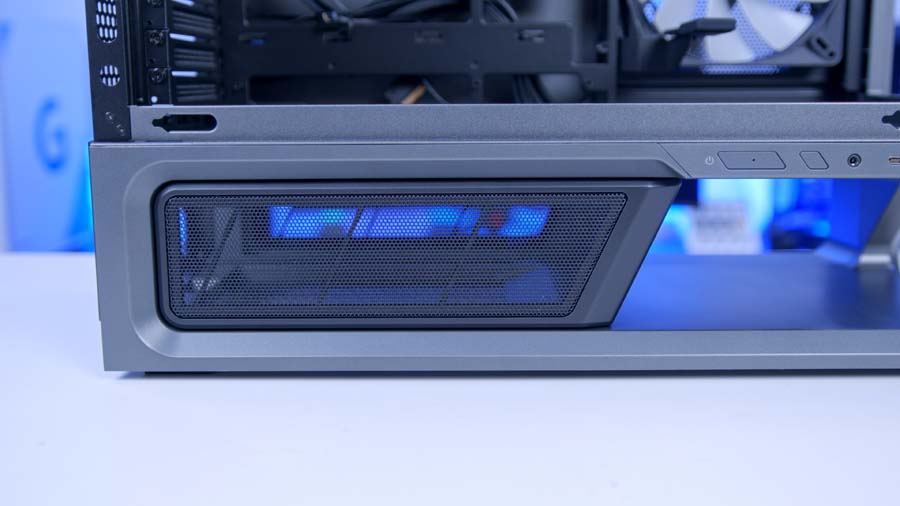
Look at where things actually sit. The floor of the main chamber is hex-perforated and drilled for three 120mm fans, which looks promising until you work out what’s on the other side of those holes. They lead straight into the power supply chamber. Not the open air under the case. The PSU chamber.
That chamber gets its own air through perforated magnetic covers on either side of the case, and it has a power supply sitting in it warming everything up. So two out of the three fans bolted to those floor mounts are pulling second-hand air out of a cramped box, then pushing it at your graphics card. Not ideal. MSI’s own wording gives the game away, too, because the gap itself is sold as a custom space for figures. Desktop art, essentially.
Which makes the floating base largely a styling exercise. A very good one, and the dust benefit of keeping the underside off your desk is real, but the 75mm of daylight beneath this chassis is not feeding the main chamber. MSI ships nothing in those floor mounts either. Every fan in the box goes to the side panel or the rear.
Features We Like
Back-Connect Support Without The Usual Catch
The PZ in the name stands for Project Zero, MSI’s back-connect standard, where the power and data connectors move to the rear of the motherboard so nothing crosses the visible half of your build. Plenty of cases now claim support for this. Fewer handle it without penalising anyone who turns up with a conventional board.
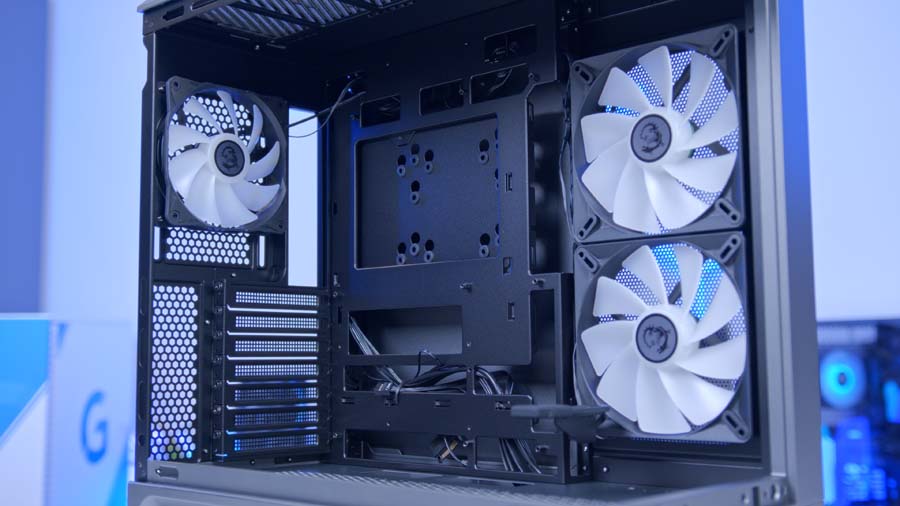
MSI has cut the motherboard tray so that both types work. Regular ATX, Micro-ATX and Mini-ITX boards drop in and route their headers through the standard openings, while back-connect ATX and Micro-ATX boards line up with the rear passthroughs. There’s 35mm of routing depth behind the tray, which is generous for a case this width, and the storage tray back there lifts out so you aren’t fishing a drive into a fixed cage with one hand.
Given how much of this chassis is transparent, that hidden cabling is doing a lot of work.
The EZ DIY Kit Is Unusually Complete
MSI bundles a 1-to-4 ARGB and PWM control board in the box. That’s four pairs of headers off a single connection, which spares you buying a splitter or a separate hub the moment you add fans beyond the three that come fitted. For a case at this end of the market, having it included is a nice surprise.

Alongside it you get an adjustable GPU support brace already installed, a magnetic PSU shroud cover that snaps on and off, tool-free top and side panels, and a single uni-front-panel cable that collapses the usual scatter of tiny power and LED leads into one plug. None of these are new ideas on their own. Finding all of them in the same box, on a case whose main selling point is how it looks, is the part I didn’t expect.
The front I/O is worth a mention too, with a 20Gbps Type-C port, where most chassis in this bracket still settle for something slower.
Features We Don’t Like
The Base Only Works If You Buy More Fans
Here’s my main gripe. MSI spends a good chunk of its marketing explaining that the floating base exists to feed cool air into the bottom of the case. It does but not as well as I’d hoped. The fan mounts along the chamber floor vent into the power supply chamber, so anything you fit there is recycling warm air from around the PSU in addition to pulling from the gap below.
You also have to buy more fans to fully utilise this in the first place too. Which means the headline feature of this chassis arrives switched off. Buy it, build in it, and the floor sits empty while two side fans handle every scrap of intake, because the front is fully glazed and offers no fan support at all.
Storage And Side Radiator Ceilings
Drive mounting is thin. You get one dedicated 2.5-inch position and a second bay that takes either a 2.5-inch or a 3.5-inch drive, so it’s one or the other and no more. For an M.2 only build that’s a non-issue. If you’re still running a mechanical drive for bulk storage and a couple of SATA SSDs alongside it, you’ve already run out of room.
The side radiator ceiling is the other one that nags at me. Two 140mm fans ship on that side panel, yet the radiator support there tops out a full size below what the roof will take. Fit an all-in-one up top and you’re fine. Try to mount a large radiator on the side to make use of that panel and you’ll be trimming your ambitions.
Conclusion
The VIXTA 300R PZ is aimed squarely at people for whom the build is part of the room. If you’re putting a machine on the desk beside a monitor and you want it to be looked at, this is one of the more striking things you can buy at the price, and MSI has backed the styling with a set of assembly features that save you money elsewhere.
Who should skip it? Anyone whose priority is raw thermal headroom, or anyone with a storage collection to house. There are plainer mesh boxes, including MSI’s own AIRFLOW version of this exact chassis, that will move more air for the same outlay. The cooling layout here asks you to work within a narrower set of options than a conventional tower does, and that’s the price of the glass.
For everyone building a fairly standard air-cooled or top-mounted AIO system who wants it to look like a centrepiece, this is a straightforward recommendation, and comfortably one the nicest looking cases MSI has designed in years.