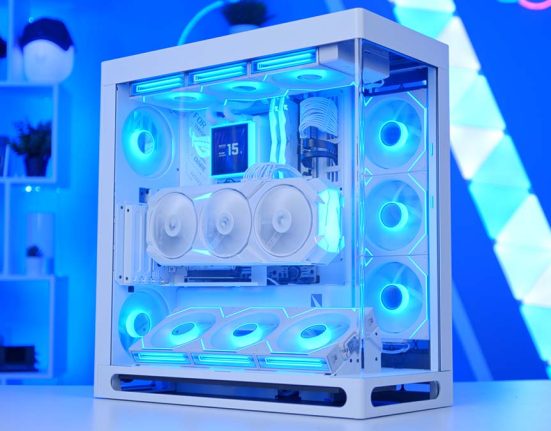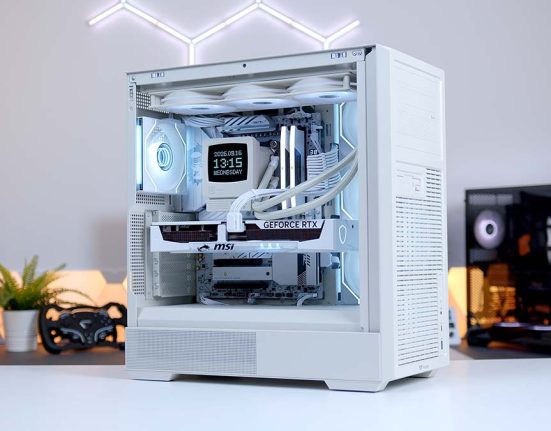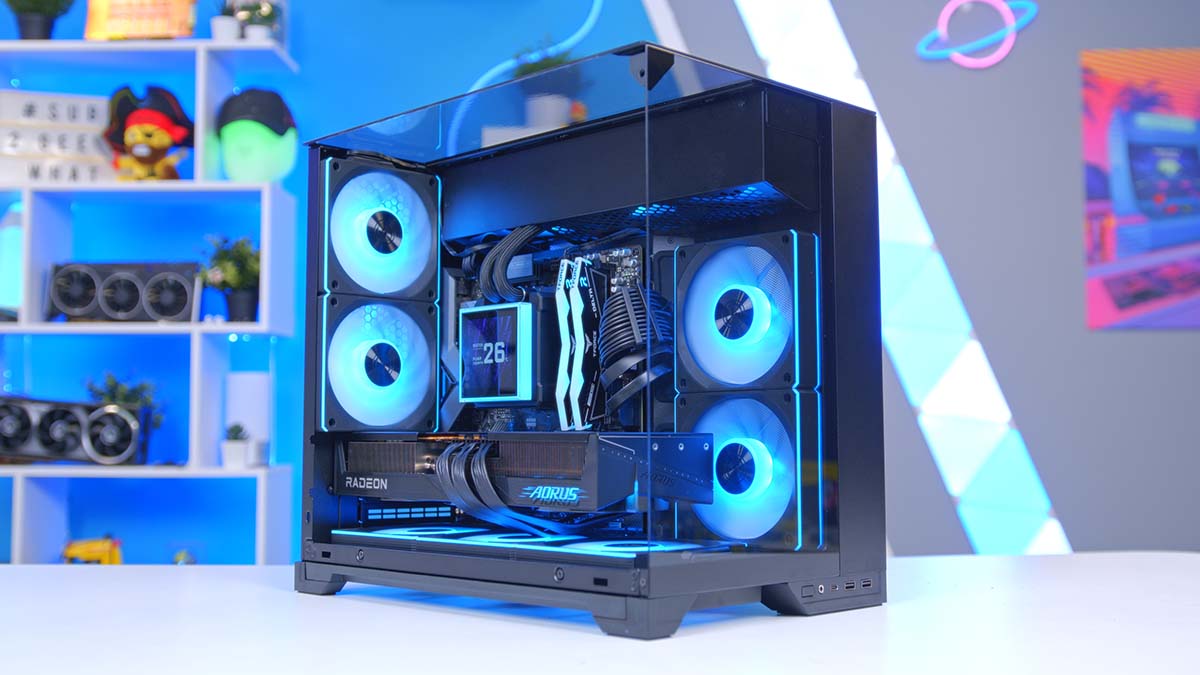
Three and a half years after launch, the Ryzen 7 7800X3D is still one of the best gaming CPUs around. AMD has released two newer Ryzen 7 X3D chips since, but for a build that needs to hit hard without the price creeping up, it remains a brilliant choice, and it’s the chip at the heart of our latest build. We’ve paired it with Gigabyte’s AORUS ELITE RX 9070 XT for a 1440p gaming PC with enough in reserve for 4K, all packed into Lian Li’s brand new O11 Vision-M.
Lian Li has a big hand in this one. The case, AIO, power supply and fans all come from the same stable, and the lighting and fan control run through a single app. Below you’ll find the full parts list, a rundown of every component and why it earned its spot, an alternative worth considering, and how the system performs across six of the latest games.
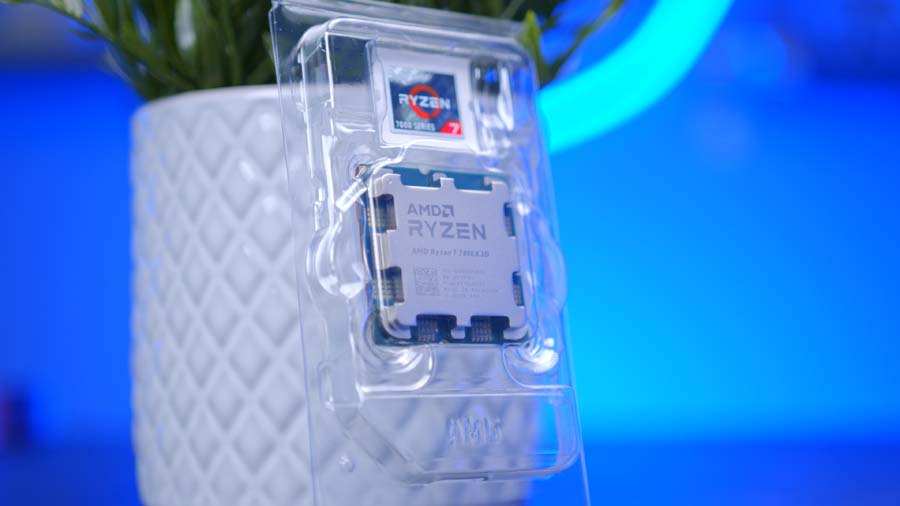
AMD Ryzen 7 7800X3D
Skip to SectionAMD’s original X3D gaming champ, with 96MB of L3 cache that still makes it one of the best value gaming CPUs you can buy.
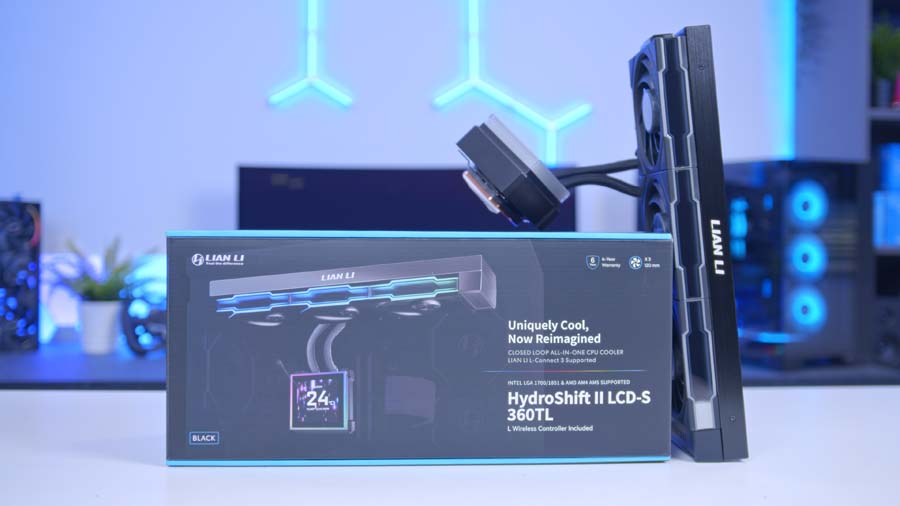
Lian Li HydroShift II LCD-S 360TL
Skip to SectionA 360mm AIO with a magnetic, hot-swappable 3.4-inch square IPS screen and three pre-fitted UNI FAN TL fans that daisy-chain together.
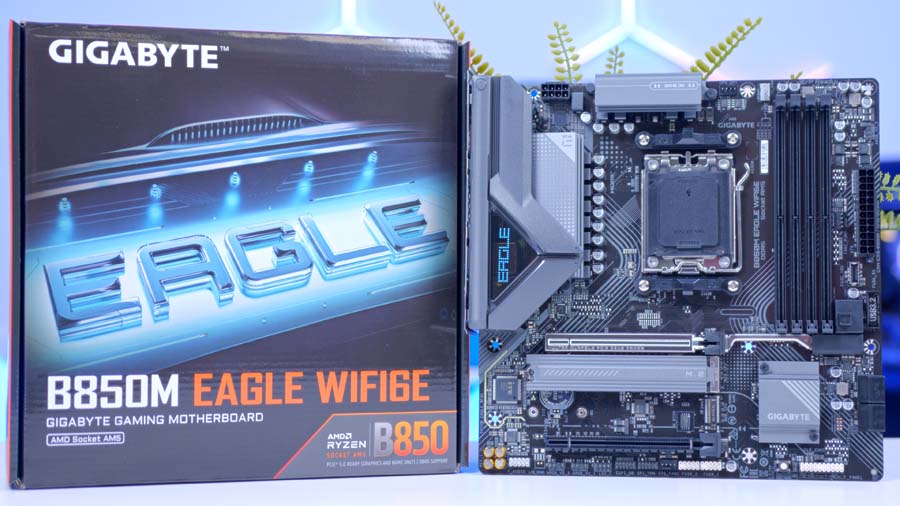
Gigabyte B850M EAGLE WIFI6E
Skip to SectionA no-nonsense micro-ATX B850 board with PCIe 5.0 for both the graphics card and the SSD, 2.5GbE, Wi-Fi 6E and Gigabyte’s tool-free EZ-Latch features.

TEAMGROUP T-Force Delta RGB DDR5 32GB
Skip to SectionA 32GB dual-channel kit with a wide RGB lightbar, running at the AM5 sweet spot of 6000MT/s with tight CL30 timings.
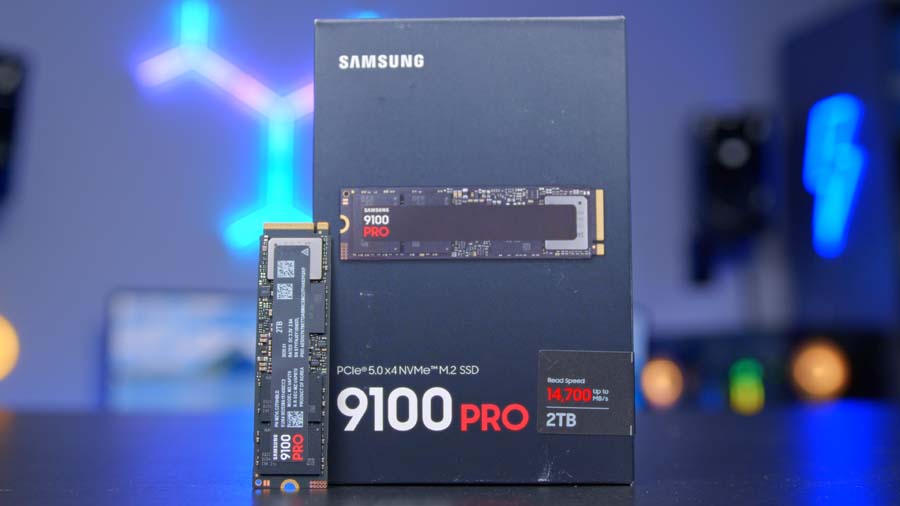
Samsung 9100 PRO 2TB
Skip to SectionSamsung’s flagship PCIe 5.0 drive, rated for up to 14,700MB/s reads and sitting in the board’s Gen5 M.2 slot.
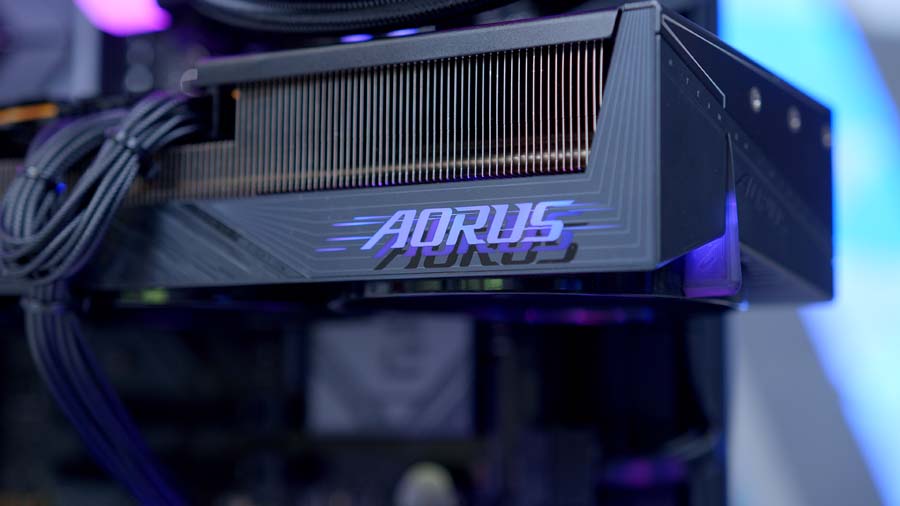
Gigabyte AORUS ELITE RX 9070 XT
Skip to SectionAMD’s RDNA 4 flagship with 16GB of GDDR6 and FSR 4 support, cooled by a triple-fan AORUS design. A superb card for high-refresh 1440p.
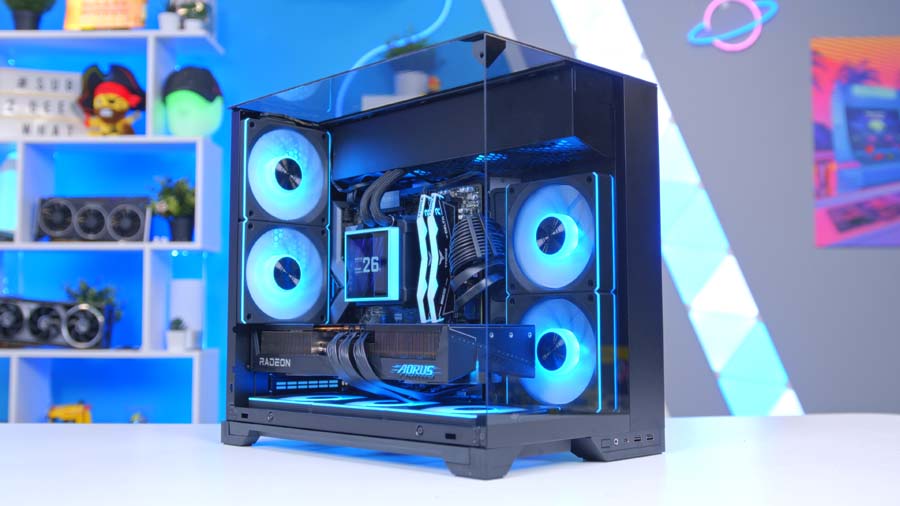
Lian Li O11 Vision-M
Skip to SectionLian Li’s new micro-ATX take on the O11 Vision, with pillarless glass across the front, side and top, and room for a 360mm radiator in the roof.
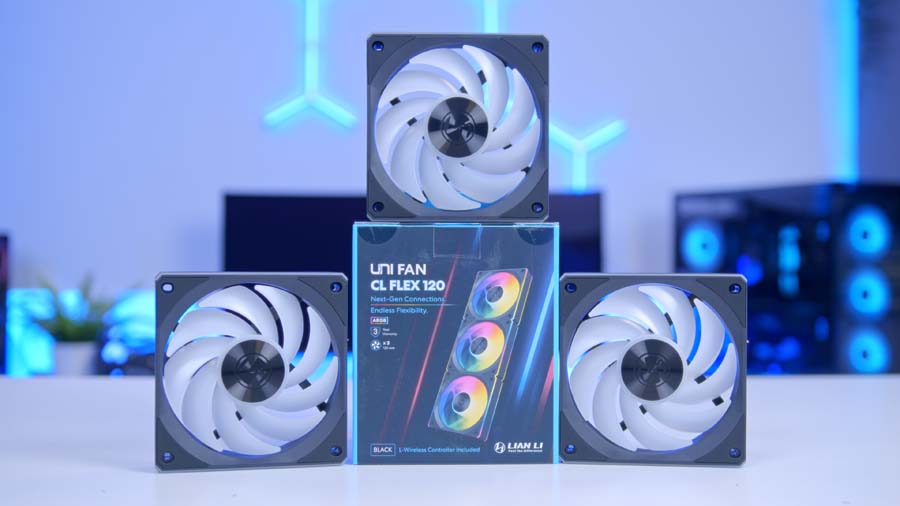
Lian Li UNI FAN CL FLEX 120
Skip to SectionLian Li’s newest daisy-chaining ARGB fans, with a FLEX receiver for wireless lighting and speed control through L-Connect 3.
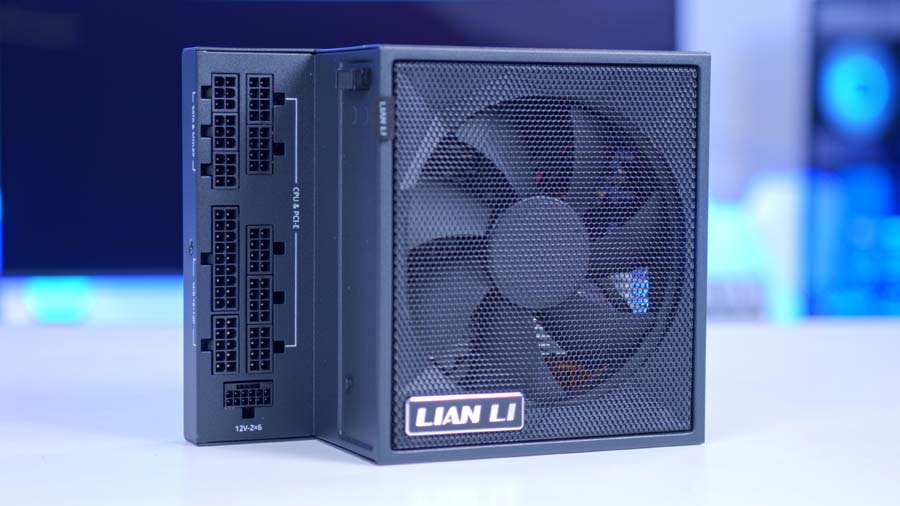
Lian Li EDGE GOLD 850W
Skip to SectionA fully modular, L-shaped ATX 3.1 unit designed for Lian Li’s dual-chamber cases, with braided cables and a 10-year warranty.
AMD Ryzen 7 7800X3D
So why a Zen 4 chip in late 2026, when the 9800X3D and 9850X3D are sitting right there? Money, mostly. Both Zen 5 chips are quicker, but at 1440p and 4K the graphics card sets the pace, and the gap in games narrows to the point where the extra spend buys you very little. That cash goes much further on the GPU.
The recipe is the same one that made it a legend in the first place. Eight cores, sixteen threads, a 5.0GHz boost clock and 96MB of L3 cache courtesy of AMD’s 3D V-Cache, which games love. It’s rated at 120W, too, so keeping it cool is easy.
CPU Comparison
AMD Ryzen X3D Desktop CPU Comparison
Hover rows for highlight. Drag :: to reorder columns, or tap/click a header title to sort.
| ⠿ CPU | ⠿ Cores | ⠿ Threads | ⠿ Base Clock | ⠿ Max Boost | ⠿ TDP | ⠿ Total Cache | Where to Buy |
|---|---|---|---|---|---|---|---|
AMD Ryzen 9 9950X3D Zen 5 flagship X3D desktop CPU |
16 | 32 | 4.3 GHz | 5.7 GHz | 170W | 144MB | |
|
AMD Ryzen 9 9900X3D 12-core Zen 5 X3D for mixed gaming and production |
12 | 24 | 4.4 GHz | 5.5 GHz | 120W | 140MB | |
AMD Ryzen 7 9850X3D 8-core Zen 5 X3D gaming CPU (launched Jan 29, 2026) |
8 | 16 | 4.7 GHz | 5.6 GHz | 120W | 104MB | |
|
AMD Ryzen 7 9800X3D High-FPS Zen 5 gaming CPU |
8 | 16 | 4.7 GHz | 5.2 GHz | 120W | 104MB | |
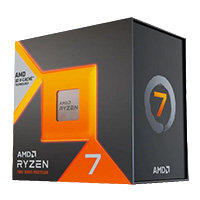
AMD Ryzen 7 7800X3D Mainstream Zen 4 gaming favourite |
8 | 16 | 4.2 GHz | 5.0 GHz | 120W | 104MB |
Worried about buying into the older generation? Don’t be. It sits on AM5, the same socket as the Ryzen 9000 series, and AMD has committed to supporting the platform through 2027 and beyond, so a drop-in upgrade to something like the 9850X3D later on is always an option.
Lian Li HydroShift II LCD-S 360TL
A 360mm AIO is more than a 120W CPU strictly needs, but the HydroShift II LCD-S 360TL earns its place on looks alone. The S stands for square, as in the 3.4-inch 480×480 IPS screen on the pump. It attaches magnetically, so you can pop it off and swap it without touching anything else, and it’ll display whatever you like, from temps and clock speeds to a GIF of your cat.
The TL half of the name refers to the three UNI FAN TL fans that come pre-fitted to the radiator. They lock together to daisy-chain their cables, and the tubes leave the pump block from the side with the wiring tucked away, so it all looks very tidy. In the Vision-M, the only spot a 360mm radiator fits is the roof, so that’s where it lives.
Want to save a bit? A good dual-tower air cooler will handle the 7800X3D comfortably. Just keep an eye on the height, as the Vision-M tops out at 162mm.
Gigabyte B850M EAGLE WIFI6E
The O11 Vision-M is a micro-ATX case, so the motherboard needed to be one too. Gigabyte’s B850M EAGLE WIFI6E fits the bill nicely. There’s a PCIe 5.0 x16 slot with a one-click release button for the graphics card, two M.2 slots (one Gen5, one Gen4) with tool-free latches, 2.5GbE LAN and Wi-Fi 6E. The 8+2+2 phase VRM has no trouble with an eight-core X3D chip, and you still get four DIMM slots should you ever want to go beyond 32GB.
There’s no Wi-Fi 7, but unless you already own a Wi-Fi 7 router, you won’t miss it. One more thing if you’re planning your own version of this build: the Vision-M doesn’t support back-connect motherboards, so stick with a standard layout like this one.
Motherboard Specifications
- Model Gigabyte B850M EAGLE WIFI6E
- Chipset / Socket AMD B850 / AM5
- Form Factor Micro-ATX (244mm x 244mm)
- CPU Support AMD Ryzen 9000 / 8000 / 7000 Series (AM5)
- Memory Support 4 x DDR5 DIMM, up to 256GB, up to DDR5-8200 (OC)
- VRM Design 8+2+2 phase Twin Digital VRM (60A DrMOS)
- Reverse Connect No, standard front-connect layout
- Graphics Card Compatibility 1 x PCIe 5.0 x16 slot (PCIe EZ-Latch Plus quick release)
- Expansion Card Compatibility 1 x PCIe 3.0 x4 (x16-length slot, chipset lanes)
- M.2 Compatibility 2 x M.2: 1 x PCIe 5.0 x4, 1 x PCIe 4.0 x4 (tool-free EZ-Latch)
- SATA Storage 4 x SATA 6Gb/s ports
- Networking Wi-Fi 6E + Bluetooth 5.3 + 2.5GbE LAN
- Rear I/O 1 x USB-C 10Gbps, 1 x USB-A 10Gbps, 2 x USB-A 5Gbps, 4 x USB 2.0, HDMI, 2 x DisplayPort, Q-Flash Plus button, audio jacks
- Front I/O Headers 1 x USB-C 10Gbps header, 1 x USB 5Gbps header, 2 x USB 2.0 headers
- Audio Realtek HD Audio (7.1-channel)
- Colour Black (white version sold as the B850M EAGLE WIFI6E ICE)
TEAMGROUP T-Force Delta RGB DDR5 32GB
Our memory recommendation hasn’t changed: 32GB, two sticks, 6000MT/s. On AM5, 6000MT/s lets the memory controller run in step with the RAM (a 1:1 ratio, if you want the jargon), and the CL30 timings on this TEAMGROUP T-Force Delta RGB kit keep latency nice and tight.
The Delta RGB’s wide lightbar looks great through all that glass, too. Install the two sticks in slots A2 and B2 for dual-channel, then head into the BIOS and switch on EXPO, otherwise the kit runs at stock JEDEC speeds.
Samsung 9100 PRO 2TB
Storage is where this build treats itself a little. The Samsung 9100 PRO is a PCIe 5.0 drive rated for up to 14,700MB/s reads and 13,400MB/s writes, and it slots straight into the board’s Gen5 M.2 slot, so none of that speed goes to waste.
In games, a Gen5 drive won’t load levels dramatically faster than a good Gen4 one. Where the 9100 PRO earns its keep is big file transfers, plus a 1,200TBW endurance rating and a five-year warranty. As for capacity, with Call of Duty taking up as much space as it does these days, 2TB is a sensible starting point.
Gigabyte AORUS ELITE RX 9070 XT
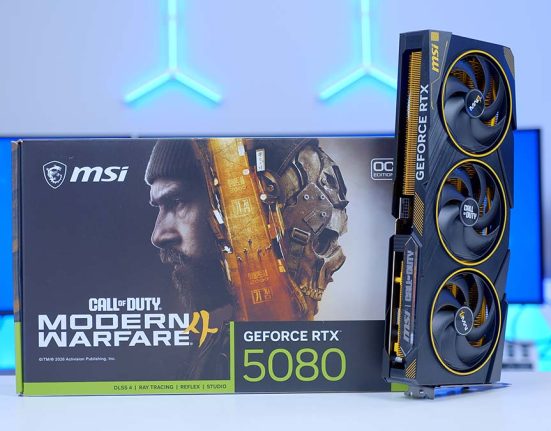
The graphics card is where the biggest chunk of the budget goes, and at this level the RX 9070 XT is our pick. This is the Gigabyte AORUS ELITE version, the very same card AMD sent over for Jay’s RX 9070 XT review, where it outpaced the RTX 5070 Ti in raw performance while costing less. FSR 4 has also finally given AMD an upscaler worth switching on.
Gigabyte’s triple-fan cooler pairs a vapour chamber with composite copper heat pipes, the fans stop entirely at low load, and there’s a dual BIOS switch if you’d rather trade a little performance for quieter running. At 339mm long, it slots into the Vision-M with 71mm to spare. Power comes in through three 8-pin connectors, so there’s no 16-pin cable to worry about.
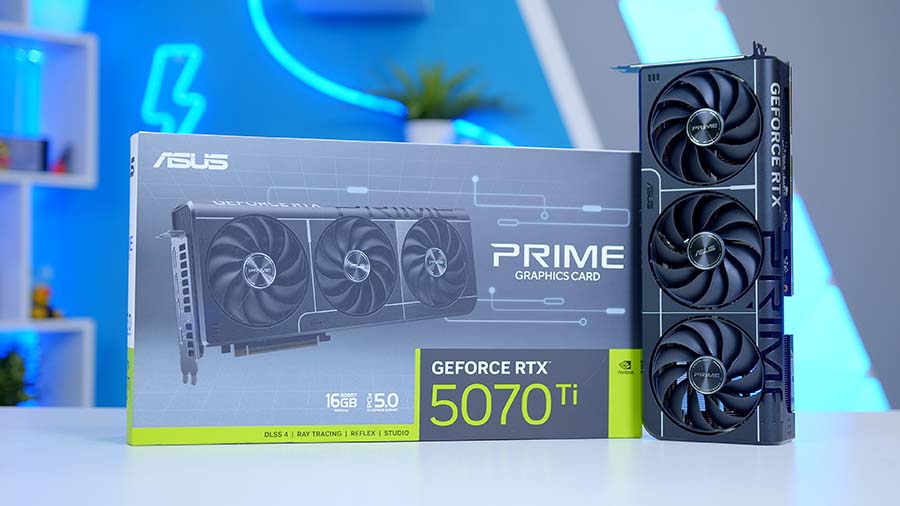
Alternative GPU Choice
ASUS Prime GeForce RTX 5070 Ti OC 16GB
Fancy team green instead? The RTX 5070 Ti is the card the RX 9070 XT goes toe to toe with, and in raw rasterised performance there isn’t a great deal between them. Where the 5070 Ti pulls ahead is features. DLSS 4 and Multi Frame Generation still have the edge over FSR 4, and NVIDIA’s ray tracing performance is stronger too. ASUS’s Prime model keeps things clean and understated, and it’ll slide into the Vision-M’s 410mm of GPU clearance with room to spare.
Lian Li O11 Vision-M
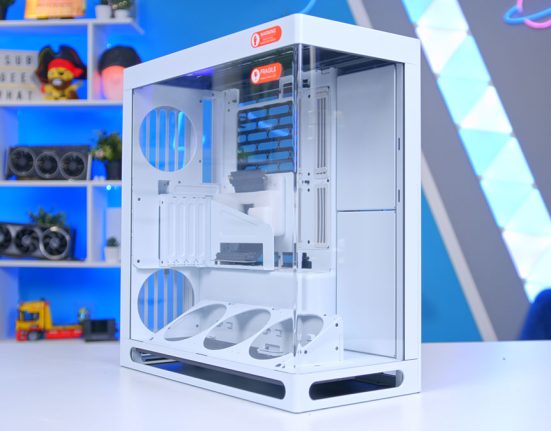
If you’ve read our O11 Vision review, you’ll recognise the look straight away, and we’re just as big a fan of it here. The Vision-M takes the same pillarless glass idea and shrinks it down for micro-ATX, with tempered glass across the front, side and top, and a mesh cut-out in the roof glass so that radiator can breathe. It’s a dual-chamber design too, so the power supply and drives sit in the rear chamber, out of sight.
Clearance is generous for a case this size. There’s room for graphics cards up to 410mm, and mounts across the top, side, bottom, rear and power supply chamber for up to twelve 120mm fans in total.
Case Fans: Lian Li UNI FAN CL FLEX 120
Out of the box, the Vision-M is short on fans. Only a single 140mm fan comes pre-installed, and that sits in the power supply chamber, so we’ve added Lian Li’s new UNI FAN CL FLEX 120s. A FLEX receiver gives you wireless lighting and speed control in L-Connect 3, while the fans still take power from a standard 4-pin PWM header. Like the AIO’s fans, they clip together, so you get one tidy cable run rather than a spaghetti junction of wires. One receiver handles up to four fans.
Case Specifications
- Model Lian Li O11 Vision-M
- Form Factor Micro-ATX dual-chamber
- Motherboard Support Mini-ITX, Micro-ATX (back-connect not supported)
- Case Dimensions (L x W x H) 419.6mm x 275.1mm x 395.2mm
- Front IO 1 x USB 3.2 Type-C, 2 x USB 3.0 Type-A, 1 x Audio combo
- PCI-E Slots 5 x Horizontal
- Colour Black or White (Digital version adds a 9.2″ LCD)
-
Max Clearance
GPU length: Up to 410mmCPU cooler: Up to 162mmPSU length: Up to 182mm
- Drive Support 1 x 3.5-inch + 2 x 2.5-inch, or 3 x 2.5-inch
-
Fan Support
Top: 3 x 120mmSide: 2 x 120mmBottom: 3 x 120mmRear: 2 x 120mmPSU bay: 1 x 140mm + 2 x 120mm
-
Radiator Support
Top: Up to 360mmSide: Up to 240mm (Digital version)
- Pre-Installed Fans PSU bay: 1 x 140mm
The main thing to watch is power supply length. The Vision-M only accepts units up to 182mm long, and Lian Li’s own EDGE GOLD is exactly 182mm.
Lian Li EDGE GOLD 850W
Rounding things off, the Lian Li EDGE GOLD 850W. That’s exactly the wattage Gigabyte recommends for the AORUS ELITE, and with the 7800X3D sipping 120W alongside it, there’s comfortable headroom under a gaming load. It’s ATX 3.1 and PCIe 5.1 compliant, 80 Plus Gold and Cybenetics Gold rated, fully modular, and backed by a 10-year warranty.
The clever part is the shape. The EDGE is L-shaped, designed specifically for Lian Li’s dual-chamber cases, and the braided cables come with combs already fitted, so tidy cable management is far less of a chore. Wiring-wise, the 24-pin powers the board, a single 8-pin EPS cable handles the CPU, and three separate PCIe 6+2 cables feed the graphics card. Avoid using a daisy-chained connector on the GPU, even if it saves a cable.
Gaming Performance
Right, the numbers. We tested six games at 1440p and 4K using High presets, with upscaling and frame generation switched off, so everything here is raw rasterised performance. Use the tabs to flick between titles. Games tested at both resolutions show both results.
At 1440p this system flies. Marvel Rivals leads the way at 167.2 FPS on average, with Battlefield 6 right behind at 164.7 FPS and Cyberpunk 2077 at 154.2 FPS, making a 144Hz or 165Hz monitor a great match. 007 First Light is the heaviest of the lot at 103.4 FPS, still comfortably above the 100 FPS mark.
Performance Snapshot
Multi-Game Average FPS
1440P · High · Average FPS
103.4FPS
4K · High · Average FPS
105.1FPS
1440P · High · Average FPS
164.7FPS
4K · High · Average FPS
98.5FPS
1440P · High · Average FPS
154.2FPS
4K · High · Average FPS
79.9FPS
4K · High · Average FPS
151.3FPS
1440P · High · Average FPS
167.2FPS
4K · High · Average FPS
76.7FPS
At 4K, Forza Horizon 6 is the standout, averaging 151.3 FPS at native resolution. ARC Raiders holds above 100 FPS at 105.1, and Battlefield 6 lands just shy at 98.5 FPS. Cyberpunk 2077 (79.9 FPS) and Marvel Rivals (76.7 FPS) are where 4K starts to bite, although both stay very playable.
And that’s all before FSR 4 gets involved. Switch it on in the games that support it and there’s a lot more to come, making this a brilliant high-refresh 1440p machine that doubles as a very capable 4K one.