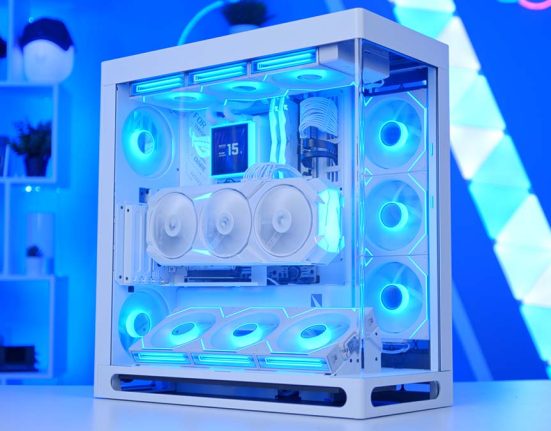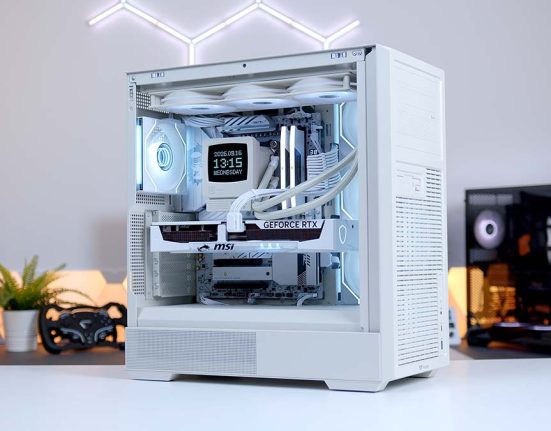
The Ryzen 7 9800X3D and the RTX 5080 have been the default high-end pairing for a while now, and there’s a good reason for that. One is the fastest gaming CPU you can drop into AM5 without paying flagship money, and the other is the point where 4K stops feeling like a compromise. Neither part is a surprise. What makes this build worth looking at is everything wrapped around them.
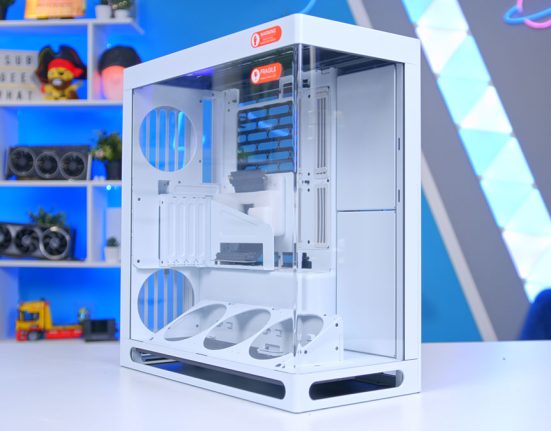
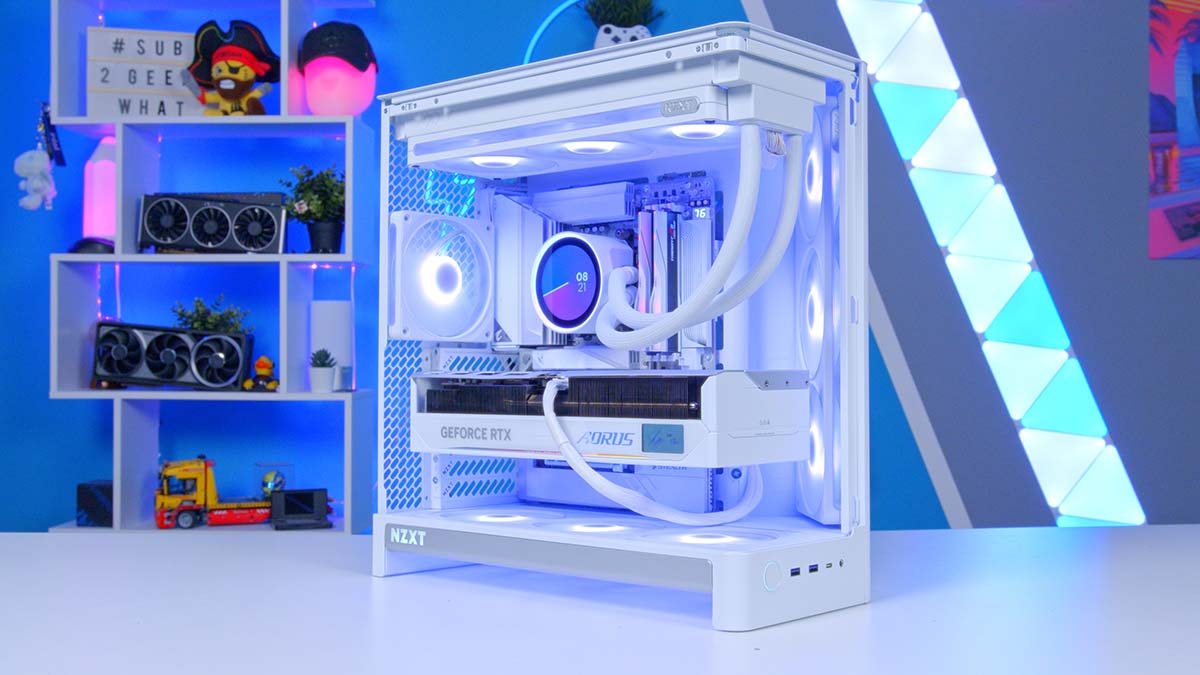
NZXT’s H6 RGB+ is a full redesign of their compact dual-chamber case, and in white it makes a proper showcase of whatever goes inside it. One-piece curved glass, back-connect motherboard support and seven RGB fans already installed. Every part here is the white SKU, and both Gigabyte components are ICE models, so the reverse-connect X870 AORUS STEALTH ICE hides the cabling while the AORUS Master RTX 5080 ICE matches it behind the glass. Below is the full parts list, followed by a breakdown of every component and how the system holds up across a spread of modern titles.

AMD Ryzen 7 9800X3D
Skip to SectionThe gaming CPU that set the benchmark for this generation, using 2nd-gen 3D V-Cache to keep an RTX 5080 fed at every resolution.
NZXT Kraken Elite 360 RGB
Skip to SectionA 360mm AIO in white, built on NZXT’s Turbine pump, with a 2.72-inch IPS screen on the block and a single-frame RGB fan array on the radiator.
Gigabyte X870 AORUS STEALTH ICE
Skip to SectionA white reverse-connect ATX board with DDR5 support and a cable-free front profile via Gigabyte Project Stealth.

G.SKILL Trident Z5 NEO RGB DDR5
Skip to SectionA 6000MT/s EXPO kit that sits right on the sweet spot for AM5, in a white heat spreader with an RGB diffuser along the top.
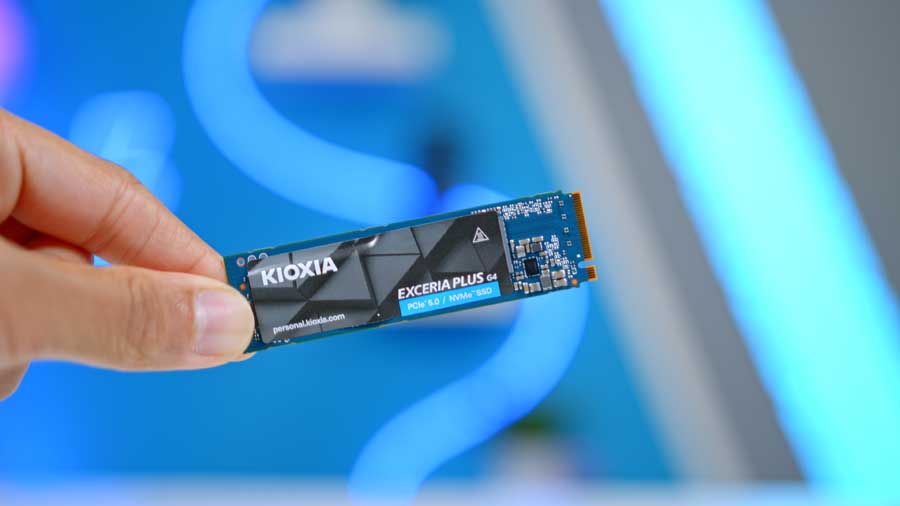
KIOXIA EXCERIA PLUS G4 2TB
Skip to SectionKioxia’s first consumer Gen 5 drive, running their own BiCS8 TLC NAND and a DRAM-less Phison E31T controller.

Gigabyte AORUS Master RTX 5080 ICE
Skip to SectionNVIDIA’s second-fastest GPU in Gigabyte’s all-white ICE trim, with 16GB GDDR7 and the highest factory overclock they ship on an RTX 5080.
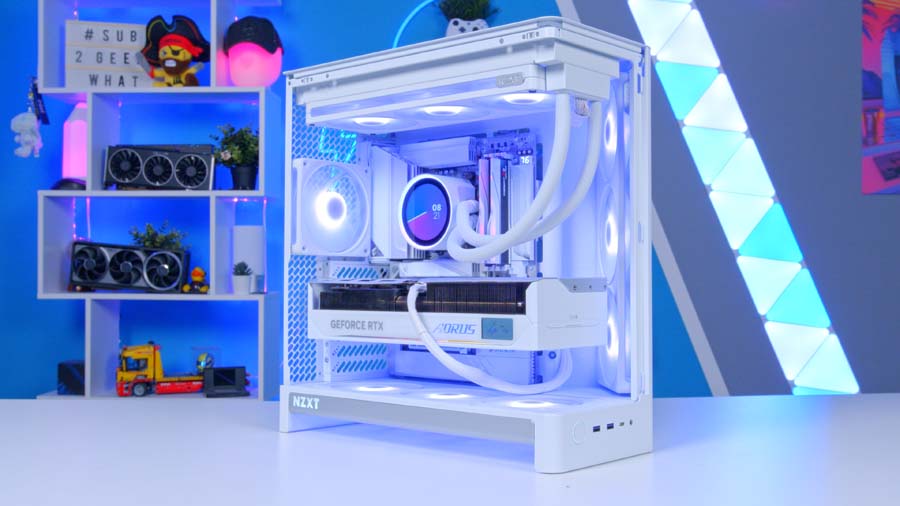
NZXT H6 RGB+
Skip to SectionNZXT’s redesigned compact dual-chamber ATX case, with one-piece curved glass, back-connect support and seven RGB fans in the box.
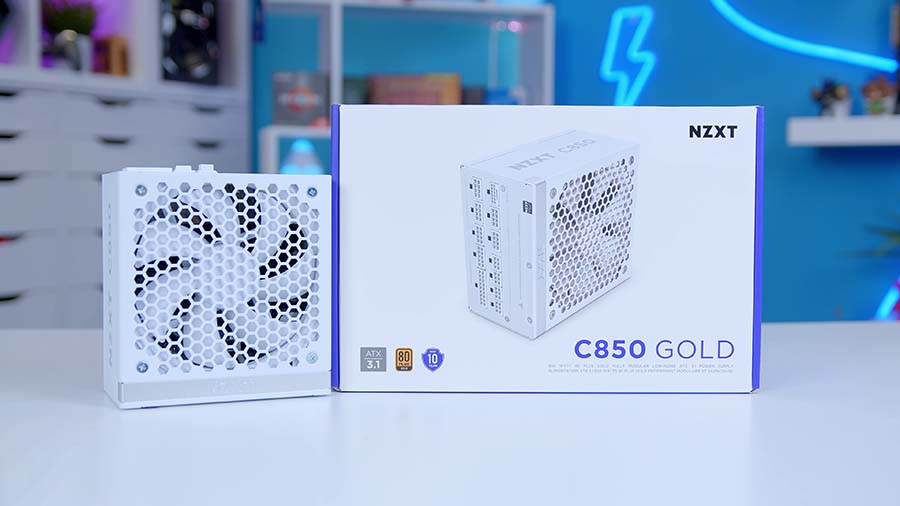
NZXT C850 Gold
Skip to SectionAn ATX 3.1 fully modular unit with a native 12V-2×6 connector, Japanese capacitors and a 135mm fan that stays off under half load.
AMD Ryzen 7 9800X3D
The 9800X3D is in this build for one reason, and it’s the cache. AMD moved the 2nd-gen 3D V-Cache underneath the cores rather than stacking it on top, which means the chip finally clocks properly instead of being held back thermally by its own cache die. You get 8 cores, 16 threads and 104MB of total cache doing the work in the games that care about it.
That’s the trade you’re making. Next to a 9950X3D you’re giving up half the core count, so if you’re rendering or compiling for a living then look further up the stack. For gaming with an RTX 5080 at 1440p and 4K, those extra cores do almost nothing you’ll actually see, and the 9800X3D holds a 120W TDP at a far friendlier price.
CPU Comparison
AMD Ryzen X3D Desktop CPU Comparison
Hover rows for highlight. Drag :: to reorder columns, or tap/click a header title to sort.
| ⠿ CPU | ⠿ ::Cores | ⠿ ::Threads | ⠿ ::Base Clock | ⠿ ::Max Boost | ⠿ ::TDP | ⠿ ::Total Cache | ::Where to Buy |
|---|---|---|---|---|---|---|---|
AMD Ryzen 9 9950X3D Zen 5 flagship X3D |
16 | 32 | 4.3 GHz | 5.7 GHz | 170W | 144MB | |
|
AMD Ryzen 9 9900X3D 12-core Zen 5 X3D for mixed gaming and production |
12 | 24 | 4.4 GHz | 5.5 GHz | 120W | 140MB | |
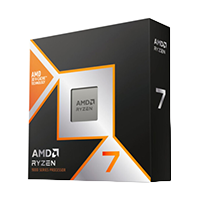
AMD Ryzen 7 9850X3D 8-core Zen 5 X3D gaming CPU |
8 | 16 | 4.7 GHz | 5.6 GHz | 120W | 104MB | |
|
AMD Ryzen 7 9800X3D High-FPS Zen 5 gaming CPU |
8 | 16 | 4.7 GHz | 5.2 GHz | 120W | 104MB | |
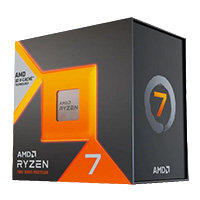
AMD Ryzen 7 7800X3D Zen 4 gaming favourite |
8 | 16 | 4.2 GHz | 5.0 GHz | 120W | 104MB |
The 9850X3D now sits above it with a higher 5.6GHz boost, and if the budget stretches that’s the quicker chip. For most people pairing with an RTX 5080, the 9800X3D is still the one that makes the most sense.
NZXT Kraken Elite 360 RGB
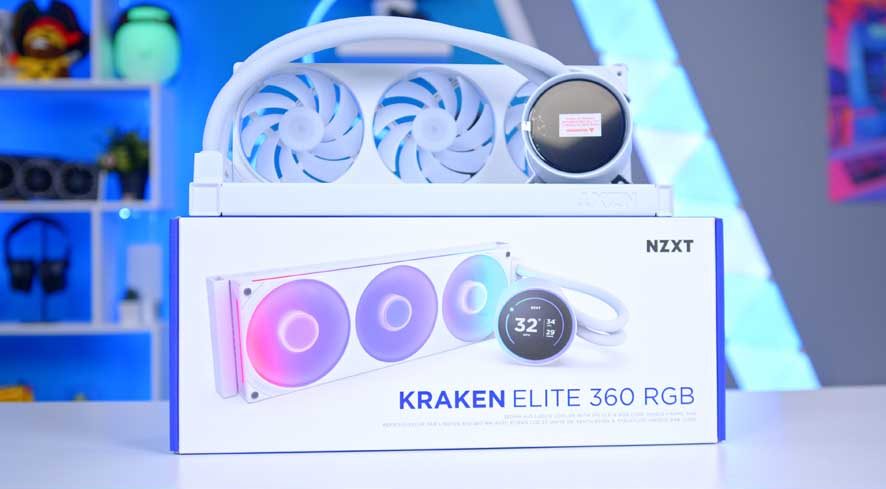
A 120W TDP doesn’t demand a 360mm AIO, but the 9800X3D spikes hard under load and the Kraken Elite gives it enough headroom to stay quiet while doing it. NZXT sell it in white as well as black, which is the version that belongs in this build. The radiator is a standard 27mm aluminium unit, and the fans arrive as a single-frame F360 RGB Core array, so that’s three 120mm fans in one housing running off one cable rather than three.
The 2.72-inch IPS panel on the block is why most people buy this cooler rather than something cheaper. It runs at 640×640 and 60Hz, and NZXT CAM will push a GIF, a live system readout or a Spotify feed to it. The pump underneath is NZXT’s own Turbine design rather than the Asetek unit the older Kraken used.
Gigabyte X870 AORUS STEALTH ICE
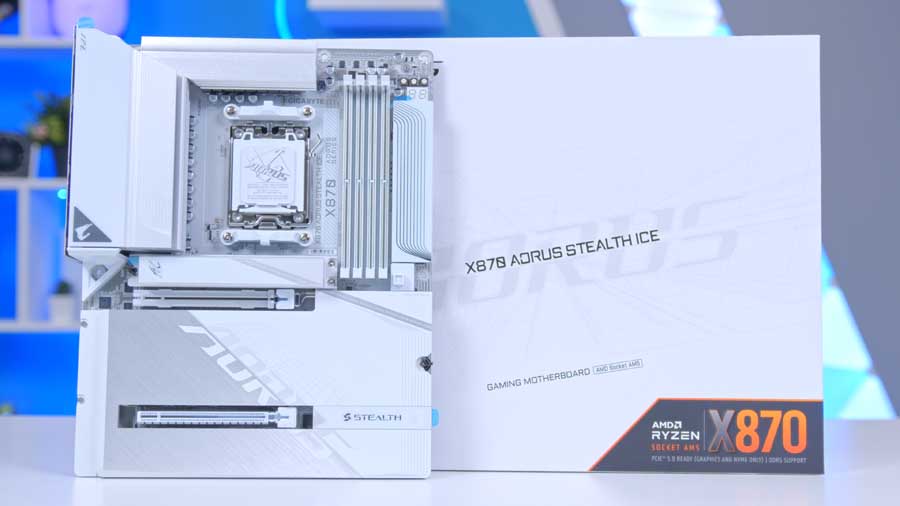
Project Stealth is the entire point of this board. Every connector that normally sits on the front face has been moved to the back: 24-pin, EPS, fan headers, front panel, USB. Paired with the H6 RGB+ and its 90mm of cable routing depth behind the tray, nothing crosses the window at all.
Motherboard Specifications
- Model Gigabyte X870 AORUS STEALTH ICE
- Chipset / Socket AMD X870 / AM5
- Form Factor ATX
- CPU Support AMD Ryzen 9000 / 8000 / 7000 Series (AM5)
- Memory Support 4 x DDR5 DIMM, up to 256GB, up to DDR5-8200 (OC)
- VRM Design 16+2+2 phase digital twin VRM (8+8 parallel)
- Reverse Connect Yes — Gigabyte Project Stealth (rear cable routing)
- Graphics Card Compatibility 1 x PCIe 5.0 x16 slot (full-length GPU slot)
- Expansion Card Compatibility 1 x PCIe 4.0 x4
- M.2 Compatibility 4 x M.2: 2 x PCIe 5.0 x4, 2 x PCIe 4.0 x4
- SATA Storage 2 x SATA 6Gb/s ports
- Networking Wi-Fi 7 + Bluetooth 5.4 + 5GbE LAN
- Rear I/O 2 x USB4 Type-C (40Gb/s), 2 x USB 3.2 Gen2, 4 x USB 3.2 Gen1, 4 x USB 2.0, audio jacks, HDMI out
- Front I/O Headers 1 x USB-C 20Gb/s header, 1 x USB 3.2 Gen1 header, 2 x USB 2.0 headers
- Audio Realtek HD Audio (7.1-channel)
- Colour White (ICE) — Project Stealth rear-connect design
Underneath the party trick it’s a genuinely strong X870 board. There’s a 16+2+2 phase VRM, four M.2 slots with the top one running PCIe 5.0, Wi-Fi 7, 2.5GbE and USB4 on the rear I/O. Memory support runs to DDR5-8200 when overclocked, which is comfortably past anything we’re feeding it here.
G.SKILL Trident Z5 NEO RGB DDR5
DDR5-6000 CL36 is still the sweet spot on AM5 and there’s little point chasing past it. Ryzen’s memory controller runs 6000MT/s at a 1:1 ratio with the fabric clock, and pushing higher usually costs more in latency than it gains in bandwidth. The NEO kits carry an EXPO profile, so it’s one toggle in BIOS rather than manual tuning, and in white they sit flush with the rest of the theme.
Two sticks rather than four is the right call on a four-slot board. It keeps the memory controller running the configuration it’s happiest with, and it leaves both remaining slots free if you want to double up later.
KIOXIA EXCERIA PLUS G4 2TB
The G4 in the name is the fourth generation of Exceria Plus, not the PCIe generation, which trips people up. This is actually Kioxia’s first consumer Gen 5 drive, rated at 10,000 MB/s read and 8,200 MB/s write. KIOXIA is the OEM that used to be Toshiba Memory, so the BiCS8 218-layer TLC inside is their own rather than bought in.
Underneath it’s a Phison E31T controller with no DRAM cache, which is the trade that keeps it efficient enough to run without a heatsink. Endurance is rated at 1,200 TBW with a five-year warranty, and the board leaves three more M.2 slots free, one of them also Gen 5.
Gigabyte AORUS Master RTX 5080 ICE
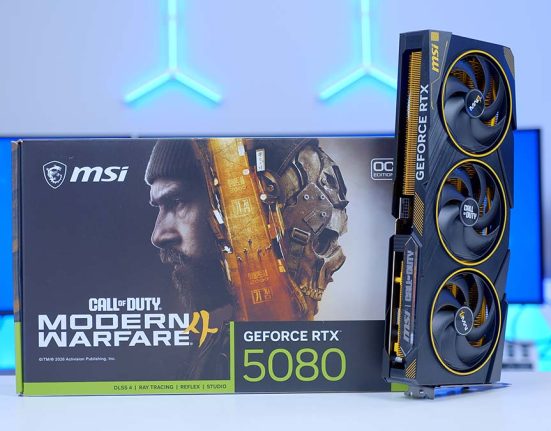
The AORUS Master is the top of Gigabyte’s air-cooled RTX 5080 range, and the ICE is the white version of it. Nothing changes underneath: the same GB203 silicon with 10,752 CUDA cores, 16GB of GDDR7 on a 256-bit bus, a 360W board power figure, and the same 2,805MHz factory overclock against a 2,617MHz reference. That’s a 7% bump before you touch anything, and it matches the Xtreme Waterforce despite being air-cooled.
It’s a big card. 360mm long, 150mm tall and 75mm thick, with a programmable LCD on the top edge and RGB Halo lighting ringing the fans. The H6 RGB+ takes cards up to 390mm even with the 30mm front-right fan fitted, so there’s 30mm spare and no need to strip anything out to get it in. Gigabyte include a fourth fan and a GPU support bracket in the box, though the case has its own adjustable anti-sag bracket built into the chassis, so theirs can stay in the box.
If the Master is more card than the budget allows, this is the swap that changes least about the rest of the build.
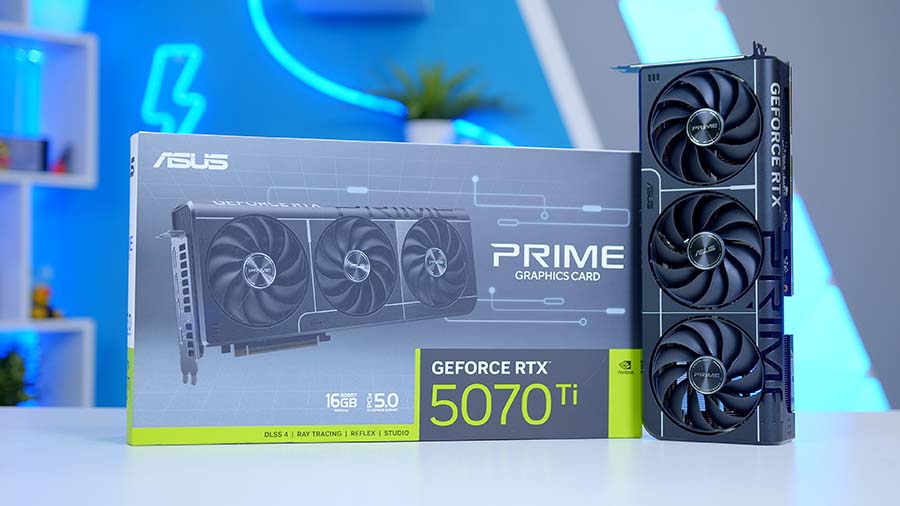
Alternative GPU Choice
Asus GeForce RTX 5070 Ti Prime OC 16GB
If the AORUS Master RTX 5080 ICE is more card than the budget allows, the RTX 5070 Ti is the sensible step down without changing the character of the build. You keep the same 16GB frame buffer, the same Blackwell feature set including DLSS 4 and Multi Frame Generation, and the same single 12V-2×6 connector, so nothing else in this parts list needs to change. The Prime OC is also a shorter, slimmer card than the AORUS Master ICE, so it leaves more room for cable routing in front of the GPU.
NZXT H6 RGB+
The H6 RGB+ is the loaded version of NZXT’s redesigned compact dual-chamber case, and at 55 litres it’s noticeably smaller than most cases that take this much hardware. The white finish carries through to the fans and the included cabling, which matters when the whole point of the curved glass is that you can see everything. The side panel is a single piece of tempered glass bent around the corner, so there’s no seam or frame breaking up the view, and the secondary chamber takes the PSU and the cable mess out of sight entirely. Panels come off without tools, there are 90mm of routing depth and fixed Velcro straps behind the tray, and the NZXT logo on the front is now lit.
Case Specifications
- Model NZXT H6 RGB+
- Form Factor Mid-Tower (Dual-Chamber ATX)
- Motherboard Support Mini-ITX, Micro-ATX, ATX (back-connect ATX: BTF / Project Zero / Project Stealth)
- Case Dimensions (L x W x H) 420mm x 292mm x 448mm
- Front IO 1 x USB 3.2 Gen 2×2 Type-C, 2 x USB 3.2 Gen 1 Type-A, 1 x 3.5mm headset jack
- PCI-E Slots 7 x Horizontal Vertical GPU mounting kit compatible (2024 or newer)
- Colour White
-
Max Clearance
GPU length: Up to 390mm (with 30mm front-right fan installed)CPU cooler: Up to 165mmPSU length: Up to 200mmCable routing: Up to 90mm behind the tray
- Drive Support 2 x 2.5-inch 1 x 3.5-inch
-
Fan Support
Front-right: Up to 3 x 120mmTop: Up to 3 x 120mmBottom: Up to 3 x 120mmRear: 1 x 120mm
-
Radiator Support
Top: Up to 360mm (total length 400mm)Top rad + fan: Up to 67mm thickRear: Up to 120mm
- Pre-Installed Fans Front-right: 1 x F360 RGB Reverse Bottom: 1 x F360 RGB Reverse Rear: 1 x F120 RGB Control Hub Lite included (3 x 8-pin)
- Volume / Weight 55 litres 9.3kg (H6 RGB+)
- Panels Left: seamless curved tempered glass Top / right / front-right: steel mesh Bottom: nylon dust filter
Cooling comes sorted out of the box. There’s an F360 RGB Reverse single-frame unit angled in on the front right, a second one in the floor, and an F120 RGB pulling air out at the back. That’s seven fans in total, all running through the included Control Hub Lite, which means one SATA lead and one internal USB 2.0 header for the whole lot. The F360R is a new design built around reversed blades, so it pulls air in from the outward-facing side while the lit face points into the build. In a dual-chamber case behind curved glass that’s exactly the right way round.
NZXT C850 Gold
850W is exactly what Gigabyte recommend for the AORUS Master RTX 5080 ICE, and with a 120W CPU alongside it there’s enough margin left for transient spikes without overspending on a unit you’ll never load. The C850 Gold is ATX 3.1 and PCIe 5.1 rated, which is the part that matters here, and it ships with a native 12V-2×6 cable rated to the full 600W. The white SKU comes with white cables as standard, so there’s no need to buy extensions to keep the theme going.
It’s fully modular with a 135mm fluid dynamic bearing fan that stays completely off below 50% load, so for anything short of a heavy gaming session it’s silent. The capacitors are Japanese throughout, the unit is only 160mm deep against the 200mm the case allows, and NZXT back it with a 10-year warranty.
Gaming Performance
Every number below comes from our own bench runs on this exact configuration, captured at 3840×2160 with in-game High presets across five titles. Frame generation is off throughout, so these figures reflect what the hardware is actually rendering rather than what it’s interpolating.
Four of the five titles clear 90fps at 4K, which is the headline. Forza Horizon 6 runs away with it at 184.8, and Battlefield 6 holds 109.7 in a game mode that punishes hardware harder than a canned benchmark scene ever does. Marvel Rivals and Cyberpunk 2077 land close together in the low nineties, both comfortably past what a 4K 120Hz panel needs to feel smooth.
Performance Snapshot
Multi-Game Average FPS — 4K High
4K
63.6
4K
109.7
Map / Mode
Empire State, Conquest
Capture Length
4–7 mins
Fullscreen Mode
Windowed (Fullscreen Device Monitor 1)
Resolution / Refresh
3840×2160, 120Hz, Aspect Auto
VSync / FOV
VSync Off, FOV 90, Vehicle FOV 79
Preset
Custom, Graphics Quality High
Texture / Mesh / Terrain
All High
Reflections / AO & GI
Reflections High, SSR High, GTAO High
4K
96.3
Benchmark Mode
Built-in benchmark ran 2x
Display
Fullscreen, 3840×2160, VSync Off, FPS cap Off
Preset
Custom, Texture High
Upscaling / Frame Gen
Resolution Scaling Off, Frame Generation Off
Ray Tracing / Path Tracing
All Off
Crowd / FOV
Crowd Density Medium, FOV 80
Post Effects
Film Grain On, DoF On, Lens Flare On, Motion Blur Off
Shadow Quality
Local Shadow Mesh High, Local Shadow High, Cascaded range/resolution High
4K
184.8
4K
91.9
Capture Length
4–7 mins
Display
Fullscreen, 3840×2160, Aspect 16:9
AA / Upscaling
TAAU, Render Scale 100
Frame Gen / Latency
Frame Generation Off, Low Latency Off
VSync / FPS Cap
VSync Off, Match/Lobby/Background FPS No Limit
Preset
Graphics Quality High
GI / Reflections
Lumen GI High Quality, SSR Reflections
Detail Settings
Model / Post / Shadows / Texture / Effects / Foliage all High
007 First Light is the outlier at 63.6, and it’s the one title here where you’d genuinely consider switching frame generation on. It isn’t stuttering, it just runs at a lower level throughout, so the experience stays consistent even as the number drops.
Across the five, the average lands just over 109fps at 4K High. That’s a 9800X3D doing exactly the job it’s here for, which is staying far enough out of the way that the RTX 5080 sets the ceiling on its own.