
Ducky’s been a go-to name for keyboard fans for years, but I think it’s fair to say the Hall Effect gold rush has mostly happened around it. Magnetic switches went from niche curiosity to standard gaming kit in what felt like a heartbeat, and the brands that jumped in early have soaked up most of the attention.
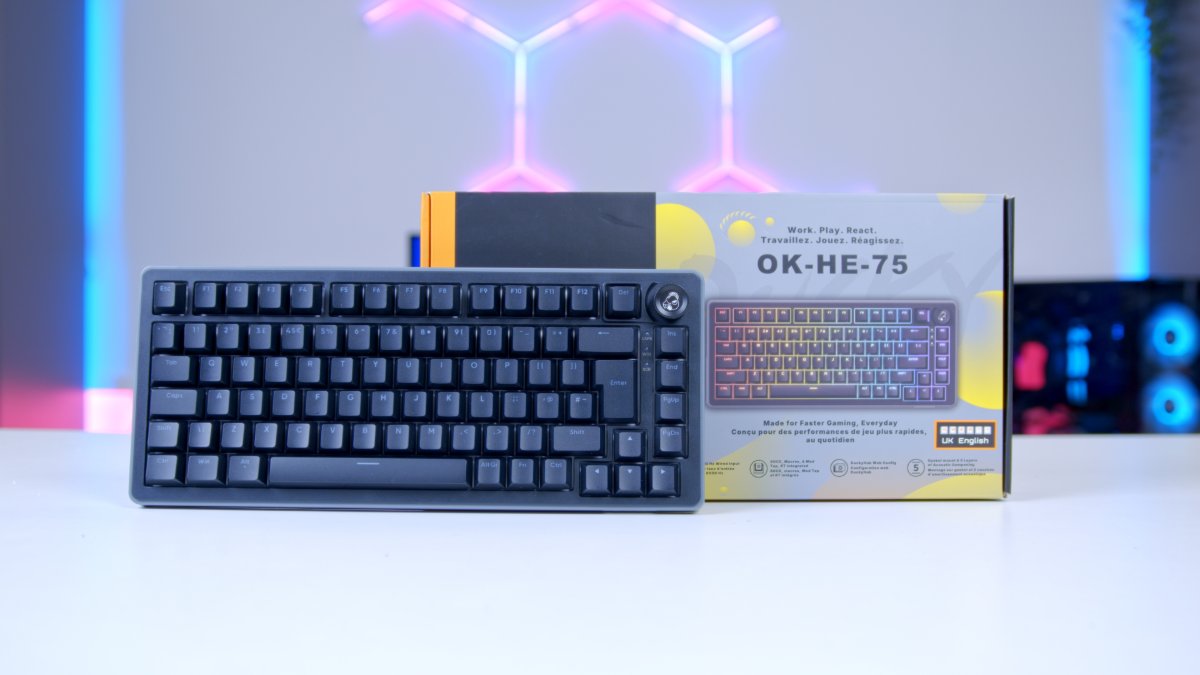
The OK-HE series is Ducky’s attempt to grab a slice of that, pitched as the company’s accessible way into analogue keyboards. It follows on from the mechanical OK-M boards that landed earlier this year, it comes in three sizes, and the one we’ve got on the desk is the middle child: the 75% OK-HE-75.
Look down the feature list and it’s hard not to raise an eyebrow at where this thing sits price-wise. Rapid trigger, built-in SOCD (Simultaneous Opposing Cardinal Directions), a sky-high polling rate, hot-swappable magnetic switches and a foam-packed gasket mount, all on a board aimed squarely at people who don’t want to spend big. There’s one catch, and it’s an obvious one. No wireless.
Specifications
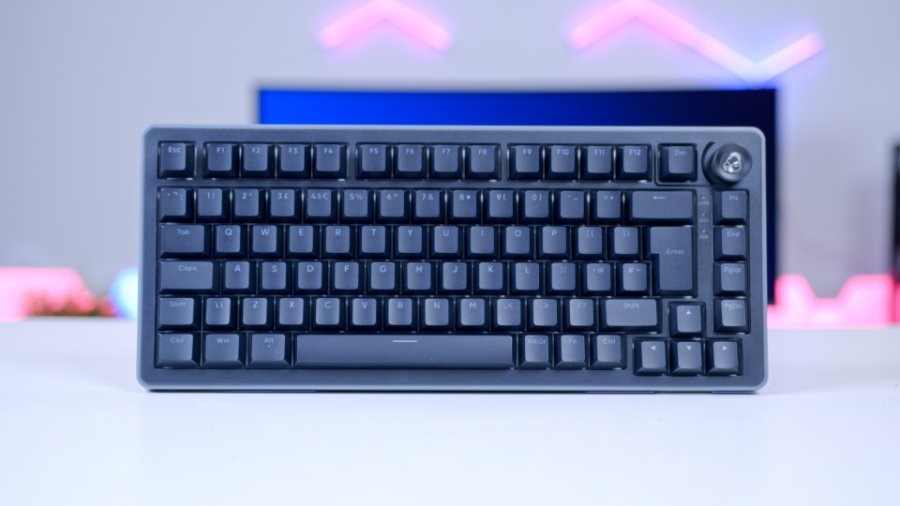
Let’s start with the basics. A 75% layout keeps the function row and the arrow keys while ditching the numpad, so you get a compact footprint without losing the keys most people reach for every day. Ducky has added a media dial in the top-right corner too, which I’ll come back to.
Under the keycaps sit Haimu’s magnetic Hall Effect switches. Instead of relying on physical contacts, each switch carries a magnet that a sensor tracks the whole way down, and that’s what unlocks the adjustable actuation and rapid trigger tricks (more on those in a bit). They’re hot-swappable too, so you can pull and replace them without going anywhere near a soldering iron.
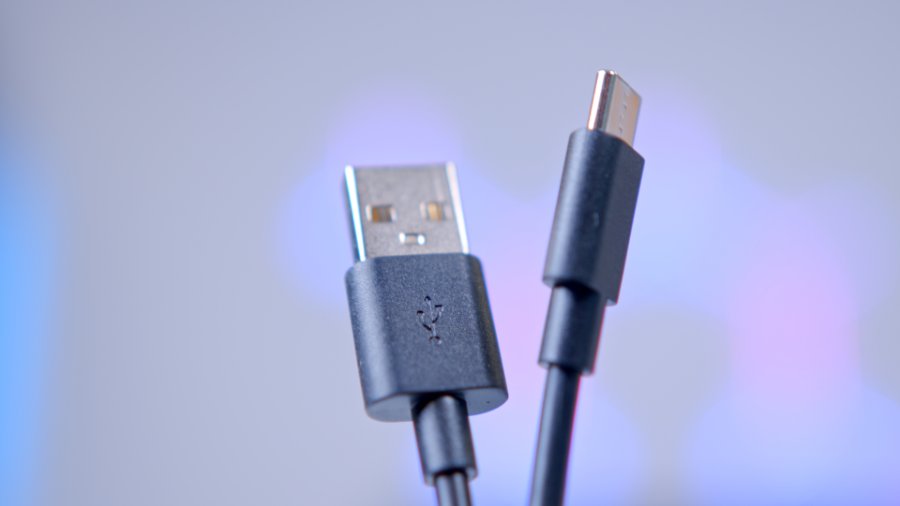
Connection is over a USB (Universal Serial Bus) Type-C port on the board, with a Type-A to Type-C cable supplied, and that’s your lot. No dongle, no Bluetooth. Here’s the full rundown.
Keyboard Specifications
- Model Ducky OK-HE-75
- Layout 75%
- Switches Haimu Magnetic (Hall Effect)
- Hot-Swappable Yes (magnetic switches)
- Polling Rate 8,000Hz
-
Key Response
Actuation: Adjustable (0.1mm precision)Rapid Trigger: Down to 0.01mmSOCD: Built-in
- Connectivity Wired only, USB Type-C port (Type-A to Type-C cable)
-
Construction
Case: ABSPlate: PolycarbonateMount: Gasket, 5-layer dampening
- Keycaps PBT Doubleshot, Cherry Profile
- Stabilisers Plate-mounted
- Lighting RGB
- Anti-Ghosting NKRO
- Media Controls Volume knob
- Software Ducky Hub web software (Chromium-based browser, wired connection)
- Typing Angle 6°, 9°, 12°
- Dimensions (L x W x H) 337mm x 142mm x 43.2mm
- Weight 1015g ± 15g
- In The Box Ducky Ducko brush, keycap and switch puller, Type-A to Type-C cable
The rest of the list reads like a box-ticking exercise in the best way. PBT (polybutylene terephthalate) keycaps, NKRO (N-key rollover) so every simultaneous press registers, RGB (red, green, blue) lighting and a typing angle you can tweak using the feet. Ducky also bundles a combined keycap and switch puller, plus a little Ducko brush for clearing out the crumbs you’re definitely not dropping into it.
Design
Design-wise, the OK-HE-75 doesn’t try to reinvent anything, and I don’t think it needs to. You’re looking at a plastic ABS case with a polycarbonate plate inside, so this isn’t chasing the chunky aluminium crowd. That plastic build is a big part of how Ducky keeps the price down, and at this level it’s a trade I’m happy to make.
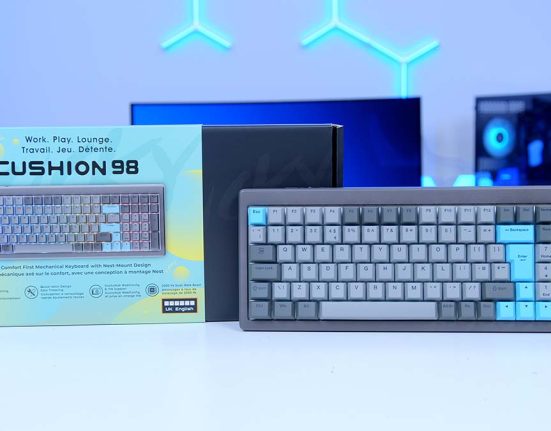
Alongside the 75, there’s the OK-HE-65, which trims things down further by losing the F-keys, and the OK-HE-98, which squeezes a numpad into a 96% layout for the spreadsheet crowd. Same core spec across all three, just a different amount of keyboard, and for most people I’d say the 75 is the sweet spot.
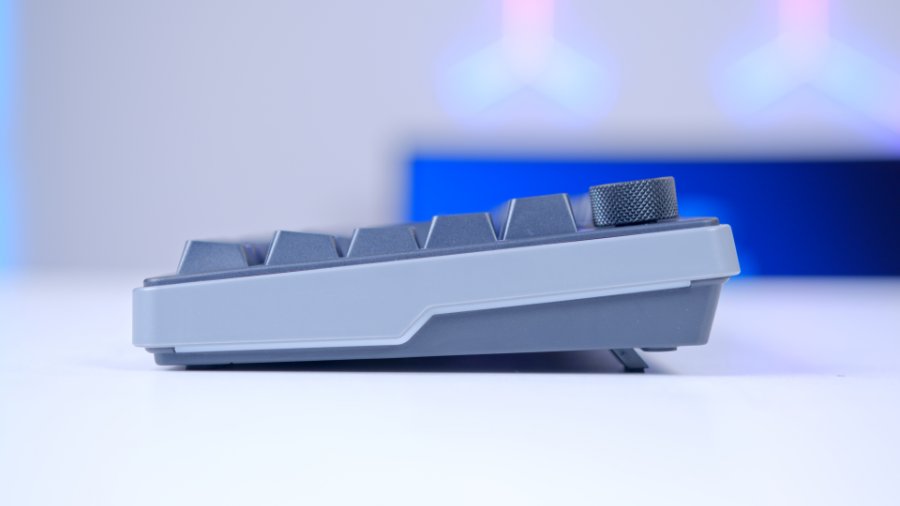
In the hand, it’s heavier than you might expect from a plastic board this size. That extra weight keeps it planted when you’re hammering movement keys mid-match, and the feet give you three typing angles to choose from, whether you like it shallow, steep or somewhere in between.
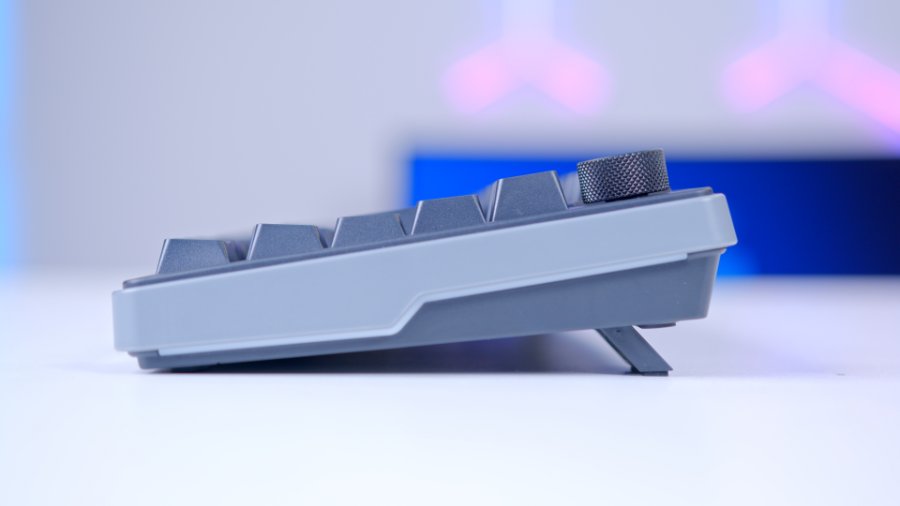
The compact footprint pulls its weight too. Ditch the numpad and your mouse hand gets far more room to swing, exactly what you want for low-sensitivity aiming.
Where Ducky has clearly spent its effort is on the inside. The plate sits in a gasket mount, meaning it’s cushioned by soft gaskets instead of being screwed rigidly to the case. That takes the edge off each keystroke and stops vibrations rattling around the shell. Stack several layers of dampening foam in there as well and you’ve got a board that’s been tuned for sound from the ground up. Ducky reckons the result is no more harsh metallic pings or echoes, just a deeper, cleaner sound profile.
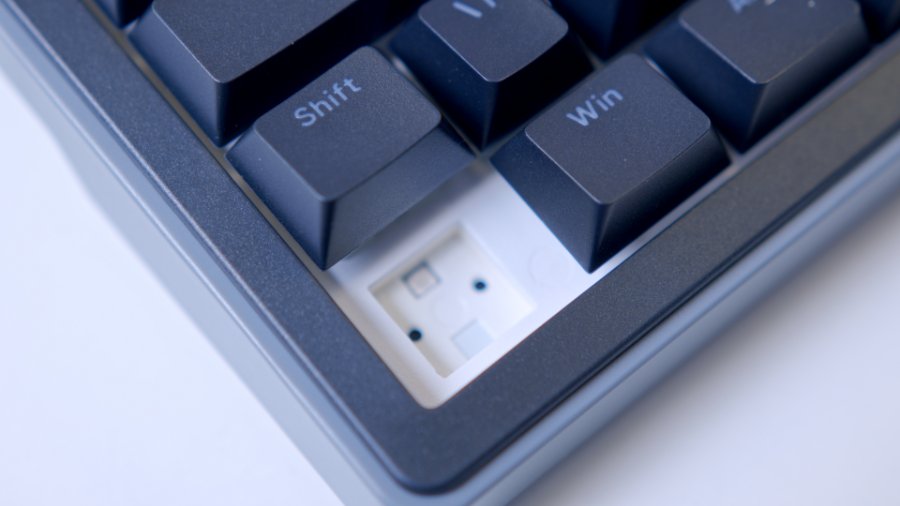
The polycarbonate plate is a smart partner for that gasket mount. Polycarbonate has more give than the aluminium or steel plates found in stiffer boards, so keystrokes feel a touch softer and the sound leans deeper. The bigger keys, like the space bar and Enter, use plate-mounted stabilisers. They’re not the screw-in kind enthusiasts tend to favour, but they’re par for the course at this price.

The keycaps are PBT doubleshot in a Cherry profile. PBT holds up far better than ABS caps against that greasy shine that creeps in over time, and doubleshot means the legends are moulded in, not printed on, so they won’t wear away either. Cherry profile is a low, sculpted shape and one of the most popular around for good reason, sitting comfortably under your fingers through long gaming sessions or a full day of typing.
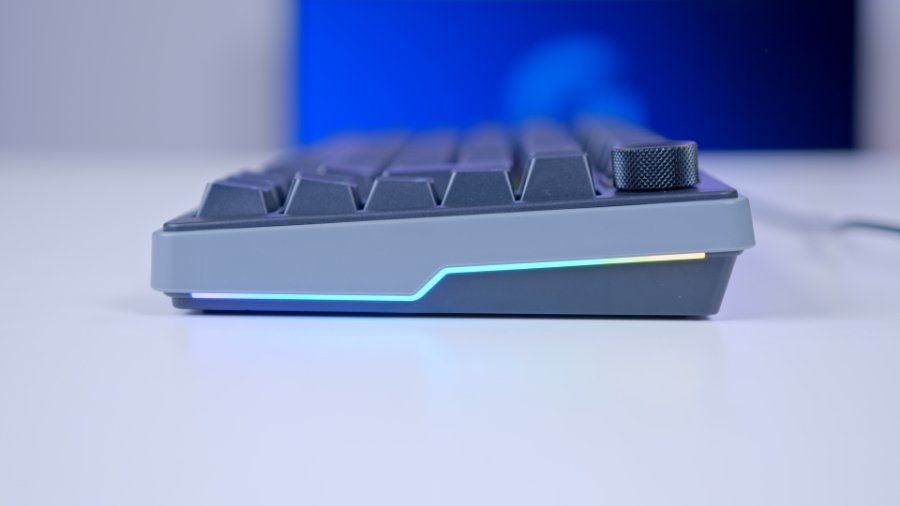
Aesthetically, the OK-HE-75 keeps things simple, with the RGB backlighting doing the heavy lifting when it comes to personality. Turn it up for the full gaming look, or keep things understated if it’s sharing a desk with your work setup.
Then there’s the dial. It handles volume, and Ducky says it’ll balance game audio against voice chat as well, letting you make a quick tweak mid-round without alt-tabbing out. Simple stuff, but it’s the kind of thing I’d miss if it weren’t there.
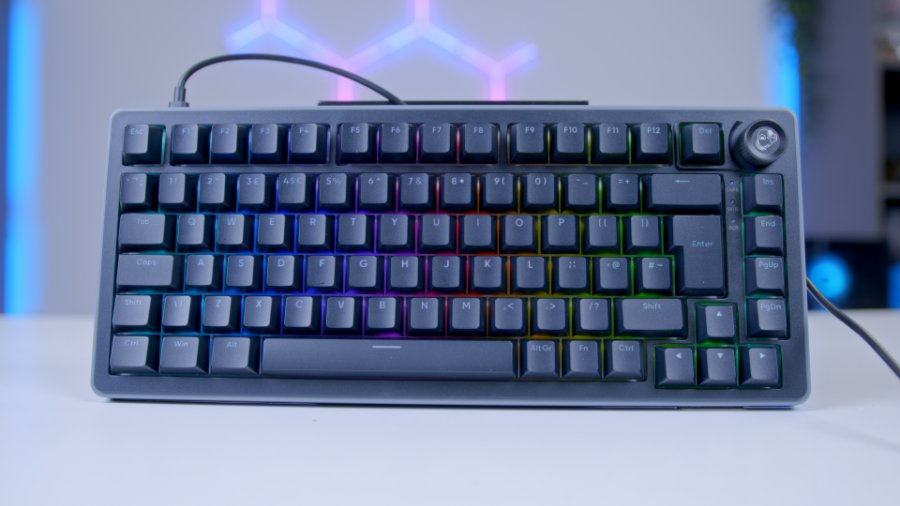
As for the cable, it plugs into the board’s Type-C port and detaches completely, so you’re not stuck with what comes in the box. Swap in a coiled or braided cable to match your desk, or unplug it and throw the board in a bag for a LAN (local area network) event without anything snagging.
Ducky Hub Software
Onto the software, because this is where the OK-HE-75 quietly won me over. Ducky Hub runs entirely in your browser. Plug the keyboard in, open Ducky Hub in a Chromium browser, and it picks up the OK-HE-75 straight away, showing it as connected along with its serial number. No installer, no background app, no fuss.
Everything lives in one tidy sidebar: Performance, Lighting, Custom Key, Advanced Key, Macro, My Config and Update/Restore, with a profile selector sitting just above. It’s laid out logically enough that I never needed to go hunting through a manual, and Ducky’s grumpy cartoon duck mascots peeking in from the corners give it far more character than the usual sea of grey menus.
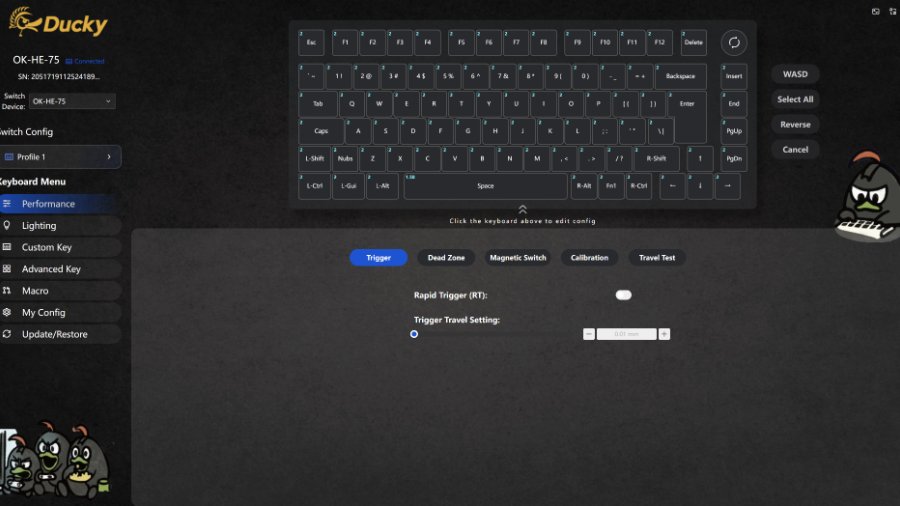
The Performance tab houses the Hall Effect magic, split into Trigger, Dead Zone, Magnetic Switch, Calibration and Travel Test. The best bit is the keyboard map up top. Every key on the map shows its current values, letting you see what’s set where at a glance. Click a key, or use the WASD, Select All and Reverse shortcuts to select a group, then adjust from the panel below.
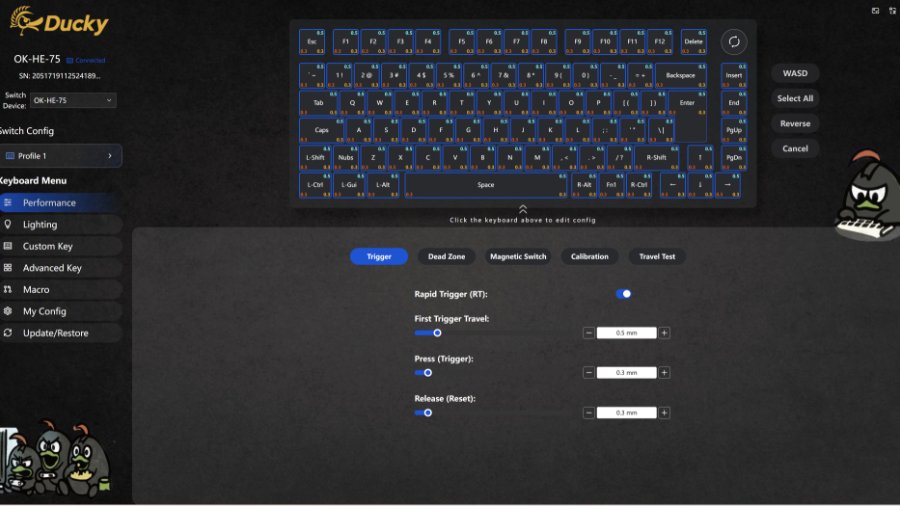
With rapid trigger switched off, there’s a single actuation slider. Flick it on and that splits into separate first trigger travel, press and release distances, meaning WASD can be hair-trigger sensitive while everything else sits at a more forgiving depth for typing. Each value has a slider plus nudge buttons for fine steps, so small tweaks take seconds.
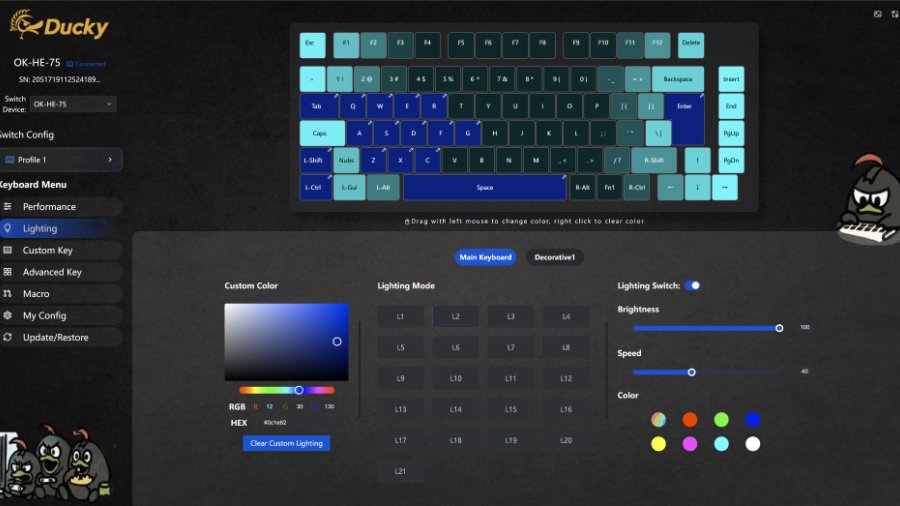
Lighting gets the same treatment. There are 21 preset modes, along with brightness, speed and colour controls, and a separate decorative zone alongside the main keyboard lighting. If the presets don’t cut it, you can paint colours straight onto the key map by dragging your mouse across it, with RGB and HEX (hexadecimal) inputs for exact shades and a right-click to clear. It’s quick, and a lot more fun than clicking keys one by one.
The remapping, macro and saved config tabs round things out, with Update/Restore looking after firmware, all from the same page. It’s a well-rounded package, and you never have to install a thing.
Hall Effect, Rapid Trigger and SOCD Explained
With a traditional mechanical switch, a key registers when a metal contact closes at a set point, then resets once it travels back up past another fixed point. Hall Effect switches swap that contact for a magnet and a sensor that reads exactly how far the key has moved. That opens the door to two big tricks. First up, adjustable actuation, so you choose how far down a key needs to go before it fires. Go shallow for twitchy gaming, or deeper for typing so stray brushes don’t register.
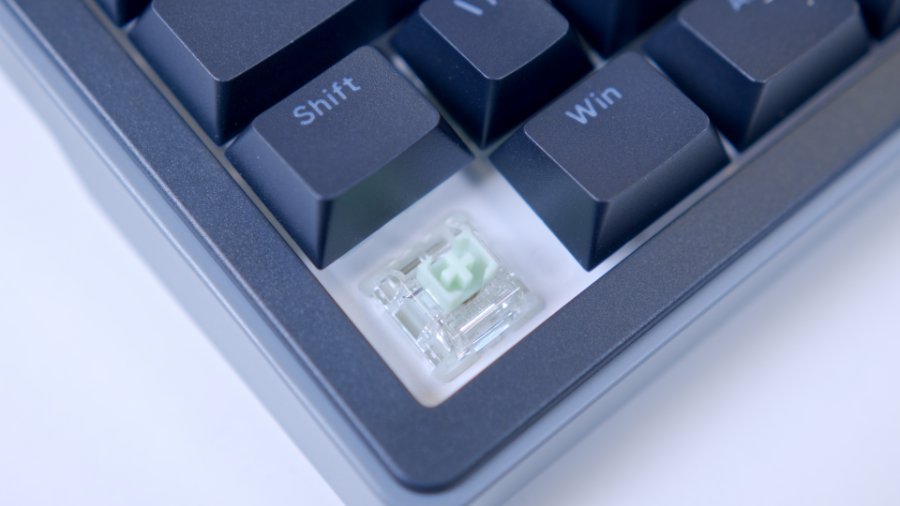
Second, rapid trigger. Instead of waiting for the key to pass a fixed reset point, it resets as soon as it rises by a tiny, adjustable distance, then fires again the moment you push back down. In practice, that means faster repeated taps and much snappier stops when you let go of a movement key. Ducky leans hard on its finest rapid trigger setting here, and the company says its own testing showed the magnetic signal stays stable even at that extreme sensitivity.

SOCD is the controversial one. Hold A and D together on a typical keyboard and both inputs register, so in most shooters they cancel out and your character stops dead. SOCD handling makes the most recent press take priority, so you can flick from strafing left to strafing right without lifting off the first key. Ducky pitches it for frame-perfect counter-strafing in tactical shooters.
There’s an important caveat, though. Valve kicks players using hardware-assisted counter-strafing from matches on its official Counter-Strike 2 servers, and has done since August 2024. So if CS2 is your game of choice, leave SOCD switched off there, and check the rules for whatever else you play competitively.
Features We Like
Competitive Features at an Entry-Level Price
This is the big one for me. Rapid trigger and SOCD have been trickling down the price ladder for a while now, but the OK-HE-75 pairs them with a polling rate that Ducky says reports to your PC eight times as often as a standard gaming keyboard. Will most people feel that over a 1,000Hz board? Honestly, probably not. But if you’re the type who chases every last millisecond, it’s nice to know the keyboard isn’t the weak link.
Throw hot-swappable switches into the mix and you can tailor things even further. Ducky suggests dropping heavier magnetic switches onto your movement keys to avoid accidental presses, and it means a tired switch after a few seasons of heavy use is a quick fix, not a whole new keyboard.
Ducky Hub Makes Tuning Painless
I’ve covered the software in detail above, but it more than earns a spot here too. Hall Effect tuning can get fiddly fast, with several values to juggle across every single key. Ducky Hub keeps it all visual, with settings shown right on each key, group shortcuts for the keys you care about and changes that land in seconds. It’s among the slicker setups I’ve used for the money.
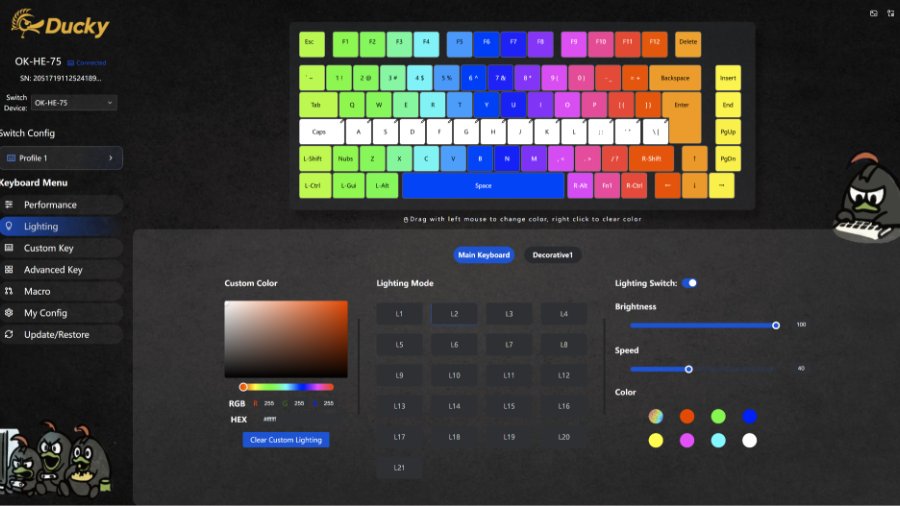
Being browser-based helps as well. There’s no app to download and nothing lurking in your system tray, which is a real win for anyone who games at LAN events or hops between machines, and frankly, I’ll take one less piece of background bloat wherever I can get it.
Features We Don’t Like
Wired, and Only Wired
For a board built around competitive play, going cable-only is a fair call, and it’s no doubt helped Ducky hit its price. Still, it narrows the audience. Even Ducky’s own mechanical OK-M boards offer tri-mode connectivity, so if you were hoping for a magnetic board you could also take to the sofa, or flip between a laptop and desktop over Bluetooth, this isn’t it.
Chromium Required
The flip side of browser-based software is that it only works in a Chromium-based browser such as Chrome or Edge, and only over a wired connection. Ducky also lists Windows as the platform it fully supports. So if you’re a Firefox or Safari devotee, or you run macOS or Linux, double-check compatibility before you buy.
Conclusion
Rounding things off, the OK-HE-75 knows exactly who it’s for. It’s built for competitive players who want the full magnetic switch toolkit (rapid trigger, tunable actuation, and SOCD for the games that allow it) without paying flagship money, and who are perfectly happy with one cable on one desk.
If that’s you, there’s very little here to grumble about, and the attention Ducky has paid to acoustics gives it extra polish over what you’d typically find at this end of the market.
If you want wireless freedom, a premium metal chassis, or you live in Firefox or on a Mac, you’ll be better served elsewhere, or by keeping an eye on where Ducky takes the OK-HE line next. As an affordable, tunable first step into Hall Effect, though, Ducky has done a seriously good job.