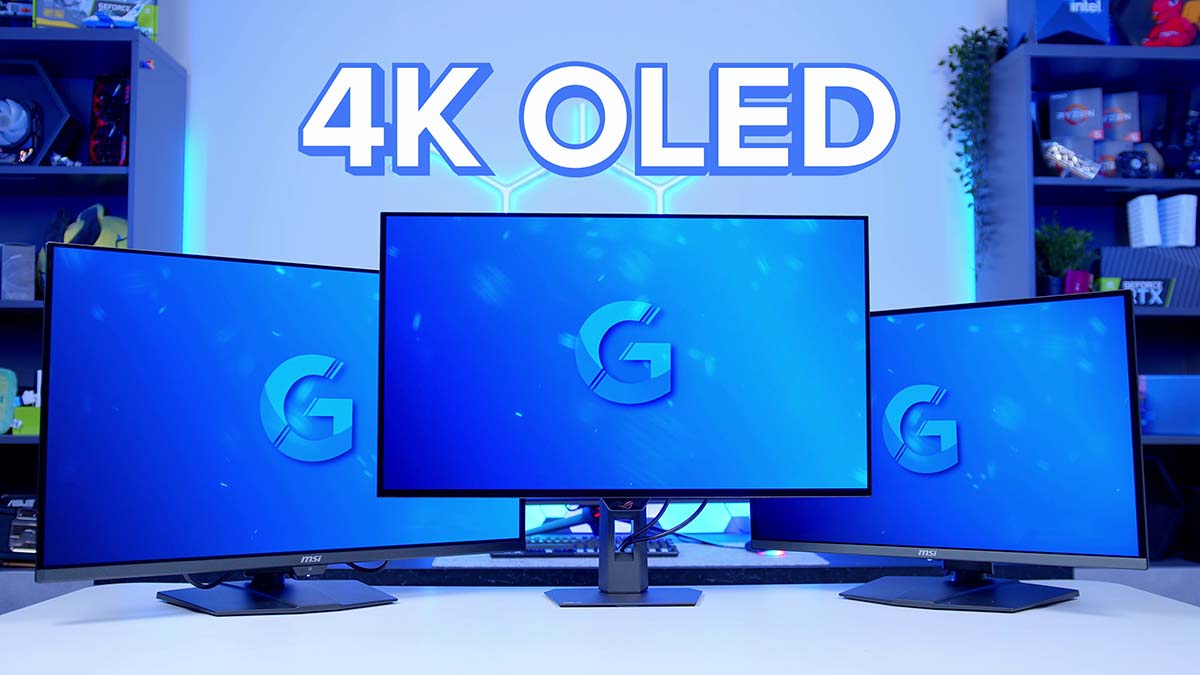
The last couple of years have brought some of the biggest changes the gaming monitor market has ever seen. OLED panels have gone mainstream, and more importantly, they’ve got affordable. So much so that if you’re shopping for a 4K gaming monitor right now, the odds are you’re going to end up on an OLED.
The trouble is there are more of them on shelves than ever, each with its own quirks, and choosing between them has got harder instead of easier. So this guide works through the 4K OLEDs we’ve had on the bench, across different sizes, budgets and feature sets, running from the most affordable up to the flagships. The picks are James’s, drawn from the panels he’s been living with day to day over the last few months.
Monitor Comparison
Best 4K OLED Gaming Monitors Compared
All panels are 3840 x 2160. Hover rows for highlight. Tap/click a header title to sort.
| ⠿ Monitor | Where to Buy | ⠿ Panel Type | ⠿ Screen Size | ⠿ Refresh Rate | ⠿ SDR Brightness | ⠿ Peak Brightness | ⠿ HDR Certification |
|---|---|---|---|---|---|---|---|
MSI MAG 272UP QD-OLED X24 Most affordable 4K OLED on the list |
4th Gen QD-OLED | 26.5 inch | 240Hz | 250 nits | 1,000 nits | DisplayHDR True Black 400 | |
Alienware AW2725Q Same panel, more elaborate design |
4th Gen QD-OLED | 26.7 inch | 240Hz | 250 nits | 1,000 nits | DisplayHDR True Black 400 | |
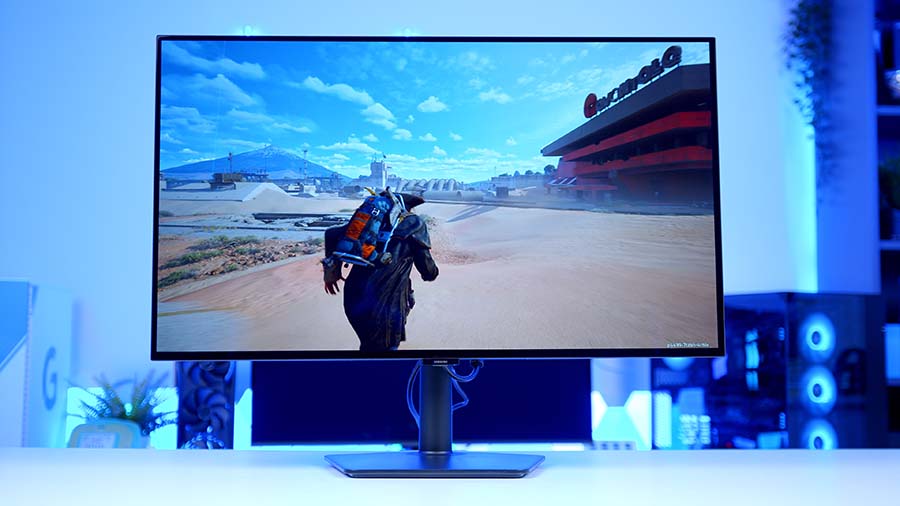
Samsung Odyssey OLED G7 (G73SH) Dual mode 4K/165Hz or FHD/330Hz |
WOLED | 32 inch | 165Hz (330Hz at FHD) | 275 nits | 1,300 nits | DisplayHDR True Black 400 | |
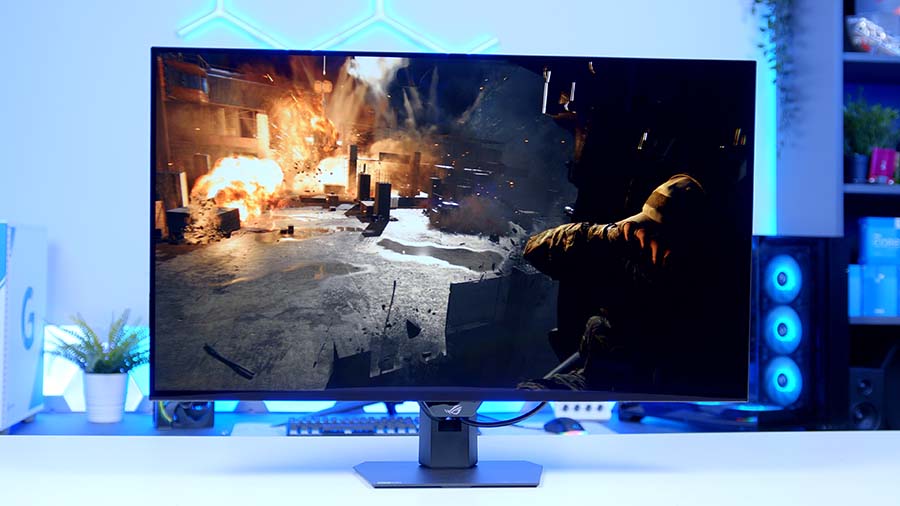
ASUS ROG Strix OLED XG32UCWMG Dual mode 4K/240Hz or FHD/480Hz |
WOLED (TrueBlack Glossy) | 31.5 inch | 240Hz (480Hz at FHD) | Not specified | 1,300 nits | DisplayHDR True Black 400 | |
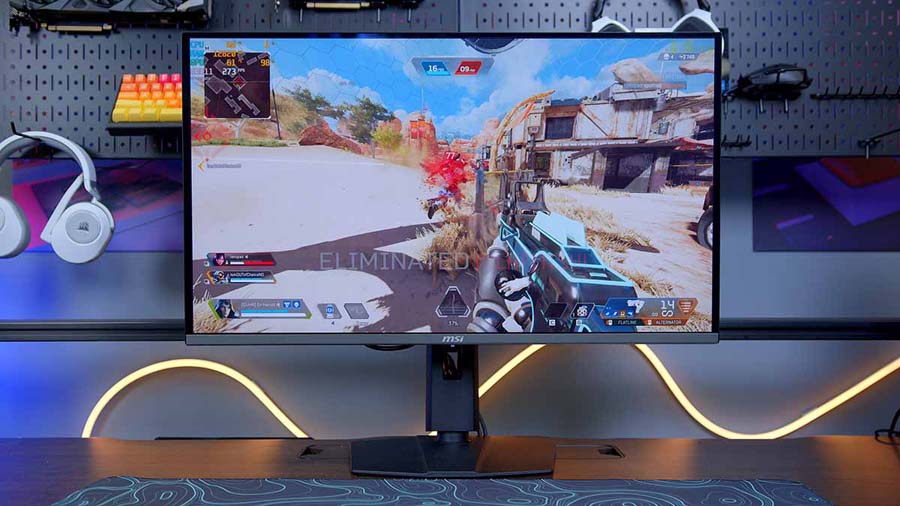
MSI MPG 321URX QD-OLED Older 32 inch panel, still strong value |
3rd Gen QD-OLED | 31.5 inch | 240Hz | 250 nits | 1,000 nits | DisplayHDR True Black 400 | |
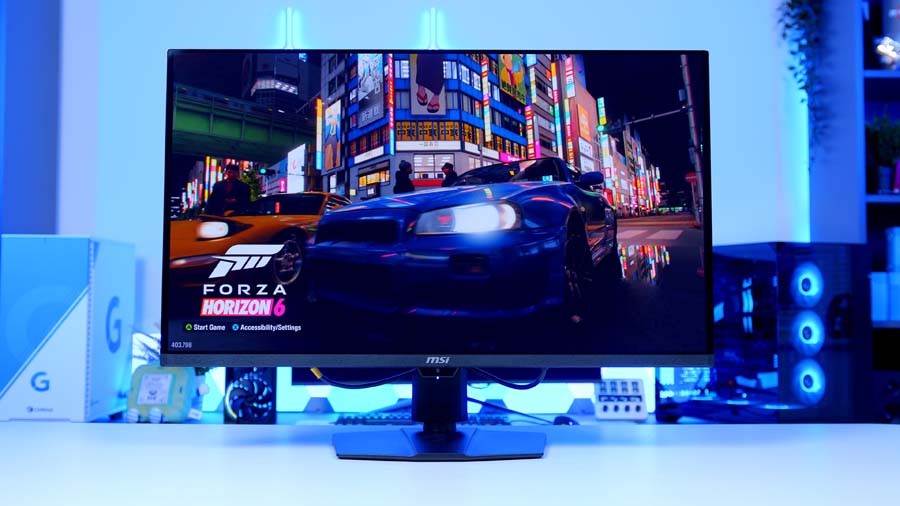
MSI MPG 322UR QD-OLED X24 Penta Tandem panel with DP 2.1a UHBR20 |
4th Gen Tandem QD-OLED | 31.5 inch | 240Hz | 300 nits | 1,000 nits | DisplayHDR True Black 500 | |
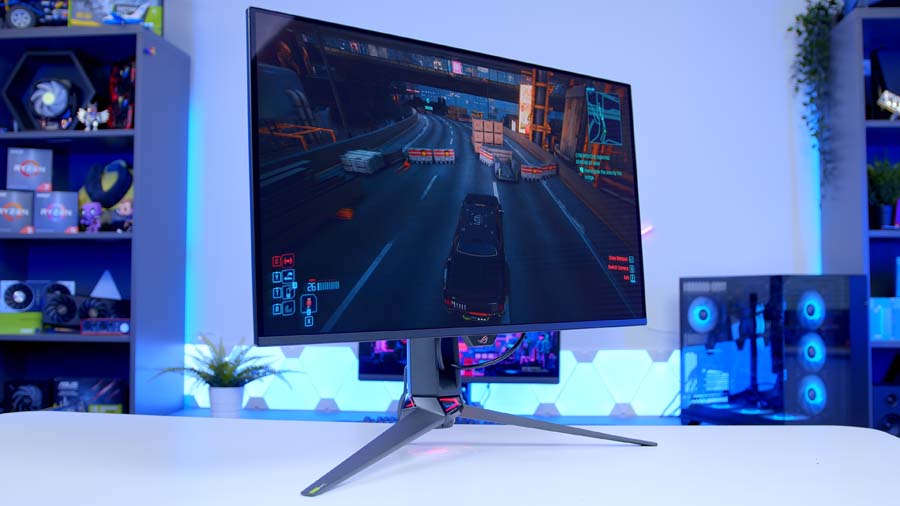
ASUS ROG Swift OLED PG32UCDM3 Flagship build with BlackShield film |
4th Gen Tandem QD-OLED | 31.5 inch | 240Hz | 300 nits | 1,000 nits | DisplayHDR True Black 500 |
Why have 4K OLEDs got so much cheaper?
Two things, mostly. The first is manufacturing. As the technology has matured, panel yields have improved, so less gets scrapped on the way out of the factory and the cost of each finished panel comes down with it.
The second is competition. Far more brands are building OLED into their monitor line-ups than they were even two years back, and only two companies make the panels those brands are buying: Samsung Display and LG Display. Those two go head to head with a new generation almost every year, and that arms race is why the spec sheets keep improving while the prices keep falling. OLED monitors are one of the few bits of PC hardware getting cheaper right now.
Why pick OLED for gaming?
It comes down to image quality and responsiveness. Unlike the IPS, VA and TN panels you’ll find on a traditional LCD monitor, an OLED has no universal backlight. Every pixel is its own light source, so each one can be brightened, dimmed or switched off entirely without touching its neighbours.
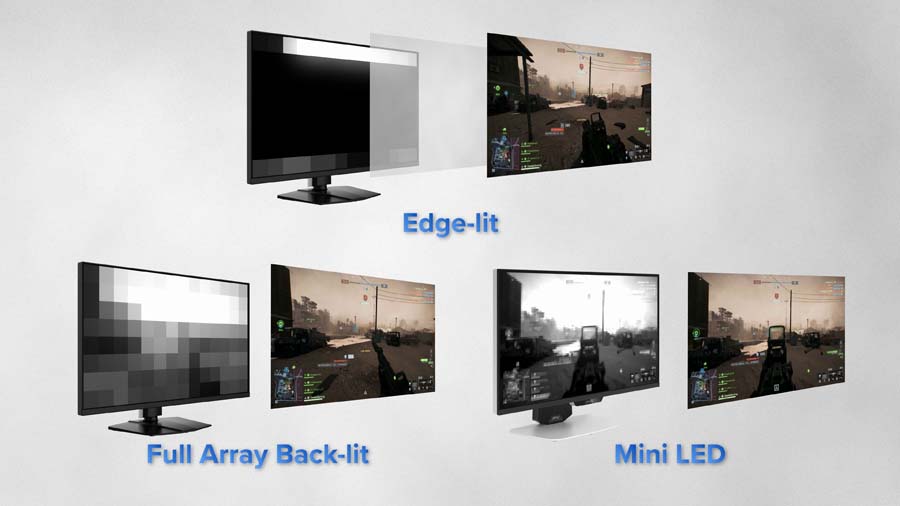
That’s where the deep blacks come from. There’s no backlight sitting behind the panel bleeding light and lifting blacks towards grey, so black stays black and contrast goes through the roof.
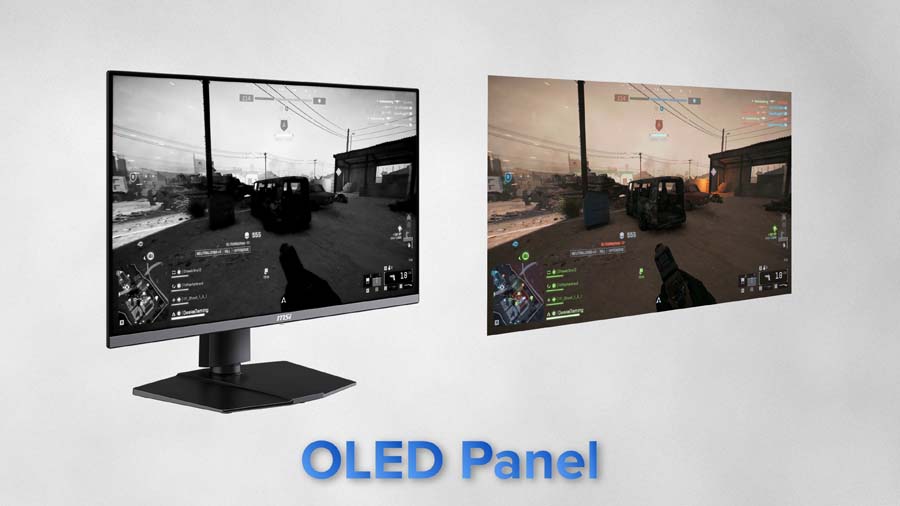
The same design does wonders for gaming. Because every one of those pixels is doing its own emitting, these panels are staggeringly quick, and that’s how every screen here lands on a 0.03ms response time with virtually no ghosting trailing behind fast-moving objects. Two things that change how a game feels more than almost anything else on the spec sheet.
The best 4K OLED gaming monitors
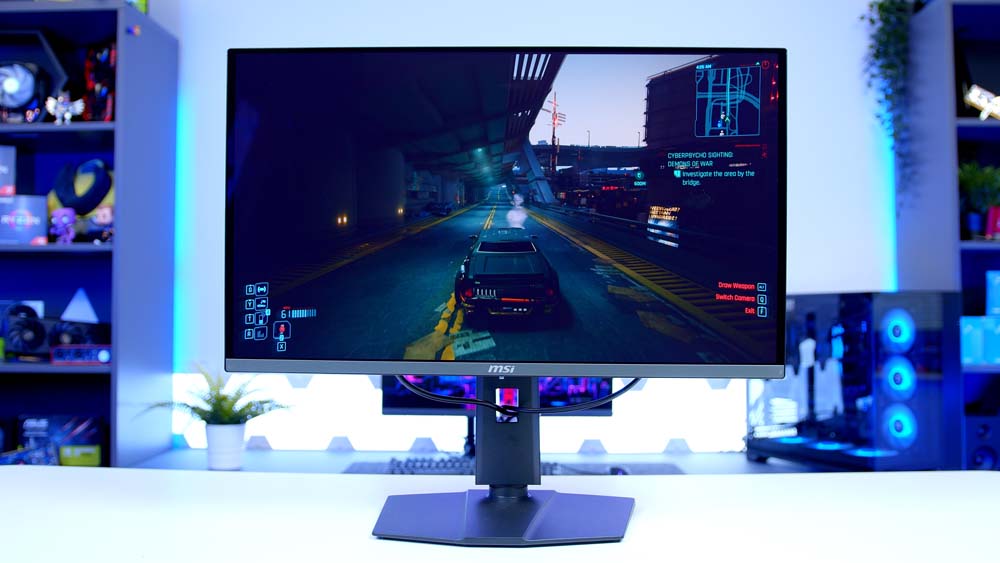
MSI MAG 272UP QD-OLED X24
Starting at the affordable end of the market, and this one has been a bit of a wake-up call for everyone else.
It’s a 27 inch screen running at 4K, and that combination is the entire point of it. Packing a 4K resolution into a panel this size gives you an enormous pixel density, so everything looks sharper than it does on the 32 inch options further down this list, while the smaller footprint keeps the whole playfield inside your field of view. If you spend most of your time in competitive titles, that matters.
The design is solid without shouting about it. The stand is the same one MSI use across much of their range, and that’s no bad thing, because it stays compact on the desk while still giving you a proper range of adjustment.
MSI MAG 272UP QD-OLED X24 Specifications
- Model MSI MAG 272UP QD-OLED X24
- Panel Type 4th Gen QD-OLED, flat
- Screen Size 26.5 inch (27 inch class)
- Resolution 3840 x 2160 (4K UHD)
- Refresh Rate 240Hz
- Response Time 0.03ms (GtG)
-
Brightness
SDR: 250 nitsHDR: 450 nits typical at 10% APLPeak: 1,000 nits typical at 3% APL
- Contrast Ratio 1,500,000:1 (typical)
- HDR Support VESA DisplayHDR True Black 400
- Colour 1.07 billion colours, 99% DCI-P3, 138% sRGB, 98% Adobe RGB, Delta E ≤ 2
- Adaptive Sync NVIDIA G-SYNC Compatible, AMD FreeSync Premium Pro
-
Video Ports
DisplayPort: 1 x DP 1.4a (HBR3)HDMI: 2 x HDMI 2.1 (4K at 240Hz)USB-C: 1 x Type-C (DP Alt Mode) with 15W PD
- Motion Clarity VESA ClearMR 13000
- Panel Care MSI OLED Care 2.0, graphene heatsink, 4-way adjustable stand
240Hz is the standard on a 4K panel, and honestly it’s about as much as most graphics cards can feed anyway. Driving even 100fps at 4K asks for something in the region of an RTX 5080, or a 9070 XT or 5070 Ti with upscaling switched on. Now, before the 500Hz crowd start typing, I’m not for a second saying faster panels are pointless. I’m saying that at 4K your graphics card runs out of puff long before the panel does. So 240Hz is ample.
The thing to know is what MSI trimmed to hit the price. This is a MAG series screen, not an MPG one, so there’s no USB hub and no KVM switch like you get on the pricier 272URX, and the USB-C power delivery is lower too. For most buyers that’s a fair trade for the cheapest 4K OLED going. 4K, 240Hz and an OLED panel for less than a mid-range graphics card costs. What a time to be buying a monitor!
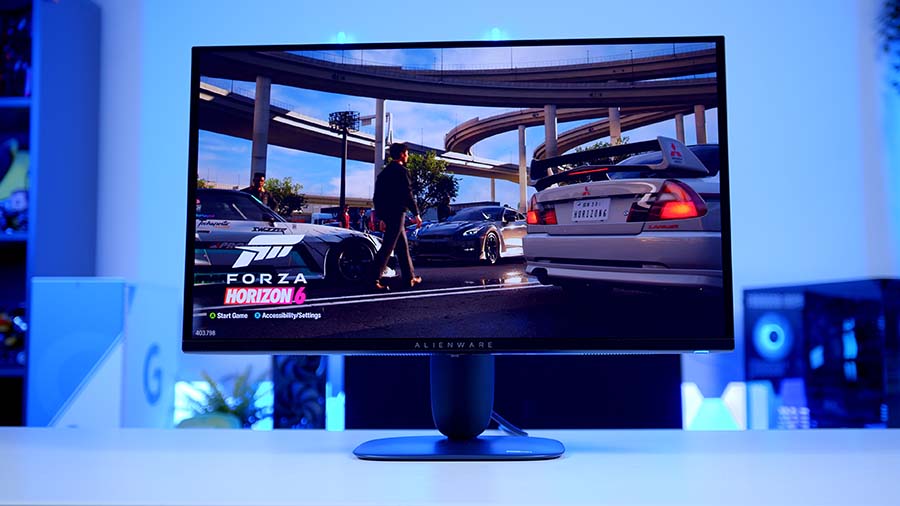
Alienware AW2725Q
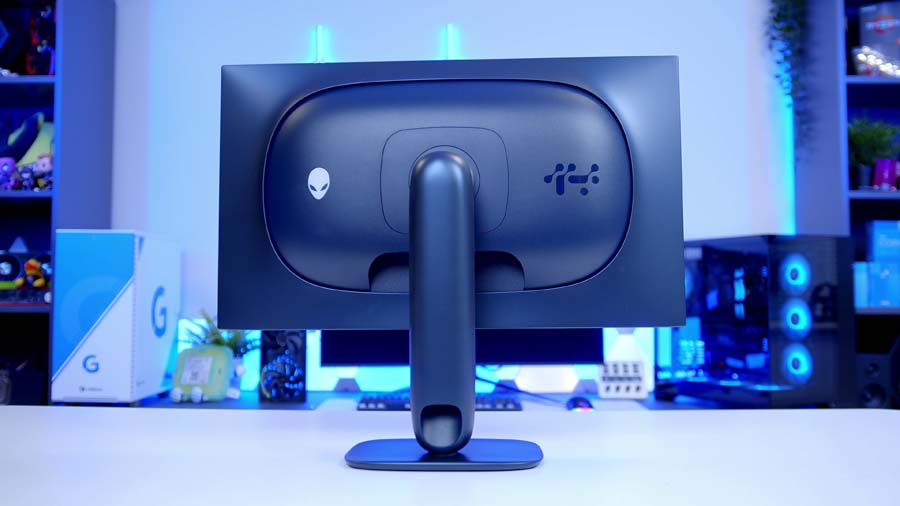
The 272UP isn’t the only 27 inch screen worth your attention, mind. Alienware’s AW2725Q sits on the same 4th Gen QD-OLED panel in the same form factor, so it shares the refresh rate and the SDR and peak brightness figures too.
Given they’re working from identical silicon, there’s very little separating them on image quality. What does separate them is the styling. Alienware’s housing is the more elaborate design and the more premium-feeling of the two, with a glossier finish and 360-degree ventilation wrapped around the back. Whether that suits your setup better or worse than MSI’s restrained approach is a call only you can make.
Both screens carry G-Sync Compatible and FreeSync Premium Pro support. Right, quick detour on the second of those, because it comes up a lot: Premium Pro differs from standard FreeSync in that HDR support is baked into the certification, so you’re guaranteed it at a hardware level. In practice the visual gap is narrow, but having variable refresh rate covered from both camps is a welcome thing on any monitor.
Alienware AW2725Q Specifications
- Model Alienware AW2725Q
- Panel Type 4th Gen QD-OLED, flat
- Screen Size 26.7 inch (27 inch class)
- Resolution 3840 x 2160 (4K UHD), 166 PPI
- Refresh Rate 240Hz
- Response Time 0.03ms (GtG)
-
Brightness
SDR: 250 nitsPeak: 1,000 nits at 3% APL
- HDR Support VESA DisplayHDR True Black 400, HDR10, Dolby Vision
- Colour 99% DCI-P3, 10-bit
- Adaptive Sync NVIDIA G-SYNC Compatible, AMD FreeSync Premium Pro, VESA AdaptiveSync
-
Video Ports
DisplayPort: 1 x DP 1.4 (DSC)HDMI: 2 x HDMI 2.1, one with eARC
- USB 1 x USB-C with 15W PD (no DP Alt Mode), USB Type-A hub
- Design 360-degree ventilation, cable routing through the stand
- Panel Care Graphite film heatsink, 3 year warranty including burn-in
Alienware’s advantage is in the extras. You get Dolby Vision on top of HDR10, and one of the two HDMI 2.1 ports carries eARC, which is rare on a monitor and handy if you’re feeding a soundbar. Where it falls behind is DisplayPort: Dell stuck with 1.4 and leans on DSC to hit 4K at 240Hz, where some rivals have moved to 2.1. You also lose USB-C DisplayPort Alt Mode, and there’s no audio jack.
Samsung Odyssey OLED G7 (G73SH)
Step up to 32 inches and the Samsung is the first dual mode screen on this list.
Dual mode gives you two monitors in one. Leave it at 4K and you’re running 165Hz, which is where you want to be for the stunning single-player stuff where visuals matter more than frame rate. Drop the resolution to 1080p and the refresh rate doubles to 330Hz for competitive play. Swapping between them is one toggle in the OSD.
Samsung Odyssey OLED G7 (G73SH) Specifications
- Model Samsung Odyssey OLED G7 G73SH (LS32HG732S)
- Panel Type WOLED, flat
- Screen Size 32 inch
- Resolution 3840 x 2160 (4K UHD)
-
Refresh Rate
4K mode: 165HzDual Mode: 330Hz at 1920 x 1080
- Response Time 0.03ms (GtG)
-
Brightness
SDR: 275 nits typicalPeak: 1,300 nits at 1.5% APL
- Contrast Ratio 1,500,000:1 (static)
- HDR Support VESA DisplayHDR True Black 400, HDR10+ Gaming
- Colour 98.5% DCI-P3 coverage, Pantone Validated
- Adaptive Sync NVIDIA G-SYNC Compatible, AMD FreeSync Premium Pro
-
Video Ports
DisplayPort: 1 x DP 1.4HDMI: 1 x HDMI 2.1Audio: 1 x headphone out
- Stand Adjustment Height, tilt, swivel and pivot, VESA 100 x 100mm
- Panel Care Burn-in covered under warranty for normal use
One thing worth knowing before you buy: despite the Samsung badge on the front, this is a WOLED panel from LG Display rather than one of Samsung’s own QD-OLED panels. Samsung now buys in from its arch rival for parts of the range, and the G73SH is one of those. In practice that means blacks that hold up better in a lit room, where QD-OLED can take on a purple cast, but no RGB stripe subpixel layout for text clarity.
It’s also one of the brighter screens here, for everyday desktop work as well as HDR highlights in games.
ASUS ROG Strix OLED XG32UCWMG
If Samsung isn’t for you, or you want dual mode pushed harder in both directions, this is the one to look at.
ASUS holds the 4K mode at 240Hz, not the Samsung’s 165Hz, and the 1080p mode goes all the way up to 480Hz. 480Hz, on a 4K OLED! That’s a serious step up on both counts, and it softens the trade-off between resolution and speed considerably.
ASUS ROG Strix OLED XG32UCWMG Specifications
- Model ASUS ROG Strix OLED XG32UCWMG
- Panel Type WOLED with TrueBlack Glossy film (zero haze), flat
- Screen Size 31.5 inch (32 inch class)
- Resolution 3840 x 2160 (4K UHD)
-
Refresh Rate
4K mode: 240HzDual Mode: 480Hz at 1920 x 1080
- Response Time 0.03ms (GtG)
- Peak Brightness 1,300 nits (HDR)
- HDR Support VESA DisplayHDR 400 True Black
- Colour 99% DCI-P3, true 10-bit, Delta E < 2
- Adaptive Sync NVIDIA G-SYNC Compatible, AMD FreeSync Premium Pro
-
Video Ports
DisplayPort: 1 x DP 1.4 (DSC)HDMI: 2 x HDMI 2.1 (FRL)USB-C: 1 x Type-C (DP Alt Mode) with 15W PD
- USB Hub 3 x USB 3.2 Gen 1 Type-A, Auto KVM, earphone jack
- Stand Adjustment Tilt and swivel, VESA 100 x 100mm, Aura Sync lighting
- Panel Care ASUS OLED Care Pro with Neo Proximity Sensor, 3 year warranty including burn-in
Like the Samsung, there’s an LG panel underneath, and it matches the Odyssey on peak brightness, which makes these two the brightest options on the list. What ASUS adds is its TrueBlack Glossy film, a zero haze coating that keeps the image sharp while cutting back the mirror-like reflections a plain glossy finish can throw at you.
There’s more here for a desk that does double duty, too. You get a three port USB hub, Auto KVM, and ASUS OLED Care Pro with the Neo Proximity Sensor, which blanks the screen once it works out you’ve walked away from it.
MSI MPG 321URX QD-OLED
Before we go any further, MSI’s naming needs a quick explanation, because it’s confusing to say the least.
The 321URX came first and is still on sale. MSI followed it with the 322URX, a fairly minor upgrade. Then they replaced that one with the 322UR, the same name minus the X. And confusingly, the 322UR is the better monitor of the two. Yes, really.
The 321URX is the elder statesman here, built on a 3rd Gen QD-OLED panel, and it’s still a huge amount of monitor for the money. You’re getting 32 inches of 4K at 240Hz, 90W USB-C so a laptop charges off the same cable that carries the picture, a KVM switch, and Mystic Light lighting round the back if that’s your thing. We’ve got the white 321URXW version in the studio, and it’s a handsome bit of kit.
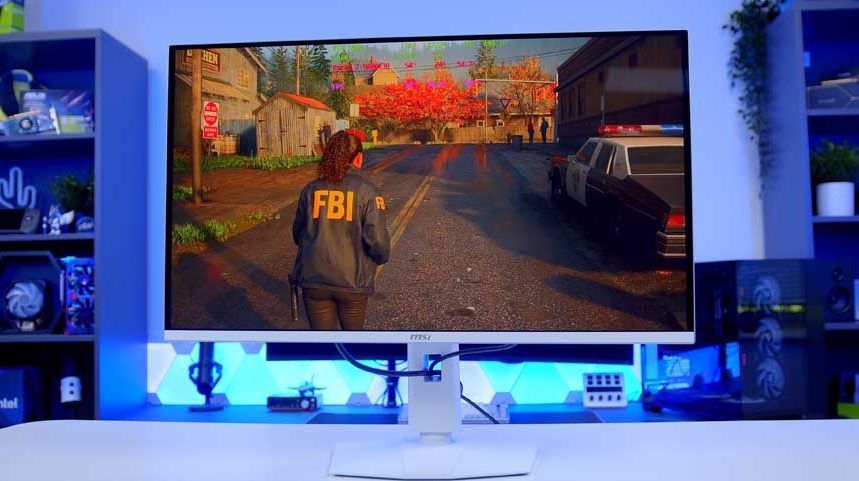
If budget is the deciding factor at 32 inches, this is still a smart buy.
MSI MPG 321URX QD-OLED Specifications
- Model MSI MPG 321URX QD-OLED (321URXW in white)
- Panel Type 3rd Gen QD-OLED, flat
- Screen Size 31.5 inch (32 inch class)
- Resolution 3840 x 2160 (4K UHD)
- Refresh Rate 240Hz
- Response Time 0.03ms (GtG)
-
Brightness
SDR: 250 nitsHDR: 450 nits typical at 10% APLPeak: 1,000 nits typical at 3% APL
- HDR Support VESA DisplayHDR True Black 400
- Colour 1.07 billion colours, 99% DCI-P3, Delta E ≤ 2
- Adaptive Sync NVIDIA G-SYNC Compatible, AMD FreeSync Premium Pro
-
Video Ports
DisplayPort: 1 x DP 1.4aHDMI: 2 x HDMI 2.1 (48Gbps)USB-C: 1 x Type-C (DP Alt Mode) with 90W PD
- Extras KVM switch, PiP/PbP, Mystic Light, Gaming Intelligence
- Motion Clarity VESA ClearMR 13000
- Panel Care MSI OLED Care 2.0, 4-way adjustable stand, 3 year burn-in warranty
MSI MPG 322UR QD-OLED X24
And here’s the screen that replaced it. Both are 32 inch panels quoting the same peak brightness figure, but that’s roughly where the family resemblance ends.
The 322UR moves to a 4th Gen Penta Tandem QD-OLED panel. Tandem means stacking multiple light emitting layers one above the other, five of them in this case, so each layer works less hard for the same output. Better efficiency is the result, and MSI spend it on brightness. The HDR certification steps up from DisplayHDR True Black 400 to True Black 500, and SDR brightness climbs with it, which you notice most on a bright desktop and less so in a dark game.
You also get OLED Care 3.0 with an AI Care Sensor that detects whether you’re sat in front of the screen, plus a jump from DisplayPort 1.4 to DisplayPort 2.1a with the full UHBR20 bandwidth behind it. That last one means 4K at the top refresh rate with no display stream compression doing any of the heavy lifting.
MSI MPG 322UR QD-OLED X24 Specifications
- Model MSI MPG 322UR QD-OLED X24
- Panel Type 4th Gen Penta Tandem QD-OLED (5-layer, EL Gen 3), flat
- Screen Size 31.5 inch (32 inch class)
- Resolution 3840 x 2160 (4K UHD)
- Refresh Rate 240Hz
- Response Time 0.03ms (GtG)
-
Brightness
SDR: 300 nitsHDR: 500 nits (True Black 500)Peak: 1,000 nits
- Contrast Ratio 1,500,000:1
- HDR Support VESA DisplayHDR True Black 500, Uniform Luminance HDR curve control
- Colour 99% DCI-P3, Delta E ≤ 2
- Adaptive Sync NVIDIA G-SYNC Compatible, AMD FreeSync Premium Pro
-
Video Ports
DisplayPort: 1 x DP 2.1a UHBR20 (80Gbps)HDMI: HDMI 2.1USB-C: 1 x Type-C with 98W PD
- Extras DarkArmor Film, KVM switch, Mystic Light, VESA ClearMR 13000
- Panel Care MSI OLED Care 3.0 with AI Care Sensor
MSI have fitted DarkArmor Film as well, a coating they reckon deepens blacks under ambient light and leaves the screen surface far more scratch resistant. Less exciting than the panel upgrade, admittedly, but you’ll appreciate it the first time the thing needs a clean.
Both are good screens, but the Tandem upgrade is a worthwhile one for the small step up in cost. And going on MSI’s history with monitor pricing, I’d expect the 322UR to come down over time and eventually undercut the 321URX anyway.
ASUS ROG Swift OLED PG32UCDM3
Got more to spend and want the full feature set? Then this is the last recommendation.
First, the name. It’s badged Gen 3 and it uses a 4th Gen panel. Monitor naming, everybody.
Underneath, it’s the same Tandem QD-OLED panel as the MSI above, with the same refresh rate, peak brightness and DisplayHDR True Black 500 certification. What ASUS layers on top is BlackShield film, its own treatment for the panel surface, which the company says makes blacks look up to 40% deeper in a bright room and hardens the coating considerably against scratches.
Forty percent blacker than black? Well… no. What it does do is help the panel hang on to its contrast when the lights are on.
ASUS ROG Swift OLED PG32UCDM3 Specifications
- Model ASUS ROG Swift OLED PG32UCDM Gen3 (PG32UCDM3)
- Panel Type 4th Gen Tandem QD-OLED (EL 3.0), flat
- Screen Size 31.5 inch (32 inch class)
- Resolution 3840 x 2160 (4K UHD)
- Refresh Rate 240Hz
- Response Time 0.03ms (GtG)
-
Brightness
SDR: 300 nitsPeak: 1,000 nits (HDR)
- Contrast Ratio 1,500,000:1
- HDR Support VESA DisplayHDR 500 True Black, HDR10, Dolby Vision
- Colour 99% DCI-P3, true 10-bit, Delta E < 2
- Adaptive Sync NVIDIA G-SYNC Compatible, AMD FreeSync Premium Pro
-
Video Ports
DisplayPort: 1 x DP 2.1 UHBR20 (80Gbps)HDMI: 2 x HDMI 2.1USB-C: 1 x Type-C with 90W PD
- Extras BlackShield film, USB hub, 3.5mm audio jack, DisplayWidget Center
- Panel Care ASUS OLED Care Pro with Neo Proximity Sensor, custom heatsink, 3 year warranty
Where the ASUS pulls ahead is design and finish, both of which feel a cut above the MSI. You pay for that, as you tend to with ASUS. And this is the thing worth internalising about OLED monitors in general: when two screens share a panel, image quality doesn’t move much between them. What you’re buying at that point is build quality, connectivity and the software wrapped around it.
Which 4K OLED is right for you?
There’s no single answer, because these screens are pitched at different people.
If you want the cheapest route into 4K OLED and you play a lot of competitive titles, the MSI MAG 272UP QD-OLED X24 is the one. 27 inches at 4K is the sharpest image of the lot, and it undercuts every 32 inch screen here by a clear margin. Prefer a bolder-looking monitor and fancy Dolby Vision support? The Alienware AW2725Q does the same job in a different suit.
At 32 inches, the first thing to settle is whether dual mode matters to you. If you do, the Samsung Odyssey OLED G7 is the cheaper way in and the ASUS ROG Strix OLED XG32UCWMG is the stronger one, with a faster 4K mode and a faster esports mode on top.
If you’d sooner have one excellent 4K experience and skip the resolution switching entirely, it’s between the two MSIs and the ROG Swift. The MPG 321URX is the value pick, the MPG 322UR QD-OLED X24 is the sensible upgrade for the newer panel and the modern ports, and the ROG Swift OLED PG32UCDM3 is for anyone who wants the nicest-built version of that same panel and is happy to pay the premium for it.
Whichever way you lean, bear in mind that a 4K panel at these refresh rates asks an enormous amount of a graphics card. Buy for the GPU you’ve got, not the one on your wishlist, and you’ll get far more out of whichever screen you choose.