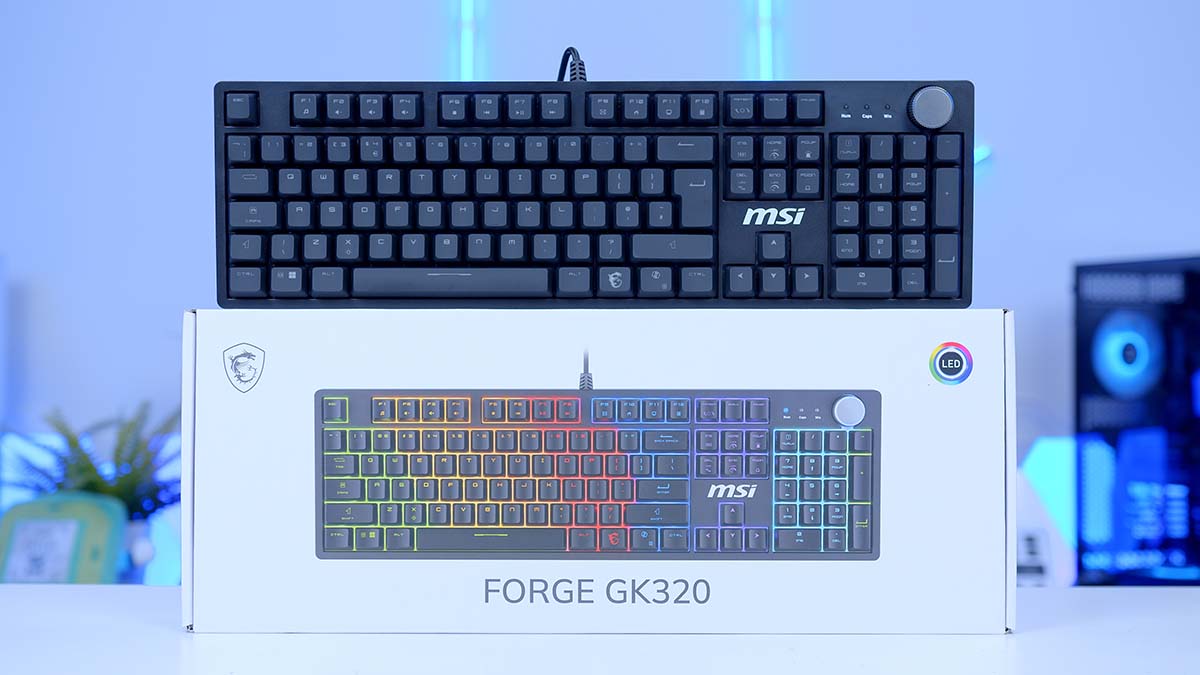
Most budget mechanical keyboards ask you to pick the one thing you care about and give up the rest. The GK320 doesn’t play that game. It’s the cheapest full-size board MSI makes, and it still turns up with hot-swap sockets, a metal top case, a volume knob and a magnetic cover you can pull straight off.
MSI has been pushing the FORGE line further down the price ladder for a couple of years, and this is where it’s landed. The pitch is a keyboard you can keep changing long after you’ve bought it, which at this level is pretty unheard of! Better yet, it’s sold two ways, on its own or bundled with the GM320 mouse. We’ll just be looking at the keyboard today but hey, the option is there.
MSI FORGE GK320 Specifications
MSI’s spec sheet is fairly short, but the good stuff is all in it. Linear mechanical switches sitting in a hot-swap plate, a metal top case, and RGB that reaches the knob and the side bar as well as the keys. macOS sits next to Windows in the compatibility list too, which you rarely see down here at this end of the market and means Mac users aren’t handed a cut-down version of the board.
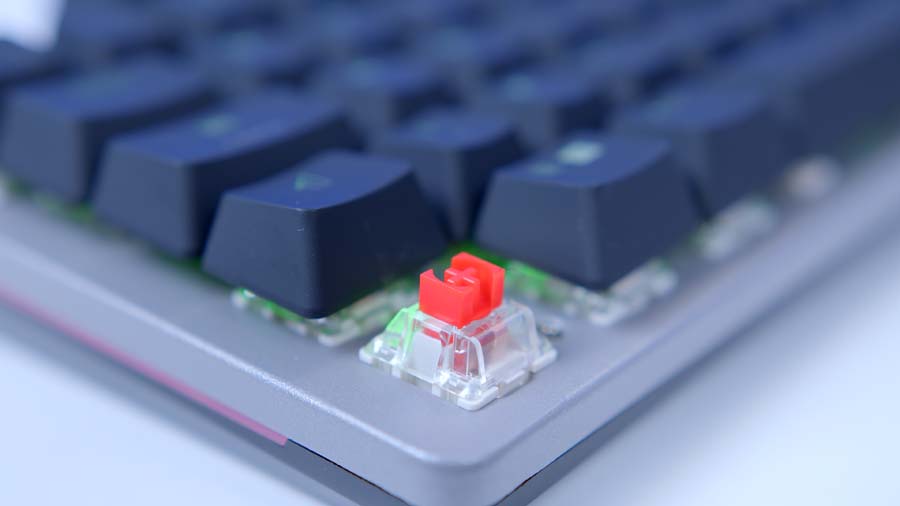
Most of it translates straight into everyday use. The keystroke rating is standard fare for reds and will comfortably outlast the rest of the keyboard. Full-size means the number pad is there. Wired over USB keeps things simple, with no battery to charge and no dongle to lose, though anyone set on wireless should look elsewhere.
MSI FORGE GK320 Specifications
- Model MSI FORGE GK320
- Model Number MS-8ZAA
- Layout Full-Size (104-Key US / 105-Key UK / 108-Key JP)
- Switch Type Mechanical Linear (Red)
- Hot-Swappable Yes, Solder-Free Sockets
- Switch Lifespan 50 Million Keystrokes
- N-Key Rollover Full Key Anti-Ghosting
- Backlight RGB LED, 5 Preset Gaming Modes
- Additional Lighting Illuminated Knob, Side Light Bar
- Top Case Metal Finish with Removable Magnetic Cover
- Media Controls Volume Knob with Mute, Function Row Hotkeys
- Macro Keys F1 to F5, Up to 10 Keystrokes Each
- Adjustable Feet Flip-Out Stands
- Interface USB 2.0, Wired
- Cable Length 1.6m
- Dimensions (L x W x H) 441mm x 134mm x 37mm
- Weight 978g
- Operating System Windows 2000 or Later, macOS 10.1 or Later
- Accessories Spare Keycaps, Keycap Puller
There are gaps in the specs, however. There’s no polling rate, no word on what the keycaps are made from, and nothing on whether the sockets take three-pin switches only or five-pin as well. None of this is unusual at this price, but the socket detail is, typically, the sort of thing a hot-swap board should be shouting about.
Design
Straight out of the box, the weight of the GK320 stands out. The metal top case accounts for most of that, and it plants itself on a desk in a way the all-plastic boards don’t manage. Shove it sideways in the middle of a game and it stays where you left it.
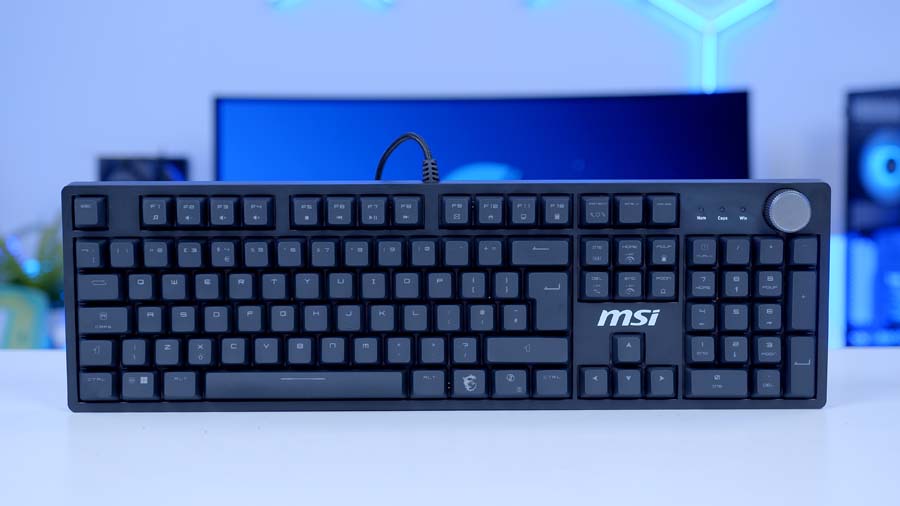
Layout is standard full-size, number pad and all. With the magnetic cover off, the keys float on top of the plate with nothing boxing them in, and there’s an MSI logo printed on the bare metal off to the right. Drop the cover on and it becomes a framed board with a lip running round the outside. Two fairly different keyboards and switching between them takes seconds.
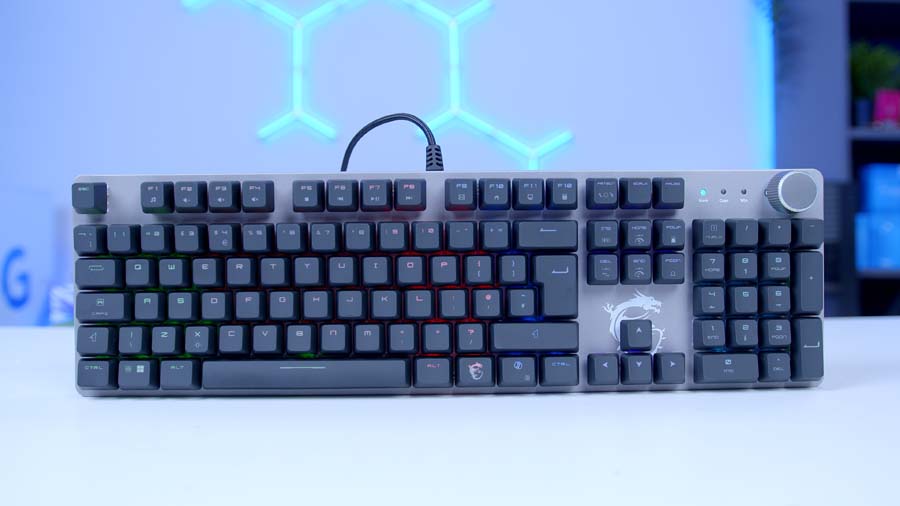
The knob sits top right with three indicator lights lined up beside it. It steps through its range with notches I can feel through a fingertip, and pressing it mutes.
Lighting is red, green and blue (RGB), and MSI hasn’t stopped at the keys. The knob is lit, and there’s a light bar running along the side of the case. Both have their own colour and effect controls. Five gaming presets live on the board, each picking out a different cluster of keys, with separate combinations for brightness, speed and cycling through effects.
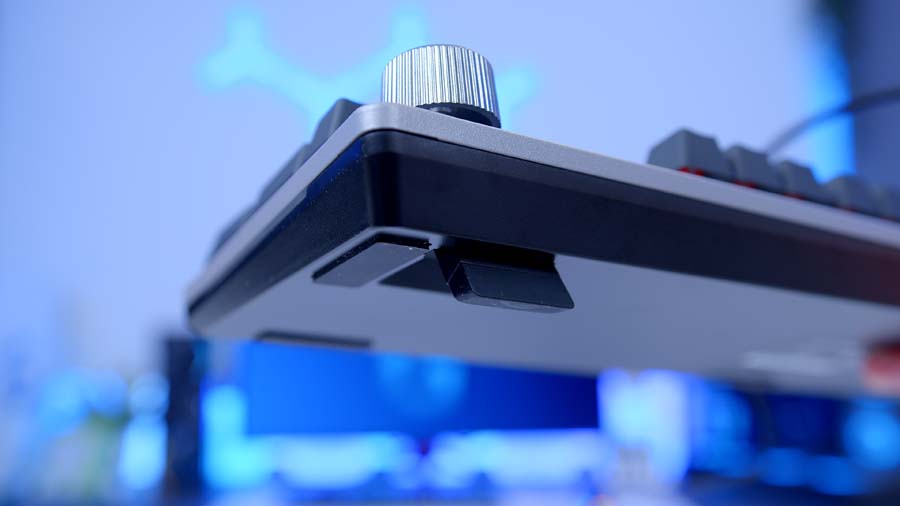
Turn it over and it’s straightforward. Two flip-out feet at the back give a single angle, and there are pads at each corner plus one in the middle to stop it wandering. The cable is fixed and exits from the centre of the top edge, so it runs straight up the back of the desk instead of forcing a bend around a monitor stand. No detachable cable at this price, which I wasn’t expecting.
Features We Like
Hot-Swap Sockets
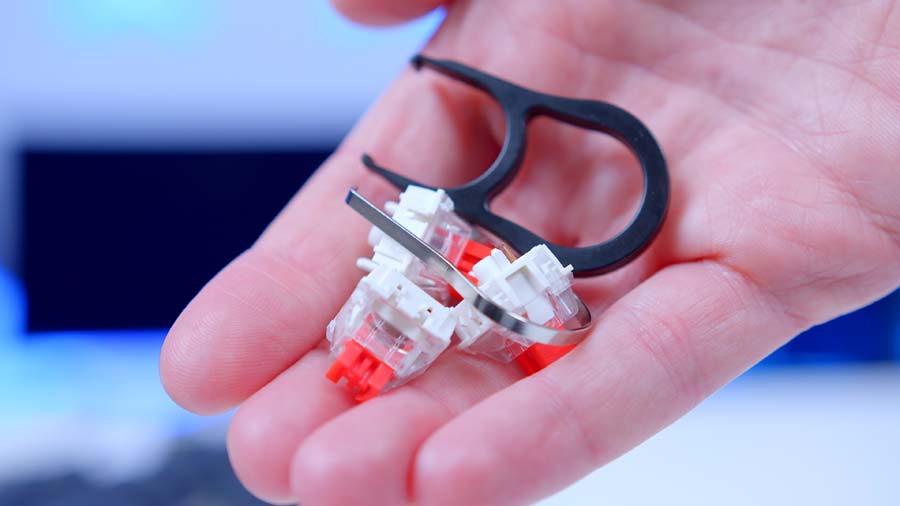
Solder-free sockets usually start a tier or two above this. Finding them here is the best thing the GK320 has going for it. Don’t get on with the linear switches MSI ships? Pull them out, drop in something tactile or clicky, no soldering iron required.
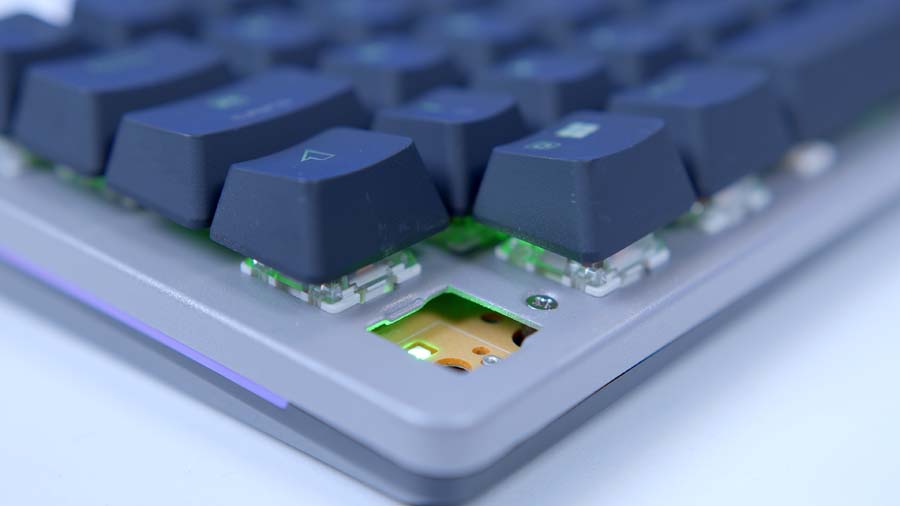
It’s not just about fussy typists, either. A switch that starts chattering or double-typing turns into a two-minute fix instead of a dead keyboard. If this is someone’s first mechanical board, it’s a useful bit of insurance.

Controls That Live On The Keyboard
Alongside the knob, MSI has loaded media playback, lighting controls and a macro bank onto the function row. Macros sit on F1 to F5 and the keyboard records them itself, so they follow the board wherever I plug it in. No installer to chase, no account to sign into, nothing sitting in the system tray eating memory. The macros are stored in the keyboard, which means they turn up on a work laptop I can’t install software on, on a machine I’ve just rebuilt, on anything with a spare port. Most boards lose half their personality the moment you move them.
MSI has thought about the details too. Recorded macros only fire once the Windows key is locked into game mode, so F1 to F5 keep their normal jobs the rest of the time and nothing fires by accident mid-spreadsheet. It’s a small piece of design that saves a lot of irritation.
macOS gets listed next to Windows as well, which you don’t often see at this level. It fits the on-board approach neatly. Mac users get the same presets and the same macros as everyone else, because none of it leans on an application that platform never gets.
Features We Don’t Like
The RGB Doesn’t Reach The Legends
For a board that makes this much noise about its lighting, the keys are the worst-lit thing on it. Brightness is modest to begin with, and on a lot of caps the glow only covers part of the legend. Anything carrying two characters gets hit hardest, so the punctuation cluster suffers most. The MSI dragon on the FN key sits permanently half lit.
That’s usually down to where the diode sits in the switch housing. It fires from the top, so whichever legend isn’t directly in front of it loses out, and on double-legend caps that’s always going to be one of the two. Better keycaps place the characters to suit. These don’t, and the result is a keyboard with a lit knob and a side light bar where the letters and symbols are the dimmest part of the picture.
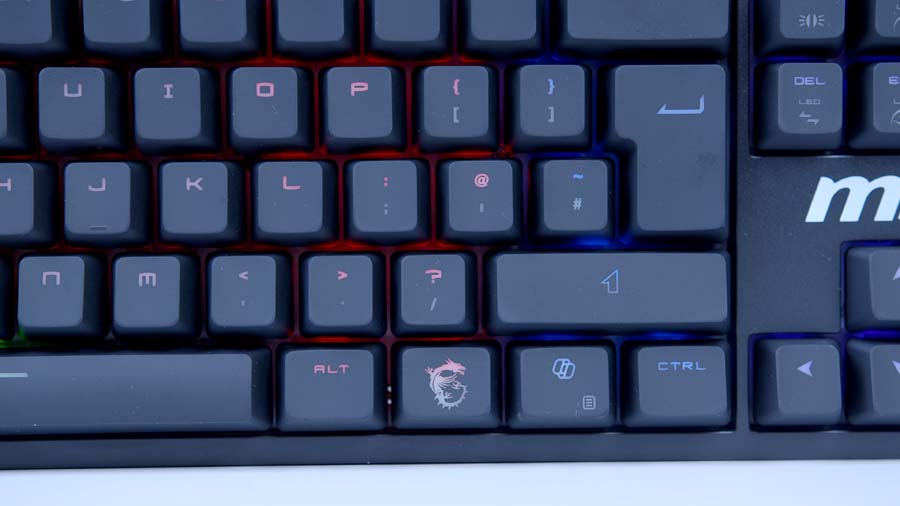
It’s something you stop noticing in a bright room and notice constantly in a dark one. Nobody expects flawless shine-through at this price, but MSI has spent effort lighting the edges of this board and then skimped on the bit you actually look at.
One other thing, though I’d treat it as a sample issue rather than a design one. The homing bump on our F key is noticeably shallower than the one on J, which makes centring a fraction slower for touch typists. There’s no reason to mould the two caps differently, so I’d put that down to quality control on our unit and not a fault of the range. Feel both before you buy if you’re picking one up in person.
The Magnetic Cover Gets In Its Own Way
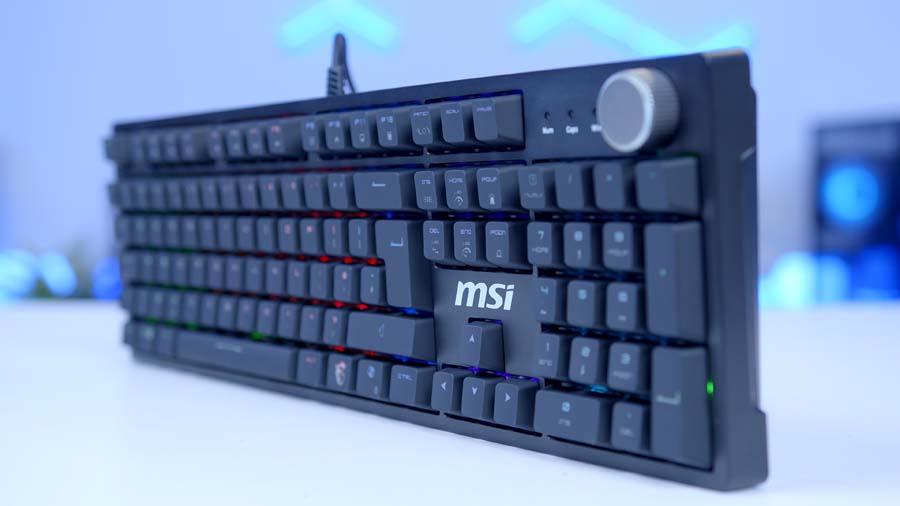
The cover is the GK320’s signature feature and it’s also the thing that irritates most. It doesn’t sit flush with the top case. It’s a raised frame sitting proud of it, and everything inside that frame ends up crowded.
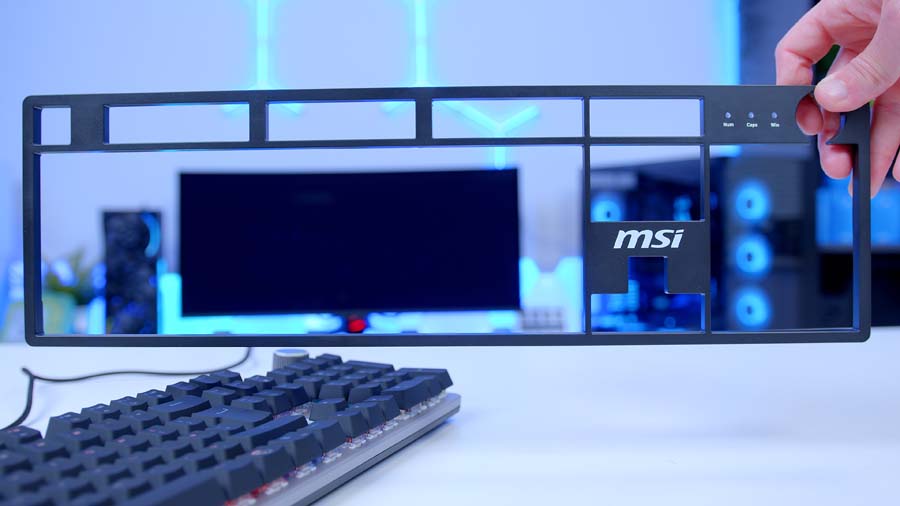
The volume knob comes off worst. It’s dropped into a cut-out with the frame wrapping around it, so there’s less of the knob left to grab and you find yourself pinching at it instead of rolling a finger over the top, and criminally the frame restricts the movement of the knob itself. Keys along the outer edges catch the lip as well, and anyone who types with a bit of lateral movement will clip it. Taking the cover off fixes all of it, which is an odd trade to hand someone. You keep the look or you keep the comfort.
Conclusion
Budget mechanical keyboards have come a long way, and the GK320 lands in a fight it can’t win on any single spec alone. There are boards at this money with better build quality, boards with longer feature lists, and enthusiast-brand options that manage both without the recognisable badge.
What MSI has instead is flexibility. The hot-swap sockets and the removable cover mean this board can change over time in ways its rivals can’t, and the on-board controls keep working no matter what you plug it into. Buying your first mechanical keyboard and suspect you’ll want to fiddle with switches later? This is well worth the purchase.
It’s a slightly harder sell if you expect real customisation from an app, or if you care about the finer points of typing feel that MSI doesn’t publish. Anyone with firm opinions on stabilisers, keycaps and sound profile should spend more. Everyone else gets a great starting point with more room to grow than most of what sits next to it. In the world of budget keyboards, few can compete with the GK320.