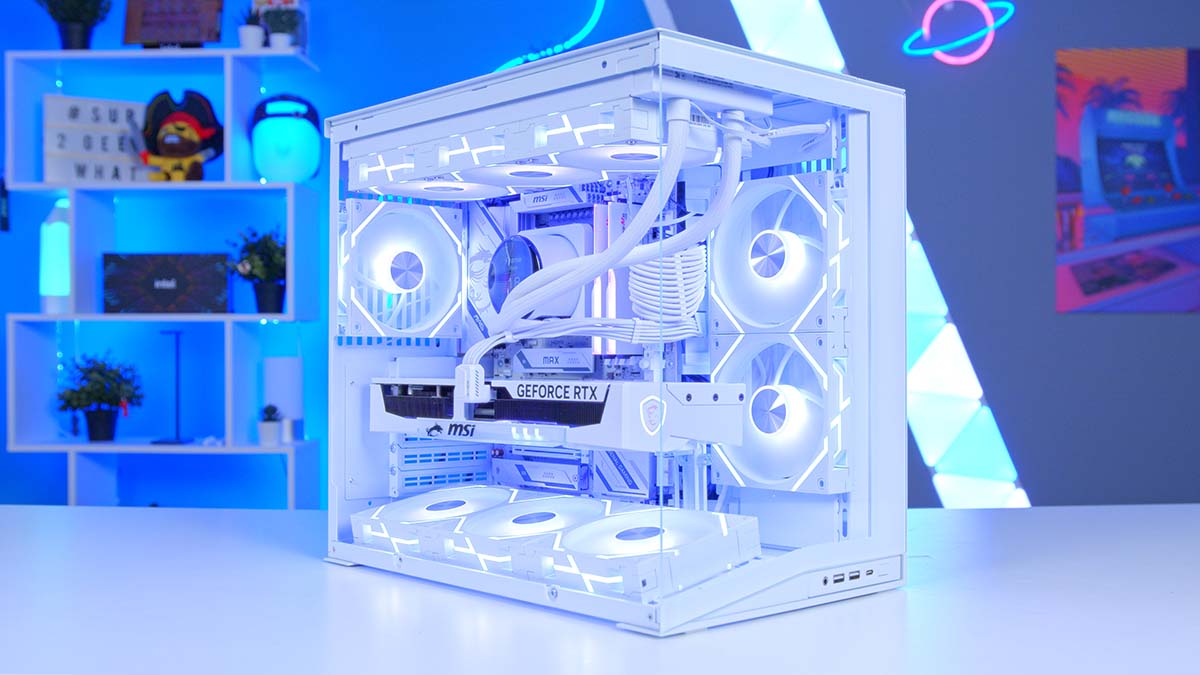
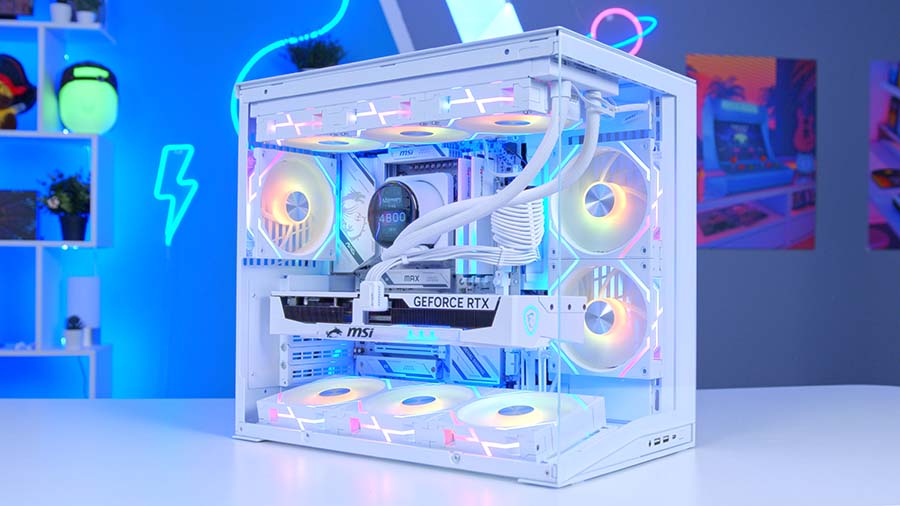
We love nothing more than a stunning, all-white gaming PC build. That’s why in this gaming PC build article, we’ve assembled what might just be one of my best-looking white builds yet, inside of Lian Li’s O11D Mini V2 and using one of MSI’s great new all-white MAX motherboards.
This system is configured to deliver promisingly positive framerates at 1440p on high graphics settings, alongside smooth gameplay in some titles at 4K on high, and it is positioned as a premium mid-to-high-end gaming PC that feels luxurious both to look at and play games with.
Join us as we go into more detail about the specific components we have used and why, followed by the performance statistics we recorded with this system, and finally, a build video that can help you put this PC together, linked at the very end.
Parts Overview
AMD Ryzen 7 7800X3D
Skip to Section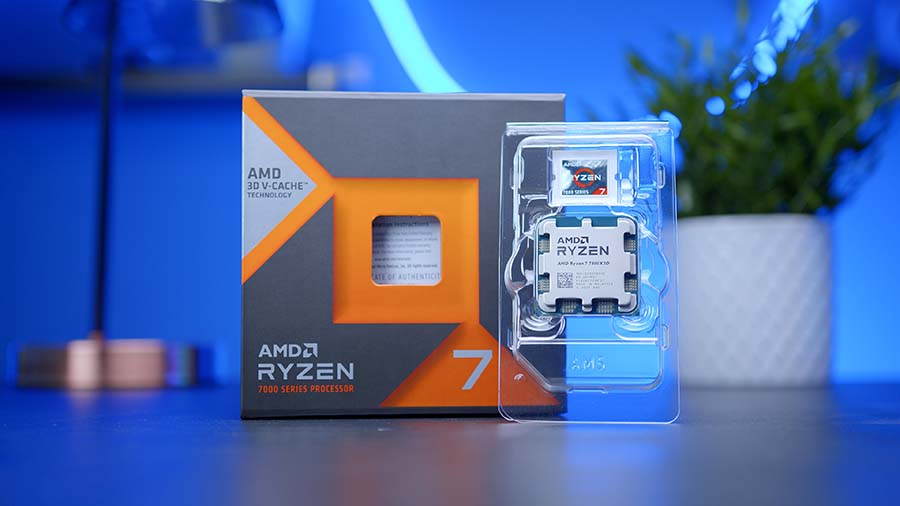
AMD’s Ryzen 7 7800X3D is still one of the easiest CPUs to recommend for a gaming-first build, pairing 8 Zen 4 cores with a huge 96MB L3 cache to keep frame rates high without pushing unnecessary heat into the system.
MSI MPG CORELIQUID P13 360 White
Skip to Section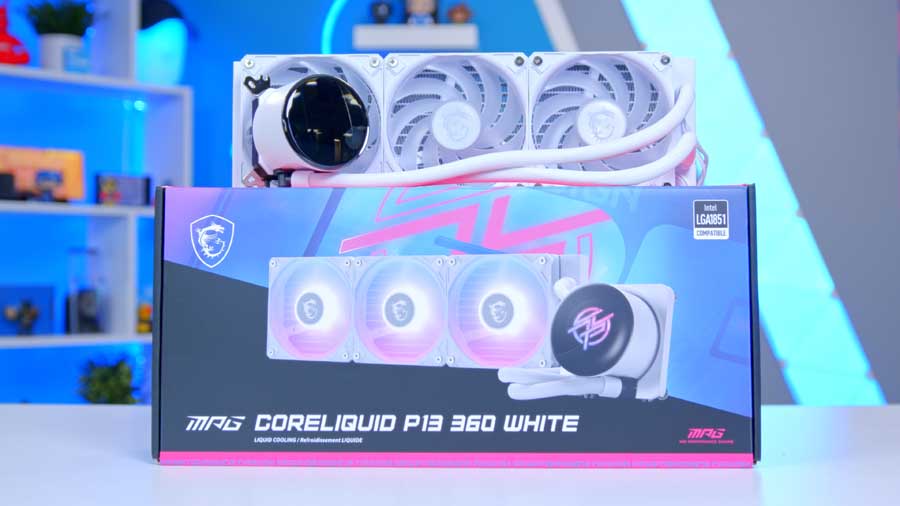
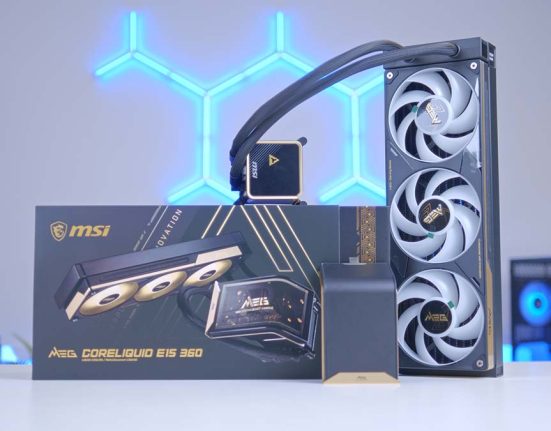
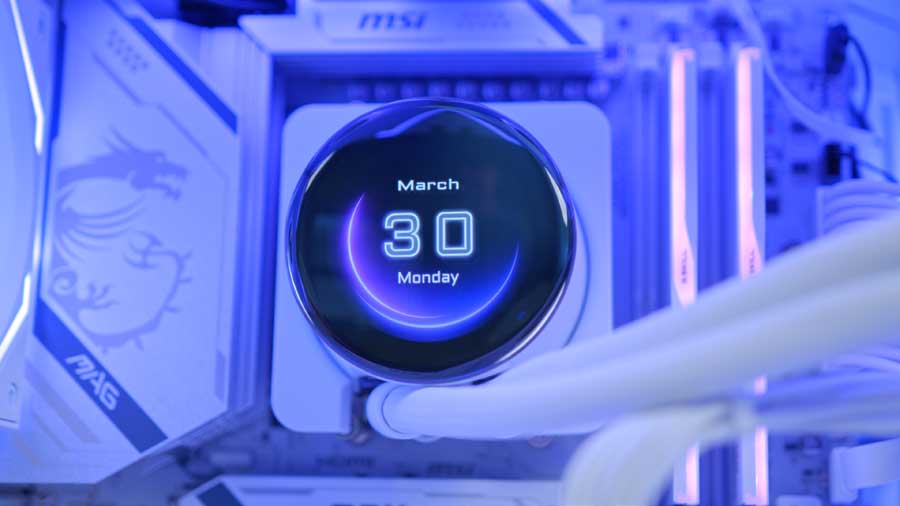
MSI’s MPG CORELIQUID P13 360 White gives this build a cleaner premium look with hidden cabling, a 2.1-inch IPS LCD, and a 360mm radiator that has the thermal headroom to comfortably handle the 7800X3D.
MSI MAG X870E GAMING PLUS MAX WIFI
Skip to Section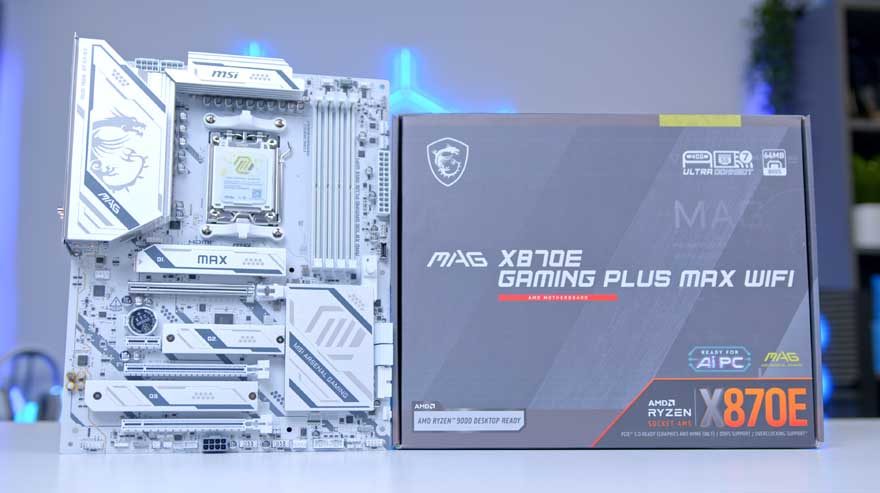
This MSI X870E board gives the build plenty of room to grow, combining a full-size ATX layout with PCIe 5.0 graphics support, Gen5 M.2 storage, USB4, 5G LAN, and Wi-Fi 7 for a very well-rounded modern AM5 platform.
G.Skill RIPJAWS M5 RGB 32GB
Skip to Section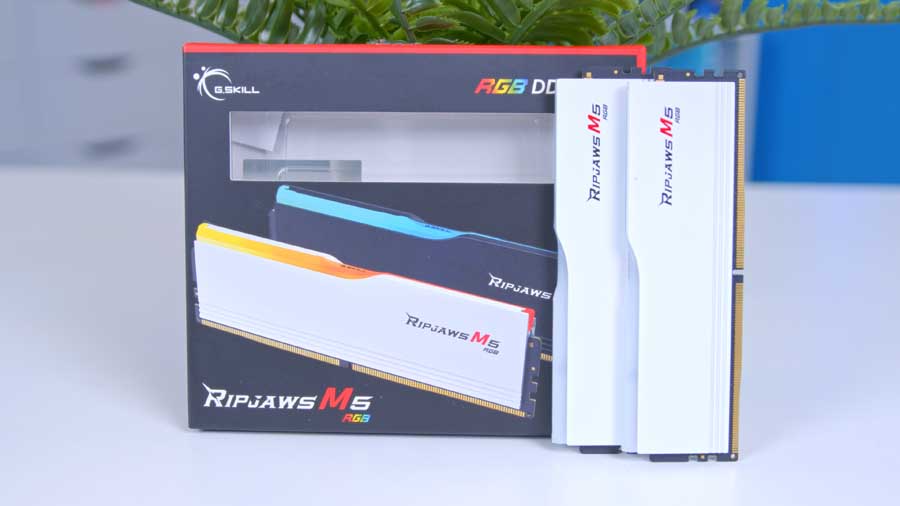
This 32GB Ripjaws M5 RGB kit gives the system the capacity modern games and multitasking actually benefit from, while the DDR5-6000 speed keeps the AM5 platform in a comfortable sweet spot for responsive everyday use.
Samsung 9100 Pro 2TB
Skip to Section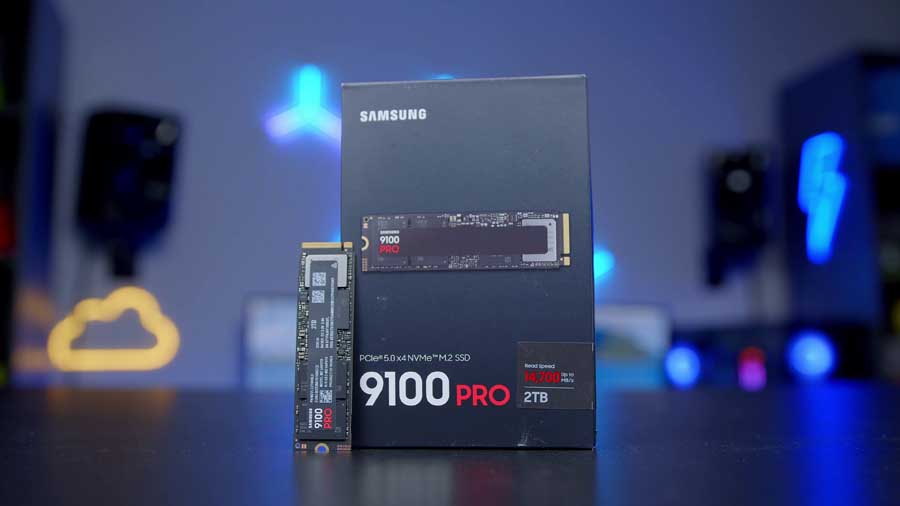
Samsung’s 9100 Pro is the fast storage centerpiece in this build, offering flagship PCIe 5.0 bandwidth for quick boot times, large game installs, and the kind of transfer speeds that suit a premium 2026 gaming PC.
MSI GeForce RTX 5070 Ti 16G GAMING TRIO OC WHITE
Skip to Section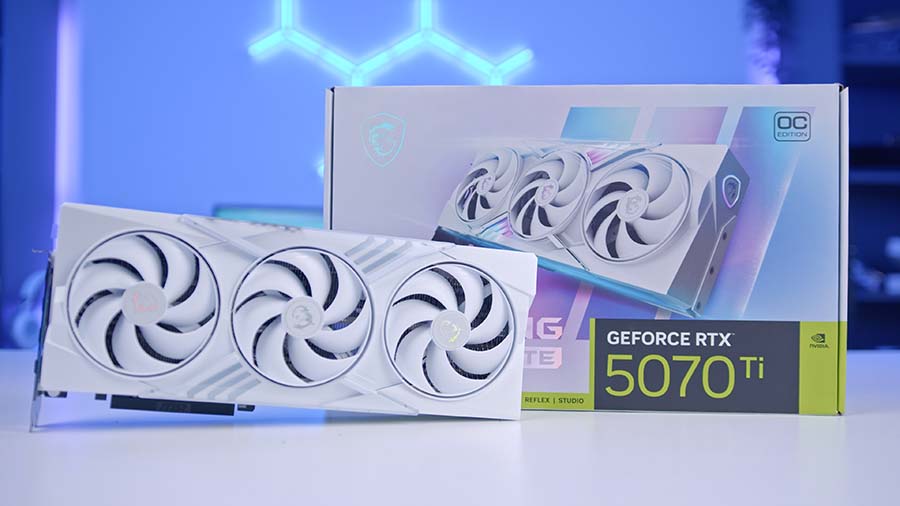
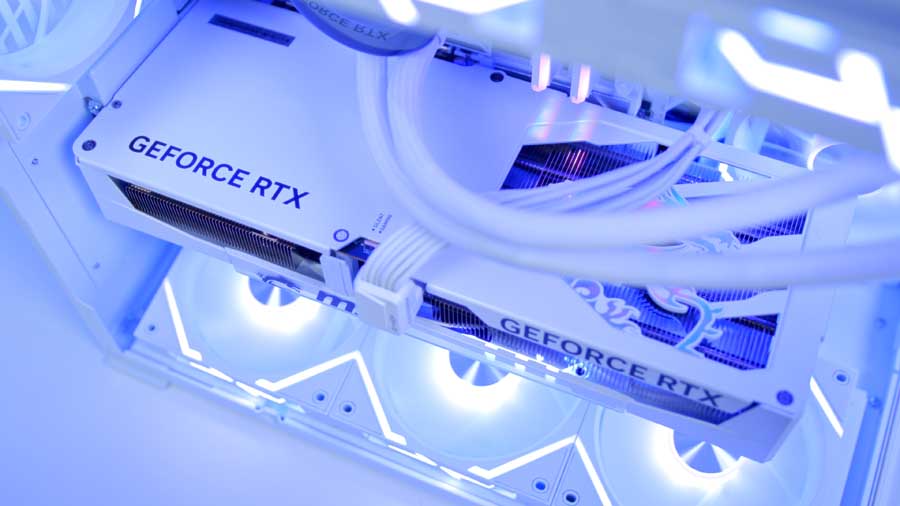
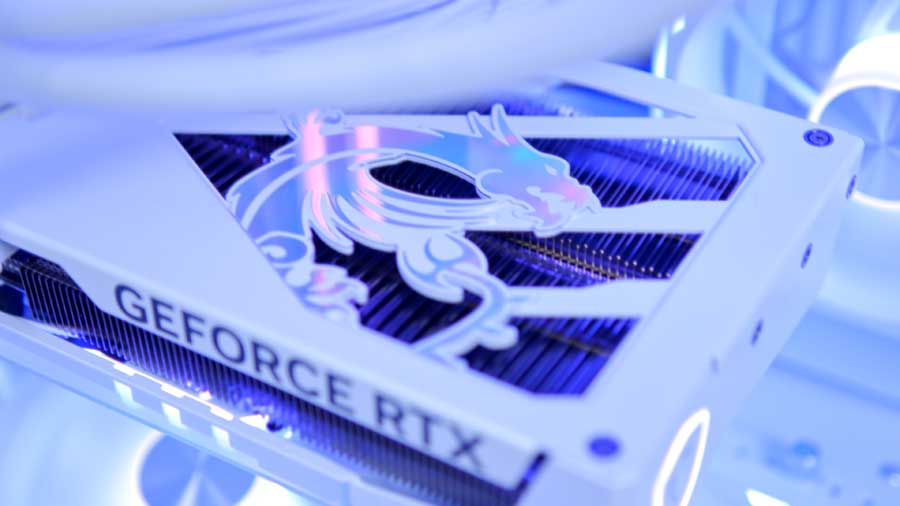
MSI’s RTX 5070 Ti Gaming Trio OC White gives the build its 4K-capable gaming punch, pairing NVIDIA’s latest feature stack with a large triple-fan cooler, 16GB of GDDR7 memory, and a white finish that fits the rest of the system.
Lian Li O11 Dynamic Mini V2 Flow White
Skip to Section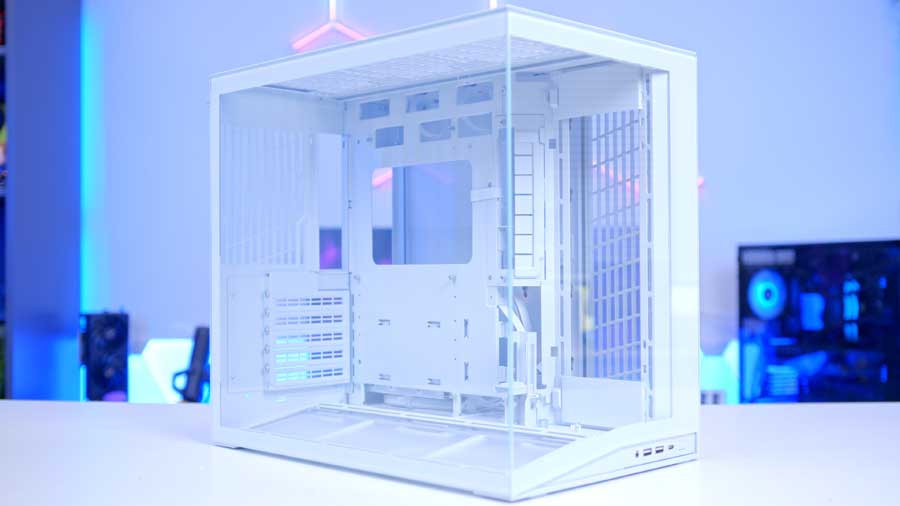
Lian Li’s O11 Dynamic Mini V2 Flow White keeps the panoramic look people love while improving airflow with an angled bottom intake, broad radiator support, and five reverse-blade fans already fitted in the Flow version.
MSI MPG EZ120R ARGB WHITE
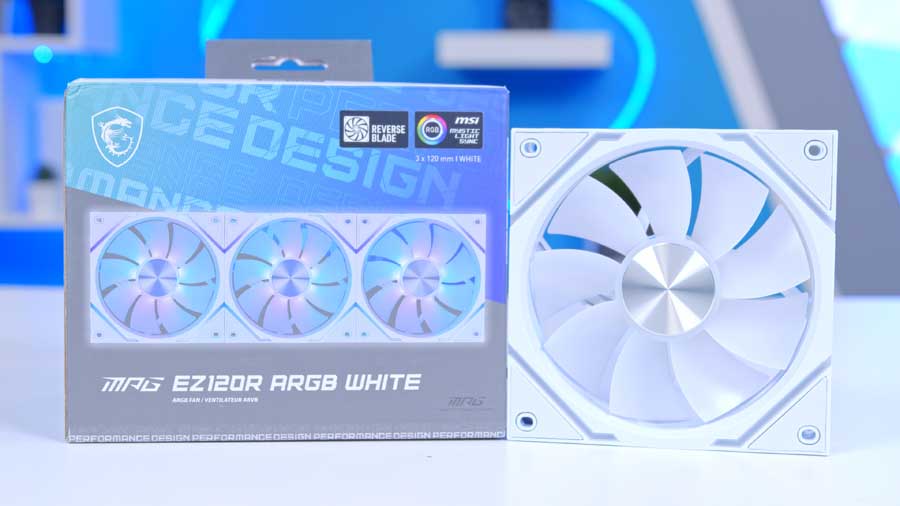
MSI’s MPG EZ120R ARGB White fans are built to simplify tidy white builds, using a magnetic interlocking design that reduces visible cabling while still giving you the airflow and lighting needed to show the system off.
MSI MAG A750GLS PCIE5 750W
Skip to Section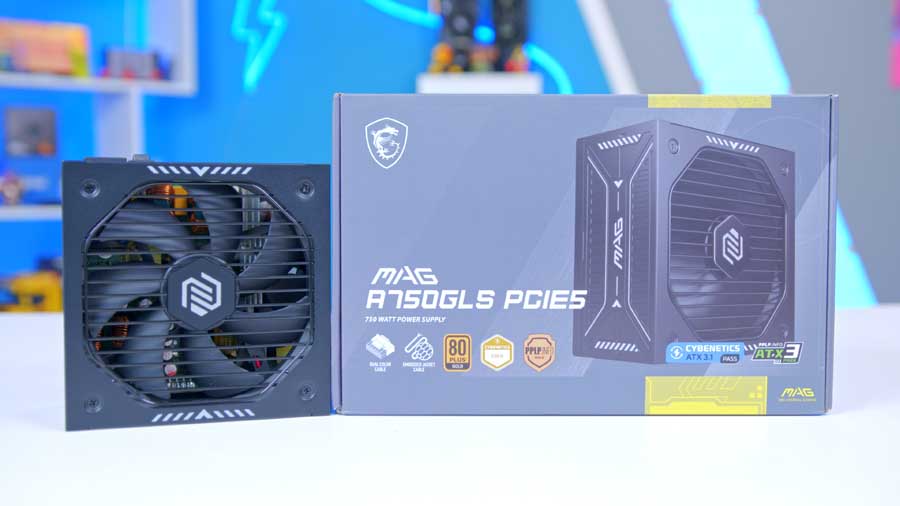
The MAG A750GLS PCIE5 750W brings the modern power standards this build expects, including ATX 3.1 support, a native 12V-2×6 cable for the RTX 5070 Ti, and enough clean headroom for a high-end gaming setup without overbuying.
AMD Ryzen 7 7800X3D
For this build, we’ve selected a CPU that provides ample headroom for the GPU to do the heavy lifting, especially given the current premium on RAM and SSDs. Despite being a previous-gen Zen 4 chip, the AMD Ryzen 7 7800X3D remains a powerhouse for AAA gaming. When pitted against the newer Ryzen 7 9800X3D, the performance gap is negligible; it’s certainly not enough to justify the price hike for most builders. If budget isn’t an issue, however, we have a few high-end alternatives that offer better long-term future-proofing.
CPU Comparison
AMD Ryzen X3D Desktop CPU Comparison
Hover rows for highlight. Tap/click a header title to sort.
| CPU | ::Cores | ::Threads | ::Base Clock | ::Max Boost | ::TDP | ::Total Cache | ::Where to Buy |
|---|---|---|---|---|---|---|---|
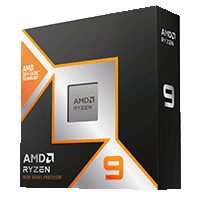
AMD Ryzen 9 9950X3D Zen 5 flagship X3D desktop CPU |
16 | 32 | 4.3 GHz | 5.7 GHz | 170W | 144MB | |
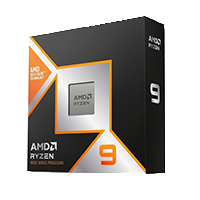
AMD Ryzen 9 9900X3D 12-core Zen 5 X3D for mixed gaming and production |
12 | 24 | 4.4 GHz | 5.5 GHz | 120W | 140MB | |
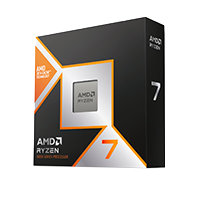
AMD Ryzen 7 9850X3D Newest Ryzen 7 X3D in the lineup |
8 | 16 | 4.7 GHz | 5.6 GHz | 120W | 104MB | |
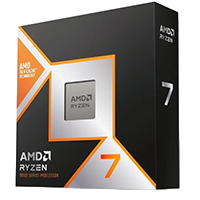
AMD Ryzen 7 9800X3D High-FPS Zen 5 gaming CPU |
8 | 16 | 4.7 GHz | 5.2 GHz | 120W | 104MB | |
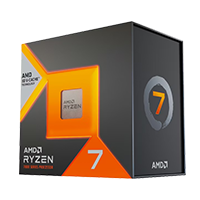
AMD Ryzen 7 7800X3D Mainstream Zen 4 gaming favorite |
8 | 16 | 4.2 GHz | 5.0 GHz | 120W | 104MB |
Where the X3D chips excel is their 3D V-Cache technology. By stacking the L3 cache vertically rather than expanding it horizontally, AMD fits a massive amount of memory directly onto the processor. This dramatically reduces latency in CPU-bound games, where the chip needs to access instructions instantly. While the 7800X3D stacks this cache on top of the cores, the newer 9800X3D moves it underneath to improve thermals; however, for most gamers, the 7800X3D’s massive cache still provides more than enough power to keep frame rates high and stutter-free.
MSI MPG CORELIQUID P13 360
The MSI MPG CORELIQUID P13 360 is an all‑in‑one liquid cooler that combines striking aesthetics with excellent thermal performance, even when paired with some of the most demanding processors on the market. In this build, it will have no trouble keeping any of our recommended CPUs running cool and stable.
For this configuration, we’ve swapped the default radiator fans used during the P13’s original testing for MSI’s latest MPG EZ120R ARGB fans. We’ll also be using these throughout the rest of the case to maintain a cohesive visual theme and ensure consistent airflow characteristics. This approach keeps the build unified under the MSI ecosystem while enhancing both appearance and chassis airflow.
From Our Full Review
★★★★☆
4.3/5

Pros and Cons
Pros
- Aesthetically pleasing
- Easy installation
- Competitive pricing
Cons
- UNI BRACKET alignment can be fiddly
- Screen bezel interrupts the clean LCD look
- Limited socket compatibility
Bottom Line
MSI's MPG CORELIQUID P13 360 blends a premium-looking LCD block, hidden cabling, and pre-installed fans into a cooler that is straightforward to build with and easy to show off. Cooling performance is solid rather than class-leading, but the strong feature set and competitive pricing still make it a very appealing 360mm option for a polished gaming build.
Read The Full ReviewMSI MAG X870E GAMING PLUS MAX WIFI
This motherboard actually features a pretty new design from MSI, and we think the soft silver and grey accents on its white PCB will bring this build together as a gorgeous white battle station. It's important to note that MSI has made a conscious effort to listen to reviews and consumer suggestions, and has integrated white RAM DIMMs, PCIe lanes, and heatsinks, and all power connectors are white - instead of sticking with the typical black. This is what we wanted to see with the MSI MPG Z890 EDGE Ti WiFi and MSI MPG B850I EDGE TI WiFi motherboards.
Motherboard Specifications
-
Model
MSI MAG X870E GAMING PLUS MAX WIFI
-
Chipset / Socket
AMD X870E / Socket AM5
-
Form Factor
ATX (9.6 x 12.0 in)
-
CPU Support
AMD Ryzen 9000 / 8000 / 7000 Series desktop processors
-
Memory Support
4 x DDR5 DIMM, up to 256GB
Dual-channel DDR5 support
DDR5 8200+ MT/s (OC) -
VRM Design
14+2+1 Duet Rail Power System with 60A SPS
-
Graphics Card Compatibility (1 Slot)
PCIe 5.0 x16 slot
-
Expansion Card Compatibility (3 Slots)
1 x PCIe 5.0 x16 slot
1 x PCIe 4.0 x4 slot
2 x PCIe 3.0 x1 slots -
M.2 Compatibility (3 Slots)
M.2_1: PCIe 5.0 x4 (2280/2260),
M.2_2: PCIe 4.0 x4 (2280/2260),
M.2_3: PCIe 4.0 x4 (22110/2280) -
SATA Storage
4 x SATA 6Gb/s
-
Front I/O Headers
Up to 6 x USB 2.0 ports,
Up to 4 x USB 5Gbps Type-A ports,
1 x USB 10Gbps Type-C,
Front-panel audio -
Rear I/O
1 x USB 40Gbps Type-C (USB4),
1 x USB 20Gbps Type-C,
2 x USB 10Gbps Type-A,
2 x USB 5Gbps Type-A,
4 x USB 2.0 Type-A -
Networking
5G LAN
Wi-Fi 7
Bluetooth 5.4 -
Audio
Audio Boost with 7.1-channel HD audio
3 x Audio Jacks
You also get a toolless M.2 heatsink for the primary PCIe 5.0 SSD slot, along with MSI’s convenient EZ PCIe Release button for hassle‑free GPU installation - two genuinely useful quality‑of‑life touches. Connectivity is equally modern, with onboard Wi‑Fi 7 and 5G LAN included.
Finally, in terms of USB ports, the selection does feel a little light for high-end USB ports; there are still some fast port options, with one USB4 Type-C port and a range of speeds from 5Gbps to 20Gbps, for a total of ten USB ports. Internal IO: your cases' front panel is equally abundant, totalling 11 ports; however, it still omits blazing-fast USB 3.2 Gen 2x2 and even USB4 this time. As a high-end X870E, it's a feature we'd like to have seen more familiar.
Suggested Article: Best X870E Motherboards to Buy in 2026
G.Skill RIPJAWS M5 RGB
Aesthetically, G.Skill has opted for a simple design on this RIPJAWS M5 kit. It utilises a minimalist white heatspreader, which fits in nicely with the lighter theme of this build. The DIMMs also feature a strip of RGB lighting on the top, which can be configured and synced up using software like SignalRGB.
These DIMMs are rated at 6000MT/s with a latency of CL36, so top-end gaming and more complex multi-core tasks are more than viable with this RAM, as its timings align nicely with Ryzen 7000 clock speeds, but will align better with Ryzen 9000 clock speeds, adding a little future-proofing. While we could have gone with a lower-latency kit in this build, we are aware that there aren't many options on the market, so we'd just recommend finding any white DDR5 RAM kit you can get your hands on.
Samsung 9100 Pro
This SSD is an enthusiast-grade storage solution, and it really is one of the best on the market. It's a PCIe Gen5 NVMe M.2 with 2TB capacity, designed to deliver the absolute best performance for content creators, AI users, and high-end gamers, thanks to its ability to achieve lightning-fast sequential read/write speeds up to 14,700/13,400 MB/s.
During our testing, this drive claimed first place in the 8TB capacity, and the 2TB and 4TB came in our top 5 for writing speeds and the top three for reading speeds. It's a mainstay in our high-end builds, and we try to sneak it into our mid-range builds where we can because it's a reliable workhorse with a thoughtfully designed architecture for long-term endurance, heat management and overall future-proofing.
From Our Full Review
★★★★☆
4.1/5
Pros and Cons
Pros
- High performance without compromise
- Remarkable long-term endurance
- Great thermals for a flagship Gen5 drive
Cons
- Predictably expensive
- Physical design changes are fairly modest
Bottom Line
The Samsung 9100 PRO is a seriously fast PCIe 5.0 SSD that delivers top-tier throughput, strong endurance, and reassuring thermals for premium gaming or workstation builds. Its biggest drawback is price, but if maximum storage performance matters more than value, this remains one of the strongest Gen5 options available.
Read The Full ReviewMSI GeForce RTX 5070 Ti 16G GAMING TRIO OC WHITE
This 1440p build is centred around beautiful MSI white components, and we would be passing up the perfect opportunity to use the favourite and most loved white graphics card by the team here at GeekaWhat. We love the RTX 5070 Ti for achieving 4K at high graphics settings with a comfortable, smooth framerate at an affordable price. This is because it utilises 16GB of GDDR7 VRAM on a wide 256-bit memory bus and features many other features, such as a 2572MHz boosted clock speed and NVIDIA's DLSS 4 with multi-frame generation.
Although there are certainly some areas where other graphics cards would be a better choice depending on your affordability, performance wants and overall build theme. If you like the GAMING TRIO's theming, but want a little more oomph, the MSI NVIDIA GeForce RTX 5080 16GB GAMING TRIO OC is the no-brainer upgrade.
If you want a card that isn't ridiculously priced, is white, and competes heavily with the RTX 5070 Ti, we recommend the PowerColor Radeon RX 9070 XT Hellhound Spectral White. Whilst the RX 9070 XT lags behind NVIDIA in ray tracing and multiframe optimisations, its raw performance is jaw-dropping.
From Our Full Review
★★★★☆
3.5/5

Pros and Cons
Pros
- Great 4K performance
- Plenty of RGB lighting
- Can take advantage of DLSS 4 features
Cons
- Difficult to source at a sensible price
- Expensive versus MSRP
- Faces strong competition from the RX 9070 XT
Bottom Line
MSI's RTX 5070 Ti Gaming Trio OC is a capable 4K card with strong thermals, a chunky triple-fan cooler, and the extra visual flair many premium AIB buyers want. The real problem is value: stock is tight, prices run high, and AMD's RX 9070 XT makes this a tougher recommendation unless you specifically want NVIDIA's feature stack and MSI's design.
Read The Full ReviewLian Li O11 Dynamic Mini V2 Flow
This case is a refreshed iteration of the Lian Li O11 Dynamic Mini, featuring the same compact dual-chamber design but expanding upon pre-existing features and storage capacity by 2 litres, taking the total to 45.38L.
This case uses angled, bottom-mounted fans to draw cool air into your GPU, helping keep temperatures lower. The case also employs a sturdy and easy-to-use GPU support bracket, which you'll want to utilise with any of our GPU recommendations.
Case Specifications
-
Model
Lian Li O11 Dynamic Mini V2 Flow White
-
Form Factor
Compact Mid-Tower
-
Motherboard Support
ATX Back-Connect, ATX, Micro-ATX, and Mini-ITX
-
Case Dimensions (D x W x H)
423.6 x 273.3 x 391.95 mm
-
Front IO
2 x USB 3.0 Type-A1 x USB 3.2 Type-C1 x 3.5mm audio jackPCI-E Slots
5 x Horizontal
Colour
White
Max Clearance
GPU length: Up to 400mmCPU cooler height: Up to 160mmATX PSU support: Under 200mmDrive Support
Drive cage: 2 x 2.5-inch SSD or 2 x 3.5-inch HDDBehind motherboard tray: 2 x 2.5-inch SSDFan Support
Top: 3 x 120mm or 2 x 140mmSide: 2 x 120mmBottom: 3 x 120mmRear: 1 x 120mmRadiator Support
Top: 240mm / 280mm / 360mmSide: 240mmPre-Installed Fans
Side: 2 x Reverse blade 120mm PWM fans
Bottom: 3 x Reverse blade 120mm PWM fanImpressively, the Front IO location is flexible, making the case rather versatile for various build layouts and desk arrangements, and it consists of two USB Type-A ports, a USB Type-C port and a combo audio jack.
Airflow is a factor that has received some attention from Lian LI. This case comes with five pre-installed fans altogether, which is a great choice if you choose not to add in other fans. If you want a more cost-effective model where you can add the same MSI MPG EZ120R ARGB fans that we've used, you might benefit from choosing the 'non-Flow' version of this case, the O11D Mini V2 White.
PSU MSI MAG A750GLS PCIE5
We understand if this PSU choice feels slightly counterintuitive, given that it is the only black component in an all-white build. We are trying to keep the overall cost down by swapping some black cables for white PSU extensions.
We figured there are cables we won't need to extend, as they will be hidden by other components when everything is mounted. If you can't see them, they aren't a problem - and the performance is the same as a white PSU. The MSI MAG A750GLS PCIE5 delivers 750W and matches the power requirement of the RTX 5070, but you may want to step up to an 850W for the RTX 5080 and RX 9070 XT, as 750W just pushes the border of just not being comfortable enough.
The PSU is 80 PLUS GOLD certified, meaning it retains energy efficiency even under heavy loads; it's fully modular for easy cable management; and it uses fluid dynamic bearings on the fan for longer life and quiet operation.
Gallery

Performance
With the hardware side covered, it’s time to see what this system actually delivers in-game. For testing, we’ve focused on a mix of competitive shooters and visually demanding AAA titles at 1440p and 4K high graphics settings.
1440p lets us see how the system handles high refresh gaming where the CPU can still influence performance, while 4K shifts the load firmly onto the GPU to showcase what the RTX 5070 Ti is capable of under pressure - and its where you might begin to conside the RTX 5080 or even the RX 9070 XT, despite still pulling smoth framerates of over the 60 FPS threshhold that we aim for.
Video

Related Posts