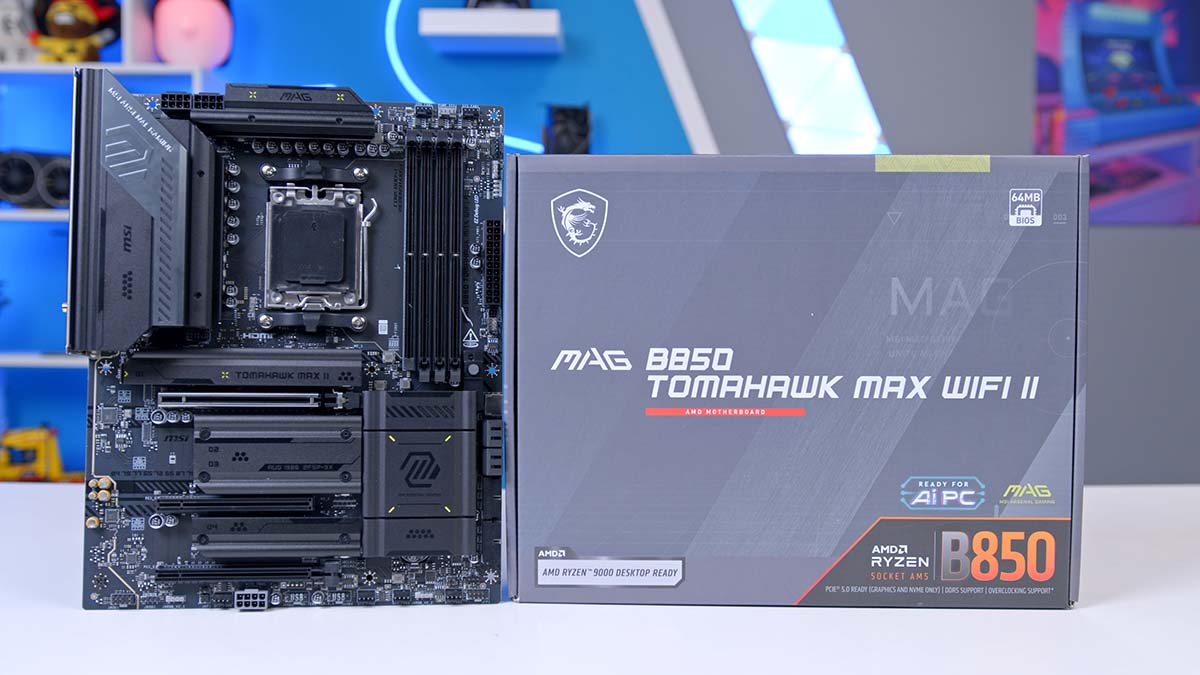
Announced at CES 2026, the MSI MAG B850 TOMAHAWK MAX WIFI II is soon to hit the shelves, and if you’re clued in on high-performance motherboards, the TOMAHAWK series won’t be a stranger to you. We’ll focus on the differences between this motherboard and the other B850 TOMAHAWK board that MSI has previously released: the MAG B850 TOMAHAWK MAX WIFI.
B850 chipset boards are positioned as medium- to high-end boards, often including features like USB4 support, Wi-Fi 7, and mandatory PCIe 5.0 for M.2 drives, along with more. They are built to replace the previous mid-range B650 boards, which are older but still worthwhile mid-range motherboards for the AM5 platform. As this motherboard is now the third iteration of the B850 TOMAHAWK line, we’re excited to see what improvements MSI has made to warrant adding a sibling to the family.
From Our Full Review
★★★★☆
4.3/5

Pros
- Fast networking selection
- Sophisticated aesthetic
- Competitive pricing
Cons
- Weak audio options
- Not fully tool-less
- No RGB lighting
Bottom Line
The MSI MAG B850 TOMAHAWK MAX WiFi is a competitively priced motherboard with great features. It offers solid expansion options and bountiful connectivity, including 5 Gigabit LAN and WiFi 7, along with a sleek black aesthetic ideal for darker-themed builds. The only real qualm is its lack of tool-less features – adding a few more would greatly improve the user experience and further strengthen its value proposition.
Read The Full ReviewSpecification
The MAX WIFI II is an ATX motherboard that uses the B850 chipset for AM5 processors, including AMD Ryzen 7000, 8000, and 9000 series. This chipset must support CPU overclocking, and with the motherboard’s 14+2+1 VRM power phases, it will ensure that even the more powerful CPUs, like the AMD Ryzen 7 9850X3D, can be overclocked and receive ample support during CPU-intensive workloads. And this isn’t the only component that supports overclocking; RAM can be overclocked to up to 8400 MT/s, allowing you to unlock the true speed of your kits without being limited by the motherboard. The motherboard can support up to 256GB of RAM, which equates to a maximum of around 64GB per DIMM, per channel. The board is optimised for dual-channel configurations.
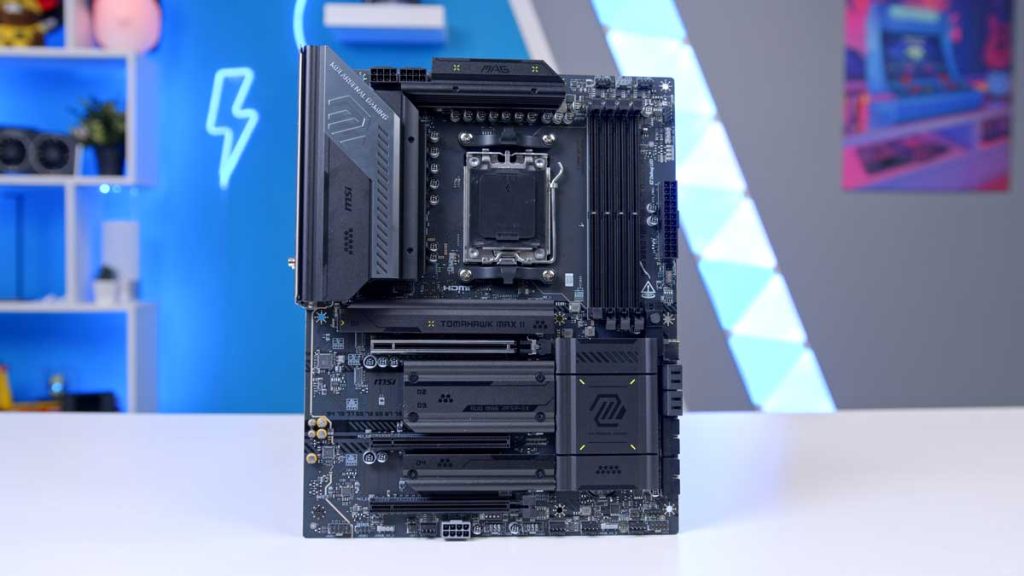
There is one main GPU slot, which is the x16, capable of using the latest PCIe 5.0 bandwidth, and you can also install up to four different M.2 drives, with two of them being capable of supporting the latest Gen5 drives. If you’re someone who swears by their SATA-powered hard drives, you’ll be delighted to hear that the board equips 4 ports with a speed of 6Gb/s.
The rear IO is bountiful with 10 separate USB ports, including fast USB Type-C and USB Type-A ports with speeds of up to 10Gbps. The front IO, however, offers a faster USB Type-C port with a speed of 20Gbps, and a couple of USB Type-A ports.
For audio, MSI has chosen a high-end Realtek ALC4080 audio codec, which is the latest out and provides high-fidelity audio.
Motherboard Specifications
-
Model
MSI MAG B850 TOMAHAWK MAX WIFI II
-
Chipset / Socket
AMD B850 / AM5
-
Form Factor
ATX
-
CPU Support
AMD Ryzen 9000 / 8000 / 7000 Series
-
Memory Support
Up to 256GB DDR5,
Up to 8400 MT/s (OC) -
VRM Design
14+2+1 Power Phases
-
Graphics Card Compatibility (1 Slot)
1 x PCIe 5.0 x16 (CPU)
-
Expansion Card Compatibility (2 Slots)
1 x PCIe 3.0 x1 (Chipset),
1 x PCIe 4.0 x4 (Chipset) -
M.2 Compatibility (4 Slots)
M2_1 & M2_2: PCIe 5.0 x4 (CPU),
M2_3: PCIe 4.0 x2 (Chipset),
M2_4: PCIe 4.0 x4 (Chipset) -
SATA Storage
4 x SATA 6Gb/s – Supports RAID 0, 1, 10
-
Front I/O Headers
1 x USB Type-C 20Gbps,
4 x USB Type-A 5Gbps,
4 x USB 2.0 -
Rear I/O
3 x USB Type-C 10Gbps,
2 x USB Type-A 10Gbps,
1 x USB Type-A 5Gbps,
4 x USB 2.0 -
Networking
Realtek 5GbE LAN,
Wi-Fi 7 (2.4/5/6GHz, up to 5.8Gbps),
Bluetooth 5.4 -
Audio
Realtek ALC4080 – 7.1-Channel, up to 32-bit/384kHz,
S/PDIF Out
But these specs do not differ from the MSI MAG B850 TOMAHAWK MAX WIFI. You can also verify this with MSI’s comparison checker.
What’s in the Box?

In the box, you receive a SATA cable, three EZ M.2 Clips II, an EZ M.2 Clip remover, cable stickers, an EZ WiFi Antenna, and a 1 to 3 Conn-Cable (V2). You also get a quick installation guide for setting up your motherboard, and, of course, the motherboard itself.

MSI MAG B850 TOMAHAWK MAX WIFI II Design
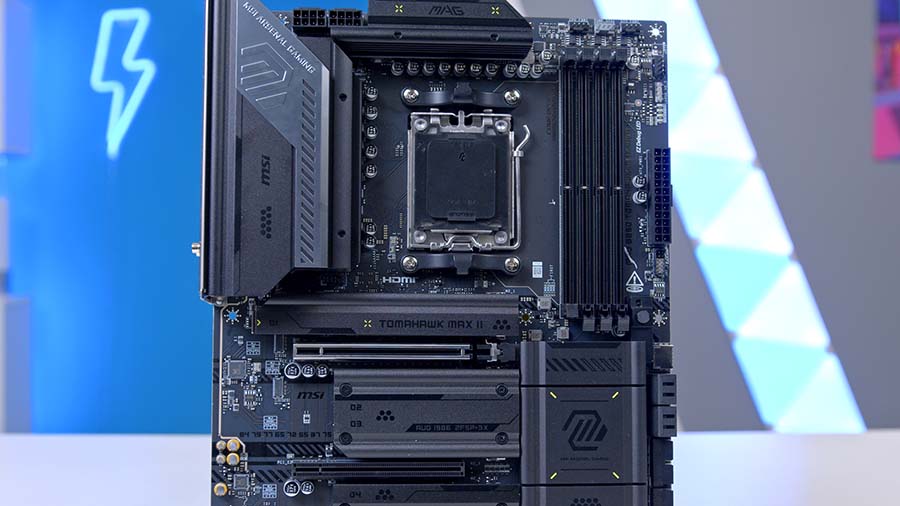
After the poorly received lime green/light yellow accents, MSI have attempted to reduce the loudness of the colour features, offering more subtle changes that still echo the MAG product branding, which actually has this colour theme. It’s easy to see why the lime green wasn’t liked by the PC building community and reviewers alike, as it disrupts the harmony of a build’s appearance.
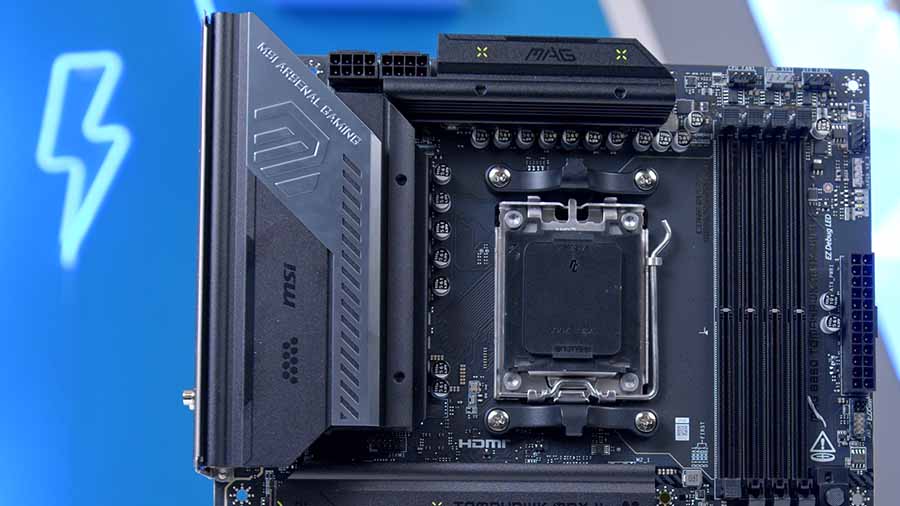
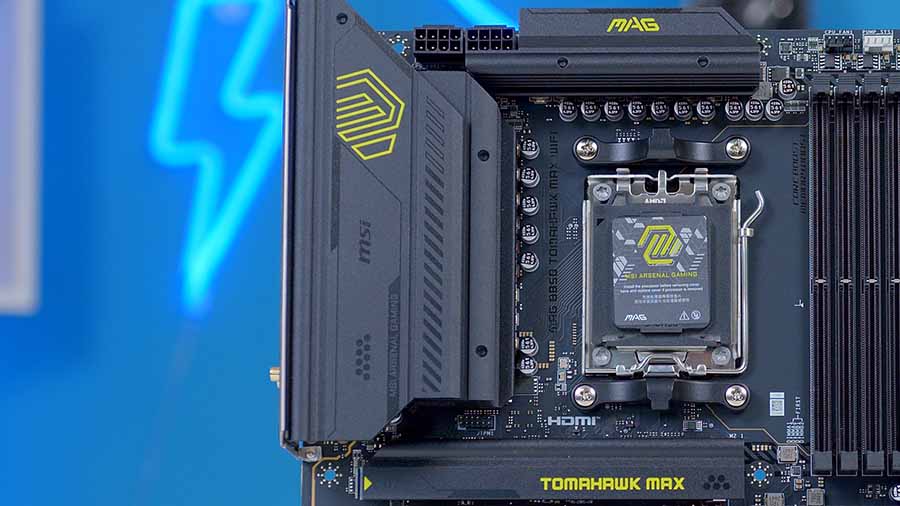
The rear IO heatsink now removes the previous yellow branding and replaces the black plastic with a more metallic dark grey, with an embossed version of the branding instead. The top VRM heatsink also takes on the same dark metallic grey material to match the IO heatsink. The chipset heatsink also takes a more conservative approach, now featuring only subtle yellow lines to give the board a little bit of personality in what would otherwise be a bland black-and-silver board.
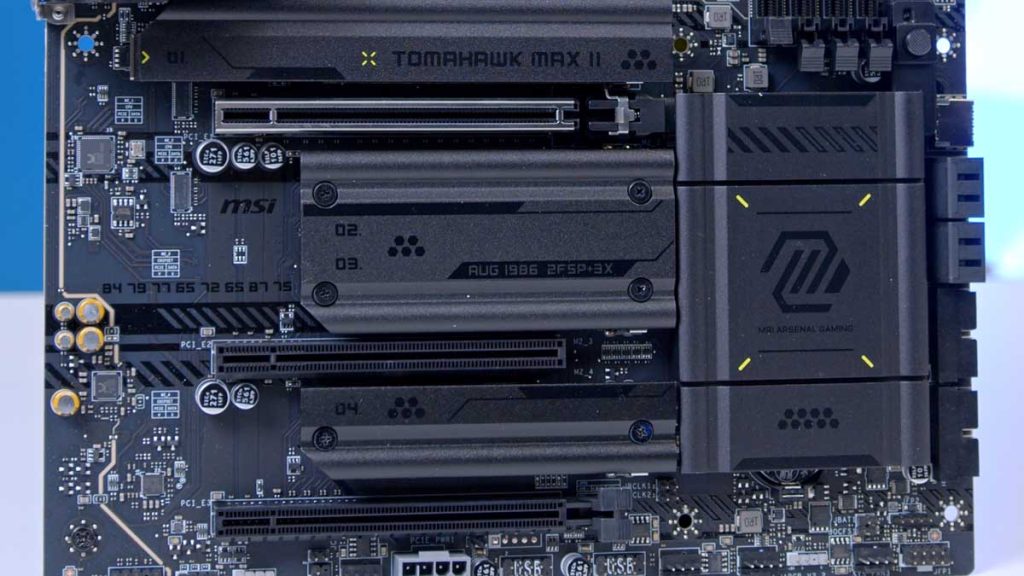
Everything else about the MAG B850 TOMAHAWK MAX WIFI II aesthetically matches the MAG B850 TOMAHAWK MAX WIFI, from the black PCB to the black RAM DIMMs and the silver GPU slot. Moving away from the divisive lime green and pale yellow accents of its predecessor, MSI has pivoted toward a more sophisticated aesthetic for the MAG B850 TOMAHAWK MAX WIFI II. The previous high-contrast branding often clashed with clean PC builds; this revision solves that by embracing the MAG line’s metallic roots.
Connectivity Options
Graphics Card Slots
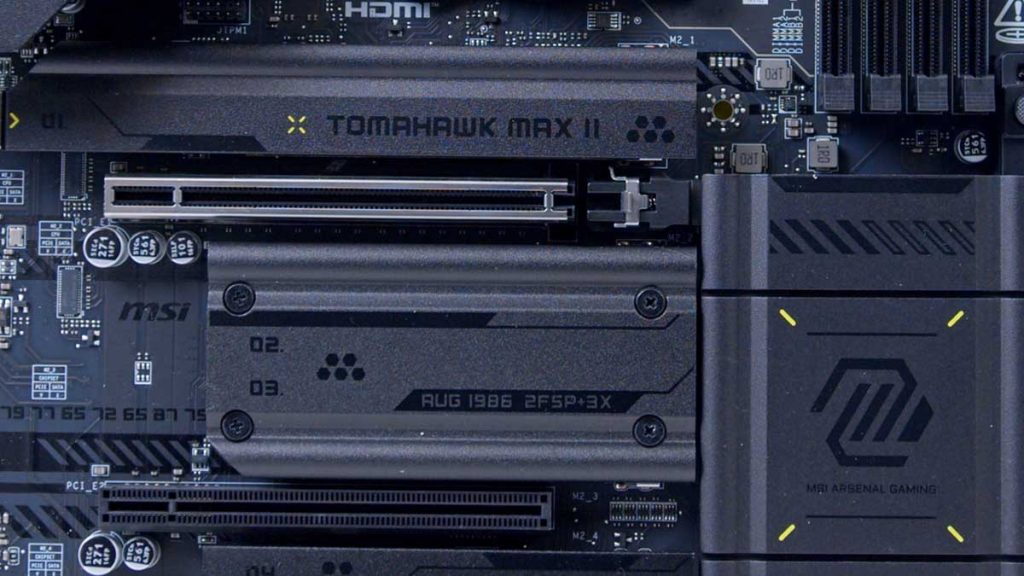
As mentioned above in the Specs section, this motherboard features a single primary graphics card slot, rated for PCI-E 5.0 speeds. The remaining two GPU slots run at PCI-E 4.0 and PCI-E 3.0 speeds. While this can accommodate a networking card or a USB expansion card, it only allows one graphics card. This isn’t uncommon for this board, however, as dual high-speed PCI-E slots tend to be limited to the most expensive motherboards.
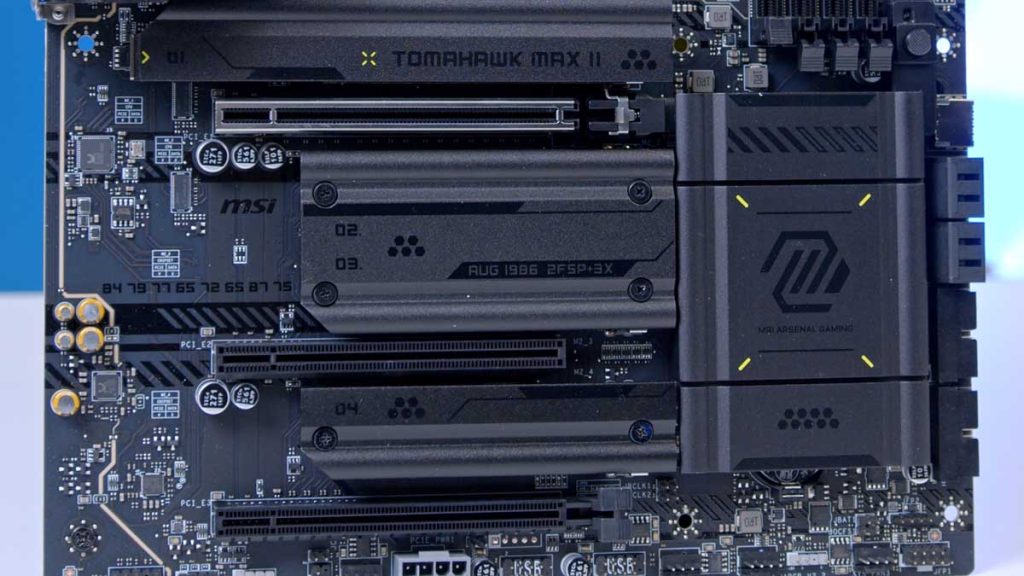
MSI has provided PCI-E supplemental power on this motherboard. While the vast majority of gamers won’t need this, those pushing their PCs with AI workloads will benefit from increased power delivery, enabling sustained performance.
M.2 Slots
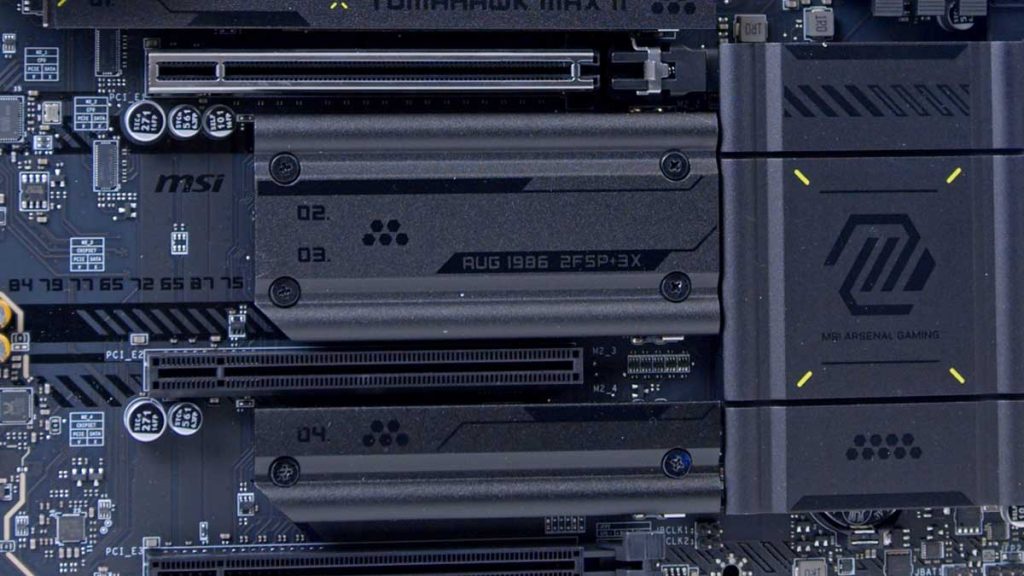
There are four M.2 slots in total on the MAG B850 TOMAHAWK MAX WiFi II. Two Gen5 and two Gen4. This is a higher-standard configuration for a B850 motherboard, as manufacturers tend to offer only one PCIe 5.0 M.2 slot and fill the rest of the slots with lower and slower-generation slots. The top two slots are Gen5, while the bottom two are Gen4, providing some solid separation between the two. The heatsink will need to be removed on slots 2 and 3 to use them, and this is one of the only heatsinks that isn’t tool-less, so you’ll need a Phillips screwdriver to remove it.
RAM DIMMs
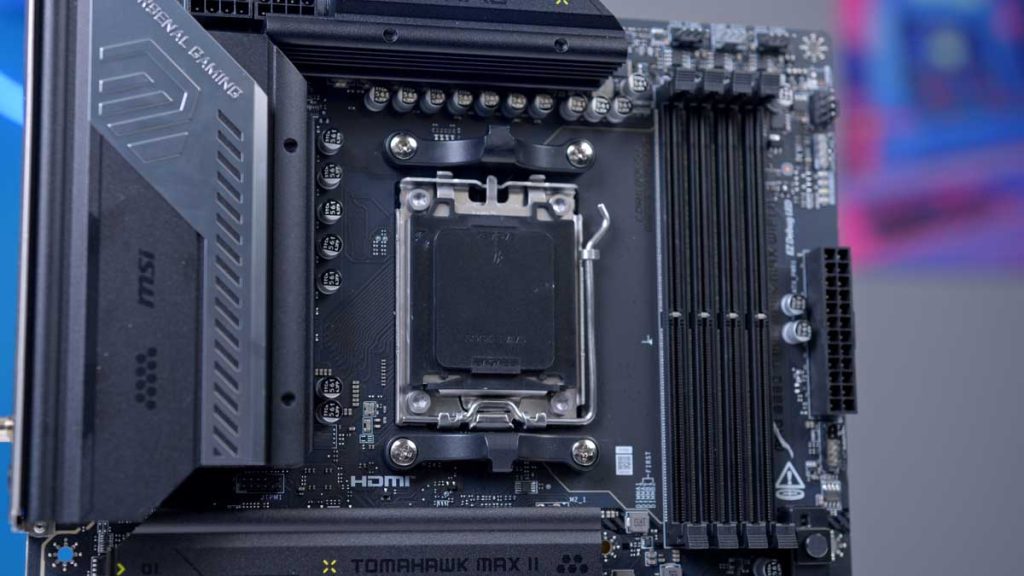
For RAM, again, this board offers a decent configuration, with a full set of four DIMM slots, each rated at up to 8400 MT/s. Most motherboards tend to cap out around this speed, unless the board is specifically designed for overclocking, in which you can expect a bit more oomph. The max capacity on the MAG B850 TOMAHAWK MAX WiFi II is 256GB. While I can’t imagine most gamers will be looking to pick up 256GB of RAM, it’s an alternative if you’re building a workbench system.
Rear IO
The USB selection on the rear I/O is reasonable and plentiful, with four USB 2.0 Type-A ports, one USB Type-A port at 5Gbps, two USB Type-A ports at 10Gbps, and three 10Gbps USB Type-C ports. It would have been nice to see a slight improvement with USB offerings, considering this is like the upgraded version of the MAG B850 TOMAHAWK MAX WIFI. Other than. This small drawback, the selection is just as good as we felt it was on the original.
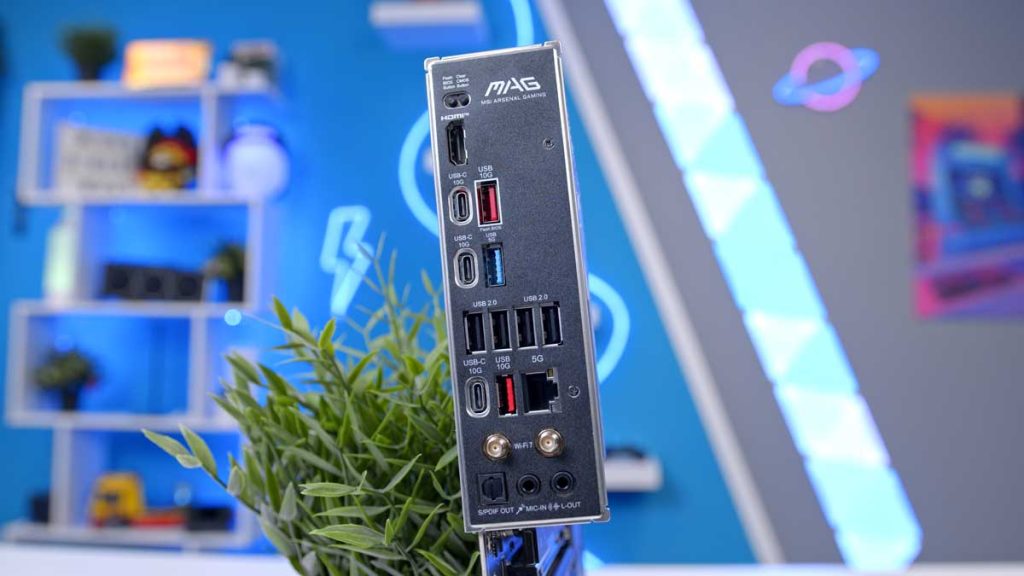
For networking, you’ve got the choice of 5 Gigabit LAN, which is impressive, and WiFi 7 with the EZ Wi-Fi Antenna installation. Both are incredibly fast and more than suitable for lag-free gaming. The audio options, again, could be better. While there is an optical S/PDIF port, the audio jacks are basic and will be restrictive for those with more complex audio setups.
Internal Headers
CPU and Motherboard Power
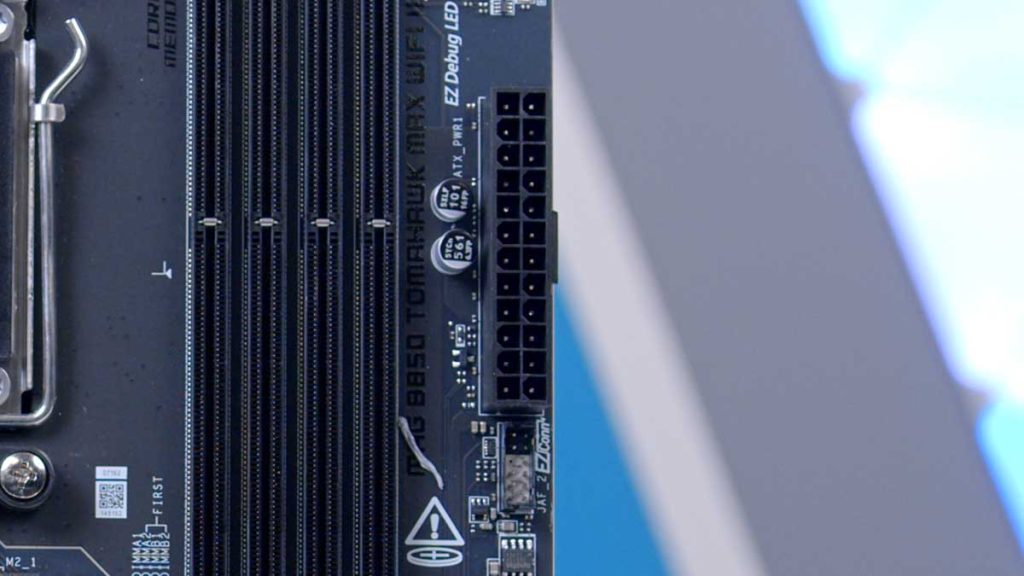
As expected, this motherboard’s power configuration is pretty standard. On the right-hand side of the MAG B850 TOMAHAWK MAX WiFi, the 24-pin motherboard power header is located. Due to its size, this header is required to power your board and is easy to plug in.
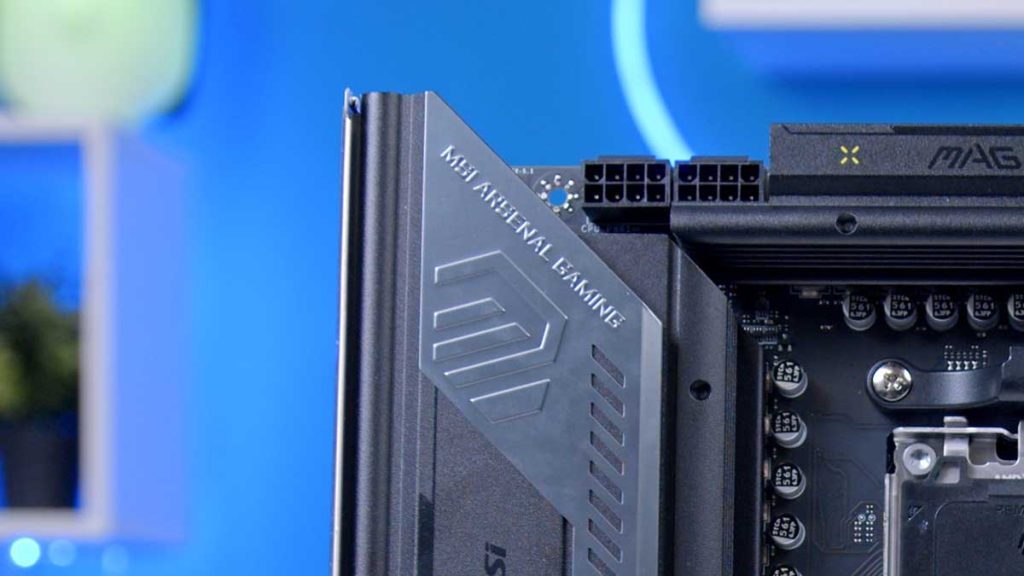
CPU power is in the top-left corner. The MAG B850 TOMAHAWK MAX WiFi has two 8-pin EPS CPU headers, rather than one. This is due to overclocking support. More headers result in better power distribution and an improved ability to handle higher clock speeds.
Front USB Headers
This board offers five headers regarding the front USB ports: four USB 2.0, four USB 5Gbps Type-A, and one USB 20Gbps Type-C. Overall, this is a decent set of front USB headers.
Pump and Fan Headers
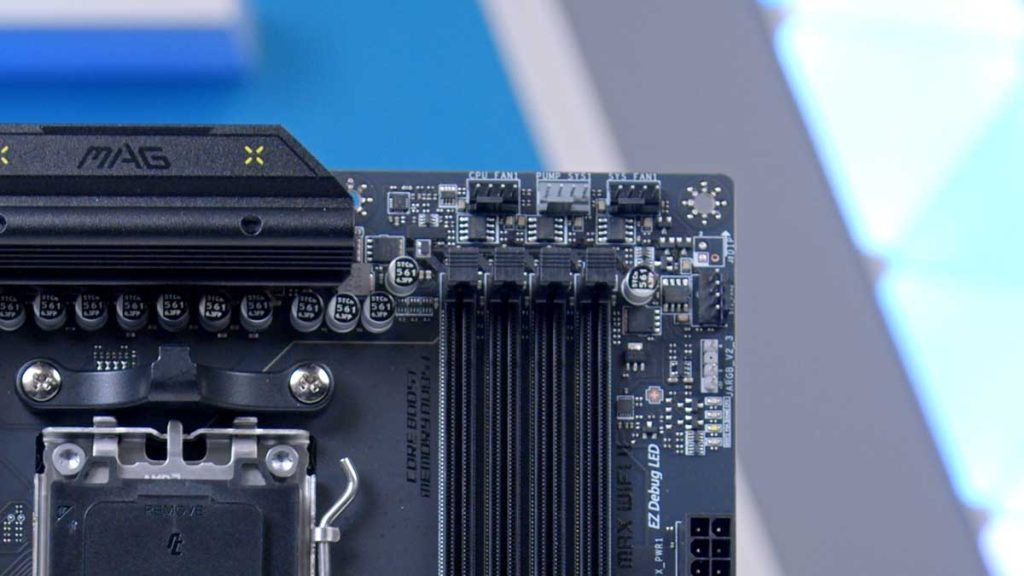
The TOMAHAWK MAX WIFI II offers an impressive range of cooling options, with a CPU_FAN1, PUMP_SYS1, and six SYS_FAN fan connectors. The Fan headers, including the CPU fan, are colour-coded black, and the PUMP_SYS1 header for the AIO pump is grey. This visual distinction makes it easier to install the fans rather than the pump, as they are harder to mix up.
RGB Headers
There are two types of RGB headers available: the standard RGB header found on most modern motherboards, which is a +5V ARGB header called JARB>V2_1, and ARGB Gen2 LED strips. There are three of these headers, and MSI has colour-coded them to a light grey to make them easier to locate when building. Two of the +5V ARGB headers are located on the bottom, and one is on the top-right side of the motherboard.
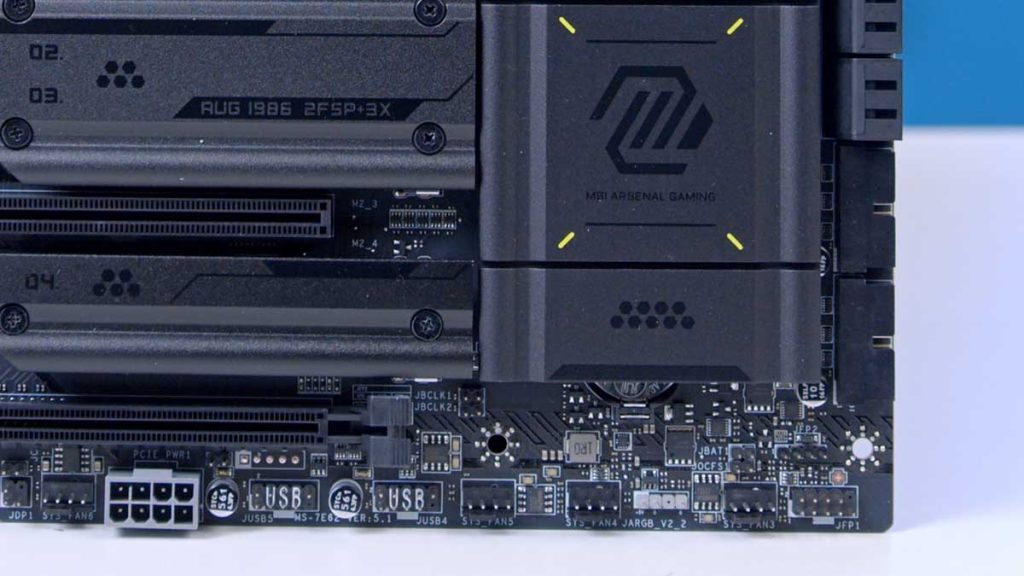
The second RGB header type is JRGB1; there is only one of these at the bottom-left of the motherboard, and it supports 5050 RGB LED strips up to 12V. This header is black.
Features We Like
Aesthetic Improvements
With the heat sink design adjustments, the motherboard looks much more appealing. This is indeed a positive improvement, but it is also an indicator of something much more important: MSI’s ability to process fan feedback and make a change. This is one of the keys to success, and it strengthens your consumers’ relationship with your brand by reinforcing trust. Personally, I think they could have offered the heatsinks as a separate accessory option, or even provided different heatsinks to customers as a consolation, instead of marketing the changes as a perceived upgrade or an updated model.
Features We Don’t Like
Not a Meaningful Product Refresh
The updates on this “MAX” refresh are disappointingly thin. Aside from minor aesthetic tweaks, the headline addition is a dual 2-pin Direct OC Jumper designed for manual BCLK adjustments. While this allows for precise, real-time overclocking via momentary push-button switches, MSI doesn’t actually include the buttons in the box.
To use the feature they’re marketing, you have to buy your own 2-pin power/reset cables. Essentially, MSI has updated the look and soldered on a few headers, but left the actual “utility” as an additional purchase for the user. For a mid-cycle refresh, it feels incredibly underwhelming – it’s less of an upgrade and more of a DIY kit that looks slightly nicer.
Not Completely Tooless (Again)
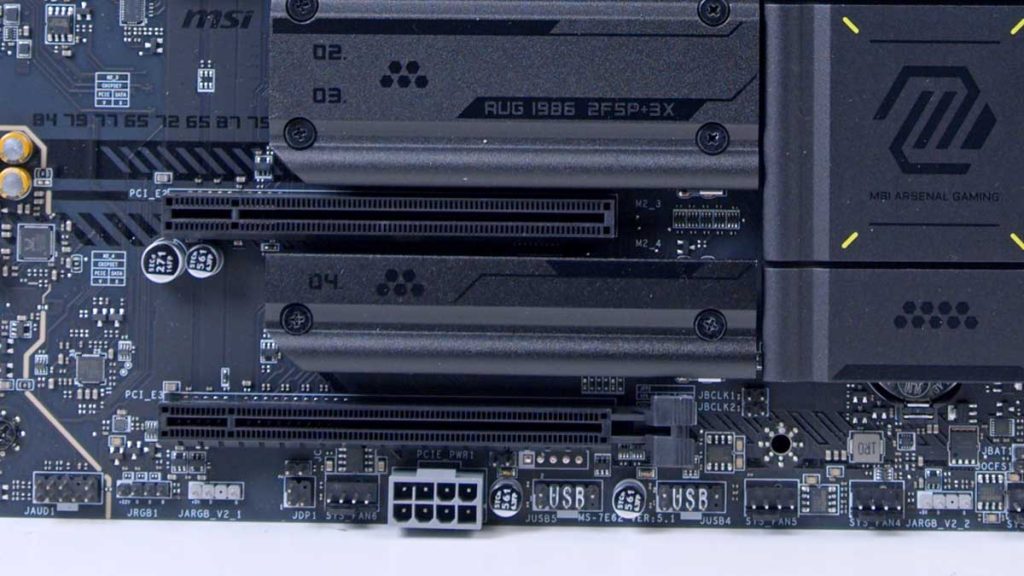
This feature could have been a genuine reason and opportunity for MSI to classify this as a “II” build upon the MSI MAG B850 TOMAHAWK MAX WiFi, instead, you still have to use a screw driver to remove two of the M.2 heatsinks, everything else is vastly too less.