![FI_[DM82] TT MineCUBE Build](https://geekawhat.com/wp-content/uploads/2025/12/FI_DM82-TT-MineCUBE-Build.jpg)
When it comes to building a PC, sometimes we want more than just raw performance. For some people, it’s about crafting an experience and getting creative with the aesthetics. This build is designed to provide precisely this, leaning into nostalgic themes whilst providing cutting-edge power for titles new and old.
At the heart of this rig is a high‑end pairing – AMD’s Ryzen 7 9800X3D and NVIDIA’s GeForce RTX 5080 – a duo designed to push high framerates and keep gameplay smooth across [A Complete Catalogue] of demanding games.
What makes this build stand out is its Thermaltake DNA. From cooling to memory to the case itself, we’re showcasing some of Thermaltake’s latest components in a majority TT‑themed setup. It’s not just a powerhouse; it’s a statement built that blends performance, design, and a touch of nostalgia into one cohesive machine.
Parts Overview
AMD Ryzen 7 9800X3D
Skip to Section
The AMD Ryzen 7 9800X3D is built for high-refresh gaming, with 3D V-Cache accelerating cache-sensitive workloads and keeping frame pacing smooth in demanding titles.
Thermaltake MINECUBE 360 Ultra ARGB Sync
Skip to Section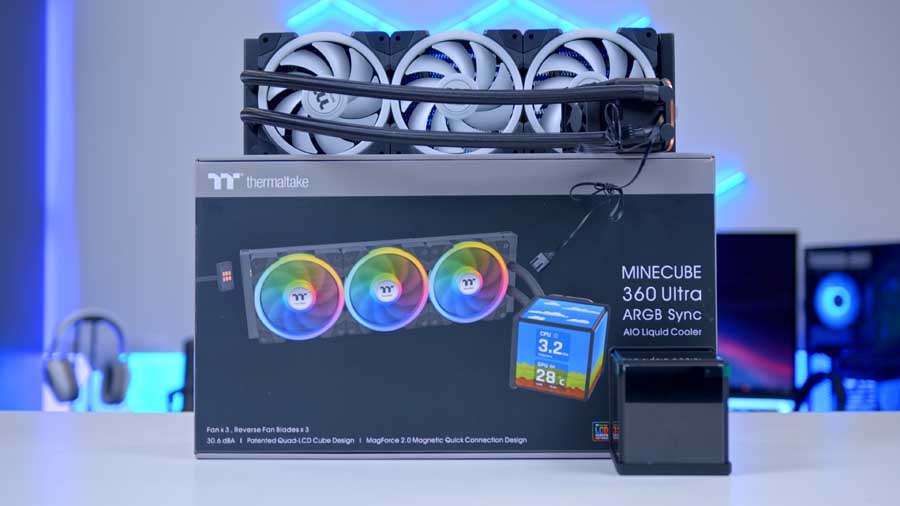
Thermaltake’s MINECUBE 360 Ultra ARGB Sync is an enthusiast 360mm AIO featuring a patented quad-LCD cube display with support for system telemetry and custom visuals.
GIGABYTE X870E AORUS ELITE X3D
Skip to Section
The X870E AORUS ELITE X3D is tuned for AMD’s 3D V-Cache chips, with high-end connectivity, strong power delivery, and one-click optimisation features.
Thermaltake Toughram XG RGB D5 32GB
Skip to Section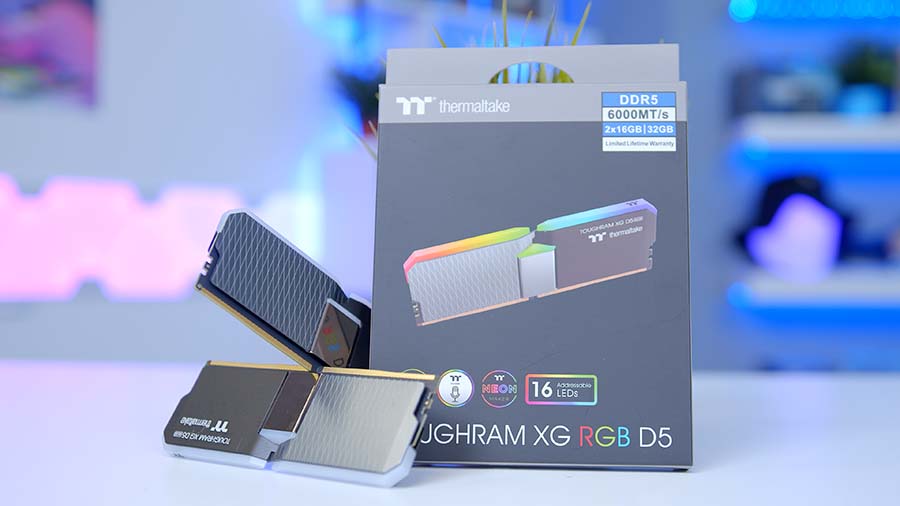
Thermaltake TOUGHRAM XG RGB D5 pairs strong aesthetics with modern DDR5 throughput, including EXPO and XMP 3.0 support for straightforward tuning.
Samsung 9100 PRO
Skip to Section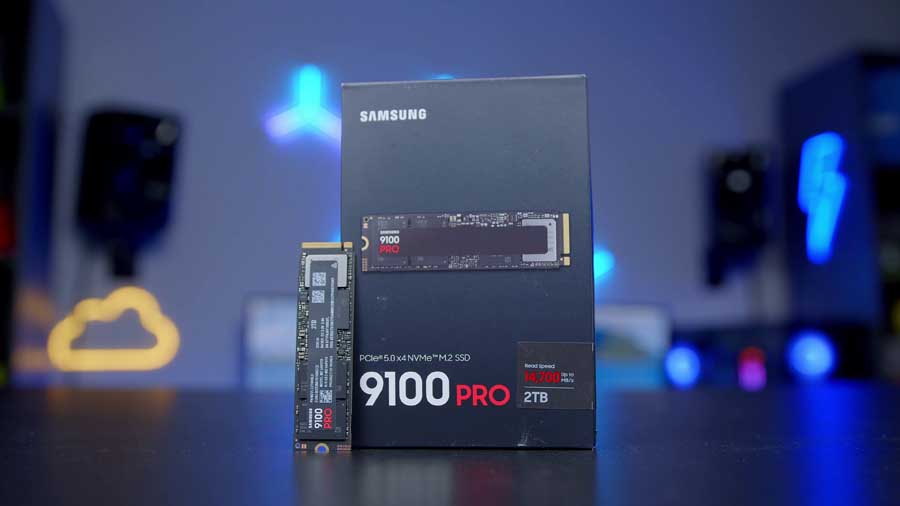
Samsung’s 9100 PRO is a high-end PCIe Gen5 SSD delivering exceptional throughput for gaming and creator workloads, with 2TB as a practical baseline for modern libraries.
NVIDIA GeForce RTX 5080 FE
Skip to Section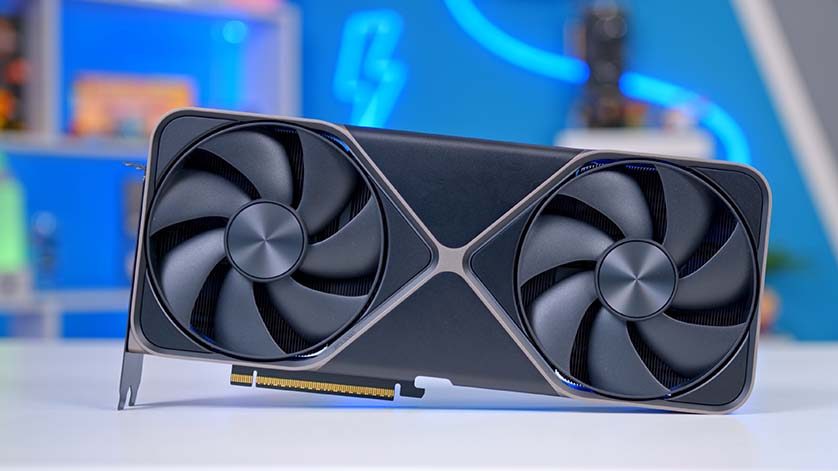
The GeForce RTX 5080 FE delivers flagship-class 4K gaming performance with 16GB of GDDR7, advanced ray tracing, and DLSS 4 acceleration.
Thermaltake View 600 TG
Skip to Section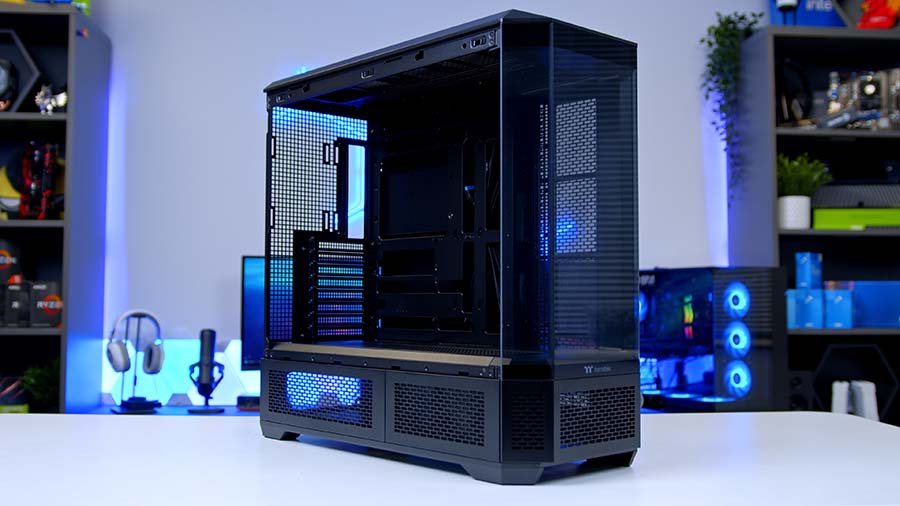
The Thermaltake View 600 TG is a bold full-tower chassis with broad compatibility and extensive cooling support, built to showcase premium components.
Thermaltake Toughpower PT 1000W
Skip to Section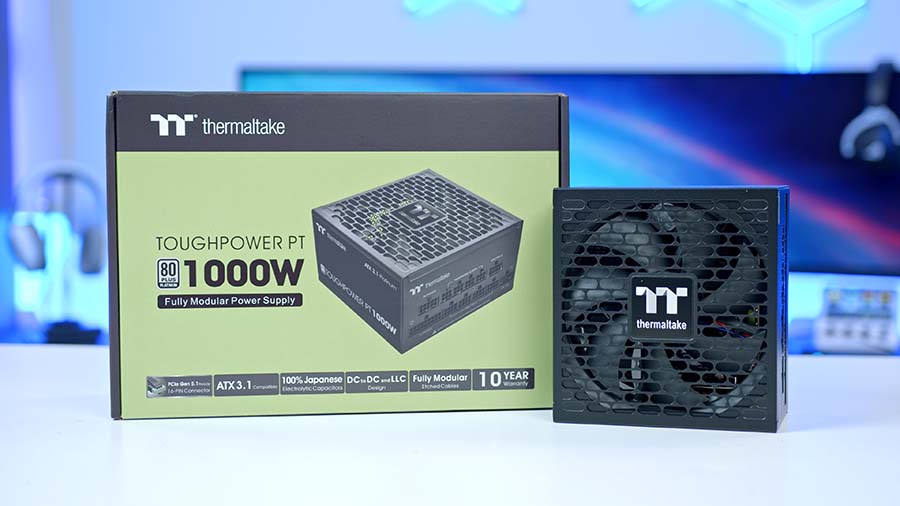
Thermaltake’s Toughpower PT 1000W provides ample headroom for RTX 5080 systems, with ATX 3.1/PCIe 5.0 support and Platinum-rated efficiency.
AMD Ryzen 7 9800X3D
For this high-performance gaming build, we’ve chosen one of the most capable chips on the market: the AMD Ryzen 7 9800X3D. This processor excels in cache-bound titles, thanks to AMD’s innovative physical architecture that enables faster access to game-critical data, reducing latency and improving responsiveness.
At the heart of its performance is AMD’s 3D V-Cache technology, which stacks an impressive 96MB of L3 cache, which is far more than standard CPUs without this feature. Combined with 8 cores, 16 threads, and a boost clock of up to 5.2 GHz, the 9800X3D delivers exceptional throughput for gaming, multitasking, and content creation. It’s a powerhouse designed to push frame rates and minimise bottlenecks, especially in workloads where cache size makes all the difference.
Thermaltake MINECUBE 360 Ultra ARGB Sync
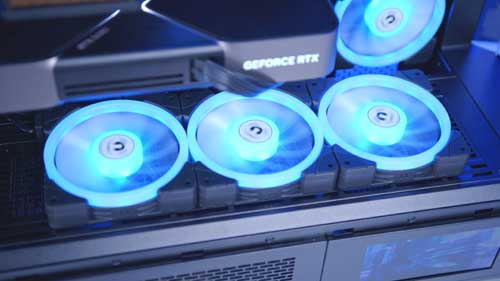
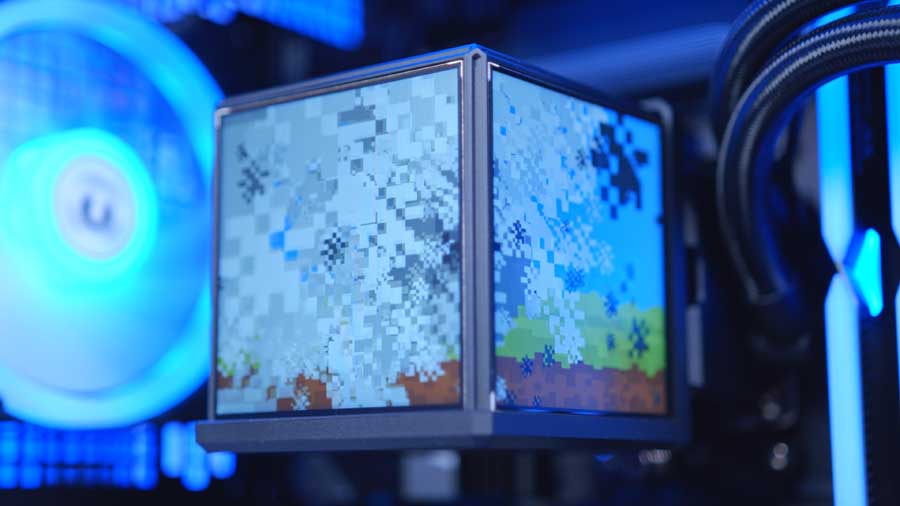
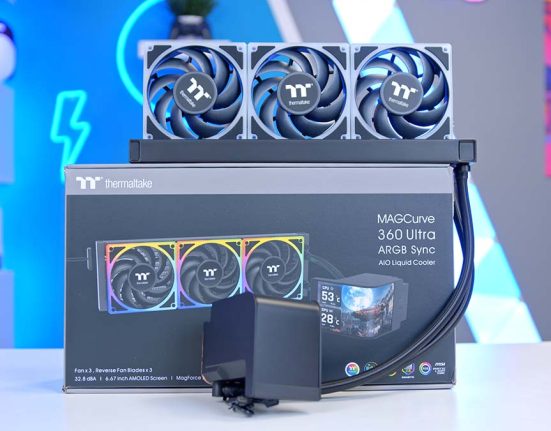
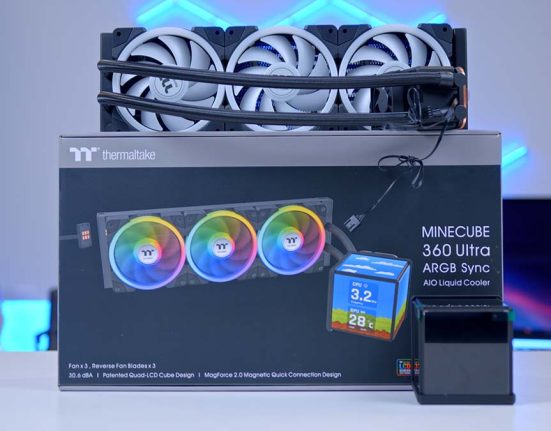
Our build features a new entry in Thermaltake’s liquid AIO cooler lineup: the Thermaltake MINECUBE 360 Ultra ARGB Sync. It’s a 360 mm CPU cooler. This unit equips a unique and patented Quad-LCD Cube Display, composed of four 3.95” TFT LCDs. Each LCD can independently showcase system information or custom visuals, or combine into a multi-screen layout for a single expansive illustration, using the TT LCD Screen Software. This AIO liquid cooler features SWAFAN EX fans with MAGForce 2.0 Quick Connection Design, and the fans can be swapped for better fan orientation to minimise cable clutter and deliver dual-ring RGB lighting in different airflow directions. The MINECUBE 360 Ultra ARGB Sync is positioned as an enthusiast-grade component and is a standout component of our build.
GIGABYTE X870E AORUS ELITE X3D
GIGABYTE’s X870E AORUS ELITE X3D is a high-performance motherboard that enthusiasts will love. It is designed to enhance gaming and multitasking for AMD’s 3D V-Cache processors, such as our AMD Ryzen 7 9800X3D. It has a built-in AI model and hardware circuits that dynamically optimise the 9800X3D’s processor parameters in real time, significantly boosting its performance with a single click.
With support for up to 256GB of DDR5 memory running at speeds up to 9000MHz (via overclocking), the X870E AORUS ELITE X3D is built to handle extreme multitasking and memory-intensive workloads. Its dual-channel architecture ensures optimal bandwidth, while AMD EXPO support simplifies memory tuning for Ryzen processors. Whether you’re pushing high-resolution gaming, streaming, or creative applications, this board is ready to keep at pace.
Motherboard Specifications
-
Model
GIGABYTE X870E AORUS ELITE X3D
-
Chipset / Socket
AMD X870E / AM5
-
Form Factor
ATX
-
CPU Support
AMD Ryzen 9000 Series (X3D optimised)
-
Memory Support
Up to 256GB DDR5, up to 9000MT/s (OC), AMD EXPO
-
VRM Design
16+2+2 Twin Digital VRM, 8+8 parallel CPU phases
-
Graphics Card Compatibility
1 x PCIe 5.0 x16 + 1 x PCIe 4.0 x16 (x4)
-
Expansion Card Compatibility
1 x PCIe 5.0 x4 + 1 x PCIe 4.0 slot
-
M.2 Compatibility
Multiple M.2 slots including PCIe 5.0 support
-
SATA Storage
Multiple SATA ports (board-dependent)
-
Networking
5GbE LAN + Wi-Fi 7
-
Rear I/O
Rear: 1 x USB4 40Gbps Type-C, 1 x USB 10Gbps Type-C, 1 x USB 10Gbps Type-A, 1 x USB 5Gbps Type-A, audio + S/PDIF
-
Front I/O Headers
Front: 1 x USB4 40Gbps Type-C, 1 x USB 10Gbps Type-C, 1 x USB 10Gbps Type-A, 1 x USB 5Gbps Type-A
-
Audio
2 x audio jacks + Optical S/PDIF
The X870E AORUS ELITE X3D is available in two colours: black and white. It is a visually attractive unit that handles thermal dissipation in style, from the ostentatious engraved M.2 Thermal Guard Ext to the sleek VRM Thermal Armour heat sink to its subtle RGB flashes. This motherboard is sure to elevate both the aesthetics and performance of your build.
Future connectivity is no question here, as GIGABYTE has designed the motherboard to deliver blazing data-transfer speeds to get you through the next generation of network, storage, and Wi-Fi connectivity. It has Dual Native 40 Gbps USB4, front and rear USB Type-C and 5G LAN ports.
Thermaltake Toughram XG RGB D5 32GB
The Thermaltake TOUGHRAM XG RGB D5 features a unique design with two distinct aluminium colours, a chrome stripe in the middle, and is built with high-quality components. Thermaltake has designed this RAM to have double the capacity for better efficiency. With a doubled bank group architecture, the TOUGHRAM XG RGB D5 Memory DDR5 delivers faster memory access and higher capacities without lag, leading the way to next-gen memory. The RAM also has overclocking support, a lovely feature to see, with considerations for both Intel and AMD processors using Intel XMP 3.0 and AMD EXPO, allowing you to optimise your system’s stability with simple tweaks.
Samsung 9100 PRO
Samsung’s 9100 Pro is a robust and powerful SSD, and it performed exceptionally well during our benchmarks. For any gaming build, we recommend opting for 2TB as the minimum capacity, given how much space games and applications take up. It’s essential to ensure your system has enough space to accommodate your software.
The Samsung 9100 Pro is a Gen5 M.2 drive that spans a capacity range of 1TB to 8TB, and the 2TB recorded blazing-fast sequential read and write speeds of 14054MB/s and 13189MB/s during our testing. For gamers, this level of performance translates to faster load times, reduced download bottlenecks, and an overall smoother experience. Whether for gaming rigs or professional workloads, the 9100 Pro is the benchmark for high-end SSDs.
From Our Full Review
★★★★☆
4.1/5

Pros and Cons
Pros
- High performance without compromise
- Remarkable long-term endurance
- Gen5, and backwards compatible
- Great thermals
Cons
- Predictably expensive
- Not much seems to have physically changed between the 990 PRO and the 9100 Pro
Bottom Line
The Samsung 9100 PRO is a high-performance PCIe Gen5 SSD that delivers top-tier speed for fast game loading, heavy multitasking, and professional workflows. It is best suited to premium builds where maximum storage performance is a priority.
Read The Full ReviewNVIDIA GeForce RTX 5080 FE
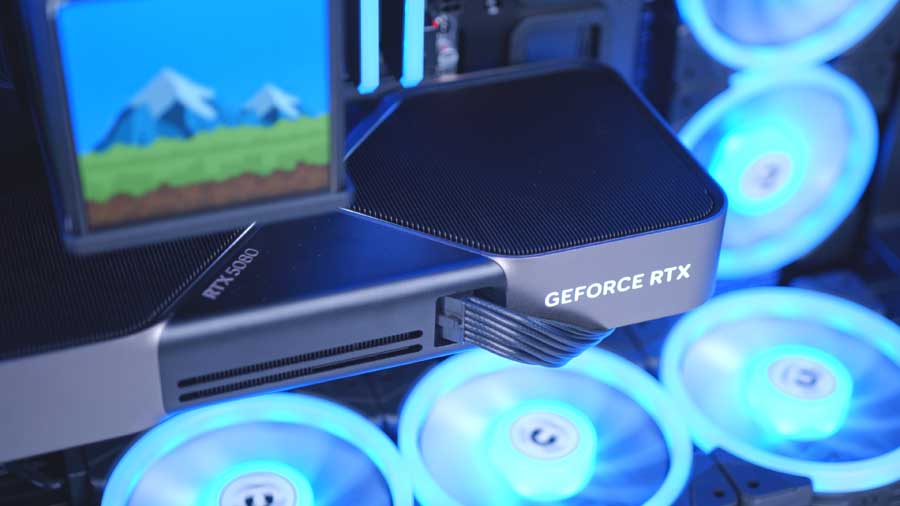
The RTX 5080 is the second most powerful graphics card on the market as of December 2025. It brings 16GB of VRAM with a GDDR7 bandwidth and delivers blistering throughput for high-resolution gaming and professional workloads. Built on NVIDIA’s latest architecture, it offers advanced ray-tracing cores, DLSS 4 support, and AI-driven rendering enhancements that boost frame rates while maintaining visual fidelity.
As the MINECUBE 360 Ultra ARGB Sync is the component delivering captivating visuals, we felt that going all out on a flashy board partner would make the PC slightly overwhelming to look at because there would be so much going on, we wanted a safe choice that mimicked the design language of the case, with sharp edges and a minimalist appearance, which is why we’ve chosen the NVIDIA GeForce RTX 5080 FE. The only issue is that this specific RTX design is highly sought after and very difficult to source. There is an additional RTX 5080 linked, made by ASUS, that imitates a similar level of minimalism.
Thermaltake View 600 TG
This Fortress of our build belongs to Thermaltake’s View series, and it’s designed to impress with its loud, bold, futuristic visuals. It is a full-sized tower that comes in a range of colours, from vibrant to minimalist. The chassis stands at 584mm tall, 249mm wide, and 560mm long, giving a much larger footprint than the standard mid-tower. This offers atypical benefits, such as the ability to mount larger radiators and a larger airflow area. This case can accommodate up to 10 120mm and 140mm fans; however, no fans are pre-installed.
Case Specifications
-
Model
Thermaltake View 600 TG
-
Form Factor
Full Tower
-
Motherboard Support
Mini-ITX, Micro-ATX, ATX, E-ATX
-
Case Dimensions (L x W x H)
560mm x 249mm x 584mm (22.06 x 9.8 x 22.98 inch)
-
Front IO
1 x USB 3.2 Gen 2 Type-C2 x USB 3.0 Type-AHeadphone + Mic jacks -
PCI-E Slots
8
-
Colour
Black, Butter Caramel, Future Dusk, Mint Strawberry, Snow
-
Max Clearance
175mm Cooler Height480mm GPU Length220mm PSU Length -
Drive Support
3 x 3.5 inch + 1 x 2.5 inch3 x 2.5 inch + 1 x 3.5 inch -
Fan Support
Top:3 x 140mmSide:3 x 140mmRear:1 x 140mmPSU Shroud:3 x 140mm(Optional):Supports 120/140mm configs via mounts -
Radiator Support
Top:Up to 420mmSide:Up to 420mmRear:Up to 140mm(Alt):Case supports multi-position custom loops -
Pre-Installed Fans
0
If you choose to opt for another motherboard than the one we have recommended, it’s worth knowing that this case can support Mini-ITX, MicroATX, ATX, E-ATX, and back-connector motherboards for those looking for a cleaner, cableless build. The chassis has 8 PCI-E Slots that support both horizontal and vertical GPU mounting configurations, when paired with a riser cable, should you wish to elevate your PC’s appearance one step further.
The case’s available IO offers a mid-range selection of two USB Type-A ports and one fast USB Type-C port, plus two audio ports: a headphone jack and a microphone jack. The front IO is located on the top panel to grant direct access when needed.
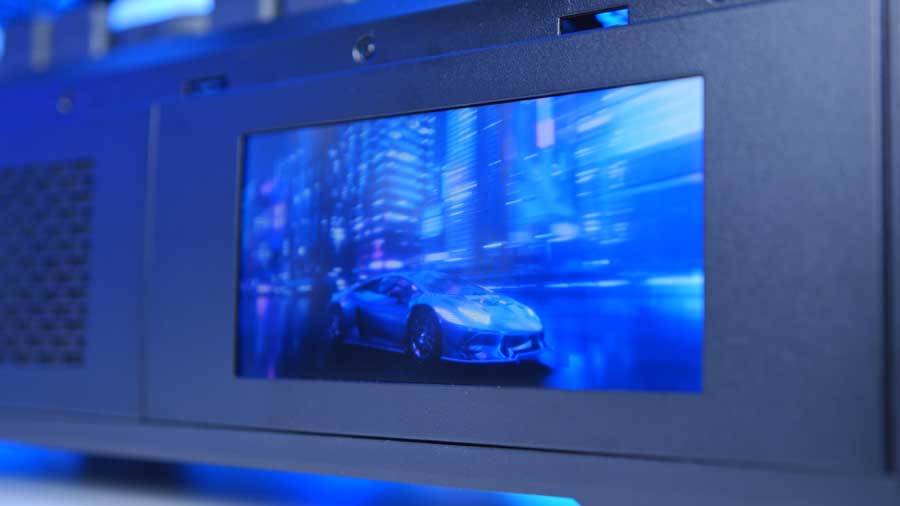
In the build video, you’ll notice that James installs an LCD screen into the chassis. Unfortunately, this does not come with the case and must be purchased separately. The screen is a 6″ LCD display that allows you to monitor real-time information and upload any images or GIFs to add extra flair using the TT RGB Plus software. If you’d like this feature, then it’s the 6.0″ LCD Panel Kit for View 600 TG that you’ll want to purchase, which comes in all of the colours that the case is available in. We have included an Amazon link for the screen above as well.
Thermaltake Toughpower PT 1000W
The final piece that brings the entire build to life is the power supply. To maintain brand consistency, we’ve opted for Thermaltake’s Toughpower PT 1000W, which pairs seamlessly with the RTX 5080. While NVIDIA recommends at least 850W for systems running this card, the extra headroom ensures stability under load and leaves room for future upgrades.
This PSU is fully modular, meaning you only connect the cables you need, reducing clutter and simplifying cable management. A coloured GPU connector adds a practical touch, confirming correct installation even when the plug itself isn’t visible. Built to modern standards, the Toughpower PT 1000W is ATX 3.1 and PCIe 5.0 ready, with 80 PLUS Platinum certification guaranteeing high efficiency. Its 12+4‑pin modular interface delivers clean, direct power to next‑generation graphics cards without adapter cables, making it a forward‑thinking choice for contemporary and upcoming builds.
Gallery