
The Ryzen 7 7800X3D and RX 9070 XT have become something of a power couple here at GeekaWhat. We keep coming back to this pairing because it’s one of the most sensible ways to get high-refresh 1440p gaming and very playable 4K without spending flagship money.
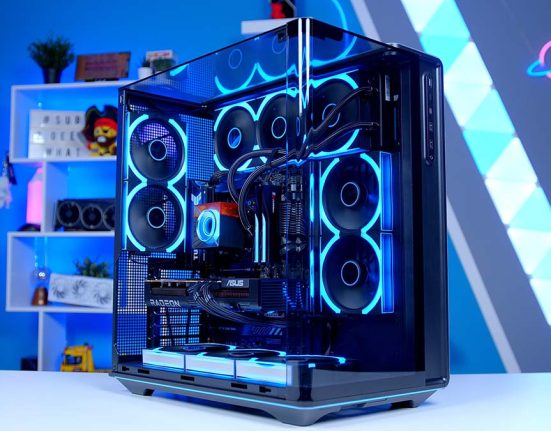
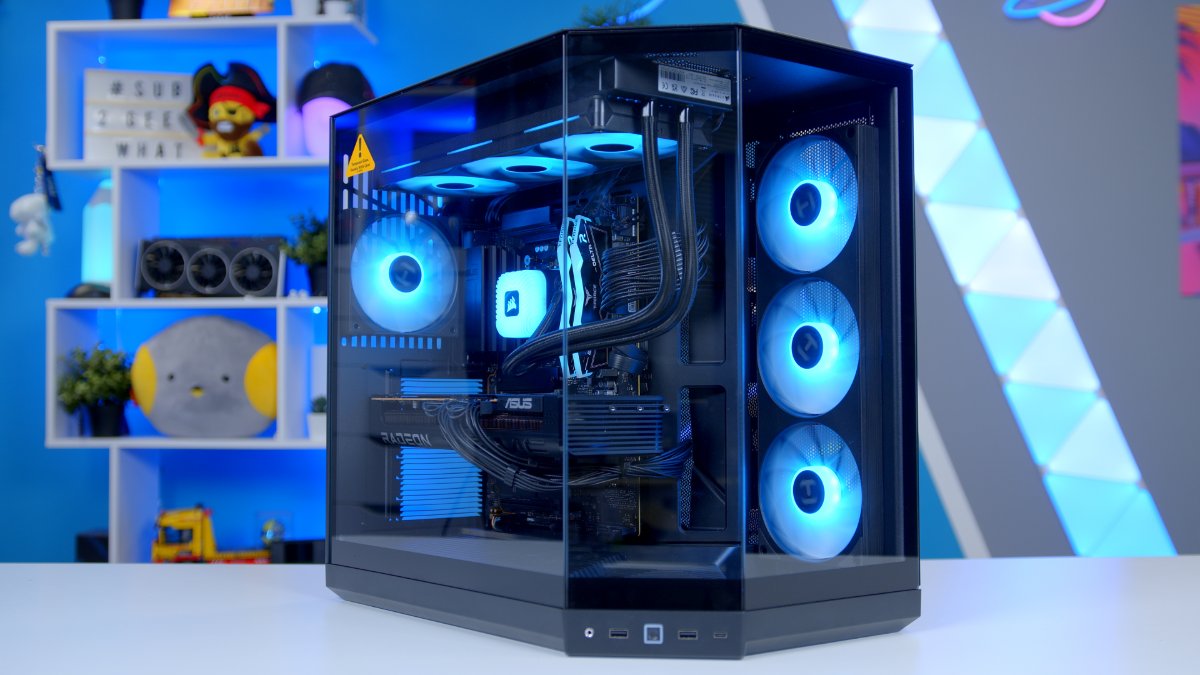
This time, though, the star of the show is the case. HYTE’s new Y50 brings the panoramic glass look of the Y60 and Y70 to its most affordable Y-series case yet, and it ships with ARGB fans pre-installed. Can a cheaper HYTE case hold its own? That’s what we wanted to find out.
Around it sits a no-nonsense set of parts: ASUS’s B850 MAX Gaming WiFi, 32GB of TEAMGROUP T-Force Delta RGB, a 2TB TEAMGROUP MP44Q and Corsair’s Nautilus II 360 RS ARGB keeping the CPU in check. Let’s get into it.
AMD Ryzen 7 7800X3D
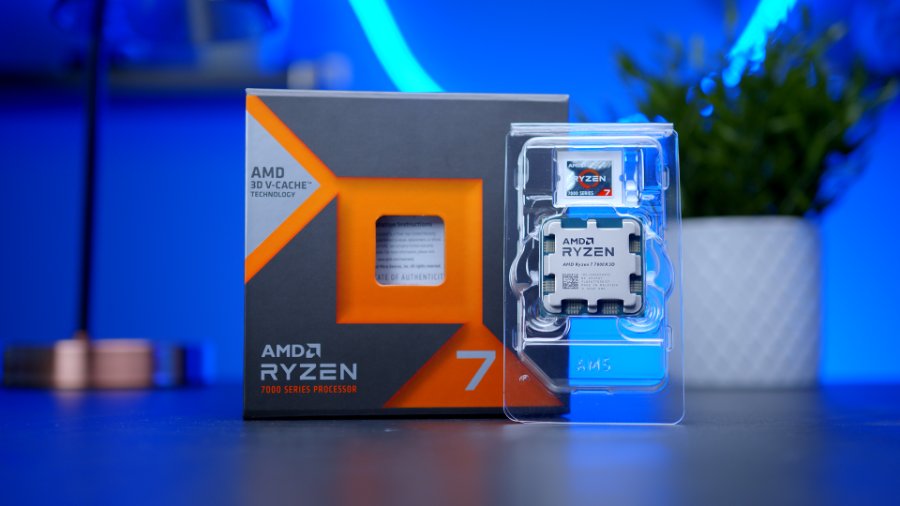
Skip to SectionThe gaming favourite that still delivers, with 64MB of 3D V-Cache stacked on a single CCD (96MB L3 in total) keeping the RX 9070 XT fed at high frame rates.
Corsair Nautilus II 360 RS ARGB
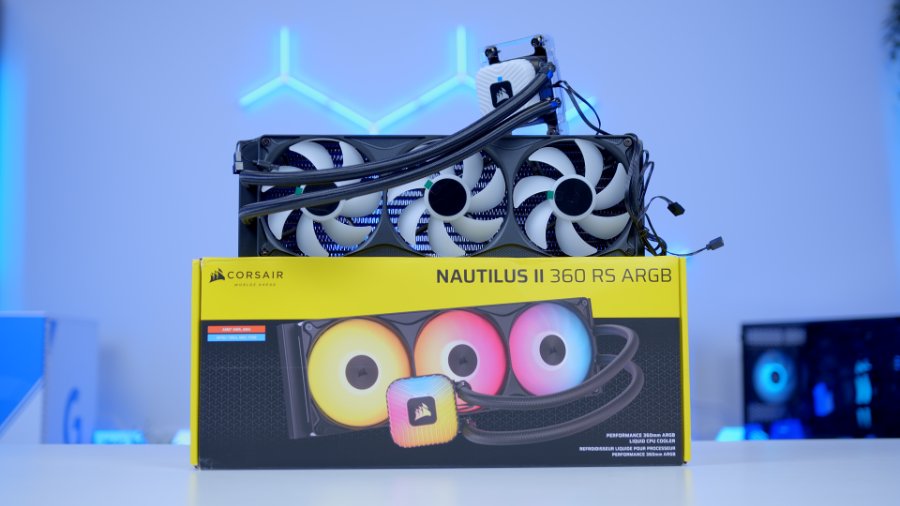
Skip to SectionCorsair’s second-gen Nautilus AIO, with a FlowDrive 2S pump and a single unified-frame 360mm fan panel for a quicker install.
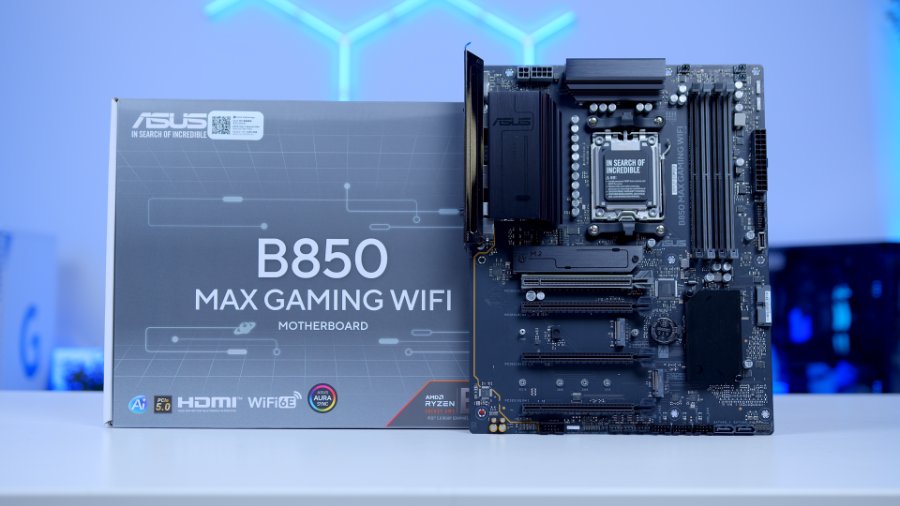
ASUS B850 MAX Gaming WiFi
Skip to SectionA no-frills ASUS B850 board with a PCIe 5.0 GPU slot, PCIe 5.0 M.2, Wi-Fi 6E and a dedicated AIO pump header.
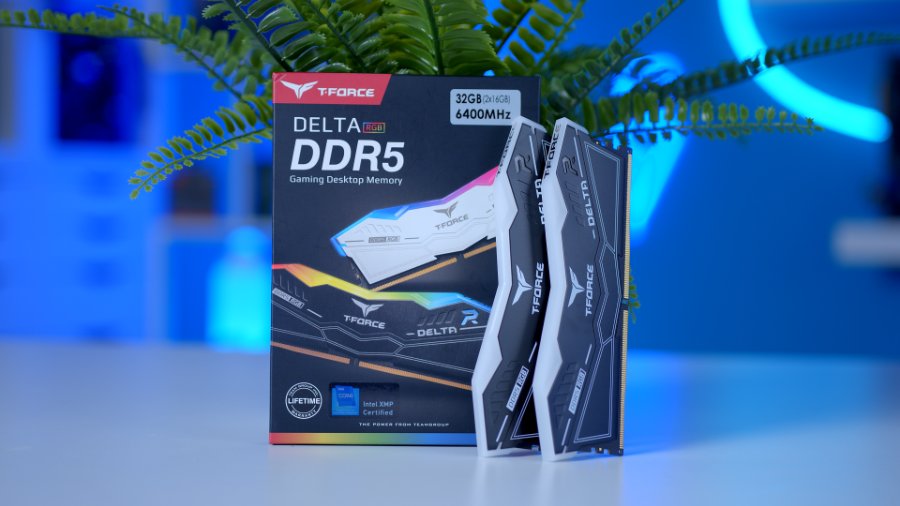
TEAMGROUP T-Force Delta RGB DDR5 32GB
Skip to SectionA 6000MT/s CL30 DDR5 kit, the sweet spot for Ryzen, with an angular heatspreader and wide RGB diffuser.
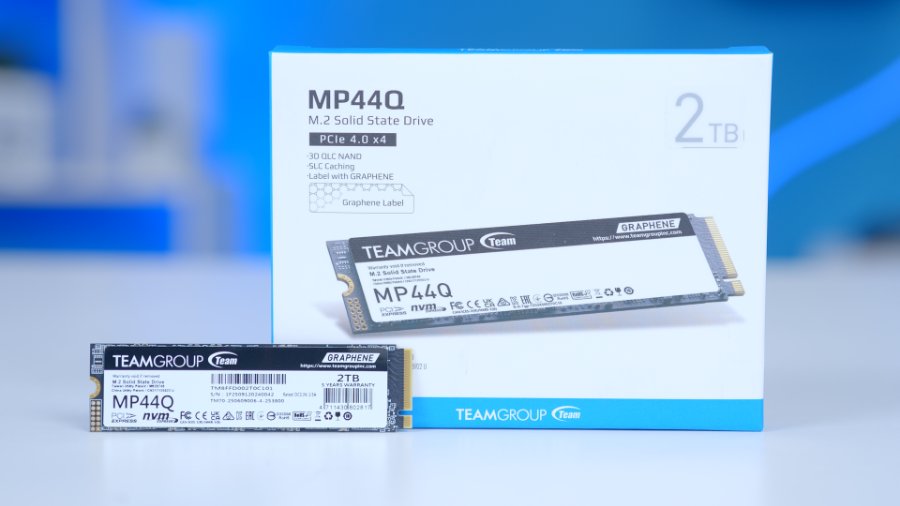
TEAMGROUP MP44Q 2TB
Skip to SectionA roomy PCIe 4.0 NVMe drive with QLC NAND and a 1,000TBW endurance rating, plenty quick for game installs and load times.
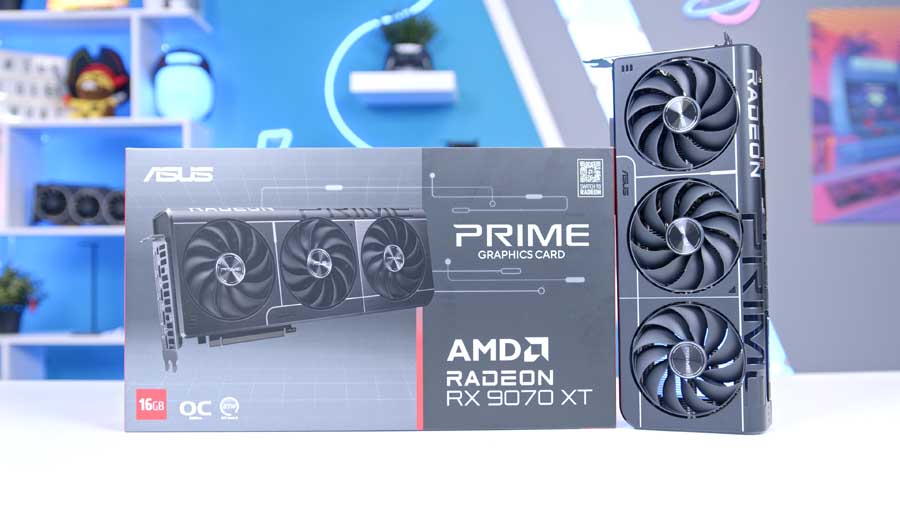
ASUS PRIME Radeon RX 9070 XT OC
Skip to SectionAMD’s RDNA 4 sweet spot for 1440p and 4K, here in a compact 2.5-slot ASUS PRIME design with 0dB fan stop.
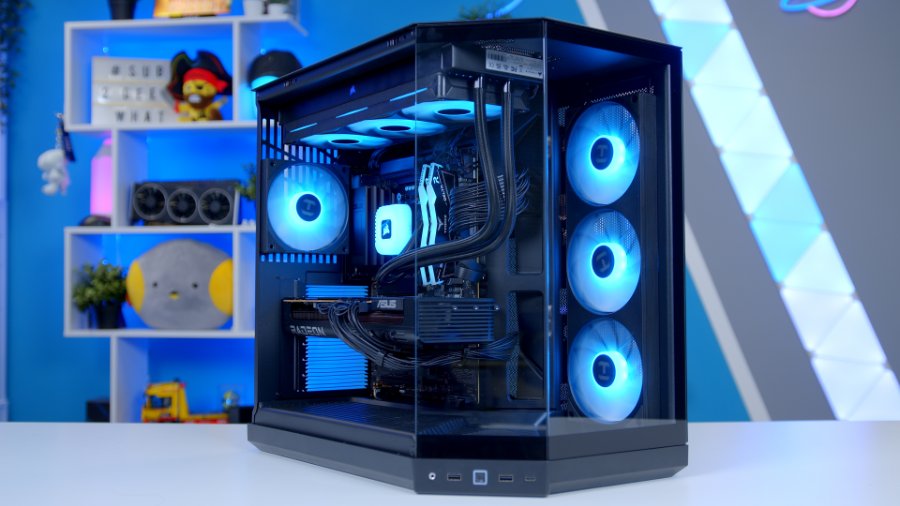
HYTE Y50
Skip to SectionHYTE’s most affordable Y-series case, with three-piece panoramic glass, back-connect support and four ARGB fans’ worth of airflow included.
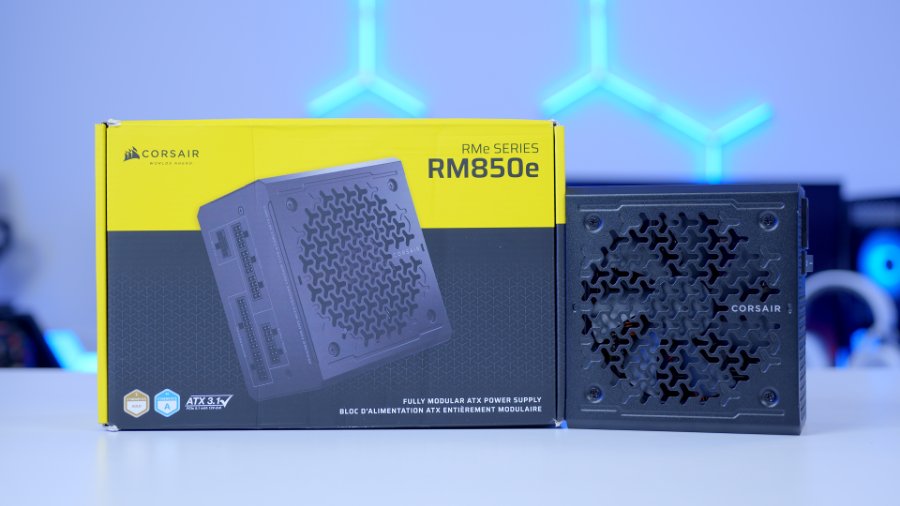
Corsair RM850e
Skip to SectionA fully modular ATX 3.1 PSU with Cybenetics Gold efficiency and plenty of headroom for this build.
AMD Ryzen 7 7800X3D
Starting with the processor. The Ryzen 7 7800X3D has been around for a while now, and newer X3D chips have arrived above it, yet it still does what it’s always done best: pump out frames. Its 8 cores and 16 threads sit on a single CCD, with 64MB of 3D V-Cache stacked on top for 96MB of L3 in total, giving games a huge pool of fast cache to work with.
Why not a 9800X3D? The gap in games shrinks a lot once you’re GPU-bound at 1440p and 4K with a card like the RX 9070 XT. The money saved goes further elsewhere in the build.
CPU Comparison
AMD Ryzen X3D Desktop CPU Comparison
Hover rows for highlight. Drag :: to reorder columns, or tap/click a header title to sort.
| ⠿ CPU | ⠿ Cores | ⠿ Threads | ⠿ Base Clock | ⠿ Max Boost | ⠿ TDP | ⠿ Total Cache | Where to Buy |
|---|---|---|---|---|---|---|---|
AMD Ryzen 9 9950X3D Zen 5 flagship X3D desktop CPU |
16 | 32 | 4.3 GHz | 5.7 GHz | 170W | 144MB | |
|
AMD Ryzen 9 9900X3D 12-core Zen 5 X3D for mixed gaming and production |
12 | 24 | 4.4 GHz | 5.5 GHz | 120W | 140MB | |
AMD Ryzen 7 9850X3D Newest Ryzen 7 X3D in the lineup |
8 | 16 | 4.7 GHz | 5.6 GHz | 120W | 104MB | |
|
AMD Ryzen 7 9800X3D High-FPS Zen 5 gaming CPU |
8 | 16 | 4.7 GHz | 5.2 GHz | 120W | 104MB | |
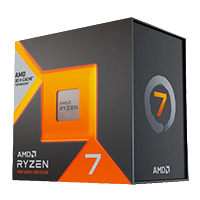
AMD Ryzen 7 7800X3D Mainstream Zen 4 gaming favourite |
8 | 16 | 4.2 GHz | 5.0 GHz | 120W | 104MB |
It’s efficient, too. With a 120W TDP, the 7800X3D doesn’t need a monster cooler to stay comfortable, though this build goes a step further anyway for lower temperatures and less fan noise.
Corsair Nautilus II 360 RS ARGB
Keeping the 7800X3D cool is Corsair’s Nautilus II 360 RS ARGB. It’s the second generation of Corsair’s no-frills Nautilus line, and the headline change is the fans. Instead of three separate 120mm fans, you get a single RS360 II ARGB unified frame, so there’s one panel to mount rather than three.
Under the pump cap is Corsair’s FlowDrive 2S pump, and the cold plate comes with XTM60 thermal paste pre-applied. There’s no proprietary hub or software required either. The pump and fans run off standard 4-pin PWM and ARGB headers, so the motherboard handles everything in true no-nonsense fashion.
As for the fit, the Y50 has 360mm radiator mounts up top and on the side panel, so clearance isn’t a worry here.
ASUS B850 MAX Gaming WiFi
Right, the motherboard. ASUS’s B850 MAX Gaming WiFi is a straightforward ATX board, and don’t let the plain name fool you: it covers the essentials nicely.
There’s a PCIe 5.0 x16 slot for the graphics card, a PCIe 5.0 M.2 slot for future storage upgrades, Wi-Fi 6E, 2.5Gb Ethernet and a 10Gbps USB-C port on the rear I/O. You also get a dedicated AIO pump header, which the Nautilus II puts straight to use, plus a BIOS FlashBack button for updating without a CPU.
Motherboard Specifications
- Model ASUS B850 MAX Gaming WiFi
- Chipset / Socket AMD B850 / AM5
- Form Factor ATX (305 x 244mm)
- CPU Support AMD Ryzen 9000 / 8000 / 7000 Series (AM5)
- Memory Support 4 x DDR5 DIMM, up to 256GB, up to DDR5-8000+ (OC)
- VRM Design 8+2+1 phase digital power (DIGI+ VRM)
- Reverse Connect No, standard front-connect layout
- Graphics Card Compatibility 1 x PCIe 5.0 x16 slot (full-length GPU slot)
- Expansion Card Compatibility 1 x PCIe 4.0 x16 (x4 mode) + 2 x PCIe 3.0 x16 (x1 mode)
- M.2 Compatibility 3 x M.2: 1 x PCIe 5.0 x4, 1 x PCIe 4.0 x4, 1 x PCIe 4.0 x2
- SATA Storage 4 x SATA 6Gb/s ports
- Networking Wi-Fi 6E + Bluetooth 5.3 + 2.5GbE LAN
- Rear I/O 4 x USB 10Gbps (3 x Type-A, 1 x Type-C), 2 x USB 5Gbps, 2 x USB 2.0, DisplayPort, HDMI, BIOS FlashBack
- Front I/O Headers 1 x USB 5Gbps Type-C header, 1 x USB 5Gbps header, 3 x USB 2.0 headers
- Audio Realtek 7.1 HD Audio codec
- Cooling Headers 1 x CPU, 1 x CPU OPT, 1 x AIO Pump, 4 x Chassis (all 4-pin)
One thing to note: this is a standard front-connect board. The Y50 does support back-connect designs like ASUS BTF, so if hidden cables are high on your list, that’s an easy upgrade path. At this price point, we’re happy to keep the savings.
TEAMGROUP T-Force Delta RGB DDR5 32GB
For memory, we’ve gone with 32GB of TEAMGROUP’s T-Force Delta RGB DDR5. It’s a 2 x 16GB kit running at 6000MT/s with CL30 timings. That’s the sweet spot for Ryzen 7000 and 9000 CPUs. Go much faster and the memory controller usually has to drop to a slower ratio, so there’s little to gain in games.
The heatspreaders have that angular, stealth-jet look, with a wide RGB diffuser running along the top. Lighting syncs through ASUS Aura Sync, meaning no extra software to install.
Just remember to enable the kit’s memory profile in the BIOS. Otherwise, the kit boots at a much slower default speed.
TEAMGROUP MP44Q 2TB
Storage comes from TEAMGROUP too, in the shape of the MP44Q 2TB. It’s a PCIe 4.0 drive rated for up to 7,000MB/s reads and 5,900MB/s writes. That’s comfortably quick for game installs and load times.
The catch? It uses QLC NAND. That’s cheaper to make than TLC but slower once its cache fills during very large file transfers. For a gaming PC, it’s rarely an issue, since games lean heavily on reads. Endurance is rated at 1,000TBW as well, which is healthy for a QLC drive, and 2TB leaves room for a big Steam library.
ASUS PRIME Radeon RX 9070 XT OC
Onto the main event. The RX 9070 XT remains one of the best-value graphics cards for 1440p and 4K gaming, and ASUS’s PRIME version is a no-fuss way to get one. It packs 16GB of GDDR6 on a 256-bit bus, AMD’s RDNA 4 architecture and support for FSR 4 upscaling.
The PRIME is refreshingly compact as well. At 312mm long and 2.5 slots thick, it slips into the Y50 with nearly 50mm to spare against the case’s 360mm GPU limit. Power comes from three 8-pin connectors, and all three fans stop spinning below 55°C, so it’s silent while you’re browsing or watching videos.
If ray tracing or NVIDIA’s software suite matters more to you, there’s a solid alternative below.
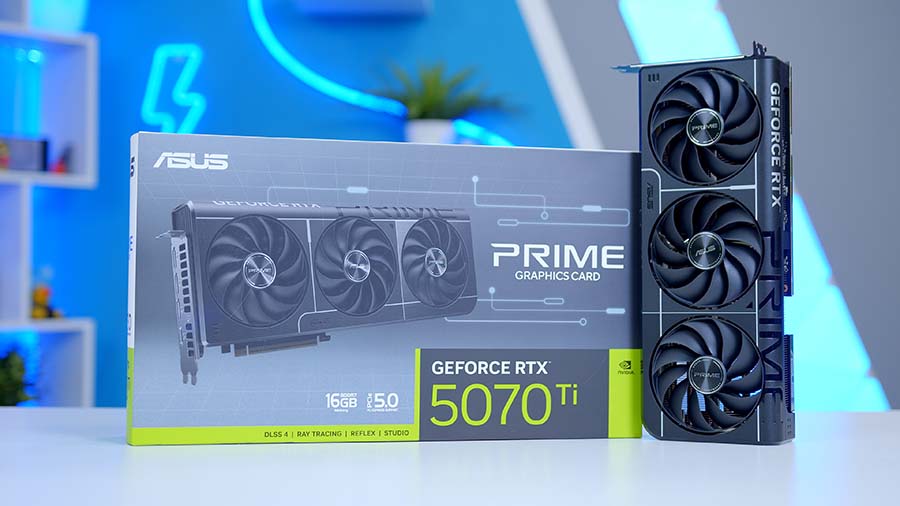
Alternative GPU Choice
Asus GeForce RTX 5070 Ti Prime OC 16GB
If you want an NVIDIA-flavoured alternative to the ASUS Prime Radeon RX 9070 XT OC, the RTX 5070 Ti is the cleanest architectural switch. It trades AMD’s RDNA 4 approach for NVIDIA’s Blackwell feature stack, giving you access to DLSS 4, Multi Frame Generation, and NVIDIA’s broader creator and AI software ecosystem, which can make a bigger difference than raw shader performance depending on the games and apps you actually use.
HYTE Y50
Now for the reason this build exists. The Y50 sits at the entry point of HYTE’s lineup, but it keeps the signature features: three-piece panoramic glass, a dual-chamber layout and the corner-mounted front I/O that made the Y60 such a hit.
What surprised us most is the fan setup. HYTE includes a unibody 360mm ARGB fan array on the side, pulling cool air in, plus a 120mm ARGB exhaust at the rear. The side unit uses a reverse-blade design, so you see the clean face of the fans through the glass. That’s four fans’ worth of airflow before you’ve spent a penny more!
Compatibility is strong for the price. It takes motherboards up to E-ATX, supports ASUS BTF, Gigabyte STEALTH and MSI Project ZERO back-connect boards, and fits 360mm radiators in two positions. The compromises? CPU air coolers are capped at 160mm tall, and there’s no vertical GPU mount. Neither matters for this build.
Case Specifications
- Model HYTE Y50
- Form Factor Mid-tower dual-chamber
- Motherboard Support E-ATX, ATX, Micro-ATX, Mini-ITX (back-connect: ASUS BTF, Gigabyte STEALTH, MSI Project ZERO)
- Case Dimensions (L x W x H) 473mm x 288mm x 461mm
- Front IO 1 x USB 3.2 Gen 2 Type-C, 2 x USB 3.2 Gen 1 Type-A, 1 x Audio combo
- PCI-E Slots 7 x Horizontal
- Colour Snow White, Pitch Black, Black Cherry, Strawberry Milk or Taro Milk
-
Max Clearance
GPU length: Up to 360mmCPU cooler: Up to 160mmPSU length: Up to 250mm (225mm with back-connect)
- Drive Support 6 x 2.5-inch, or 2 x 3.5-inch + 2 x 2.5-inch
-
Fan Support
Top: 3 x 120mm or 2 x 140mmSide: 3 x 120mmBottom: 2 x 120mmRear: 1 x 120mm
-
Radiator Support
Top: Up to 360mmSide: Up to 360mmRear: 120mm
- Pre-Installed Fans Side: 1 x 360mm ARGB unibody (reverse blade), Rear: 1 x 120mm ARGB
Corsair RM850e
Finally, power. Corsair’s RM850e is a regular in our builds, and it’s easy to see why. It’s fully modular, ATX 3.1 compliant and Cybenetics Gold rated, with plenty of headroom for a 7800X3D and RX 9070 XT.
There’s a native 12V-2×6 cable included, but this build doesn’t need it. The PRIME RX 9070 XT takes three standard 8-pin connectors instead. Corsair covers that with a 12V-2×6 to dual 8-pin cable plus a single PCIe 8-pin lead, which together give you the three connections the card needs.
Gaming Performance
With everything built, it’s time for the numbers. We tested six games: 007 First Light, Battlefield 6 and Call of Duty: Modern Warfare 4 at 1440p, then Forza Horizon 6, Marvel Rivals and Resident Evil Requiem at 4K, all on High settings.
At 1440p, this build flies! Call of Duty: Modern Warfare 4 led the way at 176.4 FPS on average, with Battlefield 6 not far behind at 154.1 FPS. Both are a great match for a high-refresh monitor. 007 First Light is the most demanding of the three, averaging 97.3 FPS, which is still very smooth for a cinematic single-player game. One thing we did spot was Battlefield 6’s 0.1% lows dipping to 17.4 FPS. Its 1% lows held at 54.1 FPS, though, so these were occasional hitches rather than constant stutter.
Performance Snapshot
Multi-Game Average FPS
1440P
97.3FPS
Display
Fullscreen, 2560×1440
Preset
High
1440P
154.1FPS
Map / Mode
Empire State, Conquest
Capture Length
4–7 mins
Fullscreen Mode
Windowed (Fullscreen Device Monitor 1)
Resolution / Refresh
2560×1440, 120Hz, Aspect Auto
VSync / FOV
VSync Off, FOV 90, Vehicle FOV 79
Preset
Custom, Graphics Quality High
Texture / Mesh / Terrain
All High
Reflections / AO & GI
Reflections High, SSR High, GTAO High
1440P
176.4FPS
Display
Fullscreen, 2560×1440
Preset
High
4K
153.2FPS
Display
Fullscreen, 3840×2160
Preset
High
4K
77.2FPS
Capture Length
4–7 mins
Display
Fullscreen, 3840×2160, Aspect 16:9
AA / Upscaling
TAAU, Render Scale 100
Frame Gen / Latency
Frame Generation Off, Low Latency Off
VSync / FPS Cap
VSync Off, Match/Lobby/Background FPS No Limit
Preset
Graphics Quality High
GI / Reflections
Lumen GI High Quality, SSR Reflections
Detail Settings
Model / Post / Shadows / Texture / Effects / Foliage all High
4K
99.8FPS
Display
Fullscreen, 3840×2160, Aspect Auto
VSync / Frame Rate
VSync Off, Frame Rate Limit Off
Upscaling / Frame Gen
Upscaling Off, Frame Generation Off
Anti-Aliasing / Textures
TAA, Texture Quality High, Filter High (ANISO x8)
Mesh / Reflections
Mesh Quality Standard, SSR On, Subsurface Scattering High
Shadows / Lighting
Shadow Quality High, Contact Shadows On, Particle Lighting On
Fog / Lens Effects
Volumetric Fog High, Lens Flare Standard, Lens Dirt On
Post Effects
Depth of Field On, Lens Distortion On (+Chromatic Aberration)
Step up to 4K and the RX 9070 XT keeps impressing. Forza Horizon 6 averaged a superb 153.2 FPS, while Resident Evil Requiem landed just shy of 100 FPS at 99.8. Marvel Rivals was the toughest test at 77.2 FPS, but that’s still well clear of 60 FPS for a fast-paced hero shooter.
Final Thoughts
So, is the HYTE Y50 worth building in? Absolutely. It delivers the panoramic HYTE look for far less than the Y60 or Y70, and the included fans mean there’s no hidden cost waiting for you after checkout.
Paired with the 7800X3D and RX 9070 XT, it makes for a system that breezes through 1440p at high refresh rates and still runs smoothly at 4K in most games. Every other part is a sensible pick, with very little money spent on features you won’t use.
If you’re after a great-looking gaming PC that doesn’t cost a fortune, this is a fantastic place to start.