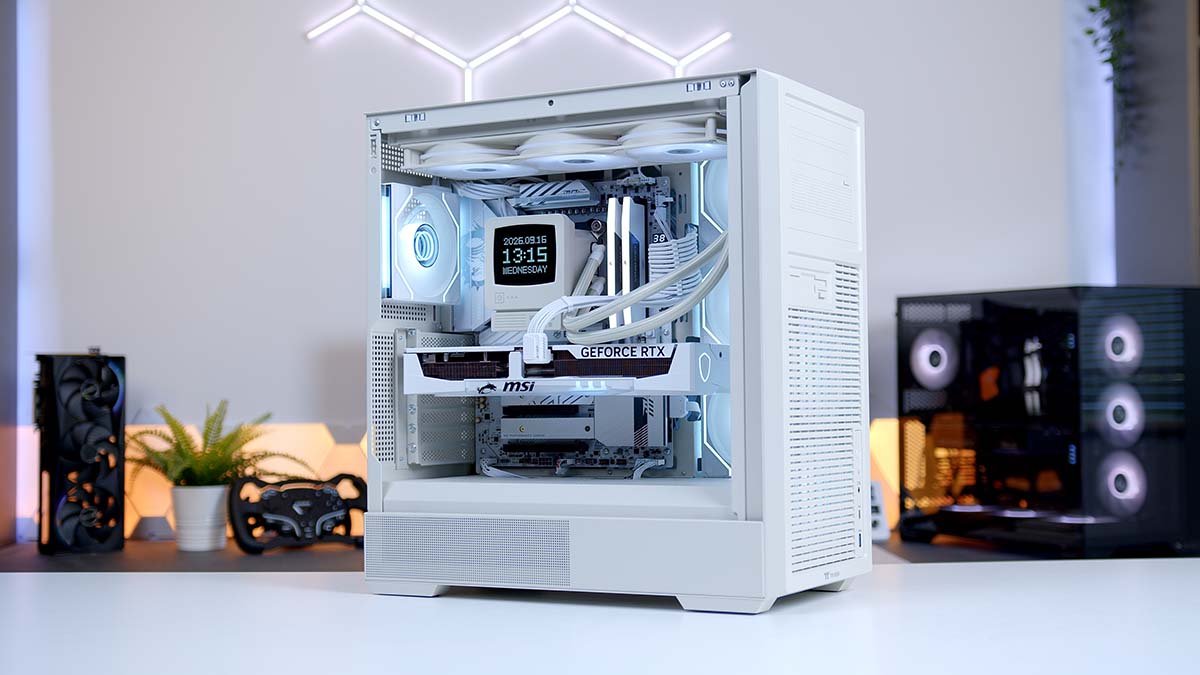
Beige is back! Well, sort of. Thermaltake’s Retro range takes the look of a mid-90s office tower and wraps it around a modern glass-sided chassis, so we couldn’t resist putting together something that looks properly old-school on the outside with very new-school hardware on the inside.
Behind that putty-coloured front panel sits an AMD Ryzen 7 7800X3D and an RTX 5070 Ti. That’s a pairing built for fast 1440p gaming, with enough in the tank for 4K too. The rest of the parts lean white to match: MSI’s B850 Edge Ti WiFi, the white Gaming Trio version of the 5070 Ti, Corsair Vengeance RGB memory and a Samsung 9100 PRO Gen 5 SSD, all powered by a 1000W Thermaltake Toughpower PT. Is 1000W overkill? A little. We’ll explain why it’s not a daft choice further down.
AMD Ryzen 7 7800X3D
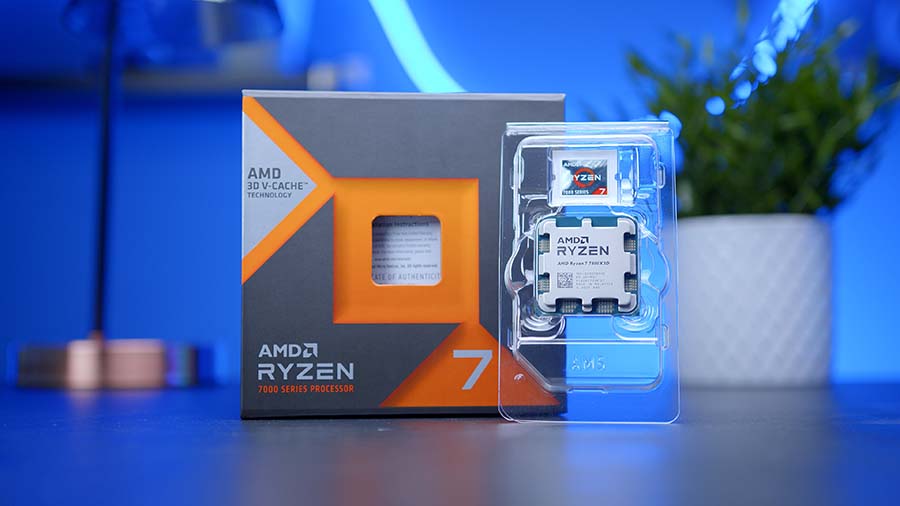
Skip to SectionAMD’s Zen 4 gaming favourite, with 96MB of L3 cache from 3D V-Cache that keeps it close to the top of the gaming charts and among the best-value X3D chips on AM5.
Thermaltake Retro 360 Ultra ARGB Sync
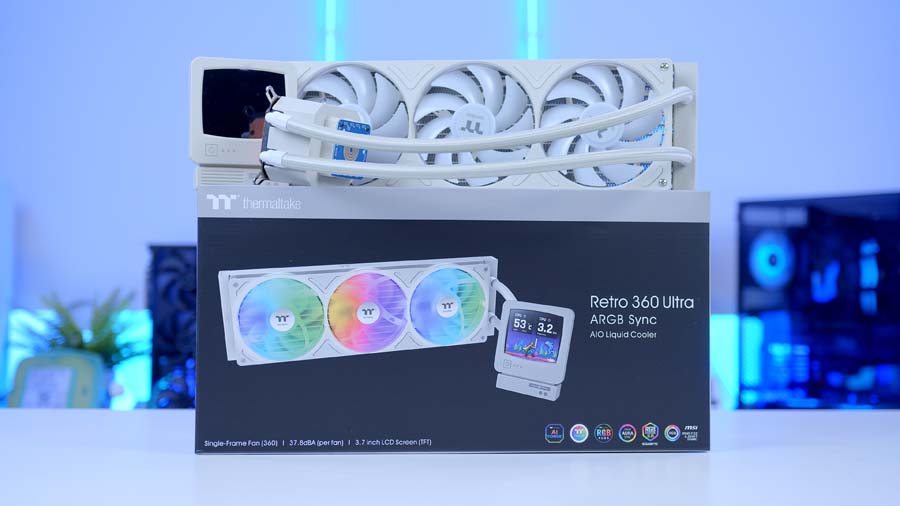
Skip to SectionA 360mm AIO with a CRT-style beige pump cap housing a 3.7-inch LCD for system stats, custom backgrounds and even built-in retro games.
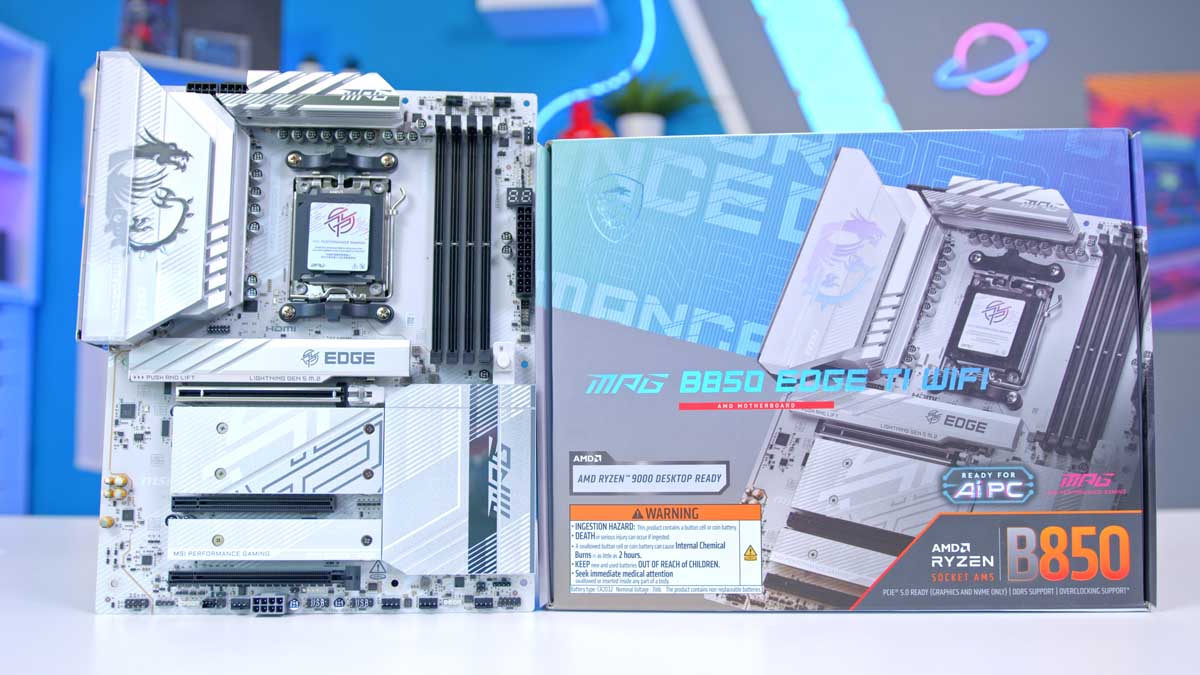
MSI MPG B850 Edge Ti WiFi
Skip to SectionA silver-white B850 board with a 14+2+1 phase VRM, Wi-Fi 7, 5GbE LAN and two PCIe 5.0 M.2 slots, packed with MSI’s EZ DIY features.

Corsair Vengeance RGB DDR5 32GB White
Skip to SectionA white 32GB DDR5 kit with an RGB light bar on top, running the 6000MT/s sweet spot for AM5.
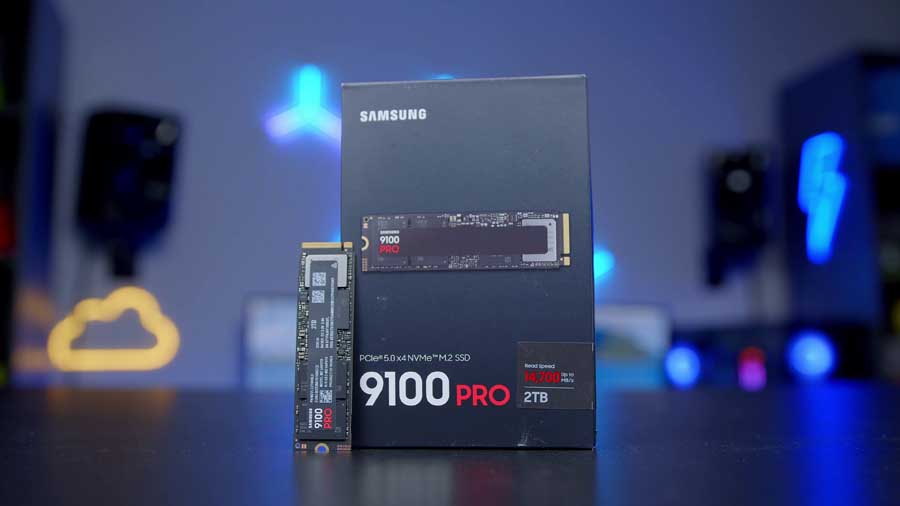
Samsung 9100 PRO 2TB
Skip to SectionA PCIe 5.0 NVMe drive rated for up to 14,700 MB/s reads, with 2TB of space for a large games library.
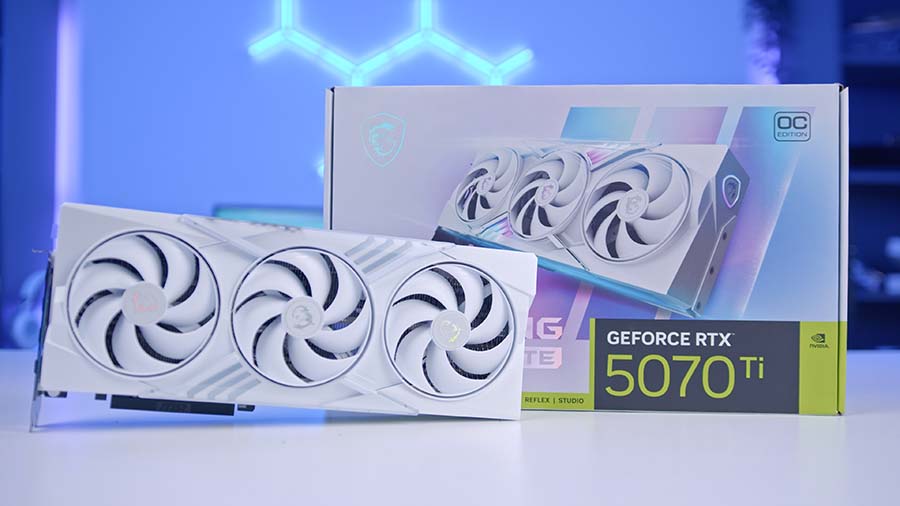
MSI RTX 5070 Ti Gaming Trio OC White
Skip to SectionA white triple-fan RTX 5070 Ti with 16GB of GDDR7, built for high refresh 1440p gaming with enough in reserve for 4K.
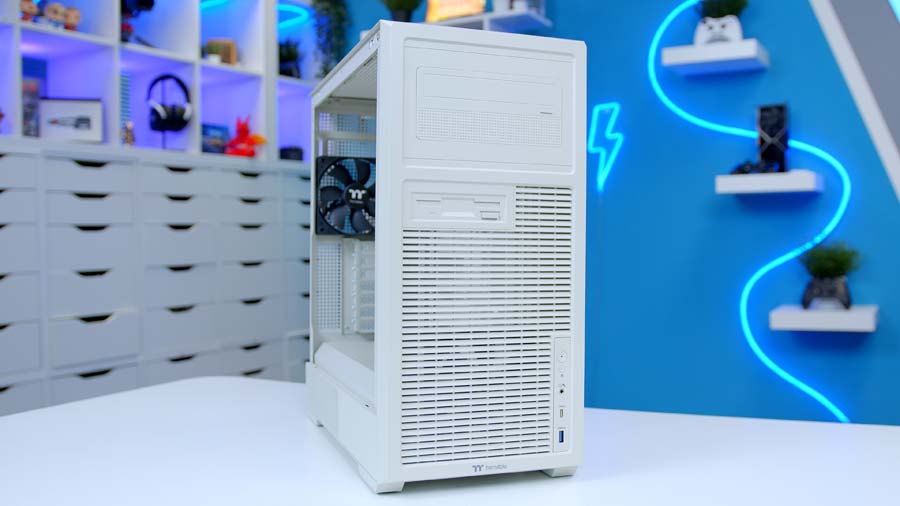
Thermaltake Retro 360 TG
Skip to SectionA beige mid-tower with a 90s-style front panel, tempered glass side and support for 360mm radiators and hidden-connector motherboards.
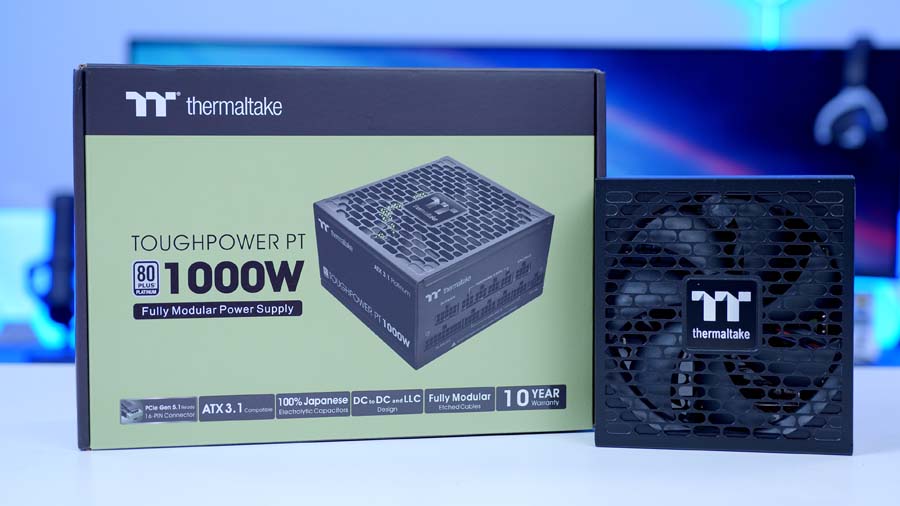
Thermaltake Toughpower PT 1000W
Skip to SectionA 1000W ATX 3.1 power supply with Cybenetics Platinum efficiency, flat modular cables, a native 12V-2×6 connector and a 10-year warranty.
AMD Ryzen 7 7800X3D
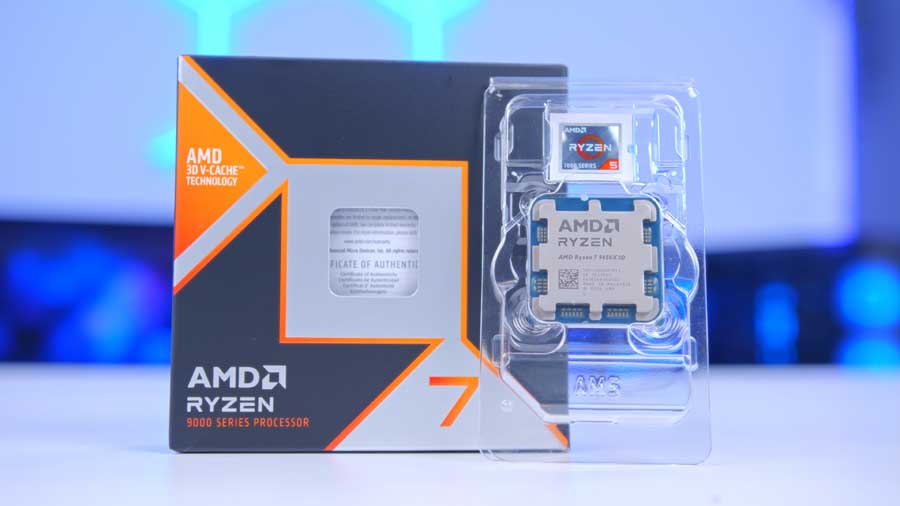
The 7800X3D launched back in early 2023, and in CPU years that makes it practically retro itself. Fitting, really. Age hasn’t dented it much though. You get 8 cores, 16 threads and 96MB of L3 cache courtesy of AMD’s 3D V-Cache, and that big pool of cache is what keeps it near the top of the gaming charts.
Couldn’t we just use a 9800X3D or the newer 9850X3D? Sure, and both are quicker. But with a 5070 Ti doing the heavy lifting at 1440p and 4K, most games lean on the graphics card first, so the gap between these chips shrinks a lot. The money saved is better spent elsewhere in the build. It also only has a 120W TDP, so cooling it is hardly a big ask. Curious how it lines up against AMD’s other X3D chips? The table below has the specs side by side.
Alternative CPU Choice
AMD Ryzen 7 9850X3D
If you’d rather have the newest Ryzen 7 X3D chip, the 9850X3D is the one to look at. It moves to Zen 5 and AMD’s second-generation 3D V-Cache, with the cache moved underneath the cores so the chip can clock higher: up to 5.6GHz against the 7800X3D’s 5.0GHz. It drops into the same AM5 socket and works on the B850 Edge Ti with no other changes to the parts list.
Thermaltake Retro 360 Ultra ARGB Sync
Right, this is where the build earns its name. The Retro 360 Ultra’s pump cap is a tiny beige CRT monitor! Inside it sits a 3.7-inch, 720×608 screen that can show system stats, the weather, custom backgrounds generated through Thermaltake’s AI Forge and, we’re not making this up, a few built-in retro games including Snake.
Gimmicks aside, the hardware underneath is sensible. It’s a 360mm aluminium radiator at a slim 27mm thick, three 120mm ARGB fans in a single-frame module running between 500 and 2,500 RPM, and a copper cold plate. For a 120W chip like the 7800X3D that’s loads of cooling capacity, so the fans can stay slow and quiet for most of the time.
MSI MPG B850 Edge Ti WiFi
Onto the motherboard. MSI’s Edge Ti boards have been a go-to for white builds for a while now, and the B850 version brings that silver-white styling to AMD’s mid-range chipset. Mid-range in name only, mind. There’s a 14+2+1 phase VRM with 80A power stages (far more than a 7800X3D will ever ask for), Wi-Fi 7, 5GbE LAN and four M.2 slots, two of which run at PCIe 5.0 speeds.
Motherboard Specifications
- Model MSI MPG B850 EDGE TI WIFI
- Chipset / Socket AMD B850 / AM5
- Form Factor ATX
- CPU Support AMD Ryzen 9000 / 8000 / 7000 Series (AM5)
- Memory Support 4 x DDR5 DIMM, up to 256GB, up to DDR5-8400+ (OC)
- VRM Design 14+2+1 phase Duet Rail, 80A smart power stages
- Reverse Connect No (standard front-connect layout)
- Graphics Card Compatibility 1 x PCIe 5.0 x16 slot (EZ PCIe Release)
- Expansion Card Compatibility 1 x PCIe 4.0 x4 + 1 x PCIe 3.0 x1
- M.2 Compatibility 4 x M.2: 2 x PCIe 5.0 x4, 1 x PCIe 4.0 x4, 1 x PCIe 4.0 x2
- SATA Storage 4 x SATA 6Gb/s ports
- Networking Wi-Fi 7 + Bluetooth 5.4 + 5GbE LAN
- Rear I/O USB 10Gbps (Type-C and Type-A), USB 5Gbps Type-A, USB 2.0, HDMI out, 5GbE LAN, audio jacks + optical S/PDIF, Flash BIOS and Clear CMOS buttons
- Front I/O Headers 1 x USB-C 20Gbps header, 2 x USB 5Gbps headers, 2 x USB 2.0 headers
- Audio Realtek ALC4080 (7.1-channel USB audio)
- Colour Silver / white EDGE Ti styling
The quality-of-life touches are the bits you’ll actually notice during the build. Tool-free M.2 clips, a pre-installed I/O shield and an EZ PCIe Release button mean less fiddling with tiny screws, and no prodding at a GPU latch with a screwdriver when it’s time to upgrade. It’s a standard front-connect board too, so it’ll go into pretty much any ATX case.
Corsair Vengeance RGB DDR5 32GB White
Memory comes from Corsair: 32GB of Vengeance RGB DDR5 in white. Two 16GB sticks at 6000MT/s CL30 is the sweet spot for AM5, keeping the memory controller and Infinity Fabric in step without wandering into unstable territory. 32GB is plenty for gaming with a browser and Discord open in the background, and the RGB light bar on top adds a splash of colour against all that white and beige.
Pop the sticks into slots A2 and B2, then switch on EXPO in the BIOS. Skip that last step and the kit sits at stock JEDEC speeds, leaving free performance on the table.
Samsung 9100 PRO 2TB
Storage is the part of the spec sheet that gets a bit silly. The Samsung 9100 PRO is a PCIe 5.0 drive rated for up to 14,700 MB/s reads and 13,400 MB/s writes, roughly double what a quick Gen 4 drive can manage. Will you feel that in games? Not massively. Load times depend on a lot more than raw sequential speed, so the jump from Gen 4 is smaller in practice than the numbers suggest.
Where it does make sense is longevity. 2TB is a comfortable amount of space for a modern games library, and since the B850 Edge Ti has two Gen 5 M.2 slots, the drive isn’t wasted on this board. Slot it in under the top heatsink and forget about it.
MSI RTX 5070 Ti Gaming Trio OC White
The RTX 5070 Ti is the heart of this build, and still the card we’d point most people towards for high refresh 1440p with a decent shot at 4K. 16GB of GDDR7 on a 256-bit bus means VRAM shouldn’t be a worry for a good while, and DLSS 4 with Multi Frame Generation is a handy get-out-of-jail card when newer games start to get demanding.
MSI’s Gaming Trio OC White is a 338mm triple-fan card with a factory boost of up to 2,580MHz in MSI Center’s Extreme Performance mode. It’s rated at 300W and takes a single 16-pin 12V-2×6 connector. And it’s white, obviously! Next to the beige case it reads more like a nicely aged office machine than a stark all-white build, and it works better than we expected.
Thermaltake Retro 360 TG
Onto the case, and the reason this whole build exists. The Retro 360 TG takes the beige front of a 90s tower, chunky panel lines and all, and bolts it onto a fairly normal glass-sided mid-tower. From the front it could be sat under a desk running Windows 95. Turn it to the side and there’s a 4mm tempered glass panel showing off everything inside.
Case Specifications
- Model Thermaltake Retro 360 TG
- Form Factor ATX mid-tower
- Motherboard Support Mini-ITX, Micro-ATX, ATX (hidden-connector Micro-ATX and ATX supported)
- Case Dimensions (H x W x D) 467mm x 235mm x 493mm
- Front IO 1 x USB 3.2 Gen 2 Type-C, 1 x USB 3.0 Type-A, 1 x HD Audio
- PCI-E Slots 7 x (rotatable)
- Colour Beige (optional 6″ LCD screen kit)
-
Max Clearance
GPU length: Up to 400mmCPU cooler: Up to 170mmPSU length: Up to 275mm
- Drive Support 1 x 3.5-inch + 1 x 2.5-inch, or 2 x 2.5-inch
-
Fan Support
Front: 2 x 120mm or 2 x 140mmTop: 3 x 120mm or 2 x 140mmSide: 3 x 120mm (motherboard side)Rear: 1 x 120mmPSU cover: 3 x 120mm
-
Radiator Support
Top: Up to 360mmSide: Up to 360mm (motherboard side)Rear: 120mm
- Pre-Installed Fans 2 x 120mm (DC, 1,400 RPM)
Practically, it’s more capable than the styling suggests. There’s room for a 400mm graphics card and a 170mm air cooler, 360mm radiators fit in the roof or on the motherboard side, and it supports hidden-connector Micro-ATX and ATX boards if you fancy going that route later. The catch? That retro front panel isn’t the most open design, and the two included 120mm fans are DC rather than PWM, so it’s worth adding a couple more fans if your graphics card runs warm. With the AIO up top handling the CPU, it’s a trade we’d happily make for a case that looks like nothing else on the market.
Thermaltake Toughpower PT 1000W
Last up, power. A 5070 Ti and 7800X3D together will pull well under 500W while gaming, so 1000W is clearly more than this system needs right now. So why bother? A PSU running at around half load sits in its efficiency sweet spot, the fan stays quiet, and if you ever drop a much hungrier graphics card in down the line, the power supply won’t be the thing holding you back.
The Toughpower PT itself is a solid pick. It’s ATX 3.1 with a native 12V-2×6 cable for the GPU, fully modular, Cybenetics Platinum rated and backed by a 10-year warranty. Thermaltake also uses flat cables here, which are much easier to tidy behind the motherboard tray than chunky sleeved ones.
Gaming Performance
Time for the fun part. We tested the build in six games at 1440p and 4K, all on High settings: 007 First Light, Battlefield 6, CONTROL Resonant, Cyberpunk 2077, Forza Horizon 6 and Marvel Rivals. The widget below shows the average FPS for each, with the full test settings tucked under each game.
At 1440p, this thing flies. Forza Horizon 6 led the pack at 180.6 FPS, with Battlefield 6 on 166.9 FPS, Marvel Rivals on 152.4 FPS and Cyberpunk 2077 on 148.7 FPS. Those are the kinds of numbers that make a 165Hz or 180Hz monitor worth the money. The two newest and heaviest games, 007 First Light and CONTROL Resonant, landed at 90.2 FPS and 85.7 FPS respectively. Still comfortably smooth.
Performance Snapshot
Multi-Game Average FPS
1440P
90.2FPS
4K
51.7FPS
Resolution
2560×1440 and 3840×2160
Preset
High
1440P
166.9FPS
4K
101.1FPS
Map / Mode
Empire State, Conquest
Capture Length
4–7 mins
Fullscreen Mode
Windowed (Fullscreen Device Monitor 1)
Resolution / Refresh
2560×1440 / 3840×2160, 120Hz, Aspect Auto
VSync / FOV
VSync Off, FOV 90, Vehicle FOV 79
Preset
Custom, Graphics Quality High
Texture / Mesh / Terrain
All High
Reflections / AO & GI
Reflections High, SSR High, GTAO High
1440P
85.7FPS
4K
41.6FPS
Resolution
2560×1440 and 3840×2160
Preset
High
1440P
148.7FPS
4K
76FPS
Benchmark Mode
Built-in benchmark ran 2x
Display
Fullscreen, 2560×1440 / 3840×2160, VSync Off, FPS cap Off
Preset
Custom, Texture High
Upscaling / Frame Gen
Resolution Scaling Off, Frame Generation Off
Ray Tracing / Path Tracing
All Off
Crowd / FOV
Crowd Density Medium, FOV 80
Post Effects
Film Grain On, DoF On, Lens Flare On, Motion Blur Off
Shadow Quality
Local Shadow Mesh High, Local Shadow High, Cascaded range/resolution High
1440P
180.6FPS
4K
138.4FPS
Resolution
2560×1440 and 3840×2160
Preset
High
1440P
152.4FPS
4K
84.1FPS
Capture Length
4–7 mins
Display
Fullscreen, 2560×1440 / 3840×2160, Aspect 16:9
AA / Upscaling
TAAU, Render Scale 100
Frame Gen / Latency
Frame Generation Off, Low Latency Off
VSync / FPS Cap
VSync Off, Match/Lobby/Background FPS No Limit
Preset
Graphics Quality High
GI / Reflections
Lumen GI High Quality, SSR Reflections
Detail Settings
Model / Post / Shadows / Texture / Effects / Foliage all High
Bump things up to 4K and the 5070 Ti still holds its own in the lighter titles. Forza Horizon 6 kept a strong 138.4 FPS and Battlefield 6 stayed in triple figures at 101.1 FPS. Marvel Rivals dropped to 84.1 FPS, while Cyberpunk 2077 managed 76 FPS. 007 First Light (51.7 FPS) and CONTROL Resonant (41.6 FPS) are where it starts to sweat. Playable, but for 60 FPS or more in those two at 4K, DLSS and frame generation are the obvious tools to reach for.
So, does retro styling mean retro performance? Not a chance. This build looks like it belongs in a 1996 computer lab, yet it chews through modern games at 1440p and makes a decent fist of 4K. If you’ve been after something that stands out from the sea of white RGB fishtanks, this one’s a lot of fun.