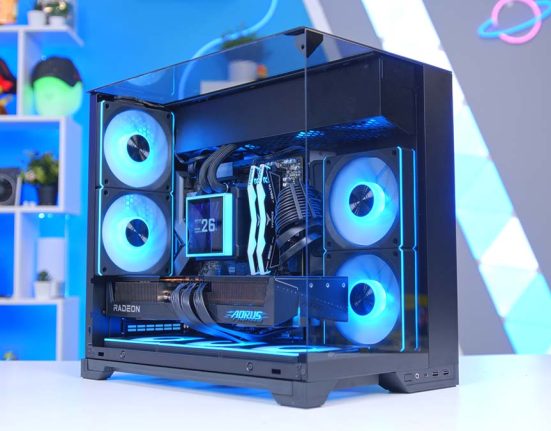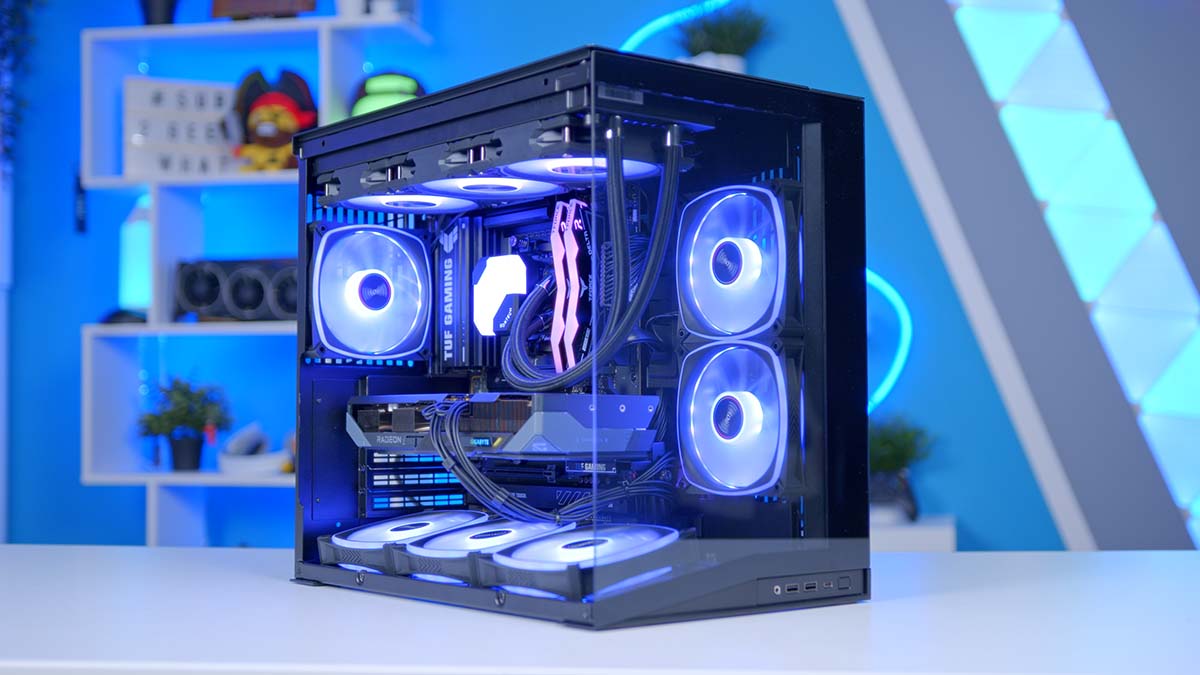
AMD just dropped the Radeon RX 9070 GRE, and it lands in exactly the spot a lot of you have been waiting for. It is a proper RDNA 4 card aimed squarely at high-refresh 1440p, and more importantly priced to undercut the competition. Interest piqued? Good, because we’ve built a full system around it!
The brief for this build is simple. Keep it budget friendly and chase the best FPS possible, ready for crushing titles at 1440p. The result is a tidy little Ryzen 5 build that fits in the gorgeous Lian Li O11 Dynamic Mini V2 Flow, runs cool and quiet, and still leaves you headroom to upgrade further down the line. Let’s get into it.
AMD Ryzen 5 9600X
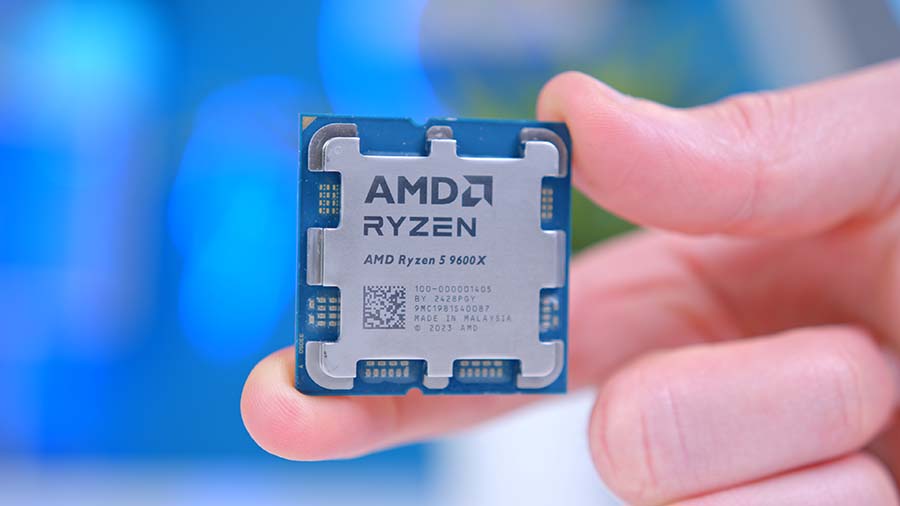
For a 1440p gaming build, you want a CPU that feeds the GPU without breaking a sweat or the budget, and the Ryzen 5 9600X nails that. Six Zen 5 cores and twelve threads, boosting to 5.4GHz, and it does the whole job inside a 65W power budget. At 1440p the GPU is doing the heavy lifting, so spending more on the CPU would be money better put towards pixels. This is the smart-money pick.
CPU Comparison
AMD Ryzen 5 9600X Desktop CPU Comparison
Hover rows for highlight. Drag the :: handle to reorder columns, or tap/click a header title to sort.
| CPU | ::Cores | ::Threads | ::Base Clock | ::Max Boost | ::TDP | ::Total Cache | ::Where to Buy |
|---|---|---|---|---|---|---|---|
AMD Ryzen 5 9600X Budget-friendly Zen 5 competitor |
6 | 12 | 3.9 GHz | 5.4 GHz | 65W | 38MB | |
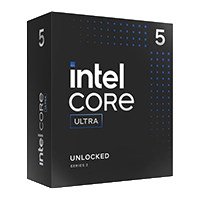
Intel Core Ultra 5 250K Plus Mid-range Arrow Lake+ desktop CPU (Q1 2026) |
18 | 18 | 4.2 GHz | 5.3 GHz | 125W | 60MB | Coming Soon |
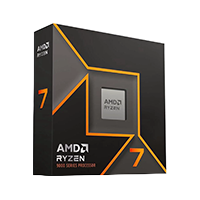
AMD Ryzen 7 9700X 8-core Zen 5 gaming / productivity CPU |
8 | 16 | 3.8 GHz | 5.5 GHz | 65W | 40MB | |
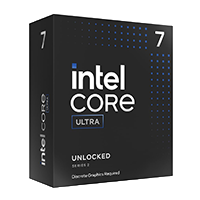
Intel Core Ultra 7 270K Plus Step-up Arrow Lake+ desktop CPU |
24 | 24 | 3.9 GHz | 5.5 GHz | 125W | 79MB | Coming Soon |
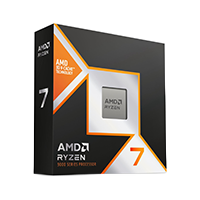
AMD Ryzen 7 9800X3D High-FPS Zen 5 gaming CPU |
8 | 16 | 4.7 GHz | 5.2 GHz | 120W | 104MB |
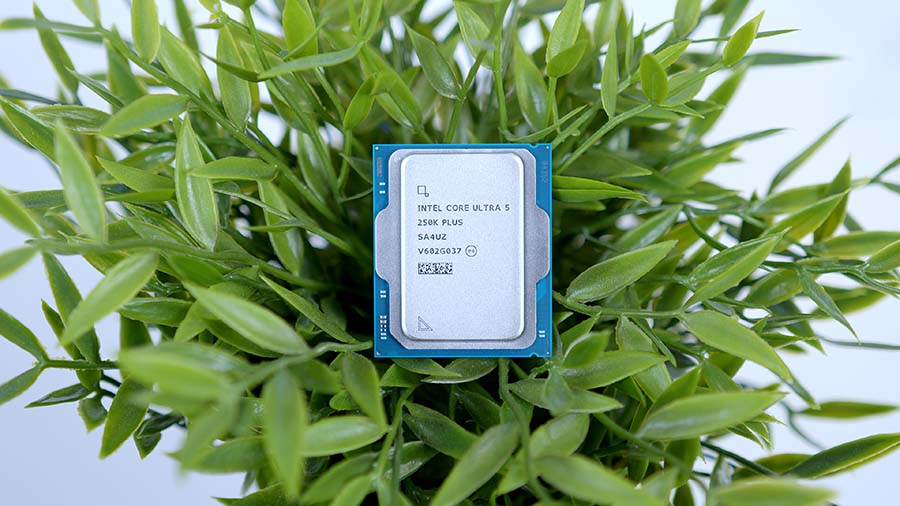
It also keeps build thermals low and easy to cool, which matters in a compact case. Drop it on AM5 and you are on a platform with years of upgrades ahead of you. The Core Ultra 5 250K Plus is another great choice and actually comes in cheaper for very similar performance. Future proofing is of course the issue here though with the latest Core Ultra refresh widely expected to be last on the current socket.
Alternative CPU Choice
Intel Core Ultra 5 250K Plus
If you want to take this build down the Intel route, the Core Ultra 5 250K Plus is the obvious swap, and it has been pitched head-to-head with the Ryzen 5 9600X as the new sub-£200 CPU to beat. This Arrow Lake Refresh chip packs 18 cores (6 performance plus 12 efficient) against the 9600X's 6 cores, so it pulls comfortably ahead in multi-core and content work for similar money while staying competitive in games. It boosts to 5.3GHz, carries 30MB of L3 cache, and officially supports speedy DDR5-7200. The big consideration is the platform, since it drops into LGA1851 rather than AM5.
Montech Hyperflow 360 ARGB
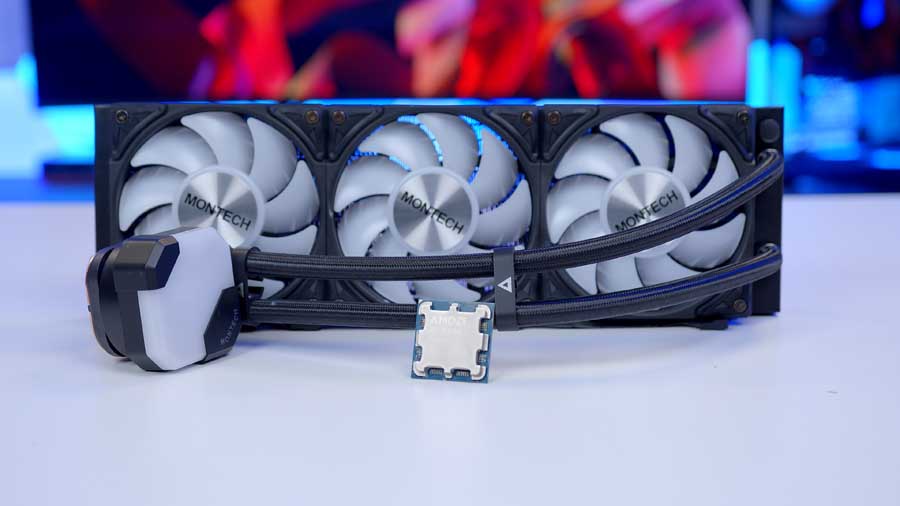
Is a 360mm all-in-one overkill for a 65W chip? Perhaps. For this price? Absolutely not! The Montech Hyperflow 360 ARGB gives you flagship-tier cooling capacity, three 120mm ARGB fans, and peace of mind, all for the kind of money that makes it a no-brainer. In this build it means near-silent temps and a centrepiece that looks the part through the O11's glass.
The obvious question is why go liquid at all when a decent air cooler would keep a 9600X perfectly happy. The honest answer? The gap is actually a lot smaller than you would think. By the time you have bought a good dual-tower air cooler with a set of ARGB fans, you are often knocking on the door of the Hyperflow's price anyway, making the jump up to a full 360mm AIO much smaller than it used to be. For not a lot more money you go from a rather unsightly heap of metal sitting over the board to a clean, low-profile AIO head and a radiator tucked neatly into the case.
ASUS TUF Gaming B850 Plus WiFi

The TUF Gaming B850-Plus WiFi is a well-rounded board that brings many modern essentials to the table. You get a PCIe 5.0 x16 slot for the graphics card, three M.2 slots (one Gen 5 and two Gen 4), and four DDR5 slots that support EXPO and overclock all the way to DDR5-8000 and beyond. It's an ATX board, so it makes full use of the space the O11 Mini gives you rather than leaving the tray looking bare and the aesthetics of the board pair well with the other components in our build today. Fairly muted but allowing the headline to components to shine.
Motherboard Specifications
- Model ASUS TUF Gaming B850-Plus WiFi
- Chipset / Socket AMD B850 / AM5
- Form Factor ATX
- CPU Support AMD Ryzen 9000 / 8000 / 7000 Series (AM5)
- Memory Support 4 x DDR5 DIMM, up to 256GB, up to DDR5-8000+ (OC), EXPO
- VRM Design 14+2+1 with 80A DrMOS power stages
- Graphics Card Compatibility 1 x PCIe 5.0 x16 slot (full-length GPU slot)
- Expansion Card Compatibility 1 x PCIe 4.0 x16 (x4 mode) + 2 x PCIe 4.0 x1
- M.2 Compatibility 3 x M.2: 1 x PCIe 5.0 x4, 2 x PCIe 4.0 x4
- SATA Storage 4 x SATA 6Gb/s ports
- Networking Wi-Fi 7 + Bluetooth 5.4 + 2.5GbE LAN
- Rear I/O USB Type-C, USB 3.2 Gen2 / Gen1 Type-A, HDMI + DisplayPort, 2.5GbE, Wi-Fi antenna, audio jacks
- Front I/O Headers 1 x USB-C 10Gbps, 1 x USB 5Gbps, 2 x USB 2.0, 1 x USB4 (Thunderbolt) header
- ARGB Headers 3 x Addressable Gen 2 headers
- Audio Realtek ALC1220P HD Audio
- Colour Black / grey (TUF Gaming)
It pays to be sensible when choosing a motherboard. For this build, there's no point spending extra cash on an X870(E) board when the TUF covers everything a Ryzen 5 and a single GPU need, and then some. The TUF Gaming B850-Plus WiFi is a perfect canvas to base our build around, focussing on the gritty performance over the flashy aesthetics and for that reason its the perfect choice for this build.
Teamgroup T-Force Delta RGB

This Teamgroup T-Force Delta RGB kit is a favourite on the channel and will run at the Ryzen sweet spot of DDR5-6000 with CL36 latency (or less) very happily. That 6000MT/s speed lets the memory run in sync with the Infinity Fabric on these chips for the lowest latency, so you get the best real-world gaming performance without paying a premium for kits that the platform cannot fully take advantage of.
This particular kit is 32GB, the standard for a gaming PC in 2026. 16GB still works, but more and more titles, plus a browser full of tabs and a Discord call running in the background, will happily chew through it. 32GB is the comfortable choice that keeps everything feeling snappy. For those interested though, we did the testing between 16GB vs 32GB RAM in 2026, and the results might surprise you!
Teamgroup NV5000
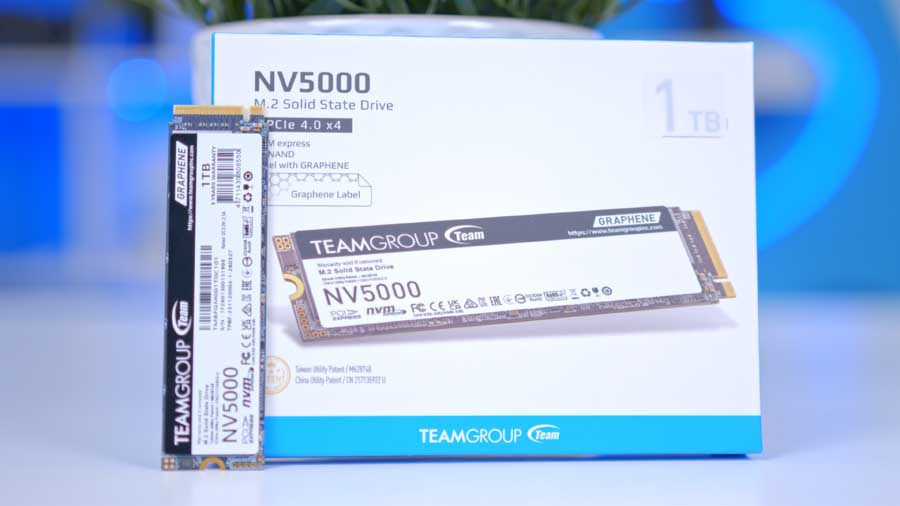
Storage is where this build keeps the budget honest, and the NV5000 1TB does exactly the job it needs to. It is an entry-level PCIe Gen 4 drive rated up to 4,500MB/s reads and while it won't trouble the flagship Gen 4 or Gen 5 drives on a benchmark chart it is dramatically quicker than the next best option, Gen 3 or SATA. The NV5000 will largely go unnoticed during typical workloads too. You'll still get fast boot times, snappy app launches and quick game loads. For the operating system and your most-played titles, it feels every bit as responsive as drives costing a good deal more.
Ideally we'd go for a slightly higher capacity drive and if you have the extra budget, 2TB would be our recommendation. 1TB disappears deceivingly quickly once you start installing modern games, and Windows. In and ideal world, it'd be best to treat this as your speedy boot and active-games drive, and budget for a second SSD as your library grows.
Gigabyte RX 9070 GRE Gaming OC
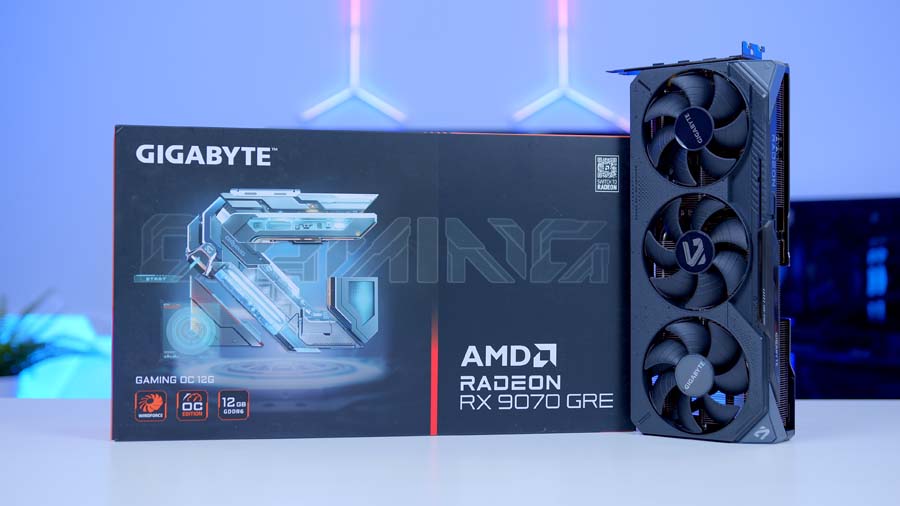
The star of the show and the part the whole build is designed around, the RX 9070 GRE. The GRE is AMD's newest RDNA 4 release, slotting into the line-up between the RX 9060 XT and the RX 9070 and rather aggressively taking the competition to the NVIDIA GeForce RTX 5060 Ti 16GB. Under the hood it runs the now standard Navi 48 GPU with 48 compute units and 3,072 stream processors, fed by 12GB of GDDR6 across a 192-bit bus.
This particular model, the Gigabyte Gaming OC, ships with a factory overclock pushing boost clocks up to 2920MHz, and a triple-fan WINDFORCE cooler keeps things cool and quiet. It also features a Dual BIOS switch for flipping between performance and silent profiles and a hint of RGB because why not!
The one thing worth keeping in mind is the 12GB of VRAM. It's plenty for the high-refresh 1440p gaming this card is built for, but it can become the limiting factor if you start cranking textures and ray tracing at 4K. We've built this system around 1440p, where the GRE is at its happiest and the value on offer is hard to argue with. Factor in FSR 4 upscaling and the 9070 GRE is a capable card and one that will happily play the most demanding titles at 1440p without issue.
Alternative GPU Choice
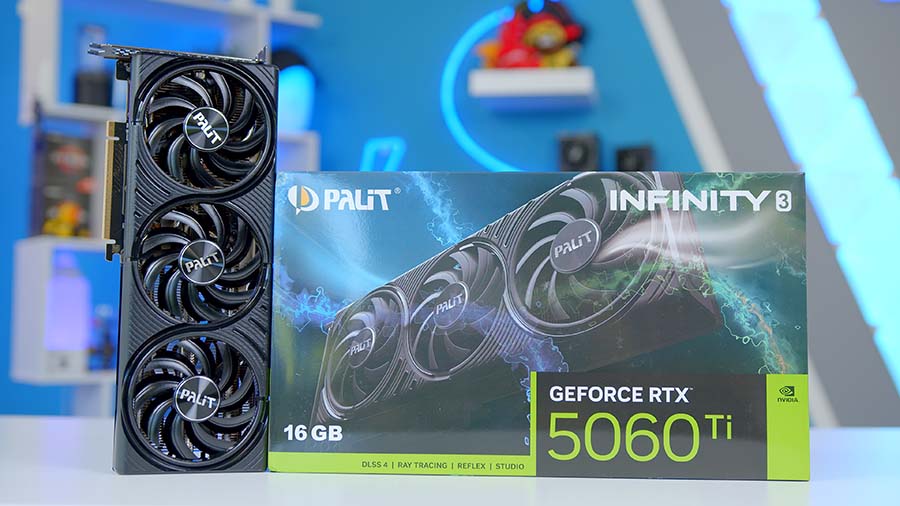
NVIDIA GeForce RTX 5060 Ti 16GB
If your budget is a little tighter than the Gigabyte RX 9070 GRE Gaming OC allows, or you simply want to be on Team Green, the RTX 5060 Ti 16GB is the obvious NVIDIA alternative. It sits a tier below the GRE for raw 1440p horsepower, so you will give up some frames, but it answers back with NVIDIA's full Blackwell feature stack, including DLSS 4 and Multi Frame Generation, plus a generous 16GB of GDDR7 that actually tops the GRE's 12GB for memory headroom. At a 180W board power it also runs cool and sips less from the wall, which is a neat fit for a compact build.
Lian Li O11 Dynamic Mini V2 Flow
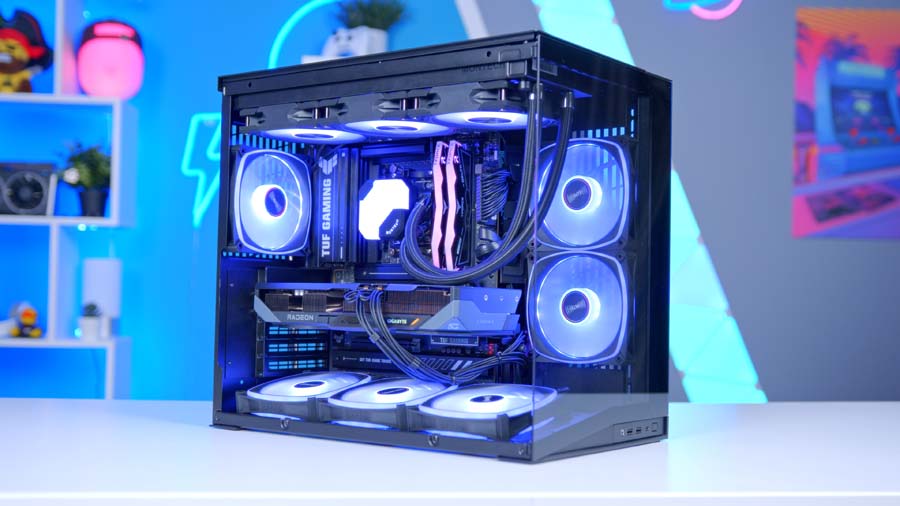
The O11 Dynamic Mini V2 Flow is proof that compact doesn't necessarily have to mean compromised. Despite the small footprint, it happily houses graphics cards up to 400mm long, a 360mm radiator up top, and a full-size ATX power supply, so you're never fighting the case to fit normal hardware into it.
The Flow part of the name means this ships with five reverse-blade fans and a slanted bottom panel that funnels cool air straight up onto the graphics card, helping to keep a lid on thermals. It takes ATX, Micro-ATX and Mini-ITX boards, includes a vertical GPU bracket if you want to show the card off, and uses Lian Li's signature dual-chamber layout that hides your cables round the back.
Case Specifications
- Model Lian Li O11 Dynamic Mini V2 Flow (Black)
- Form Factor Compact Mid-Tower (≈45.4L)
- Motherboard Support Mini-ITX, Micro-ATX, ATX (incl. ATX Back-Connect)
- Case Dimensions (L x W x H) Exact L x W x H TBC (confirm on Lian Li spec sheet)
- Front IO 1 x USB-C (3.2 Gen 2), 2 x USB-A (3.0), 1 x Audio combo (relocatable top/bottom)
- PCI-E Slots 5 (vertical GPU mount included)
- Colour Black
-
Max Clearance
GPU length: Up to 400mmCPU cooler: Up to 160mmPSU length: ATX, up to 200mm
- Drive Support Up to 2 x 3.5-inch + 2 x 2.5-inch (modular cages)
-
Fan Support
Top: Up to 3 x 120mmSide: Up to 3 x 120mmBottom: Up to 3 x 120mm (9 x 120mm total)
-
Radiator Support
Top: Up to 360mmSide: Up to 240mmNote: Adjustable standoffs for thick 360/280 rads
- Pre-Installed Fans 5 x 120mm reverse-blade fans (Flow edition)
Add in the tempered glass and clean lines and you have a chassis that looks like a premium showcase build while staying refreshingly small on the desk. It's the perfect home for a system that wants to look as good as it runs.
Corsair RM750e

The RM750e is a channel favourite, and for good reason. In our opinion it's one of the best power supplies on the market right now, and we rate it so highly that we use it in a host of our own pre-built PCs over at GeekaPC.com. When a part keeps earning its place in the systems we ship to customers, you know it has been properly put through its paces!
For this build, 750 watts is the sweet spot and not a watt is wasted. A 65W CPU and a 220W graphics card leave you with plenty of headroom, keeping the RM750e running cool, quiet and efficient with plenty in reserve, should it need it. It's fully modular, so you only fit the cables you actually need for a clean build, and it ticks every modern box with ATX 3.1 and PCIe 5.1 support, Cybenetics Gold efficiency, and a lengthy seven-year warranty.
PSU Compatibility
Corsair RM750e
| GPU | TDP | vs Rec. PSU | Status |
|---|---|---|---|
| RTX 5090 | 575W | -250W |
Insufficient |
| RTX 5080 | 360W | -100W |
Insufficient |
| RTX 5070 Ti | 300W | 0W |
Meets Min |
| RTX 5070 | 250W | +100W |
Ample |
| RTX 5060 Ti | 180W | +150W |
Ample |
| RTX 5060 | 150W | +200W |
Ample |
| GPU | TDP | vs Rec. PSU | Status |
|---|---|---|---|
| RX 9070 XT | 304W | 0W |
Meets Min |
| RX 9070 | 220W | +100W |
Ample |
| RX 9070 GRE | 220W | +100W |
Ample |
| RX 9060 XT | 150W | +200W |
Ample |
| GPU | TDP | vs Rec. PSU | Status |
|---|---|---|---|
| Arc B580 | 190W | +150W |
Ample |
| Arc B570 | 150W | +200W |
Ample |
The 9070 GRE only needs a pair of 8-pin connectors, which the RM750e handles with ease, but the RM750e also ships with a native 12V-2x6 cable. So if you step up to a bigger 16-pin GPU down the line, you're already wired for it and shouldn't need to buy a new power supply to make the jump. As always though make sure to check the recommended or minimum PSU requirements from the GPU manufacturer website.
Performance
A quick word on how we tested before the numbers. Because the RX 9070 GRE is a brand-new card, we ran it on our standard graphics test bench with a Ryzen 7 9800X3D rather than the 9600X in this build. That takes the CPU out of the equation and lets us drop the GRE straight into our wider GPU dataset for a proper like-for-like comparison against everything else we have benched. At 1440p and above, where this card spends its life, the GPU is doing the heavy lifting, so these figures line up closely with what you will see from the build itself.
Onto the main event, which is 1440p. This is exactly where the GRE is built to play, and it delivers. In Cyberpunk 2077 at 1440p High it averaged 115.6 FPS with an 80.7 FPS 1% low, while the more competitive titles fly higher still: Arc Raiders managed 136.8 FPS average (89FPS 1% low) and Battlefield 6 hit 132 FPS (70FPS 1% low). The 9070 GRE keeps you well clear of 100 FPS in the demanding games and miles past it in the faster ones, easily hitting the sweet spot for a high-refresh 1440p monitor.
Drop down to 1080p and the GRE has frames to spare, sailing past 150 FPS in everything we tried, from 168.6 FPS in Cyberpunk 2077 to 165.2 FPS in Hogwarts Legacy and 157.1 FPS in Marvel Rivals. Push up to 4K and the picture gets more telling around the VRAM, with the heavier titles landing in the high-50s to high-60s, so 57.7 FPS in Cyberpunk and 69.3 FPS in Hogwarts Legacy. Perfectly playable, but is a fairly obvious reminder that the 12GB VRAM and 192-bit bus are happiest a notch below 4K, which is exactly why we built this system as a 1440p machine.
Worth remembering, too, that every one of these numbers is pure rasterisation with no upscaling switched on. Flick on FSR 4 in the more demanding games and you have a healthy chunk of extra headroom to play with, whether you spend it on higher frames or cranked-up settings. For a card at this price, that is a seriously strong showing at 1440p.