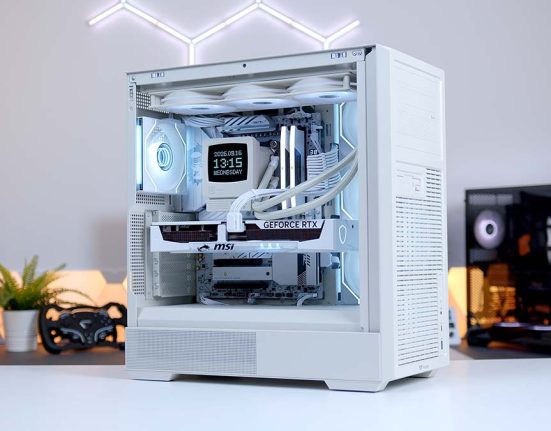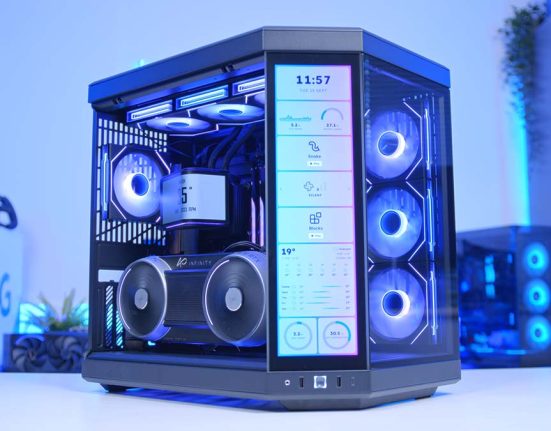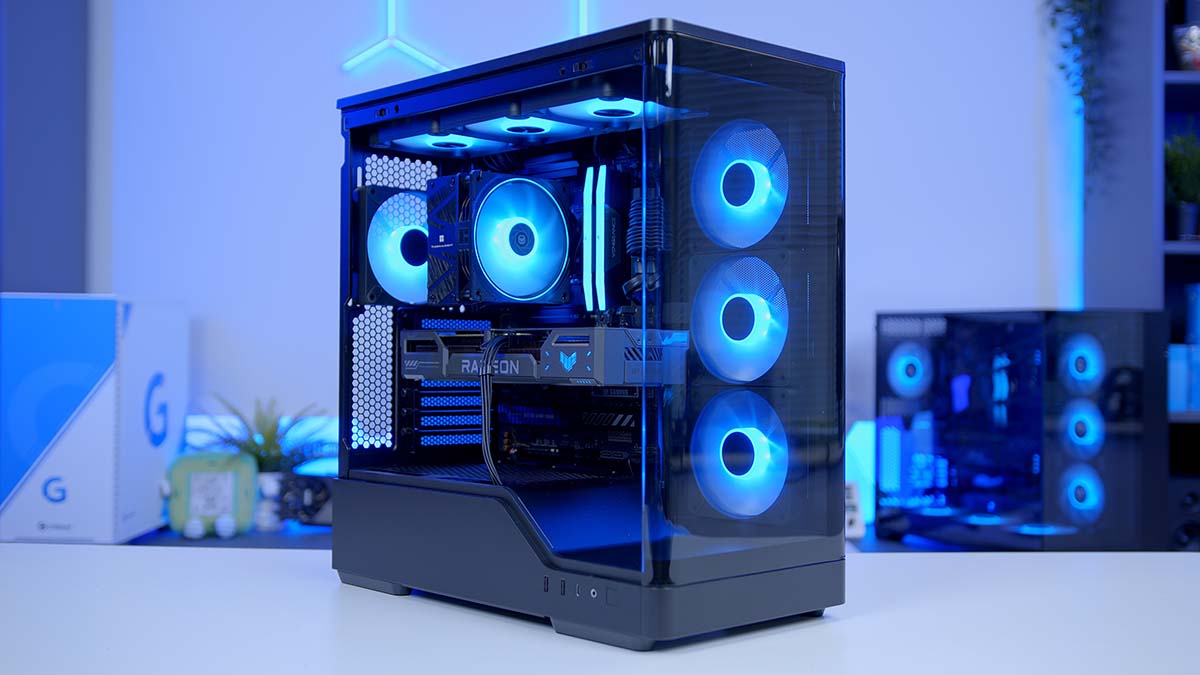
If you want a current-gen gaming PC that spends its money in exactly the right place, this is the one to look at. The AMD Ryzen 5 9600X and ASUS TUF Gaming RX 9060 XT 16GB pair up for a rig built around 1080p High with plenty left over for 1440p, and the whole thing is arranged around one number: the 16GB frame buffer on that graphics card.
Sixteen gigabytes of video memory used to mean spending flagship money, and it doesn’t any more. Every other part in this list is chosen to serve that card rather than compete with it, and because it all sits on AM5, there’s a clear upgrade path when you want one. Below is the full parts list, followed by a breakdown of every component, why it earns its place, and how the build performs across a spread of modern titles.
Parts Overview
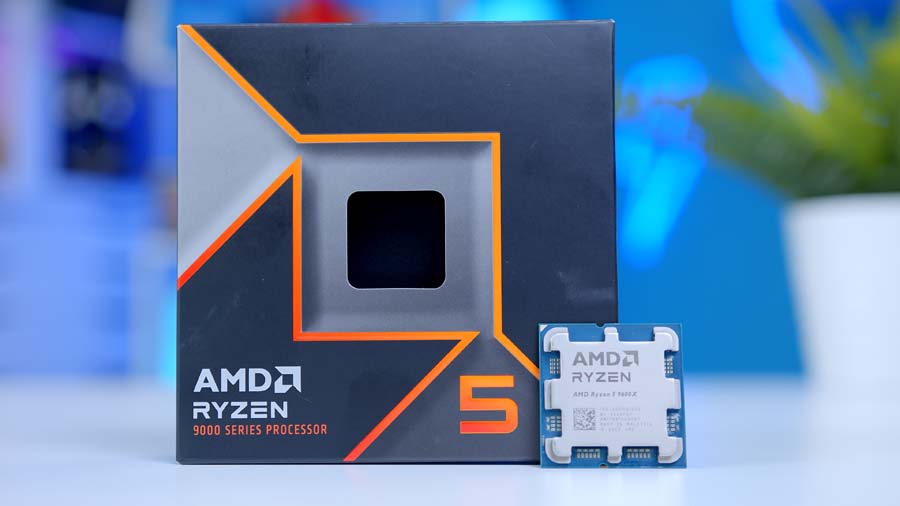
AMD Ryzen 5 9600X
Skip to SectionSix Zen 5 cores that keep an RX 9060 XT fed at 1080p and 1440p without swallowing a chunk of the GPU budget.
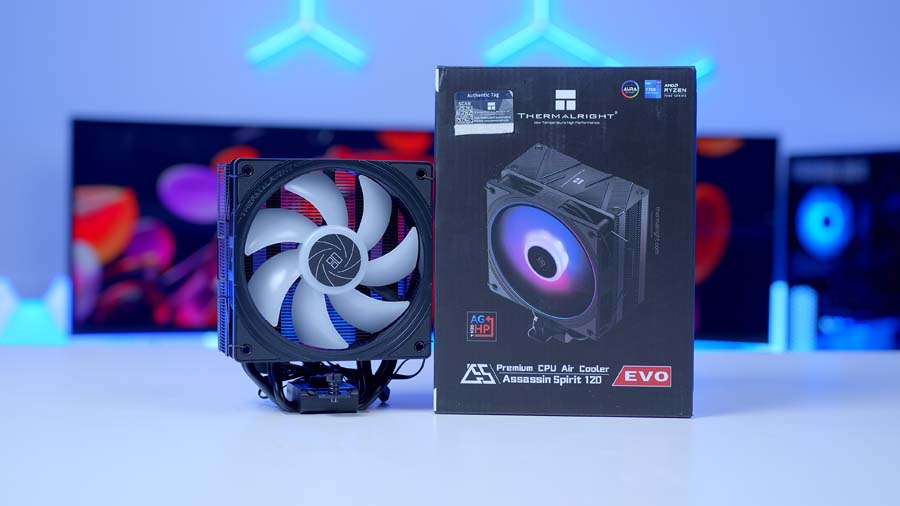
Thermalright Assassin Spirit 120 Evo
Skip to SectionA 156mm single-tower air cooler that handles a 65W chip without breaking a sweat, and costs about as much as a decent set of fans.
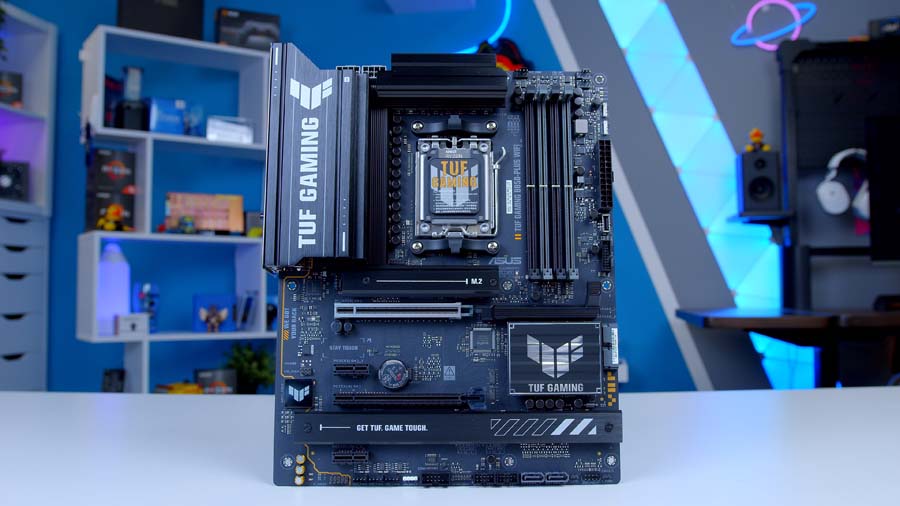
ASUS TUF Gaming B850-Plus WiFi
Skip to SectionA full-size B850 board with a 14+2+1 VRM, three M.2 slots and Wi-Fi 7, which is more board than a 9600X will ever ask for.
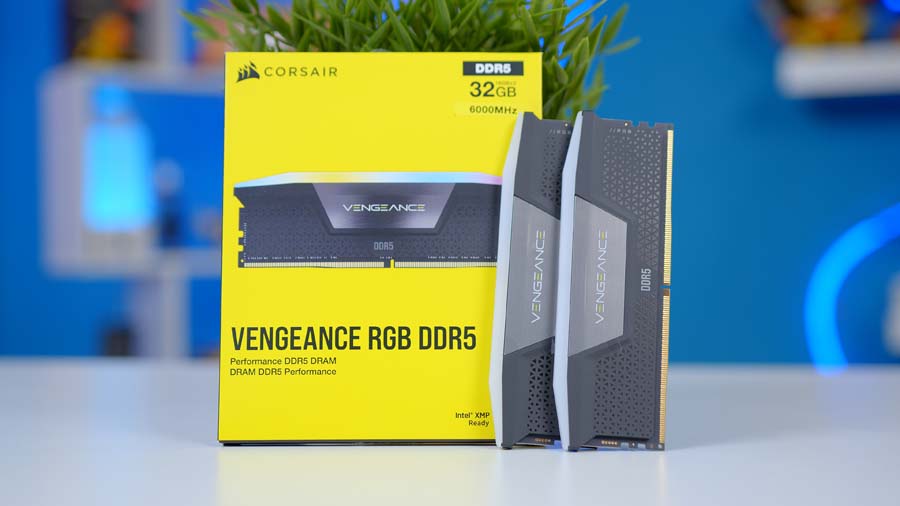
Corsair Vengeance RGB 32GB DDR5
Skip to Section32GB in a dual-channel pair, which is the sensible floor for a new build in 2026 and leaves the other two DIMM slots free.
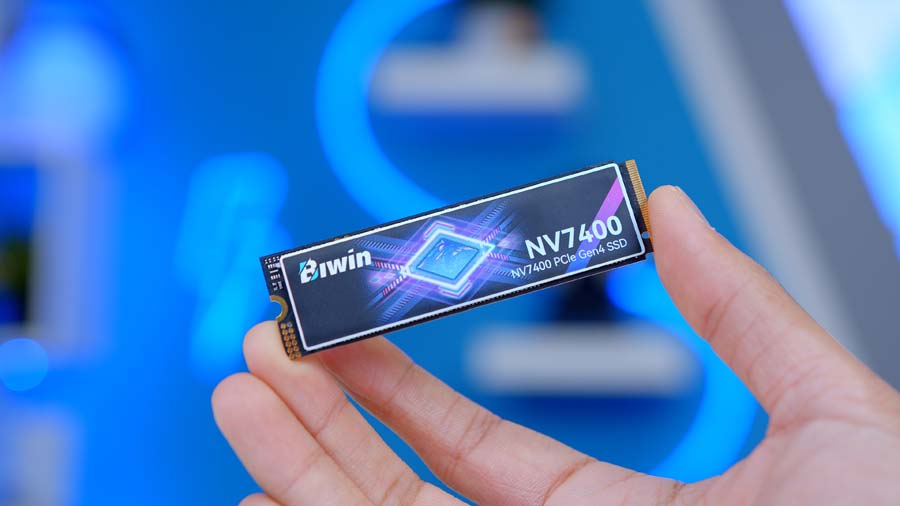
BIWIN NV7400 1TB
Skip to SectionA single-sided Gen 4 drive with a graphene pad, rated at 7,400 MB/s reads. Fast enough that the GPU is still the thing holding frames back.
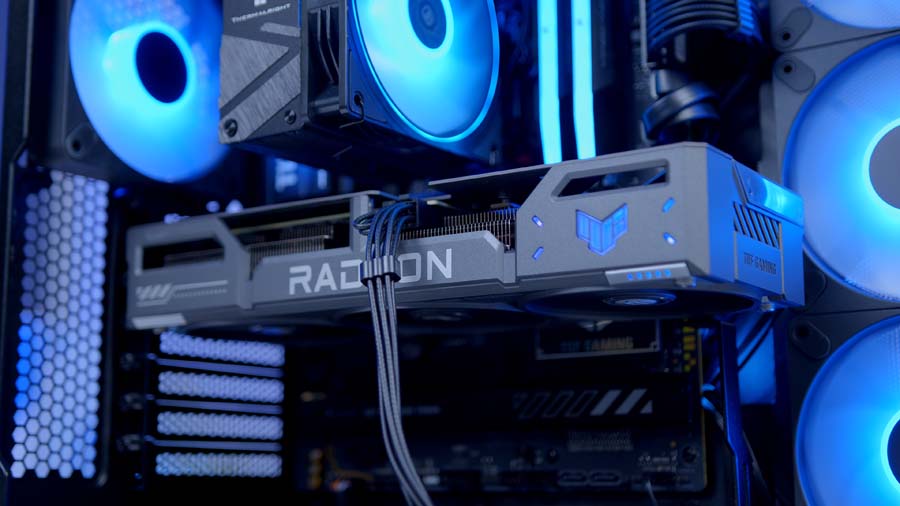
ASUS TUF Gaming RX 9060 XT 16GB
Skip to SectionThe whole point of the build. 16GB of GDDR6 on an RDNA 4 card that only needs a single 8-pin, wrapped in a triple-fan TUF cooler.
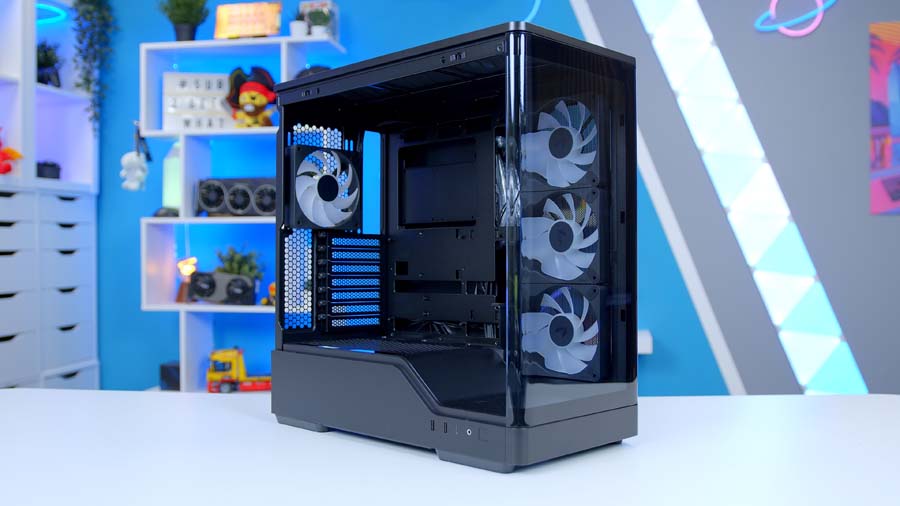
AeroCool P500A
Skip to SectionA 49-litre mid-tower with curved glass on the front and side, four ARGB fans in the box and side-mounted intake instead of the usual front array.
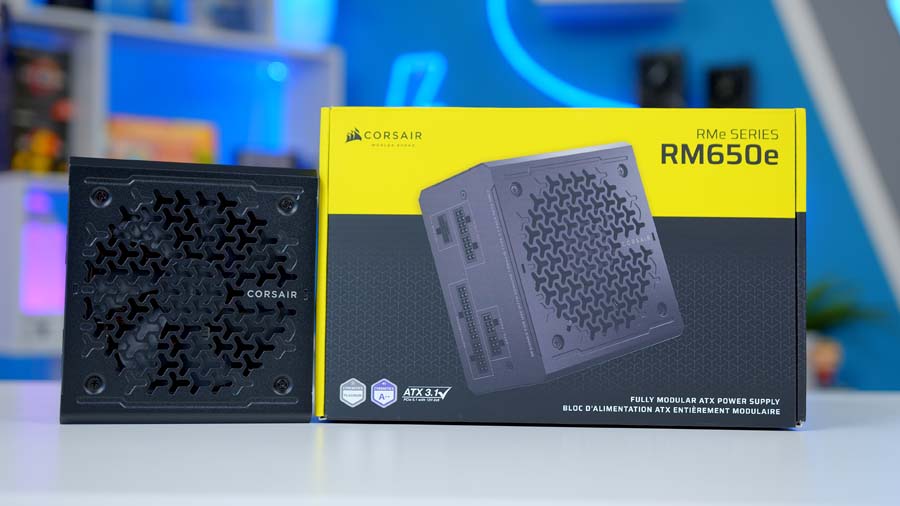
Corsair RM650e
Skip to Section650W of Cybenetics Gold, fully modular, ATX 3.1 certified and comfortably oversized for a 65W CPU and a 160W graphics card.
AMD Ryzen 5 9600X
This is the section where most build guides talk you into spending more. This one won’t, because at the resolutions an RX 9060 XT is built for, a faster CPU mostly buys you frames the graphics card can’t render anyway.
The 9600X is six Zen 5 cores and twelve threads, boosting to 5.4GHz off a 3.9GHz base with 38MB of combined cache. High clock speeds and strong per-core performance are what actually move the needle in games, and that’s exactly what this chip is built around. Pair it with a 16GB 9060 XT at 1080p or 1440p High and the GPU hits its ceiling first in nearly everything worth benchmarking.
The 65W TDP quietly saves you money twice over. It means a cheap air cooler is genuinely sufficient rather than a compromise, and it means the board doesn’t need an exotic VRM. Both of those savings go straight back into the graphics card, which is the only component in this list that changes what the games look like.
The table above is the honest version of the comparison. The 9700X gets you two more cores and a marginally higher boost for a meaningful price jump, which matters if you’re rendering or compiling but does very little behind this GPU. The 7800X3D is the interesting one, because its cache genuinely does move gaming performance, but it’s a 120W part on an older architecture and the money is better spent on the card. The 9600 and 7600 are both worth a look if the budget is tight, and the 9600 even ships with a cooler in the box.
Best of all, it drops straight onto the AM5 platform. Start here now, and there’s a clear path to an eight-core chip or one of AMD’s X3D gaming CPUs later without touching the motherboard. Buying that CPU today, to sit behind a 9060 XT, is paying years early for headroom you can’t use yet.
Thermalright Assassin Spirit 120 Evo
A 65W chip doesn’t need a 360mm AIO, and pretending otherwise is how build budgets quietly disappear. The Assassin Spirit 120 Evo is a single-tower air cooler with four 6mm direct-touch heatpipes and one 120mm PWM fan, and it handles the 9600X without any drama at all.
It stands 156mm tall, which leaves 24mm of clearance under the P500A’s 180mm limit. The offset fin stack keeps it clear of the DIMM slots too, so tall RGB memory isn’t an issue. Thermalright have been undercutting everyone on price-to-performance in this bracket for a few years now, and this is the model that made the reputation.
One thing to note before you order: it comes in Black, White and Dark variants, and they’re all 156mm with the same heatsink. Only the finish and the fan change, so pick whichever matches the rest of the build.
ASUS TUF Gaming B850-Plus WiFi
There’s a version of this build that saves another fifty quid on the motherboard. It’s not worth it, and the reason has nothing to do with the VRM.
Yes, the TUF Gaming B850-Plus WiFi has a 14+2+1 array on an 8-layer PCB, and yes, that’s comically overspecified for a 65W six-core. That’s not what you’re paying for. You’re paying for three M.2 slots when the build only fills one, four DIMM slots when it only fills two, Wi-Fi 7, 2.5GbE and a PCIe 5.0 x16 slot ready for a card that actually saturates it.
Motherboard Specifications
- Model ASUS TUF Gaming B850-Plus WiFi
- Chipset / Socket AMD B850 / AM5
- Form Factor ATX (30.5cm x 24.4cm)
- CPU Support AMD Ryzen 9000 / 8000 / 7000 Series (AM5)
- Memory Support 4 x DDR5 DIMM, up to 256GB, up to DDR5-8000+ (OC)
- VRM Design 14+2+1 80A DrMOS power stages, 8-layer PCB
- Graphics Card Compatibility 1 x PCIe 5.0 x16 slot (with PCIe Slot Q-Release)
- Expansion Card Compatibility 1 x PCIe 4.0 x16 (x4 mode) + 2 x PCIe 4.0 x1
- M.2 Compatibility 3 x M.2: 1 x PCIe 5.0 x4, 2 x PCIe 4.0 x4
- SATA Storage 4 x SATA 6Gb/s ports
- Networking Wi-Fi 7 + Bluetooth 5.4 + Realtek 2.5GbE LAN
- Rear I/O 1 x USB 20Gbps Type-C, 3 x USB 10Gbps Type-A, 4 x USB 5Gbps Type-A, 2 x USB 2.0, DisplayPort, HDMI, 5 x audio jacks, BIOS FlashBack button
- Front I/O Headers 1 x USB 10Gbps Type-C connector, 1 x USB 5Gbps header, 2 x USB 2.0 headers
- Audio Realtek ALC1220P (7.1-channel)
- Power Connectors 1 x 24-pin ATX, 2 x 8-pin ProCool +12V CPU
- Colour Black with gunmetal TUF Gaming heatsinks
B850 is the natural chipset partner for a chip like the 9600X. You get modern connectivity and solid power delivery for a six-core CPU, plus the AM5 longevity that lets you drop in a faster processor down the road. The practical details are good as well, with Q-Release on the primary PCIe slot, heatsinks on all three M.2 slots, and BIOS FlashBack for updating firmware without a CPU installed.
Corsair Vengeance RGB 32GB DDR5
32GB in two sticks is the correct answer for a new build in 2026, and it’s not really a debate any more. 16GB still technically works, but you’ll feel it the moment a game, a browser with too many tabs and Discord are all resident at once.
Two modules rather than four is the other half of the decision. A two-DIMM kit in slots A2 and B2 gives you dual-channel operation with the cleanest signal path, the best chance of the EXPO profile posting first time, and two empty slots if you ever want to double capacity later. Filling all four slots on AM5 makes memory training fussier and caps your achievable speed, so there’s no upside. Add the ten-zone light bar and iCUE control, and it looks as good as it runs.
BIWIN NV7400 1TB
Storage is handled by the NV7400 1TB, a PCIe 4.0 x4 drive that covers the basics properly. It’s rated at 7,400 MB/s sequential reads and 6,500 MB/s writes at this capacity, which is worth stating clearly, because the 2TB model is rated at 7,450 MB/s and that’s the number that gets quoted for the whole family.
It’s a DRAM-less design using Host Memory Buffer, which is the standard approach at this price and works well for the read-heavy access patterns games actually generate. The single-sided 2280 board is only 2.45mm thick with a graphene thermal pad under the label, so it slots under the board’s M.2 heatsink without a fight.
1TB is a comfortable starting point rather than a hard ceiling. The B850-Plus WiFi has two more M.2 slots sitting empty, so adding a second drive later is a five-minute job when the library outgrows this one.
ASUS TUF Gaming RX 9060 XT 16GB
This is where the build spends its money, and rightly so. The RX 9060 XT is built on RDNA 4 with 2,048 stream processors across 32 compute units, and the ASUS TUF version boosts to 3,320MHz out of the box, or 3,340MHz if you flip it into OC mode in GPU Tweak III.
None of those numbers are the reason it’s here. The 16GB of GDDR6 is. Frame buffer capacity behaves differently to every other spec on a graphics card, because running out of it isn’t a gradual slowdown, it’s a cliff. Textures start swapping, frame times fall apart, and the 1% lows collapse in a way that no amount of shader performance rescues. An 8GB card can post a respectable average FPS in a game it doesn’t have enough memory for and still feel awful to play.
16GB removes that failure mode entirely at 1080p and 1440p. You can leave texture quality maxed without thinking about it, and the card behaves consistently in exactly the situations where cheaper cards get embarrassing. That’s a longevity argument as much as a performance one.
The TUF cooler is more than this GPU needs, which is a nice problem to have. It’s a 2.5-slot triple-fan design with dual ball bearings and a metal exoskeleton, running a card that AMD rates at 160W typical board power. Factory-overclocked models like this one do pull a bit more under load, but it’s still a single 8-pin PCIe connector and it stays quiet doing it.
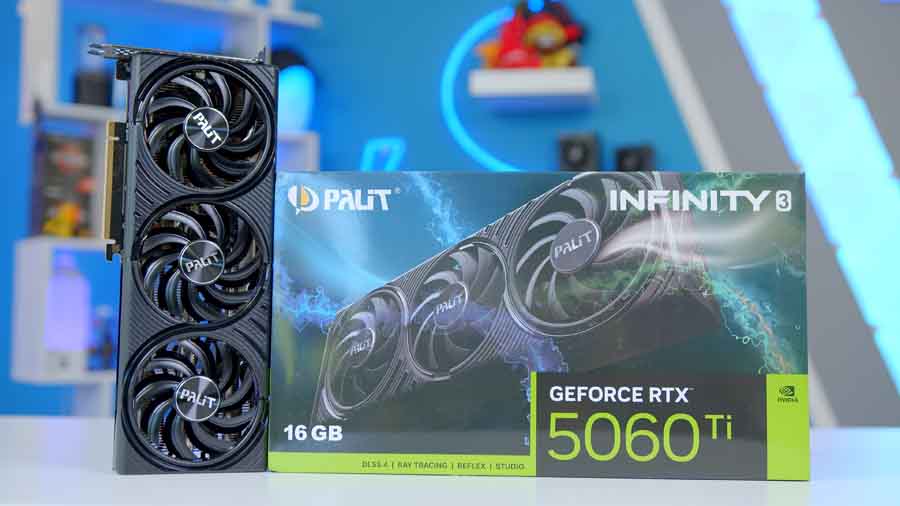
Alternative GPU Choice
NVIDIA GeForce RTX 5060 Ti 16GB
If you want an NVIDIA-flavoured alternative to the ASUS TUF Gaming RX 9060 XT 16GB, the RTX 5060 Ti 16GB is the direct swap, and crucially it’s the one that keeps the frame buffer intact. You still get 16GB, so the whole argument this build is based on survives the switch. What changes is the feature stack around it, trading RDNA 4 and FSR 4 for Blackwell, DLSS 4 and Multi Frame Generation, plus NVIDIA’s wider creator and AI software support. Steer well clear of the 8GB version of this card, because that undoes the entire point.
AeroCool P500A
The P500A is a 49-litre mid-tower with curved tempered glass across the front and side, and it does its cooling differently to most cases at this price. There’s no front fan mount at all, because the front is glass. Intake comes from three reverse-blade 120mm ARGB fans in the side panel instead, with a single 120mm ARGB fan handling rear exhaust.
All four of those fans are in the box, which is a genuine chunk of value at this end of the market. The layout works, but it’s worth understanding before you buy. If you were planning to hang a 360mm radiator off the front, you can’t. Radiator support is top-only, up to 360mm, and the side position doesn’t take one either.
Case Specifications
- Model AeroCool P500A
- Form Factor Mid-Tower (49L)
- Motherboard Support ATX, Micro-ATX, Mini-ITX (incl. BTF reverse connector boards)
- Case Dimensions (L x W x H) 460mm x 235mm x 480mm
- Front IO 1 x USB 3.2 Gen 2×2 Type-C, 2 x USB 3.2 Gen 1 Type-A, 1 x HD Audio & Mic
- PCI-E Slots 7 x Horizontal
- Colour Black
-
Max Clearance
GPU length: Up to 420mmCPU cooler: Up to 180mmPSU length: Up to 280mm (including cables)
- Drive Support Up to 3 x 2.5-inch Up to 1 x 3.5-inch (bays are shared)
-
Fan Support
Front: None (tempered glass panel)Side: Up to 3 x 120mmTop: Up to 3 x 120mm or 2 x 140mmPSU shroud: Up to 2 x 120mmRear: 1 x 120mm or 1 x 140mm
-
Radiator Support
Front: Not supported (tempered glass panel)Side: Not supportedTop: 120mm / 140mm / 240mm / 280mm / 360mm
- Pre-Installed Fans 4 x 120mm ARGB PWM (3 x reverse-blade side intake, 1 x rear exhaust)
For this build none of that is a constraint. The air cooler is 156mm against a 180mm limit, the graphics card has 420mm of clearance to play with, and the RM650e is 140mm long in a 280mm bay. There’s a PSU shroud with two more optional 120mm mounts, an adjustable GPU support bracket, and tool-free panels on every side.
Corsair RM650e
A 65W CPU and a 160W graphics card do not need 650 watts. That’s the point.
This build draws somewhere in the region of 300W under a hard gaming load, which puts the RM650e at roughly half load, right in the fattest part of its efficiency curve. It’s Cybenetics Gold certified, fully modular, ATX 3.1 compliant and PCIe 5.1 ready, and the fan barely acknowledges a load this light. The headroom is deliberate, because if the graphics card gets upgraded in a couple of years, and on this build that’s the most likely upgrade by a distance, the power supply doesn’t need replacing alongside it.
Gaming Performance
So how does it all come together in game? We put the build through a spread of modern titles at the resolution each one actually suits on this hardware, with High presets throughout.
At 1080p this pairing flies. Arc Raiders sails past 155 FPS on average with 1% lows still above 100, and Cyberpunk 2077 clears 109 FPS on High before any FSR is switched on. Even the heavier 007 First Light holds a steady 79 FPS. This is the resolution the RX 9060 XT was built for, and the Ryzen 5 9600X keeps it fed without breaking a sweat.
Performance Snapshot
Multi-Game Average FPS
1080P
78.6FPS
1080P
156.1FPS
1440P
91.4FPS
1440P
62.4FPS
1080P
109.1FPS
1440P
147.6FPS
Step up to 1440p and it holds firm. Forza Horizon 6 storms past 145 FPS and Battlefield 6 sits at 91 FPS with 1% lows at 73, which is about as consistent as multiplayer benchmarking gets. Crimson Desert is the hardest workload in the set at 62 FPS average, and it’s the one title where dropping to 1080p or enabling FSR is worth considering.