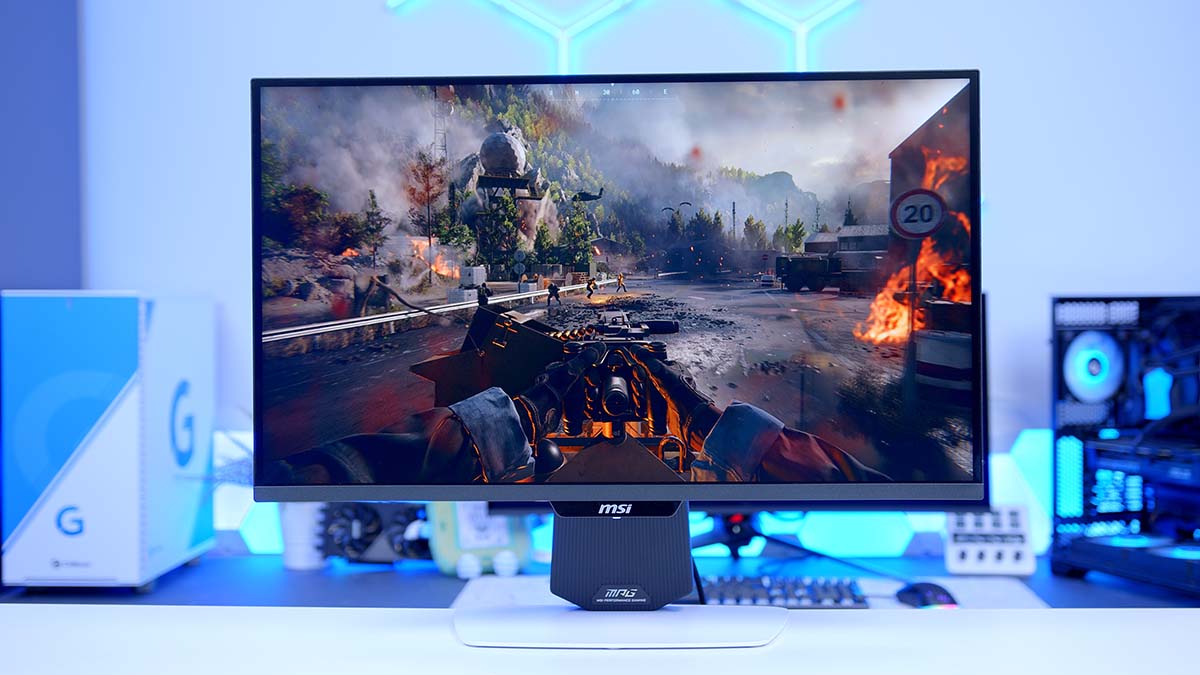
Mini-LED has quietly become the answer for anyone who wants HDR punch without paying OLED money, and the MSI MPG 274URDFW E16M is one of the more complete examples I’ve come across. It’s a 27 inch Rapid IPS panel with 1,152 dimming zones sat behind it and a Quantum Dot layer on top, all wrapped in a white chassis that looks sublime.
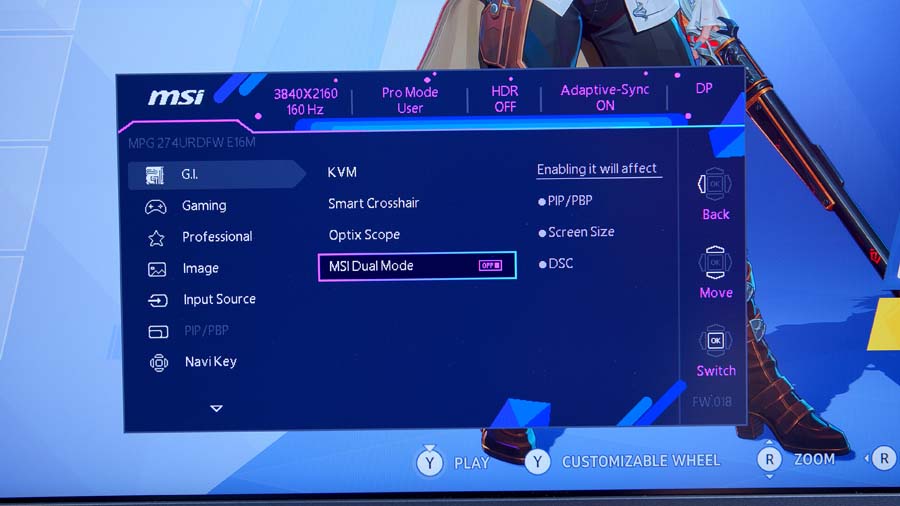
The backlight isn’t the whole story, though. MSI has built in Dual Mode, which flips the screen from 4K at 160Hz to 1080p at 320Hz whenever you fancy the extra frames, and backed that up with 98W USB Type-C, a KVM switch and a stand that moves in every direction you’d want. It’s pitched as the one display that handles gaming, console play and desktop work, and having now used it, it’s easy to see why.
Specifications
Start with the panel, because it’s doing most of the heavy lifting. You’re getting a 27 inch flat Rapid IPS screen running at 3840 x 2160, driven by a Mini-LED backlight split into 1,152 individually controlled dimming zones. MSI quotes 0.5ms grey to grey at the minimum setting, 400 nits in SDR and a 1,000 nit peak in HDR, and it’s that peak figure that earns the display VESA DisplayHDR 1000 certification rather than one of the softer tiers further down the ladder.
Colour coverage is quoted at 100% Adobe RGB, 98% DCI-P3 and 140% sRGB, with 1.07 billion colours delivered through 10-bit output handled as 8-bit plus FRC. Dual Mode is the part that sets this one apart from the rest of the 4K crowd, dropping the panel to 1920 x 1080 and lifting the refresh ceiling to 320Hz. MSI’s AI Dual Mode then matches Windows to whichever setting you’ve chosen, so you’re not digging through display settings every time you swap between a story game and a shooter.
MSI MPG 274URDFW E16M Specifications
- Model MSI MPG 274URDFW E16M
- Panel Size / Type 27 inch flat Rapid IPS with Mini-LED (1,152 zones) and Quantum Dot
-
Resolution & Refresh Rate
Normal: 3840 x 2160 (UHD) at 160Hz
Dual Mode: 1920 x 1080 (FHD) at 320Hz - Response Time 0.5ms (GtG, min.)
-
Brightness
SDR: 400 cd/m²
HDR: 1,000 cd/m² (peak) -
Contrast Ratio
1000:1 (typical)
100,000,000:1 (dynamic) - HDR Support VESA DisplayHDR 1000
-
Colour Gamut
100% Adobe RGB
98% DCI-P3
140% sRGB (CIE1976) - Display Colours 1.07 billion, 10-bit (8-bit + FRC)
- Screen Coating Anti-glare
- Viewing Angle 178° horizontal / 178° vertical
-
VRR / Sync
NVIDIA G-SYNC Compatible
AMD FreeSync Premium
Adaptive range 48 to 160Hz (48 to 320Hz in Dual Mode) -
DisplayPort
1 x DisplayPort 1.4a (HBR3)
4K at 160Hz -
HDMI
2 x HDMI 2.1
4K at 160Hz -
USB Type-C
1 x USB Type-C (DisplayPort Alt Mode)
98W Power Delivery -
USB Hub / Audio
2 x USB 2.0 Type-A
1 x USB 2.0 Type-B (upstream)
1 x Headphone out -
Stand Adjustment
Tilt -5° to 20°
Swivel -30° to 30°
Pivot -90° to 90°
Height 0 to 110mm - VESA Mounting 100 x 100mm
- Extra Features AI Navigator (AI Menu, AI Vision, AI Crosshair), AI Dual Mode, KVM switch, PIP/PBP, Console Mode with HDMI CEC, Optix Scope, Mystic Light, Windows Dynamic Lighting
-
Dimensions & Weight
613.1 x 202.4 x 400.9mm with stand
8.2kg net
External 24V power adaptor
Connectivity is generous without being flawless. There’s a DisplayPort 1.4a input, two HDMI 2.1 ports and a USB Type-C connection carrying 98W of Power Delivery, and all three will run 4K at 160Hz. The built-in hub is where MSI has trimmed the budget, because the two Type-A ports and the upstream Type-B connection are USB 2.0 rather than anything quicker. Elsewhere the stand covers tilt, swivel, pivot and 110mm of height travel, there’s 100 x 100mm VESA mounting if you’d rather hang it off an arm, and power arrives through an external 24V adaptor instead of an internal supply.
Design
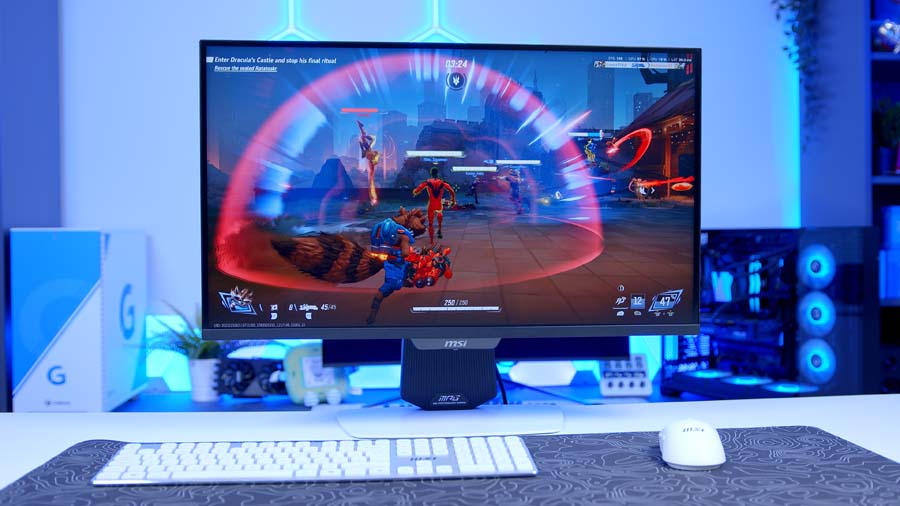
White monitors have a habit of looking cheap the moment you get close to them, and this one avoids that trap. The finish is clean, the frameless treatment on three sides keeps the bezels out of the way, and the whole thing feels solid enough at 8.2kg to sit steady on a desk without wobbling every time you knock it. If you’ve built a white PC and been hunting for a screen that matches rather than clashes, this is a rare one that pulls it off.
Round the back you’ll find 44 LEDs feeding MSI’s Mystic Light system, and the display carries Windows Dynamic Lighting certification, so you can drive the effects natively from Windows rather than being tied to MSI’s software. It’s ambient glow rather than anything you’ll see while you’re actually gaming, which I think is the right call for a screen this size.
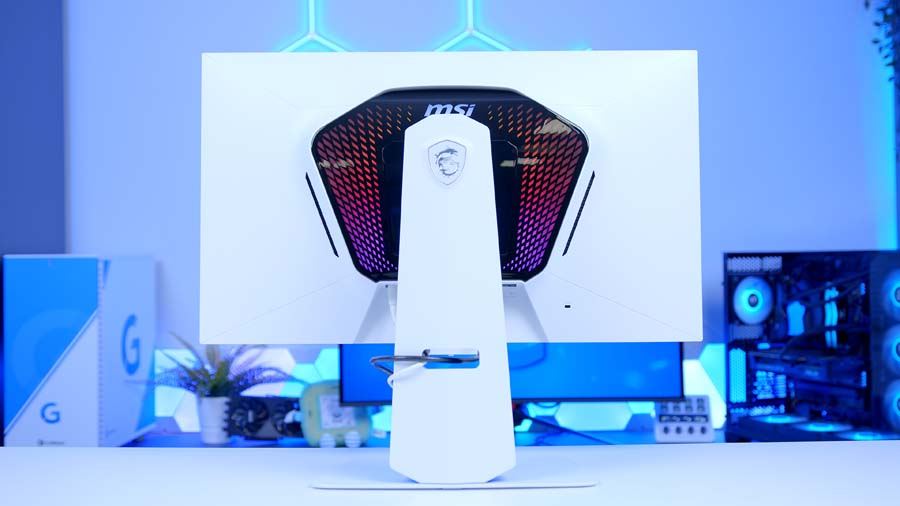
Ergonomics are a strong point. Tilt, swivel, pivot and height adjustment are all present, and the pivot range means portrait mode is on the table if you want a second screen for code or documents. Control comes from a five way joystick tucked underneath, joined by a dedicated one-click button for Dual Mode, which is a small touch that saves a lot of menu diving.
Features We Like
Dual Mode Is More Than a Spec Sheet Trick
Plenty of monitors claim to be all rounders and then ask you to compromise on one side of the equation. Dual Mode sidesteps that by giving you two distinct displays in one panel. Leave it in Normal mode and you’ve got 4K at 160Hz for single player games, films and anything where detail matters. Press the switch and you’re at 1080p with a 320Hz ceiling, which is where competitive shooters live.
What makes it work day to day is AI Dual Mode. Rather than leaving you to fix the resolution and refresh rate in Windows afterwards, it detects the change and adjusts for you. MSI also offers paired steps of UHD 120Hz to FHD 240Hz and UHD 60Hz to FHD 120Hz, so it’s not just the one jump. The physical button on the underside means the whole thing takes about a second.
A Backlight That Justifies the HDR Badge
DisplayHDR 1000 is a certification you don’t see often at this size, and the 1,152 zone Mini-LED array is what gets it there. Compared to the edge lit panels that dominate this price bracket, you get far tighter control over where light lands, which shows up most clearly in dark scenes with bright highlights running through them. Blooming hasn’t been eliminated, and no zone count short of per pixel control will manage that, but it’s kept to a level that doesn’t distract.
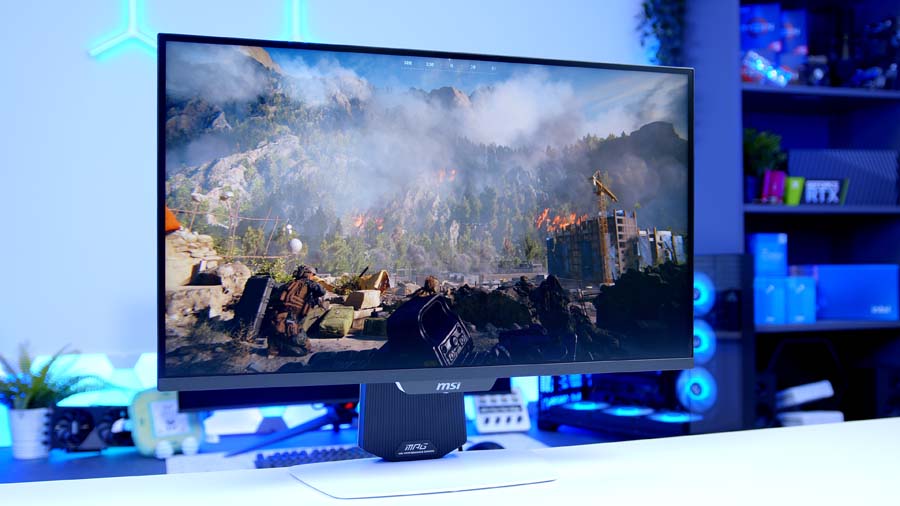
The Quantum Dot layer pulls its weight on the colour side too. MSI claims Delta E of 2 or under alongside those gamut figures, which puts it in reasonable territory for photo and video work as well as gaming. For a screen most people will buy for games, having creative work covered as a bonus is a decent position to be in.
Features We Don’t Like
The USB Hub Feels Like an Afterthought
For a display that leans this hard on being a productivity hub, sticking the USB ports on USB 2.0 is a strange call. The 98W Type-C connection and KVM switch are clearly aimed at people docking a laptop and running peripherals through the screen, and that’s exactly the setup where hub speeds start to matter. Keyboards and mice won’t care, but shift a file off an external drive and you’ll notice.
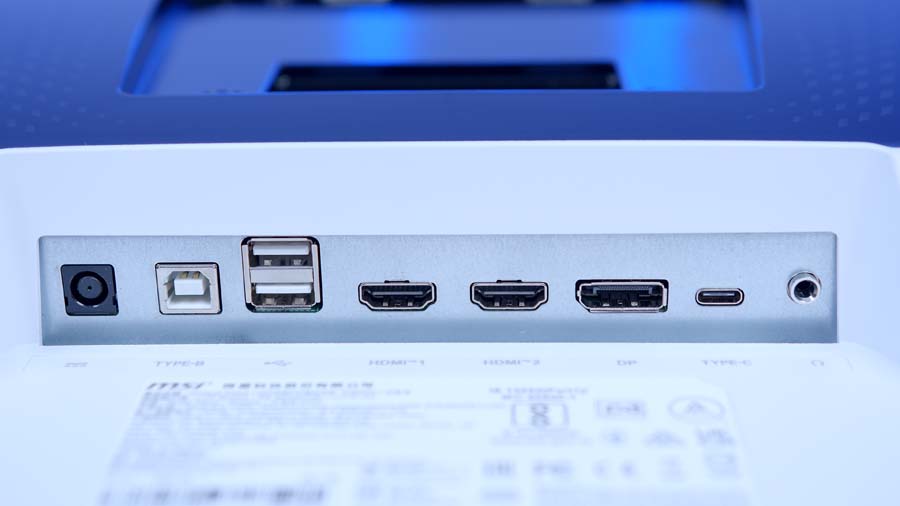
It’s a shame because everything around it is well judged. Two Type-A ports and an upstream Type-B connection is a sensible arrangement, and 98W is enough to keep most laptops topped up while they drive the panel. Moving to USB 3.2 would have cost a little more and closed off one of the few obvious criticisms here.
Contrast Still Sits Behind OLED
Mini-LED has come a long way, and 1,152 zones is a serious number for a 27 inch screen, but the static contrast ratio is still quoted at 1000:1 and that’s the ceiling an IPS panel works within. Watch something with a lot of black in it, or play a horror game in a dark room, and an OLED will pull ahead on how convincing the blacks look.
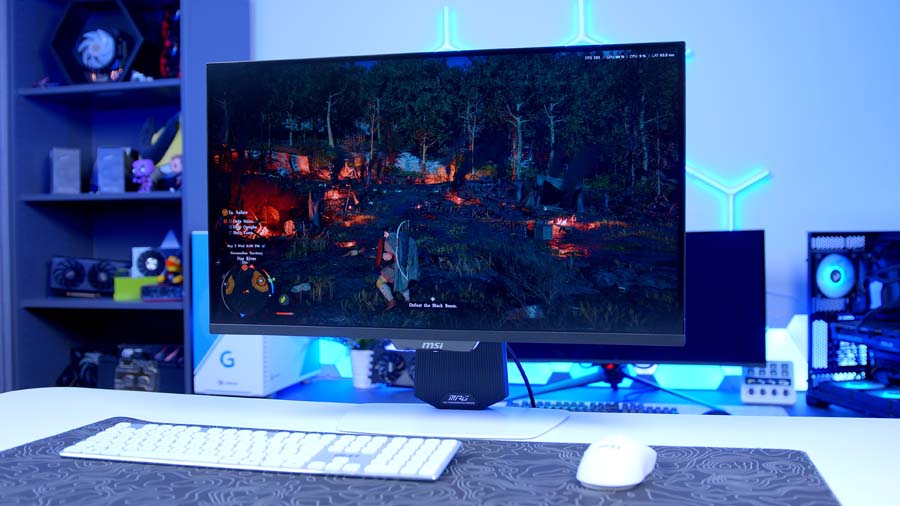
Whether that matters depends entirely on how you use the screen. Mini-LED holds a clear advantage on sustained brightness, it won’t ever worry about burn-in, and in a bright room it’s the easier panel to live with. If your main use case is dark room cinema and atmospheric single player games, though, an OLED at similar money will suit you better.
Conclusion
The MPG 274URDFW E16M is a display that refuses to be pinned down to one job, and it mostly gets away with it. Dual Mode means you’re not picking between resolution and refresh rate, the Mini-LED backlight gives HDR content somewhere to breathe, and the connectivity spread covers PC, console and docked laptop without asking you to swap cables. Add a stand that adjusts every way you’d want and a white finish that actually looks the part, and there’s a lot to like.
The compromises are real but narrow. A USB 2.0 hub undersells the productivity angle, the external brick is one more thing to hide, and IPS contrast can’t chase OLED into the shadows. None of those undo what the screen does well.