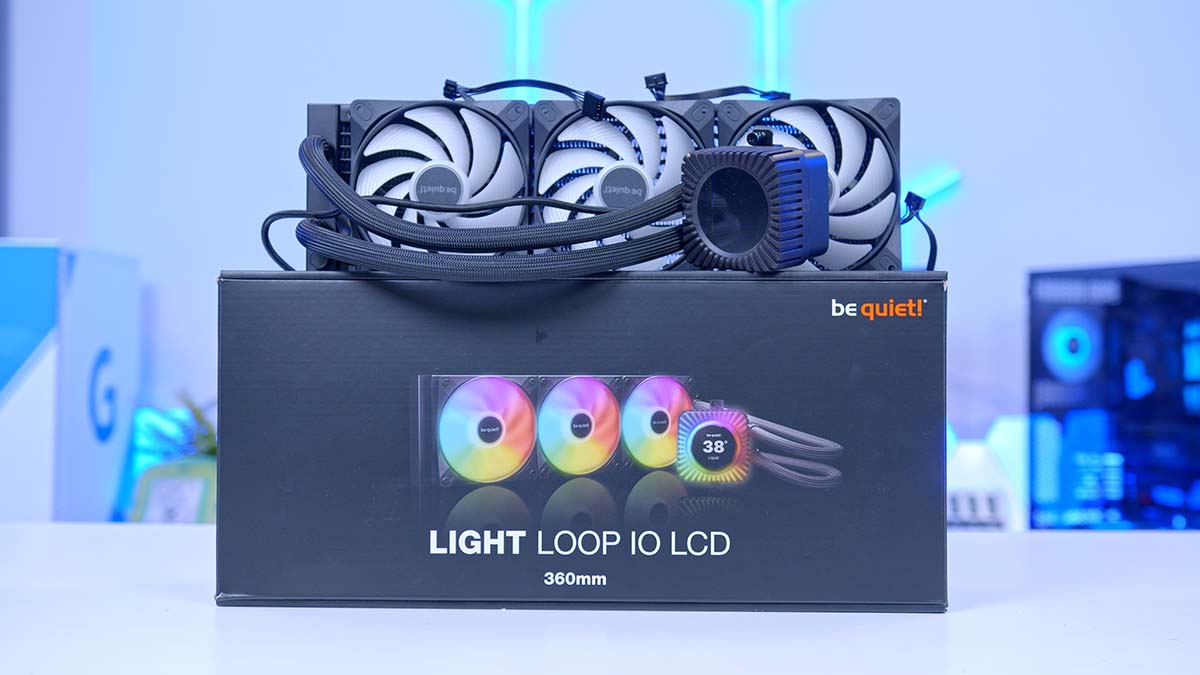
be quiet! has spent years building its name on silence, and the Light Loop IO LCD is the brand’s attempt to fold that reputation into a fully loaded, screen-topped all-in-one (AIO) liquid cooler aimed at overclocked and high-end builds. It pairs a 2.1in circular IPS display and a full ring of Addressable RGB (ARGB) lighting with be quiet!’s new IO Controller, a single-cable system that carries lighting, fan and display signals together. On paper, it’s one of the most complete cooling packages the German brand has put its badge on.
There’s plenty going on here beyond the screen, from daisy-chained Light Wings LX fans with hidden cabling to on-device memory that keeps your settings live with the software closed. be quiet! have steadily been releasing a number of thoughtfully refined products into the market in recent months, and by the end of this review I’ll be determining whether the Light Loop IO LCD keeps that theme alive or bucks the trend.
Specifications
The Light Loop IO LCD comes in 360mm and 240mm sizes, each in black or white, and the mounting covers just about everything current: Intel’s LGA 1851, 1700 and 1200 sockets down to the older 115x boards, plus AMD’s AM5 and AM4. The 360mm radiator measures 397 x 120 x 27mm on its own, or 52mm deep once the fans are attached, standard thickness that should slot into most cases without a fight.
Cooling comes from three Light Wings LX fans on the 360mm, or two on the 240mm, topping out at 2,100 RPM, while the pump runs a 1,500 to 2,900 RPM range and feeds through the IO Controller on a single cable. The radiator is aluminium sitting over a nickel-plated copper base, the fans are rated for 60,000 hours, and the whole thing is backed by a three-year warranty. Crowning it all is that 2.1in IPS display at 480 x 480 and 500 nits.
be quiet! Light Loop IO LCD Specifications
- Model be quiet! Light Loop IO LCD
- Radiator Sizes 360mm and 240mm
- Colour Options Black or White
- Socket Compatibility Intel LGA 1851 / 1700 / 1200 / 1150 / 1151 / 1155, AMD AM5 / AM4
- Radiator incl. Fan (H x W x D) 397 x 120 x 52mm (240mm: 277 x 120 x 52mm)
- Radiator (H x W x D) 397 x 120 x 27mm (240mm: 277 x 120 x 27mm)
- Fans 3 x be quiet! Light Wings LX PWM (120 x 120 x 25mm); 240mm ships with 2
- Fan Speed (100% PWM) 2,100 RPM
- Fan Connector Proprietary (routed through the IO Controller)
- Pump Speed 1,500 to 2,900 RPM
- Pump Connector be quiet! IO Controller (single cable)
- Noise Level (50 / 75 / 100% RPM) 17.2 / 29.1 / 36.8 dB(A) (240mm: 15.4 / 27.2 / 34.9 dB(A))
- Display 2.1in IPS LCD, 480 x 480, 500 nits
- Radiator Material / Finish Aluminium, black or white spray-painted
- Cold Plate Copper, nickel-plated
- Lighting Addressable RGB, 16 LEDs per fan plus pump head ring
- Refill Port Yes, coolant bottle included
- Total Weight 1,581g (240mm: 1,297g)
- Fan Lifespan 60,000 hours (at 25°C)
- Warranty 3 years
The big new addition this generation is the IO Controller, a small in-line box that be quiet! uses to consolidate everything the cooler needs into one cable. Rather than running separate leads for ARGB, PWM fan control and the display, the controller carries all three at once, then tucks the fan cables along the tubing so nothing trails across the radiator.
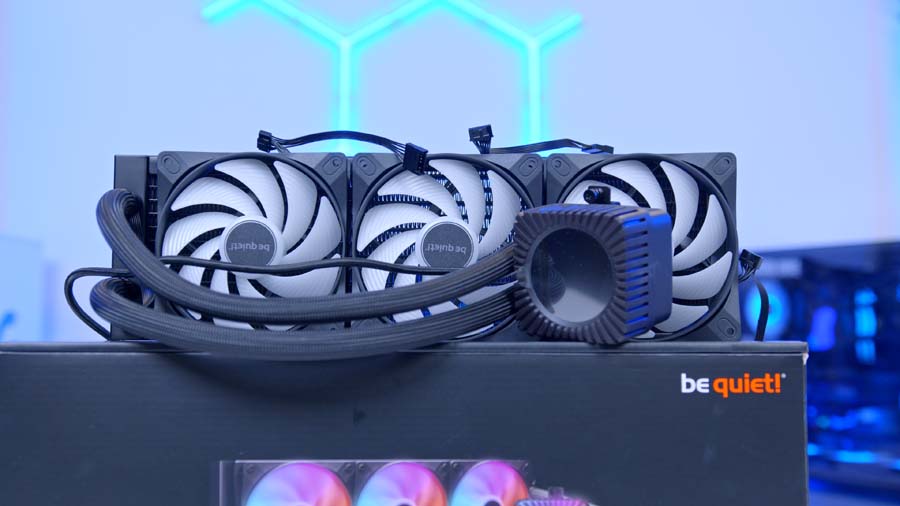
be quiet! says the controllers can be chained together, with support for up to four in a single series, which keeps motherboard header usage down if you’re building out a wider be quiet! IO setup with kit like the Dark Mount keyboard or Dark Perk mouse. It’s a tidy idea, and one that leans towards planning a whole ecosystem. An ARGB and PWM breakout cable is included too, so you can still hook up standard fans or other RGB components and sync them with the rest of the system.
Alternative Cooler Choice
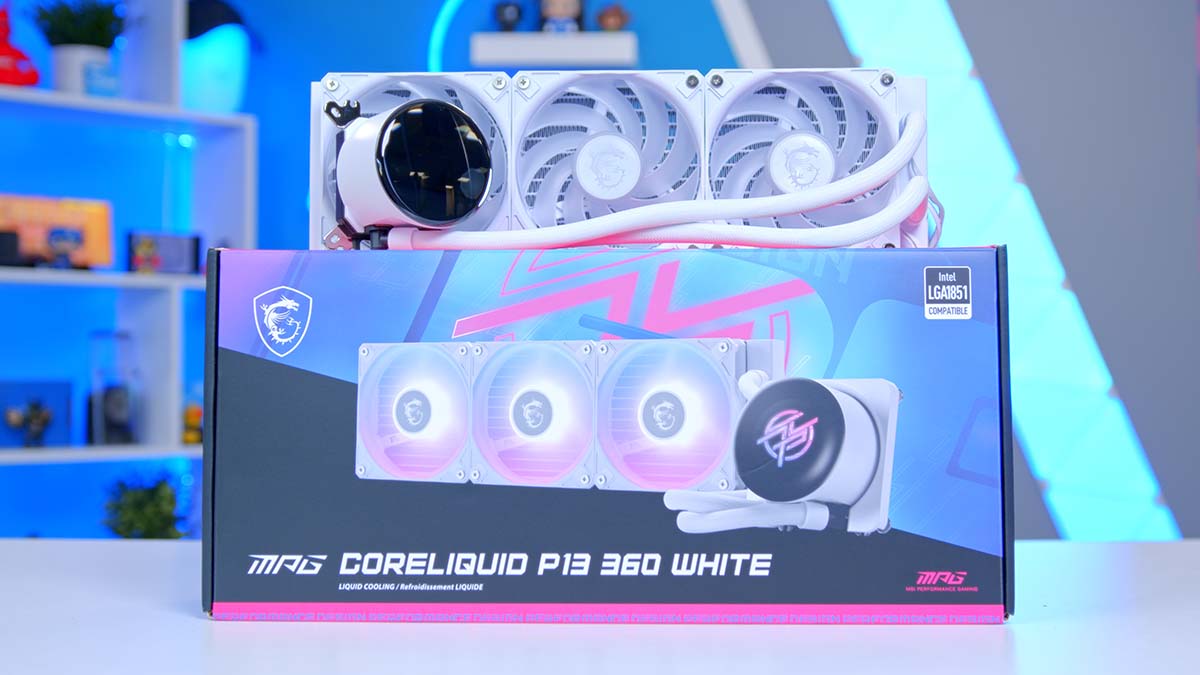
MSI MPG CoreLiquid P13 360
Drawn to the Light Loop IO LCD’s single-cable setup but after something simpler and cheaper? The MSI MPG CoreLiquid P13 360 nails the same wire-free installation. Every power and signal cable is routed inside the sleeved tubing, the fans arrive pre-chained on the radiator, and a single connector handles the hookup, so there’s very little to route by hand. It still puts a bright 2.1in IPS screen on the pump, all wrapped in a clean, minimalist water-droplet design.
Design
The pump head is doing the heavy lifting on the looks front. It sits under a sculpted, ribbed housing built around a circular 2.1in IPS display, running at 480 x 480 with a rated 500 nits of brightness, and a ring of Addressable RGB lighting wraps the edge. be quiet! uses a precision metal jet plate to speed up coolant flow onto a high-density fin cold plate, with a nickel-plated copper base making contact with the chip.
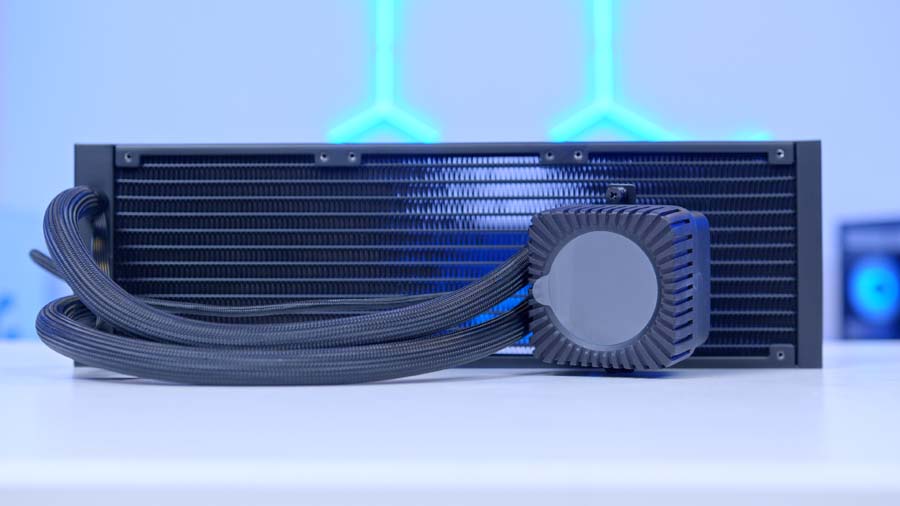
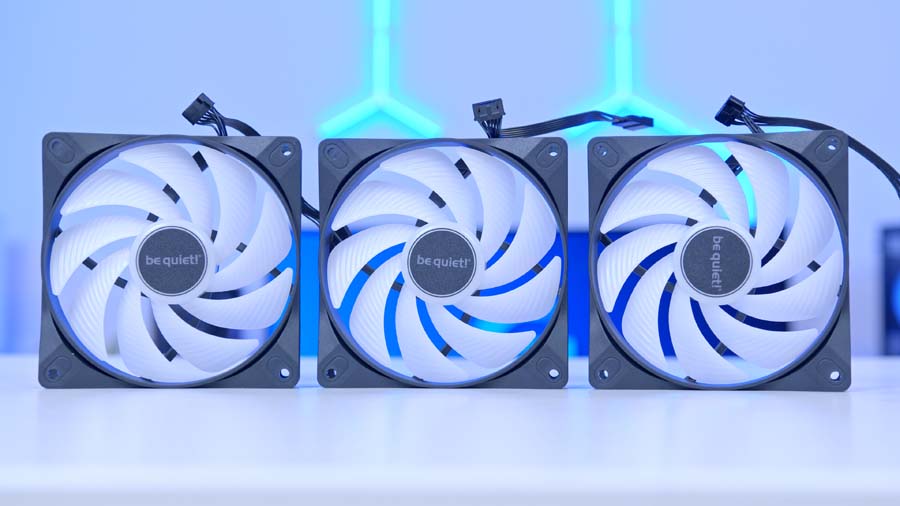
The three Light Wings LX fans, or two on the 240mm, carry sixteen LEDs apiece and use nine airflow-shaped blades, with funnel-style outlets that throw the lighting outward. be quiet! offers the cooler in black or white, with the radiator spray-painted to match, and the sleeved tubes and screw-down mounting are built for easy handling. There’s an accessible refill port up top and a coolant bottle in the box, so topping the loop up further down the line is, dare I say, straightforward.
Features We Like
On-device memory and IO Center
be quiet!’s IO Center software is the control hub, covering lighting, cooling modes, fan curves and everything on the display, and the part I like most is that your chosen settings get written to the cooler’s onboard memory. That means your lighting and background stay put even with the app closed or missing entirely, which is exactly how this kind of thing should behave. There’s a browser-based IO Center Web too, so you can adjust settings without installing anything, and much of it runs without admin access.
A screen you’ll actually use
The 2.1in IPS screen isn’t just there to look pretty. You can push system readouts to it, coolant and CPU temperatures, fan speeds and clocks, or lean into images, GIFs, videos and Giphy content, with overlays for clocks, sensors and an audio visualiser. Screen Sync ties the pump lighting to whatever’s on the display, and temperature-based lighting can shift colour with CPU, GPU, VRM or liquid temperature. It’s one of the more flexible cooler screens around, and be quiet! has clearly put thought into the customisation on offer.
Features We Don’t Like
A walled, proprietary ecosystem
The flip side of that single-cable neatness is lock-in. The Light Wings LX fans use a proprietary connector and route through the IO Controller, so this isn’t a setup you’ll casually mix with third-party fans or shuffle between systems without thought. If you’re bought into be quiet!’s IO range that’s fine, but it’s worth knowing.
IO Center Web leaves features behind
The browser version is handy, but it drops a fair few things the desktop app keeps. The Hardware Monitor, Screen Sync, Microsoft Dynamic Lighting, dynamic backgrounds, sensor-based cooling and Cooling Studio all sit in the Windows app only. be quiet! also flags that chaining more than three ARGB components together calls for a powered RGB hub, since standard headers can’t feed that many.
Performance
We ran the 360mm Light Loop IO LCD on our standard CPU cooler bench, an Intel Core i7-14700K at a 21°C ambient, logging average and peak temperatures across three sustained loads. In the lighter 4-thread Cinebench R23 run it held 60°C on average and peaked at 69°C. Push all the way to an 8-thread Cinebench R23 load and that climbed to 75°C average and 86°C peak, while our CPU-Z 8-thread test landed in between at 70°C average and 79°C peak.
Read against the wider field, that puts the Light Loop IO LCD in the mid-pack of 360mm all-in-ones rather than at the sharp end. It keeps a hot, high-core-count chip like the 14700K comfortably clear of throttling and leaves the best air coolers well behind, but the outright chart-toppers, such as the ASUS ROG RYUJIN III and NZXT Kraken Elite, run a few degrees cooler under the same sustained load. be quiet! bills this as high cooling performance with whisper-quiet operation, and on our bench it reads as a cooler that prioritises staying calm and quiet over posting the lowest possible number.
Should You Buy the be quiet! Light Loop IO LCD?
If what draws you to the Light Loop IO LCD is the screen, the lighting and the single-cable IO Controller, it delivers on all three, and it does so with the quiet-first temperament be quiet! is known for. It’s a cooler built for people who want their easy installation, quiet operation and are happy to buy into an ecosystem to get there, with the added bonus that its settings live on the cooler itself instead of leaning on background software.
If you’re chasing the lowest temperatures per pound above all else, there are 360mm units that cool harder for less outlay. As a feature-led, show-piece AIO with a strong software story and be quiet!’s acoustic focus, though, it’s one to shortlist.