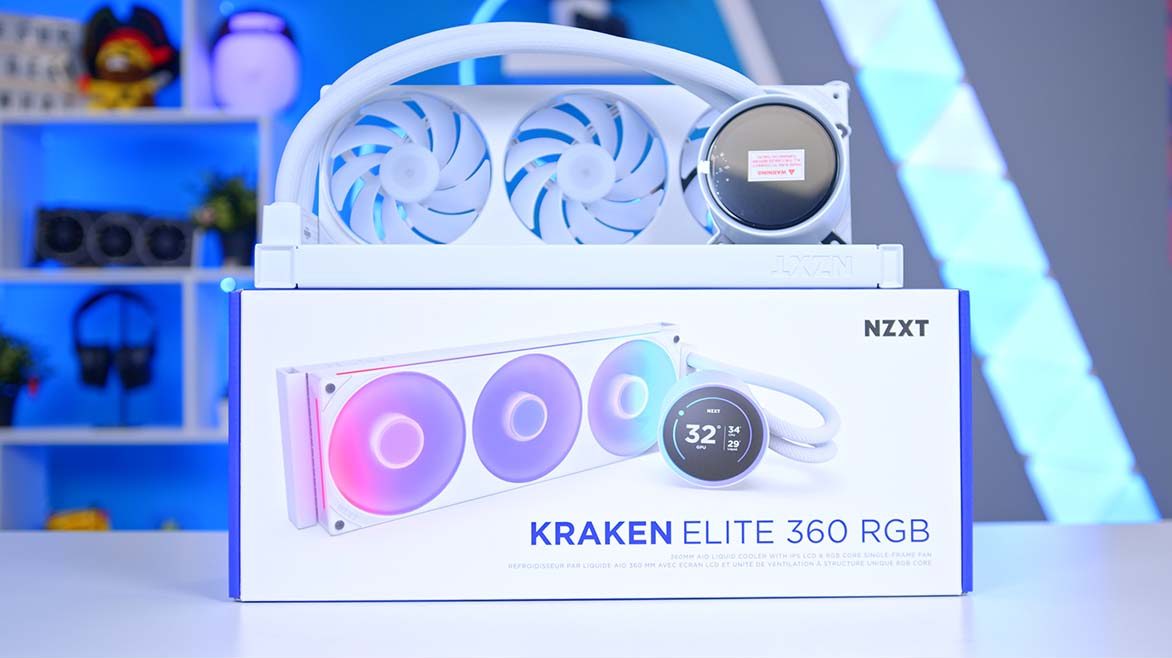
Over the years, NZXT has built a reputation as one of the most reliable and design‑forward names in PC hardware. From their clean, airflow‑focused cases to the iconic Kraken line of AIO coolers, the brand consistently appeals to builders who want performance wrapped in modern minimalism. With the release of the Kraken Elite 360 RGB V2 (2024), NZXT aimed to refine that formula once again. In this review, we’ll take a close look at its specifications, design choices, cooling performance, and feature set to see whether this latest iteration truly earns a place in your next build.
Buy the NZXT Kraken Elite 360 RGB V2 on:
NZXT Kraken 360 Elite RGB V2 in Black.
NZXT Kraken 360 Elite RGB V2 in White.
Specification
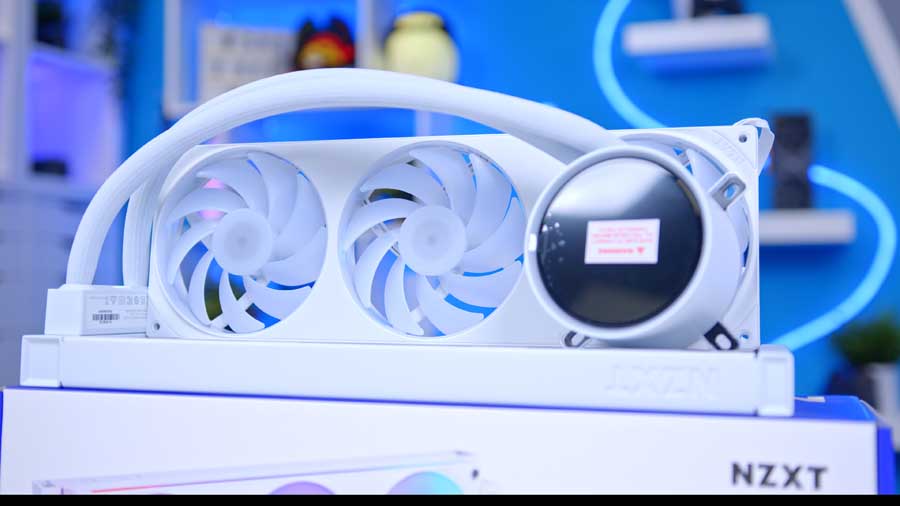
The NZXT Kraken Elite 360 RGB V2 is a premium all‑in‑one liquid cooler built around a 360 mm aluminium radiator. It’s available in black or white and comes in four size options – 240, 280, 360, and 420 mm – though our focus is on the 360 mm model.
This 360 mm variant measures 401 mm long, 120 mm wide, and 27 mm thick. It ships with NZXT’s F360 RGB Core fans: three 120 mm high‑performance, low‑noise units that use fluid dynamic bearings and can spin up to 2400 RPM. The fans draw power through a SATA connection, keeping cable management straightforward.
| Key Specs | NZXT Kraken Elite 360 RGB V2 |
|---|---|
| Radiator Size | 360mm |
| Radiator Dimensions (L x W x H) | 401 x 120 x 27 mm |
| Number of Fans | 3 |
| Bearing Type | Fluid Dynamic Bearing |
| Pump Connector | 3-pin DC |
| Max Pump Speed | 2800 RPM |
| Max Fan Speed | 2400 RPM |
| Socket Compatibility | Intel – LGA 1851, 1200, 115X AMD – AM5, AM4 |
The pump is powered via a 3‑pin DC header rather than PWM, meaning pump speed isn’t dynamically controlled in the same way as PWM‑based units. It tops out at 2800 RPM. Sitting above the pump is one of the cooler’s standout features: a 2.72‑inch IPS LCD with a 640×640 resolution. The IPS panel delivers excellent viewing angles, vivid colours, and crisp detail, while its 60 Hz refresh rate ensures smooth animations and transitions.
NZXT equips the cooler with 420 mm of CIIR rubber tubing wrapped in a PET braided sleeve. The tubing is flexible and long enough to route comfortably through most mid‑tower and full‑tower cases, making installation far easier. Socket compatibility is also reasonably wide, covering many major Intel and AMD sockets, including the latest AM5 and LGA 1851 sockets.
NZXT Kraken Elite 360 RGB V2 Design
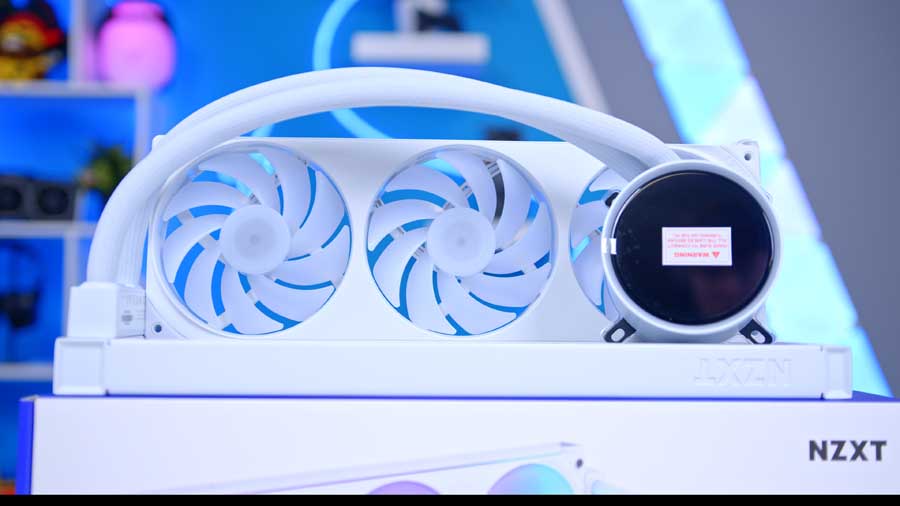
The NZXT Kraken Elite 360 RGB V2, in either black or white, is genuinely stunning. It delivers exceptional clarity and striking visuals across every element – from the customisable LCD screen and RGB fans to the tubing, wiring, and radiator. It’s clear NZXT has invested serious effort into engineering a cooler that doesn’t just look impressive, but feels powerful and premium in every detail.
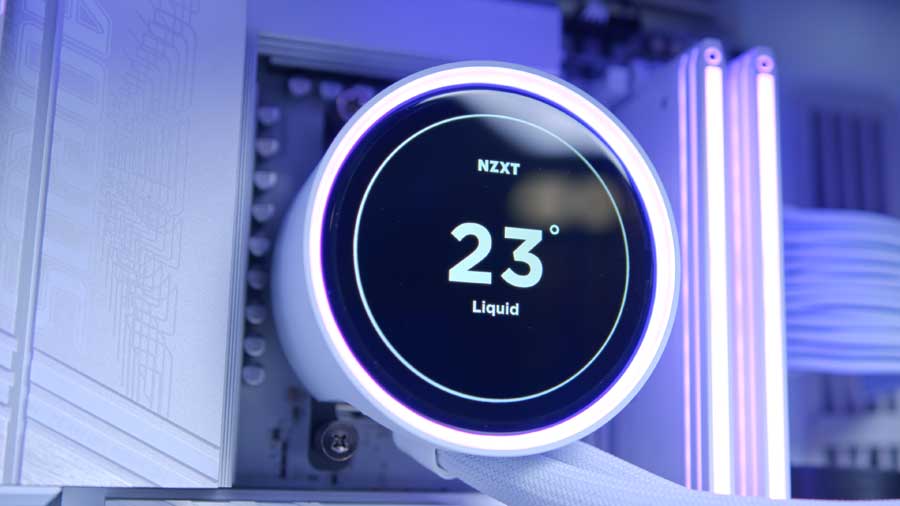
As a refresh of the original 2023 model, this updated version brings improvements in noise levels, raw cooling performance, and overall refinement. The water block is noticeably large, but for good reason: it houses the 2.72‑inch LCD display and the pump itself. Surrounding the screen is a complementary RGB ring with dynamic lighting effects that can sync with on‑screen content and other RGB components, adding a cohesive visual flair.
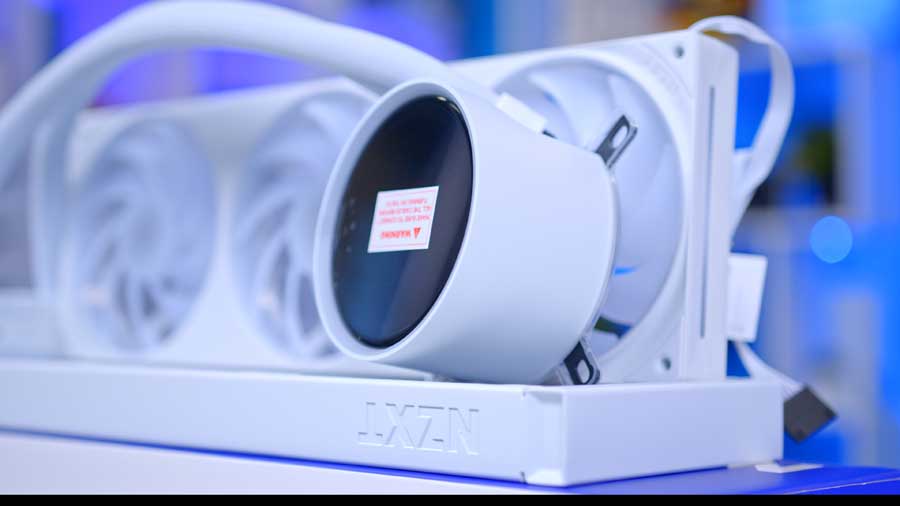
The unit is fairly heavy, so it’s wise to pre‑route your cables, install the radiator first, and then mount the water block to the CPU. Installation on both AMD and Intel platforms is straightforward and hassle‑free, though the cooler still relies on a slightly older connection method: a 3‑pin DC header for the pump and a SATA connector for the fans. The wide copper cold plate comes with pre‑applied thermal paste, and the entire water block installation can be completely tool‑less thanks to thumb‑screw mounting hardware.
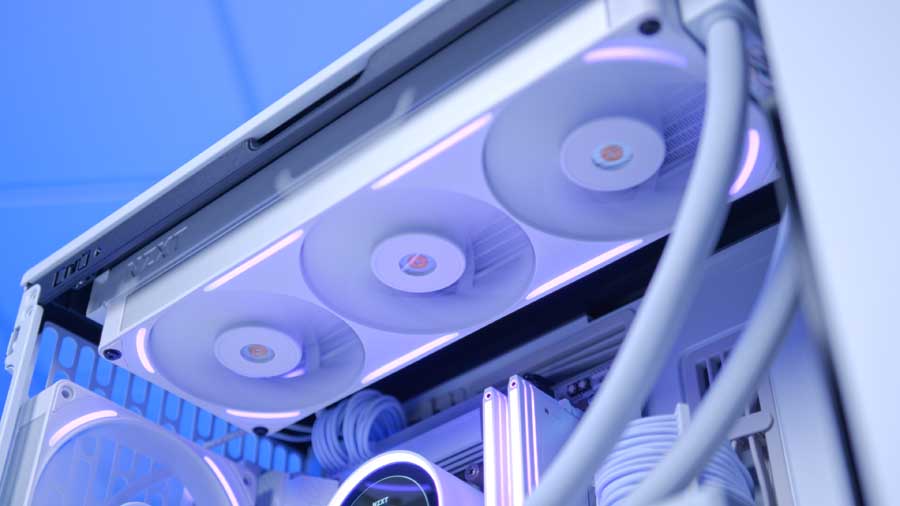
The NZXT F360 RGB Core fan unit arrives pre‑installed on the radiator and requires only four screws to secure, making the mounting process significantly quicker than usual. If you need to change fan orientation, you won’t be dealing with sixteen screws. This is a thoughtful design choice that reinforces the cooler’s minimalist, user‑friendly approach. The screw holes feature anti‑vibration rubber to help reduce noise, and the frame features side windows that let the fan’s lighting shine through subtly.
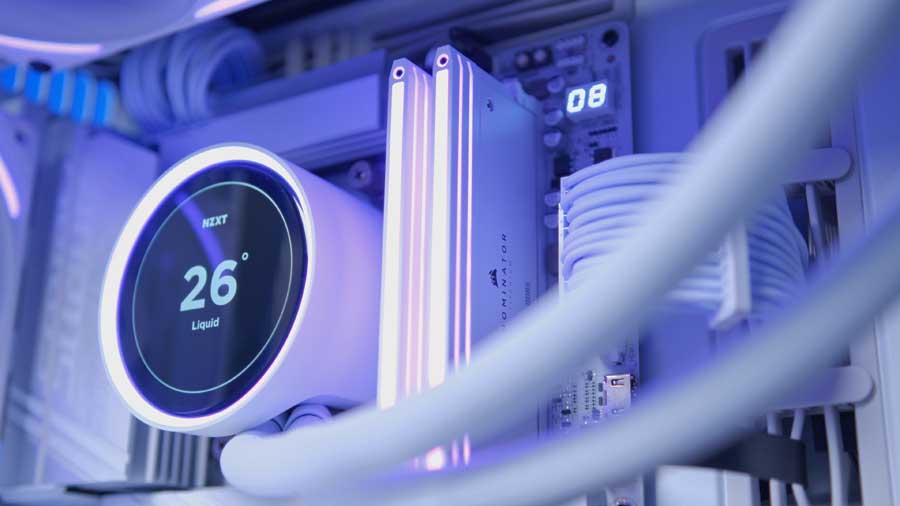
The tubing connecting the radiator to the pump is thick, colour‑matched, and intentionally designed to hide all necessary wiring – a welcome touch that keeps the build clean. Its thickness also complements the larger water block, maintaining a consistent design language across the entire unit. The extended rubber tubing, wrapped in braided sleeving, provides durability, flexibility, and long‑term leak protection. NZXT also includes a robust breakout cable that plugs into the radiator, neatly linking the concealed wiring to the motherboard.
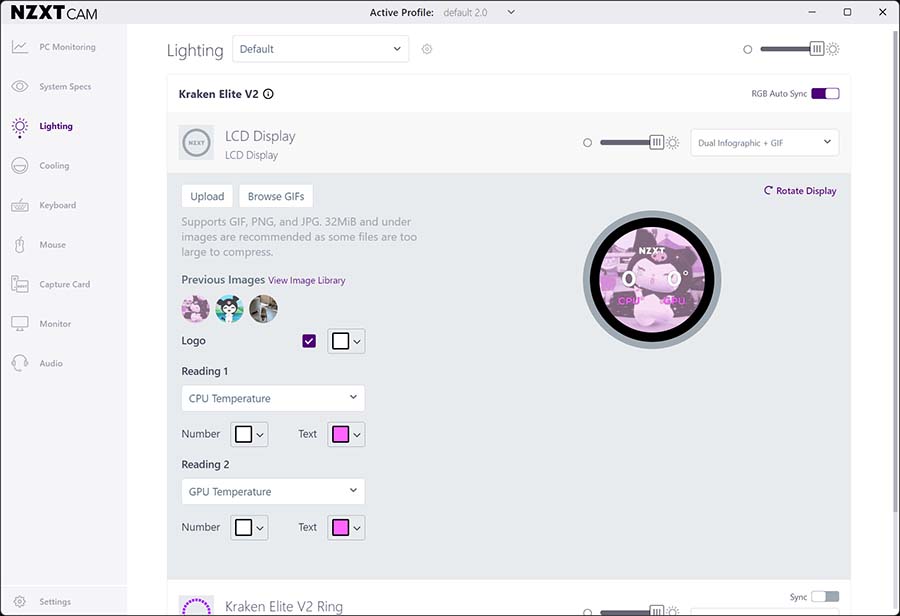
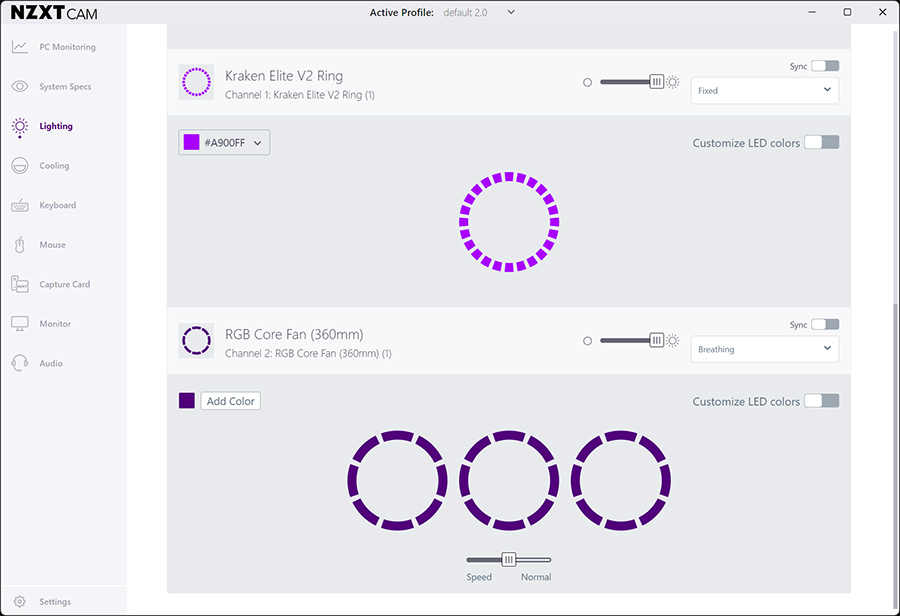
The NZXT Kraken Elite 360 RGB V2 can be controlled via the NZXT CAM software, which has been very well designed to allow for in-depth customisation of the screen’s display, including having the option to display a range of different content, including your favourite GIF or image, track real-time system performance, and integrate with Spotify, YouTube, and more.
Cooler Performance
Every CPU cooler we review is thoroughly tested within builds and a series of synthetic benchmarks. This provides performance data for each cooler, showing how it copes with gaming and multi-core workloads. The Intel Core i7-14700K is known to run hot and has a maximum operating temperature of 100℃. This is why our benchmarking system has an Intel Core i7-14700K at its core, with four 140mm fans to maximise airflow. Each cooler is set to the default fan curve mode in the BIOS, or we use an equivalent fan curve with the cooler’s software, so that testing is fair. All the data we collect is gathered from benchmarks in Cinebench and CPU-Z, with HWMonitor running in the background to record temperature information.
Cinebench 4-Thread
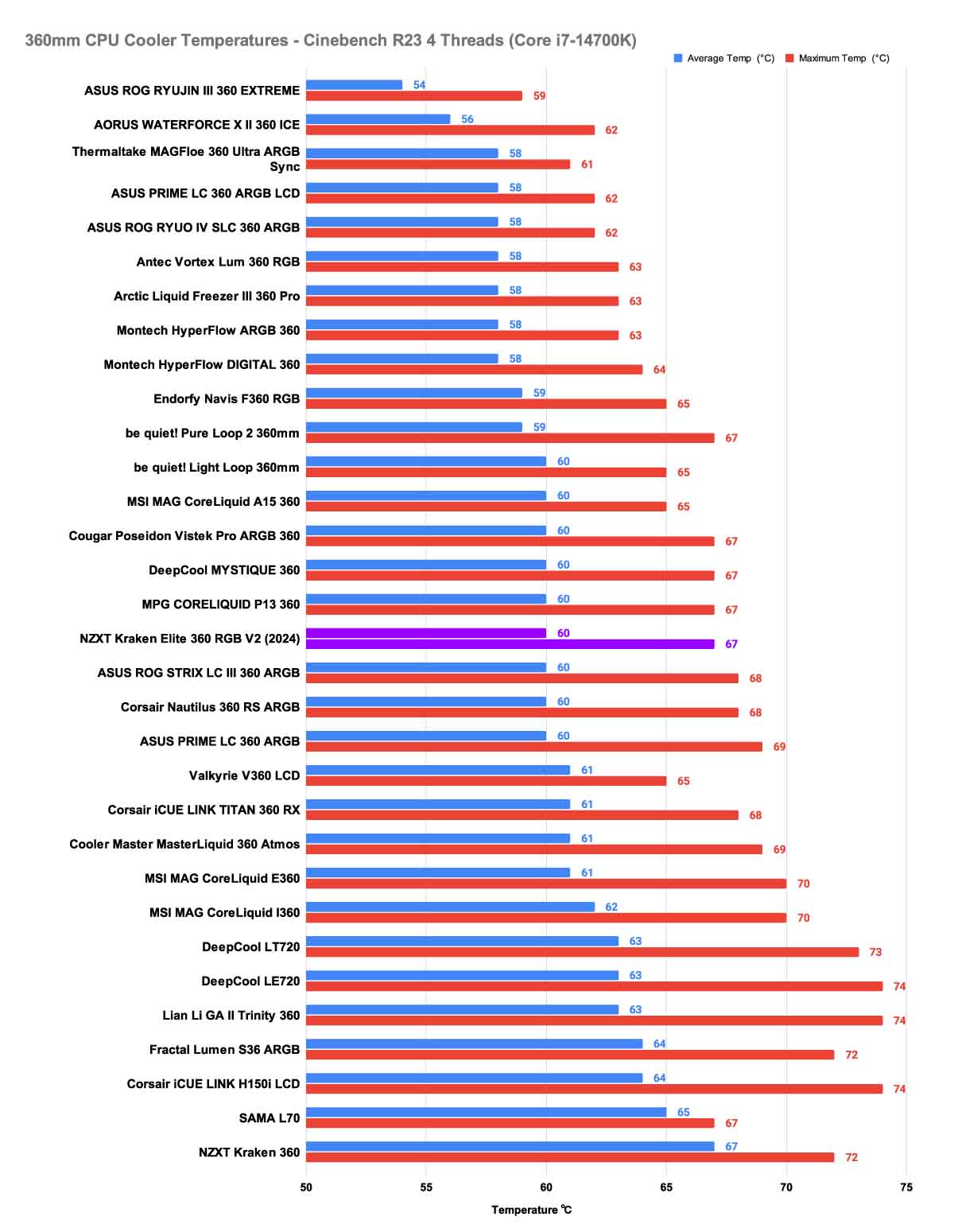
During the Cinebench 4-thread run, the NZXT Kraken Elite 360 RGB V2 displayed decent average performance, keeping the temperature at 60℃ for the duration and only allowing it to creep up to 67℃ at maximum. This performance allows the Elite 360 RGB V2 to match the quality of similar coolers, such as the MSI MPG Coreliquid P13 360 and the Cougar Posedion Vistek Pro ARGB 360. Even though this cooler doesn’t offer the coolest temperatures on the graph, it still provides enough cooling to allow the CPU to perform medium-parallelised workloads, such as playing games.
Cinebench 8-Thread
Our next test is the Cinebench 8‑thread run, which simulates a heavy multi‑threaded scenario such as video rendering or complex computational workloads. In this benchmark, the NZXT Kraken Elite 360 RGB V2 didn’t perform as well; it sat near the bottom of the graph, with an average temperature of 78 °C and a peak of 81 °C.
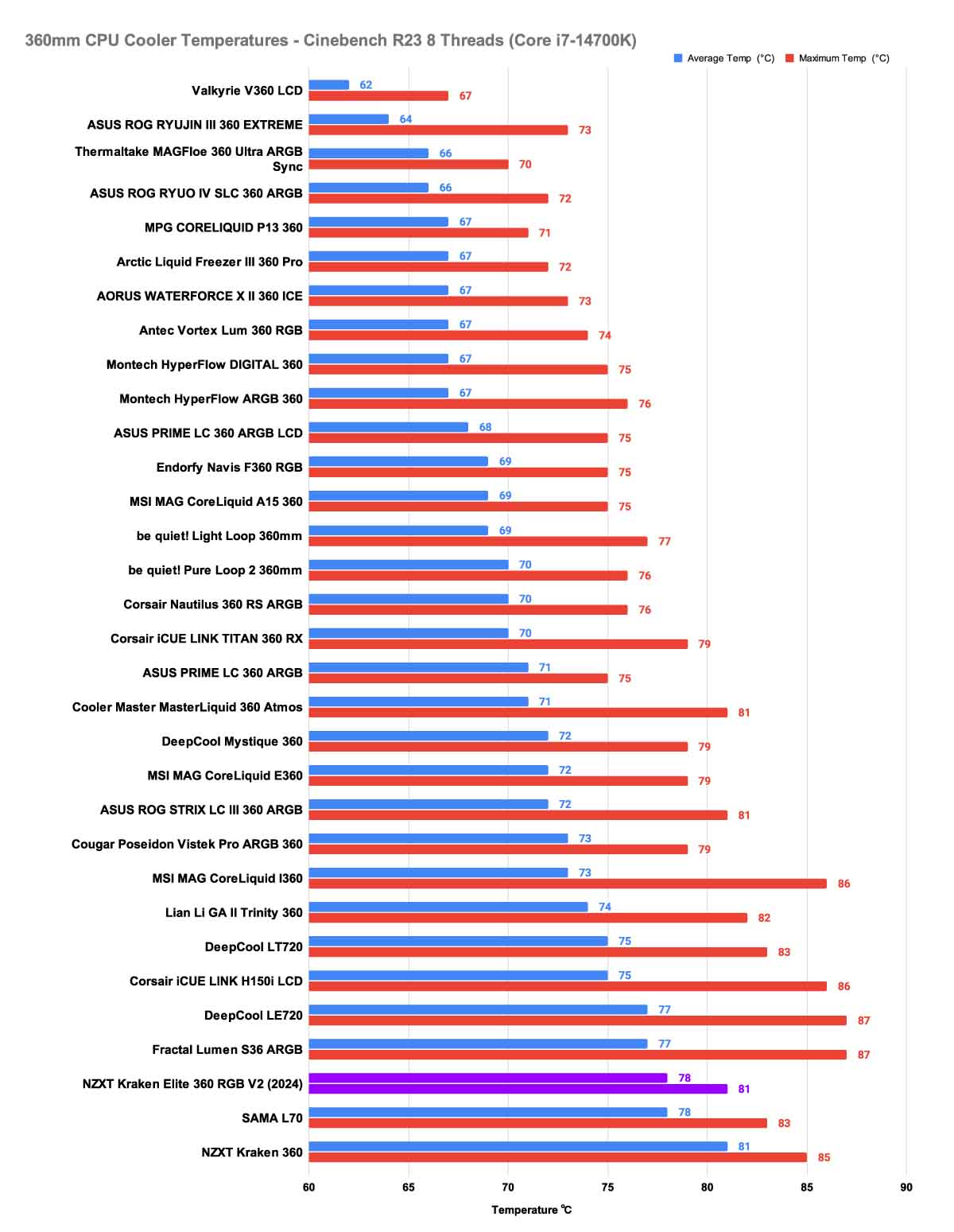
There is some light at the end of the tunnel, however, because the small gap between the average and maximum temperature suggests that the cooler is at least maintaining consistent thermal behaviour rather than allowing temperatures to drift upward over time. That stability indicates the unit is keeping pace with the sustained heat output, even if the absolute numbers aren’t chart-topping. In practice, this means the Kraken Elite 360 RGB V2 isn’t struggling or throttling under load – it simply operates closer to its thermal ceiling compared with stronger performers in this category.
CPU-Z 8-Thread
Finally, our last test is an 8-thread stress test using CPU-Z, which simulates a scenario similar to the 8-thread Cinebench test but is typically slightly more taxing on the cooler, requiring it to work harder. The average temperature that the NZXT Kraken Elite 360 RGB V2 maintained was 76℃, meaning that the cooler was able to keep up with the thermal demands of the CPU to some degree, and again, the maximum temperature it reached was only a small jump at 78℃.
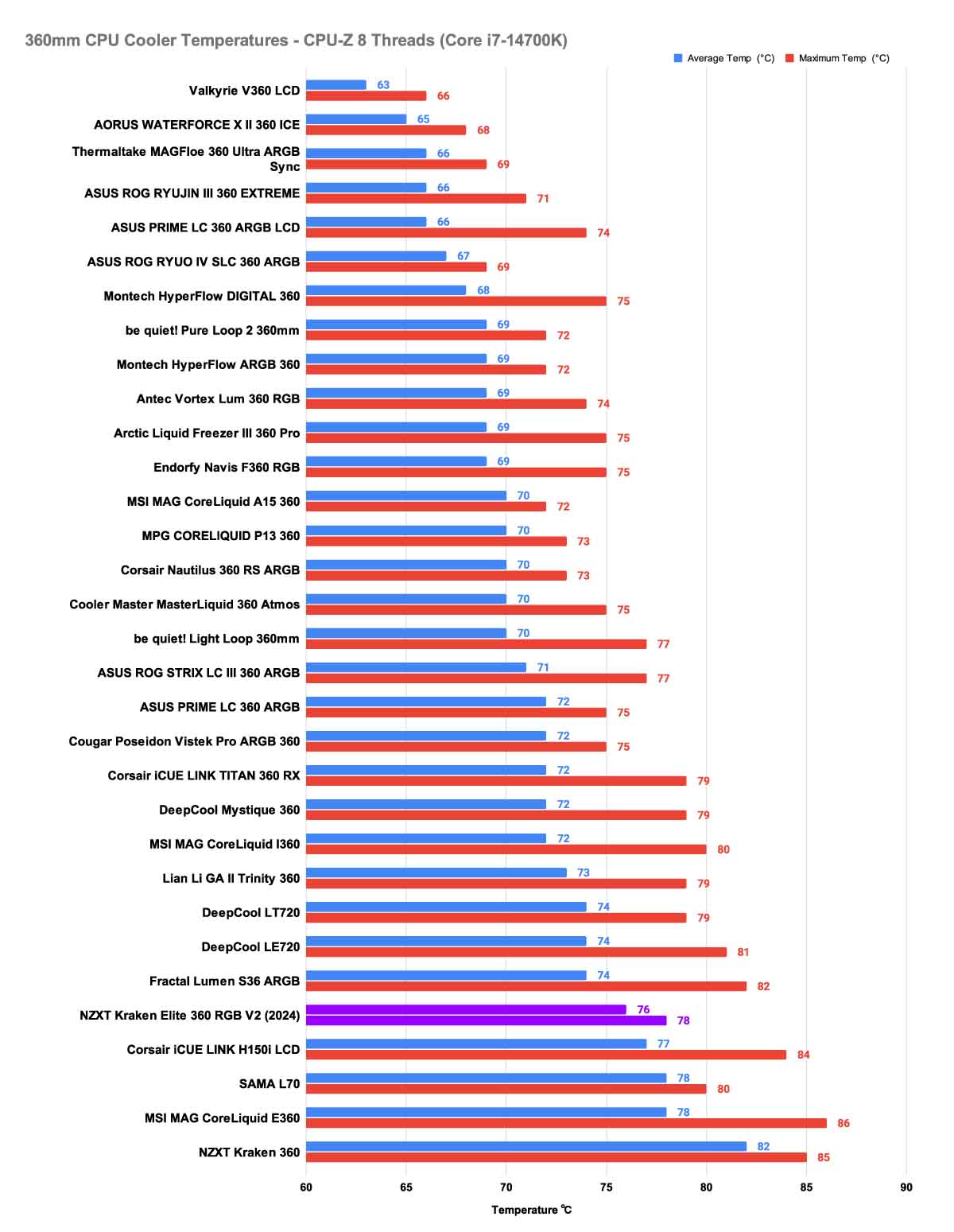
This suggests that the cooler can maintain a steady thermal profile even under prolonged, high‑intensity workloads. The narrow 2 °C gap between the average and peak temperatures indicates that the Kraken Elite 360 RGB V2 isn’t being overwhelmed or experiencing sudden thermal spikes; instead, it’s operating in a controlled and predictable manner. While its overall performance places it at the bottom of our charts, this level of consistency shows that the cooler can handle sustained multi‑threaded stress without flirting with throttling or instability.
Conclusion
NZXT Kraken Elite 360 RGB V2 (2024) AIO Cooler
Product Name: Kraken Elite 360 RGB V2 (2024)
Brand: NZXT
-
Features
-
Design
-
Performance
-
Value For Money
Summary
The NZXT Kraken Elite 360 RGB V2 is an ideal choice for those who want to showcase excellent visuals in their PC case. It’s a cooler designed to be shown off as the centrepiece of a system, whilst still providing stable cooling for the processor. Its user‑friendly software, long and flexible tubing, straightforward mounting system, and refined engineering all contribute to a product that feels premium from the moment it’s unboxed. NZXT clearly understands its audience: builders who value both form and function, and who want hardware that looks as impressive as it operates.
While its thermal performance sits comfortably in the bottom‑range of our charts, the Kraken Elite 360 RGB V2 compensates with exceptional consistency and rock‑solid stability under load. It may not chase the absolute lowest temperatures, but it delivers predictable, reliable cooling that keeps modern processors well within safe operating limits. Combined with the stunning IPS display and the overall attention to detail in its construction, the cooler is more than just a component; it becomes a visual spectacle that enhances the identity of the entire system. So, for users who prioritise aesthetics, build quality, and a polished ownership experience without sacrificing dependable cooling, the Kraken Elite 360 RGB V2 is an obvious recommendation. Its only letdown is its price, especially compared to other offerings that provide similar or better performance, making this option feel like a cooler best suited for builders with a specific aesthetic vision or brand theming in mind.
Pros
✅ Beautiful Aesthetics
✅Screen fidelity and size
✅Ease of use and installation
Cons
❌ Middling thermal performance
❌ Cumbersome water block
❌ Expensive

![FI_[SR190] HYTE X50 Ryzen 5 9600X & MSI RTX 5070 Ti](https://geekawhat.com/wp-content/uploads/2026/01/FI_SR190-HYTE-X50-Ryzen-5-9600X-MSI-RTX-5070-Ti-551x431.jpg)
![FI_[DM87] HAVN BF & RTX 5090 Build](https://geekawhat.com/wp-content/uploads/2026/01/FI_DM87-HAVN-BF-RTX-5090-Build-551x431.jpg)
![FI_[DM76] HAVN BF360 5090 Build](https://geekawhat.com/wp-content/uploads/2025/10/FI_DM76-HAVN-BF360-5090-Build-1-551x431.jpg)