
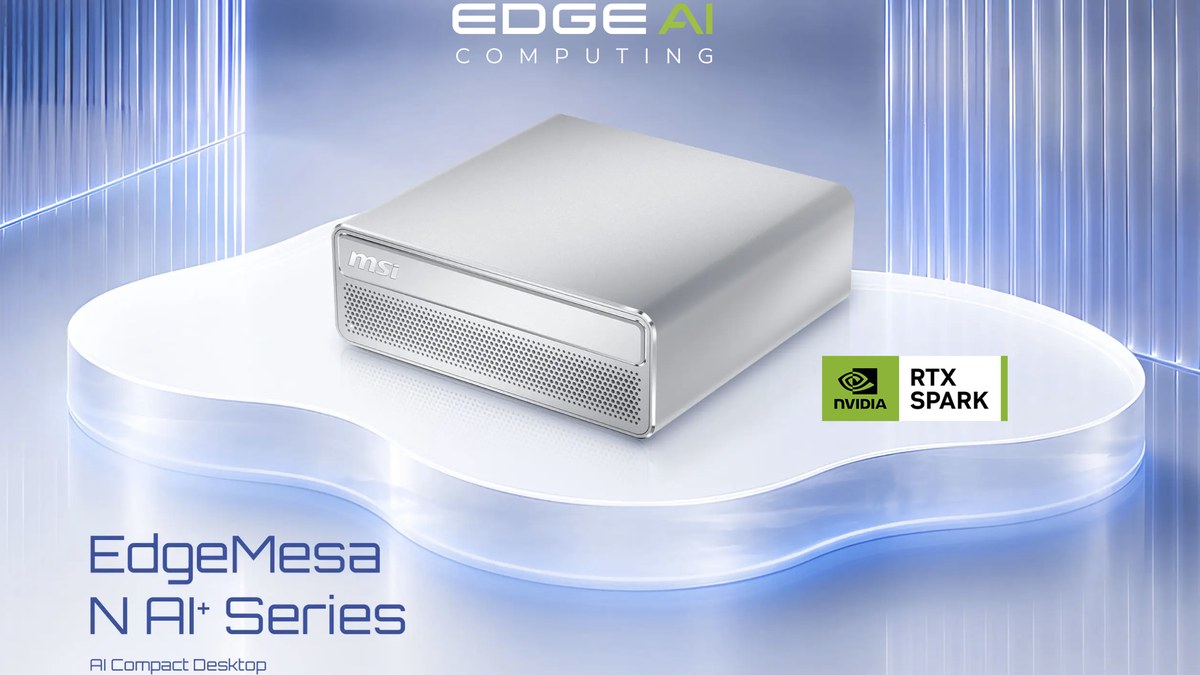
MSI has just taken the wraps off the EdgeMesa N AI+, and if you’ve been following NVIDIA’s RTX Spark platform, you’ll know exactly why this one caught our eye. It’s a 1.3-litre desktop built around the RTX Spark N1X superchip, and it’s one of the first compact desktops to land on the platform since the RTX Spark laptops arrived in October. MSI is aiming it squarely at people who want to run AI locally, around the clock, without sending their data off to the cloud.
Small box, big ambitions.
First Up, What Is RTX Spark?
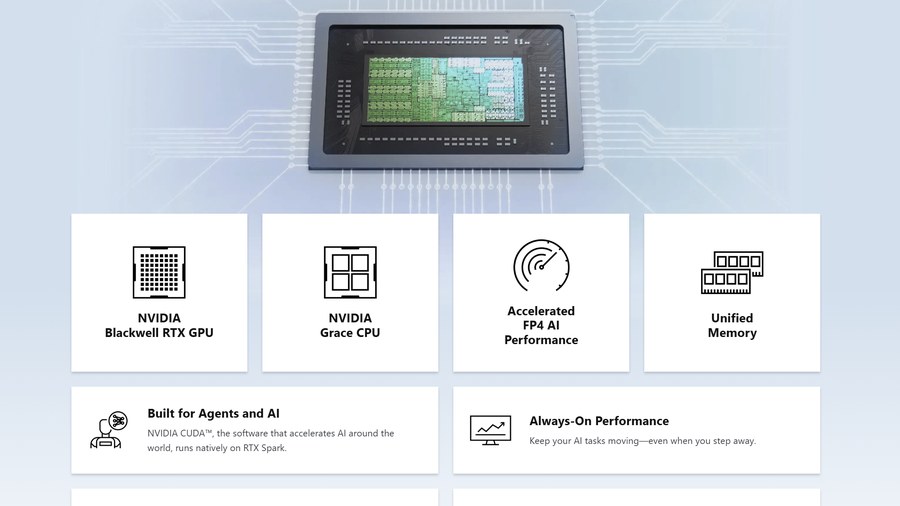
If you missed it, RTX Spark is NVIDIA’s first proper crack at the Windows PC market. Rather than supplying a graphics card for someone else’s system, NVIDIA now provides the whole platform: an Arm-based Grace CPU (co-designed with MediaTek) and a Blackwell RTX GPU on a single superchip, sharing one big pool of unified memory. It was revealed at Computex back in the summer, and it runs Windows 11 on Arm.
Some of you will recognise the recipe. RTX Spark is essentially the consumer sibling of the GB10 chip inside NVIDIA’s DGX Spark, the little Linux-based AI box aimed at researchers and developers. The difference here is Windows, plus a much bigger push on gaming and creative work alongside the AI side of things.
There are two configurations. The top N1X spec, with a 20-core CPU, a 6,144-core GPU and 24GB to 128GB of unified memory, goes into both laptops and compact desktops. A cut-down version with an 18-core CPU, a 5,120-core GPU and a 32GB memory ceiling is laptop-only. The EdgeMesa N AI+ uses the top-spec chip.
The first RTX Spark laptops went on sale on 16th October from ASUS, Dell, HP, Lenovo, Microsoft and MSI (MSI’s entries being the Prestige N16 and Prestige N16 Flip AI+). Compact desktops are the next wave, and that’s where the EdgeMesa comes in.
Why Should You Care?
The headline is AI that runs on your own machine. That unified memory pool means the GPU can reach far more memory than any normal graphics card offers, so models that would usually need a beefy workstation or a cloud subscription become a realistic option on a desktop. NVIDIA launched the platform alongside Nemotron 3.5 Bolt, a 74-billion-parameter model built for tool calling and multistep tasks, plus guided setup for local agents including GitHub Copilot and Perplexity. Its OpenShell runtime, together with Microsoft’s Execution Containers, is there to keep a lid on what those agents are allowed to touch.
Developers get plenty of attention too. NVIDIA has brought a PyTorch build with CUDA support to Windows on Arm, along with native Python and Conda installers and Windows Subsystem for Linux support. Creators, meanwhile, get native beta versions of Photoshop and Premiere at launch, with Substance 3D on the way.
And gaming? NVIDIA is claiming over 100 FPS at 1440p in AAA titles, with Cyberpunk 2077, Fortnite and Marvel Rivals among the launch games.
So, What’s MSI Done With It?
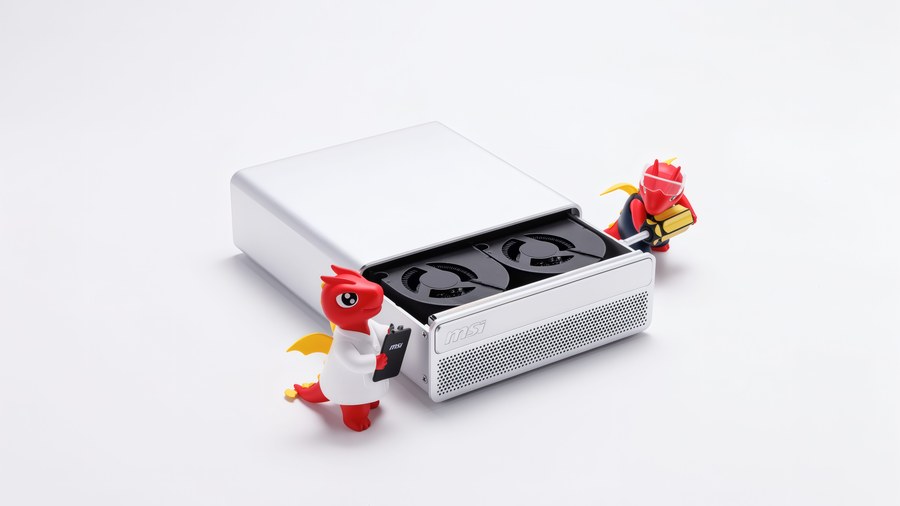
Let’s start with the outside, because MSI has gone for a clean, understated look here. The EdgeMesa N AI+ is a little silver box with a full aluminium chassis, softly rounded edges and a fingerprint-resistant finish and the main shell wraps over the top and sides as a single piece, so there are no visible screws or seams to spoil the lines.
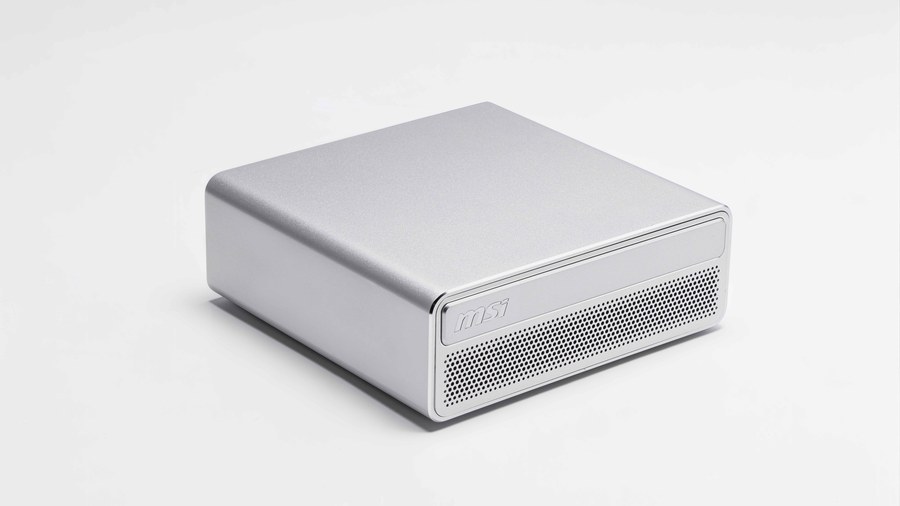
Up front, a finely perforated panel carries the MSI logo and runs nearly the full width of the system, and that’s about it. No RGB, no gamer angles. It wouldn’t look out of place next to a Mac mini, which I suspect is exactly the point.
It’s small, too. At 1.3 litres and 1.32kg, it’ll sit happily on a desk, slot onto a shelf or tuck in behind a monitor.
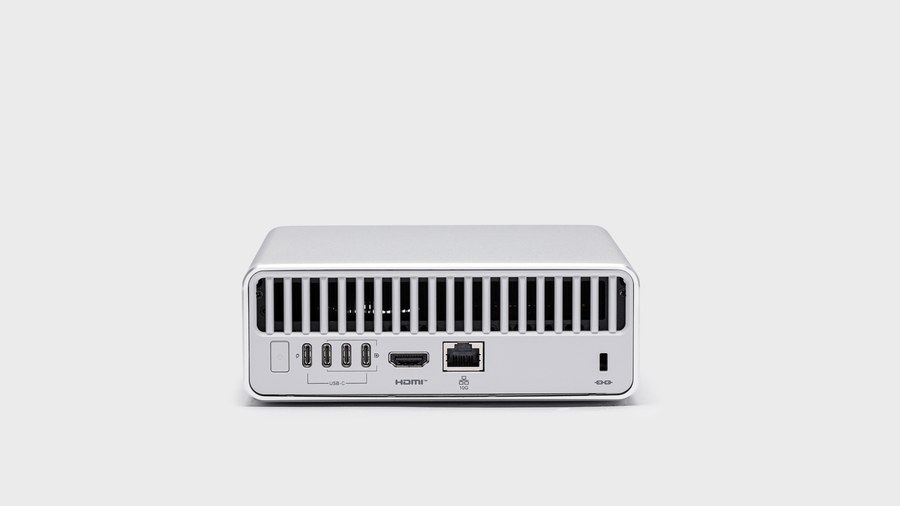
On the back, a wide vent grille takes up the top half of the rear panel, with all of the IO lined up underneath. You get four 20Gbps USB Type-C ports, an HDMI 2.1 (FRL) port, an RJ45 jack for 10Gb LAN and a Kensington lock slot. Three of the Type-C ports support DisplayPort 2.1 Alt Mode, and the fourth is for power delivery input from the 240W external adapter, so there’s no bulky internal PSU eating into the volume. Between the three Type-C display outputs and the HDMI, the system drives up to four displays. Wi-Fi 7 and Bluetooth 5.4 handle wireless, and TPM 2.0 is included.
Under the Hood
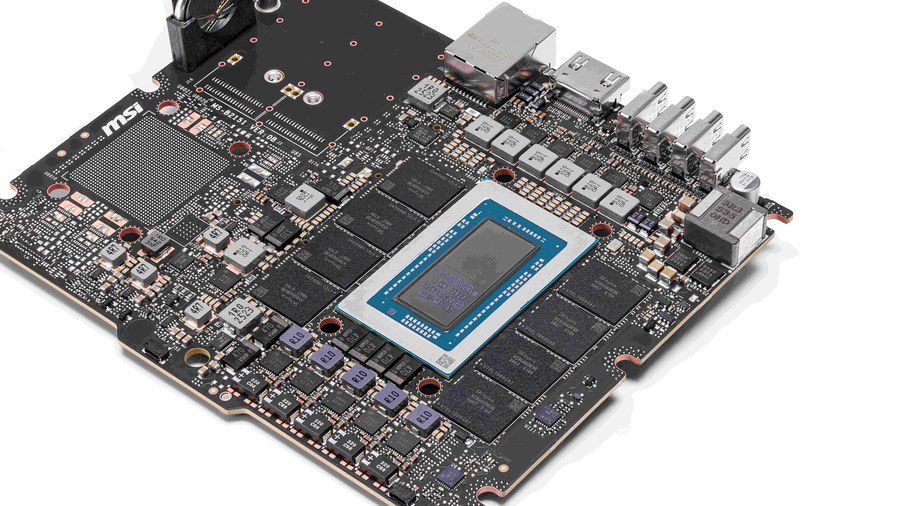
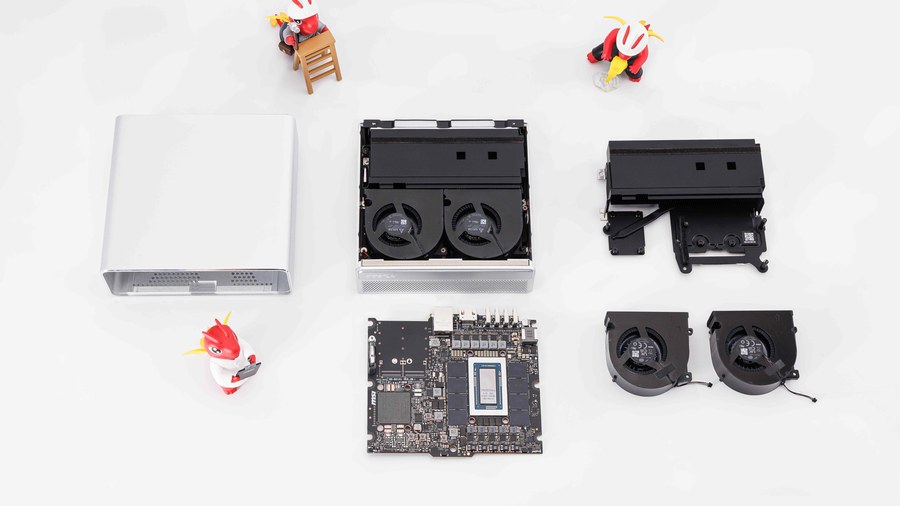
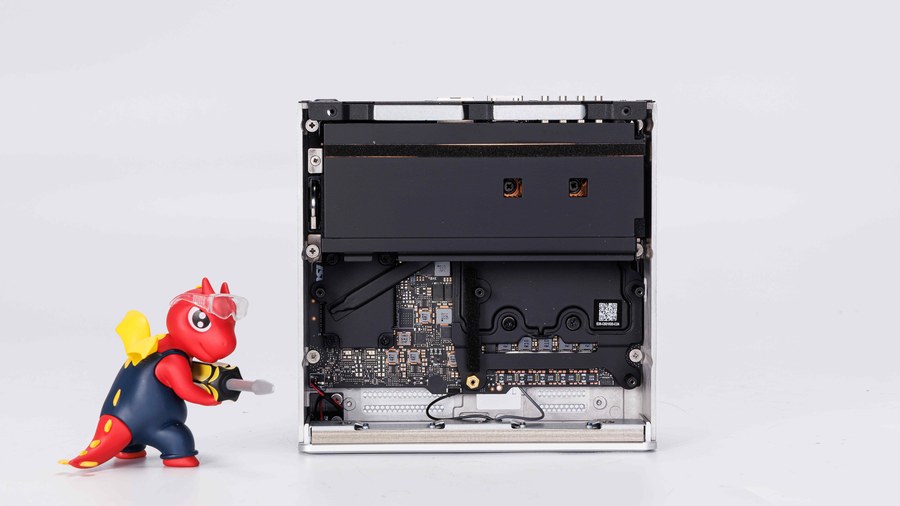
MSI has been kind enough to show us inside, and it’s a neatly packed little thing. Pop the shell off and the layout is refreshingly simple, built in layers: the motherboard at the bottom, the cooling assembly sat on top of it, and a pair of blower fans stacked above.
The motherboard itself is tiny. The N1X superchip sits right in the middle, ringed by the LPDDR5X memory packages, with the power delivery along one edge and the rear ports soldered directly onto the other. That memory is soldered down, so whichever capacity you buy is the one you’re keeping. Choose wisely.
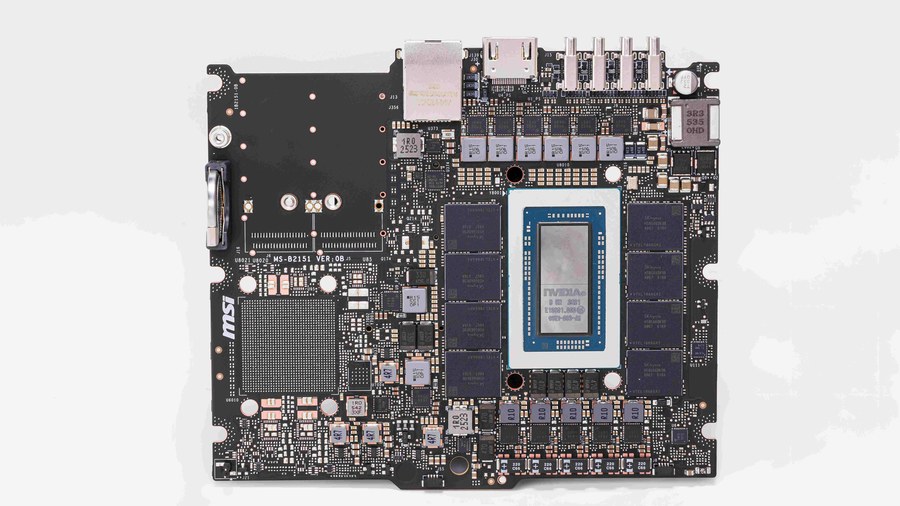
Because the CPU and GPU share one package, they talk to each other over NVLink-C2C and draw from the same memory, rather than shuffling data back and forth over PCIe like a traditional desktop. MSI says that’s enough to run large language models of up to 120 billion parameters with up to 1 million tokens of context. That’s a seriously big model for a box this size.
Keeping It Cool
Keeping all of that cool in 1.3 litres is a big ask. MSI’s answer is its AI Pulse Cooling System, which pairs a vapour chamber with dual turbo fans and holds a 140W TDP. Peek inside with the top off and those two blower-style fans fill the front of the chassis, with the vapour chamber and its fin stack running across the rear, right up against that big rear vent.
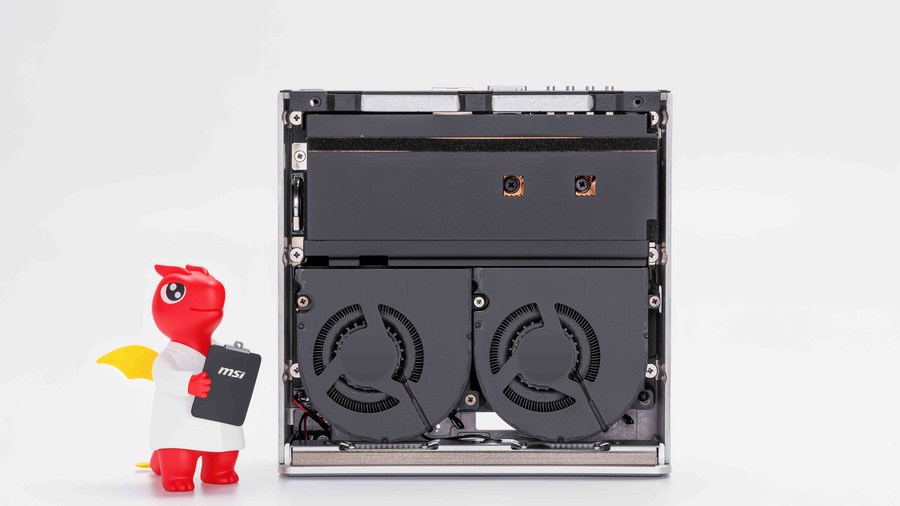
MSI hasn’t shared a full airflow diagram, but going by the images, the path looks fairly simple. Most of the base is a large perforated mesh, so it seems likely the fans pull cool air in from underneath, push it through the fin stack and send it out of the back. I’d still give it a bit of breathing room on the desk rather than sitting it on anything soft, just in case.
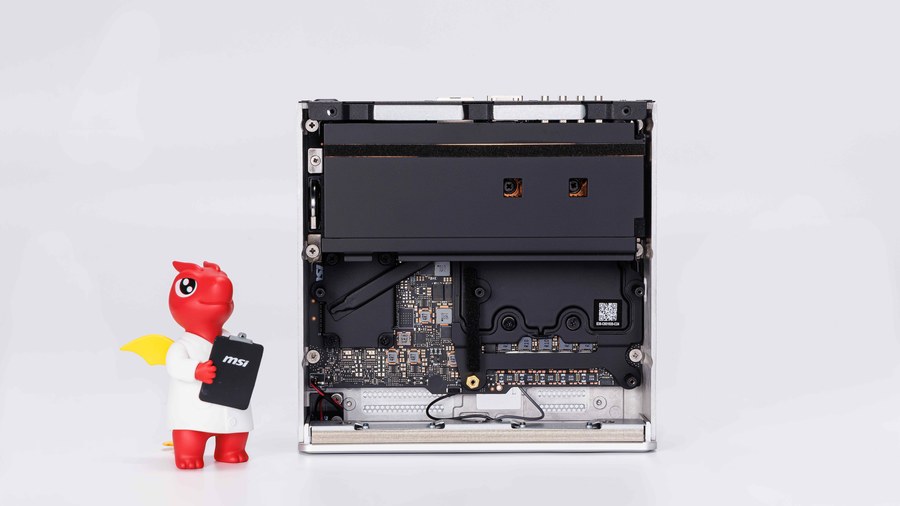
MSI says this setup is enough for reliable 24/7 operation, and that matters, because the whole pitch is built on always-on AI agents ticking away quietly in the background. A desktop box also isn’t fighting for battery life or a 14mm-thin chassis like the laptops are, so in theory it should be able to stretch its legs a bit more. How loud those blowers get under sustained load is top of our list to test.
Room to Upgrade?
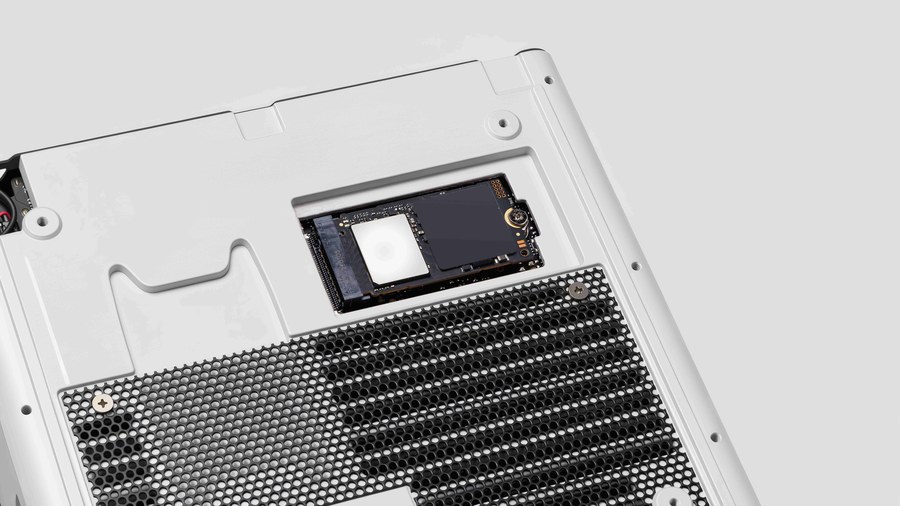
This looks like a nice touch. The single M.2 NVMe slot appears to sit behind a cut-out in the base plate, which suggests you should be able to get at the SSD from underneath without stripping the whole system down. MSI hasn’t said much about upgrades, but with the memory soldered in place, storage looks like the most likely candidate for a future upgrade. Handy if you plan on hoarding models locally.
Who Is It For?
MSI leans heavily on NVIDIA’s “From Tool to Teammate” line here. The idea is that AI is moving on from answering prompts to reasoning, planning and acting on your behalf. In practice, that opens the EdgeMesa up to a surprisingly broad crowd.
Developers are the obvious fit. MSI suggests building coding assistants, prototyping AI apps and running inference locally, all with full CUDA support on a box that takes up less room than a stack of paperbacks.
Small businesses and studios are another. MSI highlights retrieval-augmented generation (RAG) apps built on private knowledge bases, so you could point an AI assistant at your own documents without any of it leaving the building. Agents can also be set up to chew through repetitive jobs like document processing and knowledge management, with vision AI and voice interaction on the list too.
Then there’s the home AI server angle, and this is the bit I find most interesting. NVIDIA’s Personal AI Router (PAIR) technology lets compatible devices join up into a personal AI inference cluster, routing requests to whichever local machine has capacity. NVIDIA says PAIR can also serve AI to Windows, Linux and macOS PCs on your home network. Stick an EdgeMesa in a cupboard, leave it running, and every machine in the house gets access to local AI. Got more than one? They can share the load.
Creators and gamers aren’t left out either. NVIDIA Studio acceleration covers 3D rendering, video editing and AI-assisted content creation, and the RTX toolkit of ray tracing, DLSS and Reflex is all present.
MSI EdgeMesa N AI+ Specifications
- Model MSI EdgeMesa N AI+
- Processor / OS NVIDIA RTX Spark N1X / Windows 11 Pro
- GPU Up to 6,144-core NVIDIA Blackwell RTX GPU
- CPU Up to 20-core NVIDIA Grace CPU
- AI Performance Up to 1 petaflop FP4
- Memory 64GB or 128GB LPDDR5X unified memory
- Storage 1TB or 4TB PCIe Gen5 NVMe SSD (1 x M.2 slot)
- Network 10Gb LAN, Wi-Fi 7, Bluetooth 5.4
- Rear IO 4 x USB 20Gbps Type-C (3 with DP Alt Mode 2.1, 1 for power delivery input), 1 x HDMI 2.1 (FRL), 1 x RJ45 (10Gb LAN), 1 x Kensington lock
- Cooling Vapour chamber with dual turbo fans (140W TDP)
- Security / Power TPM 2.0 / 240W AC adapter
- Volume / Weight 1.3L / 1.32kg
Pricing and Availability
The EdgeMesa N AI+ comes in two configurations. The entry model pairs 64GB of unified memory with a 1TB PCIe Gen5 SSD, while the top model doubles the memory to 128GB and quadruples the storage to 4TB. Both use the same full-fat N1X chip and ship with Windows 11 Pro.
This is not cheap. Even the 64GB model sits firmly at the premium end of the market, comfortably above where the RTX Spark laptops start, and the 128GB version asks roughly 70% more again. That’s a lot of money for a 1.3-litre PC, but if you need that much memory for local AI, the alternatives aren’t exactly bargains either.
Head over to MSI’s official EdgeMesa N AI+ page for the full details.