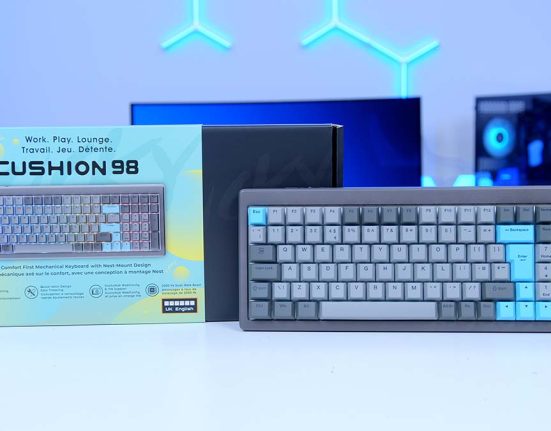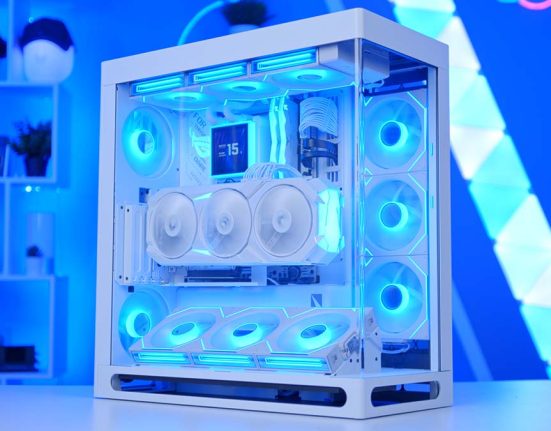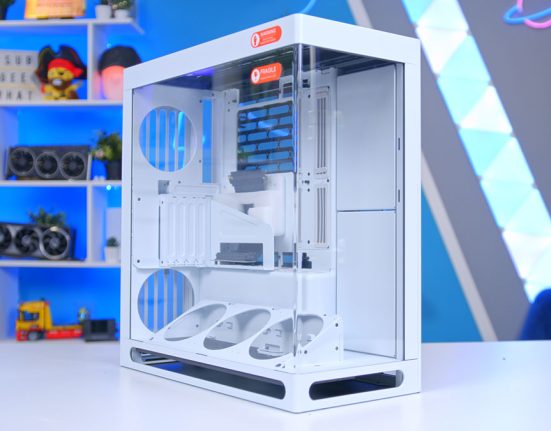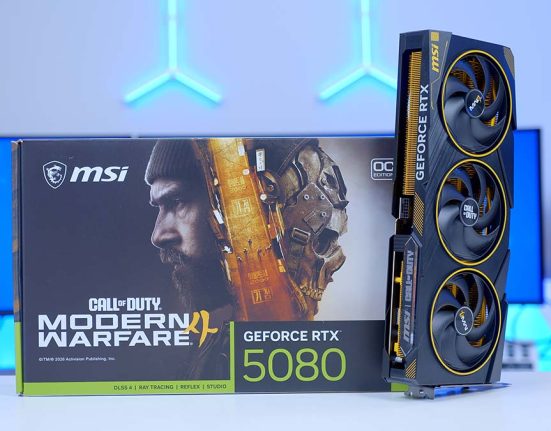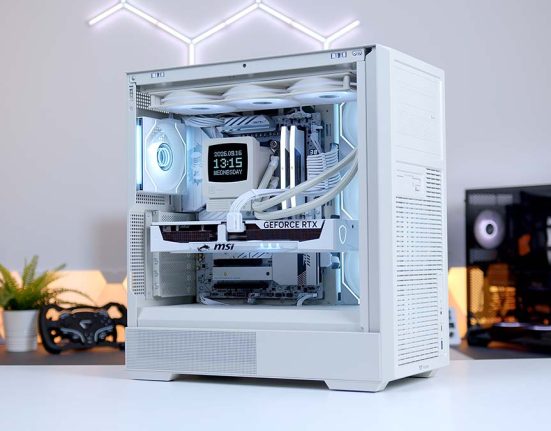

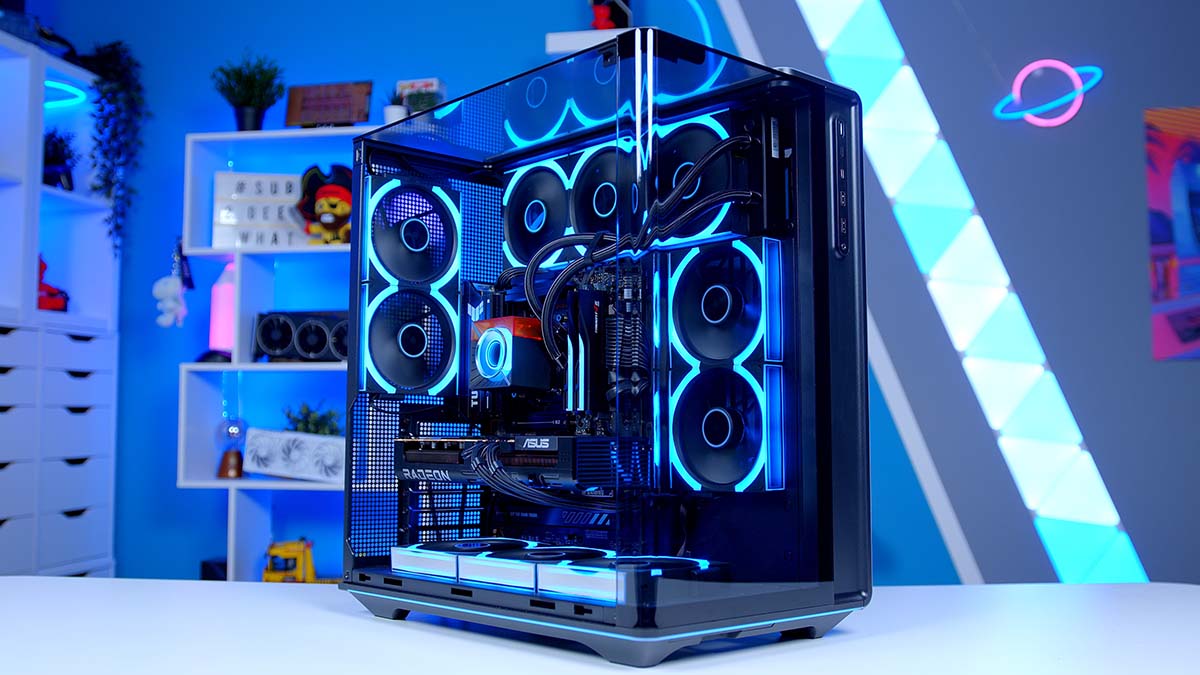
Montech has been on a roll with its King 95 cases, and the new King 95 3D PRO might be the most eye-catching one yet. Curved glass now wraps around three sides of the case, so we’ve built something worth looking at inside it: a Ryzen 5 9600X and ASUS’s Prime RX 9070, with Montech’s brand new CyberFlow AIO keeping things cool.
The aim? A good-looking 1440p gaming PC that doesn’t waste money in places you’ll never notice. Below you’ll find the full parts list, a closer look at each component and why it made the cut, a step-up GPU option if you’ve got a little more to spend, and how the finished system performs in five recent releases.
AMD Ryzen 5 9600X
Skip to SectionA six-core Zen 5 chip with a 5.4GHz boost clock and a 65W TDP, and still one of the best-value ways into a modern AM5 gaming build.
Montech CyberFlow ARGB 360
Skip to SectionMontech’s brand new 360mm AIO, with a thicker 32mm radiator, a high-flow pump, three 2,700 RPM ARGB fans and a magnetic VRM fan on the block.
ASUS TUF Gaming B850-PLUS WIFI
Skip to SectionA no-nonsense ATX B850 board with a 14+2+1 phase VRM, PCIe 5.0 for both graphics and storage, Wi-Fi 7 and plenty of rear USB.
G.Skill Trident Z5 NEO RGB DDR5
Skip to SectionA 32GB dual-channel DDR5 kit running at 6000MT/s with CL36 timings, AMD EXPO support and G.Skill’s distinctive RGB lightbar.
TEAMGROUP MP44L 1TB
Skip to SectionA budget PCIe 4.0 NVMe drive that we’ve tested in-house, hitting just over 5,100MB/s reads on the 1TB model.
ASUS Prime Radeon RX 9070 OC
Skip to SectionAMD’s RX 9070 with 16GB of GDDR6, RDNA 4 and FSR 4 support, in ASUS’s clean triple-fan Prime design with a factory overclock.
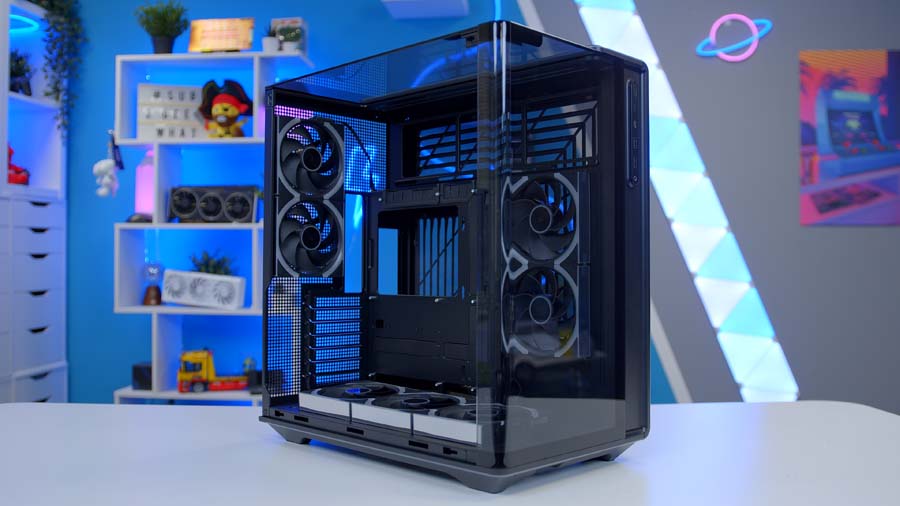
Montech King 95 3D PRO
Skip to SectionMontech’s latest King 95, with curved panoramic glass wrapping the front, side and top, back-connect board support and seven pre-installed fans.
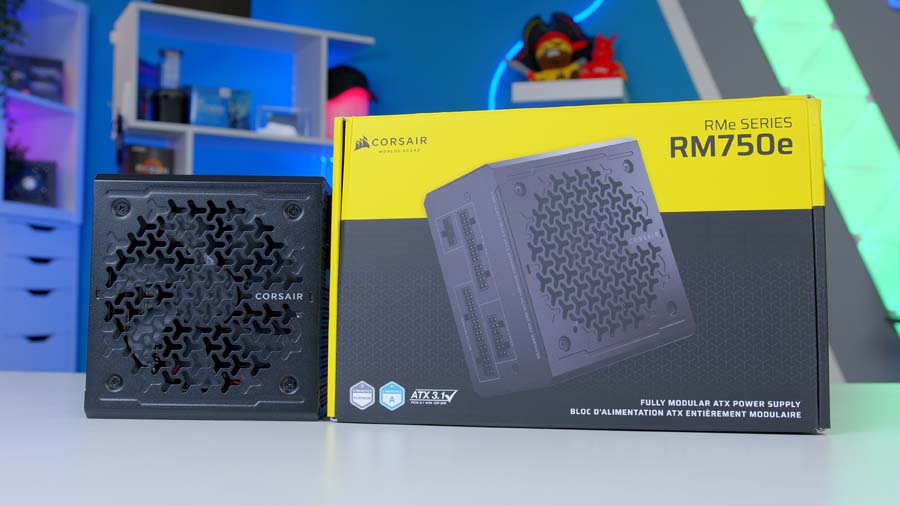
Corsair RM750e (2025)
Skip to SectionA fully modular ATX 3.1 unit with Cybenetics Gold efficiency, a near-silent Zero RPM fan mode and a native 12V-2×6 cable for future upgrades.
AMD Ryzen 5 9600X
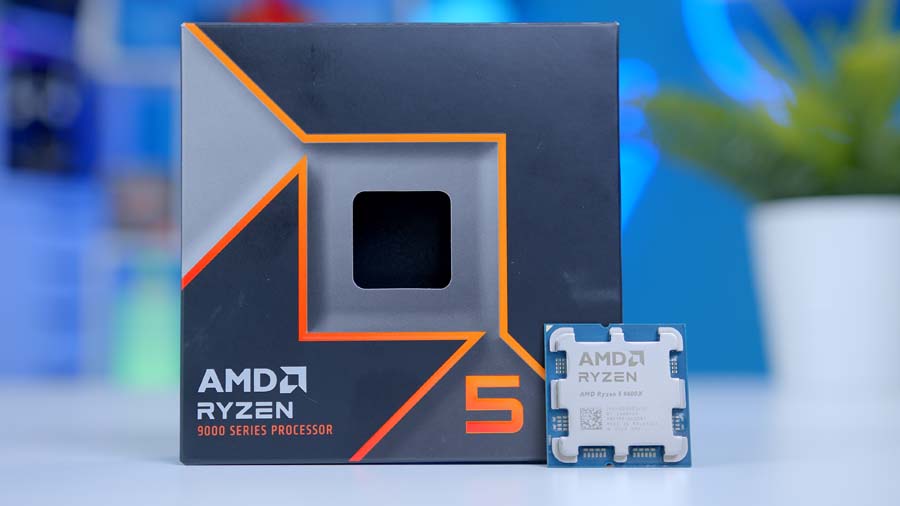
Starting with the processor, we’ve gone with AMD’s Ryzen 5 9600X. It’s a six-core, twelve-thread Zen 5 chip that boosts up to 5.4GHz, all inside a 65W TDP. That last bit matters more than it sounds, as it means the 9600X runs cool, sips power and doesn’t need an expensive motherboard to keep it fed.
For a GPU in the RX 9070’s class, six fast cores do the job nicely. Yes, an X3D chip would squeeze out more frames in CPU-heavy esports titles, but it’d also cost a lot more, and that money does far more good in the graphics card. Stream or edit on the side? The 8-core 9700X is the next stop, and the table below shows how the 9600X lines up against the alternatives.
CPU Comparison
AMD Ryzen 5 9600X Desktop CPU Comparison
Hover rows for highlight. Drag ⠿ to reorder columns, or tap/click a header title to sort.
| ⠿ CPU | ⠿ Cores | ⠿ Threads | ⠿ Base Clock | ⠿ Max Boost | ⠿ TDP | ⠿ Total Cache | Where to Buy |
|---|---|---|---|---|---|---|---|
AMD Ryzen 5 9600X Budget-friendly Zen 5 competitor |
6 | 12 | 3.9 GHz | 5.4 GHz | 65W | 38MB | |
Intel Core Ultra 5 250K Plus Mid-range Arrow Lake+ desktop CPU (Q1 2026) |
18 | 18 | 4.2 GHz | 5.3 GHz | 125W | 60MB | |
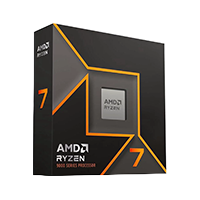
AMD Ryzen 7 9700X 8-core Zen 5 gaming / productivity CPU |
8 | 16 | 3.8 GHz | 5.5 GHz | 65W | 40MB | |
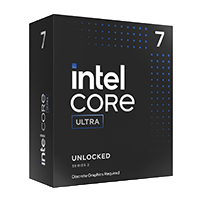
Intel Core Ultra 7 270K Plus Step-up Arrow Lake+ desktop CPU |
24 | 24 | 3.7 GHz | 5.5 GHz | 125W | 76MB | |
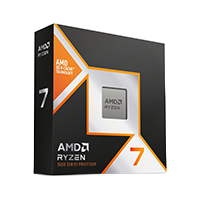
AMD Ryzen 7 9800X3D High-FPS Zen 5 gaming CPU |
8 | 16 | 4.7 GHz | 5.2 GHz | 120W | 104MB |
There’s an upgrade path baked in, too. AM5 is still AMD’s current socket, so dropping in a faster Ryzen later on is a CPU swap and a BIOS update, nothing more.
Montech CyberFlow ARGB 360
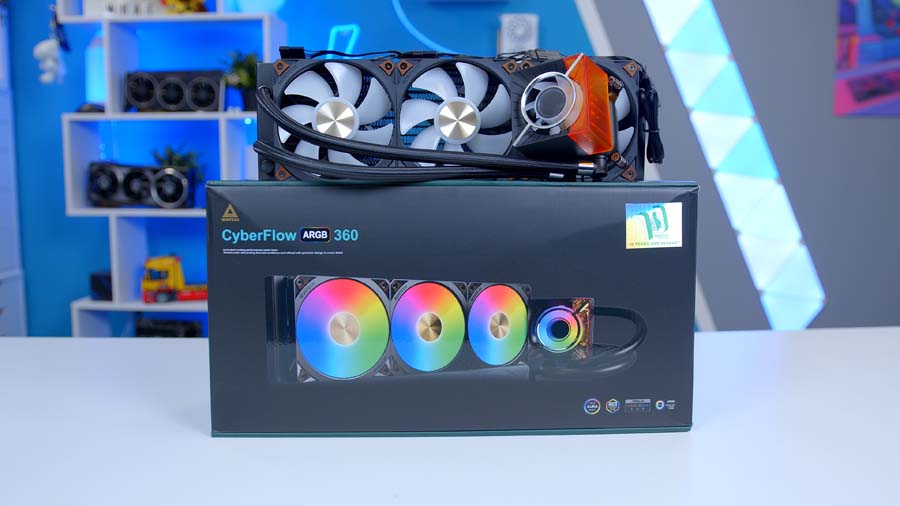
Cooling comes from Montech’s CyberFlow ARGB 360, which only launched in September. If you’ve followed our builds, you’ll know the HyperFlow, and the CyberFlow builds on it in a few sensible ways. The radiator is thicker at 32mm, Montech says the new pump moves around 85% more coolant than the HyperFlow’s, and the three E25 ARGB fans spin up to 2,700 RPM when they need to.
Is a 360mm AIO overkill for a 65W chip? Honestly, yes. But that’s the point. With this much radiator, the fans barely have to work, so the system stays quiet even after hours of gaming. There’s also a small magnetic fan on the pump block that pushes air over the motherboard’s VRM, and the thermal paste comes pre-applied, so installation is about as easy as AIOs get.
Want to save some money here? A decent tower air cooler handles the 9600X without breaking a sweat, and the King 95 3D PRO takes coolers up to 172mm tall.
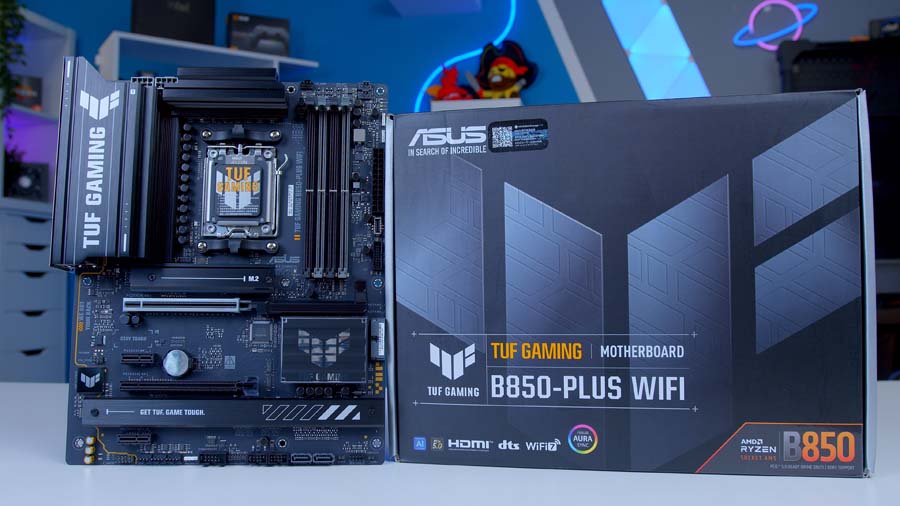
ASUS TUF Gaming B850-PLUS WIFI
The ASUS TUF Gaming B850-PLUS WIFI is one of those boards that just gets on with the job. You get a 14+2+1 phase VRM with 80A power stages, which is far more than a 9600X will ever ask for, plus PCIe 5.0 on both the main graphics slot and the top M.2 slot. Wi-Fi 7, Bluetooth 5.4 and 2.5GbE LAN cover connectivity, and there are ten USB ports on the rear I/O.
It’s a friendly board to build with, too. The Q-Release lever frees the graphics card without you having to dig around for a tiny clip but the one thing to know if you’re planning to add more storage later: filling the third M.2 slot disables the second full-length PCIe slot, as the two share lanes.
Why B850 and not X870? For a build like this, X870 mostly adds USB4, and that makes no difference to how your games run.
Motherboard Specifications
- Model ASUS TUF Gaming B850-PLUS WIFI
- Chipset / Socket AMD B850 / AM5
- Form Factor ATX (305mm x 244mm)
- CPU Support AMD Ryzen 9000 / 8000 / 7000 Series (AM5)
- Memory Support 4 x DDR5 DIMM, up to 256GB, up to DDR5-8000+ (OC), EXPO
- VRM Design 14+2+1 phase, 80A power stages, 2 x 8-pin CPU power
- Reverse Connect No, standard front-connect layout
- Graphics Card Compatibility 1 x PCIe 5.0 x16 slot (PCIe Slot Q-Release)
- Expansion Card Compatibility 1 x PCIe 4.0 x16 (x4 mode, chipset), 2 x PCIe 4.0 x1
- M.2 Compatibility 3 x M.2: 1 x PCIe 5.0 x4, 2 x PCIe 4.0 x4 (M.2 Q-Latch)
- SATA Storage 4 x SATA 6Gb/s ports
- Networking Wi-Fi 7 + Bluetooth 5.4 + Realtek 2.5GbE LAN
- Rear I/O 1 x USB 20Gbps (Type-C), 3 x USB 10Gbps Type-A, 4 x USB 5Gbps Type-A, 2 x USB 2.0, HDMI, DisplayPort, BIOS FlashBack button
- Front I/O Headers 1 x USB-C 10Gbps header, 1 x USB 5Gbps header, 2 x USB 2.0 headers
- Audio Realtek ALC1220P 7.1
- Colour Black with TUF industrial detailing
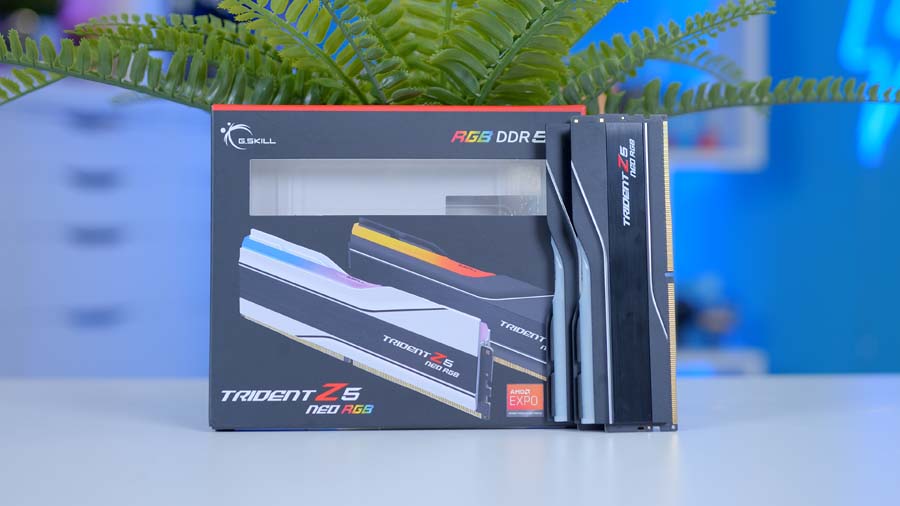
G.Skill Trident Z5 NEO RGB DDR5
G.Skill’s Trident Z5 NEO RGB gives us 32GB of DDR5 across two sticks, running at 6000MT/s with CL36 timings. That 6000MT/s figure is the sweet spot for Ryzen, as it lets the memory controller run in sync with the RAM and keeps latency down. 32GB covers gaming today comfortably, with room left over for Discord, a browser full of tabs and whatever else you’ve got running.
Could you go faster? A CL30 kit is slightly quicker, but the difference in games is small, and the CL36 version is often the cheaper of the two. Whichever kit you buy, install the sticks in slots A2 and B2 and switch on EXPO in the BIOS. Skip that step and the kit runs well below its rated speed.
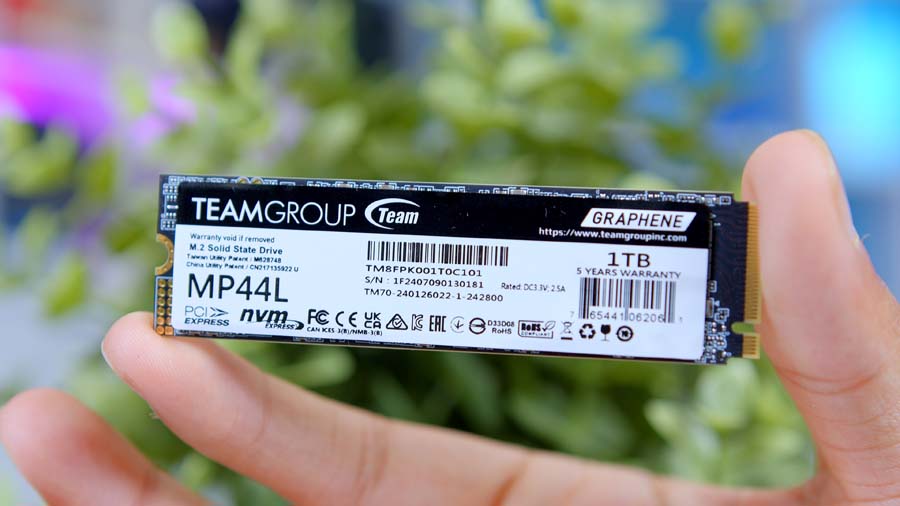
TEAMGROUP MP44L 1TB
Storage is TEAMGROUP’s MP44L, a budget PCIe 4.0 drive that we’ve tested in-house. In our retest of the 1TB model, it averaged 5,152MB/s reads and around 4,450MB/s writes in CrystalDiskMark, right in line with TEAMGROUP’s own rating.
It isn’t the fastest Gen4 drive around, and it runs a little warm without a heatsink. Neither is a problem in a gaming PC, where load times are almost identical to far pricier drives.
Our one bit of advice is capacity. Big releases regularly top 100GB these days, so 1TB fills up quickly. Got a large library? The 2TB model or a second drive in one of the spare M.2 slots is money well spent.
From Our Full Review
☆☆☆☆☆
4/5

Pros and Cons
Pros
- Affordable
- Speeds on lower capacities
- Price per GB
Cons
- Weak thermals
- No heatsink variant
- Performance versus other drives
Bottom Line
The MP44L is a very affordable NVMe SSD that delivers respectable gaming speeds. It can’t match the fastest Gen4 drives we’ve tested, like the Samsung 990 Pro, but on a budget drive price matters more than outright speed, and that’s where it stands out. After retesting, the 1TB model performed close to its advertised specs, and it never gave us any trouble in our builds, making it a great pick for budget systems or anyone focused on current games.
Read The Full ReviewASUS Prime Radeon RX 9070 OC
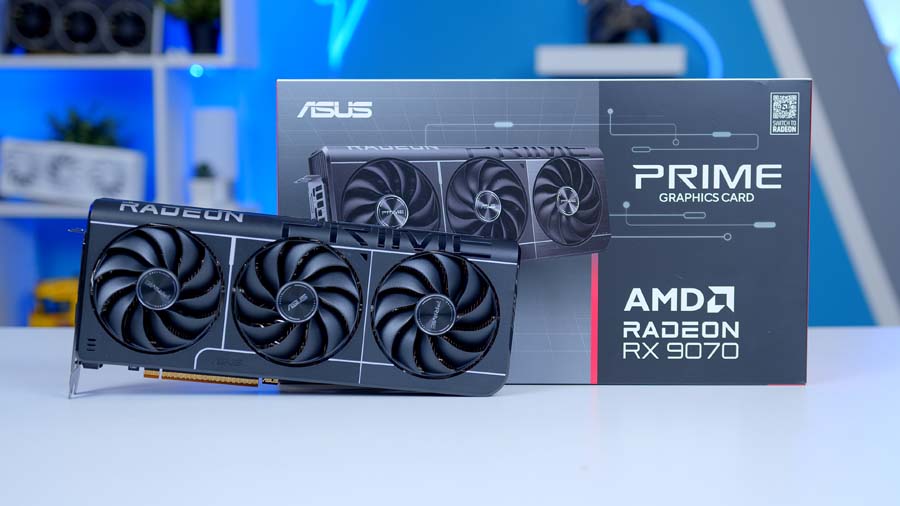
Handling the graphics is ASUS’s Prime RX 9070 OC. It’s built on AMD’s RDNA 4 architecture with 56 compute units and 16GB of GDDR6, and it’s at its best at 1440p, where it has the muscle to push high frame rates in most games. That 16GB of VRAM is a big plus, too, as it leaves lots of space for high-resolution textures in newer releases.
Against NVIDIA’s RTX 5070, the RX 9070 wins in most rasterised games while bringing 4GB more VRAM, though NVIDIA still has the edge in heavy ray tracing. FSR 4 has narrowed the upscaling gap a lot, and it’s well worth switching on in supported games.
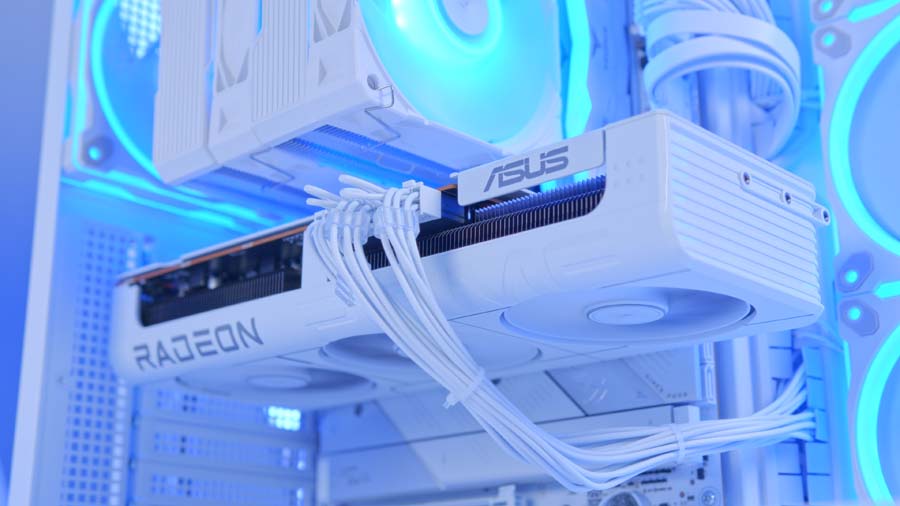
ASUS’s Prime design suits this build nicely. It’s a 312mm, 2.5-slot card with three Axial-tech fans and a dual BIOS switch for Performance or Quiet modes, and it only needs two 8-pin power connectors. AMD rates the RX 9070 at 220W, so it’s easy to cool and easy to power. Budget stretching a bit further? This is the card we’d look at next.
Alternative GPU Choice
ASUS Prime Radeon RX 9070 XT OC 16GB
Want a bit more grunt without changing anything else? The RX 9070 XT is the natural step up. It’s the same RDNA 4 design and the same 16GB of GDDR6, but with 64 compute units instead of 56 and much higher clocks, so it’s quicker across the board. ASUS’s Prime version keeps the same clean look as the card in this build.
Montech King 95 3D PRO
Now for the main event. The King 95 3D PRO takes the curved glass that made the original King 95 so popular and goes a step further. This time it curves round the front, side and top, so there’s an uninterrupted view of the hardware from almost any angle. It even carries a badge celebrating Montech’s 10th anniversary!
Montech hasn’t forgotten about airflow either. You get seven 120mm fans out of the box, all ARGB: two reverse-blade fans on the side, three reverse-blade intakes on the bottom and two exhausts at the rear, all wired into Montech’s LUMI HUB. That’s a full fan setup before you’ve spent a penny extra.
Compatibility is generous. There’s room for graphics cards up to 450mm long, radiators up to 360mm on the top and 240mm on the side, and back-connect motherboards are supported this time round. The CyberFlow’s 360mm radiator goes in the roof, the only spot in the case that takes one.
Case Specifications
- Model Montech King 95 3D PRO
- Form Factor Mid-tower, three-sided panoramic glass
- Motherboard Support Mini-ITX, Micro-ATX, ATX, back-connect
- Case Dimensions (L x W x H) 480mm x 300mm x 534mm
- Front IO 1 x USB Type-C, 2 x USB 3.0 Type-A, 1 x Audio combo
- PCI-E Slots 7 x Horizontal
- Colour Black or White
-
Max Clearance
GPU length: Up to 450mmCPU cooler: Up to 172mmPSU length: Up to 220mm
- Drive Support 1 x 3.5-inch + 2 x 2.5-inch
-
Fan Support
Top: 3 x 120mmSide: 2 x 120mmBottom: 3 x 120mmRear: 2 x 120mm
-
Radiator Support
Top: Up to 360mmSide: Up to 240mmRear: 120mm
-
Pre-Installed Fans
Side: 2 x 120mm reverse-bladeBottom: 3 x 120mm reverse-bladeRear: 2 x 120mm
We’re HUGE fans of the original King 95 Pro, which came before this case, with it scoring a massive 4.6 out of 5 in our full review. The 3D PRO builds on that case with a taller frame, the extra curved glass, a second rear fan and support for longer graphics cards, so it isn’t a like-for-like swap, but the Pro’s review is a useful guide to what Montech gets right.
From Our Full Review
☆☆☆☆☆
4.6/5
Pros and Cons
Pros
- Awesome design
- Great cooling performance
- Competitive pricing
Cons
- White version more expensive
- Not as refined as the HYTE Y60
- No vertical GPU mount
Bottom Line
The Montech King 95 Pro is an utterly superb chassis for the price. The dual-chamber setup is expertly designed, with phenomenal build quality throughout and plenty of clearance for large tower air coolers, radiators, and long graphics cards. The integrated RGB looks sleek and is easily customisable, while the curved front glass panel presents something genuinely different compared to other cases in this price bracket. For between $110 and $150, you will not find a better PC case than the King 95 Pro.
Read The Full ReviewCorsair RM750e (2025)
Powering everything is Corsair’s RM750e, a channel favourite and the same unit we use in many of our GeekaPC pre-builds. It’s a fully modular ATX 3.1 power supply with 80 Plus Gold efficiency, a Zero RPM fan mode that keeps it silent at lighter loads and a 7-year warranty.
750W gives this build plenty of headroom. The RX 9070 and a 65W CPU together come in well under that even when gaming, and ASUS only recommends a 650W unit for this card. Wiring is simple: the 24-pin for the motherboard, one 8-pin EPS for the CPU and two separate 8-pin runs to the graphics card. You also get a native 12V-2×6 cable, which sits unused for now but saves buying an adapter if you switch to an NVIDIA card later on.
Gaming Performance
So, how does it all perform? We tested the system in five of the latest games at 1440p, using High presets with upscaling and frame generation switched off, so every result here is raw rasterised performance.
Performance Snapshot
Multi-Game Average FPS
1440P · Average FPS
138.2FPS
1440P · Average FPS
75.3FPS
1440P · Average FPS
102.7FPS
1440P · Average FPS
199.3FPS
1440P · Average FPS
98.1FPS
Forza Horizon 6 is the standout, averaging 199.3 FPS. That’s more than enough to max out a 165Hz or even a 180Hz monitor. Battlefield 6 isn’t far behind at 138.2 FPS, so fast-paced multiplayer feels great on a high-refresh screen, while Control Resonant clears the 100 FPS mark at 102.7 FPS.
Marvel Rivals lands at 98.1 FPS, which feels lovely and fluid, though competitive players chasing every frame might drop a few settings. Call of Duty: Modern Warfare 4 is the heaviest title here at 75.3 FPS. Solo play still feels smooth at that frame rate, and switching on FSR 4 adds useful headroom for multiplayer. All in all? The 9600X and RX 9070 make a brilliant 1440p pairing, with frame rates to spare almost everywhere.