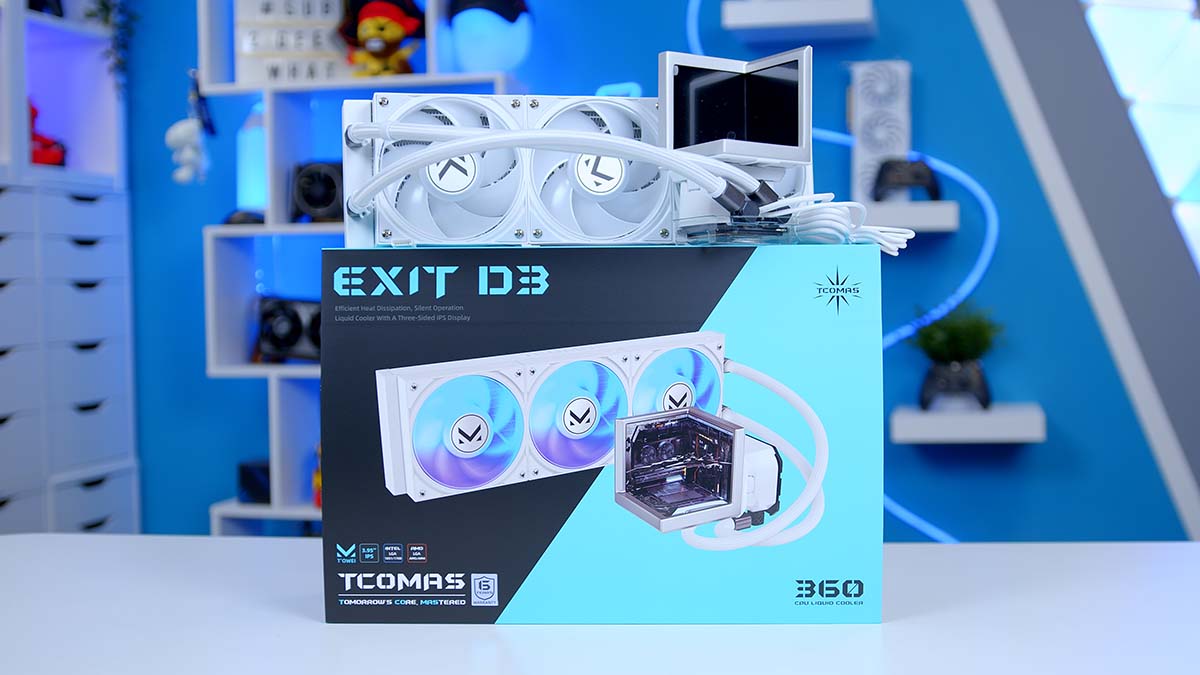
Displays on CPU (central processing unit) coolers have gone from novelty to near-standard over the last few years, and a handful of brands have started experimenting with more than one. TCOMAS’s take is the EXIT D3, which fits three displays around its block, and the company bills it as the world’s first triple-display liquid cooler.
Underneath, it’s a 360mm AIO (all-in-one) liquid cooler, with a step-up EXIT D3 PRO sitting above it in the range that swaps in beefier fans. We’re looking at the standard model here.
Three screens make for a bold pitch, but a cooler still has to cool. The question I want to answer is whether the EXIT D3 backs up its looks with the thermal performance to match, and who it’s best suited to.
Specifications
Strip away the displays and the EXIT D3 is a traditional 360mm loop wrapped around a very untraditional block. TCOMAS pairs an aluminium radiator with a copper cold plate, sleeved EPDM (ethylene propylene diene monomer) tubing and three of its own M-ONE 120mm fans, with the company’s X6M-P pump doing the circulating. Socket support covers the current and previous generations from both Intel and AMD, so whichever platform you’re building on, you’re covered.
CPU Cooler Specifications
- Model TCOMAS EXIT D3 (360mm)
- Colour Black / White
- Socket Compatibility Intel LGA 1851 / 1700, AMD AM5 / AM4
- Tubing Sleeved EPDM, 400mm
-
Radiator
Size: 397 x 119.2 x 29.2mmMaterial: Aluminium
-
Water Block
Size: 86.5 x 93.8 x 146.9mmBase: CopperDisplays: Triple-display design
-
Pump
Model: TCOMAS X6M-PNoise: 22 dBAPower: DC 12V, 9.6W
-
Fans
Model: 3 x TCOMAS M-ONESize: 120 x 120 x 25mmSpeed: 600-3000 RPM ±10%
-
Fan Performance
Airflow: Up to 75.5 CFMPressure: Up to 6.05 mmAqNoise: Up to 37.5 dBAPower: 2.52W per fan
- Display Features Three synchronised displays; switch between wallpapers and real-time hardware telemetry
Two things jump out from that sheet. The fans are standard-thickness units with a wide speed range, giving them plenty of headroom at the top end when temperatures climb. The radiator is also thicker than many 360s, so check your top clearance if you’re working with a tighter chassis.
Then there’s the block itself. It’s a sizeable unit by AIO standards, as you’d expect with a full display assembly sitting on top of the pump, and it’s an early sign that this cooler has been designed around how it looks as much as how it cools.
EXIT D3 vs EXIT D3 PRO: What’s the Difference?
Before we go any further, let’s clear up the two-model situation, because the names don’t give much away.
Going by TCOMAS’s own spec sheets, the radiator, pump, block, tubing and socket support are identical across both versions. The difference is entirely in the fans. The EXIT D3 PRO swaps the M-ONE fans for TCOMAS’s LYNK fans, which are 30mm thick and rated for up to 3,200 RPM (revolutions per minute) and 111 CFM (cubic feet per minute) of airflow. They’re rated louder at full speed too, topping out at 42 dBA (A-weighted decibels), and each one draws more power.
So, which one should you go for? If you’re running a hot, high-core-count chip and want every last degree, the PRO’s thicker fans give it more to work with on the spec sheet. If you’d prefer a quieter top end, or you’re short on radiator clearance, the standard EXIT D3 is the better pick.
Design
The EXIT D3’s block carries three displays, arranged around the pump head to form a stage, and TCOMAS’s own tagline sums up the idea nicely: one display is a screen, three displays create a scene.
Multi-screen pump heads aren’t an entirely new idea. Thermaltake’s MINECUBE 360 Ultra ARGB wraps four LCD panels into a cube, and the TRYX STAGE 360 ARGB pairs two displays with a mirrored base to build its stage effect. The EXIT D3 is closest in spirit to the STAGE, but where TRYX leans on a mirror to fill out the scene, TCOMAS uses a third, real display, so all three surfaces can show live content.
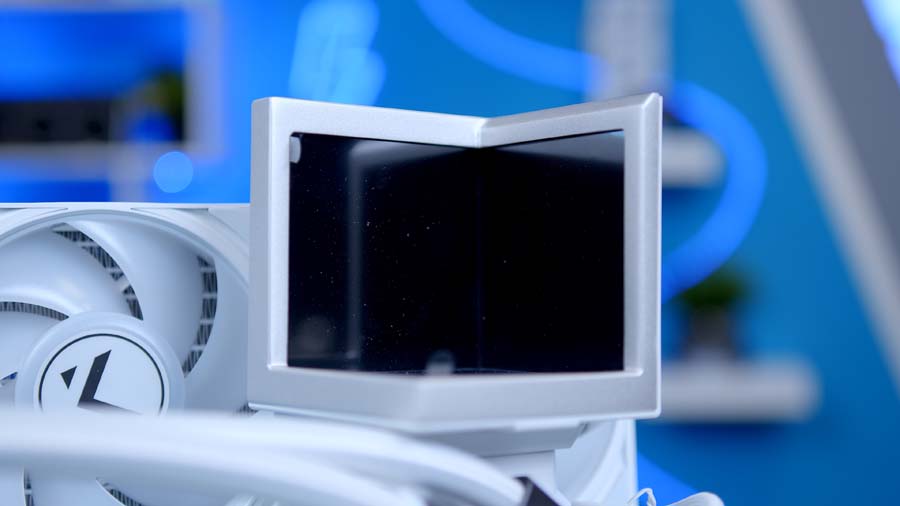
That gives you plenty of ways to play. TCOMAS says you can switch freely between wallpapers and real-time hardware telemetry, sync all three panels into one personalised setup, and get a glasses-free 3D effect when the panels work together. The multi-panel idea is a clever one.
Telemetry is the practical half of the pitch. Having CPU temperatures and other system stats on show means the screens aren’t purely there to look pretty, and it gives the EXIT D3 a job to do even when you’re not showing it off.
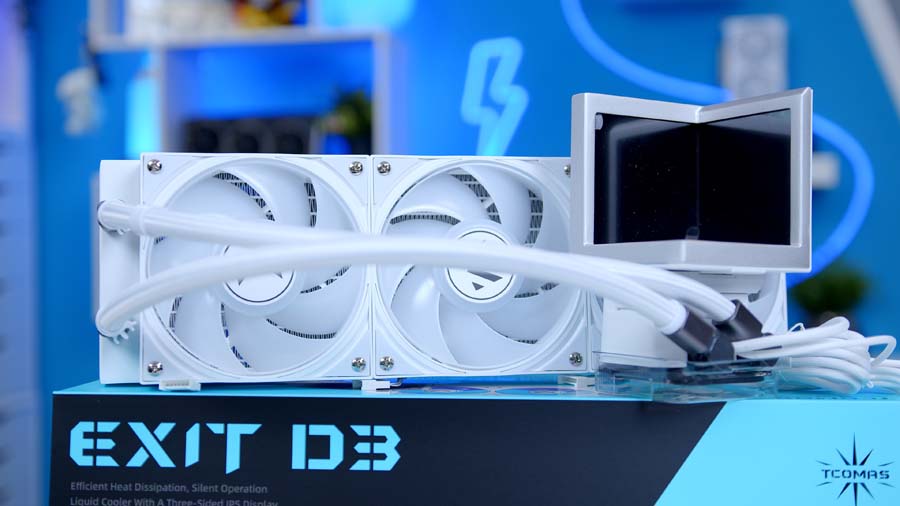
TCOMAS frames the whole block in an integrated aluminium alloy surround, and lists symmetrical magnetic mounting and a sliding structure for adjustable tube positioning among its design features. As with the CUBE 360, though, the tubing defaults to a left-side layout, so check how that suits your case and radiator placement before you commit.
Colour-wise, you can pick between black or white, and the sleeved tubing keeps things looking tidier than bare rubber hoses would.
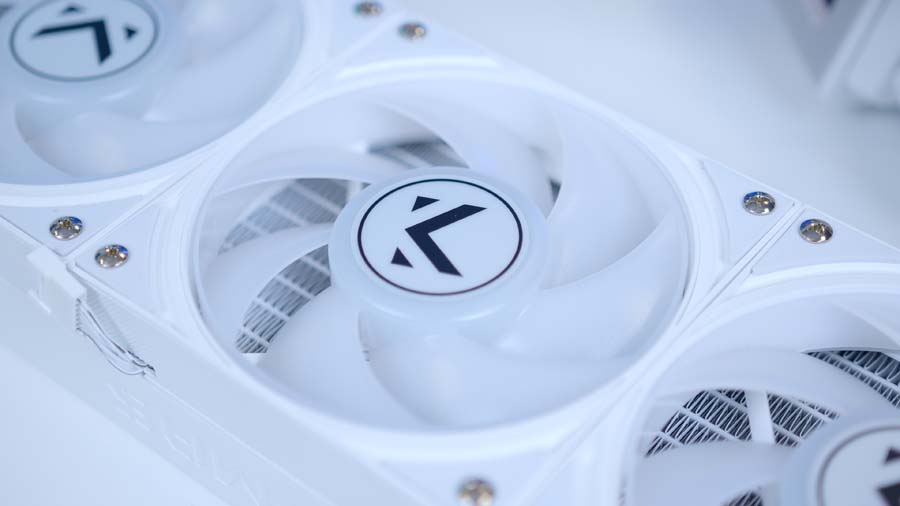
This is a cooler built to be looked at. If your case has a solid side panel, or the block ends up tucked out of sight, a good chunk of what you’re paying for goes to waste. Pair it with a glass-sided chassis, though, and it’s a different story.
Software
The displays are driven through TCOMAS’s companion software, and I’m glad to say it’s pretty good! It has a couple of rough edges, but neither gets in the way once you’re set up.
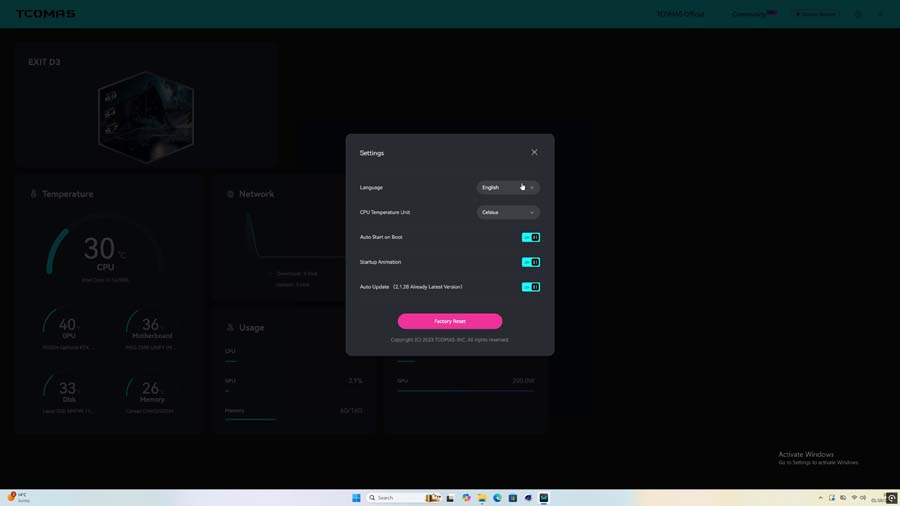
The first thing you’ll notice is that the software defaults to Chinese on launch, so you’ll need to switch the language over in the settings. It’s a quick fix.
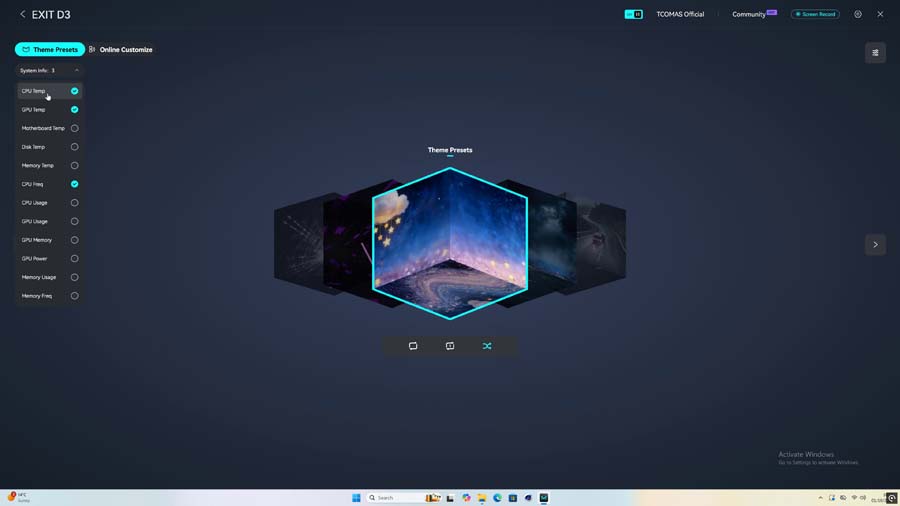
The infographic options have their quirks. You’re limited to three infographics in set positions, and the menu closes after each selection, so building a layout takes more clicks than it should. There’s also no way to see or set the interval for the background shuffle mode.
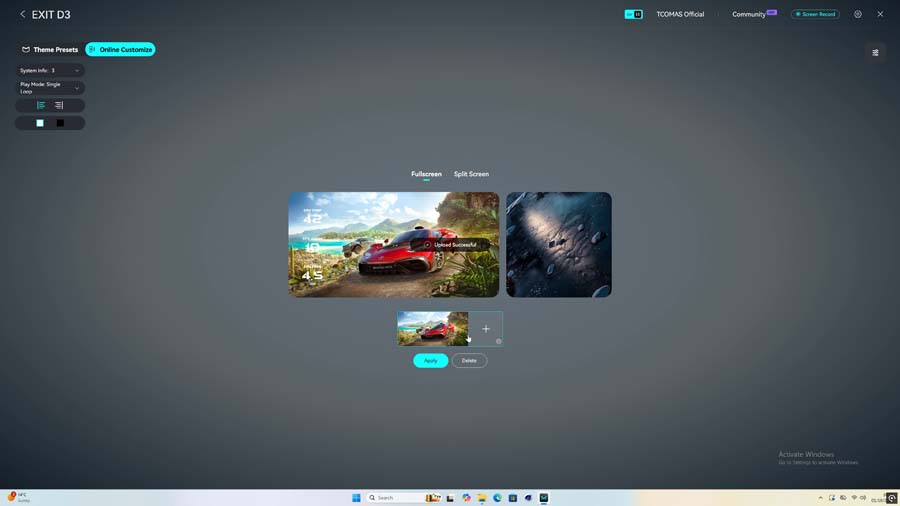
But in the grand scheme of things, those are minor gripes. Everything works, and the customisation on offer is solid. Image uploads went through without a hitch, you can change the colour of on-screen text, and you can split the screens to run separate images across them, which is exactly what you want from a three-display setup. Giving each panel its own content is what lets you make the EXIT D3 your own.
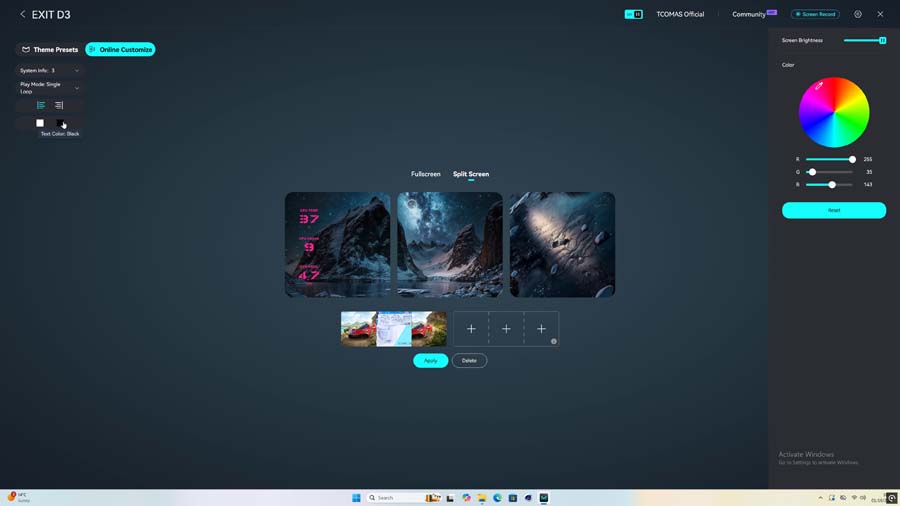
It’s capable, flexible software, and with some extra polish it would be excellent.
Performance
Onto the numbers. Every cooler goes through our standard CPU cooler test bench, built around an Intel Core i7-14700K, and we log average and peak temperatures across three workloads: Cinebench R23 with four threads, Cinebench R23 with eight threads, and CPU-Z with eight threads.
Starting with the lightest load, the EXIT D3 averaged 60°C with a 66°C peak in four-thread Cinebench R23. That puts it 15th out of 46 coolers, right in the thick of a big group of 360mm AIOs all averaging 60°C, and its peak is among the best of that bunch, bettered only by the be quiet! Light Loop 360mm and MSI MAG CoreLiquid A15 360 at 65°C apiece. The ASUS ROG RYUJIN III 360 EXTREME still leads the chart at 54°C, but that’s a flagship in a very different bracket.
Doubling the thread count, the EXIT D3 averaged 69°C and peaked at 79°C, landing 16th of 46. That average sits right alongside the Endorfy Navis F360 RGB, MSI MAG CoreLiquid A15 360 and be quiet! Light Loop 360mm, although its peak runs between two and four degrees warmer than all three. For reference, the Arctic Liquid Freezer III 360 Pro managed 67°C and 72°C in the same test.
CPU-Z is where the EXIT D3 shines brightest, pun fully intended. Its 66°C average ties it with the Thermaltake MAGFloe 360 Ultra ARGB Sync, ASUS ROG RYUJIN III 360 EXTREME and ASUS PRIME LC 360 ARGB LCD for joint third out of 35, with only the Valkyrie V360 LCD (63°C) and Gigabyte AORUS WATERFORCE X II 360 ICE (65°C) running cooler on average. Once again, though, its 75°C peak is the highest of that 66°C group, so the EXIT D3 is a touch more prone to spikes than the very best here.
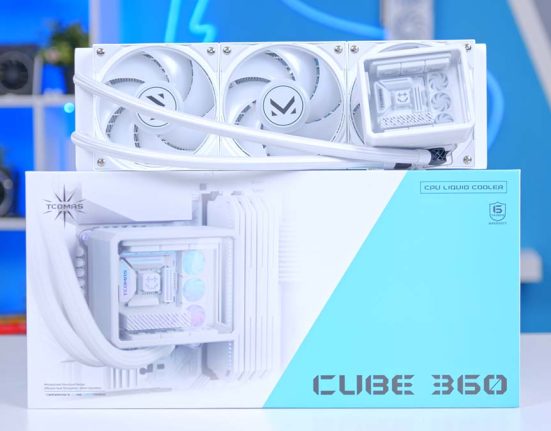
Quick nod to TCOMAS’s own CUBE 360 as well, which appears in all three charts. The EXIT D3 matches or beats it every time, most noticeably in four-thread Cinebench R23, where its peak is a full 10°C lower. So you’re not trading cooling for those screens, at least not against its own stablemate.
All told, this is solid upper-mid-table cooling that breaks into the top tier under CPU-Z. Average temperatures are strong across the board, and the one blemish is that peaks run hotter than its closest rivals in the heavier tests.
Features We Like
Three Screens Make a Statement
There’s no getting around it, the triple-display block is the reason to buy the EXIT D3, and it’s one of the most eye-catching pump heads I’ve come across. It isn’t the only multi-screen cooler around, but filling the whole stage with live displays gives it a look of its own.
Pop it behind a glass side panel and it’ll be the first thing anyone notices about your build. That’s exactly what it’s here to do.
Customisation That Delivers
Better still, the displays aren’t purely decorative. Flipping over to live telemetry turns those panels into a system monitor, and the software gives you plenty of control over what goes where, from your own uploaded images to text colours and separate content on each screen. Two EXIT D3 builds needn’t look anything alike.
The sliding tube design deserves a mention here too. It’s a small, practical touch, and it shows TCOMAS has thought about the build experience alongside the showpiece.
Features We Don’t Like
Displays Could Be Sharper
For a cooler built around its screens, the displays themselves are its weakest link. Resolution is low, and the image looks soft and fuzzy as a result. The TRYX STAGE’s 720 x 720 panels look noticeably crisper by comparison. Higher resolution panels, or at least a higher pixel density, would make the whole thing feel as premium up close as it looks from across the room.
It’s a shame, because the triple-display concept is strong enough to deserve sharper screens to show it off.
A Default Left-Side Layout
A Chinese-language default, a cap of three fixed-position infographics and a menu that closes after every selection all make setup more of a chore than it should be. Everything works once you’re through it, so this is about polish, not function, but a smoother experience could really take this to the next level.