

![FI_[DP059] Corsair Frame 4000 + 9070XT](https://geekawhat.com/wp-content/uploads/2026/01/FI_DP059-Corsair-Frame-4000-9070XT.jpg)
In this gaming PC build guide, we’ll give you the ingredients to build your very own white version of our GeekaPC ‘Frame’ prebuilt. This system is designed to deliver super smooth performance in 1440p and 4K titles thanks to the AMD Ryzen 7 7800X3D and AMD Radeon RX 9070 XT pairing. To house such a powerful duo, we’ve opted for a Corsair ecosystem that includes the chassis, CPU cooler, RAM kit, and power supply, keeping branding cohesive so it looks visually pleasing and functions seamlessly.
This article stems from a recent PC build on the GeekaWhat YouTube channel, to which you’ll find a link at the end, along with performance specs and access to the components we are using. All to make PC building that bit more accessible, and we’ve tried to use components that won’t leave your wallet feeling empty.
However, if you want buyer’s assurance, rigorous QA testing, and a 1-year free collect-and-return warranty on your PC, you can check out the PC below.
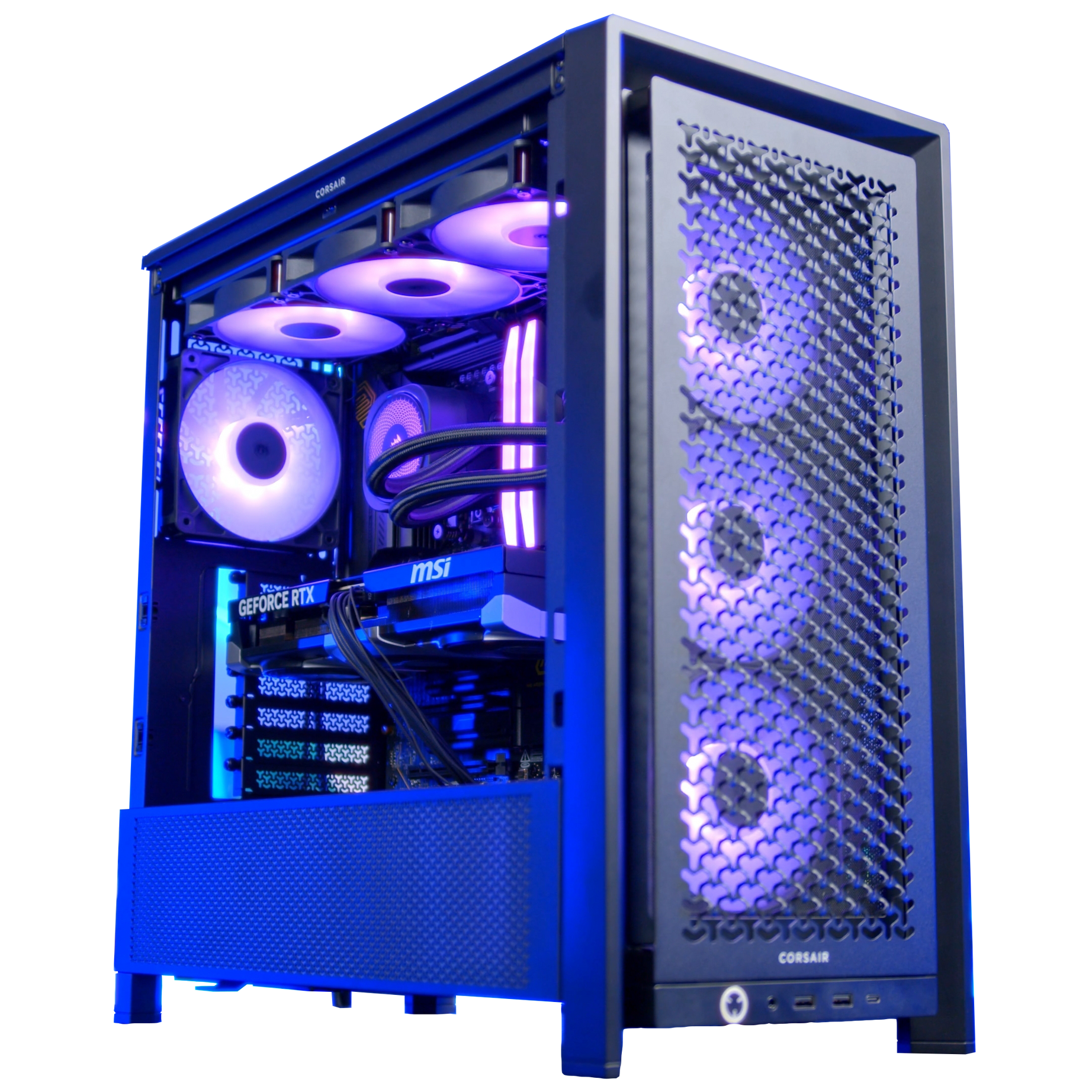
Did you know you can buy this PC from us in Black?
Parts Overview
AMD Ryzen 7 7800X3D
Skip to Section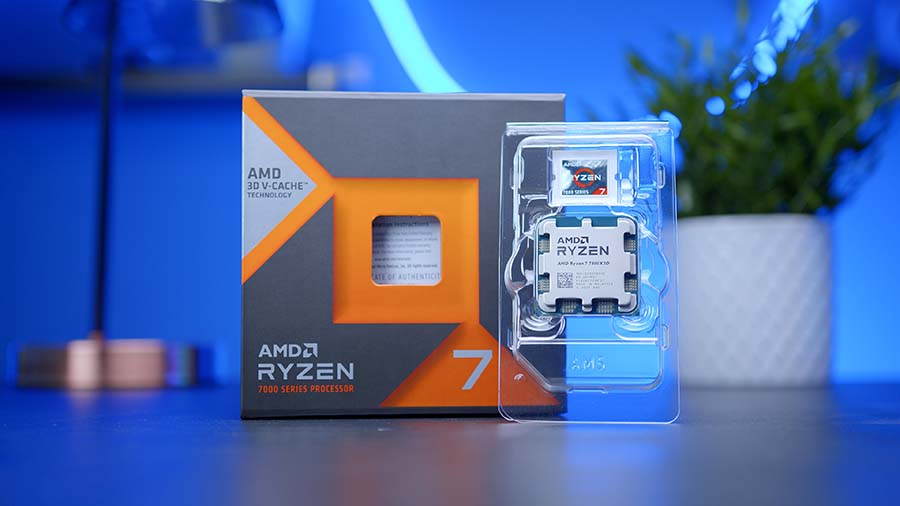
This CPU delivers strong gaming frame rates with modern platform efficiency for an AM5 build. It also has enough multitasking headroom for streaming, editing, and background app workloads.
Corsair NAUTILUS 360 RS ARGB
Skip to Section
A budget-friendly tower cooler that provides better thermals than stock options in most gaming builds. It is easy to fit in mainstream mid-tower cases while keeping noise under control.
GIGABYTE B850 EAGLE WIFI 7 ICE
Skip to Section
This board gives a balanced feature set for modern Ryzen builds with strong power delivery and connectivity. It is ideal for PCIe 5.0-ready systems without moving to top-tier chipset pricing.
Corsair VENGEANCE RGB DDR5
Skip to Section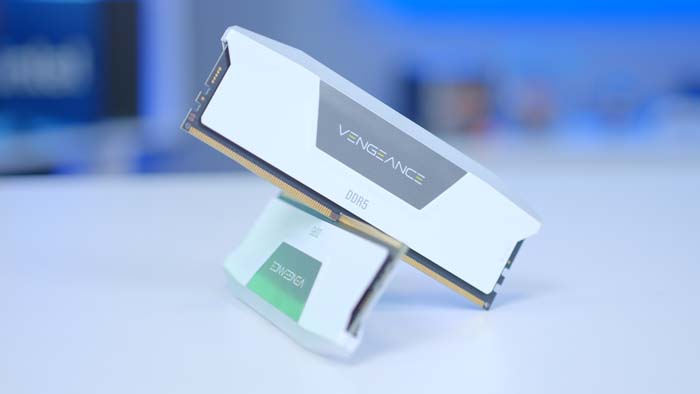
A 32GB DDR5 kit is a sweet spot for gaming, content work, and future-proofing. It offers strong baseline capacity while leaving headroom for heavier multitasking and newer game engines.
Lexar EQ790 1TB
Skip to Section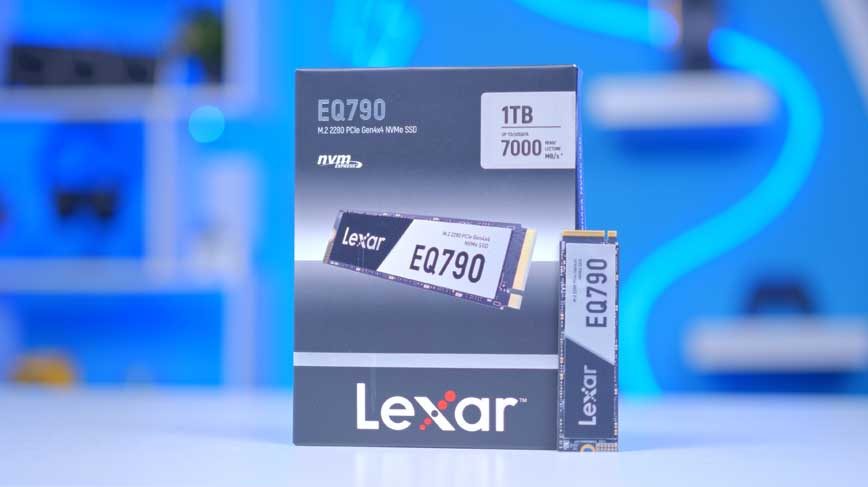
This SSD provides fast NVMe performance for boot, games, and everyday creative workloads. Its 1TB capacity works well as a primary drive before adding secondary storage later.
Sapphire PURE Radeon RX 9070 XT
Skip to Section
A strong mid-to-high tier graphics card targeted at high refresh 1440p gaming and capable 4K settings. It also gives modern encoder and feature support for streaming and creator tasks.
Corsair FRAME 4000
Skip to Section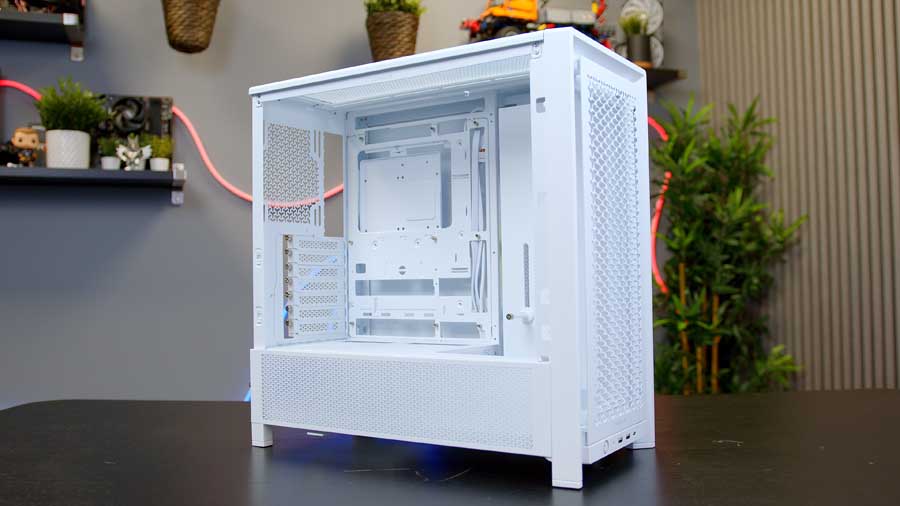
This case prioritizes airflow and practical build compatibility for modern gaming hardware. It is a good foundation for larger GPUs and solid cooling without needing premium chassis pricing.
Corsair RM750e
Skip to Section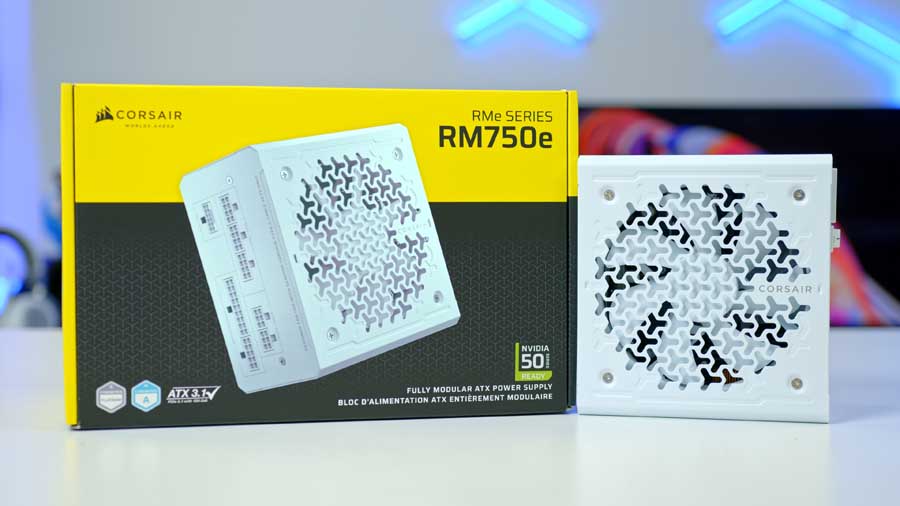
A 750W ATX 3.0-class PSU offers enough overhead for mainstream performance builds with modern GPUs. It balances stability and upgrade headroom while keeping total system power in a safe range.
AMD Ryzen 7 7800X3D

The AMD Ryzen 7 7800X3D is a solid choice for any system that aims for top-tier performance at a reduced price. This CPU is from the previous generation of processors, with the Zen 4 architecture, compared to the current Zen 5 architecture on the market. What is crucial is that this processor leverages AMD’s 3D V-Cache Technology, a structure that is designed to give you the edge in logic-based, cache-oriented gaming, where extra L3 cache becomes beneficial. On top of this, the 7800X3D equips a max boost clock speed of up to 5GHz, eight cores and sixteen threads. It’s a CPU built for modern-day gaming and multitasking. When paired with the AMD Radeon RX 9070 XT (a card that rivals NVIDIA’s RTX 5070 Ti), a beautiful synergy unfolds behind the scenes, with minimal bottlenecks and smooth gameplay taking centre stage.
Suggested Article: Best CPUs to Buy for the RTX 5070 Ti in 2025
Corsair NAUTILUS 360 RS ARGB

At GeekaWhat we were impressed by the Corsair Nautilus 360 RS ARGB, so much so that we actually feature the CPU cooler in one of our many prebuilds on our GeekaPC prebuilt PC site. If there’s one thing that Corsair does best, it’s refining its products to work very well within its ecosystem, which is why it’s a great match for the Corsair frame 4000D RS. The NAUTILUS is an All-in-One liquid cooler with a 360mm radiator that performed pretty well in our testing, given its budget price. We found that this cooler offered a simple installation process, daisy-chained fans, pre-applied thermal paste, and plenty of RGB lighting to spice up your build’s look. While this does mean the Nautilus is a bit simpler than other liquid coolers, it is often what we prefer to see in cheaper options.
GIGABYTE B850 EAGLE WIFI 7 ICE

GIGABYTE’s B850 EAGLE WIFI 7 ICE is a budget‑friendly, white‑themed motherboard that fits this system perfectly. It’s one of the most affordable B850 options offering full PCIe 5.0 support for both the graphics card and M.2 storage, giving builders next‑generation bandwidth without stretching the budget. The board features tool‑less heatsinks for quick, hassle‑free installation, along with a solid range of internal and rear IO connectivity. Memory support is impressive for its price class, with the ability to overclock DDR5 RAM up to 8200MT/s (depending on the kit) and accommodate up to 256GB. CPU overclocking is also on the table, thanks to GIGABYTE’s built‑in X3D Turbo Mode, which can enhance gaming performance by up to 18%.
Motherboard Specifications
-
Model
GIGABYTE B850 EAGLE WIFI 7 ICE
-
Chipset / Socket
AMD B850 / AM5
-
Form Factor
ATX (30.5cm x 24.4cm)
-
CPU Support
AMD Ryzen 9000 / 8000 / 7000 Series
-
Memory Support
4 x DDR5 DIMM, up to 256GB, up to DDR5-8200 (OC)
-
VRM Design
Digital 8+2+2 phases
-
Graphics Card Compatibility
1 x PCIe 5.0 x16 slot (full-length GPU slot)
-
Expansion Card Compatibility
1 x PCIe 4.0 x4 (full-length, x4 electrical) + 2 x PCIe 3.0 x1 slots
-
M.2 Compatibility
3 x M.2 sockets: 1 x PCIe 5.0 x4, 1 x PCIe 4.0 x4, 1 x PCIe 4.0 x2
-
SATA Storage
4 x SATA 6Gb/s ports
-
Networking
Realtek 2.5GbE LAN + Realtek Wi-Fi 7 (RTL8922AE) + Bluetooth 5.4
-
Rear I/O
DP, HDMI, 1 x USB-C 3.2 Gen1, 2 x USB 3.2 Gen2 Type-A, 2 x USB 3.2 Gen1, 4 x USB 2.0, PS/2, RJ-45, 3 x audio jacks
-
Front I/O Headers
1 x USB-C 3.2 Gen1 header, 1 x USB 3.2 Gen1 header, 2 x USB 2.0 headers
-
Audio
Realtek HD Audio (2/4/5.1/7.1-channel)
The VRM configuration is an 8+2+2 design; it is functional, though not exceptional for heavy CPU overclocking. It’s adequate for mainstream chips and light tuning, but power‑hungry processors will benefit more from higher‑end VRM setups.
Connectivity is another strong point, with onboard Wi‑Fi 7, 2.5GbE LAN, and Bluetooth 5.4 ensuring modern wireless and wired networking options. Visually, the B850 EAGLE WIFI 7 ICE stands out with its white PCB and grey, white, and silver accents, adding a subtle but stylish flair that complements themed or showcase builds. These aesthetic touches help tie the entire system together, making it a great choice for builders who care about both performance and presentation.
Corsair VENGEANCE RGB DDR5

RAM is a sore subject for everyone in the PC building community right now. It’s currently difficult to wholeheartedly recommend RAM for a system, so if you find DDR5 RAM at a price you can justify, we’d go with that, too. In a market where prices aren’t heavily inflated, we would say this 32GB RAM at around 6000 MT/s with a CAS latency of CL36 or lower would be the perfect choice for this gaming build. This kit is stunning and built with high-quality materials. Corsair has proven to be a reliable brand for RAM over the years, and the RGB lighting can be synced with the rest of the Corsair components using Corsair’s iCUE software, solidifying our choice for this rig.
Lexar EQ790

The Lexar EQ790 is a brilliant M.2 NVMe drive that delivers top-end Gen4 performance, whilst remaining a stellar budget option for January 2026. During our testing, we found that the EQ790 pulled 7070 MB/s for sequential reads and 5410 MB/s for sequential writes at the 1TB capacity, which is the one we are recommending. We also use this drive in some of our other GeekaPC prebuilts due to its proven reliability and slightly more affordable price. Whilst 1TB of storage isn’t really enough for modern gaming, this Gen4 drive will perfectly occupy the PCIe 4.0 x4 M.2 slot on the GIGABYTE B850 EAGLE WIFI 7 ICE until the market returns to a point where you can purchase a reasonably priced Gen5 drive.
Suggested Article: Best SSDs to Buy in 2026
Sapphire Pure AMD Radeon RX 9070 XT OC

The RX 9070 XT is one of the best GPUs to buy for 1440p Gaming, in our opinion, and that’s just for the standard model, let alone the factory overclocked model that Sapphire has released. This RX 9070 XT OC features a higher factory-set operating speed and a higher boost clock than a non-OC model. Sapphire has used an advanced cooling method: Honeywell PTM7950 Thermal Interface Material, ensuring the GPU is appropriately cooled.
GPU Comparison
GPU Lineup Comparison
Drag the :: handle to reorder specs, or tap/click a header title to sort.
| GPU | ::Architecture | ::VRAM | ::Memory Type | ::Memory Bus | ::TBP | ::Where to Buy |
|---|---|---|---|---|---|---|
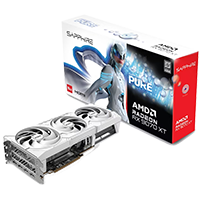
Sapphire PURE RX 9070 XT OC AMD Radeon RX 9070 XT |
RDNA 4 | 16GB | GDDR6 | 256-bit | 304W | |
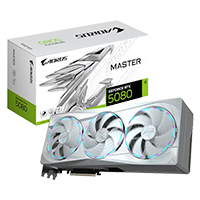
Gigabyte RTX 5080 Aorus Master Ice GeForce RTX 5080 |
Blackwell | 16GB | GDDR7 | 256-bit | 360W | |
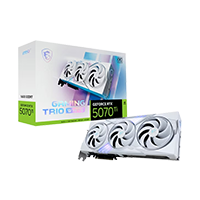
MSI RTX 5070 Ti Gaming Trio OC White GeForce RTX 5070 Ti |
Blackwell | 16GB | GDDR7 | 256-bit | 300W | |
XFX Swift RX 9070 OC Gaming Edition AMD Radeon RX 9070 |
RDNA 4 | 16GB | GDDR6 | 256-bit | 220W | |
PowerColor RX 9060 XT Hellhound Spectral White AMD Radeon RX 9060 XT |
RDNA 4 | 16GB | GDDR6 | 128-bit | 150W |
The RX 9070 XT offers performance that rivals the RTX 5070 Ti and RTX 5080. The backbone of this graphics card is its 16GB of GDDR6 VRAM, which enables you to play 1440p games smoothly and offers some enjoyable 4K gaming experiences as well. Its large 256-bit memory bus is also beneficial for graphically demanding games like Cyberpunk 2077 and Hogwarts Legacy, as it allows more data to be transferred at once.
Suggested Article: Best PC Cases to Buy for the RX 9070 XT
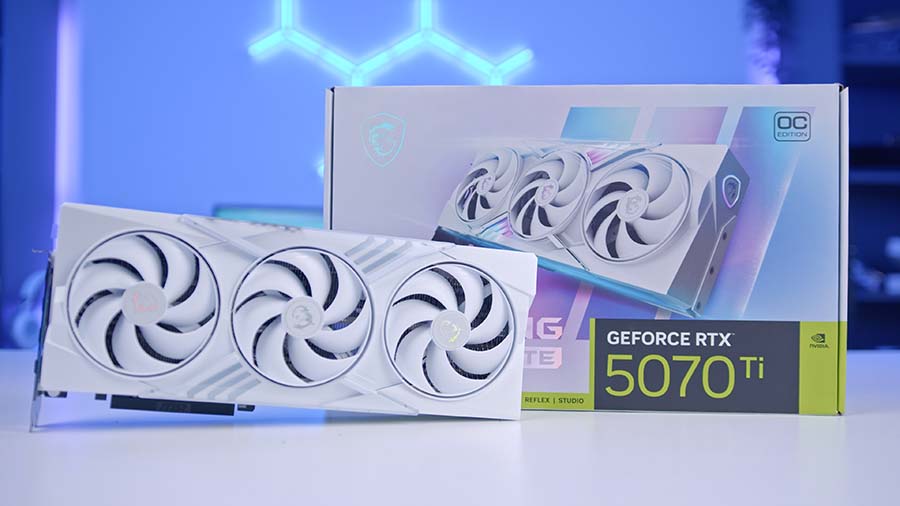
Alternative GPU Choice
MSI GeForce RTX 5070 Ti Gaming Trio OC White
If you want an NVIDIA alternative to the RX 9070 XT, the RTX 5070 Ti is a strong swap with excellent 1440p and solid 4K performance plus NVIDIA creator and software features.
Corsair FRAME 4000D RS ARGB

The Corsair Frame 4000D is engineered for builders who want exceptional airflow, generous interior space, and complete layout flexibility. Its fully modular design makes it easy to tailor the chassis to your preferred configuration, whether you're optimising for cooling, aesthetics, or hardware expansion. A standout feature is the rotatable PCIe system, which lets you mount your graphics card vertically for a cleaner showcase build. Paired with the integrated GPU anti‑sag support arm, your graphics card stays secure and level, even with heavier, high‑end models.
Inside, Corsair’s innovative InfiniRail mounting system simplifies radiator and fan installation. Both the top and front panels support a wide range of 120mm and 140mm fan positions, giving you the freedom to fine‑tune your cooling layout with precision. The front IO is positioned at the lower edge of the front panel - ideal for desk‑mounted setups, though slightly less accessible when placed on the floor.
The Frame 4000D includes three pre‑installed 120mm ARGB fans to kickstart your airflow and lighting setup. While it lacks a rear exhaust fan out of the box, adding one completes a traditional airflow configuration - and the overall affordability of the case helps offset that extra purchase.
Suggested Article: The Best White PC Cases to Buy in 2025
Corsair RM750E

The Corsair RM750e was a no-brainer choice for this PC build. The power supply is completely modular, and all cables are colour-matched, a feature that really does matter beyond surface-level appearances. This addition really helped bring the all-white theme to life. The RM750e has achieved ATX 3.1 certification, PCIe 5.1 compliance, and Cybenetics Platinum-rated efficiency for a quiet, reliable build. We've opted for the 750W model, as our RX 9070 XT OC requires a minimum of 750W. This choice will not give you much headroom for future upgrades, so that is a factor to consider if you want to go higher.
Gallery


Performance
At 1440p resolution in Arc Raiders, this system pulled in a very respectable 176.4 FPS on average, delivering exceptionally smooth gameplay. That level of fluidity is a real advantage in a fast‑paced, reaction‑driven title where visual clarity and responsiveness directly influence performance. At 4K, the system still maintains impressive control, dropping by roughly 60 FPS while holding a strong 111 FPS average, keeping the experience sharp and highly playable even at the higher resolution. Moving to Battlefield 6, the trend continues. At 1440p, the system averages 157.5 FPS, ensuring a consistently fluid experience during large-scale firefights and chaotic multiplayer encounters. Even at 4K, the framerate remains solid at 95.3 FPS, showing that the hardware handles demanding environments and particle-heavy scenes without significant dips.
Call of Duty: Black Ops 7 produced some unusual and inconsistent results. Despite repeated benchmarking at both 1440p and 4K, the game appeared to run slightly better at 4K, with higher averages and stronger 1% and 0.1% lows. This suggests an optimisation quirk or engine-level behaviour that favours higher resolutions on this hardware configuration. Regardless, both resolutions remained comfortably above 100 FPS, keeping gameplay responsive and competitive. With Cyberpunk 2077, one of the most demanding titles on the market, the system continues to impress. At 1440p, the average of 145.7 FPS is a welcome sight, especially given the game’s reputation for punishing even high-end GPUs. Even at 4K, performance remains smooth, hovering around 78 FPS in the most challenging scenes - a testament to the system’s raw rendering power and ability to maintain stability under heavy load. Finally, Marvel Rivals delivered an average framerate of 132.6 FPS at 1440p, resulting in consistently smooth gameplay. During more intense sequences, the framerate can dip to around 90 FPS, but this remains well within the range of fluid, responsive motion. At 4K, the system still holds a respectable 81 FPS average, ensuring the game feels lively and reactive across both resolutions.

![FI_[DM93] Corsair 3200D Launch](https://geekawhat.com/wp-content/uploads/2026/03/FI_DM93-Corsair-3200D-LAUNCH-551x431.jpg)
![FI_[DM89] Phanteks Evolv + AORUS 5090 9850X3D Gallery (8)](https://geekawhat.com/wp-content/uploads/2026/02/FI_DM89-Phanteks-Evolv-AORUS-5090-9850X3D-Gallery-8-551x431.jpg)
![FI_[DM88] 16GB DDR5 9060 XT Build Gallery](https://geekawhat.com/wp-content/uploads/2026/02/FI_DM88-16GB-DDR5-9060-XT-Build-Gallery-551x431.jpg)