Air coolers are a reliable, affordable, and easy-to-maintain option for cooling your processor, but they also offer an alternative to liquid AIO CPU coolers if your PC case cannot house a radiator. As new processors are produced, they are only becoming more powerful, and there is a constant battle to balance their thermals against their power.
It’s well known that air coolers typically lose out to 360mm AIOs, but they can be more efficient at managing temperatures than 240mm AIOs, which is where their value becomes apparent. But with so many air coolers available, which is really worth your investment? Well, we’ve rounded up what we think are the best-performing coolers to help you clear the blur and make an informed decision.
1. Thermalright Phantom Spirit 120 SE
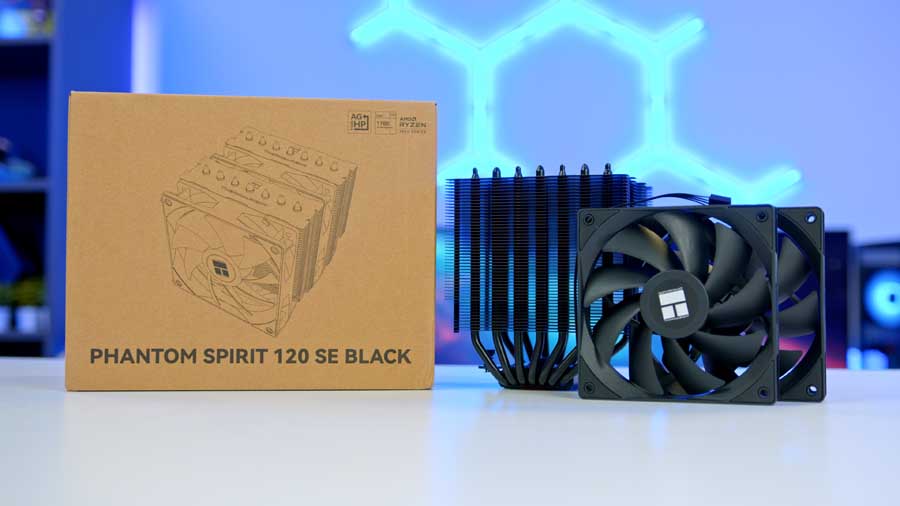
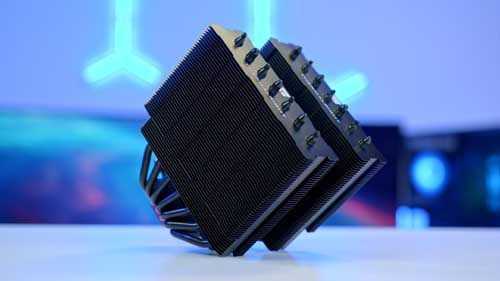
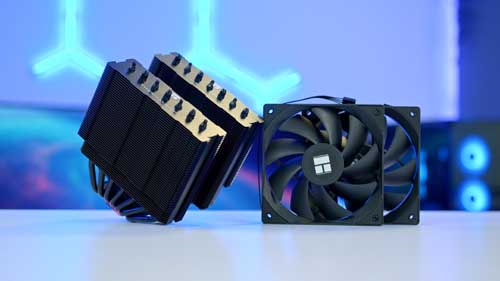
The Thermalright Phantom Spirit 120 SE, an air cooler with a dual-tower design, is our first entry. Having two towers is a bit of a double-edged sword: whilst it theoretically doubles the cooling potential, it also reduces the clearance inside your case, particularly around RAM. With the additional footprint of dual-tower coolers often extending above the RAM DIMMs, even low-profile RAM kits can pose issues. If these are a concern for you, we can also recommend the Thermalright Assassin X 120 R SE, which is a widely popular air cooler with a smaller footprint.
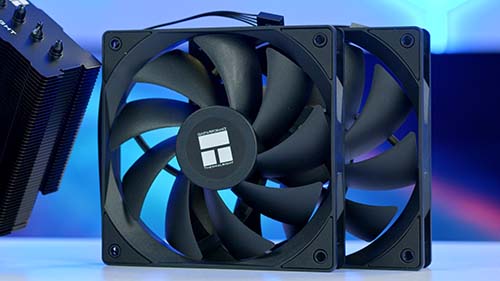
With a maximum fan speed of 1500 RPM, the Phantom Spirit 120 SE leans toward quieter operation. While air coolers are often criticised for their noise, this model stays restrained, producing around 30dB(A) even under load. This is comparable to soft whispering! Beyond acoustics, the Phantom Spirit also offers broad socket compatibility, supporting Intel’s LGA 1851, 1700, 1200, and 115X platforms, as well as AMD’s AM4 and AM5. That versatility makes it a safe choice for builders who want reliable cooling today with the flexibility to carry it forward into future CPU generations.
| Key Specs | Thermalright Phantom Spirit 120 SE |
|---|---|
| Cooler Height | 154mm |
| Number of Fans | 2 x TL-C12B V2 Fans |
| Bearing Type | Sony Fluid Dynamic (S-FDB) |
| Fan Connector | PWM (4-pin) |
| Max Fan Speed | 1500RPM |
| Socket Compatibility | Intel – LGA 1851, 1700, 1200, 115X AMD – AM5, AM4 |
While it lacks aesthetic features, such as RGB or flashy design elements, its performance and spec sheets do all the talking. Paired with its highly affordable cost and performance, this is a smart purchase for someone who wants to keep their processor cool.
2. Valkyrie Vind DL125
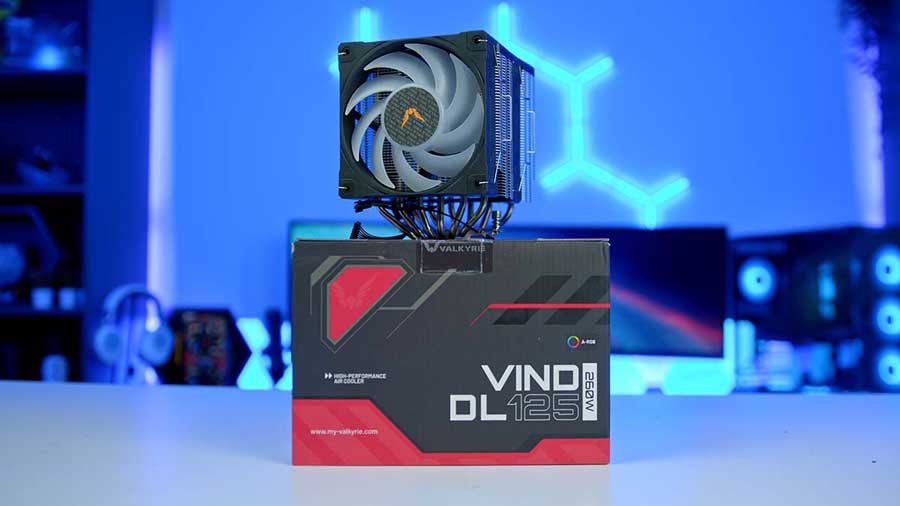
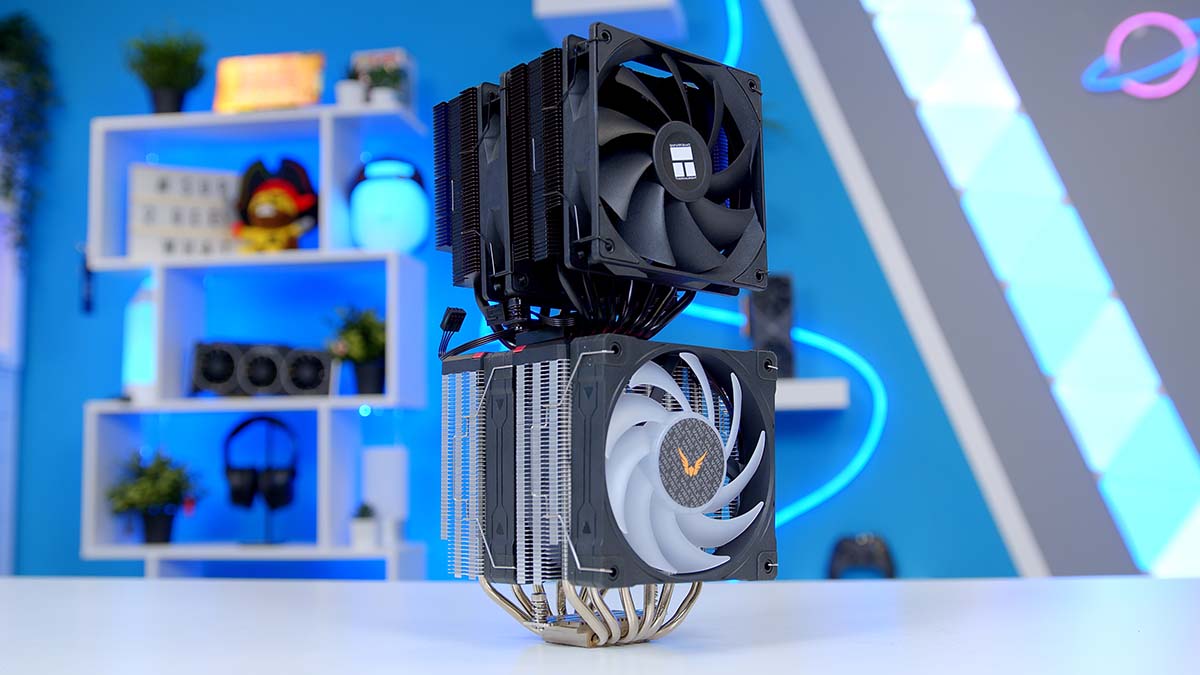
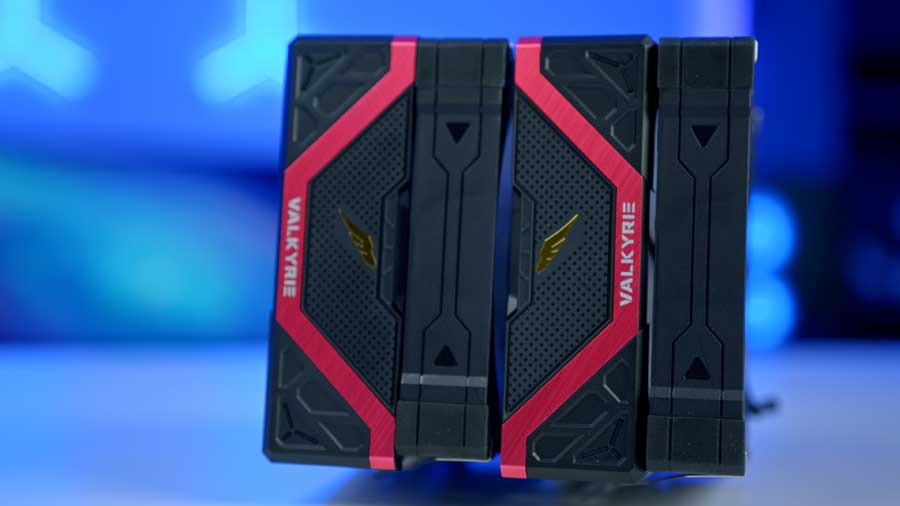
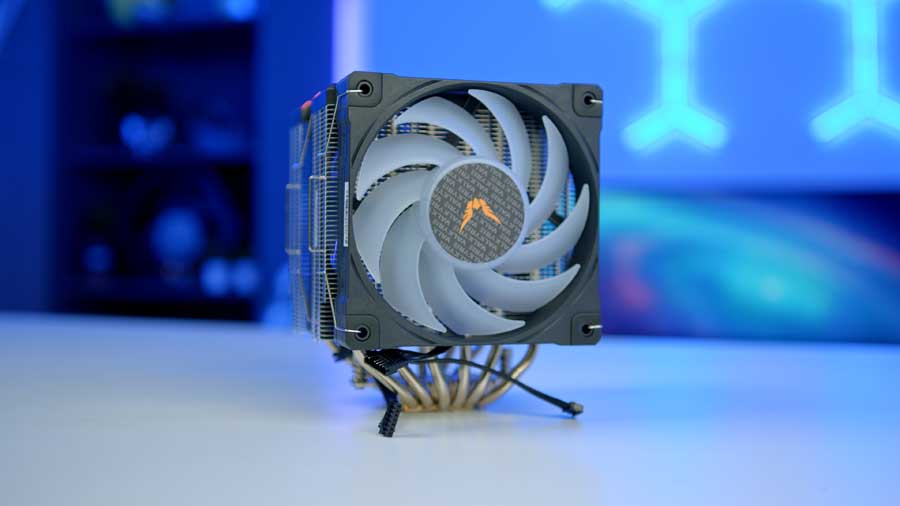
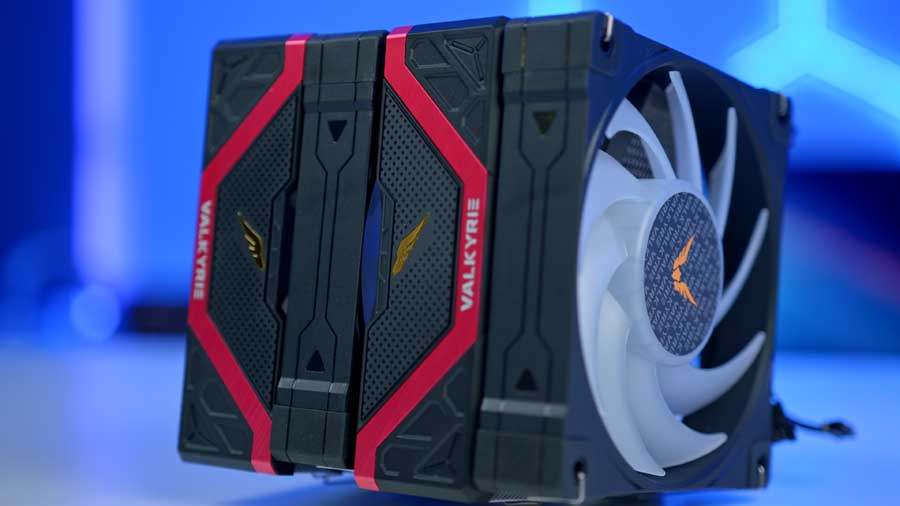
If you want a high‑performance air cooler with a touch of design flair, the Valkyrie Vind DL125 is the standout choice. It’s the only cooler in our roundup to feature RGB lighting, and its dual‑tower design makes it as functional as it is eye‑catching. The DL125 uses six composite heatpipes to pull heat directly from the CPU into two dense 100‑fin stacks, ensuring stable temperatures even under heavy multitasking or marathon gaming sessions. Despite its dual‑tower build, the cooler stands at just 158mm, making it one of the more compact options here, which is ideal if you’re mindful of case clearances.
Cooling power comes from a pair of Valkyrie U12 A‑RGB fans, which can be daisy‑chained via PWM for easy cable management. The lighting should sync seamlessly with your motherboard’s software, and the fans can ramp up to 2150 RPM when needed, delivering both performance and lighting customisation.
| Key Specs | Valkyrie Vind DL125 |
|---|---|
| Cooler Height | 158mm |
| Number of Fans | 2 x Valkyrie U12 A-RGB |
| Max Fan Speed | 2150RPM |
| Bearing Type | Fluid Dynamic Bearing |
| Fan Connector | 4-Pin PWM |
| Socket Compatibility | Intel – 1851, 1700, 1200, 1151 AMD – AM5, AM4 |
However, if you like the Valkyrie Vind DL125 but are a little concerned about the ram obscuration that dual-tower air coolers cause, we recommend the Valkyrie Surge SL125 as another good option, offering a more minimalist design with RGB and brilliant performance. This cooler is a single-tower, single-fan air cooler standing at a height of 138mm. It also features the same socket compatibility as the DL125.
Suggested article: Valkyrie Surge SL125 Review
3. Noctua NH-D15 (Chromax Black)
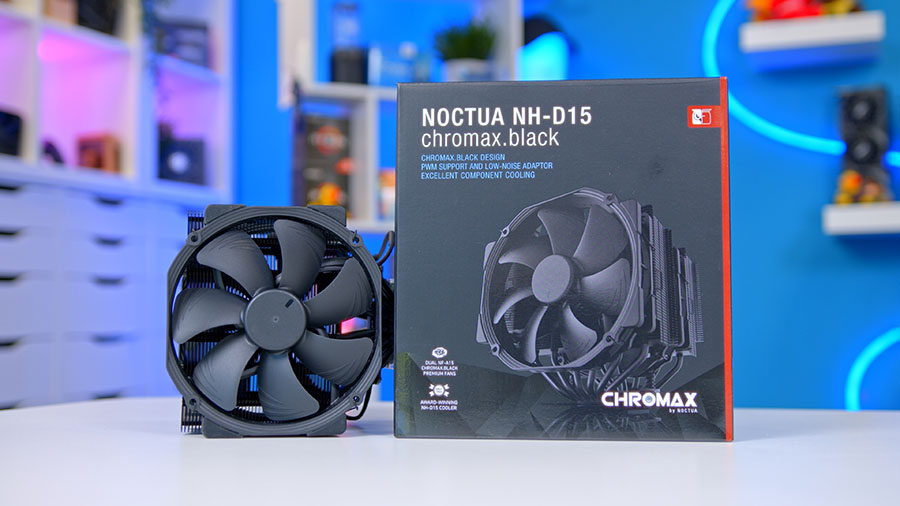
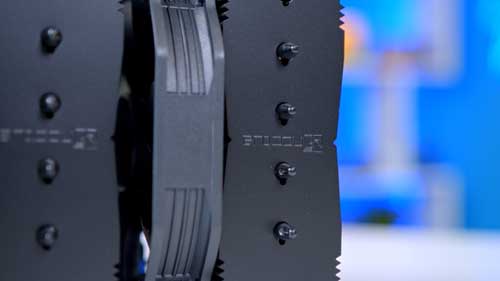
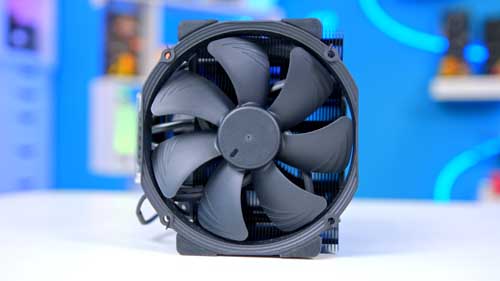
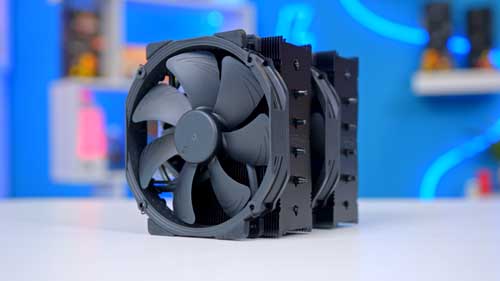
Noctua‘s NH-D15 is a fan favourite of ours at the GeekaWhat office and has consistently stood the test of time as one of the best CPU air coolers on the market. While coming in at a somewhat higher price point than the previous options, this is well justified by the performance metrics. The NH-D15 has been continually updated to accommodate all socket changes, underscoring its popularity in the PC gaming space.
The NH-D15 can handle pretty much anything you throw at it. This air CPU-cooler can easily handle 4K gaming, and workstation applications shouldn’t pose much of a problem either. There are limitations when overclocking is involved with CPUs, but for the most part, this cooler will provide the performance you’re looking for.
| Key Specs | Noctua NH-D15 |
|---|---|
| Cooler Height | 165mm |
| Number of Fans | 2 |
| Max Fan Speed | 1500 RPM |
| Bearing Type | self-stabilising oil-pressure bearing (SSO2) |
| Fan Connector | PWM |
| Socket Compatibility | Intel – LGA1851, 1700, 1200, 1156, 1155, 1151, 1150 AMD – AM5, AM4 |
This cooler is incredibly easy to install, looks super sleek, and is extremely silent, too. This tower cooler will be the go-to option for many consumers seeking a reliable air-cooling solution for enthusiast-level builds.
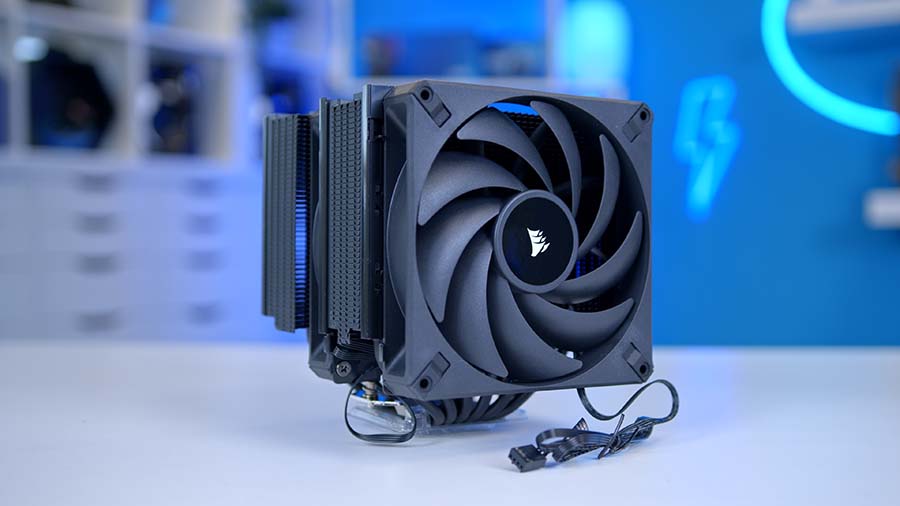
4. Corsair A115
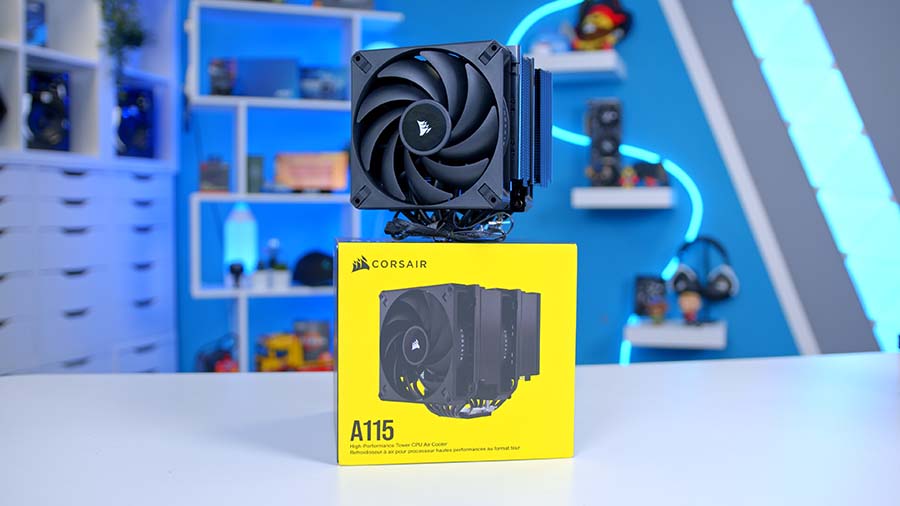
Our final recommendation is the Corsair A115, positioned as the most premium air cooler in this roundup. It carries a minimalist aesthetic and is composed of high-quality materials that closely mirror the Thermalright Phantom Spirit 120 SE, but with Corsair’s own design language layered in.
Initially criticised for lacking support for newer Intel sockets, the A115 has since been updated to cover both the latest and older platforms, ensuring broad compatibility. At the same time, it stands as the tallest cooler in our recommendations. Corsair itself acknowledge this by publishing a dedicated CORSAIR A115 case compatibility guide for their own chassis.
| Specification | Corsair A115 |
|---|---|
| Cooler Height | 164.8 mm |
| Number of Fans | 2 x 140mm |
| Max Fan Speed | 1600RPM |
| Bearing Type | Fluid Dynamic Bearing |
| Number of Heatpipes | 6 |
| Fan Connector | PWM |
| Socket Compatibility | Intel – LGA 1851, 1700, 1200, 1150, 1151, 1155, 1156 AMD – AM5, AM4 |
Performance is solid, though the A115’s fans run at a slightly lower maximum speed than those of other coolers here. And when stacked against the Phantom Spirit 120 SE, the trade‑offs become clear: the Thermalright delivers better thermal performance, occupies a smaller footprint, and looks nearly identical in terms of styling. For most buyers, that makes the Phantom Spirit the more compelling option.
Where the A115 makes sense is within a Corsair‑themed build. If you already own a majority of Corsair components and want a cooler that integrates seamlessly into that ecosystem, the A115 offers premium build quality and brand cohesion.
Suggested article: Corsair A115 Review
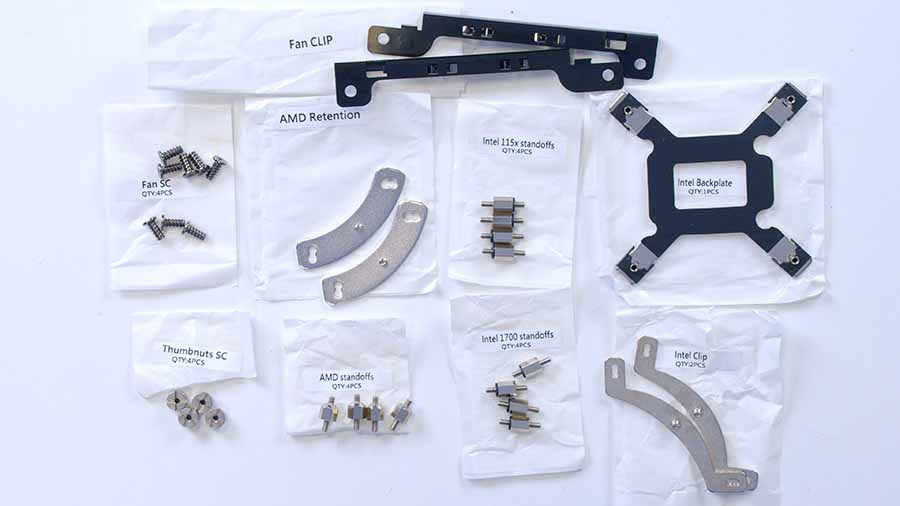
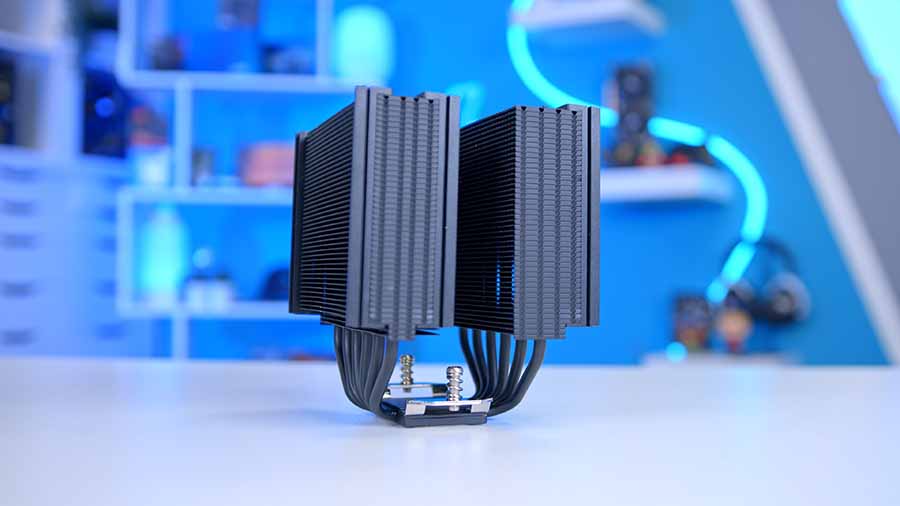
How We Tested the Best Air Coolers
To determine which air coolers are best, we put all the coolers in this roundup through the wringer, assessing thermal performance in games and synthetic benchmarks. This provides performance data for each cooler, showing how it copes with gaming and multi-core workloads. Our benchmarking system has a demanding CPU at its core, with four 140mm fans to maximise airflow. Each cooler is set to the default fan curve in the BIOS, or we use an equivalent fan curve in the cooler’s software, so testing is fair. All the data we collect is gathered from benchmarks in Cinebench and CPU-Z, with HWMonitor running in the background to record temperature information.
When testing air coolers, we chart their results against both other air coolers and 240mm liquid coolers. The reason is simple: prospective buyers tend to weigh three factors above all else: cost, clearance, and performance.
In terms of performance, the expectation is often that liquid coolers will outpace air coolers. Yet that isn’t always true, and many buyers don’t have the space to accommodate a bulky 360mm radiator. For those users, a high‑end air cooler or a 240mm AIO represents the sweet spot: strong thermal performance in a more compact footprint. By comparing air coolers directly with 240mm liquid units, we provide a clearer picture of the cooling power you can realistically expect without sacrificing case compatibility or budget.
Cinebench 4-Thread
During our Cinebench 4‑Thread test, which simulates light workloads or gaming scenarios, the Thermalright Phantom Spirit 120 SE leads the pack, outperforming four different 240mm AIOs and holding both lower average (61 ℃) and maximum (66 ℃) temperatures than any of them.
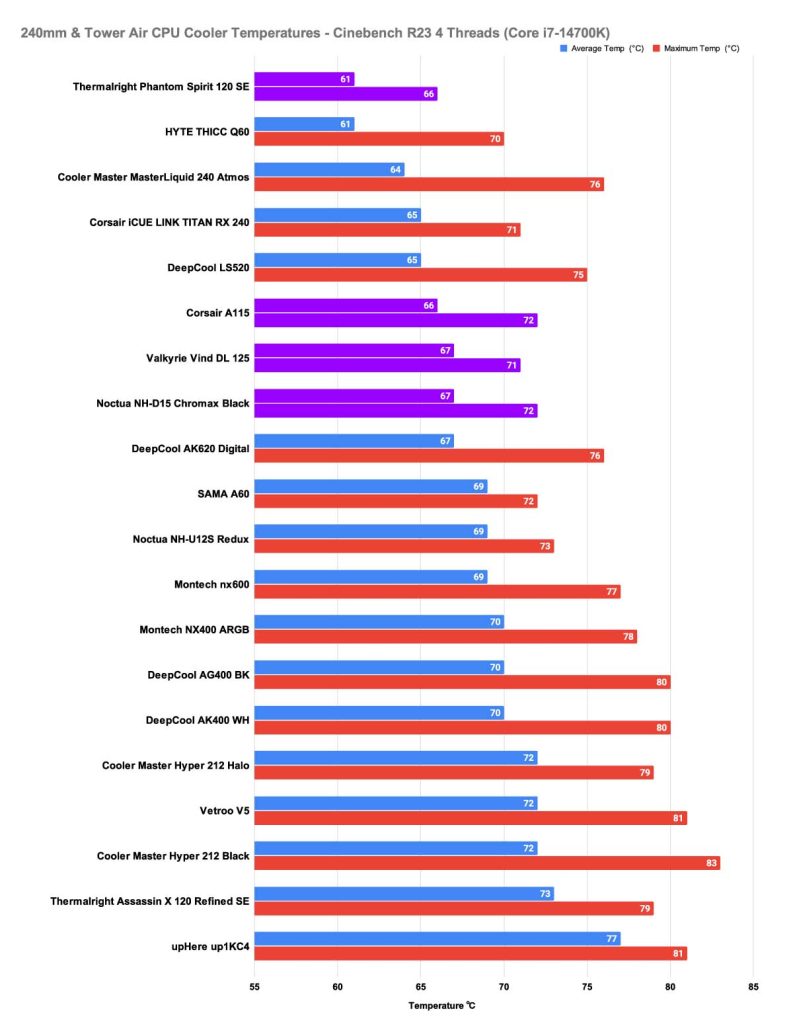
Second among our recommendations is the Corsair A115, posting an average of 66 ℃ and a maximum of 72 ℃. The Valkyrie Vind DL125 follows closely with an average of 67 ℃ and a slightly lower maximum of 71 ℃, while the Noctua NH‑D15 lands just behind, also averaging 67 ℃ but peaking at 72 ℃.
Cinebench 8-Thread
Our next test is the 8‑thread Cinebench benchmark, designed to replicate heavier workloads such as content creation or gaming with multiple background applications. For this test, the HYTE THICC Q60 – a 240mm AIO – steps up to first place, proving its cooling potential in more demanding workloads – a result that we expect to see.
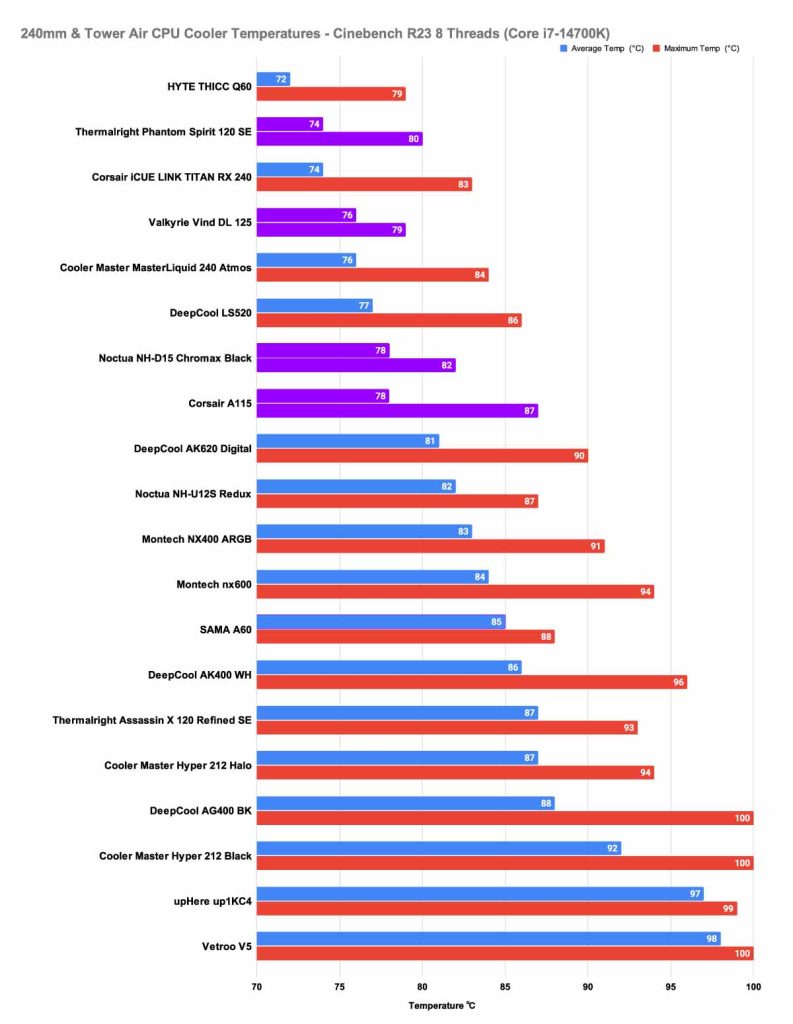
That said, the Thermalright Phantom Spirit 120 SE remains highly competitive, coming in just behind with a close average of 74 ℃ and a maximum of 80 ℃. The Valkyrie Vind DL125 also performs impressively, averaging 76 ℃ and peaking at 79 ℃, edging out several larger rivals. The Corsair A115 posts an average of 78 ℃ and a maximum of 87 ℃, while the Noctua NH‑D15 Chromax Black records a similar average of 78 ℃ but a slightly lower peak of 82 ℃.
CPU-Z 8-Thread
In the CPU‑Z 8‑thread benchmark, which simulates heavier multitasking workloads such as content creation or gaming with background applications, the HYTE THICC Q60 leads the chart with an average of 73 ℃ and a maximum of 78 ℃, setting the pace for liquid cooling performance.
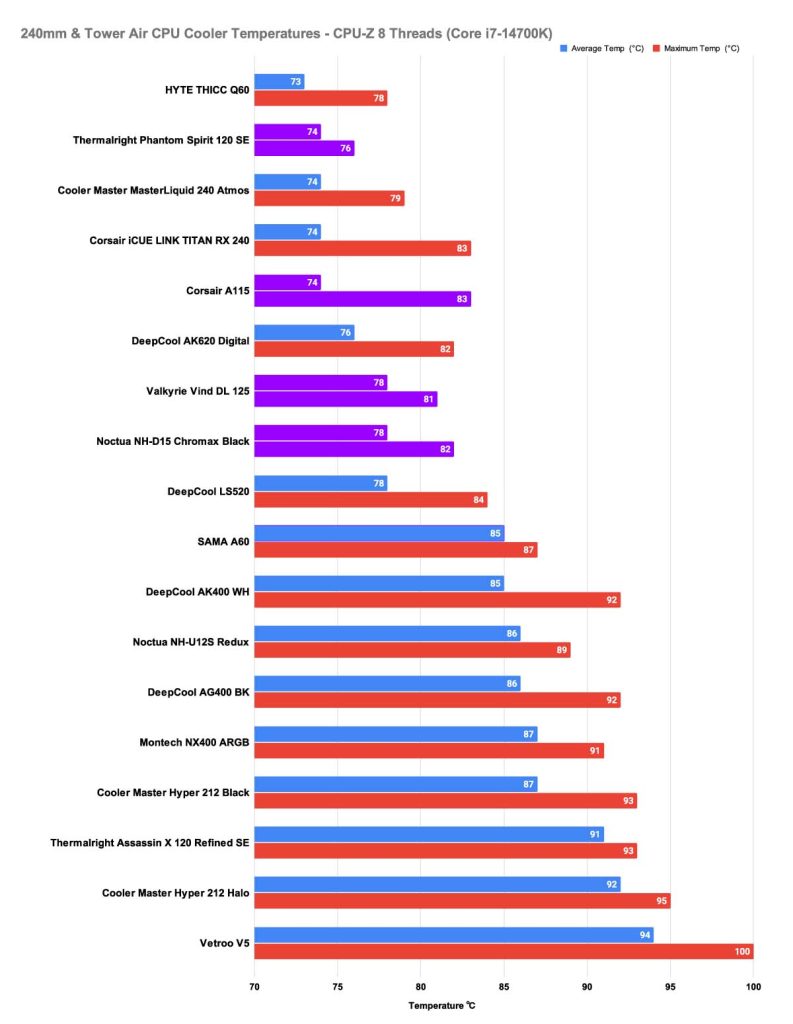
Among air coolers, the Thermalright Phantom Spirit 120 SE shines once again, averaging 74 ℃ and peaking at just 76 ℃, which is an exceptionally tight thermal range that even surpasses several 240mm AIOs! The Corsair A115 matches the Phantom Spirit’s average at 74 ℃, but its peak climbs to 83 ℃, showing less stability under sustained load. The Valkyrie Vind DL125 delivers a respectable result at 78 ℃ average and 81 ℃ maximum, keeping temperatures contained without significant spikes. Finally, the Noctua NH‑D15 Chromax Black posts an average of 78 ℃ and a maximum of 82 ℃, reinforcing its reputation for consistent, dependable cooling even in demanding scenarios.
Taken together, these results highlight how the Phantom Spirit 120 SE continues to punch above its weight, outperforming multiple liquid coolers while maintaining the lowest peak temperatures among the air coolers tested. The Vind DL125 and NH‑D15 remain strong alternatives, while the Corsair A115’s higher maximum temp suggests it’s better suited for buyers prioritising brand integration over complete thermal efficiency.

![FI_[DM89] Phanteks Evolv + AORUS 5090 9850X3D Gallery (8)](https://geekawhat.com/wp-content/uploads/2026/02/FI_DM89-Phanteks-Evolv-AORUS-5090-9850X3D-Gallery-8-551x431.jpg)
![FI_[DM88] 16GB DDR5 9060 XT Build Gallery](https://geekawhat.com/wp-content/uploads/2026/02/FI_DM88-16GB-DDR5-9060-XT-Build-Gallery-551x431.jpg)