-
Sensor
PAW3395
-
Polling Rate
8,000Hz
-
Max DPI
26,000
-
Weight
66g
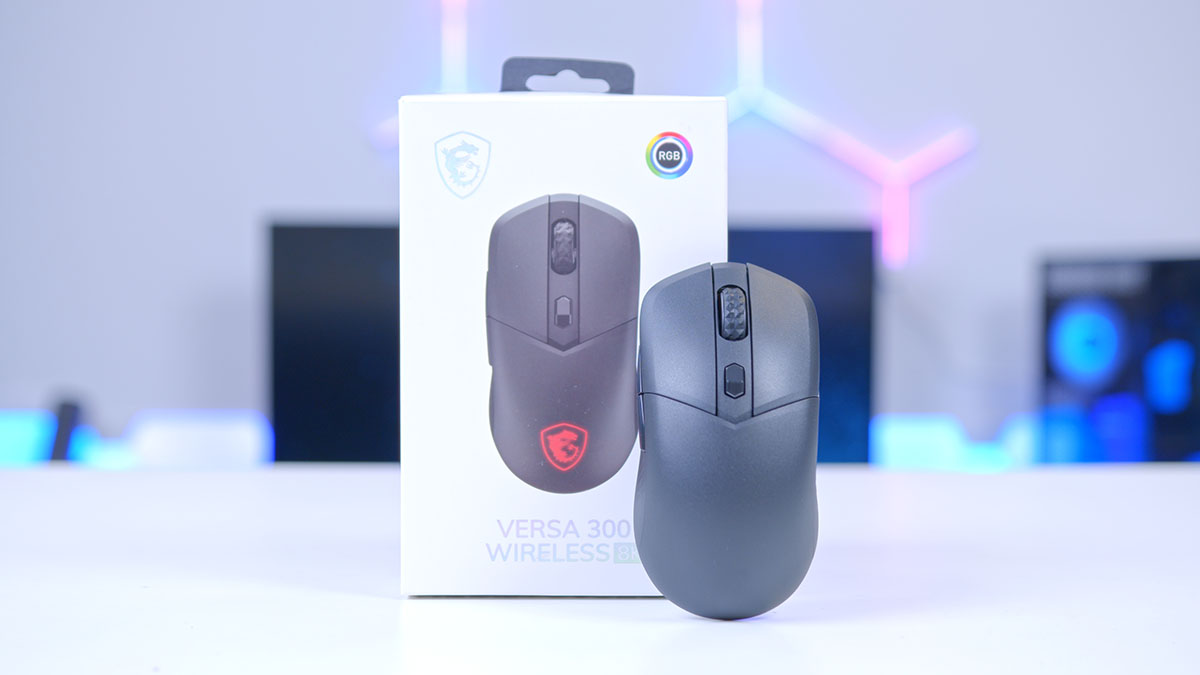
The gaming mouse market has shifted once again, no longer is the battleground DPI or weight, it’s polling rate. Having a mouse that can send 8,000 reports a second to your PC used to be something that was reserved for flagship models but no more. The VERSA 300 Wireless 8K takes the fundamental design of the original VERSA 300 Wireless and cranks the specs up to the next level.
Joining the already established VERSA line-up from MSI, the VERSA 8K looks to be a notable improvement over the previous model with specs improved seemingly across the board, Moving the VERSA 300 Wireless from a budget all-rounder into a competitive-focused option.
Specification
As I alluded to in the intro, the VERSA 8K has received meaningful improvements to practically, well, everything. Starting with the sensor, this receives a significant upgrade. Now using the PixArt PAW3395 sensor, the VERSA 8K makes use of a significantly more responsive and premium sensor and is largely the driving force behind a number of key improvements for the VERSA 8K.
Max DPI and polling rate are the two headline figures that benefit greatly from the introduction of the PAW3395 sensor. Sitting at a maximum DPI of 26,000 and polling rate of 8000Hz (hence the 8K naming convention) and new 0.125ms latency, the VERSA 300 has shifted its focus largely towards gaming. Lift-off distance also receives a standardised figure thanks to the PAW3395, now sitting at 1mm–2mm, tracking and large sweeping mouse movements feel largely improved.
MSI VERSA 300 Wireless 8K — Key Specifications
-
Sensor
PixArt PAW3395 Optical
-
Max DPI
26,000
-
Polling Rate
8,000 Hz / 0.125 ms
-
Preset DPI Levels
400 / 800 / 1600 / 3200 / 6400 / 26000
-
Switch Type
Omron Optical
-
Switch Durability
60 Million Clicks
-
Connectivity
2.4 GHz (MSI SWIFTSPEED) / Bluetooth 5.3 / USB 2.0
-
Cable
2m FriXionFree USB-C to USB-A
-
Battery Life
Up to 196 Hours (RGB off)
-
Number of Buttons
6
-
LED
RGB
-
Software
MSI PortalX (web-based)
-
Weight
66g
-
Dimensions
125 × 64 × 41 mm
Switches used have changed to make use of Omron optical switches, improving response time, effectively removing the risk of double-clicking and doubling the rated lifespan. The only negative, and I use that term loosely, is the increase in weight, up from 60g to 66g but largely unnoticeable.
Also In The VERSA Range
★★★☆☆
3/5

Pros and Cons
Pros
- Lightweight at just 60g
- Tri-mode connectivity at an accessible price
- Symmetrical design suits all users
Cons
- Entry-level PAW3104DB sensor
- 50-hour battery modest for wireless
- Budget rivals can offer more for the same price
Bottom Line
A solid, no-frills wireless mouse at a budget price. The VERSA 300 Wireless is a dependable daily driver, but its entry-level sensor and modest battery life mean it doesn’t do enough to stand out from the competition.
Read The Full ReviewMSI VERSA 300 Wireless Design
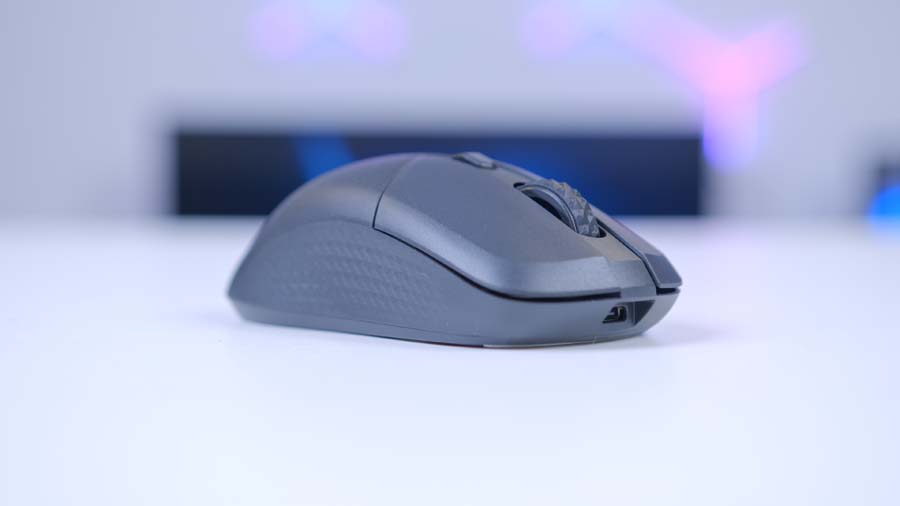
Externally, the VERSA 300 Wireless 8K remains largely unchanged as expected. The external shell of the VERSA 8K looks to be identical to that of the previous VERSA 300 model and the dimensions match up too.
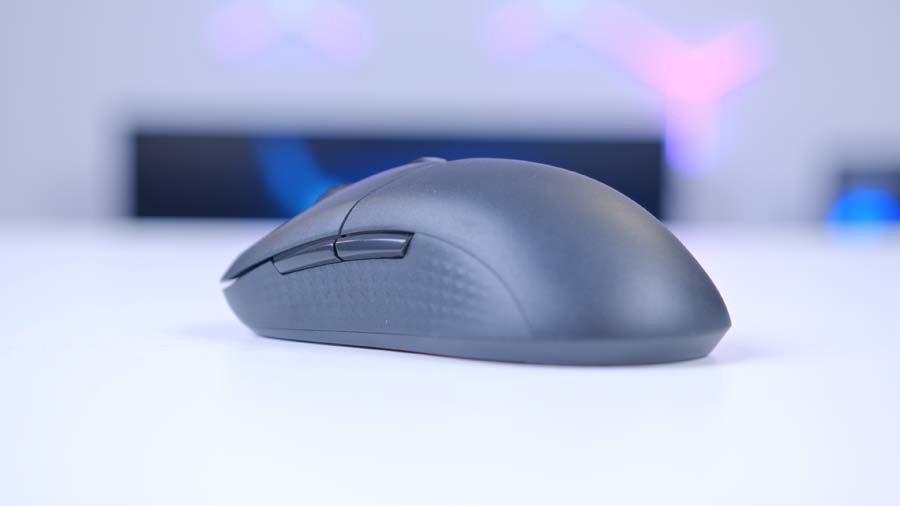
The VERSA 8K wears a symmetrical ‘ambidextrous’ shell and MSI say it’s suitable for both left and right-handed users. While I don’t doubt that this is the case, left-handed users may struggle to operate the two side buttons, due to the omission of hot-swappable button locations. The buttons can of course be operated with a user’s pinky for left-handed users, though proves to be far less practical than the standard thumb operation they are intended for.
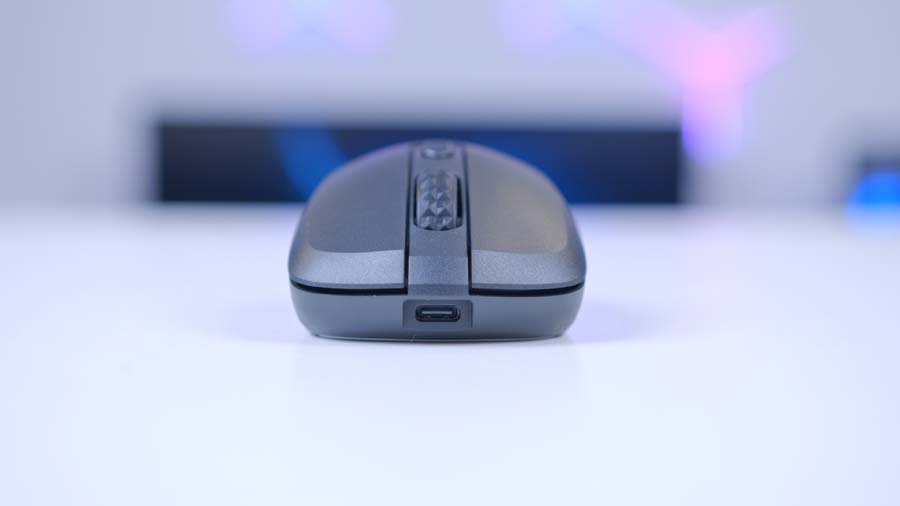
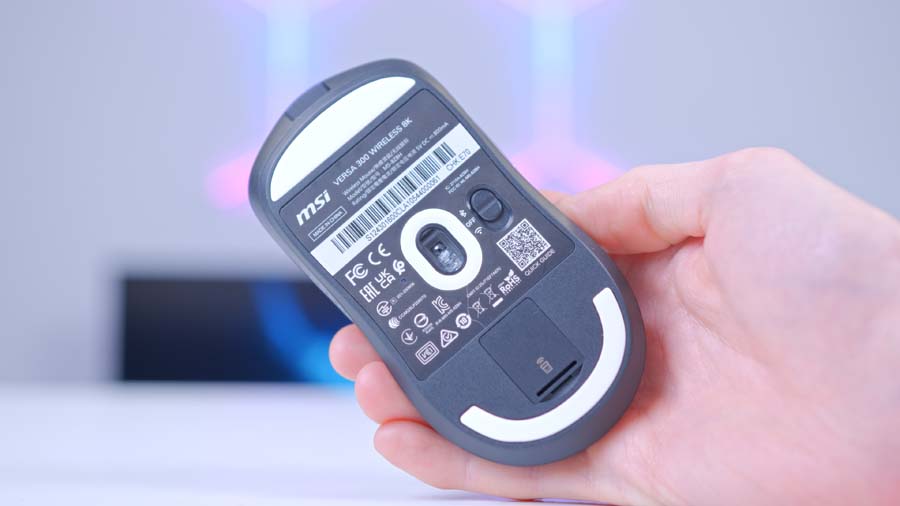
Diamond-patterned side grips make a return and I can happily say are present on both sides, allowing a firm grip irrespective of user hand choice. Connectivity is solid with 3 ways to play, wired, wireless via USB dongle or wireless via Bluetooth 5.3, choice of connectivity is configurable through the switch located on the underside of the VERSA 8K. A 2m FriXionFree USB-C to USB-A cable is included for wired mode and charging. Battery life is listed as 196 hours, though this is with included RGB set to off – sorry Lucky Dragon fans!
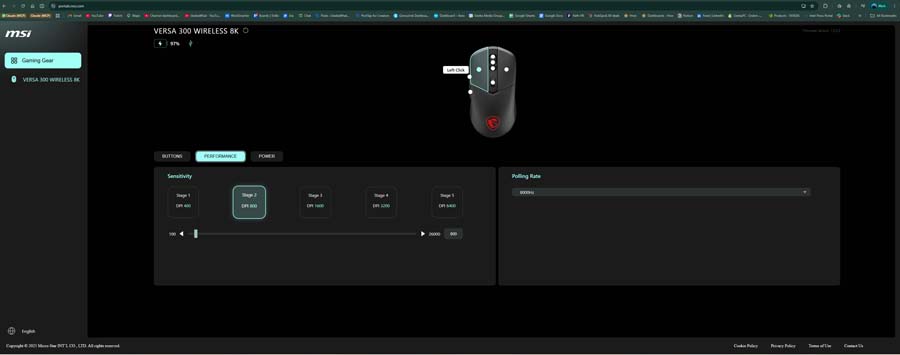
The introduction of a web-based application is in theory a big improvement for lighting and button customisation of your VERSA 8K but does require an initial launcher install to work. During my brief stint with the PortalX application, I did, however, find it to be temperamental with any connection type other than wired and was unable to actually configure any RGB lighting – so more work to do here, MSI.
Features We Like
Internal improvements
The VERSA 300 Wireless 8K is a significant upgrade over the past VERSA 300 model. The internals on the 8K model are vastly improved and make the VERSA 8K a compelling option to consider for PC gaming. No longer a budget all-rounder and instead a well thought-out competitive-driven gaming mouse – the old adage of jack of all trades, master of none springs to mind, but certainly isn’t the case anymore.
Web-based customisation
The move to a web-based application for customising hardware is a trend that I, for one, hope long continues. If you’re like me and have a different brand for each peripheral, I feel your pain. Installing four different pieces of software to configure and change settings for each peripheral can be a real pain and clog up important space and resources, but no more. With the move to web-based applications, we are free!
Features We Don’t Like
Lack of PortalX customisation
That being said, PortalX does need some work. MSI have taken the stripped-back approach to customisation slightly too far and the result? We’ve ended up with a web-based application that doesn’t offer much of anything. In my time using PortalX I was unable to configure the RGB lighting on my VERSA 8K mouse, connect via any mode other than wired or check for any firmware updates. I am all for removing the need for software installation but if it comes at the cost of base-level features, can we have Mystic Light back?
Conclusion
GeekaWhat Mouse Verdict
Overall Score
3.8 / 5
A significant internal upgrade over the VERSA 300, now a genuine competitive option, held back only by PortalX still needing work.
MSI VERSA 300 Wireless 8K Verdict
MSI has flipped the script with the latest addition to the VERSA mouse lineup. Though it may not look it when comparing it visually to the VERSA 300, the VERSA 300 Wireless 8K internally is in a different stratosphere – wiping the floor with the previous version and representing a huge improvement and notable refocusing from MSI on what end users want.
While there are still niggles – PortalX could do with some work and lacks total usability currently, and the design aesthetics are uninspiring – the MSI VERSA 300 Wireless 8K is absolutely a mouse worth considering and should now be the benchmark for how to review and refresh product lines.
Features
4.0 / 5
Design
3.5 / 5
Performance
4.0 / 5
Value For Money
3.8 / 5
Pros
- Significant internal upgrade over VERSA 300
- PixArt PAW3395 sensor
- 8,000 Hz polling rate
Cons
- PortalX lacks usability in current state
- 196-hour battery figure is with RGB off
- Side buttons impractical for left-handed users
 Tested by Harry Coleman with a focus on sensor performance, wireless reliability, and competitive gaming suitability.