

![FI_[DM86] Montech King 45 Pro + RX 9070](https://geekawhat.com/wp-content/uploads/2026/01/FI_DM86-Montech-King-45-Pro-RX-9070.jpg)
We’ve built a gaming PC that keeps expenses in check despite today’s RAM and SSD prices, while still delivering a clean, cohesive aesthetic. Every component was chosen with both value and visual appeal in mind, and many of them are personal favourites of the GeekaWhat team.
This system is composed of robust components to push well above 60 FPS at 4K on high settings and comfortably exceed 100 FPS at 1440p in demanding titles like Battlefield 6 and Arc Raiders. It’s a straightforward, performance‑driven machine built to deliver strong frame rates, low latency, and a competitive edge in both 1440p and 4K gaming for the foreseeable.
In this article, we’ll walk you through every component, show you the performance stats and wrap things up with a step-by-step video guide to help you build it yourself.
Parts Overview
AMD Ryzen 5 9600X
Skip to Section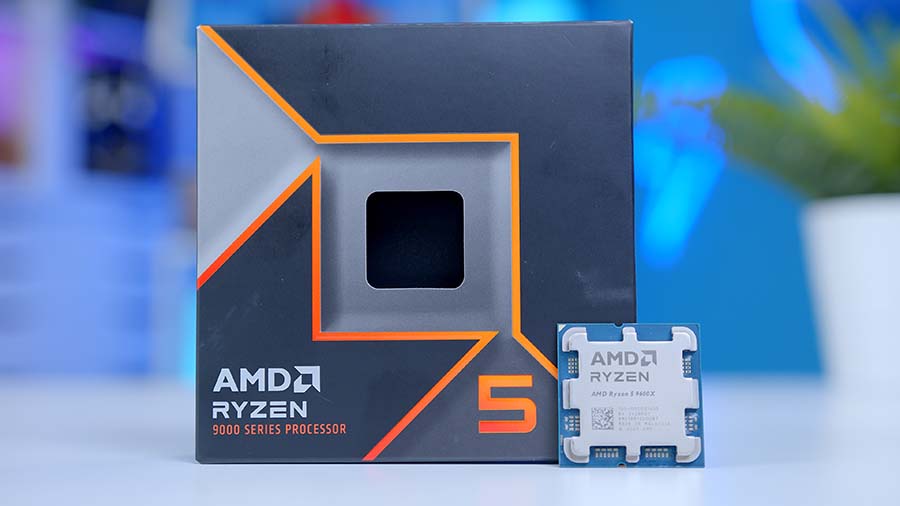
This CPU delivers strong gaming frame rates with modern platform efficiency for an AM5 build. It also has enough multitasking headroom for streaming, editing, and background app workloads.
Montech Hyperflow 360 ARGB
Skip to Section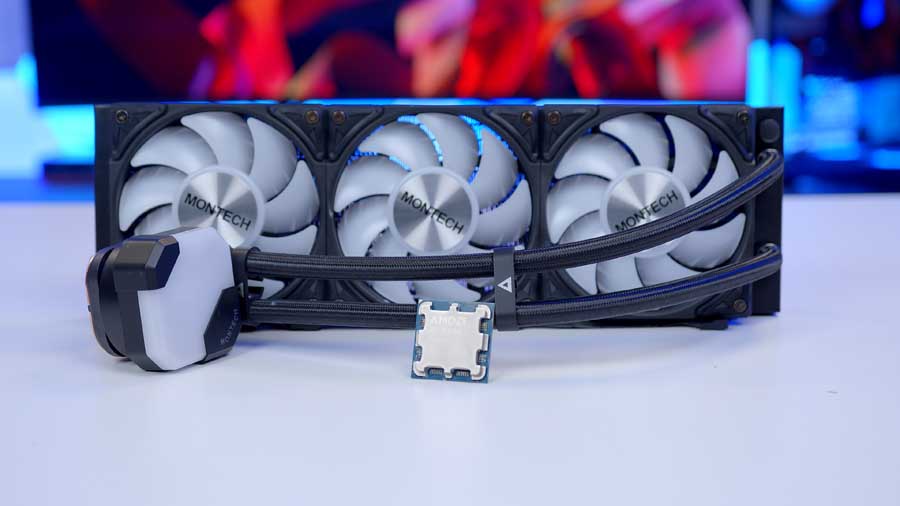
A budget-friendly tower cooler that provides better thermals than stock options in most gaming builds. It is easy to fit in mainstream mid-tower cases while keeping noise under control.
Gigabyte B850 EAGLE WiFi6E
Skip to Section
This board gives a balanced feature set for modern Ryzen builds with strong power delivery and connectivity. It is ideal for PCIe 5.0-ready systems without moving to top-tier chipset pricing.
Corsair VENGEANCE RGB DDR5
Skip to Section
A 32GB DDR5 kit is a sweet spot for gaming, content work, and future-proofing. It offers strong baseline capacity while leaving headroom for heavier multitasking and newer game engines.
Teamgroup MP44L 1TB
Skip to Section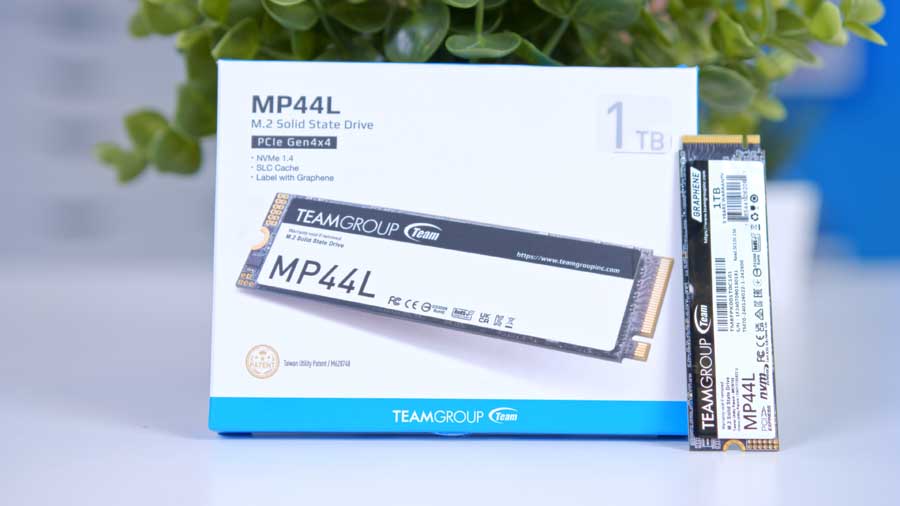
This SSD provides fast NVMe performance for boot, games, and everyday creative workloads. Its 1TB capacity works well as a primary drive before adding secondary storage later.
Gigabyte Radeon RX 9070 Gaming OC
Skip to Section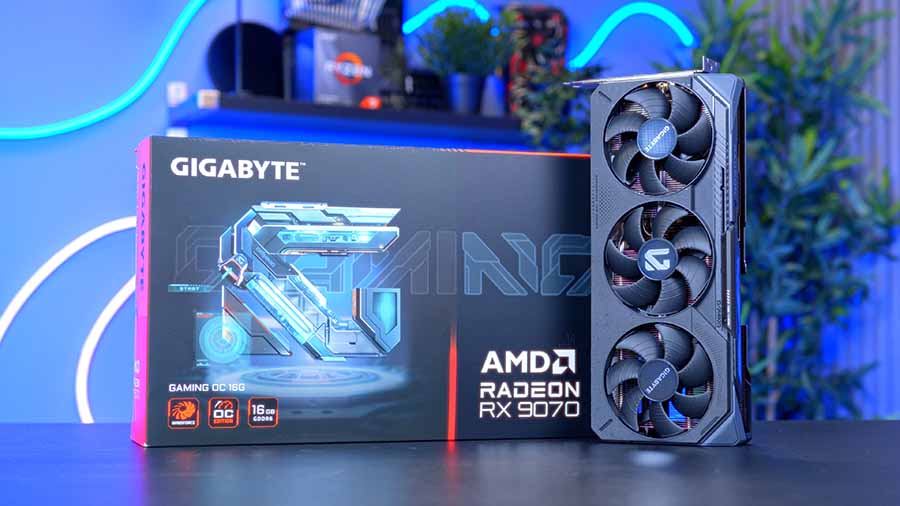
A strong mid-to-high tier graphics card targeted at high refresh 1440p gaming and capable 4K settings. It also gives modern encoder and feature support for streaming and creator tasks.
Montech KING 45 PRO
Skip to Section
This case prioritizes airflow and practical build compatibility for modern gaming hardware. It is a good foundation for larger GPUs and solid cooling without needing premium chassis pricing.
Corsair RM750e
Skip to Section
A 750W ATX 3.0-class PSU offers enough overhead for mainstream performance builds with modern GPUs. It balances stability and upgrade headroom while keeping total system power in a safe range.
AMD Ryzen 5 9600X
For the CPU in this build, we recommend AMD’s Ryzen 5 9600X chip – with 6 cores, 12 threads, and strong clock speeds that easily surpass 5GHz, it’s a well-rounded, high-performing option. The Ryzen 5 9600X has the edge in single-core applications and games due to its exceptional boost clock speed and low power budget. Because it consumes little power, it can sustain its 5.4GHz boost speed in modern games, making it an excellent pickup for 4K or 1440p with the right graphics card.
While the Ryzen 5 9600X offers excellent performance and efficiency, it’s worth noting that it is one of the more affordable options. Crucially, it also lives on the AMD AM5 socket, which does a considerable amount for ensuring good upgrade paths, and keeps motherboard costs down with a huge range of options to choose from.
Montech Hyperflow 360 ARGB
Our choice of cooler for this build feels like an obvious one: the Montech Hyperflow 360 ARGB is an impressive all-in-one liquid cooler for its price point, keeping even the hottest of processors calm and controlled under load. Consistently, we recommend this AIO as one of the Best 360mm Liquid Coolers to buy. The cooling unit equips three 120mm fans onto a 360mm radiator, delivering exceptional cooling efficiency, preventing overheating and boosting performance. With vibrant ARGB lighting, it enhances both cooling and your PC’s look, letting you push your system to its limits with confidence. Considering that our case is Montech-branded, it also adds a nice touch of cohesive branding synergy to the benefits you already gain from this high-performance, affordable cooler.
Gigabyte B850 Eagle WiFi6E
The Gigabyte B860 EAGLE WiFi6E is a strong budget‑friendly gaming motherboard that recently earned a spot in our Best B850 Motherboards to buy roundup. It delivers excellent value with solid networking features, an affordable price point, and a PCIe 5.0 slot that supports both a graphics card and an M.2 SSD.
Motherboard Specifications
-
Model
Gigabyte B850 EAGLE WiFi6E
-
Chipset / Socket
AMD B850 / AM5
-
Form Factor
ATX (30.5cm x 24.4cm)
-
CPU Support
AMD Ryzen 9000 / 8000 / 7000 Series
-
Memory Support
4 x DDR5 DIMM, up to 256GB, up to DDR5-8200 (OC)
-
VRM Design
Digital 8+2+2 phases
-
Graphics Card Compatibility
1 x PCIe 5.0 x16 slot (full-length GPU slot)
-
Expansion Card Compatibility
1 x PCIe 5.0 x4 + 2 x PCIe 4.0 x4 slots
-
M.2 Compatibility
3 x M.2 sockets: 1 x PCIe 5.0 x4, 1 x PCIe 4.0 x4, 1 x PCIe 4.0 x2
-
SATA Storage
4 x SATA 6Gb/s ports
-
Networking
2.5 Gigabit LAN + WiFi 6E
-
Rear I/O
DP, HDMI, 1 x USB-C 3.2 Gen1, 2 x USB 3.2 Gen2 Type-A, 2 x USB 3.2 Gen1, 4 x USB 2.0, PS/2, RJ-45, 3 x audio jacks
-
Front I/O Headers
1 x USB-C 3.2 Gen1 header, 1 x USB 3.2 Gen1 header, 2 x USB 2.0 headers
-
Audio
Realtek HD Audio (2/4/5.1/7.1-channel)
The board also includes several convenient toolless design elements. While it isn’t aimed at the high‑end market – and therefore offers a more limited selection of USB ports, and no CPU overclocking support – it remains a well‑rounded option for gamers seeking performance without overspending.
Corsair Vengeance RGB DDR5
RAM is a sore subject for everyone in the PC building community right now. It’s currently difficult to wholeheartedly recommend RAM for a system, so if you find DDR5 RAM at a price you can justify, we’d go with that, too. In a market where prices aren’t heavily inflated, we would say this 32GB RAM at around 6000MT/s would be the perfect choice for this gaming build. This kit is stunning, and it is built with high-quality materials. Corsair has proven to be a reliable brand for RAM over the years, solidifying our choice for this rig.
TeamGroup MP44L
It’s common for us to recommend at least 2TB of SSD storage in a modern gaming PC, but to keep this build as affordable as possible, we’re taking a more flexible approach. A sensible option right now is to start with a reliable lower‑capacity SSD and simply ‘make do’ until market prices settle. Once they do, this drive can easily be repurposed as additional storage.
The Teamgroup MP44L fits that role perfectly. Despite being a budget‑friendly Gen4 SSD, the 1TB model delivers impressive real‑world performance, reaching 5152 MB/s in sequential reads and 4450 MB/s in sequential writes in our testing. For a lower‑capacity drive at this price point, those numbers are exceptional, making it a worthwhile recommendation for a cost‑conscious build.
Gigabyte Radeon RX 9070 Gaming OC
One of the most important factors in any PC build is choosing the right CPU and GPU pairing, as these components work in tandem to maintain stable frame rates. For a deeper breakdown of why we selected the Gigabyte Radeon RX 9070 Gaming OC and AMD Ryzen 5 9600X, check out our Best CPUs to Buy for the RX 9070 guide. In short, the 9600X is fast enough to match the RX 9070’s instruction throughput, avoiding performance bottlenecks. The RX 9070’s 16GB of GDDR6 VRAM also ensures it can comfortably handle 1440p and 4K workloads without being held back by the processor, allowing the GPU to operate at its full potential.
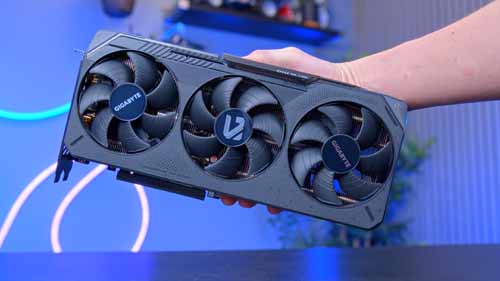
Alternative GPU Choice
Gigabyte Radeon RX 9070 XT Gaming
If you want more GPU headroom at 1440p and stronger 4K throughput, the Gigabyte Radeon RX 9070 XT Gaming is a great step up with robust raster performance and 16GB of VRAM.
Read Our ReviewMontech KING 45 PRO
One of Montech’s latest cases is up next on the roster. We’ve been awaiting the opportunity to put this case to good use since its release in late October 2025. It was released alongside the Montech KING 45, Montech KING 15 and Montech KING 15 PRO, a slimmer, smaller chassis with similar specs, designed to house only Micro-ATX and Mini-ITX boards. Both cases come with a ‘brand-new’ 15°, curved, rounded glass designed to turn your system into a panoramic work of art. Both chassis are based on the Montech KING 95 PRO and are designed to enhance its original features. All PRO variants come with pre-installed fans.
Interestingly, this case reverses the typical orientation of bottom-mounted fans, angling them to channel air directly into your GPU and immediately provide it with cool, fresh air. The direct bottom-to-top airflow pulls heat off your GPU and exhausts it upward, reducing core temps for steadier clocks and longer peak performance.
Case Specifications
-
Model
Montech KING 45 PRO
-
Form Factor
Mid-Tower
-
Motherboard Support
ATX, Micro-ATX, Mini-ITX
-
Case Dimensions (L x W x H)
450 x 245 x 462 mm
-
Front IO
1 x USB Type-C2 x USB 3.0 Type-A1 x Headset Audio JackPower ButtonLED Button -
PCI-E Slots
7
-
Colour
Black | White
-
Max Clearance
187mm Cooler Height430mm GPU Length180mm PSU Length -
Drive Support
Up to 2 x 2.5 inchUp to 2 x 3.5 inch -
Fan Support
Front:No supportTop:3 x 120mm or 2 x 140mmBottom:3 x 120mm or 2 x 140mmSide:No supportRear:1 x 120mm or 1 x 140mm -
Radiator Support
Front:No supportTop:Up to 360mmRear:Up to 120mmSide:No support -
Pre-Installed Fans
Bottom: 3 x 120mm (RX120 PRO); Rear: 1 x 120mm (AX120 PRO)
The Montech KING 45 PRO offers a fairly standard selection of front‑panel USB ports – nothing extravagant, but perfectly adequate for everyday use. You get one USB Type‑C and two USB 3.0 Type‑A ports positioned along the lower section of the front panel, making them easy to reach when the case sits on a desk.
Inside, the chassis supports up to two SSDs or HDDs and provides generous clearance for long GPUs, tall CPU coolers, and full‑length power supplies. Interestingly, Montech has retained its relocated PSU layout, mounting the power supply at the front of the case and concealing it behind a section of the curved rear panel. It’s an unconventional design choice, but one that keeps the interior clean and visually tidy.
From Our Full Review
★★★★☆
3.6/5

Pros and Cons
Pros
- Good value for money
- Tidily dressed chassis
- Reverse motherboard compatible
Cons
- Cable management is fiddly
- Air cooler not recommended
- No included case amenities
Bottom Line
The Montech KING 45 PRO is a stylish, compact case with strong value, good GPU-focused airflow, and useful modern support like reverse-connector motherboard compatibility. However, cable routing can be awkward, airflow constraints make air cooling less ideal, and missing case amenities hold it back versus stronger alternatives in the same segment.
Read The Full ReviewCorsair RM750e
The Corsair RM750e provides more than enough power for this build, comfortably meeting the RX 9070’s 650W requirement while offering extra headroom for future upgrades. Its 750W capacity ensures the GPU stays properly fed even under heavy loads. A major advantage of this unit is its fully modular design, which helps keep cable management clean and unobtrusive. It also adheres to the latest ATX 3.1 and PCIe 5.1 standards, ensuring stable, efficient, and reliable power delivery across the system.
Gallery
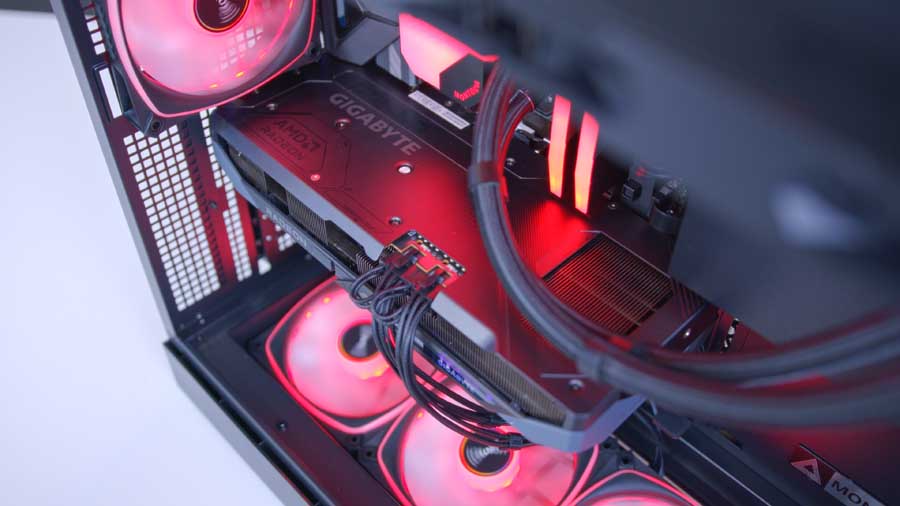
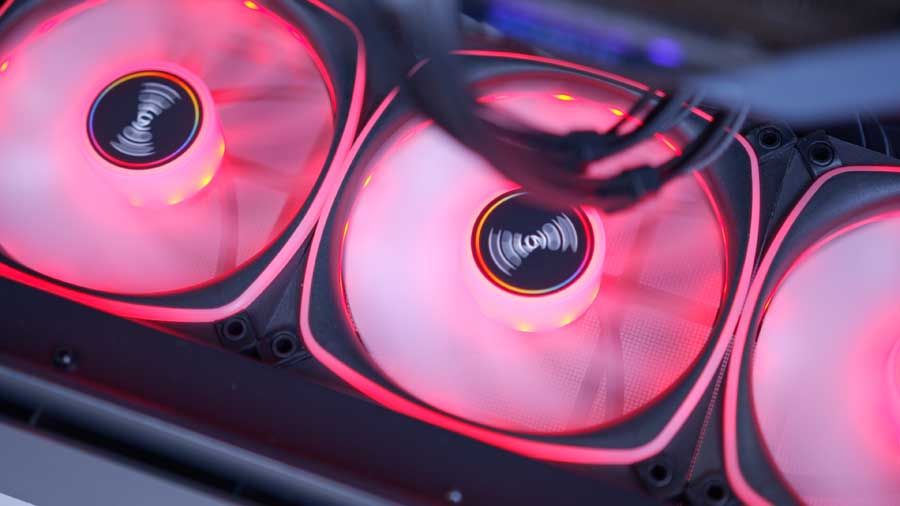
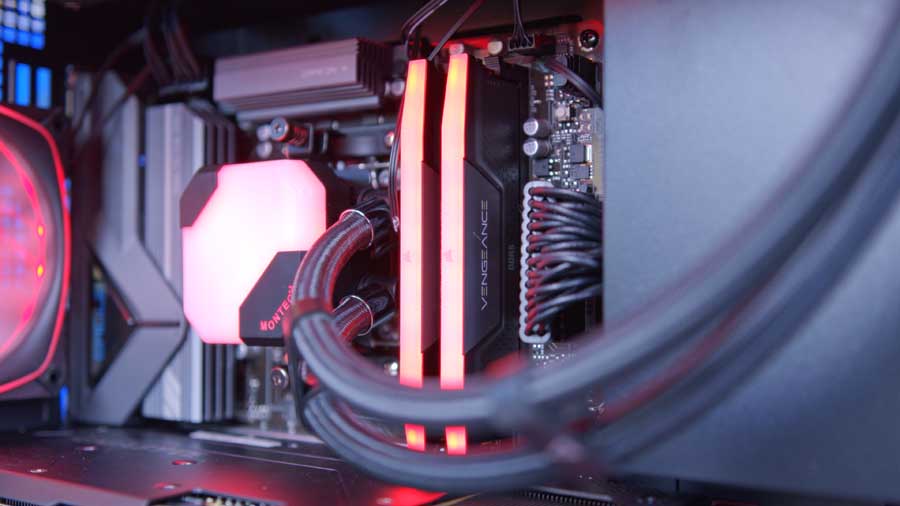
![[DM86] Montech King 45 Pro + RX 9070 Gallery (18)](https://geekawhat.com/wp-content/uploads/2026/01/DM86-Montech-King-45-Pro-RX-9070-Gallery-18.jpg)
Performance
In F1 25, we dial the resolution to 1440p with high graphics settings, and the framerate averages around 210 FPS, making this system perfect for high-refresh monitors. Even though the dips in the average are quite sizable and noticeable, the framerate still stays well above the 60 FPS standard. Cyberpunk offered a strong frame rate, given its famously graphically challenging nature. Pulling in 130 FPS on average means the gameplay experience is very smooth overall. The 1% and 0.1% lows indicate occasional stutters in dense city areas, but the experience remains well within the premium tier.
Battlefield 6 delivers a respectable 130.1 FPS, which is impressive given the scale of its destructible environments and high player counts. However, the 0.1% lows of 25.3 FPS indicate that during intense moments, you might encounter brief hitches. While the average is fluid, competitive players might want to drop some settings to “Medium” to stabilise those erratic frame times. Arc Raiders follows closely behind with an average of 121.3 FPS. As a cooperative third-person shooter with heavy physics and particle effects, maintaining a triple-digit average at 1440p High settings is a great result. The 1% lows of 58.9 FPS suggest that even during the most chaotic encounters, the game rarely dips below the “console standard” of 60 FPS, ensuring that your aim remains consistent when things get hectic. And finally, Marvel Rivals rounds out the list at 108.8 FPS. While it is the lowest average on the chart, it is arguably the most stable experience. With a 1% low of 78.2 FPS and a 0.1% low of 58.9 FPS, the performance is remarkably tight. This consistency is vital for a competitive game, where visual clarity and predictable input response matter more than a raw, fluctuating high number. It provides a rock-solid foundation for competitive play without the massive “dips” seen in the more demanding titles above.
Starting off with F1 25 again, the average framerate is much lower at 130 FPS. Whilst the average frames per second are lower, the amount produced is still more than acceptable for smooth gameplay; it is only when scenes become more complicated that the framerate drops to near 60 FPS at the 0.1% lows. Cyberpunk fares pretty well at 4K. Referring to the graph, we can see that the average framerate is 70 frames per second, and even in difficult‑to‑render scenes, it drops by only around 20 FPS. Having such a small gap in frame differences is applaudable, but it’s unfortunate that this stuttering will be noticeable at around 50 FPS.
Battlefield 6 shows a more dramatic spread between its average framerate and its lows. While the game averages a respectable 88 FPS, the 1% lows fall to 55 FPS, and the 0.1% lows dip sharply to just 22.8 FPS. This indicates that although general gameplay feels smooth, heavy action sequences or large-scale effects can cause significant momentary drops that players will definitely feel. Arc Raiders performs more consistently. With an average of 85 FPS and lows that remain relatively close – 69.5 FPS at 1% and 58.8 FPS at 0.1% – the game maintains stability even during visually intense moments. Marvel Rivals also delivers a solid showing, averaging 74.5 FPS with 1% lows at 56.4 FPS and 0.1% lows at 53.4 FPS. The minimal gap between these values means players can expect smooth, predictable performance throughout, with very little stutter, even when the action ramps up.
In conclusion, this is a well-balanced, high-value build that delivers top-tier 1440p gaming and is very capable at 4K in some demanding games.

![FI_[SR190] HYTE X50 Ryzen 5 9600X & MSI RTX 5070 Ti](https://geekawhat.com/wp-content/uploads/2026/01/FI_SR190-HYTE-X50-Ryzen-5-9600X-MSI-RTX-5070-Ti-551x431.jpg)
![FI_[DP064] ASUS Prime AP303 + 9070XT](https://geekawhat.com/wp-content/uploads/2026/03/FI_DP064-ASUS-Prime-AP303-9070XT-551x431.jpg)
![FI_[DM93] Corsair 3200D Launch](https://geekawhat.com/wp-content/uploads/2026/03/FI_DM93-Corsair-3200D-LAUNCH-551x431.jpg)
![FI_[DM89] Phanteks Evolv + AORUS 5090 9850X3D Gallery (8)](https://geekawhat.com/wp-content/uploads/2026/02/FI_DM89-Phanteks-Evolv-AORUS-5090-9850X3D-Gallery-8-551x431.jpg)